Facebook and Instagram handle login, recovery and deletion in Accounts Center, Snapchat deletes accounts at accounts.snapchat.com, and hacked Facebook or Instagram accounts start at facebook.com/hacked or instagram.com/hacked. All three give you 30 days to change your mind before deletion is final.
This guide covers each app's settings paths, recovery when you're locked out or hacked, deactivation versus deletion, and the Windows PC apps for each network.
Start here: what's your situation?
| Your situation | Start here |
|---|---|
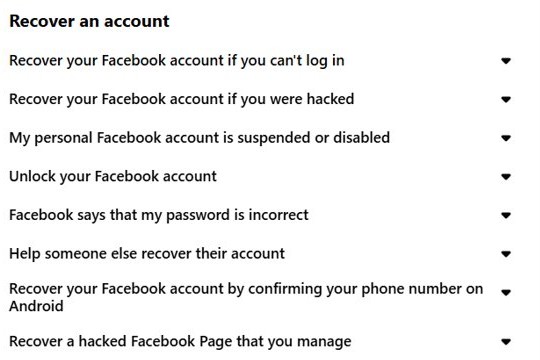
| Forgot your Facebook password | Reset it from the login page with the email or mobile number on the account |
| Lost the email or phone on your Facebook account | facebook.com/login/identify, then No longer have access to these? |
| Facebook account hacked | facebook.com/hacked, on a device you've used before |
| Instagram hacked, or you can't log in | instagram.com/hacked |
| Snapchat compromised | Change the password, then check the email and mobile number in Settings |
| Want a break | Deactivate; nothing is deleted |
| Want the account gone | Export your data, then request deletion |
Where is Facebook account center?
Click your profile picture at the top right, select Settings and privacy, then Settings, and open Accounts Center. Some accounts show Meta Account instead, as Meta moves people to Meta Accounts.
| Setting | Path inside Accounts Center | Good to know |
|---|---|---|
| Email address | Personal details > Contact info | To change it, remove the old address, then add the new one |
| Name | Profiles > your account > Name | Once every 60 days; you can change your Facebook name in the app too |
| Two-factor authentication | Password and security > Two-factor authentication | Security key, authentication app or text codes |
| Logged-in devices | Password and security > Where you're logged in | Log out sessions you don't recognize |
| Copy of your data | Your information and permissions > Export your information | The export stays available for four days |
| Deactivate or delete | Personal details > Account ownership and control > Deactivation or deletion | Both options start here |
Facebook basic mode, dark mode, Pages and anonymous group posts
| What you want | What Facebook offers now | Full walkthrough |
|---|---|---|
| Basic Facebook (mbasic) | mbasic.facebook.com now opens www.facebook.com; basic mode works only on certain mobile networks | Basic Facebook alternatives |
| Dark mode on a computer | A built-in dark mode that darkens the screen colors | Facebook dark mode on desktop |
| A classic Page | Switch into the Page: profile photo > See all profiles > the Page | classic Facebook Page options |
| Browsing without an account | Public profiles, Page posts and public group posts are visible to people off Facebook | browse Facebook without an account |
| Watch Party | No current Help Center article; Facebook Live viewers can watch together from a phone or computer | what happened to Watch Party |
| Posting in a group without your name | Works only where group admins allow anonymous posts | anonymous Facebook group posts |
| Restricting a Messenger contact | Messenger apps for Android, iPhone and iPad only, not computers | restrict someone in Messenger |
Instagram login with Facebook through Accounts Center
Any account can log in to the others in the same Accounts Center. Meta is retiring the separate Logging in with accounts switch from early 2026, after which accounts in one Accounts Center log in to each other by default.
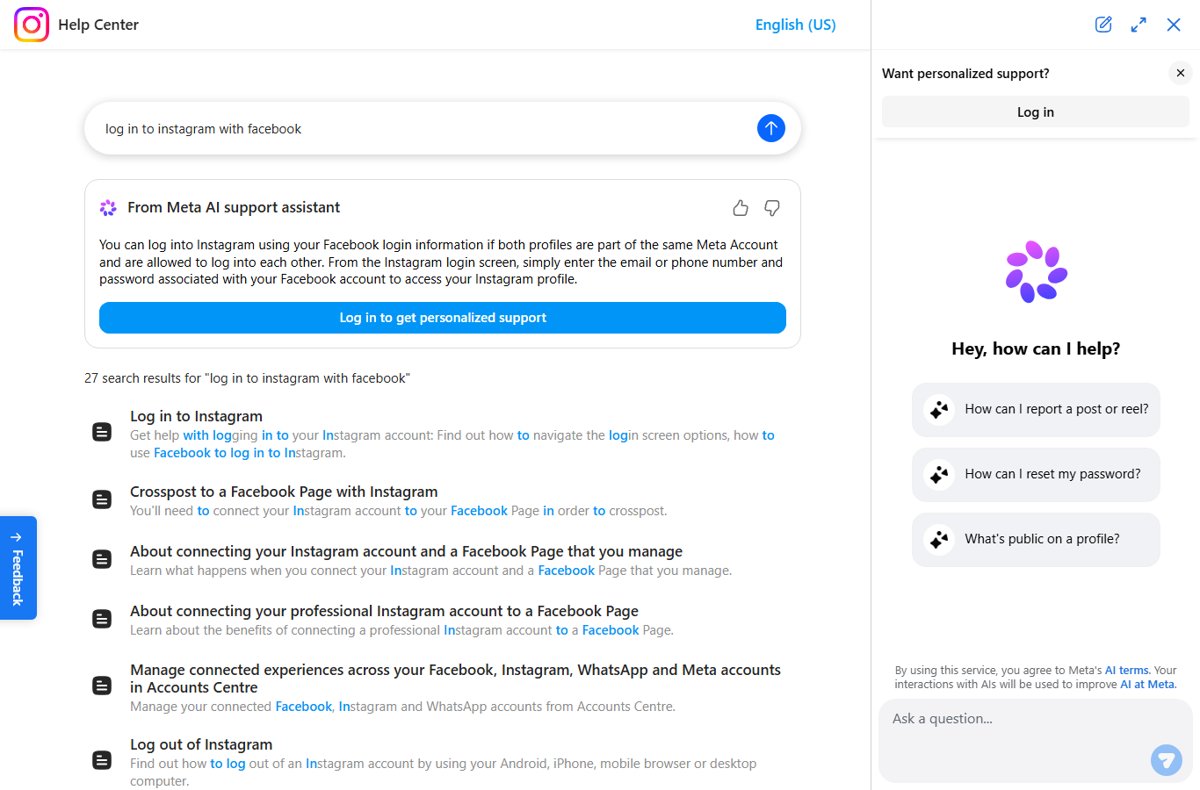
- In Instagram, click More at the bottom left, then Settings and Accounts Center.
- Check that your Facebook profile is listed, and add it if it isn't.
- If you still see Connected experiences > Logging in with accounts, select Allow all accounts to log in to each other.
- Next time, use your Facebook login on the Instagram login screen.
Moving an account out of the Accounts Center turns off login between them. The walkthrough for signing in to Instagram with Facebook also fixes linking errors.
How can I protect my data while using Instagram?
| Control | Where to find it | What it does |
|---|---|---|
| Private account | More > Settings > Account Privacy > Private account | Under-18 accounts start private; business profiles must switch to personal first |
| Story sharing to Facebook | Instagram app on Android, iPhone or iPad; not on computers | Decides whether stories also post to Facebook; you can stop stories sharing to Facebook |
| Who you follow | Open the profile and tap Following | Capped at 7,500 accounts; unfollow many Instagram accounts without risky apps |
| Account history | Menu > Your Activity > Account history | Lists changes made to your account |
| Backup codes | Accounts Center > Password and security > Two-factor authentication > Additional methods | Log in when a code can't be delivered |
For editing rather than privacy, you can change Instagram Reels speed with the Speed tool, which affects video and audio together.
How to use Snapchat for Web on a PC
Snapchat for Web lets you chat and call friends from a computer, in the latest Chrome, Edge or Safari only.
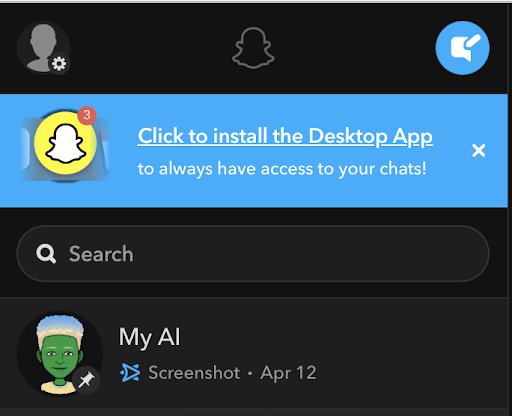
- Go to web.snapchat.com on your computer and log in.
- To install it in Chrome or Edge, click the install link at the top of your feed, or click your Bitmoji and choose Create Desktop Shortcut.
- To remove it, click the three-dot menu at the top right, then Uninstall Snapchat > Remove.
Permissions and login limits are part of the Snapchat for Web walkthrough. Cameos in Chat are no longer available: Snapchat Cameos explained shows what they did, and changing your Snapchat Cameo now means the My Selfie settings.
How to change your email on LinkedIn
LinkedIn, the professional network with more than 1 billion members, keeps sign-in emails under Sign in & security. New to it? What LinkedIn does covers profiles, Premium and privacy settings.
- Click the Me icon at the top of your LinkedIn homepage, then Settings & Privacy.
- Click Sign in & security, then Email addresses.
- Click Add email address, enter the new address and your password, then click Submit.
- Verify the address from the email LinkedIn sends.
- Click Make primary next to the new address, then Remove next to the old one.
Only a verified address can become primary. The LinkedIn email change walkthrough adds the phone app steps.
Account recovery page for Facebook, Instagram, Snapchat, TikTok and X
Meta's Account Recovery Hub at meta.com lists the Facebook, Messenger, Instagram and Threads routes on one page.
| App | Forgot password or lost access | Hacked or compromised | Locked, suspended or disabled |
|---|---|---|---|
| Login page reset, or facebook.com/login/identify without your email or phone | facebook.com/hacked on a familiar device | Log in and appeal within 180 days | |
| instagram.com/hacked | instagram.com/hacked | See the app's help page | |
| Snapchat | Password reset link by text or email | Change the password, check contact info, then Snapchat Support Bot | The lock message names the lock type |
| TikTok | See the app's help page at support.tiktok.com | See the app's help page | See the app's help page |
| X | See the app's help page at help.x.com | See the app's help page | See the app's help page |
If you can access the email address or mobile phone number you use to log in
If Facebook can still text or email you, a password reset is the quick fix for a forgotten password.
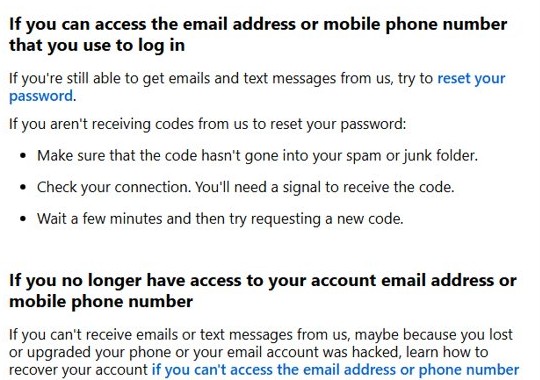
- Start the reset from the Facebook login page with the email or mobile number on the account.
- If no code arrives, check your spam or junk folder.
- Make sure your phone has a signal.
- Wait a few minutes, then request a new code.
- Enter the code and set a password you don't use anywhere else.
When you can't log in for other reasons, such as a locked account, use the Facebook login recovery steps.
If you no longer have access to your account email address or mobile phone number
First try other emails or numbers you may have added, with the country code (+1 for the US). If you've forgotten which address you used, find the email on your Facebook account.
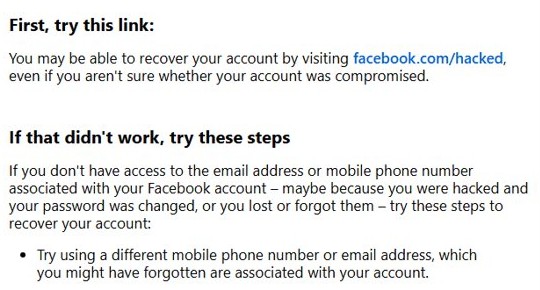
- On a device you've used for Facebook before, go to
facebook.com/login/identify. - Enter an email, mobile number, name or username that could be on the account.
- Select No longer have access to these?
- Add new contact info never used on this account.
- Pass the identity checks, then reset your password.
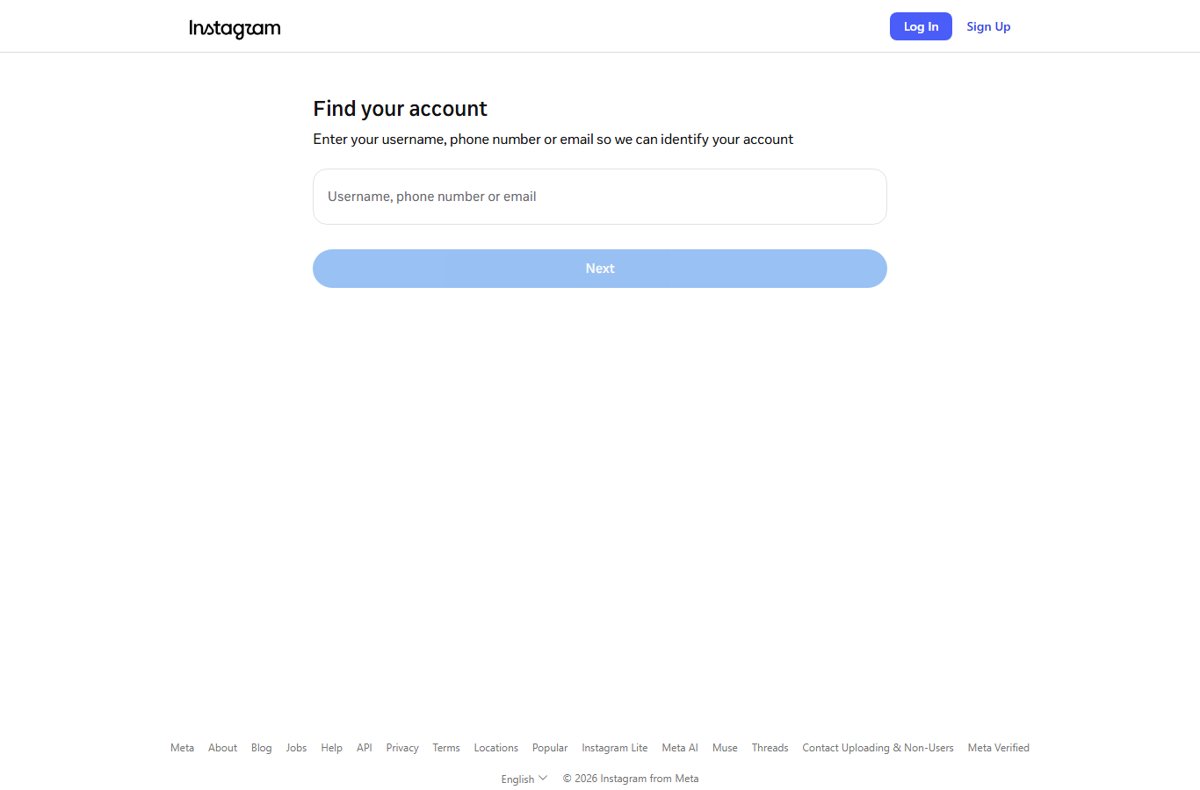
No such option? Try facebook.com/hacked, which can work even when you aren't sure the account was compromised. Getting your old account back either way means confirming it belongs to you.
What to do if your Facebook account was hacked and how to recover it
Go to facebook.com/hacked first, even if a hacker logged you out. Use a device you've logged in from before, because Meta's recovery recognizes familiar devices.
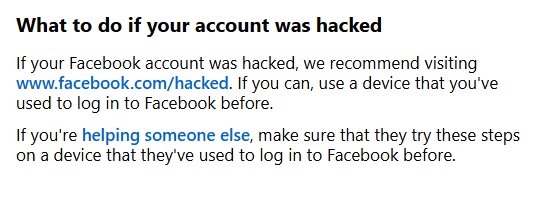
- Open facebook.com/hacked and follow the prompts.
- If the hacker changed your email, click the reversal link in the message Facebook sent to your old address.
- Go to Accounts Center > Password and security > Where you're logged in and log out sessions you don't recognize.
- Change your password and turn on two-factor authentication.
- Remove suspicious apps and browser add-ons.
What not to do during recovery: never send your password to anyone, because Meta doesn't ask for it by email. The steps for getting a hacked Facebook account back also cover a changed phone number, and a Microsoft Defender malware scan checks the PC for the malicious software Facebook warns about.
How to know if your Facebook account was hacked? Signs to look for
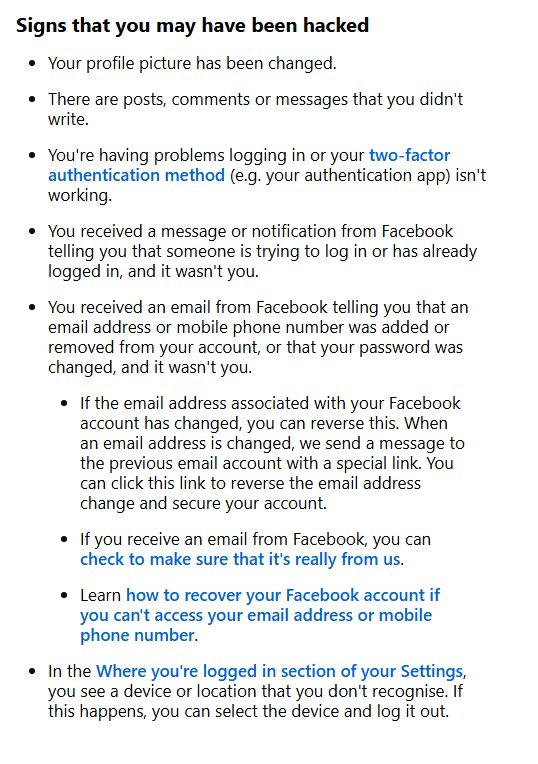
| Sign Facebook lists | Do this |
|---|---|
| Your profile picture changed | Start at facebook.com/hacked |
| Posts, comments or messages you didn't write | Secure the account, then remove them |
| You can't log in, or your two-factor method stopped working | Use facebook.com/hacked on a familiar device |
| A login alert that wasn't you | Change your password |
| An email saying your email, phone or password changed | Use its link to reverse an email change |
| An unknown device under Where you're logged in | Log it out |
How to protect your Facebook account going forward
- Use a strong password you don't use anywhere else.
- Create a passkey, which is harder to phish than a password.
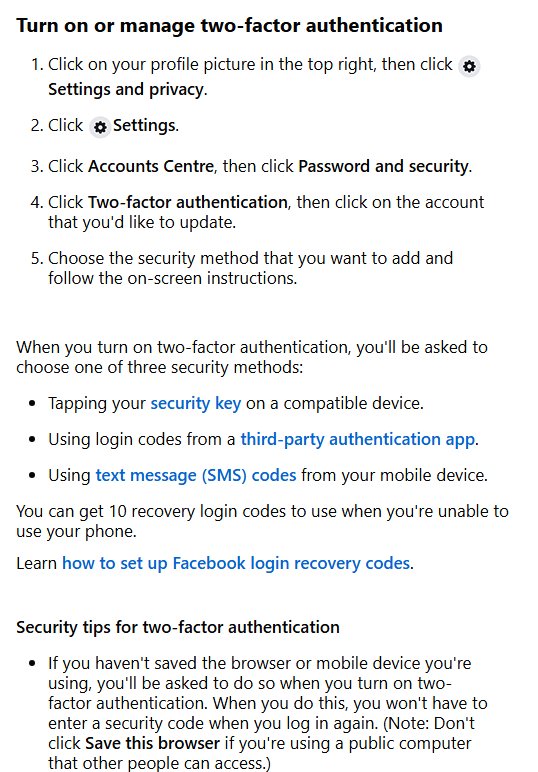
- Turn on two-factor authentication and save your 10 recovery login codes.
- Turn on alerts about unrecognized logins.
- Run Security Checkup on a computer.
- Type www.facebook.com into your browser instead of following login links.
These security tips carry over to Instagram, which has the same passkeys, two-factor authentication, Security Checkup and login alerts.
Important: know your appeal window
Facebook suspends accounts it believes break its Community Standards, such as by misrepresenting your identity or harassing people. You have 180 days to appeal, though the period varies by region.
| What you see | What to do |
|---|---|
| We've suspended your account | Log in and follow the prompt to appeal within 180 days |
| We've disabled your account | No further review is available |
| Snapchat: locked for violating Community Guidelines | Submit an appeal through Snapchat Support |
New in 2026: Facebook support is changing
Facebook support now runs through the Meta AI support assistant, open 24/7 from Help & Settings in the app or the Help Center. Meta says it can submit appeals and update settings for you, and only you can start a chat.
| Support route | What it does |
|---|---|
| Meta AI support assistant | Chat in the Facebook or Instagram app, or on the Help Center |
| Phone | Meta has no general public phone number for customer service |
| Meta Verified Support | Contact included with the paid Meta Verified subscription |
| Email from Meta | Comes only from fb.com, facebook.com, facebookmail.com, instagram.com, meta.com or metamail.com |
Every other channel is listed with the ways to contact Facebook, along with how to spot fake support numbers.
What's the difference between deactivation and deletion?
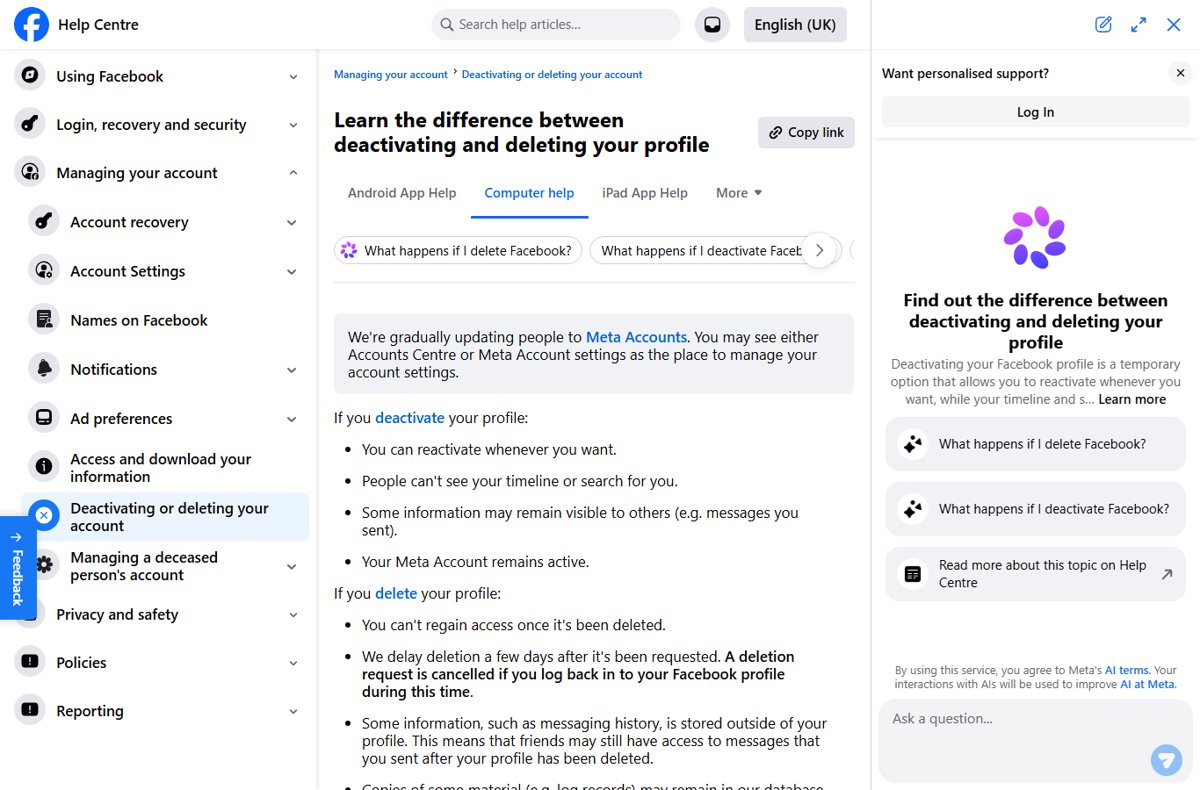
Quick summary: deactivation hides an account and keeps everything, while deletion removes it after a short grace period. Deactivate if you want to take a break without losing content.
| App | Where the option lives | Deactivate | When deletion is final | Reactivate or cancel |
|---|---|---|---|---|
| Accounts Center > Deactivation or deletion | Profile hidden; Messenger can stay on | 30 days after the request; up to 90 days to clear content | Log in within 30 days, then Cancel deletion | |
| Accounts Center > Deactivation or deletion | Posts hidden; once a week | 30 days after the request; up to 90 days to finish | Log back in; deleted usernames can be reused if free | |
| Snapchat | accounts.snapchat.com > Delete my account | Every deletion starts with 30 days of deactivation | 30 more days (180 in India) | Log in to the app with your username within 30 days |
| TikTok | See the app's help page at support.tiktok.com | See the app's help page | See the app's help page | See the app's help page |
| X | See the app's help page at help.x.com | See the app's help page | See the app's help page | See the app's help page |
Facebook and Instagram say the cancel window varies by region.
Before you delete: what to do first
| App | Export your data first | Also check before you proceed |
|---|---|---|
| Accounts Center > Your information and permissions > Export your information; download within four days | Give someone full control of Pages only you manage; apps using Facebook Login will stop working | |
| Same path in Instagram's Accounts Center; download within 4 days, though the link email can take up to 30 days | You must be able to log in; Instagram can't delete a profile for you | |
| Snapchat | You have 30 days after deactivating to download your data | Snapchat keeps some records, such as purchases |
Download your data if possible before you deactivate: Facebook can't export from a deactivated profile or one scheduled for deletion.
How to permanently delete your Facebook account or profile
These steps work in a web browser on Windows, Mac or Chromebook.
- Click your profile picture at the top right, then Settings and privacy > Settings.
- Click Meta Account (or Accounts Center).
- Click Personal details, then Account ownership and control.
- Click Deactivation or deletion.
- Choose the profile, click Continue and follow the instructions to confirm.
In the app, tap Menu (top right on Android, bottom right on iPhone), then Settings and privacy > Settings > Meta Account and continue the same way. The Facebook deletion walkthrough for every device adds additional profiles and Messenger.
How to temporarily deactivate your Facebook account or profile
- Click your profile picture, then Settings and privacy > Settings.
- Click Accounts Center, then Personal details.
- Click Account ownership and control > Deactivation or deletion.
- Choose the profile and select Deactivate account.
- Click Continue and confirm.
When your account is deactivated, nobody can see your profile, though group admins may still see your posts and comments. When your Facebook account is deactivated but you still have Messenger, you keep chatting and people can still find you to send a message.
Pages that only you control are deactivated too. Reactivating your account only takes logging back in, as long as you can reach the email or mobile number on it.
What happens if you permanently delete your Facebook profile
| What | After deletion |
|---|---|
| Your profile | Can't be reactivated; photos, posts and videos are gone |
| Messenger | You can no longer use it |
| Facebook Login on other apps | Stops working, for example on Spotify or Pinterest |
| Messages you sent | Copies stay in your friends' inboxes |
| Pages only you control | Deleted too, unless someone else gets full control |
| Meta Quest | Purchases, achievements and store credits deleted if you use Facebook to log in |
| Other profiles in your Meta Account | Not affected |
Does deleting remove your data permanently? Removal can take up to 90 days, and Meta may keep backup copies afterward for disaster recovery or legal reasons. Instagram works the same way.
Canceling your Facebook account deletion
- Log in to Facebook within 30 days of requesting deletion.
- Click Cancel deletion.
After 30 days the account is gone for good. For a fresh start, move to a new Facebook account and close the old one, since Facebook allows only one personal account.
How to permanently delete your Instagram account: step by step in Accounts Center
You must be logged in, and the export tool disappears once the profile is deleted.
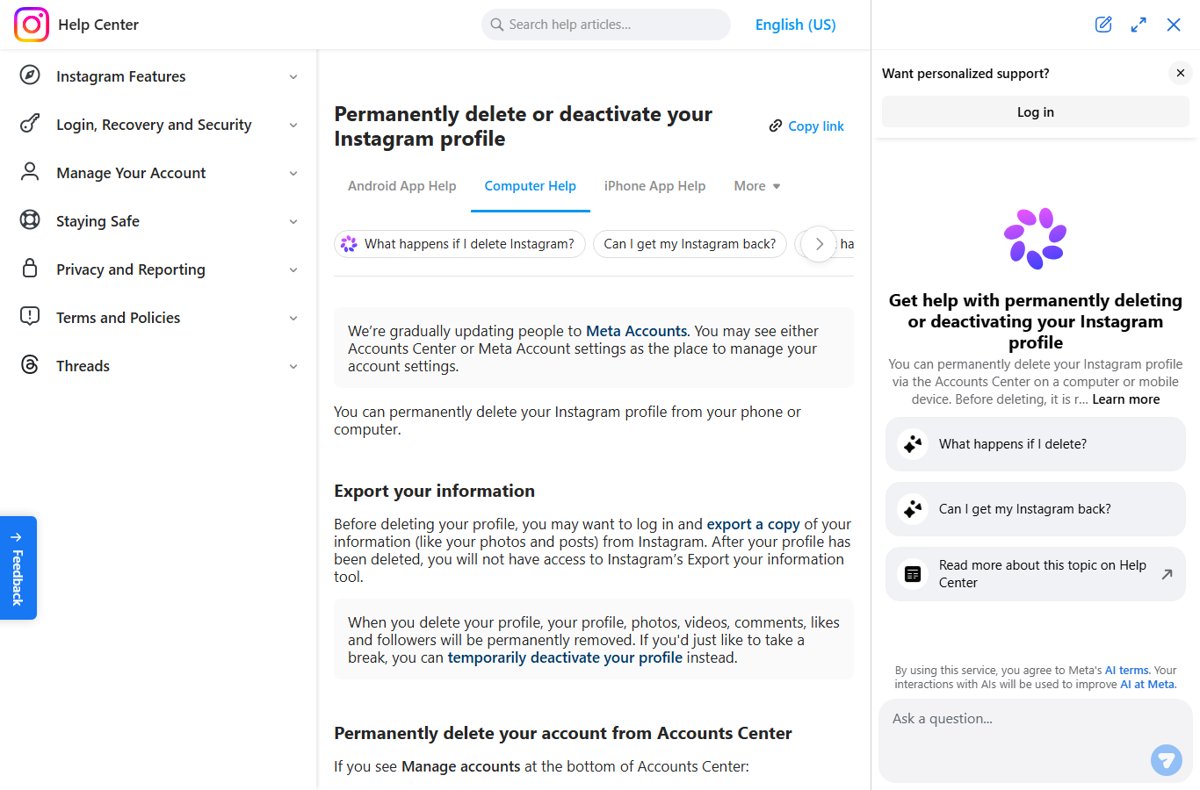
- On a computer, click More at the bottom left, then Settings.
- Click Accounts Center, then Personal details.
- Click Account ownership and control > Deactivation or deletion.
- Choose the profile, select Delete account and click Continue.
- Follow the instructions to confirm.
Phone steps differ by device, and the Instagram deletion steps for every device also fix a missing delete option.
How to temporarily deactivate your Instagram account: step by step
Deactivation hides your photos, comments and likes until you log back in.
- Log in and click More > Settings > Accounts Center.
- Click Personal details > Account ownership and control > Deactivation or deletion.
- Choose the profile, select Deactivate account and click Continue.
You can't deactivate without logging in, so reset a forgotten password first.
How to delete Snapchat step-by-step on iPhone, Android or the web
Deleting Snapchat is confusing because it runs in two stages: 30 days of deactivation, when you can still come back, then deletion after 30 more days.
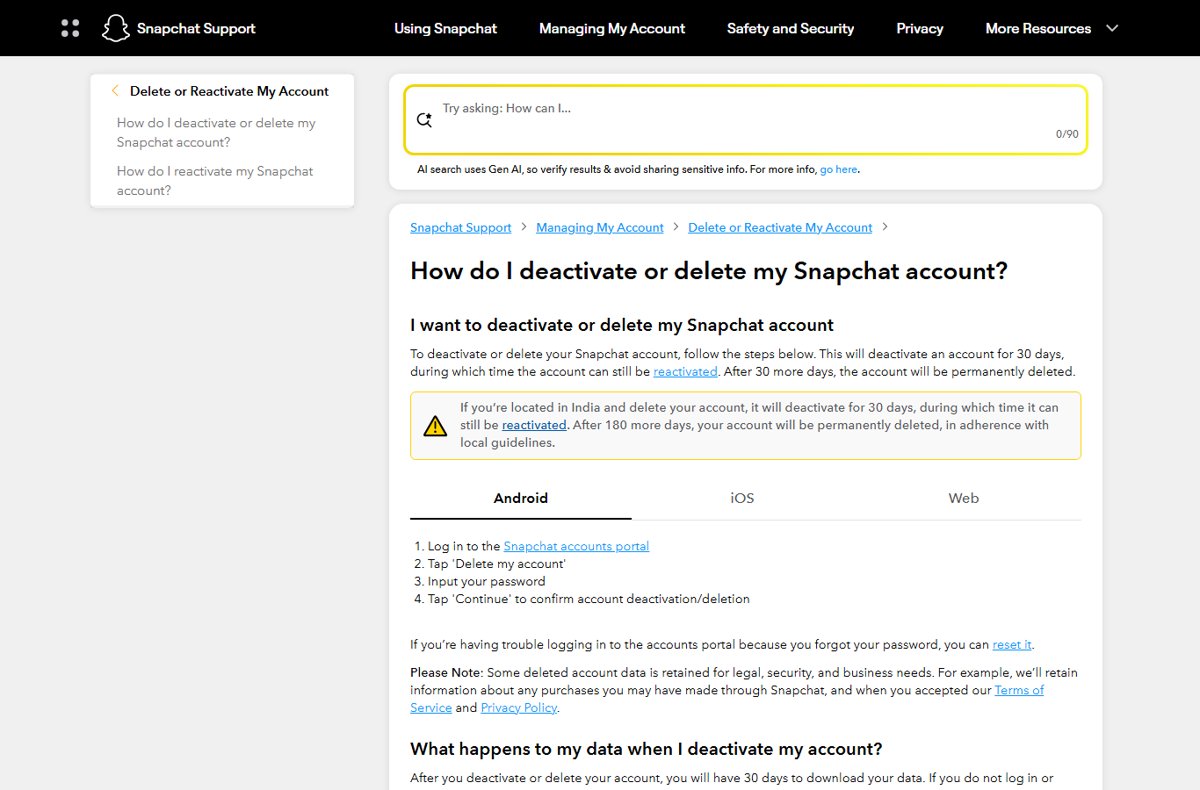
- Log in to the accounts portal at accounts.snapchat.com in any web browser.
- Select Delete my account.
- Enter your password and select Continue.
Alternative method in the app, for example on iOS: tap the gear on your profile screen, then Account Actions > Delete Account, which opens the same portal.
Download your data within 30 days; otherwise it's deleted after 60 days. The permanent Snapchat deletion walkthrough adds the backup steps.
How to reactivate your Snapchat account
Only you can reactivate within the 30 days; Snapchat Support can't do it for you.
- Open the Snapchat app.
- Log in with your username, not your email or phone number.
- Use your existing password, since it can't be changed while the account is deactivated.
A permanently deleted account can't be reactivated.
Facebook, Instagram, TikTok and X apps for Windows PC
| App | Windows option | Get it |
|---|---|---|
| Microsoft Store app | Facebook for Windows download | |
| Microsoft Store app | Instagram app for Windows | |
| TikTok | Microsoft Store app | TikTok desktop download |
| X (Twitter) | Desktop app | Twitter for Windows |
| Snapchat | Snapchat for Web, installable from Chrome or Edge | web.snapchat.com |
| Web app installed from Edge or Chrome | Reddit desktop app | |
| Microsoft Store app | Pinterest for PC download | |
| Microsoft Store app | LinkedIn app for Windows |
Weighing whether to keep TikTok at all? It helps to know who owns TikTok today. For messaging, music and video apps, the hub for phone and media apps on a PC lists each Windows option.
Still not working? Fix social media login codes and locked accounts
Instagram keeps asking you to enter a confirmation code
Two-factor authentication can't deliver the code.
- Enter one of your saved backup codes instead.
- With no backup codes, start recovery at instagram.com/hacked.
- Work through the Instagram confirmation code error fixes if that fails.
Multi-factor authentication woes: your authenticator is on a lost phone
Your two-factor method is out of reach.
- On Facebook, log in with one of your 10 recovery login codes.
- On Instagram, use a backup code.
- Set up two-factor authentication again on the new phone.
Snapchat says your account is locked
Snap locks accounts for Community Guidelines violations, temporarily, or after a compromise.
- Read the lock message to see which type applies.
- For a compromised lock, reset your password and confirm your email and mobile number.
- If it still isn't working, troubleshoot with Snapchat Support Bot.
Snapchat won't let you log in to delete or reactivate
The accounts portal needs your password, and a deactivated account can't log in with an email or phone number.
- To delete, reset a forgotten password first, then log in to the accounts portal again.
- To reactivate, log in to the app with your username instead of your email or phone.
Social media accounts FAQs
How do Facebook accounts get hacked?
Facebook's security advice targets three ways in: fake sites that copy its login page, passwords reused on other sites, and malicious software. Hackers want your account because it reaches your friends with spam and malicious links.
Why is my Facebook account disabled?
Facebook disables an account when a suspension isn't appealed within 180 days or the appeal fails, and it can skip the suspension for severe violations. After that, no further review is available.
Why can't I create a Facebook account?
You must be at least 13 and confirm your email address or mobile number to finish sign-up. Facebook also allows only one personal account per person.
What Facebook account settings should I change?
Start with security: turn on two-factor authentication, save your 10 recovery codes, create a passkey and turn on alerts about unrecognized logins. Then run Security Checkup on a computer and log out any session you don't recognize under Where you're logged in.
Can a Facebook account be deleted permanently?
Yes. Request deletion in Accounts Center under Account ownership and control, then Deactivation or deletion. You have 30 days to cancel by logging back in; after that the account and its information are permanently deleted, and removal can take up to 90 days.
Can a Facebook account be paused?
Yes. Deactivating pauses it: your profile is hidden, nothing is deleted, and Messenger can stay active. Log back in any time to reactivate, as long as you can reach the email or phone on the account.
Can a Facebook account be private?
Not completely. Your name, profile picture, cover photo, username and user ID are always public. The audience selector controls who sees each post, and Public posts can appear in search engines.
Can I have two Facebook accounts?
No. More than one personal account breaks Facebook's Community Standards. Create a Page for a business or brand, or add a nickname or maiden name to your existing profile.
How do I recover a hacked Instagram account?
Go to instagram.com/hacked and enter your username, phone number or email so Instagram can find the account. The same page helps when you simply can't log in to Instagram.