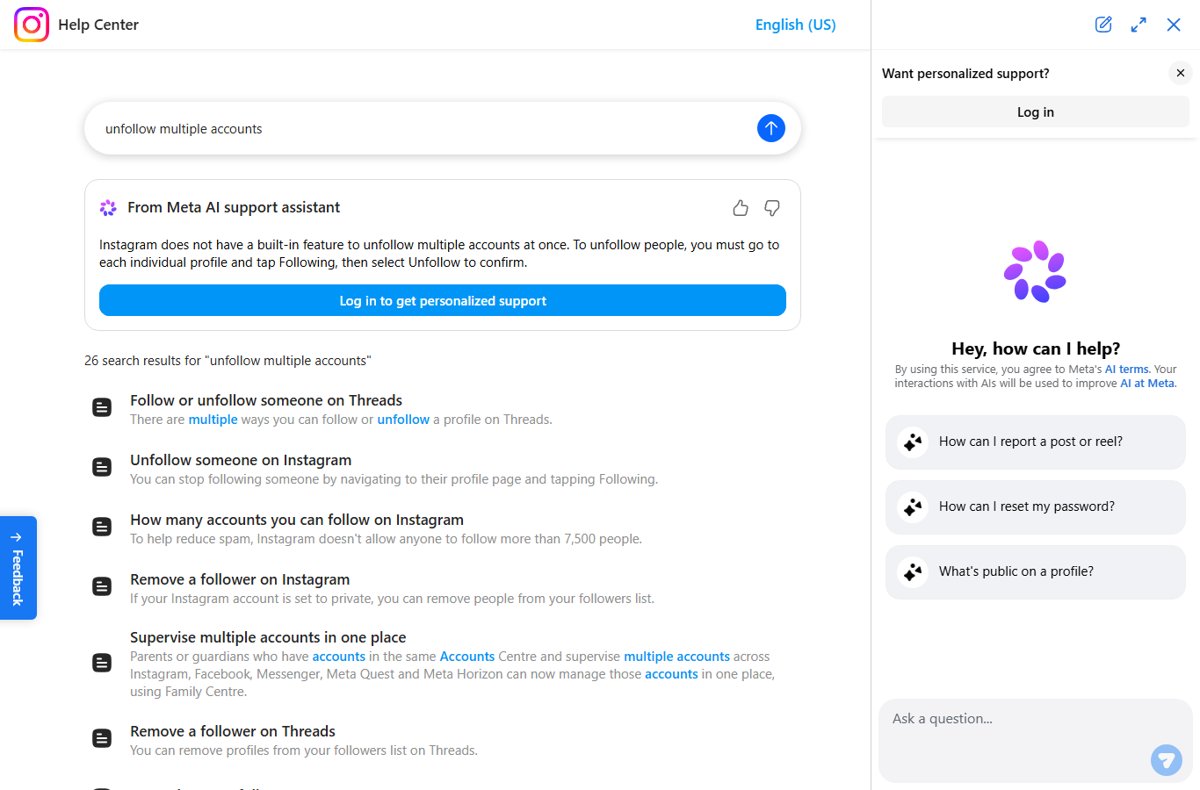
Instagram has no button that unfollows everyone at once, so the only official way is to open each profile, tap Following and then tap Unfollow.
This guide shows the quickest manual routine, why mass-unfollow apps put your account at risk, and the official alternatives when you really want a clean slate.
The Official Method: Manual Unfollowing
This works the same in the Instagram app on iPhone and Android and on instagram.com. The person you unfollow gets no notification.
- Open Instagram and go to your own profile.
- Tap the Following count to see every account you follow.
- Tap an account's name to open its profile page.
- Tap Following under the profile name.
- Tap Unfollow to confirm.
- Go back to your Following list and repeat for the next account.
The count on your profile drops by one each time. Work through the list in short sessions rather than one long run.
The Legal & Safe Way: Using Instagram's Official Features
Instagram offers no bulk unfollow, but several official tools reach the goal behind the request. Pick the row that matches what you actually want.
| What you want | Official option | What happens |
|---|---|---|
| Follow fewer accounts | Unfollow from each profile | Each unfollow is silent and permanent until you follow again |
| A fresh feed without losing your account | Add a second Instagram account | Start a new following list while keeping the old profile |
| A break from Instagram | Temporarily deactivate your profile | Photos, comments and likes are hidden until you log back in |
| Leave Instagram for good | Permanently delete your profile | The account and its following list are removed |
| Stop fake followers following you | Remove a follower (private accounts) | That account leaves your followers list |
Deactivation and deletion both start in Accounts Center under Account ownership and control > Deactivation or deletion. You can deactivate only once a week.
The Need to Unfollow Everyone on Instagram
Most people want a mass unfollow for one of a few reasons. The reason decides whether unfollowing is even the best fix.
| Reason | Why it happens | Best route |
|---|---|---|
| Hit the follow limit | Instagram caps following at 7,500 accounts to reduce spam | Unfollow inactive accounts first |
| Feed full of accounts you no longer care about | Follows pile up over years | Manual unfollows, or a second account for a fresh start |
| Old follow-for-follow habits | The account followed strangers to gain followers back | Unfollow in batches over several days |
| Changing the account's purpose | A personal account becomes a business or creator profile | A separate account keeps both audiences clean |
Important Considerations Before Unfollowing Everyone
| Check | Why it matters |
|---|---|
| There is no undo | Re-following a private account sends a new follow request they must approve |
| Unfollows are silent | Instagram does not notify people you unfollow, but they may notice later |
| Close friends and family | Write down the accounts you want to keep before you start |
| Your follower count is separate | Unfollowing others does not remove anyone who follows you |
| Never share your password | Instagram warns never to give login details to third-party apps or websites |
Step-By-Step Guide to Unfollow Everyone on Instagram in 2025
Clearing a long list is a routine, not a single action. These steps keep it manageable and keep the account in good standing.
- List the accounts you want to keep, such as friends, family and work contacts.
- Open your profile and tap your Following count.
- Start at the top of the list and open each account you do not want to keep.
- Tap Following, then Unfollow, and go back to the list.
- Stop after a session, and continue on another day rather than unfollowing hundreds in a row.
- Check your Following count after each session to track progress.
Instagram does not publish an unfollow rate limit. Steady, human-paced sessions avoid looking like the automated activity its rules prohibit.
Why Automated and Bulk Unfollowing is Popular in 2025
Bulk unfollow apps promise to clear thousands of accounts in minutes, which is why they keep appearing. The catch is how they work: most ask for your Instagram username and password.
| What the app promises | What actually happens | Instagram's position |
|---|---|---|
| Unfollow everyone in one tap | The app logs in as you and runs actions automatically | Apps offering likes or follows are not affiliated with or endorsed by Instagram |
| No risk to your account | The app gets full access to your account, messages and friends | Using them breaks Community Standards on inauthentic activity |
| Faster growth afterwards | Fake engagement can be removed | Accounts can be limited, disabled or terminated |
Top Third-Party Tools & Methods for Unfollowing Everyone in 2025
Third-party mass-unfollow tools fall into a few types: phone apps, browser extensions, web services and scripts. Every type that acts on your account does so by logging in as you or driving your session automatically.
Do not use any third-party tool that asks for your Instagram login or automates unfollows on your account. Instagram warns never to share login information with such apps, and automated or inauthentic activity can lead to account limits, a disabled account or termination.
How to Safely Use Third-Party Tools for Bulk Unfollowing
There is no safe way to hand an outside app control of your Instagram account. If you already tried one, use these fixes to take your account back.
You gave an unfollow app your Instagram password
The app now holds your login and can act as you.
- Change your Instagram password straight away.
- Turn on two-factor authentication, for example with an authentication app.
- Open the privacy settings for apps and websites connected to your Instagram and remove the app.
Your follows or likes changed without you doing anything
Instagram removes inauthentic activity, or a connected app is still acting on the account.
- Remove any third-party app or website connected to your account.
- Change your password.
- Check Account Status for any Community Standards violation notices.
Some account settings are temporarily limited
Instagram can temporarily limit, restrict or lock accounts for security.
- Stop all bulk actions and disconnect outside apps.
- Wait for the limit to lift before unfollowing again.
- Resume with short manual sessions.
Post-Unfollow Strategies
- Follow back only the accounts on your keep list.
- Use Search and Explore to find new accounts that match your current interests.
- Set your account to private if you want to approve every new follower.
- On a private account, remove spam or bot followers from your followers list.
- Build a Close Friends list so stories reach only the people who matter.
Ethical and Community Considerations
Unfollow manually in steady sessions, and start a second account if you want a completely fresh feed. Manual unfollowing is the only method Instagram supports, it notifies nobody, and it keeps you clear of the inauthentic-activity rules that bulk apps break.
Frequently asked questions
How do I unfollow many people at once on Instagram?
You cannot. Instagram has no built-in feature to unfollow multiple accounts at once. Open each profile, tap Following, then tap Unfollow, working through your Following list in short sessions.
Can you unfollow someone on Instagram without them knowing?
Yes. Instagram does not notify people when you unfollow them. They could still notice if they check their followers list or your profile, but no alert is sent.
How do I know if someone unfollowed me on Instagram?
Instagram sends no notification when someone unfollows you. The only official way to tell is to look through your own followers list for the account.
Why do people follow and then unfollow on Instagram?
It is usually a follow-for-follow tactic: an account follows you hoping you follow back, then unfollows to stay under limits. Instagram caps following at 7,500 accounts to reduce this kind of spam.
Are mass unfollow apps safe for Instagram?
No. Instagram says apps offering likes or follows are not affiliated with it, often need your login, and gain full access to your account. Using them can get your account limited, disabled or terminated.
How many accounts can you follow on Instagram?
Up to 7,500. Instagram does not allow anyone to follow more than 7,500 accounts, to help reduce spam. Once you reach it, unfollow some accounts before following new ones.