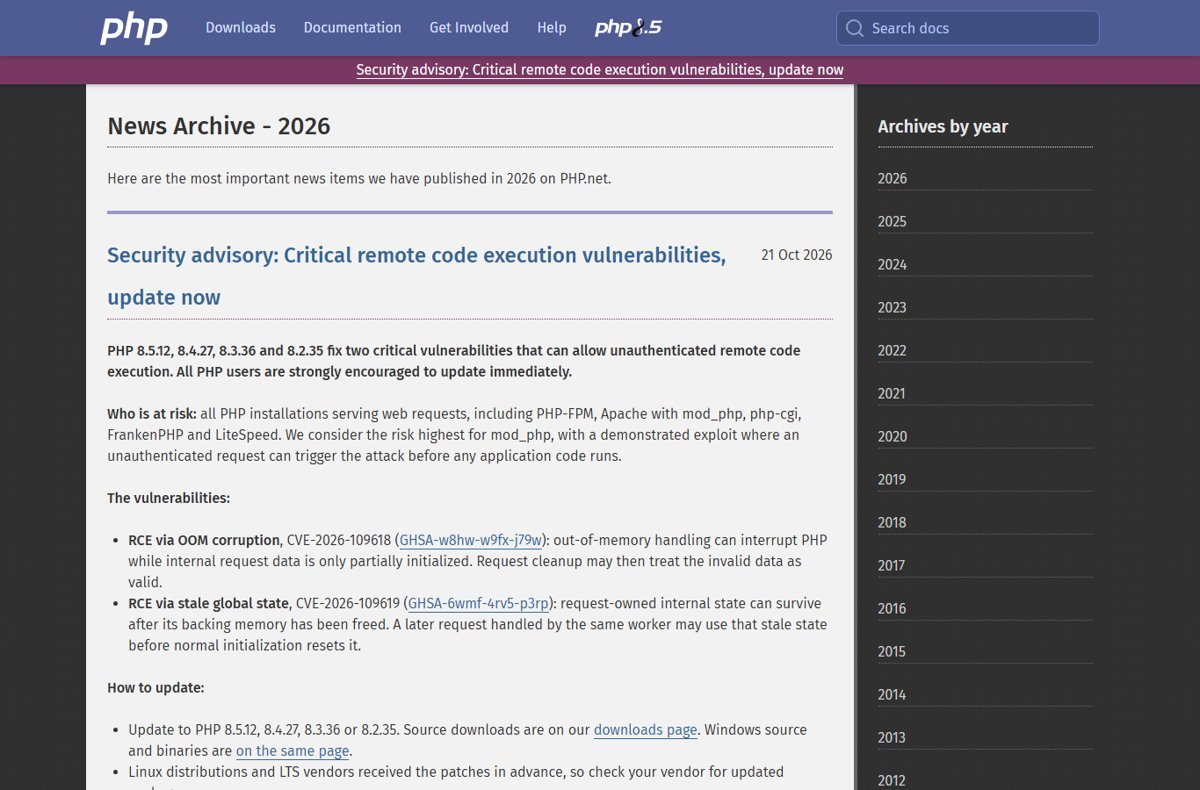
Yes: every WordPress site served by PHP is exposed to CVE-2026-109618 and CVE-2026-109619 until its PHP version is 8.5.12, 8.4.27, 8.3.36, 8.2.35 or a vendor build that carries the fix.
This guide, part of our PHP security hub, shows how to read your exact PHP version in Site Health, which number counts as patched, how to get your host to update it, and how to test plugins and themes afterwards.
Check your WordPress PHP version in Site Health
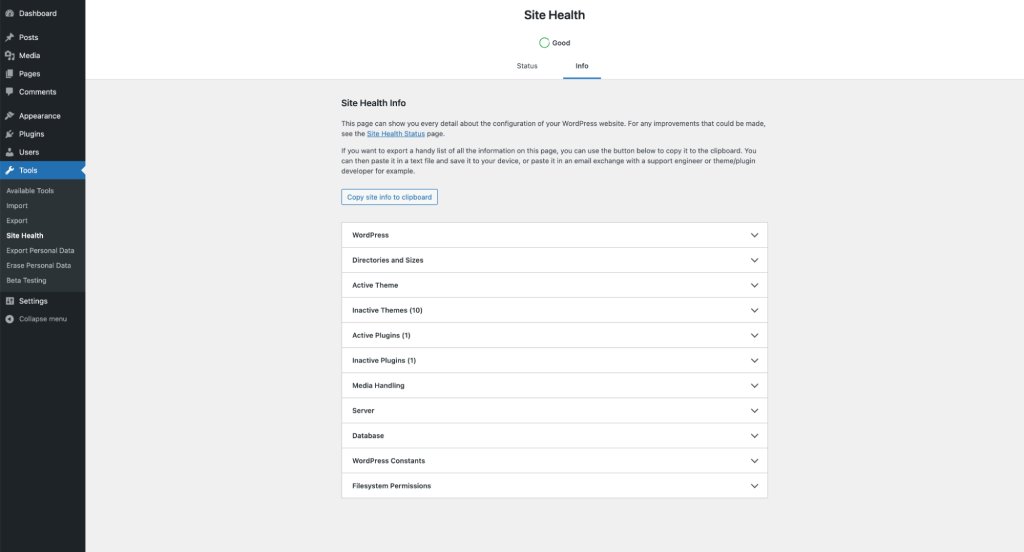
Site Health is built into WordPress, so this check needs no plugin and no server access.
- Sign in to your WordPress dashboard as an administrator.
- Go to Tools > Site Health in the sidebar.
- Select the Info tab.
- Expand the Server section.
- Read the value next to PHP version and compare it with the patched releases in the next section.
Look at the full number, not just the branch. A site on 8.3.35 is on a supported branch and still vulnerable; 8.3.36 is the fixed release.
Is WordPress affected by CVE-2026-109618 and CVE-2026-109619?
The two flaws, the CVE-2026-109618 OOM corruption bug and the CVE-2026-109619 stale state RCE, are in PHP itself, not in WordPress core, a theme or a plugin. php.net says all PHP installations serving web requests are at risk, and a WordPress site is exactly that.
The PHP security team rated both CVSS v4.0 9.2 and says they can allow unauthenticated remote code execution. Updating WordPress, plugins or a security plugin does not fix them, because the bug sits below WordPress.
| Item | CVE-2026-109618 | CVE-2026-109619 |
|---|---|---|
| Advisory ID | GHSA-w8hw-w9fx-j79w | GHSA-6wmf-4rv5-p3rp |
| Type | Remote code execution via out-of-memory corruption | Remote code execution via stale global state |
| What goes wrong | Out-of-memory handling interrupts PHP while request data is half-initialized, and cleanup treats it as valid | Request state survives after its memory is freed, and a later request on the same worker uses it |
| Fixed in | PHP 8.5.12, 8.4.27, 8.3.36, 8.2.35 | PHP 8.5.12, 8.4.27, 8.3.36, 8.2.35 |
| Server setups at risk | PHP-FPM, Apache mod_php, php-cgi, FrankenPHP, LiteSpeed | PHP-FPM, Apache mod_php, php-cgi, FrankenPHP, LiteSpeed |
php.net considers the risk highest for Apache with mod_php, where a demonstrated exploit runs before any application code. That means a WordPress firewall plugin never gets a chance to see the request. The PHP security update for both RCE flaws has the full advisory.
Is my WordPress PHP version patched? Version table
Match the PHP version from Site Health to a row below. Server owners with shell access can also check the PHP version from the command line.
| PHP version in Site Health | Status | What to do |
|---|---|---|
| 8.5.12 or later | Patched | Nothing for these CVEs; keep plugins and themes current |
| 8.5.0 to 8.5.11 | Vulnerable | Ask the host for PHP 8.5.12 or later |
| 8.4.27 or later | Patched | Nothing for these CVEs |
| 8.4.0 to 8.4.26 | Vulnerable | Ask the host for PHP 8.4.27 or later |
| 8.3.36 or later | Patched | Nothing for these CVEs; plan a move to 8.4 or 8.5 |
| 8.3.0 to 8.3.35 | Vulnerable | Ask the host for PHP 8.3.36 or a newer branch |
| 8.2.35 | Patched | Plan a move before PHP 8.2 reaches end of life on 31 December 2026 |
| 8.2.0 to 8.2.34 | Vulnerable | Ask the host for 8.2.35, or better, a newer branch |
| 8.1, 8.0, 7.4 or older | No PHP project fix | Switch to PHP 8.3 or newer, or ask the host whether its vendor backported the fix |
Hosts that run Linux distribution packages received the patches in advance and may ship the fix under their own package version. If your number looks old, ask the host whether its PHP build includes the fixes for CVE-2026-109618 and CVE-2026-109619 before you assume it is vulnerable.
WordPress required PHP version
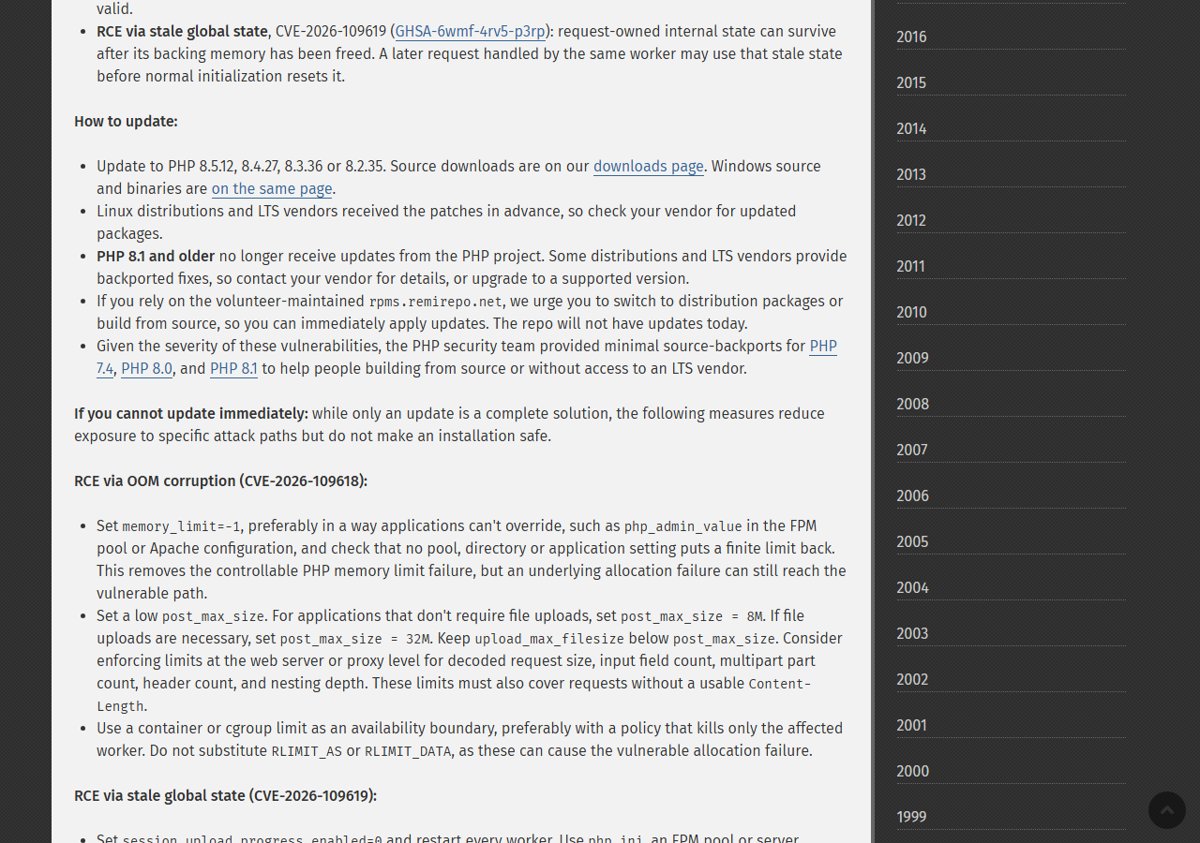
WordPress.org recommends PHP 8.3 or greater. WordPress still runs on PHP 7.4 and later, but WordPress.org warns those older versions have reached end of life and may expose a site to security vulnerabilities.
| PHP branch | PHP support status | WordPress compatibility | Patched release |
|---|---|---|---|
| PHP 8.5 | Active support | Fully supported by WordPress 6.9 and later | 8.5.12 |
| PHP 8.4 | Active support | Fully supported by WordPress 6.7 and later | 8.4.27 |
| PHP 8.3 | Security fixes only | Compatible with WordPress 7.1, 7.0 and 6.9 | 8.3.36 |
| PHP 8.2 | Security fixes only until 31 December 2026 | Compatible with WordPress 7.1, 7.0 and 6.9 | 8.2.35 |
| PHP 8.1, 8.0, 7.4 | End of life | Backward compatibility only | None from the PHP project |
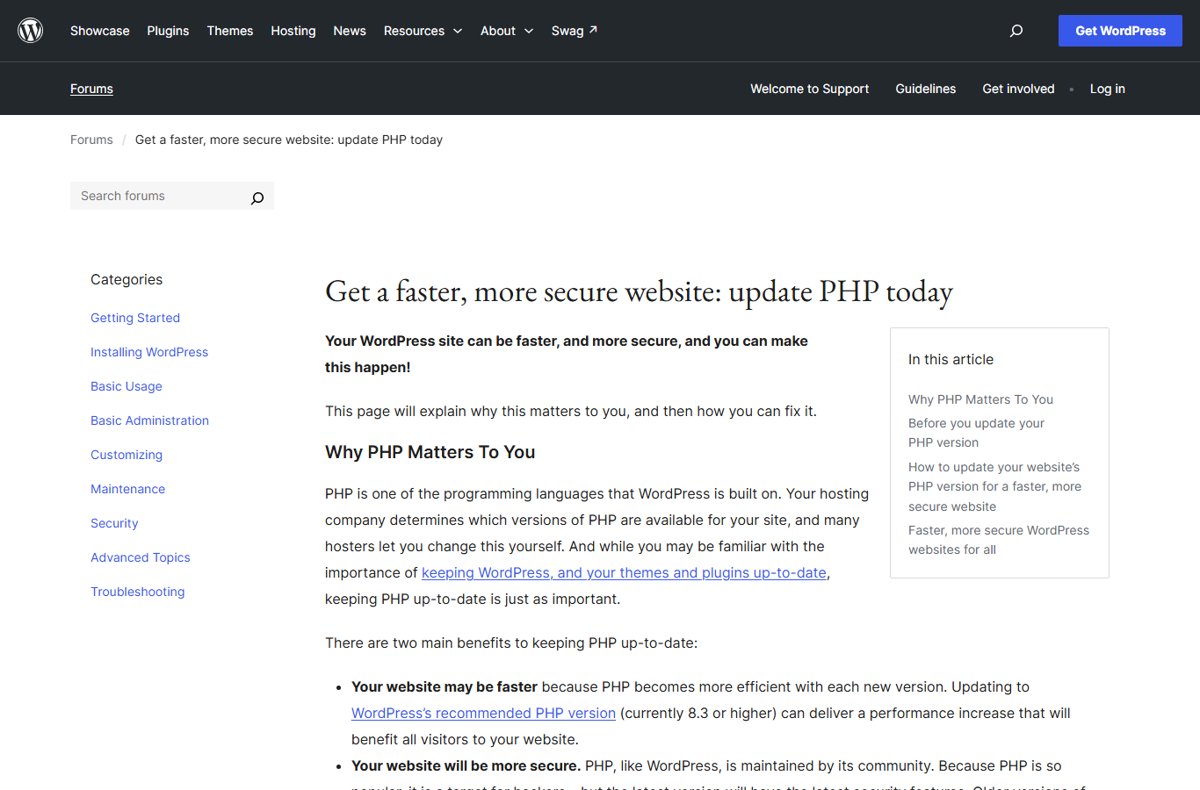
The WordPress Hosting Handbook recommends PHP 8.4 or later for production sites. If your host offers a choice, the patched 8.4 or 8.5 release fixes these CVEs and puts you on a branch with the longest support left.
How to update PHP for WordPress on your host
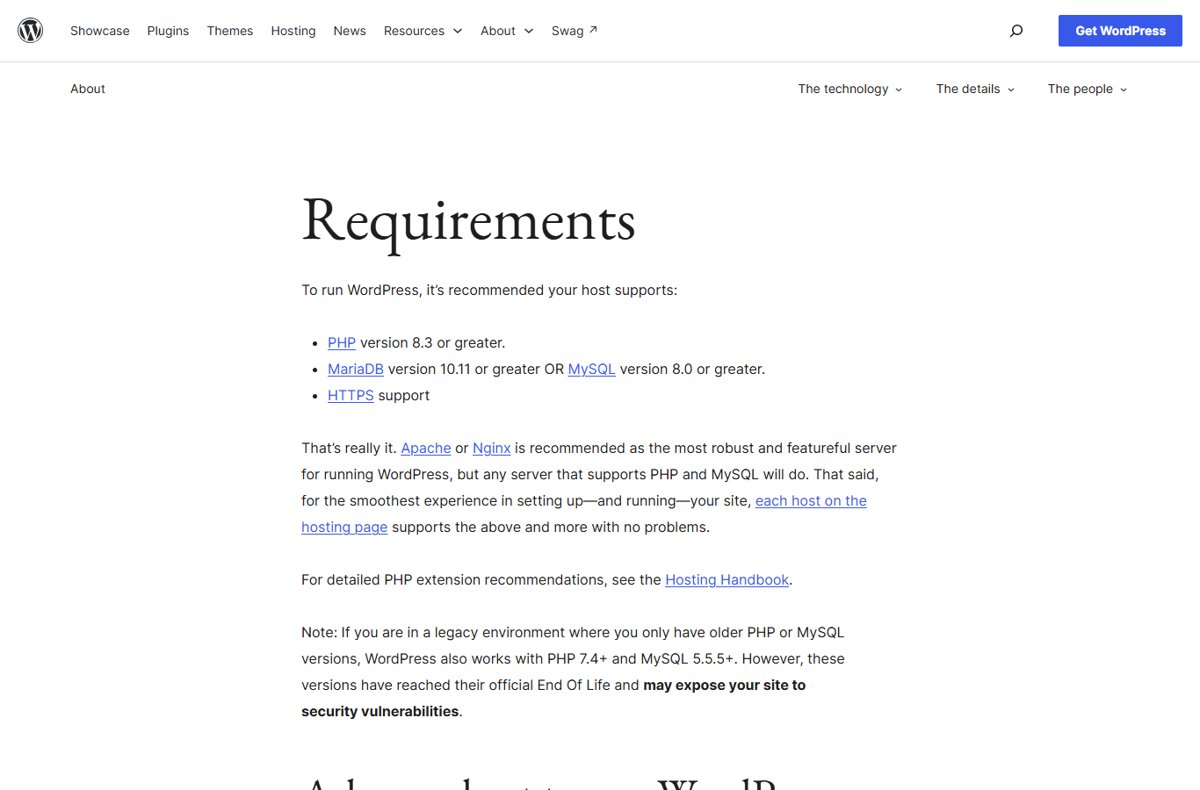
PHP runs on your hosting server, so the update happens in your host's control panel or through the host's support team. The exact screen depends on the host.
- Back up your site files and database before changing anything.
- Update WordPress core, themes and plugins from Dashboard > Updates, then confirm the site still works.
- Open your hosting control panel and find its PHP version setting, often named PHP selector or PHP manager.
- Choose the newest branch your plugins support, such as PHP 8.4 or 8.5, and save.
- If the panel only shows branch numbers such as 8.3, ask the host which patch release that branch runs; it must be 8.3.36 or later.
- If the host has no self-service option, send a support request asking for PHP 8.5.12, 8.4.27, 8.3.36 or 8.2.35, or confirmation that its build includes the CVE-2026-109618 and CVE-2026-109619 fixes.
- Reload Tools > Site Health > Info > Server and confirm the new PHP version.
Self-hosted sites on a VPS or your own server update PHP through the operating system's package manager, such as apt on Ubuntu and Debian, or a new official build. The PHP 8.5.12, 8.4.27, 8.3.36 and 8.2.35 update guide covers Windows and Linux, and every PHP-FPM or Apache worker must restart before the fix takes effect.
Confirm WordPress is running the patched PHP version
- Go to Tools > Site Health and select the Info tab.
- Expand Server and check that PHP version reads 8.5.12, 8.4.27, 8.3.36, 8.2.35 or later in the same branch.
- Select the Status tab and confirm the warning Your site is running an outdated version of PHP, which requires an update is gone.
- Open the front page and a few key pages, then sign out and back in to check the site loads normally.
If Site Health still shows the old number after the host says it updated PHP, the server workers may not have restarted yet. Ask the host to restart PHP for your account.
Test plugins and themes after a PHP update
A patch release within the same branch, such as 8.3.35 to 8.3.36, is a security fix. Moving to a new branch, such as 8.2 to 8.4, is where plugin and theme problems tend to appear.
- Before switching branches, check each plugin's page on WordPress.org for its tested PHP and WordPress versions.
- Optionally run the PHP Compatibility Checker plugin; WordPress.org notes it can miss issues or flag false positives.
- After the switch, click through the front end, a contact form, checkout or any page that relies on a plugin.
- In the dashboard, open the editor and save a draft to confirm admin screens work.
- Check Tools > Site Health > Status for new critical issues.
- If a plugin or theme breaks, contact its developer or replace it with a maintained alternative, rather than staying on an unpatched PHP version.
WordPress PHP update problems and fixes
Dashboard shows "PHP Update Required" or "PHP Update Recommended"
WordPress detected a PHP version below its recommendation.
- Read the exact version under Tools > Site Health > Info > Server.
- Ask the host to move the site to PHP 8.4.27 or 8.5.12, which also clears the CVE exposure.
Site breaks after changing the PHP version
A theme or plugin is not compatible with the new PHP branch.
- Switch back to the previous branch in the host panel, making sure it is on its patched release.
- Contact the host or a developer, and restore your backup only if the old PHP version alone does not fix it.
- Ask the plugin or theme developer for a compatible update, then try the newer branch again.
Host cannot offer a patched PHP version
The host runs an end-of-life branch such as PHP 8.1 or 7.4, or has not rolled out the release yet.
- Ask the host for a date and whether its vendor backported the fixes.
- Ask the host which partial mitigations from the php.net advisory it has applied in the meantime.
- Plan a move to a host that offers PHP 8.3.36 or newer if no fix is coming.
php.net lists partial measures such as disabling session upload progress, but warns they reduce exposure without making an installation safe. Hosts that control php.ini can apply the PHP mitigations for CVE-2026-109618 and CVE-2026-109619 while they schedule the update.
WordPress PHP update FAQ
How do I check my PHP version in WordPress?
Go to Tools > Site Health, select the Info tab, expand Server and read PHP version. This works on any WordPress site with admin access and needs no plugin or server login.
Which PHP version fixes CVE-2026-109618 for WordPress?
PHP 8.5.12, 8.4.27, 8.3.36 and 8.2.35 fix both CVE-2026-109618 and CVE-2026-109619. Any later release in the same branch also includes the fix. PHP 8.1 and older get no update from the PHP project.
What PHP version does WordPress require?
WordPress.org recommends PHP 8.3 or greater. WordPress still works on PHP 7.4 and later, but those older versions are end of life. The WordPress Hosting Handbook recommends PHP 8.4 or later for production.
Can a WordPress security plugin block the PHP RCE flaw?
No. The flaws are in PHP itself, and php.net describes a mod_php exploit that triggers before any application code runs. A plugin loads as application code, so only a patched PHP version fixes the problem.
Do I need to update WordPress to fix the PHP vulnerability?
No. Updating WordPress core does not change the PHP version on the server. Keep WordPress current anyway, but the fix for these CVEs comes from your host updating PHP.
Will updating PHP break my WordPress site?
A patch release within the same branch, such as 8.4.26 to 8.4.27, is a security fix and rarely affects plugins. Switching branches can expose plugin or theme incompatibilities, so back up first and test afterwards.
Is PHP 8.2 still safe for WordPress?
PHP 8.2.35 is patched against both CVEs, but PHP 8.2 reaches end of life on 31 December 2026 and gets no security fixes after that. Plan a move to PHP 8.4 or 8.5.
Can I update PHP myself on shared hosting?
Many hosts let you pick a PHP version in their control panel, but the patch release within each branch is installed by the host. If the panel shows only a branch number, ask support which exact version it runs.
Should you update PHP on your WordPress site now?
Yes. Check Site Health today and get your host onto PHP 8.5.12, 8.4.27, 8.3.36 or 8.2.35, preferring the 8.4 or 8.5 branch. php.net says both flaws can allow unauthenticated remote code execution on any PHP site serving web requests, and only an update is a complete fix.