To make a new Facebook account from your old one, export your information, give the new account access to any Pages you run, sign up at facebook.com, then delete or deactivate the old account.
Facebook allows one personal account per person, so this guide covers the switch itself, what carries over, what is lost, and why sign-up sometimes fails.
How to make a new Facebook account from your old one
Facebook has no button that copies an old account into a new one, and it cannot merge two personal accounts. The switch is a manual move that ends with one account left.
- Log in to the old account and export a copy of your information from Accounts Centre > Your information and permissions > Export your information.
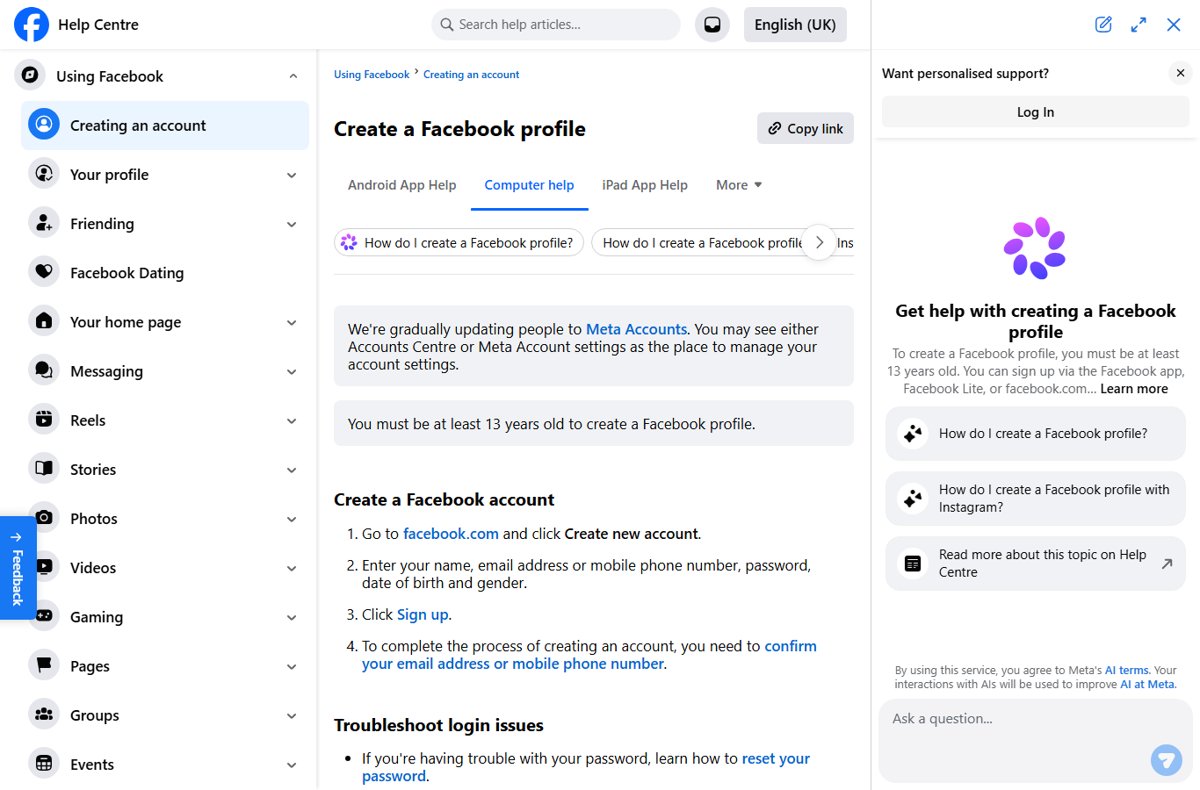
- Log out, go to facebook.com and click Create new account.
- Enter your name, email address or mobile number, password, date of birth and gender, then click Sign up.
- Confirm the email address or mobile number with the code Facebook sends.
- From the old account, give the new account full control of any Page or admin rights in any group you manage.
- Back in the old account, open Accounts Centre > Personal details > Account ownership and control > Deactivation or deletion and delete it.
Each step has its own section below with the full click path, including the variant of Accounts Centre some accounts see.
Why you might need a new Facebook account
Most reasons for a fresh start have an official fix inside the existing account. Check this table before you give up years of photos and messages.
| Reason for a new account | What Facebook offers | Do you still need a new account? |
|---|---|---|
| You want a clean profile with no old posts | Delete the old account after exporting, then sign up again | Yes, this is the main legitimate case |
| You forgot the password | Forgotten password? on the login screen sends a reset link | No, reset the password instead |
| You lost access to the old email or phone | Account recovery from the login screen | Usually no, try recovery first |
| You want a profile for a business, brand or band | A Facebook Page created from your personal account | No, personal profiles are for non-commercial use |
| You changed your name or go by a nickname | Other names on your profile (maiden name, nickname, former name) | No |
| You want a separate profile for a hobby or community | Additional profiles can no longer be created; existing ones keep working | No new account is allowed for this |
| Your account was disabled | Appeal within the suspension window; a new account needs Facebook's permission | Not without permission |
Important considerations before creating a new Facebook account
Facebook's Terms of Service require you to create only one account, your own, and use it for personal purposes. Its Help Center states that maintaining more than one personal account is against the Community Standards.
| Consideration | What Facebook says |
|---|---|
| Two personal accounts | Not allowed; you are expected to move to one account and delete the duplicate |
| Merging accounts | There is no way to merge personal accounts; you move information manually |
| Minimum age | You must be at least 13 years old to create a Facebook account |
| Disabled account | If Facebook disabled your account for a violation, you agree not to create another account without its permission |
| Name | Use the name you go by in everyday life and accurate information |
| Deleted content | After deletion is final, you cannot retrieve photos, posts or videos from the old account |
| Facebook Login on other apps | Apps you signed in to with the old account, such as Spotify or Pinterest, stop working through it |
| Meta Quest | Deleting a Facebook profile used for Meta Quest also deletes app purchases and achievements |
| Pages you alone control | They are deleted or deactivated along with the old account |
If you signed in to Spotify with Facebook, you may need to create a new Spotify account or contact Spotify before the old Facebook account goes.
Delete or deactivate your old Facebook account?
| Your situation | Do this with the old account | Why |
|---|---|---|
| You want a permanent fresh start | Delete it | Content is removed and the account cannot be reactivated after the cancellation window |
| You might want old posts back later | Export first, then delete | The export is the only copy you keep |
| You only want a break from Facebook | Deactivate instead of starting over | Photos and posts stay, and you can log back in any time |
| You run Pages or groups from it | Hand over admin access first | Pages only you control are deleted or deactivated with the account |
| You use Facebook to log in to Meta Quest | Think before deleting | Quest purchases and achievements are deleted too |
Keeping the old account deactivated while you use a new one still leaves you with two accounts, so plan to delete it once your information is moved.
Download your Facebook information before you switch accounts
Facebook asks you to download what you want to keep from the account you are closing. The export works only while the profile is active and not scheduled for deletion.
- Click your profile picture in the top right, then click Settings and privacy.
- Click Settings.
- Click Accounts Centre, then click Your information and permissions.
- Click Export your information, then click Create export.
- Select the profile you want to export and select Export to device.
- Choose the information, date range, format (HTML or JSON) and media quality.
- Click Start export, then download the file from Available downloads within four days of the ready notice.
Choose HTML for a copy you can browse like a web page, or JSON if you plan to upload the data to another service. Higher media quality makes the file larger.
Step-by-step guide to create a new Facebook account from your old one
Sign up while the old account still exists so you can move Page access to the new one before deletion. Use an email address or mobile number you can receive codes on.
- Log out of the old account in your browser or the Facebook app.
- Go to facebook.com and click Create new account.
- Enter your name, email address or mobile phone number, password, date of birth and gender.
- Click Sign up.
- Open the email or text from Facebook and enter the confirmation code to finish the account.
- Add a profile picture and find your friends again, since friend lists do not carry over.
You can also sign up through the Facebook app or Facebook Lite; the same details and confirmation step apply.
Managing your old and new Facebook accounts
Between sign-up and deletion, move the things that belong to the old account. Facebook names two jobs: download your information and add the account you are keeping as an admin of your Pages and groups.
| Item on the old account | What to do | Where |
|---|---|---|
| Facebook Pages | Give the new account Facebook access with full control | Switch into the Page, then manage Page access |
| Groups you admin | Make the new account an admin | The group's member settings |
| Email address on the old account | Change, add or remove it | Accounts Centre > Personal details > Contact info |
| Maiden name or nickname | Add it to the new profile instead of opening a second account | Profile > About > Names > Add other names |
| Apps that use Facebook Login | Switch them to an email login before deleting | Each app's own account settings |
| Messenger chats | Export them; copies you sent stay in friends' inboxes | Export your information |
| Password on the new account | Set or change it | Accounts Centre > Password and security > Change password |
If the Gmail address tied to the old account is locked, recover the Google account first so you can still receive Facebook codes during the move.
Delete your old Facebook account after moving to the new one
Log in to the old account to do this. Settings vary between accounts: some show Meta Account with Manage account, others show Accounts Centre with Accounts at the bottom.
- Click your profile picture in the top right of Facebook.
- Select Settings and privacy, then click Settings.
- Click Accounts Centre (shown as Meta Account on some accounts).
- Click Personal details, then Account ownership and control.
- Click Deactivation or deletion.
- Select the profile you want to delete, then click Continue.
- Follow the on-screen instructions to confirm the deletion.
On the Manage account layout, click Meta Account > Manage account > Manage > Deactivation or deletion instead, then continue and confirm.
Deactivate your old Facebook account instead of deleting it
Deactivation hides the profile but keeps your photos and posts. It suits a short break, not a permanent move to a new account.
- Click your profile picture in the top right of Facebook.
- Select Settings and privacy, then click Settings.
- Click Accounts Centre in the top left of the screen.
- Click Personal details, below Account settings.
- Click Account ownership and control, then Deactivation or deletion.
- Choose the account, select Deactivate account and click Continue.
- Follow the instructions to confirm.
Messenger stays active if you choose to keep it or are logged in to it, and friends can still message you there. Log back in at any time to reactivate.
How to check your new Facebook account is set up correctly
- Log in with the new email address or mobile number and confirm no confirmation banner remains.
- Open Accounts Centre > Personal details > Contact info and check the right email and phone are listed.
- Open each Page you moved and confirm the new account has full control.
- Log in to the old account once more and confirm it shows the deletion request, or that the deactivation took effect.
- Sign in to apps that used Facebook Login with their new login method.
Cancel Facebook account deletion and get the old account back
You can cancel a deletion within 30 days of starting it; the number of days varies by region. After that, the account and its information are permanently deleted.
- Log in to the old Facebook account within 30 days of requesting deletion.
- Click Cancel deletion.
Removing everything you posted can take up to 90 days from the start of deletion, but it is not visible to other people during that time.
Why can't I make a new Facebook account?
Facebook won't let me make a new account after my old one was disabled
The Terms say a person whose account was disabled for a violation agrees not to create another without Facebook's permission.
- Log in to the old account and check whether it says We've suspended your account or We've disabled your account.
- If it is suspended, follow the prompt to appeal within 180 days.
- Do not open another account to get around the decision; a permanently disabled account cannot be reviewed again.
Sign-up stops because of age
You must be at least 13 years old to create a Facebook account.
- Enter your real date of birth; a new account needs accurate information.
- If you are under 13, wait until you meet the minimum age.
The confirmation code never arrives
Codes land in spam, need a mobile signal, or take a few minutes.
- Check your spam or junk folder.
- Check that your phone has a signal.
- Wait a few minutes, then request a new code.
I can't log in to the old account to export or delete it
A forgotten password or lost access to the old email or phone.
- On the login screen, click Forgotten password?.
- Enter the email address, mobile number, full name or username on the account, then click Search.
- Follow the on-screen instructions; if you suspect a hack, go to facebook.com/hacked on a device you have used before.
New Facebook account FAQ
How do I make a new Facebook account?
Go to facebook.com and click Create new account. Enter your name, email address or mobile number, password, date of birth and gender, click Sign up, then confirm the email or phone number with the code Facebook sends.
Can I create a new Facebook account if I already have one?
Only as a replacement. Facebook allows one personal account per person, so move your information to the new account and then delete the old one. Keeping both active goes against the Community Standards.
How do I make a new Facebook profile on the same account?
You can no longer create additional Facebook profiles. Existing additional profiles still work and can be switched into, deleted or deactivated individually, but new ones cannot be added to an account.
Can I merge my old and new Facebook accounts?
No. Facebook has no way to merge personal accounts. Download the information you want from the old account, make the new account an admin of your Pages and groups, then delete the old account.
How do I make a new Facebook business page?
Log in, click Pages on the left, then Create Page. Select Public Page, click Next and Get started, add a name and category, then click Create Page. A Page is the right tool for a business, not a second personal account.
How do I make a new Facebook password?
Open Settings and privacy > Settings > Accounts Centre > Password and security > Change password. If you cannot remember the current one, click Forgotten your password? to receive a reset link, or use Forgotten password? on the login screen.
Why won't Facebook let me make a new account?
Common causes are an age under 13, a confirmation code that never arrives, or an earlier account disabled for a violation. In that last case, the Terms of Service require Facebook's permission before you create another account.
Do my friends and photos move to the new Facebook account?
No. Friend lists, posts and photos stay with the old account. Export a copy of your information before deleting it, then add friends again from the new profile. Messages you sent remain in your friends' inboxes.
Bottom line: should you start a new Facebook account or keep the old one?
Fix the old account if the problem is a password, a name or a business presence, and start a new one only when you want a clean slate you will replace the old account with. Password resets, other names and Pages solve most problems without losing content, while a new account means one personal account must be deleted and anything not exported is gone after 30 days.