You can install X, formerly Twitter, as a desktop app on Windows 11, Windows 10 and Mac straight from your browser. It gets its own window, icon and notifications.
Microsoft Edge, Google Chrome and Safari turn that site into a real app window with its own icon, a taskbar or Dock entry and a right-click jump list. That is the closest thing to an X desktop app, and it costs nothing.
This guide covers what X Corp. actually publishes, how to install the web app on Windows 11 and 10, the Mac route, X Pro, X Premium pricing and fixes when the install command does not appear.
Which Twitter download do you need for your device?
X Corp. ships native apps for phones, tablets and Apple TV. Everything else runs on the website.
| Your device | What X actually ships | Where to get it |
|---|---|---|
| Windows 11 or Windows 10 PC | No installer. Edge and Chrome install x.com as an app | Open x.com |
| Mac, Apple silicon or Intel | No Mac app. Safari saves x.com to the Dock | Open x.com |
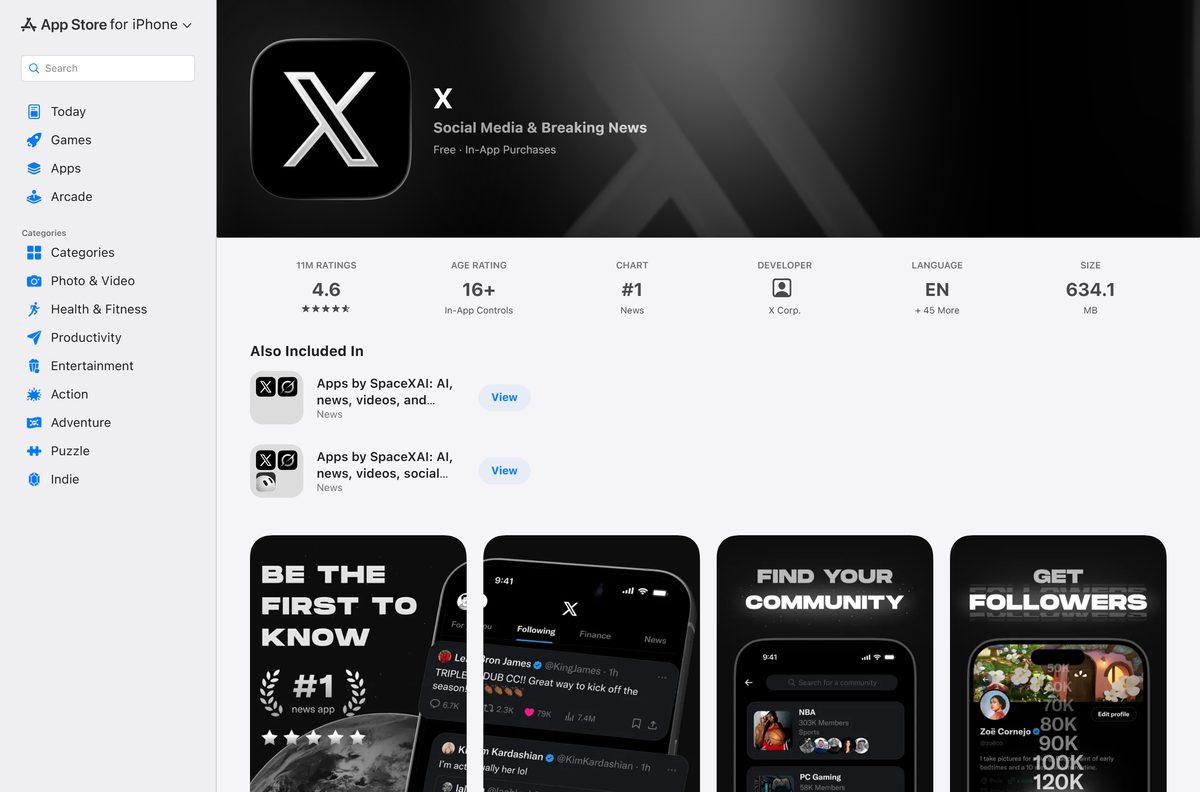
| iPhone or iPad | Native app, 634.1 MB, iOS 15 or later | X on the App Store |
| Android phone or tablet | Native app, free | X on Google Play |
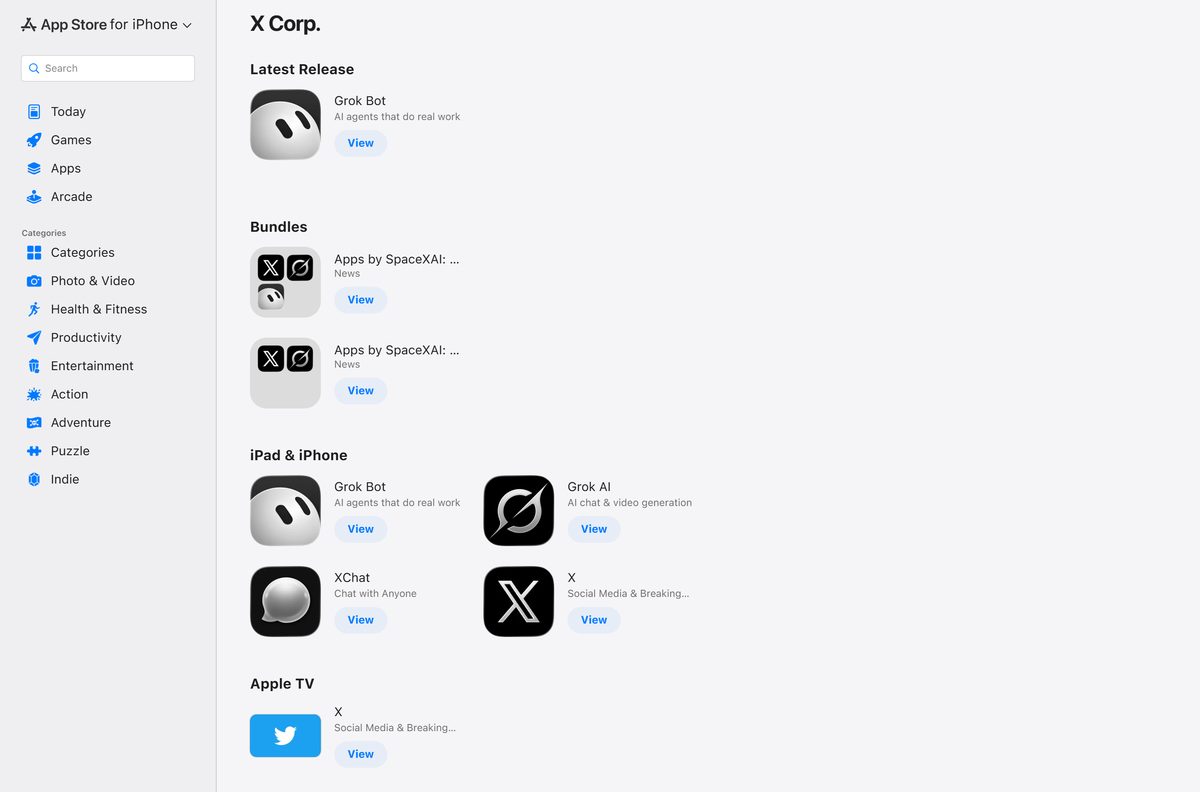
| Apple TV | Native app, listed under the same developer | X Corp. on the App Store |
The old Twitter app for Windows is gone. Store page 9WZDNCRFJ140 no longer opens, and a Store search for Twitter returns Facebook, Instagram, LinkedIn and Reddit.
Download X only from these official sources
Five addresses cover every device X supports. X Corp. publishes nothing else.
- x.com — the site, and the page you install as a desktop app
- X on the App Store — 634.1 MB · iPhone and iPad, iOS 15 or later
- X on Google Play — Android phones and tablets, free
- X Pro — the multi-column desktop view, formerly TweetDeck
- X Corp. on the App Store — every Apple app the company publishes, and no Mac app
Any site offering a Twitter setup file for Windows built that file itself. X Corp. distributes no EXE, MSI or DMG.
Check the X system requirements for a PC or Mac
X has no hardware requirements of its own. Your browser is the requirement.
| Field | Value |
|---|---|
| Developer | X Corp. |
| Latest version | 12.25, the App Store build released 9 September 2026 |
| Desktop version | The x.com website, updated whenever the site is |
| Price | Free. X Premium starts at $3 a month or $32 a year |
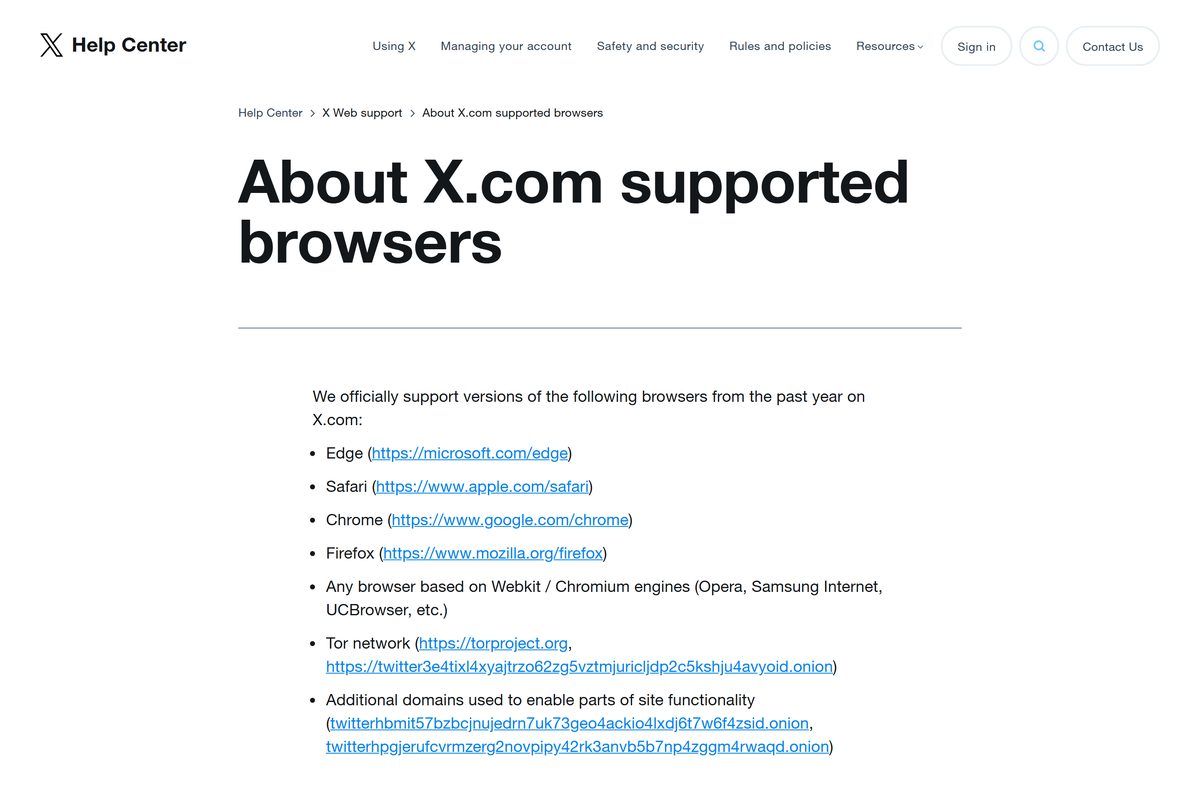
| Supported browsers | Edge, Safari, Chrome, Firefox and other Chromium or WebKit browsers |
| Browser age limit | Versions released within the past year |
| Supported operating systems | Windows 11, Windows 10, macOS, iOS 15 or later, Android |
| Architecture | x64, ARM64 and Apple silicon, through the browser |
| Download size | 634.1 MB on the App Store. No PC installer |
| Offline installer | No |
| Microsoft Store app | None |
| Mac App Store app | None |
| Last verified | 2026-09-11 |
X drops browser builds older than roughly a year. An extension that rewrites your user agent can also stop the site loading.
How to install X as an app on Windows 11 and 10
Microsoft Edge turns any site into a Windows app. The result gets its own window, a taskbar icon and a Start menu entry.
- Open Microsoft Edge and go to x.com.
- Sign in to your X account.
- Select Settings and more at the top right of the window.
- Select More tools, then Apps, then Install this site as an app.
- Name the app X and select Install.
- Tick Pin to taskbar or Pin to Start in the dialog that follows.
- Tick Auto-start on device login if you want X open when you sign in to Windows.
- Open edge://apps and confirm X is listed there.
The installed app is x.com without browser tabs. Right-click its taskbar icon for New post, Explore, Notifications and Direct Messages.
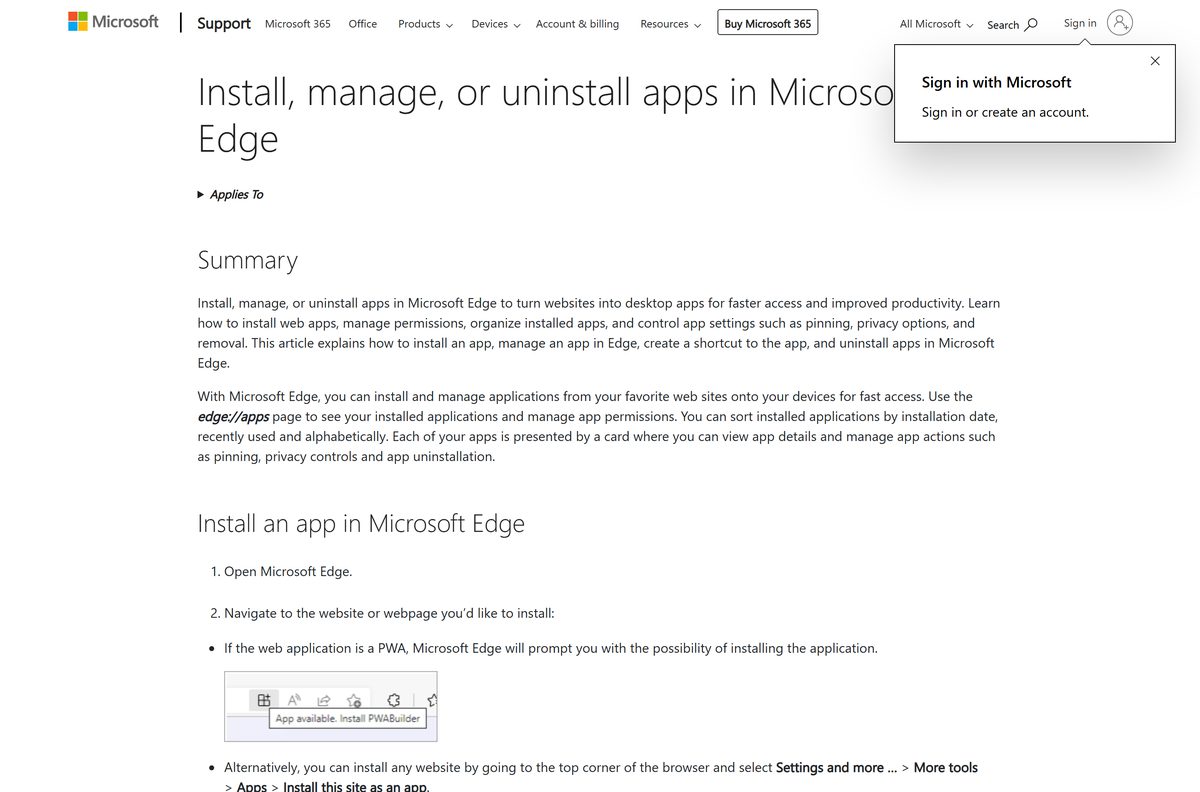
Every app installed this way is listed on the Edge apps page.
Install X with Chrome when the Microsoft Store comes up empty
The Microsoft Store lists no X app, and a winget search of its package source returns nothing. Chrome installs the site as an app instead.
- Open Google Chrome and go to x.com.
- Sign in to your X account.
- Select More at the top right of the browser window.
- Select Cast, save, and share, then Install page as app.
- Follow the on-screen instructions to finish the install.
- Open chrome://apps and confirm X is listed there.
Chrome also shows an Install button in the address bar, because x.com serves a web app manifest.
Google Meet for PC is another service with no desktop client, using the same browser route.
How to tell a real X install from a fake download
No X installer exists, so any file claiming to be one came from somebody else.
- Read the address bar before you install. It must read x.com exactly, with nothing added around it.
- Open the installed app’s Settings and more menu and read the publisher line, which shows the app’s own domain.
- Open edge://apps or chrome://apps and confirm a single X entry is listed.
- Reject any Twitter setup file a search result offers you, because X Corp. publishes none.
- On a phone, check the listing shows the developer X Corp. before you tap Get or Install.
Download portals rank for this query by wrapping the website in an installer of their own, under their own publisher name.
Which X download do you need for your Mac?
None. The X Corp. developer page on the App Store lists iPhone, iPad and Apple TV apps, with no Mac section. Safari saves the site to the Dock instead.
| What you want | What to do | Where |
|---|---|---|
| X in the Dock, like an app | Safari saves a website to the Dock as a web app | Safari web apps |
| X as an app, but you use Chrome | Install page as app, the same flow as on Windows | Google’s steps |
| Twitter for Mac from the Mac App Store | It is gone, and X Corp. publishes no replacement | X Corp. on the App Store |
| Just read X in a tab | Safari is the browser Apple ships and X names for macOS | Open x.com |
Apple lists the X app as iOS 15 or later, so it does not run on macOS.
Is Twitter free to use on a PC?
Yes. Reading, posting and messaging cost nothing, and the desktop web app is free to install. X Premium is the optional paid tier, sold as Basic, Premium and Premium+ with localised pricing from $3 a month or $32 a year. It adds post editing, longer posts and videos, reply prioritisation, reduced ads and a checkmark on the higher tiers. Nobody sells a Twitter licence for Windows, because no such product exists.
Which X Premium tier should you pay for?
Take Basic if you only want to edit posts, write longer ones and upload longer video. Basic covers post editing, longer posts and videos, reply prioritisation, text formatting and bookmark folders. Premium adds the checkmark, reduced ads, Creator Subscriptions, ID verification and higher Grok limits. Premium+ removes ads across X and adds SuperGrok, Radar Search and Articles. X Premium pricing is localised, so open the sign-up page for your own figure.
What browsers X supports on Windows and Mac
X supports browsers by engine as well as by name, and it drops old builds.
| Browser | Supported | What it means for you |
|---|---|---|
| Microsoft Edge | Yes | Ships with Windows 11 and 10, and installs x.com as an app |
| Safari | Yes | Ships with macOS, and saves x.com to the Dock as a web app |
| Google Chrome | Yes | Installs x.com as an app on Windows and on a Mac |
| Mozilla Firefox | Yes | Supported for browsing x.com |
| Opera, Samsung Internet and other Chromium or WebKit browsers | Yes | Supported by engine, not by name |
| Tor Browser | Yes | X publishes an onion address for it |
| Any browser older than about a year | No | X supports builds from the past year only |
X pairs each system with the browser it ships with: Windows with Edge, macOS with Safari, Android with Chrome.
Fix X not installing or not loading on Windows 11 and 10
Install this site as an app is missing in Edge
The page has not finished loading, or Edge is out of date.
- Reload x.com and wait for the timeline to render.
- Select Settings and more, then More tools, then Apps.
- Select Install this site as an app.
- Update Edge and restart it if the command is still missing.
- Use Chrome’s Install page as app command instead.
X opens in a browser tab instead of its own window
The shortcut you clicked points at the website, not at the installed app.
- Open edge://apps , or chrome://apps in Chrome.
- Open the X entry from that page.
- Pin the app window to the taskbar from its own icon.
- Delete any older desktop shortcut that points at the site.
X will not load, or reports an unsupported browser
X supports browser builds released in the past year, and rejects a spoofed user agent.
- Update your browser to the current version.
- Turn off any extension that changes your user agent.
- Open the site in a private window to test it without extensions.
- Switch to Edge on Windows, or Safari on a Mac, which X names for each system.
The old Twitter app vanished from the Microsoft Store
The listing was withdrawn. Its product page no longer opens, and Store search returns other social apps.
- Open Settings, then Apps, then Installed apps.
- Uninstall the leftover Twitter entry if one is still there.
- Install x.com as an app in Edge using the steps above.
- Pin the new app to the taskbar in place of the old one.
How to uninstall the X web app from Windows or a Mac
Removing the app removes a shortcut and a cache. Your account and your posts are untouched.
- Open Microsoft Edge and go to edge://apps .
- Select Details on the X card.
- Select Uninstall.
- Decide whether to clear the app’s history and data, then select Uninstall again.
- In Chrome, open the X app instead, select More, then Uninstall X, then Remove.
- On Windows you can also remove it under Settings, Apps, Installed apps, where web apps sit alongside everything else.
Uninstalling never closes an account. Deactivating an X account is a separate job on x.com.
Windows has listed browser web apps for removal in Settings since 2021.
What to use instead of a Twitter desktop app
Every option below comes from X Corp.
| Option | Where it runs | Best for |
|---|---|---|
| x.com in a browser tab | Windows, macOS, Linux, ChromeOS | Reading X beside your other tabs |
| x.com installed as a web app | Windows 11 and 10, macOS | A dedicated window, a taskbar icon and a jump list |
| X Pro | Desktop browsers above 500 by 500 pixels | Watching several timelines and accounts at once |
| X for iPhone and iPad | iOS 15 or later | Posting video, going live and hosting Spaces |
| X for Android | Android phones and tablets | The same app on a non-Apple phone |
| X on Apple TV | Apple TV | Watching X video on a television |
X Pro is the renamed TweetDeck. It needs a sign-in, will not run on a phone, and refuses a window under 500 pixels.
Frequently asked questions
Is there a Twitter download for Windows 11?
No. X Corp. publishes no Windows installer, and the Microsoft Store carries no X app. Install x.com as a web app from Microsoft Edge instead, which gives you a taskbar icon and its own window.
What is the official Twitter download page?
There is none for PCs. x.com is the product itself, the App Store carries the iPhone and iPad app, and Google Play carries the Android app.
Is there a Twitter offline installer?
No. X has no setup file for Windows or macOS, so nothing exists to keep for offline use. The web app loads the site each time it opens.
Is there a Twitter app for Mac?
No. The X Corp. developer page on the App Store lists iPhone, iPad and Apple TV apps only. Safari saves x.com to the Dock as a web app instead.
How big is the Twitter download?
634.1 MB on the App Store, for the iPhone and iPad app. On a PC there is nothing to measure, because the desktop version is the website.
Is Twitter free to download?
Yes. The apps and the website cost nothing. X Premium is optional, sold in Basic, Premium and Premium+ tiers, and starts at $3 a month or $32 a year.
What happened to the Twitter app in the Microsoft Store?
It was withdrawn. Product page 9WZDNCRFJ140 no longer opens, and a Store search for Twitter returns Facebook, Instagram, LinkedIn and Reddit rather than an app from X Corp.
Which Twitter version is current?
12.25 on the App Store, released on 9 September 2026. The desktop web app carries no version of its own, because it updates the moment x.com does.
Is Twitter 64-bit or ARM64 on Windows?
Neither applies. X runs inside your browser, so an x64 PC, an ARM64 Windows laptop and an Apple silicon Mac all load the same web app.
Which browsers does X support?
Edge, Safari, Chrome, Firefox and other Chromium or WebKit browsers, in versions released within the past year. Tor Browser works through the onion address X publishes.
Why will Twitter not install on my PC?
Because no installer exists. If the Edge install command is missing, reload x.com, update Edge and try again, or use Install page as app in Google Chrome.
Is TweetDeck still available?
Yes, renamed X Pro. It runs at pro.x.com in a desktop browser, needs a sign-in, and requires a window larger than 500 by 500 pixels. Mobile is not supported.






