On a Free plan the Cloudflare PHP2Shell WAF rules are already on, and on Pro, Business or Enterprise you only need to confirm the Cloudflare Managed Ruleset is deployed in block mode.
Cloudflare says its protection has been live since 21 October 2026 at 03:02 UTC for every plan with the WAF deployed. It is still a filter in front of a vulnerable runtime, so pair it with the patched PHP release listed in the PHP security updates hub.
How to check the Cloudflare PHP2Shell WAF rule is on
Free customers do not have to take any action, according to Cloudflare. Paid plans should check the deployment once, using the labels from the Cloudflare WAF documentation.
- Sign in to the Cloudflare dashboard and select the domain (zone) that serves your PHP site.
- Open the Security Settings page (Settings).
- Optionally filter by Web application exploits.
- On Pro, Business or Enterprise, confirm Cloudflare managed ruleset is turned on. If it is off, turn it on and select Save.
- Open the Security rules page, filter by Managed rules and find the rule with an Execute action that deploys the ruleset.
- Make sure its toggle is on and that no override sets the ruleset action to something other than block.
What is the Cloudflare PHP2Shell WAF rule?
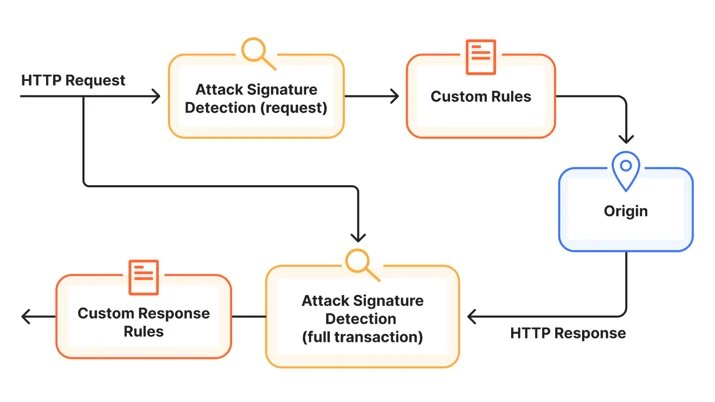
PHP2Shell is the name for CVE-2026-109618 and CVE-2026-109619, two PHP runtime flaws that php.net says allow unauthenticated remote code execution. Cloudflare's rules inspect HTTP traffic for exploit attempts before they reach your origin, and one response rule checks what the origin sends back.
| Protection | Ruleset | Plans | What you do |
|---|---|---|---|
| 7 request rules (Generic Rules – Anomalous Execution 1-7) | Cloudflare Managed Free Ruleset | Free (and every plan includes this ruleset) | Nothing; deployed automatically |
| 7 request rules (Generic Rules – Anomalous Execution 1-7) | Cloudflare Managed Ruleset | Pro, Business, Enterprise | Confirm it is deployed in block mode |
| 1 response rule (Default block for High confidence Signatures) | Cloudflare Managed Response Firewall Default | All plans, including Free | Nothing; deployed automatically |
Cloudflare says it built the rules in early October and deployed them about 9 hours ahead of public disclosure, after seeing attack traffic and payload mutations aimed at bypassing them. The PHP2Shell security release explains the flaws themselves.
Cloudflare Managed Free Ruleset PHP2Shell rule IDs
The Free rules sit in the Cloudflare Managed Free Ruleset, ruleset ID 77454fe2d30c4220b5701f6fdfb893ba. Use these IDs to filter events or to look a rule up when you browse the ruleset.
| Rule description | Rule ID (Free) |
|---|---|
| Generic Rules – Anomalous Execution – 1 | 4e315666e8e344cdb64119a3b5ccf32f |
| Generic Rules – Anomalous Execution – 2 | 00c10e6cc4da4bd08722adeebcd95984 |
| Generic Rules – Anomalous Execution – 3 | 48ddf592361e4fdb97a8a85982dab691 |
| Generic Rules – Anomalous Execution – 4 | 3556683d512a47f2937899c524b1a4c6 |
| Generic Rules – Anomalous Execution – 5 | da07c85852e34625bb478496302ede46 |
| Generic Rules – Anomalous Execution – 6 | 19373a83abb840e18ab3ce5a7975ce1b |
| Generic Rules – Anomalous Execution – 7 | 07f0b6ddaabf40b1b2042dade8d613fa |
Cloudflare Managed Ruleset PHP2Shell rules on Pro, Business and Enterprise
Paid plans get the same seven detections inside the Cloudflare Managed Ruleset, ruleset ID efb7b8c949ac4650a09736fc376e9aee. The rule IDs differ from the Free ones, so filter by the right set.
| Rule description | Rule ID (Pro, Business, Enterprise) |
|---|---|
| Generic Rules – Anomalous Execution – 1 | c1d409ad838f47f59446f21cc438d5dd |
| Generic Rules – Anomalous Execution – 2 | f9a45927414245e3a64bb12d0a0c2f64 |
| Generic Rules – Anomalous Execution – 3 | 771c654ae1154d4daa72f4e1545d163c |
| Generic Rules – Anomalous Execution – 4 | 217005865f0145f392300bac212afcc9 |
| Generic Rules – Anomalous Execution – 5 | 38efdb17ea594501bb55a1d71867b12e |
| Generic Rules – Anomalous Execution – 6 | 4148ae686fdb4d01be673fab9d9c073d |
| Generic Rules – Anomalous Execution – 7 | 1389aa259617437392ce149c48143645 |
Cloudflare notes that the rule descriptions will be updated, so match on rule IDs rather than names.
How to turn on the Cloudflare Managed Ruleset
The Cloudflare Managed Ruleset is not available on the Free plan, which relies on the Free Managed Ruleset instead. On Pro and above, deploying it creates a rule with the Execute action for the zone.
- In the Cloudflare dashboard, go to the Security Settings page (Settings).
- Optionally filter by Web application exploits.
- Turn on Cloudflare managed ruleset.
- Review the deployment settings and edit the scope only if you want it to cover a subset of requests.
- Select Save.
- To confirm block mode, open Security rules, filter by Managed rules, select the rule name that contains the ruleset name, and check the action set in the ruleset configuration drop-down lists.
- Select Save after any change.
To turn a managed ruleset off temporarily without losing its configuration, Cloudflare uses the toggle next to the deploying rule. Leave it on while your PHP servers are unpatched.
How to override a Cloudflare PHP2Shell rule that blocks real traffic
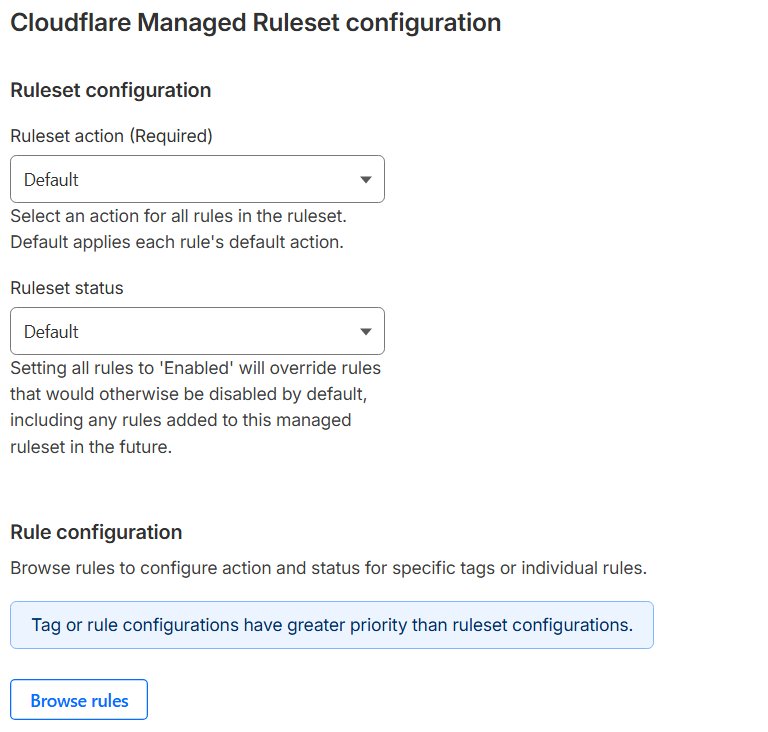
If one rule blocks legitimate requests, override that single rule instead of turning off the ruleset. Cloudflare also lets you narrow the ruleset's scope to the parts of an application where it is relevant.
- Go to the Security rules page and filter by Managed rules.
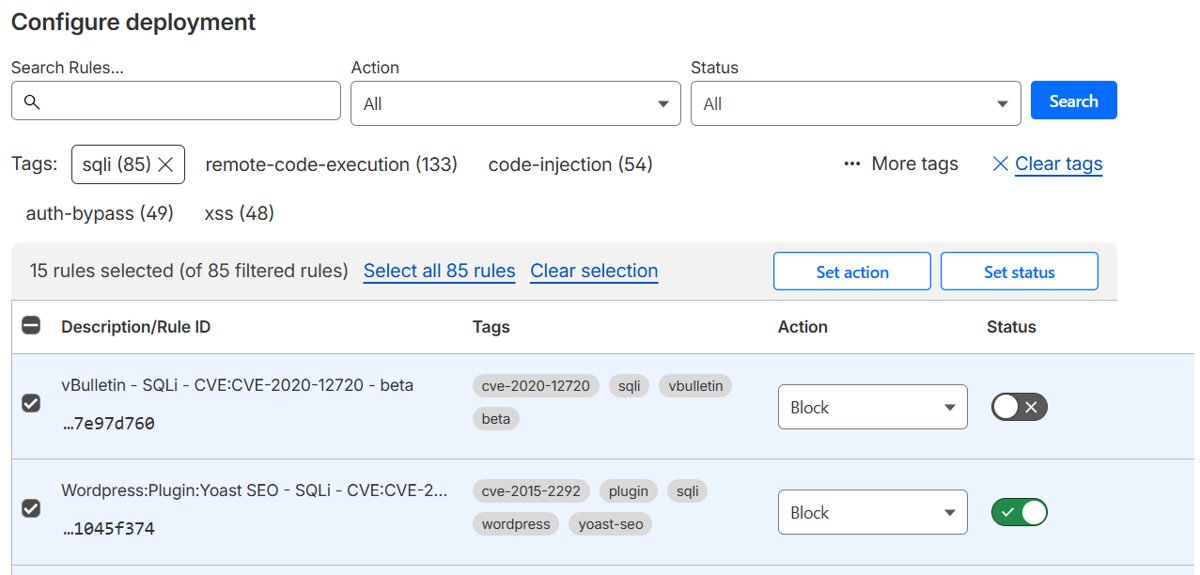
- Find the rule with an Execute action for the ruleset, select its name, then select Browse rules.
- Search for the rule ID from the tables above.
- Change its action with the drop-down list, or switch it with the Status toggle.
- Select Next, then Save.
- To skip rules only for specific requests, add an exception instead; Cloudflare gives exceptions priority over overrides.
Cloudflare documents that ruleset and tag overrides also apply to future rules, so use a rule override if you only want to change the existing one.
Full transaction detection and the Managed Response Firewall
Full transaction detection is a new Cloudflare WAF capability that evaluates each request alongside the origin's response in the same HTTP transaction. Cloudflare says request data alone does not always separate an exploit from legitimate traffic, while the response shows whether an attempt succeeded.
The PHP2Shell protections are the first managed detections using it. The response rule sits in the Cloudflare Managed Response Firewall Default for all plans, including Free.
| Item | Detail |
|---|---|
| Rule | Default block for High confidence Signatures |
| Rule ID | afffe22785674c80a31875c848d2242a |
| What it does | Blocks a matching origin response before it reaches the requester, replacing it with a WAF block page |
| Limit | It cannot undo actions already performed at the origin |
| New fields | cf.waf.signature.response.confidence, cf.waf.signature.response.categories, cf.waf.signature.response.ref |
How to see blocked PHP2Shell requests in Security Analytics
Cloudflare's PHP2Shell post points to Security > Security Analytics > Events. In the current WAF docs, Security Events for a zone opens from the Analytics page on the Events tab.
- In the Cloudflare dashboard, open the zone and go to the Analytics page.
- Select the Events tab.
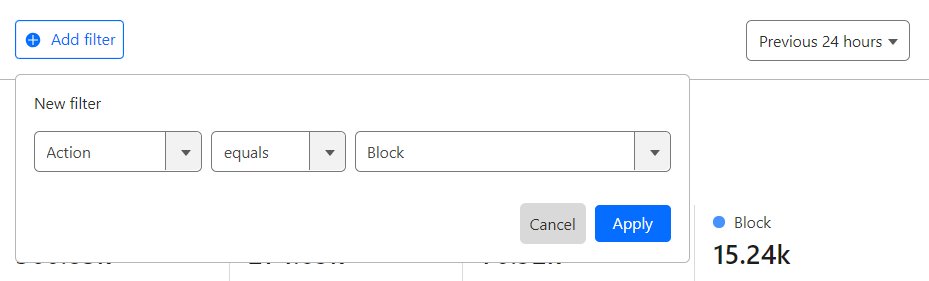
- Select Add filter, choose the rule ID field, the equals operator, and paste a rule ID from the tables above.
- Pick a short time frame; narrower windows reduce sampling and show more events.
- Expand an event to inspect the matched request, action and path.
- Check whether the action came from a managed rule or a custom rule.
No events usually means nobody targeted your zone in that window, not that the rule is off. Confirm the deployment with the first section instead.
Why the Cloudflare WAF rule is not a PHP2Shell fix
Cloudflare itself tells customers to patch PHP even with WAF protection, calling the rules an additional layer of defense-in-depth. The flaws are in the PHP runtime, so the WAF cannot remove them.
| Gap | Why it matters |
|---|---|
| Traffic that skips Cloudflare | Requests sent straight to the origin IP, or from hosts not proxied through Cloudflare, are never inspected |
| Attackers mutate payloads | Cloudflare reports attackers already changing payloads to bypass the rules, and keeps updating them |
| Body inspection limits | Managed rules inspect request bodies only up to a plan-dependent maximum size |
| Earlier phases and exceptions | A skip rule or exception placed before the ruleset bypasses it |
| Response rule limits | Blocking the response cannot undo code that already ran on the origin |
Install PHP 8.5.12, 8.4.27, 8.3.36 or 8.2.35 from the PHP2Shell patch download, or update PHP on Windows, Linux or XAMPP. If an update must wait, apply the php.net PHP mitigations for CVE-2026-109618 alongside the WAF, and if a host manages PHP, ask them to apply the update.
Cloudflare PHP2Shell WAF FAQ
Does Cloudflare protect against PHP2Shell on the Free plan?
Yes. Cloudflare deployed seven PHP2Shell rules in the Cloudflare Managed Free Ruleset plus a response rule in the Managed Response Firewall Default, and Free customers do not need to take any action to enable them.
When did the Cloudflare PHP2Shell rules go live?
Cloudflare says customers using its free or paid WAF were protected by default from 21 October 2026 at 03:02 UTC, about 9 hours before the vulnerabilities were publicly disclosed.
Do I need to do anything on a Pro or Business plan?
Yes, check one thing. Cloudflare asks Pro, Business and Enterprise customers to review the Cloudflare Managed Ruleset deployment and confirm it is deployed in block mode.
What is the Cloudflare Managed Ruleset ID?
The Cloudflare Managed Ruleset ID is efb7b8c949ac4650a09736fc376e9aee. The Free plan uses the Cloudflare Managed Free Ruleset, ID 77454fe2d30c4220b5701f6fdfb893ba.
Is the Cloudflare WAF rule enough to stop PHP2Shell?
No. Cloudflare recommends updating PHP as soon as possible while keeping the WAF on. Traffic that bypasses Cloudflare reaches the vulnerable runtime directly, and only a patched PHP release removes the flaws.
Which PHP versions fix PHP2Shell?
PHP 8.5.12, 8.4.27, 8.3.36 and 8.2.35 fix CVE-2026-109618 and CVE-2026-109619, according to php.net. Linux users can install their distribution's patched packages instead.
Where do I see PHP2Shell attacks Cloudflare blocked?
Open the zone's Analytics page and select the Events tab, then add a filter for the PHP2Shell rule IDs. Each event shows the matched request, the action and the path.