To fix a missing DLL error, install the Microsoft package that ships that DLL (usually the Visual C++ Redistributable, the DirectX End-User Runtime or .NET Framework), then reinstall the app and repair Windows with DISM and SFC if the error stays.
This guide maps common DLL names to their official installer and covers Visual C++, DirectX and .NET Framework errors, plus 0xc000007b and 0xc0000142.
Fix missing DLL files errors on Windows 11
The error message names the file, and that name tells you which runtime the app expects. Work through these steps in order and stop when the app starts.
- Write down the exact DLL name from the error, for example vcruntime140.dll or d3dx9_43.dll.
- Find the package for that name in the table below and install it from Microsoft.
- Restart the PC and open the app again.
- If the error is still there, uninstall the app from Settings > Apps > Installed apps and install it again from its publisher.
- If a Windows file is named, open Command Prompt as administrator and run DISM, then
sfc /scannow.
Microsoft's own advice for runtime problems in a specific app is to contact the app vendor, because the vendor knows which runtime version the app was built with.
What can I do if my Windows 11 is missing DLL files?
Match the DLL in your error to a row. Every package listed is a free Microsoft installer, so there is no need for DLL download sites or paid DLL fixer tools.
| DLL in the error | Package that provides it | What to do |
|---|---|---|
| vcruntime140.dll, vcruntime140_1.dll | Visual C++ v14 Redistributable (2015-2026) | Install the latest x64 and x86 packages, then fix the vcruntime140.dll error with a repair if it returns |
| msvcp140.dll | Visual C++ v14 Redistributable (2015-2026) | Install both architectures; a missing MSVCP140.dll fix also covers repairing the package |
| msvcp120.dll, msvcr120.dll | Visual C++ 2013 Redistributable (12.0) | Install the 2013 x86 and x64 packages |
| msvcp110.dll, msvcr110.dll | Visual C++ 2012 Update 4 Redistributable (11.0) | Install the 2012 x86 and x64 packages |
| msvcp100.dll, msvcr100.dll, mfc100u.dll | Visual C++ 2010 SP1 Redistributable (10.0) | Install the 2010 SP1 x86 and x64 packages |
| d3dx9_*.dll, d3dx10_*.dll, d3dx11_*.dll | DirectX End-User Runtime | Run the DirectX End-User Runtime Web Installer |
| xinput1_3.dll, xaudio2_7.dll | DirectX End-User Runtime | Same installer; these are legacy DirectX SDK files used by older games |
| mscoree.dll | .NET Framework | Make sure .NET Framework 4.8.1 is present, and turn on .NET Framework 3.5 for older apps |
| A Windows file such as comdlg32.dll | Windows itself | Run DISM, then System File Checker |
The Visual C++ rows follow Microsoft's naming: vcruntime and msvcp files carry the version number in their names, and older Visual Studio releases shipped the C runtime as msvcr files.
What is a DLL file?
A dynamic link library (DLL) is a library of code and data that more than one program can use at the same time. Much of Windows itself is delivered as DLLs, and so are many app features.
| Question | Answer |
|---|---|
| What does Dynamic Link Library mean? | The program links to the library's code when it runs, instead of carrying its own copy |
| Example | Comdlg32.dll supplies the common dialog boxes, such as the Open dialog, to every program |
| Why programs use DLLs | Code reuse, less memory, less disk space and modular programs that load faster |
| Why DLL errors happen | A program depends on the DLL; if it is missing, or another install overwrites it, the program may not run |
| DLL file extension | .dll; .NET assemblies also use .dll or .exe |
Common .DLL filenames
Most DLL errors on home PCs come from a few runtime families. Microsoft lists these Visual C++ files as the ones apps redistribute.
| File name pattern | What it is | Used by |
|---|---|---|
| vcruntime[version].dll | Runtime library for native code | Apps that use normal C and C++ startup and shutdown |
| msvcp[version].dll | C++ Standard Library | Apps that use the C++ Standard Library |
| mfc[version]u.dll | MFC library with Unicode support | Desktop apps built with Microsoft Foundation Classes |
| concrt[version].dll | Concurrency Runtime | Apps that use the Concurrency Runtime |
| vcomp[version].dll | OpenMP library | Apps that use C++ OpenMP code |
| d3dx9_*.dll, xinput1_3.dll | Legacy DirectX SDK components | Older games |
How to open a DLL file
You do not open a DLL the way you open a document. Windows loads it when a program that needs it starts. Programs that open or reference DLL files are mostly developer tools.
| Tool | What it shows |
|---|---|
| The app that needs the DLL | Loads it at startup or on demand; the error dialog names the file it could not find |
| Dependency Walker | Missing DLLs, invalid files, mismatched imports and exports, and modules built for another operating system |
| Visual Studio | Developers use it to build DLLs and list which ones to redistribute |
Warning: Microsoft notes that Dependency Walker is outdated and may report DLLs it cannot find even when nothing is wrong. Do not delete, rename or replace DLLs in Windows folders based on what it reports.
Visual C++ v14 Redistributable
The Visual C++ Redistributable packages install run-time components that are required to run C++ applications built using Visual Studio. One v14 package serves apps built with Visual Studio 2015 through 2026.
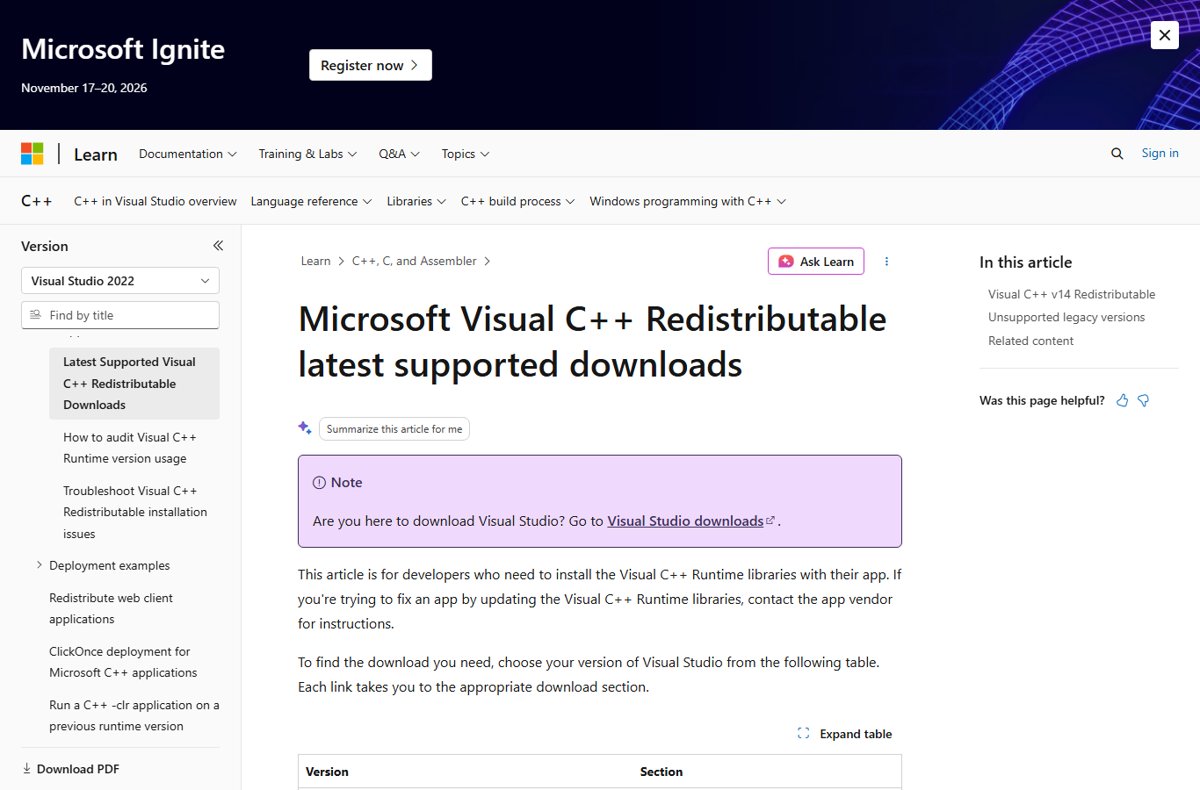
- Open Microsoft's Latest supported Visual C++ Redistributable downloads page on Microsoft Learn.
- Under Visual C++ v14 Redistributable, download the X64 package and the X86 package.
- Run each installer and accept the licence terms.
- If the package is already installed, select Repair in the installer.
- Restart the PC and open the app.
The Visual C++ Redistributable download post lists the x64, x86 and ARM64 links side by side. Microsoft updates the v14 package often, which is why its version number is not printed on the download table; the installer's file properties show it.
Choose the download you want
The package's architecture must match the app, not just Windows. A 64-bit PC can still run 32-bit apps that need the x86 package.
| Package | Install it when | Notes |
|---|---|---|
| vc_redist.x64.exe | You run 64-bit Windows | Also contains the ARM64 files for ARM64 PCs |
| vc_redist.x86.exe | Any app is 32-bit, including on 64-bit Windows | Install it alongside x64 |
| vc_redist.arm64.exe | You run an ARM64 PC | Cannot be installed on an x86 system |
Features and what's new in each release are not listed per version, because the latest v14 package carries the newest C++ features, security, reliability and performance fixes. Microsoft recommends it for every app built with Visual Studio 2017, 2019, 2022 or 2026. The current v14 release supports Windows 10 and 11.
Unsupported legacy versions
Older apps still ask for older runtimes, and those install side by side with the v14 package. Microsoft no longer supports them but still lists their last versions.
| Visual Studio release | Runtime version | Last package version |
|---|---|---|
| Visual Studio 2015 | VC++ 14.0 | 14.0.24212.0 (support ended October 15, 2025) |
| Visual Studio 2013 | VC++ 12.0 | 12.0.40664.0 |
| Visual Studio 2012 Update 4 | VC++ 11.0 | 11.0.61030.0 |
| Visual Studio 2010 SP1 | VC++ 10.0 | 10.0.40219.325 |
The 2015 runtime is upgraded in place by the newer v14 package, while 2013 and earlier stay installed next to it, so removing them can break older programs.
What is the DirectX End-User Runtime?
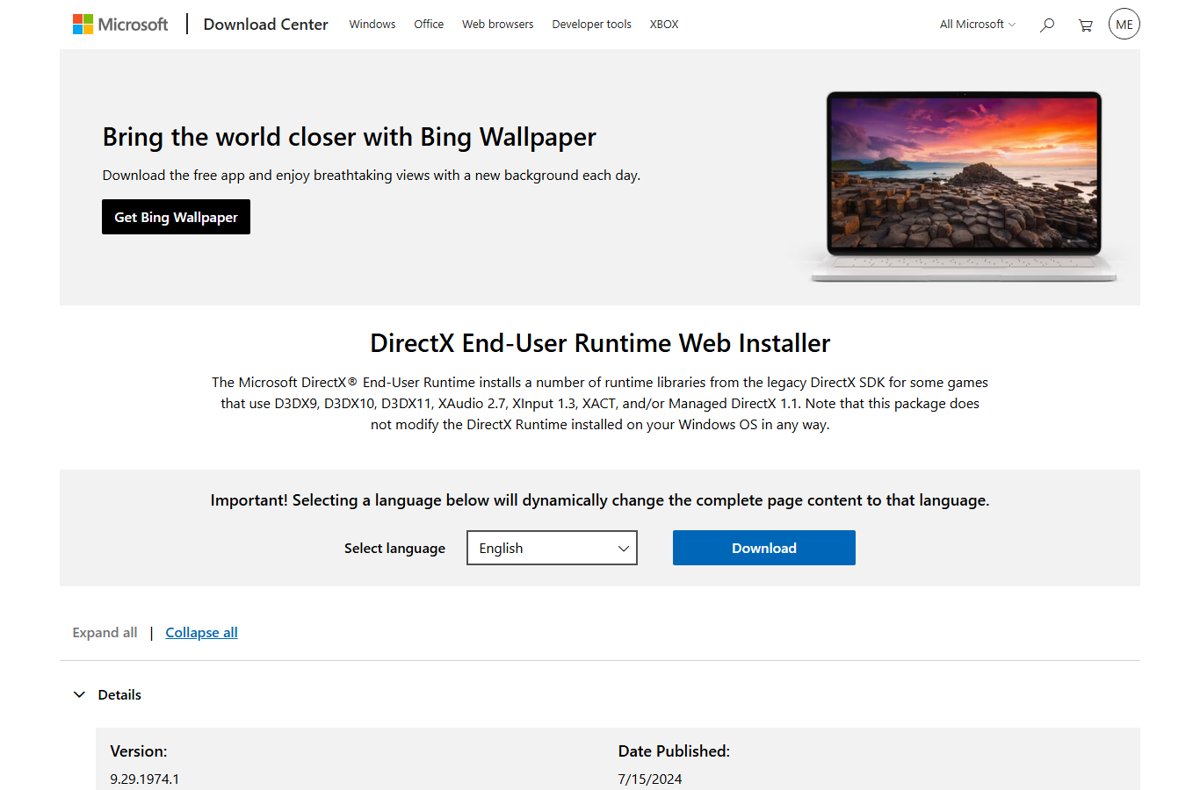
DirectX is already part of Windows 10 and Windows 11. The DirectX End-User Runtime does not change that version; it adds the optional legacy DirectX SDK files some older games need.
| Question | Answer |
|---|---|
| Which files does it add? | D3DX9, D3DX10, D3DX11, XAudio 2.7, XInput 1.3 and XACT side-by-side components |
| Installer name | dxwebsetup.exe, the DirectX End-User Runtime Web Installer (288.4 KB) |
| Does it install DirectX 12? | No. DirectX 12 comes with Windows and updates through Windows Update |
| Do new games need it? | Usually not; XInput 1.4 and XAudio2 are built into Windows 8 and later |
| Who needs it? | Games built with the old DirectX SDK that report d3dx9, xinput1_3 or xaudio2_7 errors |
Run dxdiag to see the DirectX version and feature levels; you can open and run dxdiag from the Run box. To update DirectX in Windows, install Windows updates, and the DirectX 12 download for PC post links the End-User Runtime too. A game that refuses DirectX 12 is a different problem, and you can check DirectX 12 on Windows 11 through its feature level.
What is .NET Framework?
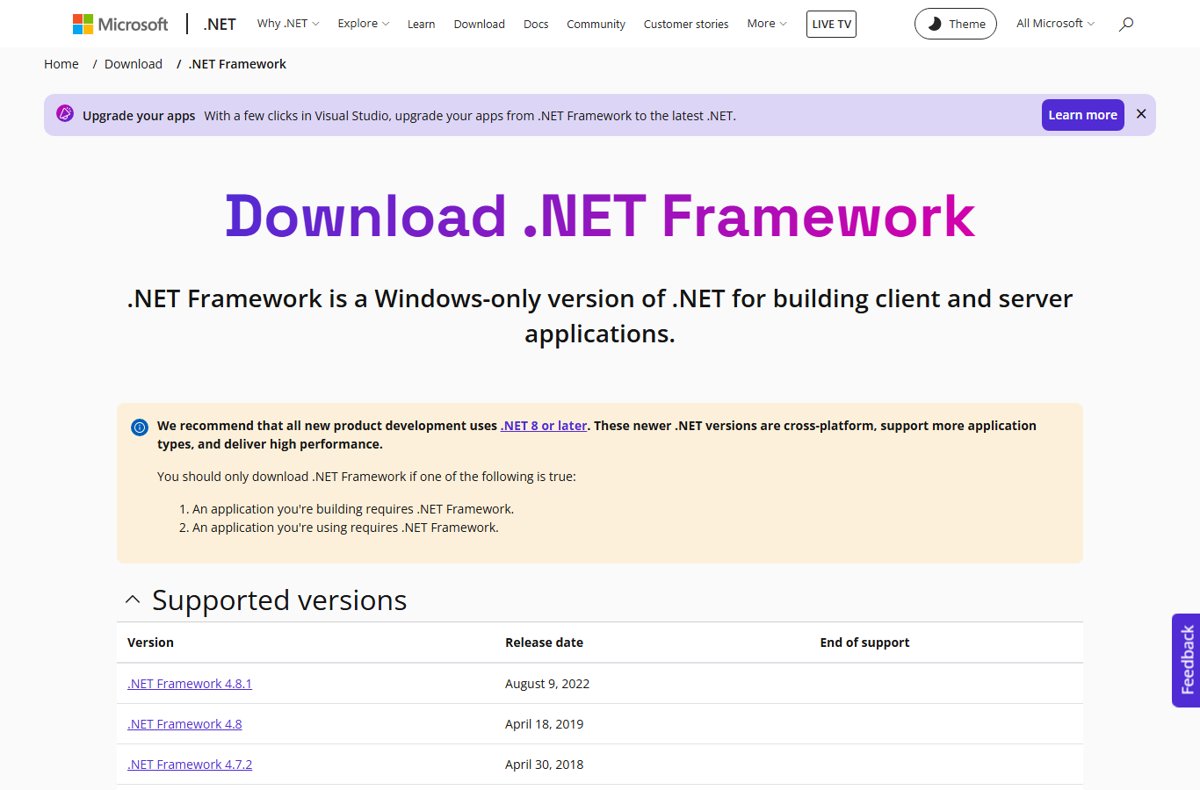
.NET Framework is the original Windows-only implementation of .NET. Windows 11 and Windows 10 include .NET Framework 4.x, which cannot run apps built for versions 1.1 through 3.5.
| Topic | Answer |
|---|---|
| Main components of .NET Framework | The common language runtime (CLR) and the .NET Framework class library |
| Latest version | .NET Framework 4.8.1, included in Windows 11 and supported as long as Windows is |
| .NET programming languages | C#, F# and Visual Basic, compiled to Common Intermediate Language |
| Platform dependent or independent? | .NET Framework runs only on Windows; modern .NET is cross-platform |
| Version compatibility | Apps for any 4.x version run on 4.8.1; apps for 2.0, 3.0 or 3.5 need .NET Framework 3.5 |
| CLR by version (release history) | 4.x uses CLR 4.0; 2.x and 3.x use CLR 2.0; 1.1 and 1.0 use their own |
| Cost | Free, including for commercial use |
The .NET Framework download for Windows 11 and 10 covers the 4.8.1 web and offline installers, and the .NET Framework offline installer suits PCs without a stable connection. For a specific older release, there are direct links to every .NET Framework version on Microsoft's own pages.
.NET and .NET Framework
The two names cause many wrong installs. An error that asks for .NET Framework is not fixed by installing modern .NET, and the reverse is also true.
| .NET Framework | .NET (formerly .NET Core) | |
|---|---|---|
| Runs on | Windows only | Windows, Linux and macOS |
| Source | Source available, no direct contributions | Open source on GitHub |
| Evolution of .NET technology | The original implementation; 4.8.1 is the last version | The current, actively developed platform |
| How you get it | Built into Windows, plus 3.5 as an optional feature | Separate runtime or SDK installers |
| Advantages | Already present on Windows, runs older desktop apps | Cross-platform and current |
| Disadvantages | No new feature releases | Does not run apps written for .NET Framework |
Developers who build with modern .NET need the .NET SDK for Windows, while players and office users only ever need the runtime an app asks for.
Architecture of .NET Framework
Knowing the two layers explains why one missing piece stops every .NET app. mscoree.dll is the library through which programs load the CLR.
| Layer | What it does |
|---|---|
| Features of the common language runtime | Manages memory, threads, code execution, type safety and security checks; compiles code just in time to native machine code |
| .NET Framework class library | Reusable types for strings, files, databases, collections and user interfaces |
| Assemblies | Compiled .NET code stored as .dll or .exe files |
| Runtime hosts | Unmanaged programs can load the CLR into their process to run managed code |
Turn on .NET Framework 3.5 for older apps
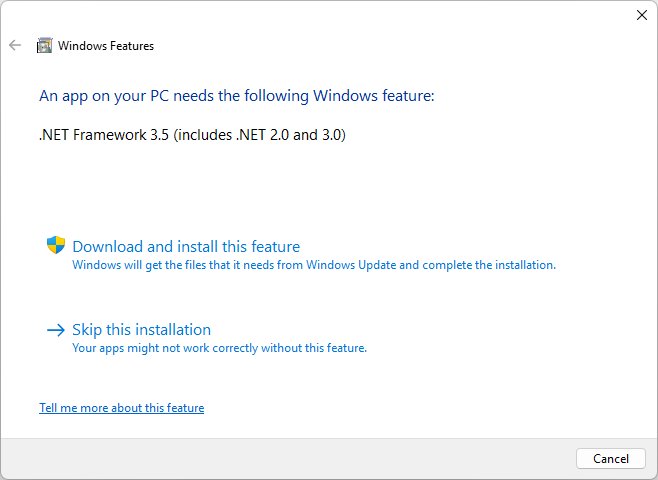
Apps built for .NET Framework 2.0, 3.0 or 3.5 need version 3.5. On Windows 11 25H2 and earlier and on Windows 10, it is an optional Windows feature.
- Select Start and search for Windows Features.
- Open Turn Windows features on or off.
- Tick .NET Framework 3.5 (includes .NET 2.0 and 3.0) and select OK.
- Let Windows download the files, then restart if asked.
- If an app shows a .NET prompt instead, select Download and install this feature.
From Windows 11 26H1 (build 28000), .NET Framework 3.5 is only available as a standalone installer for that Windows version. You can install .NET Framework 2.0 on Windows 11 the same way, because 3.5 includes it.
Step 1: Run DISM
When the missing file belongs to Windows, DISM repairs the component store that System File Checker copies from. Open Command Prompt as administrator and run it first.
DISM.exe /Online /Cleanup-image /RestorehealthDownloads healthy copies of damaged Windows components from Windows Update. If Windows Update itself is broken, add /Source: with a repair source folder and /LimitAccess.
You should see: The operation completes successfully and the prompt returns.
Step 2: Run system file checker
SFC scans every protected Windows file and replaces damaged ones with a cached copy. Keep the window open until verification reaches 100%.
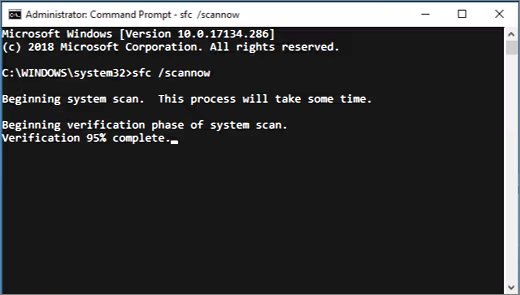
sfc /scannowScans protected system files and restores missing or corrupted ones. It repairs Windows DLLs, not runtimes installed by apps.
You should see: Windows Resource Protection did not find any integrity violations, or found corrupt files and successfully repaired them.
If SFC reports it could not perform the requested operation, run it again in safe mode.
How to check a DLL error is fixed
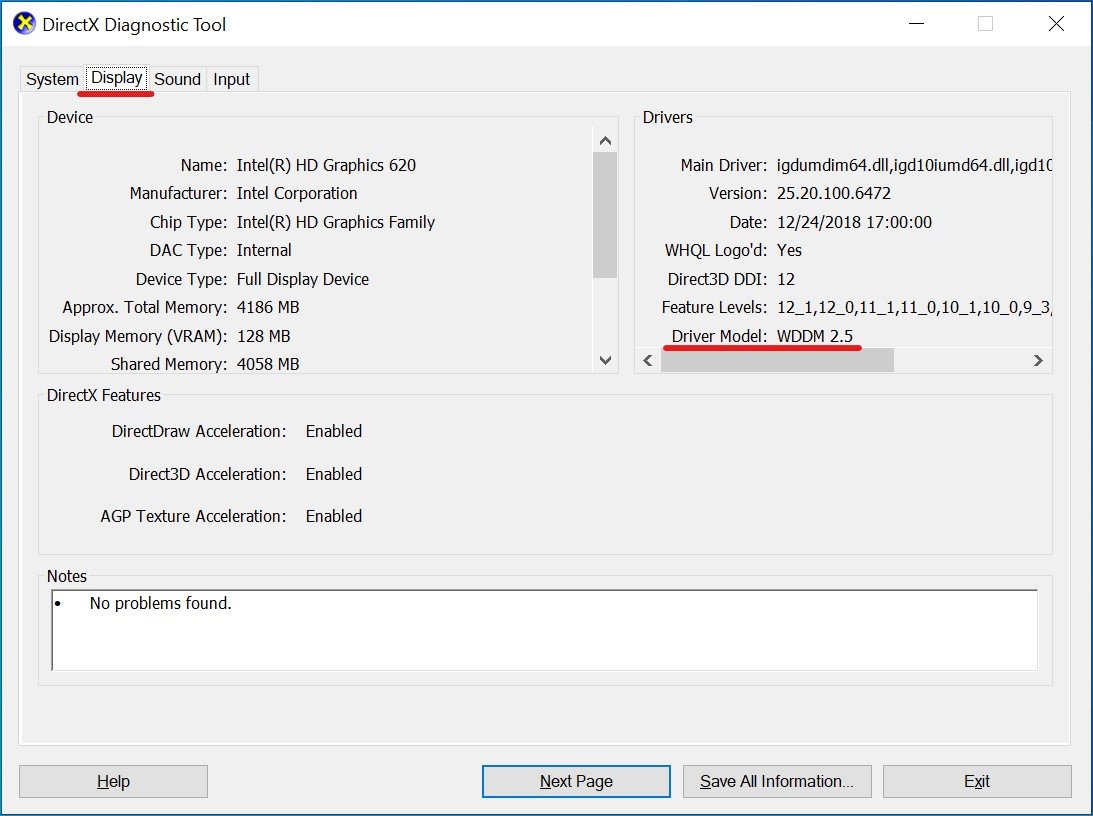
- Open Settings > Apps > Installed apps and search for Visual C++ to confirm both x64 and x86 entries are listed.
- Run dxdiag and check the DirectX version on the System tab.
- In Turn Windows features on or off, confirm .NET Framework 3.5 is ticked if the app needs it.
- Start the app; it should open with no error dialog.
- If SFC found problems, run it again and look for no integrity violations.
Missing DLL files after Windows 11 update and other errors
Why is my computer missing DLL files?
The app's runtime was never installed, was removed with another program, or a Windows file is damaged.
- Match the DLL name to the package table and install that package.
- Reinstall the app so its setup adds the runtimes it ships with.
- Run DISM and then
sfc /scannowif the file is part of Windows.
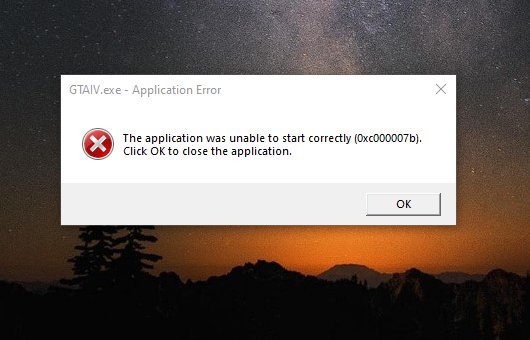
Error 0xc000007b when an app or game starts
A 32-bit app is loading a 64-bit DLL or the reverse, or a runtime file is damaged.
- Install both the x86 and x64 Visual C++ packages.
- Reinstall the app or game.
- Run DISM and SFC.
Application error 0xc0000142
The app failed to start, often because a runtime or Windows file is damaged.
- Repair or reinstall the app.
- Install Windows updates and the Visual C++ packages.
- Run DISM and SFC.
Steam game says a DLL is missing
The game's shared runtimes did not install on first launch.
- Run the DirectX End-User Runtime and the Visual C++ packages.
- Reinstall the game and launch it again.
App built on Edge says the WebView2 Runtime is missing
The Evergreen WebView2 Runtime is part of Windows 11 but may be missing on some Windows 10 PCs.
- Install the WebView2 Runtime from Microsoft.
- Restart the app.
Step-by-step fixes are in the guides to fix the 0xc000007b error and solve application error 0xc0000142. Games bought on Steam lean on Steamworks common redistributables, the shared Visual C++, .NET and DirectX installers. Edge-based apps need the WebView2 Runtime for Windows, and controller games on newer engines can rely on the GameInput Redist Service, part of Microsoft's GameInput input API.
Missing DLL files FAQ
How do I fix missing DLL files in Windows 11?
Install the Microsoft package that ships the named DLL: Visual C++ Redistributable for vcruntime and msvcp files, the DirectX End-User Runtime for d3dx9 and xinput1_3, or .NET Framework for mscoree. Then reinstall the app, and run DISM and SFC if a Windows file is named.
How do I fix missing DLL files in Windows 10?
The fix is the same as on Windows 11. Install the matching Visual C++, DirectX or .NET Framework package from Microsoft, restart, and reinstall the app. Windows 10 also uses the Turn Windows features on or off dialog for .NET Framework 3.5.
How do I install missing DLL files?
Install the package that contains them rather than a single file. Microsoft's installers register the DLLs in the right folders for both 32-bit and 64-bit apps, and they receive security updates that a loose copied file never gets.
Should I download missing DLL files from DLL sites?
No. A single DLL from a download site can be the wrong version or architecture, and nothing keeps it updated. Every runtime DLL in this guide comes from a free Microsoft installer, so get the full package from Microsoft instead.
Where do I put missing DLL files?
Nowhere by hand. Pasting a DLL into System32 or the app folder skips the installer and leaves out the other files the runtime needs. Install the Visual C++, DirectX or .NET package and let it place the files.
Why are DLL files missing?
A program depends on DLLs it did not install, or another program removed or overwrote them. Damaged Windows files can also cause it, which DISM and System File Checker repair.
What is a DLL file in simple terms?
A DLL is a shared library of code that several programs use at once, such as the file that draws the Open dialog in every app. Programs stay smaller because they share it instead of carrying their own copy.
Do I need the DirectX End-User Runtime on Windows 11?
Only for older games that need D3DX9, D3DX10, D3DX11, XInput 1.3 or XAudio 2.7. DirectX itself is already part of Windows 11, and the runtime does not change its version.
How do I solve all DLL missing files at once?
Install the latest Visual C++ v14 Redistributable in x64 and x86, any older Visual C++ versions your apps name, the DirectX End-User Runtime and .NET Framework 3.5. Then run DISM and SFC to repair Windows files.