You can get the Apache OpenOffice download for Windows 11, Windows 10, Mac and Linux free from openoffice.org. The suite bundles Writer, Calc, Impress, Draw, Base and Math in a single install, with no account or subscription.
This guide shows which file to pick for your computer, how to install it, how to check the file, and how to fix common setup problems.
Which Apache OpenOffice download do you need?
The download page asks for three things: operating system, language and version. Match your computer to a row below; the links are the English (US) full installations.
| Your computer | File to get | Size | Link |
|---|---|---|---|
| Windows 11 or 10 PC, 32-bit or 64-bit | Windows 32-bit (x86) (EXE) | 136.6 MB | Win_x86_install_en-US.exe |
| Mac on macOS 10.7 or later, Intel or Apple silicon | OS X (version >= 10.7) (DMG) | 167.2 MB | MacOS_x86-64_install_en-US.dmg |
| 64-bit Ubuntu, Debian or Linux Mint | Linux 64-bit (x86-64) (DEB) | 157 MB | Linux_x86-64_install-deb_en-US.tar.gz |
| 64-bit Fedora, openSUSE or another RPM distribution | Linux 64-bit (x86-64) (RPM) | 159 MB | Linux_x86-64_install-rpm_en-US.tar.gz |
| Older 32-bit Linux PC | Linux 32-bit (x86) (DEB or RPM) | 149-151 MB | Linux_x86_install-deb_en-US.tar.gz |
For another interface language, pick it on the official page. You can also add a language pack of about 18 MB to an existing install.
Download Apache OpenOffice from the official site
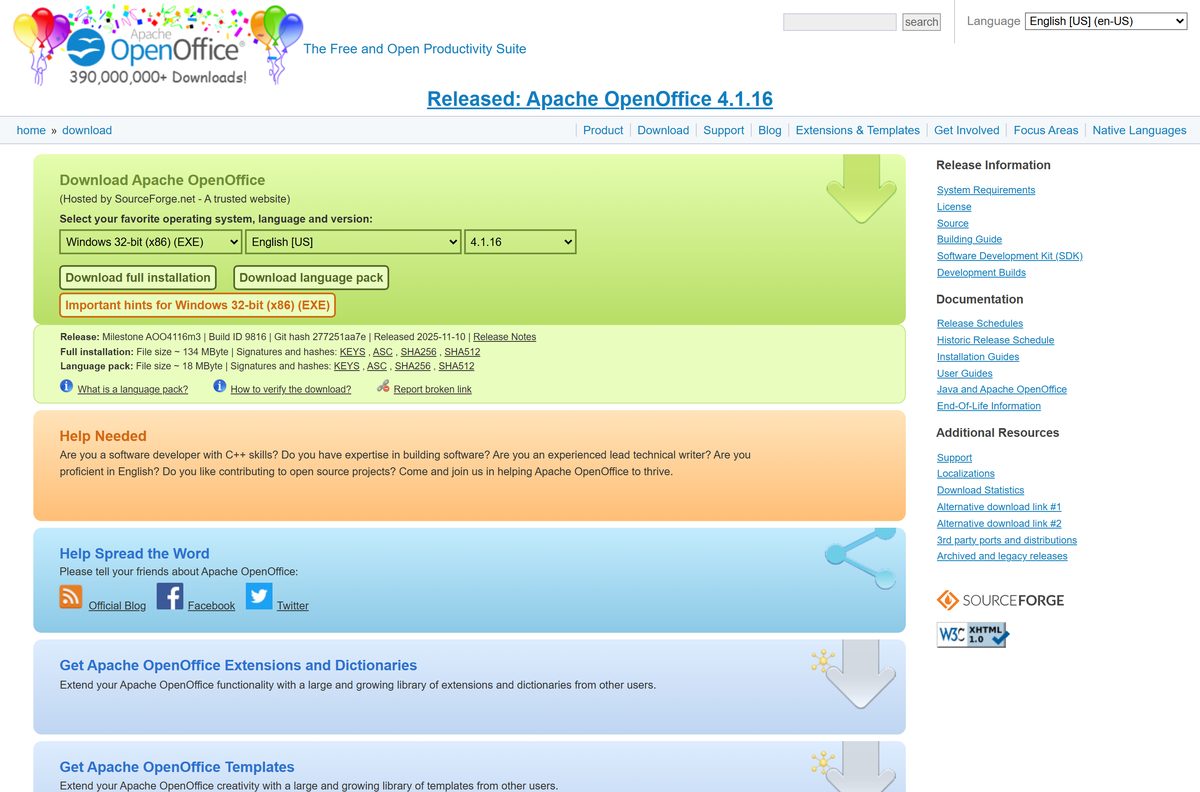
All official packages start at openoffice.org. The page notes that files are Hosted by SourceForge.net, and the same files sit on the Apache Software Foundation’s own download server.
- Apache OpenOffice download page — choose operating system, language and version, then Download full installation
- Apache download directory for 4.1.16 (English) — the Windows, macOS and Linux files with their hash and signature files
- Installation instructions — official setup notes for Windows, macOS and Linux
- 4.1.16 release notes — security fixes and changes in this release
Pick Download full installation for a new install. Download language pack only adds another interface language to a copy you already have.
How to install Apache OpenOffice on Windows 11 and 10
The Windows file first unpacks the setup files, then launches the real installer. Allow about five minutes.
- Double-click the downloaded .exe in your Downloads folder and select Yes if User Account Control asks.
- Select Next on the first welcome window.
- Accept the suggested folder for the unpacked files, or pick another one, and select Unpack.
- Select Next on the installation welcome window.
- Fill in the Customer Information window and select Next.
- Choose Complete as the setup type and select Next.
- Tick the Microsoft Office file types you want Apache OpenOffice to open, then select Next.
- Select Install, wait for it to finish, then select Finish.
- Open OpenOffice from the Start menu and choose Writer, Calc or another module.
The unpacked setup folder stays behind after installation. Delete it once the suite opens correctly.
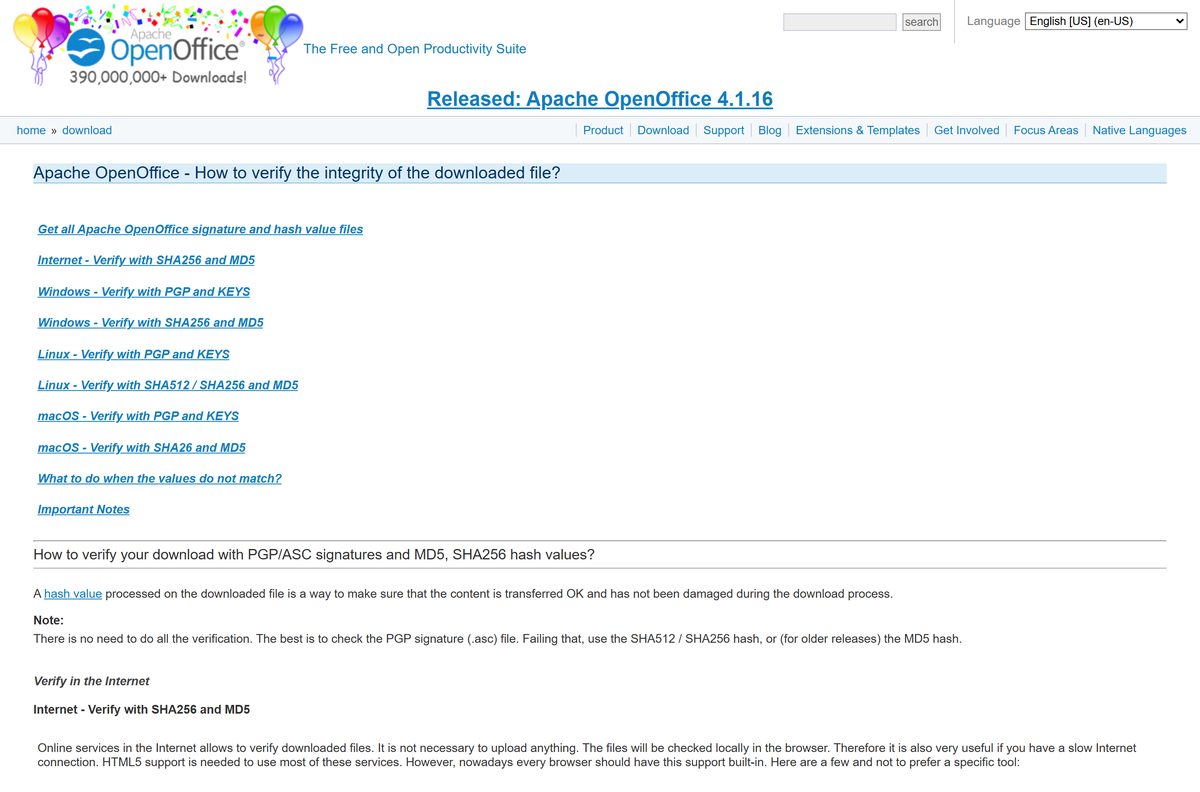
How to verify the Apache OpenOffice installer
The download page links SHA256, SHA512 and ASC signature files for every package. A matching hash proves the file arrived intact.
- On the download page, select SHA256 next to Full installation and note the hash.
- Open PowerShell in your Downloads folder.
- Run Get-FileHash .\Apache_OpenOffice_4.1.16_Win_x86_install_en-US.exe -Algorithm SHA256 .
- Check that the result matches; for the English Windows file it is 0ea97aedb1c77838b9c6ee9e7a9c5161933b35b703e4ccbafa6a9abde7f669ca .
- On a Mac, run openssl dgst -sha256 followed by the .dmg name in Terminal.
- On Linux, run sha256sum -c followed by the .sha256 file name, and look for OK.
A different hash means a damaged or altered file. Delete it and download it again from openoffice.org.
Which Apache OpenOffice download do you need for your Mac?
Apache OpenOffice ships one macOS build for Intel processors. Check About This Mac first.
| Your Mac | What to do | Link |
|---|---|---|
| Intel Mac on macOS 10.7 Lion or later | Install the OS X (version >= 10.7) .dmg directly | MacOS_x86-64_install_en-US.dmg |
| Mac with an Apple M-series chip | Install the same .dmg; macOS runs it through Rosetta 2 | MacOS_x86-64_install_en-US.dmg |
| Mac on OS X 10.6 or earlier | Pick OS X (version <= 10.6) and an older release on the download page | Apache OpenOffice download page |
Open the .dmg and drag the app into Applications. Gatekeeper may block the first launch, so approve it under System Settings → Privacy & Security and select Open Anyway.
Is Apache OpenOffice free?
Yes. Apache OpenOffice is free and open source, with no license fees for home, school, business or government use. It is released under the Apache License 2.0, and you can install it on as many computers as you need. The project sells nothing, so any site that charges for the download or a “premium” edition is not the official source.
Which Apache OpenOffice version should you install: 4.1.16 or older?
The download page still lists every release back to 3.4.1. Every release since 4.1.0 is a 4.1.x maintenance update rather than a new feature version.
Install 4.1.16, the newest release on the download page. It patches seven security vulnerabilities (CVEs) around remote document loading and CSV import, adds AES-256 encryption for ODF 1.2 documents, and fixes a macOS update-check hang. Older builds lack those fixes, so use them only to test a problem that appeared after an upgrade.
How to check your Apache OpenOffice version and update it
- Open any Apache OpenOffice module, such as Writer.
- Select Help → About Apache OpenOffice and read the version number.
- Select Help → Check for Updates to see if a newer release exists.
- Close all OpenOffice windows, including the Quickstarter icon in the taskbar.
- Download the new full installation from openoffice.org and run it over your current copy.
- Open the suite again and confirm the new number under Help → About Apache OpenOffice.
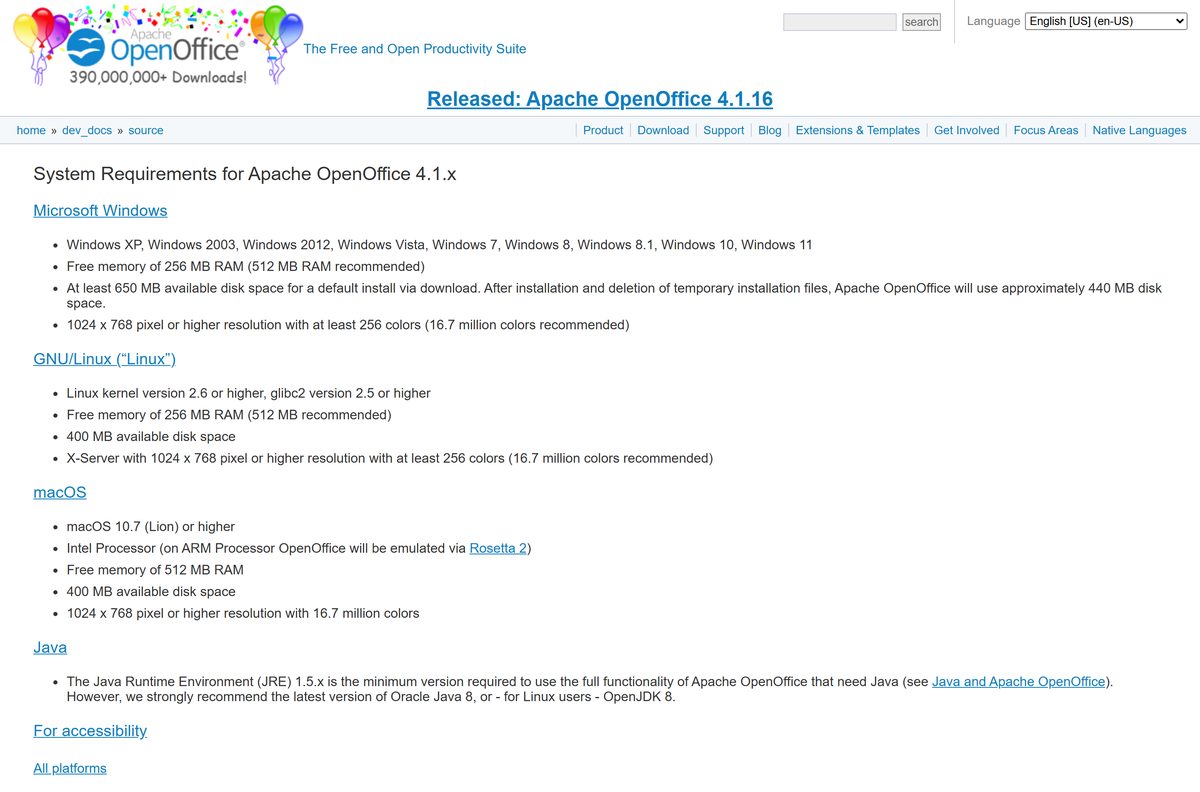
Check the Apache OpenOffice system requirements
The suite runs on very old hardware. Java is optional and only needed for a few features.
| Field | Value |
|---|---|
| Software | Apache OpenOffice |
| Developer | The Apache Software Foundation |
| Latest version | 4.1.16, released November 10, 2025 |
| License | Free, open source (Apache License 2.0) |
| File size | 136.6 MB (Windows), 167.2 MB (macOS), English full installation |
| Windows | Windows XP through Windows 11, including Windows 10 |
| Windows hardware | 256 MB RAM (512 MB recommended), 650 MB disk, 1024×768 display |
| macOS | macOS 10.7 or later, Intel (Apple silicon via Rosetta 2), 512 MB RAM, 400 MB disk |
| Linux | Kernel 2.6+, glibc 2.5+, 256 MB RAM, 400 MB disk, X server at 1024×768 |
| Architecture | Windows 32-bit (x86), macOS x86-64, Linux x86 and x86-64 |
| Java (optional) | Java 8 from Oracle or OpenJDK recommended; 32-bit JRE on Windows |
| Offline installer | Yes, full .exe, .dmg and Linux archives |
| Official download | openoffice.org |
| Last verified | 2026-09-25 |
What Apache OpenOffice can open and create
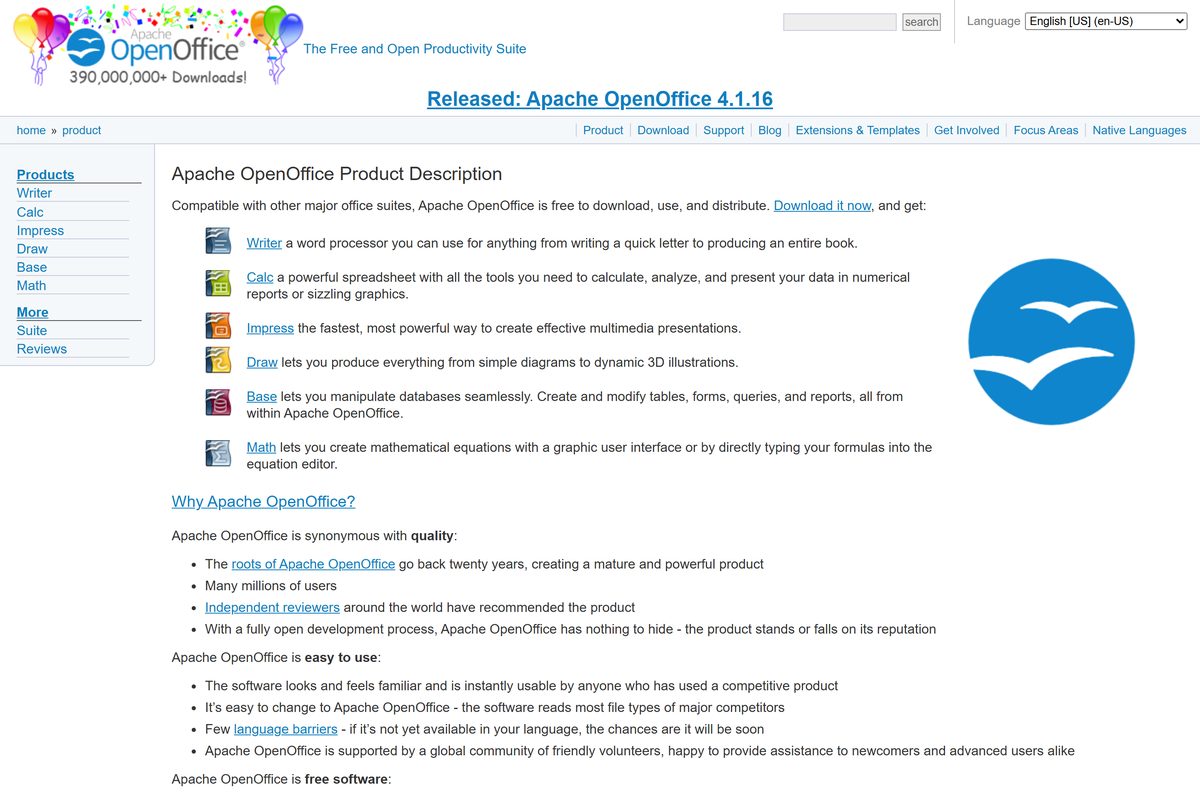
Each module saves in the OpenDocument Format by default and also reads files from other major office suites.
| Module | What you use it for |
|---|---|
| Writer | Letters, reports and full books; opens Word documents |
| Calc | Spreadsheets, calculations and charts; opens Excel workbooks |
| Impress | Slide presentations; opens PowerPoint files |
| Draw | Diagrams, flowcharts and 3D illustrations |
| Base | Database tables, forms, queries and reports |
| Math | Mathematical equations for use in other documents |
Use File → Save As and pick a Microsoft format when you send a file to someone on Office.
Fix Apache OpenOffice not installing on Windows 11 or 10
Setup finished, but OpenOffice is not in the Start menu
Only the unpack step ran; the real installer was closed early.
- Open the folder you chose for the unpacked files.
- Double-click setup.exe.
- Complete the installer through to Finish.
The installer asks for administrator rights or fails to write files
Standard accounts cannot write to Program Files.
- Sign in with an administrator account.
- Right-click the .exe and select Run as administrator.
- On a work PC, ask IT to install it.
The download is corrupt or setup stops with an error
An interrupted or damaged download.
- Compare the file’s SHA256 hash with the one on the download page.
- Delete the file if they differ.
- Download it again from openoffice.org and rerun setup.
Base or a wizard says a Java runtime is required
No Java installed, or a 64-bit Java on Windows.
- Install a 32-bit Java 8 runtime from Oracle or OpenJDK.
- Open Tools → Options → OpenOffice → Java.
- Select the 32-bit runtime and restart the suite.
macOS says the app cannot be opened
Gatekeeper blocks apps from outside the App Store on first launch.
- Open System Settings → Privacy & Security.
- Select Open Anyway next to the OpenOffice message.
- Launch the app again and confirm.
How to uninstall Apache OpenOffice
- Close every OpenOffice window and the Quickstarter.
- Open Settings → Apps → Installed apps on Windows 11, or Apps & features on Windows 10.
- Find OpenOffice 4.1.16, select the three-dot menu, and choose Uninstall.
- Confirm, and select Yes at the User Account Control prompt.
- To remove your settings too, delete the OpenOffice folder in %APPDATA% .
- On a Mac, drag OpenOffice from Applications to the Trash.
Choose an Apache OpenOffice alternative
| Option | Cost | Pick it when |
|---|---|---|
| LibreOffice | Free, open source | You want a free desktop suite with native 64-bit and ARM builds |
| Microsoft 365 | Paid subscription | You exchange complex Word, Excel and PowerPoint files every day |
| Google Docs, Sheets and Slides | Free with a Google account | You work in a browser and share files for live editing |
| Apple Pages, Numbers and Keynote | Free on Mac | You only use a Mac and share mostly with other Apple users |
Frequently asked questions
Is Apache OpenOffice free?
Yes. Apache OpenOffice is free and open source under the Apache License 2.0. You can use it at home, at school, in a business or in government, and install it on as many computers as you like without any license fee.
Where is the official Apache OpenOffice download page?
The official page is openoffice.org/download. Pick your operating system, language and version there, then select Download full installation. SourceForge hosts the files for the project, and the Apache download server carries the same files.
Does Apache OpenOffice work on Windows 11?
Yes. The official system requirements list Windows 11 and Windows 10 among the supported versions. The Windows installer is a 32-bit program, and it installs and runs on 64-bit editions of Windows 11 and 10.
How big is the Apache OpenOffice download?
The English Windows full installation is about 137 MB, and the macOS .dmg is about 167 MB. Linux archives are roughly 150 to 160 MB. A language pack for another interface language adds about 18 MB.
Is the Apache OpenOffice installer an offline installer?
Yes. The full installation file contains the whole suite, so setup needs no internet connection once the file is downloaded. You can copy the same .exe to other PCs and install it there.
Is there Apache OpenOffice for Mac?
Yes. The download page offers an OS X .dmg for macOS 10.7 Lion or later. It is an Intel build; Macs with Apple silicon run it through Rosetta 2, and macOS may ask you to approve it on first launch.
Is there a 64-bit version of Apache OpenOffice for Windows?
No. The Windows download is a 32-bit (x86) build only. It runs on 64-bit Windows, but any Java runtime it uses must also be 32-bit. The Linux downloads come in both 32-bit and 64-bit versions.
Is Apache OpenOffice safe to download?
Yes, when you start at openoffice.org. Each file has SHA256, SHA512 and PGP signature files on the download page, so you can confirm the installer is untouched. Sites that charge money for the download are not the official project.
What is the latest version of Apache OpenOffice?
The latest release is Apache OpenOffice 4.1.16, released on November 10, 2025. It is a security and bug-fix release that patches seven CVEs and adds AES-256 encryption support for ODF 1.2 documents.
Why won’t Apache OpenOffice install?
The usual causes are a missing administrator account, a damaged download, or confusion over the unpack step. Run the installer from an administrator account, check the SHA256 hash, and remember the first window only unpacks files before setup starts.
Does Apache OpenOffice need Java?
Only for some features, such as parts of Base. The core suite runs without it. The project recommends Java 8 from Oracle or OpenJDK, and on Windows the Java runtime must be 32-bit even on a 64-bit PC.