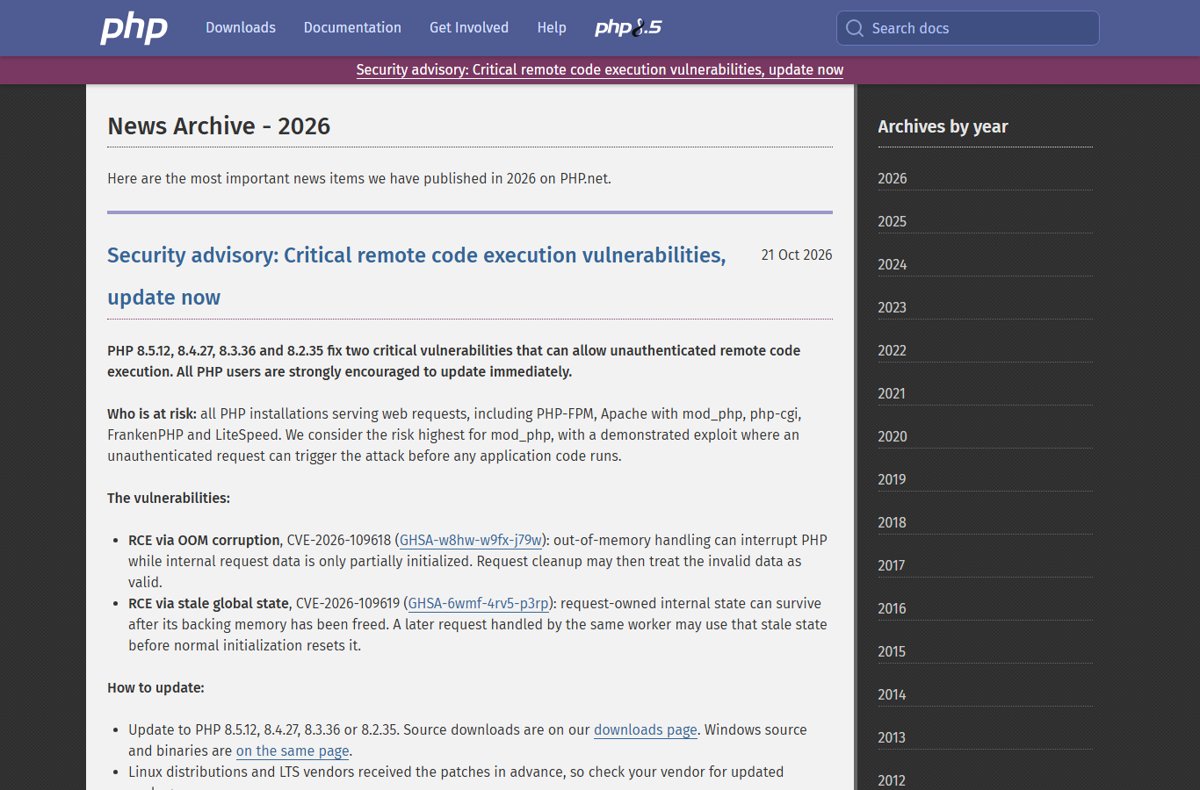
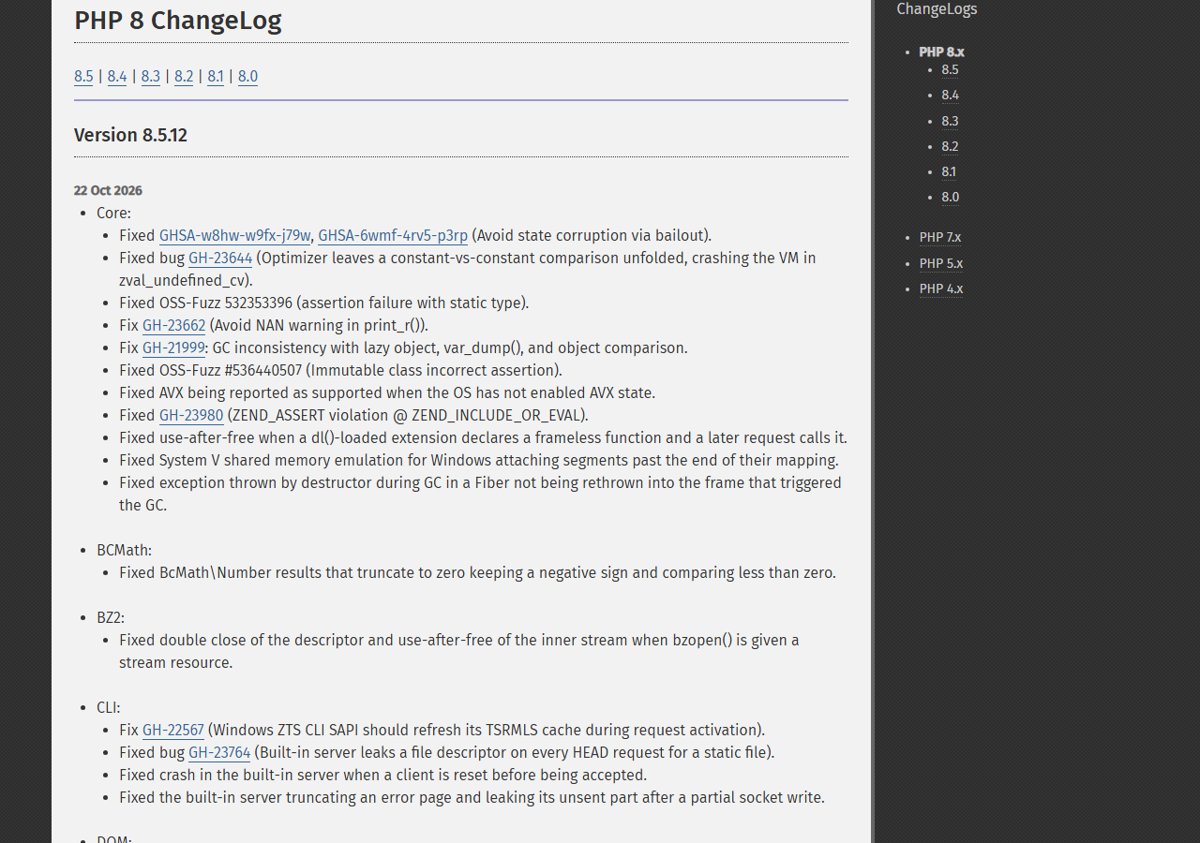
To update PHP, install the patch release for your branch: PHP 8.5.12, 8.4.27, 8.3.36 or 8.2.35, all released on 21 October 2026 to fix two critical remote code execution flaws, CVE-2026-109618 and CVE-2026-109619.
This guide, part of our PHP guide hub, covers checking your current version, updating on Windows, Linux, Docker, XAMPP, Laragon and shared hosting, restarting PHP workers, and confirming the patched build is the one serving requests.
The fastest way to update PHP to the October 2026 security release
PHP.net says all PHP installations serving web requests are at risk, including PHP-FPM, Apache with mod_php, php-cgi, FrankenPHP and LiteSpeed. The risk is highest for mod_php, where a demonstrated exploit runs before any application code.
- Run
php -vto see which branch you are on (8.5, 8.4, 8.3 or 8.2). - Pick the fixed release for that branch: 8.5.12, 8.4.27, 8.3.36 or 8.2.35.
- On Linux, update the PHP packages from your distribution, which received the patches in advance.
- On Windows, replace your PHP folder with the new build from the official php.net downloads page.
- Restart PHP-FPM, Apache or whatever process runs PHP, so every worker loads the new code.
- Run
php -vagain and load aphpinfo()page to confirm the web server reports the new version.
Which PHP update method fits your server
| Your setup | Update route | Why |
|---|---|---|
| Ubuntu, Debian, RHEL, AlmaLinux, Fedora | Distribution package update (apt or dnf) | Vendors got the fixes before release; packages keep your config |
| Windows server or PC with a PHP ZIP | New ZIP from php.net, or Winget, Chocolatey or Scoop | php.net publishes Windows binaries for every fixed branch |
| Docker image based on php:8.x | Pull the updated official image and rebuild | A running container keeps its old PHP until recreated |
| XAMPP or Laragon | The bundle's own update, or its PHP folder | These stacks ship their own copy of PHP |
| Shared hosting or cPanel | Your host's PHP selector or support team | The host controls the PHP binaries |
| PHP 8.1 or older | Vendor backport or upgrade to 8.2 or newer | The PHP project no longer ships 8.1 releases |
| rpms.remirepo.net packages | Distribution packages or build from source | PHP.net says the repo will not have updates on release day |
How to check your current PHP version
The command line and the web server can use different PHP builds, so check both before and after you update.
- Open a terminal, or Command Prompt on Windows.
- Run
php -vand note the version on the first line, for examplePHP 8.4.26 (cli). - Run
php --inito see whichphp.inifile the command line loads. - Create a file named
info.phpin your web root containing<?php phpinfo();. - Open that file in a browser and read the version and Server API at the top.
- Delete
info.phpwhen you are done, because it exposes server details.
Anything below 8.5.12, 8.4.27, 8.3.36 or 8.2.35 on its branch is vulnerable. PHP 8.1 and older get no project updates at all.
Update PHP on Windows (ZIP, Winget, Chocolatey, Scoop)
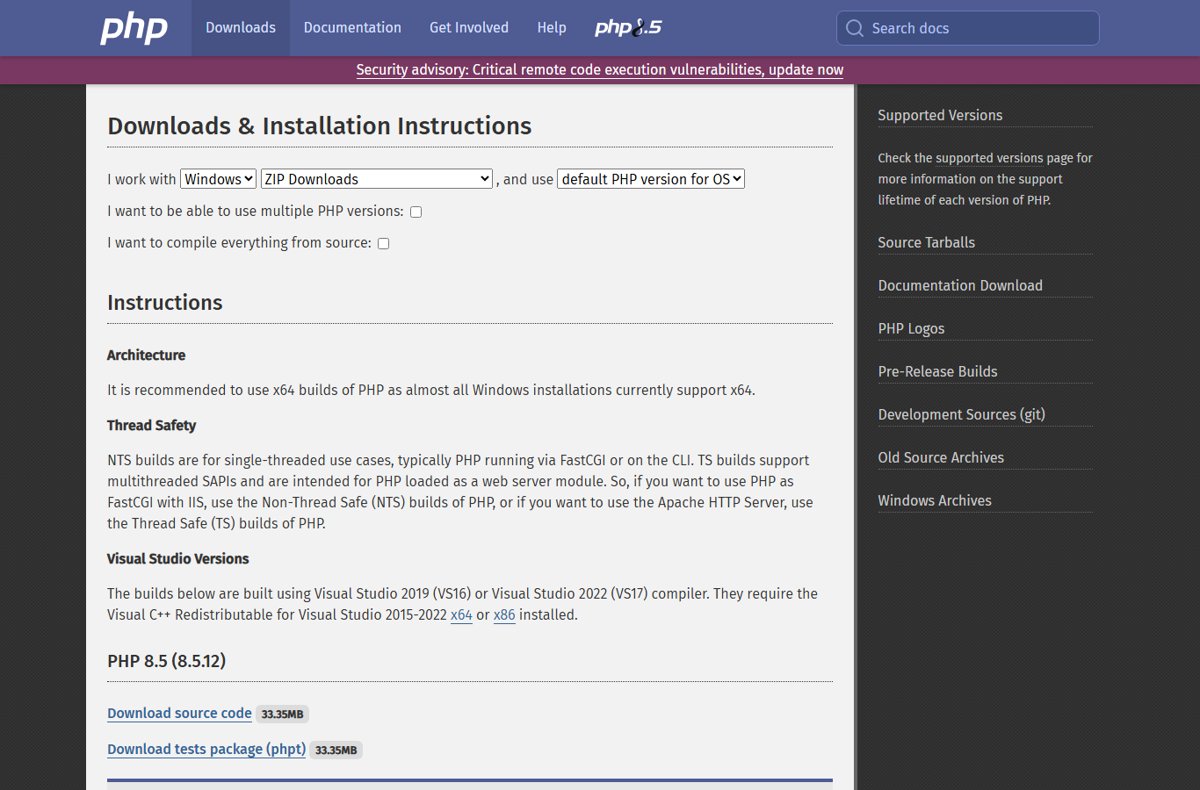
PHP.net hosts Windows binaries for each fixed branch on its downloads page. Use the Thread Safe (TS) build for Apache and the Non-Thread Safe (NTS) build for IIS with FastCGI or the CLI, and prefer x64.
The builds need the Visual C++ Redistributable for Visual Studio 2015-2022. The full download details for each version are in the PHP 8.5.12 download for Windows and PHP 8.4.27 download posts.
- Open https://www.php.net/downloads.php, select Windows, and choose your branch.
- Download the Zip for your architecture and thread-safety type, matching your current build.
- Stop the web server or service that runs PHP.
- Rename your current PHP folder (for example
C:\phptoC:\php-old) as a backup. - Extract the new ZIP to the original folder path.
- Copy your
php.iniand any third-party extension DLLs from the backup folder into the new folder. - Start the web server again and run
php -vto confirm the new version. - Winget users: run
winget upgrade PHP.PHP.8.5(or.8.4,.8.3,.8.2). Chocolatey users: runchoco upgrade php -y. Scoop users: runscoop update php.
Package-manager feeds can lag behind php.net. Check php -v after the upgrade and fall back to the ZIP if the version has not changed.
Update PHP on Ubuntu and Debian
PHP.net says Linux distributions received the patches in advance. Distribution packages carry the vendor's own version numbers, so check your vendor's security notice for the fixed package version rather than looking for 8.x.12-style numbers.
- Refresh the package lists with
sudo apt update. - List pending PHP updates with
apt list --upgradable. - Install them with
sudo apt upgrade. - Compare the installed package version against your vendor's security notice for CVE-2026-109618 and CVE-2026-109619.
- Restart PHP-FPM and the web server, as shown in the restart section below.
Update PHP on RHEL, AlmaLinux and Fedora
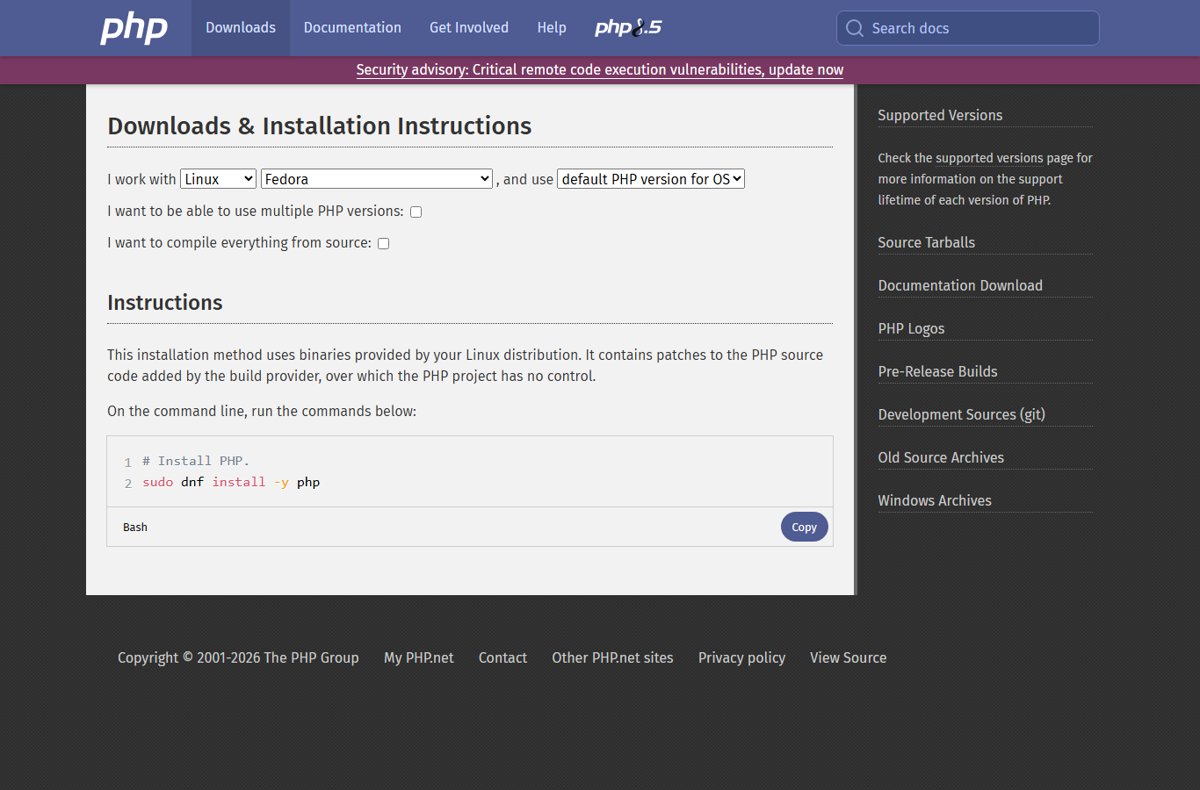
Red Hat-family systems install PHP from distribution packages with dnf. If you use rpms.remirepo.net, PHP.net urges switching to distribution packages or building from source, because the repo will not have updates on release day.
- Check for updated packages with
sudo dnf check-update. - Apply them with
sudo dnf upgrade. - Confirm the installed PHP package matches the fixed version in your vendor's security advisory.
- Restart PHP-FPM and Apache or Nginx so the workers load the new build.
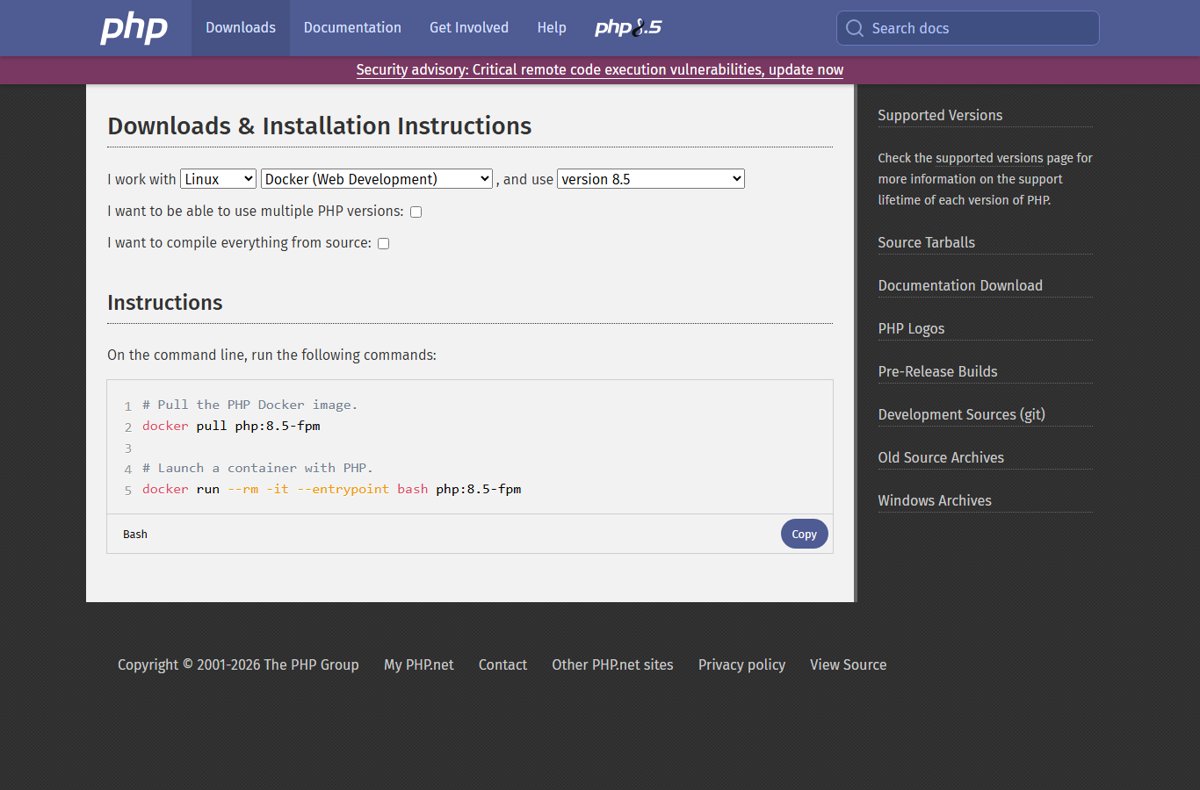
Update PHP in Docker
A container keeps the PHP version it was built with. Pulling a newer image does nothing until you rebuild and recreate the containers that use it.
- Pull the current image for your tag, for example
docker pull php:8.5-fpm. - Rebuild any PHP Docker image whose Dockerfile starts
FROM php:...so it picks up the new base. - Recreate the running containers from the rebuilt image.
- Run
php -vinside the new container to confirm the patched release. - If you pin an exact patch tag, change it to the fixed version before rebuilding.
Update PHP in XAMPP and Laragon
XAMPP and Laragon bundle their own PHP folder, so a system-wide update does not touch them. They are local development stacks; a dev machine that is not reachable from the network is far less exposed than a public server.
- Run
php -vfrom the bundle's own terminal or PHP folder to see its version. - Check the bundle's official site for a release that includes the fixed PHP version.
- Back up the bundle's
phpfolder and itsphp.inibefore changing anything. - Install the bundle update, or replace the PHP folder with the matching Thread Safe Windows build from php.net if your stack supports swapping versions.
- Restart Apache from the bundle's control panel and confirm the new version on a
phpinfo()page.
Update PHP on shared hosting and cPanel
On shared hosting the provider installs PHP, so you cannot patch the binary yourself. Your job is to confirm the host has updated and to move off unsupported branches.
- Upload a
phpinfo()file and note the exact version the site runs. - Open your host's PHP version selector in the control panel and switch to 8.2 or newer if the site is on 8.1 or older.
- Ask the host's support team whether CVE-2026-109618 and CVE-2026-109619 are patched on your server.
- Delete the
phpinfo()file afterwards. - For WordPress sites, check the PHP version the site reports after any switch, since plugins can break on a new branch.
Restart PHP-FPM, Apache and other workers
PHP-FPM, mod_php and other long-running workers keep the old code in memory. Restart every one of them after the update, or the vulnerable build keeps serving requests.
sudo systemctl restart <service-name>Restarts a systemd service. Replace <service-name> with your PHP-FPM service and then your web server; the exact names depend on the distribution and PHP branch, and systemctl list-units --type=service lists them.
You should see: The command returns without error and systemctl status <service-name> shows the service as active (running) with a fresh start time.
On Windows, restart the Apache service or run iisreset for IIS. In Docker, recreating the container is the restart.
Verify the update
- Run
php -vand confirm 8.5.12, 8.4.27, 8.3.36 or 8.2.35, or your vendor's fixed package version. - Load a temporary
phpinfo()page through the web server and confirm the same version there. - Check that the Loaded Configuration File line points at the
php.iniyou expect. - Run
php -mand compare the module list with your backup install to catch a missing extension. - Remove the
phpinfo()page.
PHP 8.1, 8.0 and 7.4: no official update for CVE-2026-109618
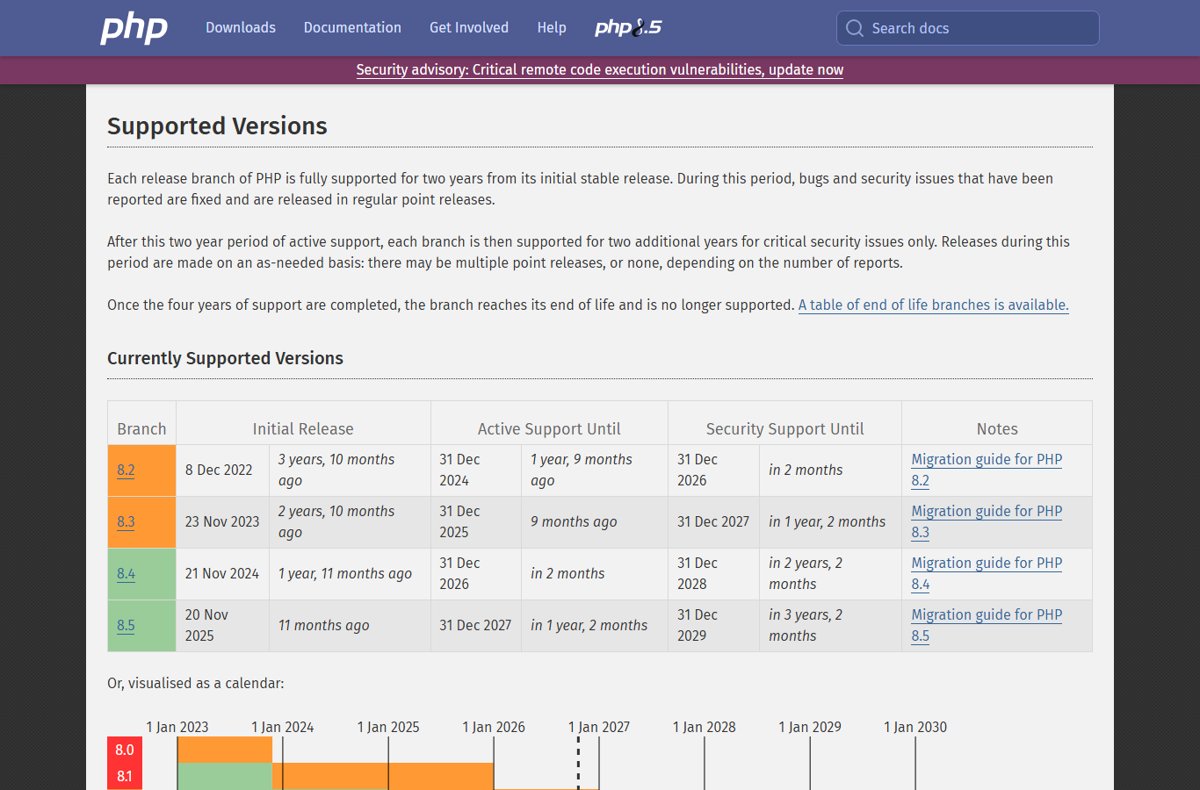
| Branch | Status on 21 Oct 2026 | What to do |
|---|---|---|
| 8.5 | Fixed in 8.5.12; security support until 31 Dec 2029 | Update now |
| 8.4 | Fixed in 8.4.27; security support until 31 Dec 2028 | Update now |
| 8.3 | Fixed in 8.3.36; security support until 31 Dec 2027 | Update now |
| 8.2 | Fixed in 8.2.35; end of life 31 Dec 2026 | Update now and plan a move to 8.3 or newer |
| 8.1, 8.0, 7.4 | No project release; minimal source backports published | Ask your LTS vendor for a backport or upgrade to a supported branch |
If you cannot update today, apply the partial PHP mitigations for CVE-2026-109618 and CVE-2026-109619, knowing PHP.net says only the update is a complete fix. The PHP security update news explains both flaws.
PHP 8.5.12 and 8.4.27 update FAQ
How do I update the PHP version?
Install the latest patch release for your branch: 8.5.12, 8.4.27, 8.3.36 or 8.2.35. Use your Linux distribution's package manager, the php.net Windows ZIP or Winget, or your host's PHP selector, then restart every PHP worker.
Which PHP versions fix CVE-2026-109618 and CVE-2026-109619?
PHP 8.5.12, 8.4.27, 8.3.36 and 8.2.35, released on 21 October 2026, fix both critical remote code execution flaws. PHP.net rates both CVSS v4.0 9.2 and says all PHP users should update immediately.
How do I update PHP in XAMPP?
XAMPP uses its own PHP folder, so update the XAMPP bundle or replace that folder with a matching Thread Safe build from php.net. Back up the folder and php.ini first, then restart Apache from the control panel.
How do I update PHP in Laragon?
Laragon also keeps PHP in its own folder. Back up the current PHP folder, add the fixed Thread Safe build from php.net or a Laragon update, switch to it, and restart Apache from Laragon.
How do I update PHP on Ubuntu?
Run sudo apt update and then sudo apt upgrade. Ubuntu PHP packages use their own version numbers, so compare the installed package with Ubuntu's security notice for the two CVEs, then restart PHP-FPM and the web server.
How do I update PHP for WordPress?
WordPress runs on the PHP your server provides. On managed or shared hosting, use the host's PHP selector or ask support to confirm the patch. On your own server, update PHP with the package manager and restart the workers.
Is PHP 8.1 getting a fix for these vulnerabilities?
No official release. PHP 8.1 and older no longer receive updates from the PHP project, though the security team published minimal source backports for 7.4, 8.0 and 8.1. Ask your LTS vendor or upgrade to 8.2 or newer.
Do I need to restart after updating PHP?
Yes. PHP-FPM pools, Apache with mod_php and other long-running workers keep the old code loaded until restarted. Restart every worker, then check the version on a phpinfo() page.
Should you update PHP today?
Yes. Install 8.5.12, 8.4.27, 8.3.36 or 8.2.35 or your vendor's patched package now, and restart every PHP worker. Both flaws allow unauthenticated remote code execution on any PHP server handling web requests, and PHP.net says there are no complete mitigations.