To recover a Facebook account you can't log in to, click Forgotten password? on the login screen, find your account, and reset the password with a code sent to your email or phone.
This guide covers recovery with and without your old email or phone number, hacked and locked accounts, the trusted contacts question, and how to keep the account safe afterwards.
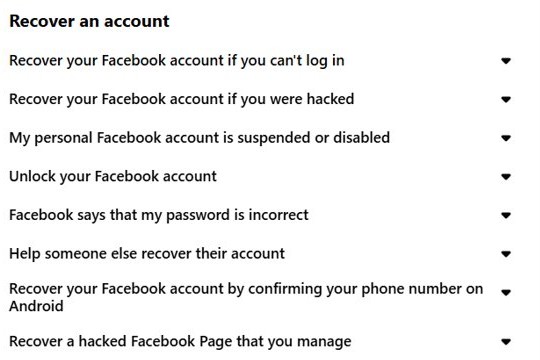
Check if you’re still logged in
A phone, tablet or old laptop may still have an active Facebook session even when your main device is signed out.
An active session lets you change the password from Settings without any recovery code.
- Open the Facebook app or facebook.com on every device you have used before, including old phones and a family laptop.
- If any device opens your News Feed, click your profile picture in the top right, then Settings and privacy.
- Click Settings, then Accounts Centre, then Password and security.
- Click Change password and pick the account you want to update.
- Select Forgotten your password? if you don't remember the current password, then enter the confirmation code sent to your email.
- Save the new password and log in on your main device with it.
Log into Facebook using account recovery options
Use this route when you can still get emails or text messages at the address or number on the account.
- On the Facebook login screen, click Forgotten password?.
- Enter the email address, mobile phone number, full name or username linked to your account, then click Search.
- Choose where Facebook should send the code: your email or your mobile number.
- Enter the code Facebook sends you.
- Create a new password that is easy for you to remember but hard for others to guess.
- Log in with the new password.
Facebook limits how many times a day you can reset a password, so wait before retrying if the reset stops working.
With two-factor authentication on, you can't reset the password using the same phone number you use for two-factor codes. Add a different number or email first.
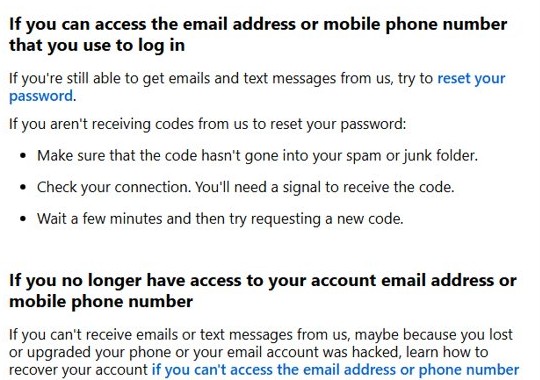
Recover a Facebook account without email or phone number
Lost your old phone or lost access to your email? Facebook can attach new contact details to the account after you pass its security checks.
- Use a device you have logged in to Facebook on before, such as an old phone or a family member's laptop.
- Type
facebook.com/login/identifyinto your usual browser. - Enter any email address or mobile number that might be registered to the account. Add the country code to phone numbers, for example +1 for the United States.
- If that finds nothing, enter your account name or username. A friend can copy your username from your profile URL.
- Select No longer have access to these? once your account appears.
- Enter new contact details that have never been used on your Facebook account.
- Complete the prompts that confirm the account belongs to you, then reset your password.
If No longer have access to these? does not appear, Facebook directs you to its Grievance Officer contact form instead. Your email provider may also be able to restore access to the old mailbox.
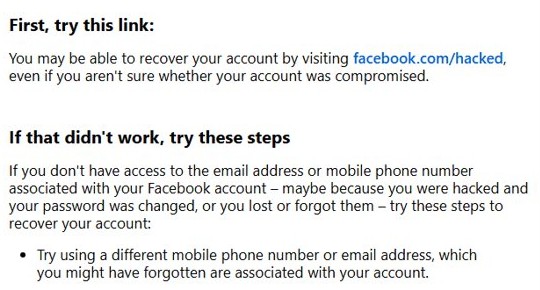
Recover a Facebook account with trusted contacts
Trusted contacts let friends send you codes to unlock an account in older versions of Facebook. Facebook's current account recovery help articles no longer list trusted contacts as a recovery option.
Ask friends to help in the ways the current process does use.
- Ask a friend to open your Facebook profile and send you the username shown in the profile URL.
- Enter that username at
facebook.com/login/identifyto find your account. - Borrow a family member's laptop or phone if you have logged in to Facebook on it before, since Facebook recognises previously used devices.
- If you are helping a friend, have them run the recovery steps on their own previously used device rather than yours.
Why you’re locked out of your Facebook account
| Cause | What you see | Route to recovery |
|---|---|---|
| Forgotten password | Facebook says the password is incorrect | Forgotten password? on the login screen |
| Lost email or phone | Reset codes go to an address or number you can't open | facebook.com/login/identify, then No longer have access to these? |
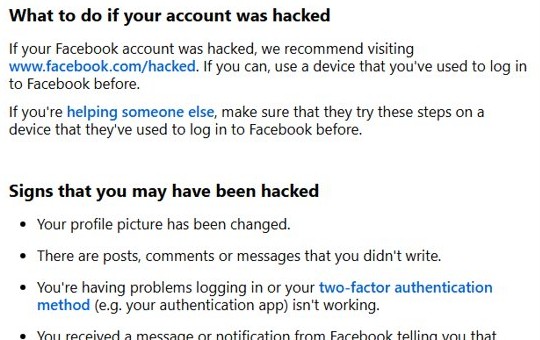
| Account hacked | Changed profile picture, posts you didn't write, email or password changed | facebook.com/hacked on a previously used device |
| Two-factor method unavailable | No access to the authentication app or SMS codes | Use a saved recovery code or a saved browser |
| Account locked for security | Facebook asks you to confirm your identity | Follow the on-screen unlock prompts, which may ask for an ID or video selfie |
| Account suspended or disabled | A notice that the account is suspended | Facebook's suspended or disabled account process |
How to access a locked Facebook account
Facebook locks an account when it sees activity that looks suspicious, and unlocking it means proving the account is yours.
- Go to facebook.com or open the app on a device you have used to log in before.
- Log in with your email or phone number and password.
- Follow the on-screen prompts Facebook shows for the locked account.
- Upload a photo of an accepted ID or record a video selfie if Facebook asks you to confirm your identity.
- Wait for Facebook to review the ID, then reset your password when the account opens.
Facebook's Help Centre explains which IDs it accepts and why it might reject one under Confirm your identity.
Recover a hacked Facebook account
If someone changed your password, email or phone number, the hacked-account flow is faster than a normal reset.
- Open the email from Facebook that announced the email address change, and click the link to reverse it.
- If you have no such email, go to
facebook.com/hackedon a device you have used for Facebook before. - Click Next and follow the security steps Facebook walks you through.
- Reset your password when prompted.
- Remove posts, messages or contact details the attacker added.
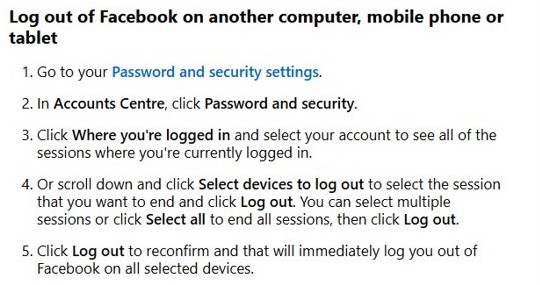
Review where you’re logged in on Facebook after recovery
- Click your profile picture, then Settings and privacy and Settings.
- Open Accounts Centre, then Password and security.
- Open Where you're logged in and review every device and location.
- Select any device or location you don't recognise and log it out.
- Confirm your email address and phone number in Accounts Centre are the ones you control.
Facebook recovery code not received or account not found
The password reset code never arrives
The message landed in spam, your phone has no signal, or the request was too recent.
- Check the spam or junk folder of your email.
- Make sure your phone has a mobile signal.
- Wait a few minutes, then request a new code.
facebook.com/login/identify can't find your account
The account uses a different email, number or username than the one you entered.
- Try every email address and phone number you have owned.
- Add the country code to the phone number.
- Ask a friend for the username in your profile URL and search for it.
Two-factor authentication blocks the login
Your authentication app, security key or SMS number is not available.
- Enter one of your 10 saved recovery login codes.
- Log in from a browser or device you saved earlier, which skips the code.
- Use the hacked-account route if the two-factor method was changed by someone else.
Secure your account for the future
- Click your profile picture, then Settings and privacy and Settings.
- Click Accounts Centre, then Password and security.
- Click Two-factor authentication and choose the account.
- Pick a security key, an authentication app or SMS codes, and follow the on-screen instructions.
- Save your 10 recovery login codes somewhere offline.
- Create a passkey for a faster, safer login.
- Add a second email address and phone number you control.
How to avoid your Facebook account getting locked again
| Habit | Why it helps |
|---|---|
| Keep a current email and phone on the account | Reset codes reach you without the identify flow |
| Turn on two-factor authentication | A stolen password alone can't open the account |
| Store recovery codes offline | You can log in when your phone is lost |
| Turn on alerts about unrecognised logins | You see a break-in before the password changes |
| Check that emails really come from Facebook | Phishing emails are a common way passwords get stolen |
| Avoid Save this browser on public computers | Strangers can't reuse your saved session |
Get your social life back
Start with Forgotten password?, move to facebook.com/login/identify when the old email or phone is gone, and use facebook.com/hacked when someone else changed your details. Each route is Facebook's own, and running it on a device you used before gives Facebook the best chance of recognising you. If none of them works, you can make a new Facebook account and rebuild your friends list.
Facebook account recovery FAQ
How do I recover my Facebook account if I forgot my password?
Click Forgotten password? on the login screen, search for your account by email, phone, name or username, and enter the code Facebook sends. Then create a new password and log in.
How do I recover my Facebook account without my email or phone number?
Go to facebook.com/login/identify on a device you used before, find your account, and select No longer have access to these?. Facebook then asks for new contact details and checks that the account is yours.
What should I do if my Facebook account was hacked?
Visit facebook.com/hacked on a device you have logged in from before and follow the steps. If Facebook emailed you about an email change, the link in that email reverses it.
Can trusted contacts still recover my Facebook account?
Facebook's current account recovery help articles do not list trusted contacts as a recovery option. Friends can still help by sending you your username or lending a device you used before.
How do I unlock a locked Facebook account?
Log in on a familiar device and follow Facebook's on-screen prompts. Facebook may ask you to upload an accepted ID or record a video selfie to confirm the account belongs to you.
Why am I not getting the Facebook reset code?
Check your spam folder, make sure your phone has signal, and wait a few minutes before asking for a new code. Facebook also limits how many resets you can request in a day.
Can I reset my password with my two-factor phone number?
No. With two-factor authentication on, Facebook won't let you reset the password using the same number you use for two-factor codes. Add a different number or email to the account first.