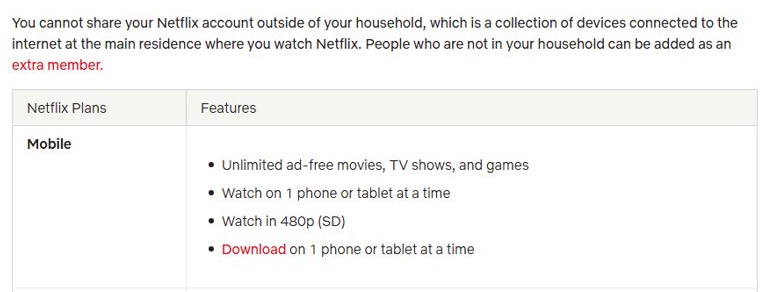
You can share a Netflix account only with people in your Netflix Household, the devices on the internet connection at the main place where you watch; anyone living elsewhere needs a paid extra member slot or their own account.
This guide explains what counts as a household, how many profiles and streams each plan allows, how to add someone outside your home, how to keep watching while traveling and how to clear the household error.
Can you share a Netflix account? The straight answer
Netflix's Terms of Use say the service is for personal, non-commercial use and may not be shared with anyone outside your household unless you buy an Extra Member account where that feature is available.
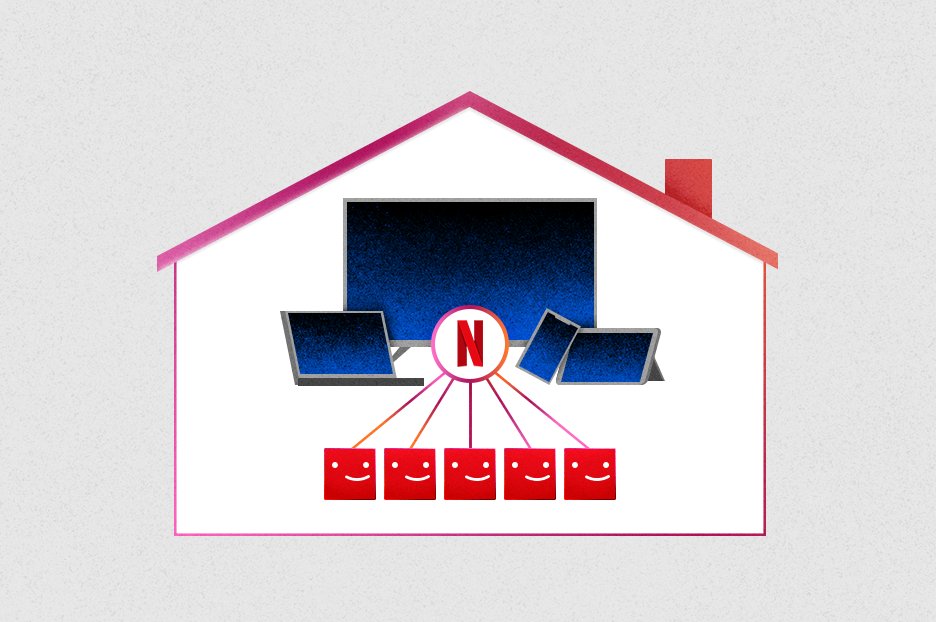
Share freely with the people you live with by giving each of them a profile; for a friend or relative at another address, add them as an extra member if your plan and country offer it, or ask them to start their own account and move their profile across with profile transfer. Netflix ties each account to one Netflix Household based on IP address, device IDs and account activity, and devices outside it get a verification prompt or a block instead of playback.
Netflix sharing options at a glance
| Who wants to watch | Allowed? | What to do |
|---|---|---|
| Family or roommates at your address | Yes | Give each person a profile (up to 5 per account) |
| You, on your phone or laptop away from home | Yes | Sign in as usual; verify with a code if Netflix asks |
| You, on a hotel or holiday-rental TV | Yes, temporarily | Choose I'm Traveling and enter the 4-digit code |
| A friend or relative at a different address | Only as an extra member | Buy an extra member slot where offered, paid by the account owner |
| Someone leaving your household | Not on your account | They start their own account and use profile transfer to keep their history |
What counts as a “Netflix Household”?
A Netflix Household is the collection of internet-connected devices at the main place where you watch Netflix. Netflix sets it automatically when you sign in on a device that shares the internet connection with your TV.
| Question | Answer from Netflix |
|---|---|
| How is the household detected? | From IP address, device IDs and account activity; Netflix does not collect GPS data |
| Is it one address or one Wi-Fi network? | It is the internet connection; with several Wi-Fi networks, Netflix may associate only one |
| What about a second network with another ISP? | Devices on a different ISP account or external IP may be asked to verify |
| Do I need a household without a TV? | No; if you do not watch on a TV, you do not need to set one |
| Where is it changed? | Only from a TV signed in on your home internet |
Profiles and simultaneous streams: what you actually get
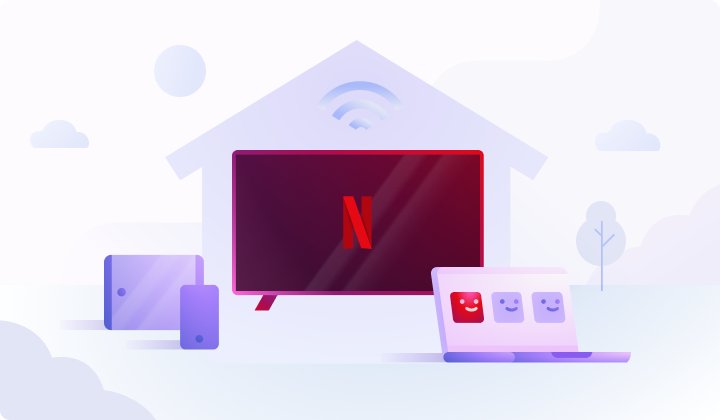
Profiles and streams are different limits. Profiles split viewing history and recommendations; streams cap how many devices play at the same time.
| Limit | What Netflix allows |
|---|---|
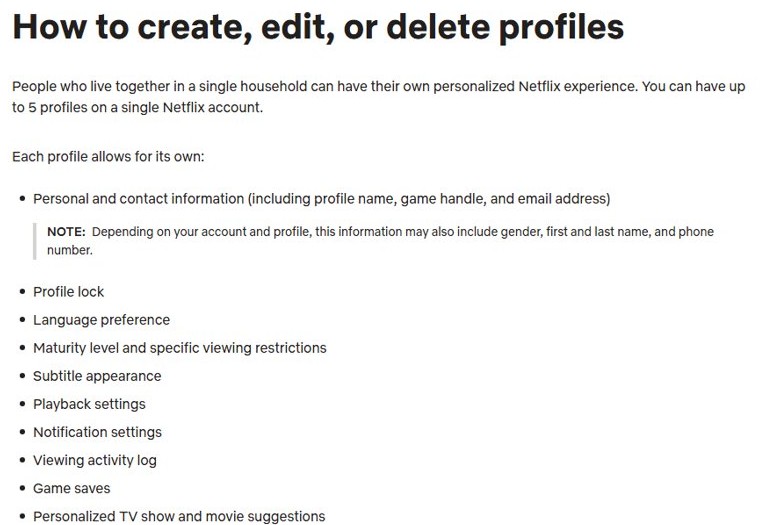
| Profiles per account | Up to 5, for people who live in the same household |
| What each profile keeps | Its own My List, ratings, viewing activity, recommendations, language, maturity level, profile lock and game saves |
| Streams at once: Mobile or Basic | 1 device |
| Streams at once: Standard | 2 devices |
| Streams at once: Premium | 4 devices |
| Download devices | Mobile and Basic 1, Standard 2, Premium 6 |
| Older devices | Profiles are not available on devices made before 2013 |
Can you share Netflix with someone outside your household?
Yes, through the Extra Member feature where Netflix offers it. The account owner pays, and the extra member gets a separate login, password, profile and recommendations under the owner's subscription.
- Sign in to Netflix in a web browser as the account owner.
- Open your Account page and look for the extra member option; it appears only where your country and plan support it.
- Buy the extra member slot; the fee goes on the account owner's payment method.
- Follow the on-screen prompts to set up the slot for the person who lives elsewhere.
- Have them activate it in the same country where your account was created.
- Remove the slot or change who uses it from Account at any time.
If you remove the feature, the extra member keeps access until the end of your billing period; changing the beneficiary ends the old person's access straight away. An extra member can upgrade to their own subscription from their Account page, and you can change the payment method on Netflix the fees are charged to.
What about watching Netflix while traveling?
Your own phone, tablet and laptop keep working away from home, including the Netflix app on Windows. A TV outside your household, such as a hotel TV, needs a temporary access code.
- On the hotel or rental TV, sign in and select I'm Traveling from a non-Kids profile.
- Choose to send the link to the account email, or by text if there is no email on the account.
- Open the link on your phone to get the 4-digit code.
- Enter the code on the TV within 15 minutes and select Next.
- On a phone or computer that asks, select Watch Temporarily, enter the code, select Submit Code, then Continue to Netflix.
- Open Netflix on your home Wi-Fi at least once a month to avoid future interruptions.
For flights or places with poor internet, download Netflix movies on a laptop or phone before you leave.
Are there legal consequences for sharing your password?
Treat password sharing outside your home as a breach of Netflix's Terms of Use, not as a crime Netflix pursues: the practical consequence is that Netflix can block or restrict access, and its terms allow it to terminate or restrict use of the service for violations. Section 1.4 of the Terms of Use limits sharing to your household unless you buy an Extra Member account, and Netflix enforces it through household verification on devices outside your home.
Sharing a password also hands over account control and the email tied to billing, so give non-household viewers an extra member login instead.
Netflix plans and prices in 2026
Netflix bills monthly on your sign-up date and offers no annual, multi-month or lifetime plans. Plan names, prices and extra member eligibility differ by country, and taxes may be added.
| Plan (where offered) | Watch at once | Video quality | Download devices |
|---|---|---|---|
| Mobile | 1 phone or tablet | 480p (SD) | 1 |
| Basic | 1 supported device | 720p (HD) | 1 |
| Standard | 2 supported devices | 1080p (Full HD) | 2 |
| Premium | 4 supported devices | 4K (Ultra HD) + HDR, spatial audio | 6 |
The current price for your country appears on the Plans and Pricing page in the Netflix Help Center when you are signed in. Plans bought through a package or add-on, such as a phone or TV bundle, can have different prices and extra member rules.
How to share Netflix the right way
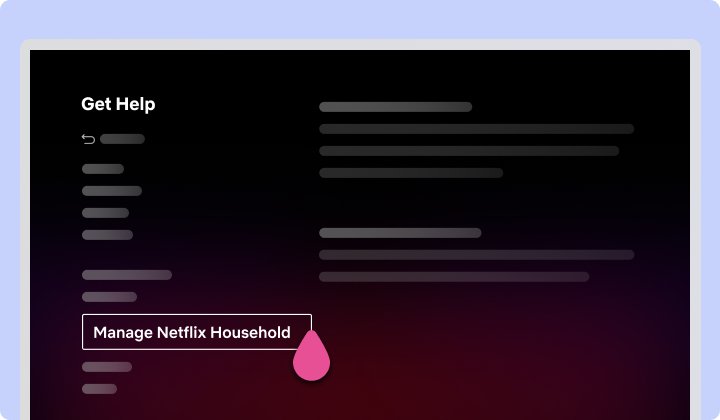
- Set your Netflix Household on the main TV: press Back on the remote, open Get Help or Settings, select Manage Netflix Household, then Update Netflix Household.
- Select Send Email, open the link within 15 minutes and choose Yes, This Was Me, then Confirm Update.
- Create a profile for each person who lives with you, up to five.
- Add an extra member for anyone who lives elsewhere, where your plan allows it.
- Use the I'm Traveling code when you watch on a TV away from home.
- Pick a plan with enough simultaneous streams for the people watching at the same time.
See which devices are signed in to your Netflix account
A device left signed in at a hotel or a relative's home can confuse household detection. Clearing old sign-ins is the first fix Netflix suggests.
- Sign in to Netflix in a web browser.
- Go to
netflix.com/manageaccountaccess. - Review the list of devices that are signed in.
- Sign out of any device you do not recognize, or select Sign out of All Devices.
- Update your Netflix Household from your home TV again.
Tips to share Netflix without getting locked out
| Tip | Why it matters |
|---|---|
| Update the household from a TV on your most-used connection | Netflix may link only one of several Wi-Fi networks |
| Open Netflix on home Wi-Fi at least once a month | It avoids interruptions on devices you take with you |
| Keep the account email and phone current | Verification links and codes go there, and some options vanish with an invalid email |
| Enter codes within 15 minutes | Expired codes fail, and several wrong tries block the device for 24 hours |
| Sign out of hotel and borrowed TVs before you leave | Leftover sign-ins can stop household updates from working |
| Use profiles, not shared logins, at home | Each person keeps their own history and recommendations |
Still getting “your device isn’t part of the Netflix Household”?
This message means Netflix could not associate the TV or device with your household. Pick the fix that matches the option on your screen.
Your home TV shows the message
The household was set from another connection or another TV.
- Select Update Netflix Household on the message, or from Get Help or Settings.
- Select Send Email (or Send Text if there is no email on the account).
- Open the link within 15 minutes, select Yes, This Was Me, then Confirm Update.
The email or text never arrives at the TV owner
The verification goes to the account owner's email or phone.
- On the TV, select This is My Account, then Update Netflix Household.
- Select Troubleshoot This TV.
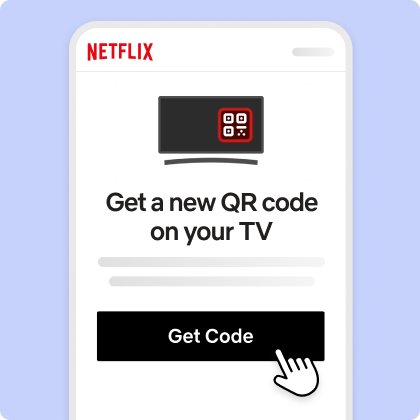
- Scan the QR code with a phone on your home Wi-Fi and tap Next.
- Tap Get Code, scan the new QR code, then select Start Watching.
Some TVs show Confirm Device instead
Certain TVs and streaming devices verify the device rather than the household.
- Select Confirm Device.
- Select Send Email or Send Text.
- In the email, select Yes, Confirm Device, then Continue to Netflix on the TV.
The fixes worked once, then the error came back
Another device still signed in elsewhere is tied to your account.
- Go to
netflix.com/manageaccountaccessand sign out of unrecognized devices, or select Sign out of All Devices. - Update the Netflix Household again from your home TV.
- If you see That code has expired, request a new code and enter it within 15 minutes.
Netflix account sharing FAQ
Can you share a Netflix account with family?
Yes, if they live with you. Family in the same household can each have a profile on one account, up to five profiles. Family at another address need an extra member slot, where available, or their own account.
Can you still share Netflix accounts?
Yes, within your Netflix Household. Sharing with people outside it is no longer allowed unless the account owner buys an extra member slot in a country and plan that offer one.
Does Netflix allow account sharing?
Netflix allows sharing inside one household through profiles. Its Terms of Use say the service may not be shared with anyone outside your household unless you purchase an Extra Member account where that is available.
How do I share my Netflix account with friends?
Friends who live with you can get their own profile. Friends at another address can be added as an extra member if your plan and country support it; the account owner pays the extra fee each month.
How many people can share one Netflix account?
Up to five profiles fit on one account for people in the same household. How many can watch at once depends on the plan: one device on Mobile or Basic, two on Standard and four on Premium.
Will Netflix know if I share my password outside my household?
Netflix sets the household from IP address, device IDs and account activity. A TV outside that connection shows a household message and needs verification, a temporary code or an extra member account to keep playing.
Can I still watch Netflix when I travel?
Yes. Your own phone, tablet and laptop keep working. On a hotel or rental TV, select I'm Traveling, get the 4-digit code from the account email or text, and enter it within 15 minutes.
Can a person leaving my household keep their Netflix profile?
Yes. Profile transfer moves a profile with its recommendations, viewing history, My List, game saves and settings to a new or existing account. Kids profiles cannot be transferred, and a PIN or profile email must be removed first.
Is it illegal to share a Netflix password?
Sharing outside your household breaks Netflix's Terms of Use, and Netflix can restrict or terminate use of the service for violations. In practice it enforces the rule by blocking devices that are not in your household.
Quick summary
Share Netflix through profiles with everyone at your address, use the I'm Traveling code on TVs away from home, and add an extra member or use profile transfer for anyone who lives elsewhere. Those are the routes Netflix's own household rules allow, so none of them trigger the household block.