No setting fully fixes CVE-2026-109618 or CVE-2026-109619: the PHP project says only updating to PHP 8.5.12, 8.4.27, 8.3.36 or 8.2.35 is a complete solution, but its advisory lists stopgap settings that reduce exposure to the confirmed attack paths.
This guide applies each php.net mitigation for both CVEs on PHP-FPM, Apache mod_php and other web setups, shows how to confirm the values took effect, and how to remove them once the PHP security update is installed. Our PHP guide hub tracks every fixed release.
Why updating is the only complete fix
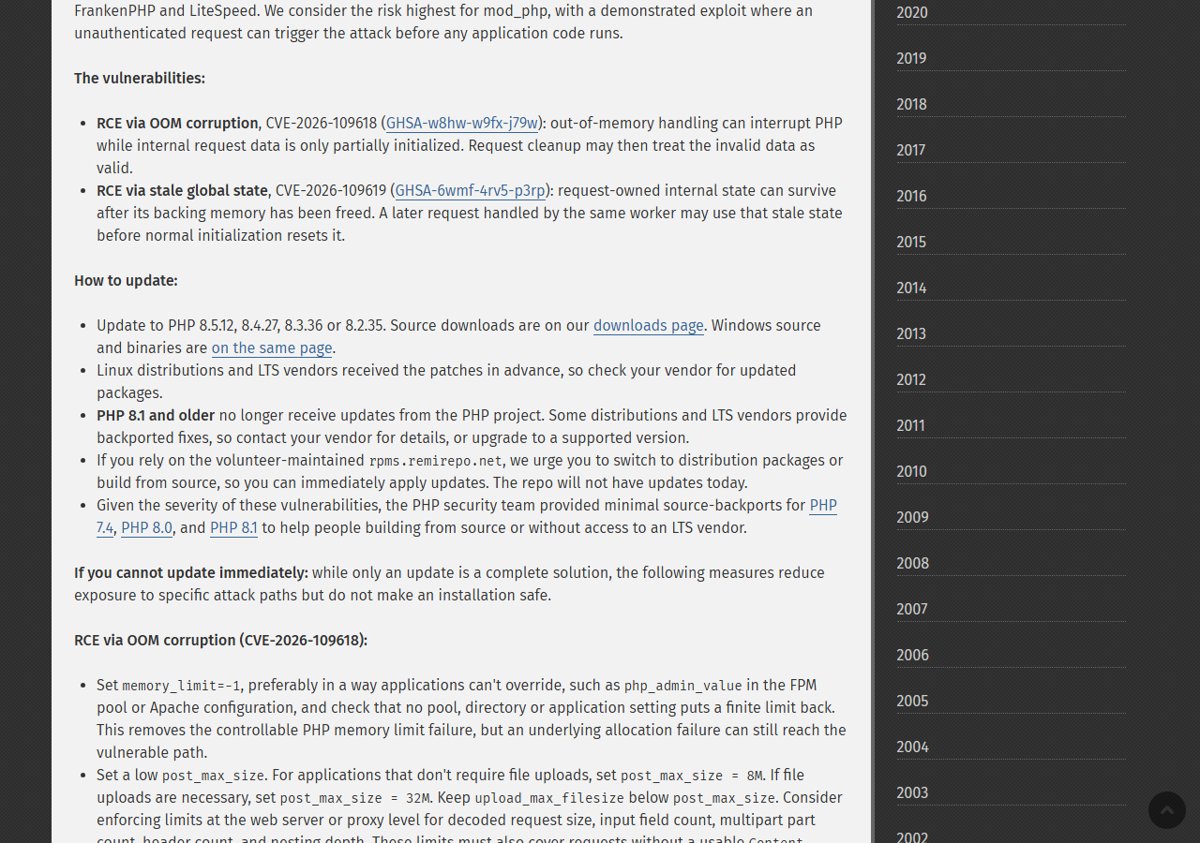
Both flaws allow unauthenticated remote code execution, and php.net states that every PHP installation serving web requests is at risk, including PHP-FPM, Apache with mod_php, php-cgi, FrankenPHP and LiteSpeed.
The PHP team rates the risk highest for mod_php, where a demonstrated exploit fires before any application code runs. Each release note repeats the same line: there are no complete mitigations, and updating is the only safe choice.
- Check your branch: PHP 8.5, 8.4, 8.3 and 8.2 each have a fixed release.
- Install the matching fixed build: 8.5.12, 8.4.27, 8.3.36 or 8.2.35.
- On a Linux distribution or LTS vendor build, install the vendor's updated package; php.net says those vendors received the patches in advance.
- On PHP 8.1 or older, contact your distribution or LTS vendor for a backported fix, or move to a supported branch.
- If you build from source on PHP 7.4, 8.0 or 8.1, use the minimal source backports the PHP security team published.
- Apply the stopgap settings below only for the hours or days before that update lands.
You can update PHP on Windows, Linux or XAMPP as soon as your fixed package or build is available, and the PHP critical RCE security release explains what changed.
If you use rpms.remirepo.net, php.net says that repository will not have updates on release day and urges switching to distribution packages or building from source.
PHP CVE-2026-109618 and CVE-2026-109619 mitigation checklist
Each setting blocks one confirmed path, not the whole bug class. Apply every row that fits your server, not just one.
| Mitigation | CVE it targets | What php.net says it does | Where to set it |
|---|---|---|---|
| memory_limit=-1 | CVE-2026-109618 | Removes the controllable memory limit failure; other allocation failures can still reach the bug | php_admin_value in the FPM pool or Apache config |
| post_max_size 8M (no uploads) or 32M (uploads), upload_max_filesize below it | CVE-2026-109618 | Shrinks the request data an attacker can push into PHP | php.ini, FPM pool or Apache config |
| Request limits at the web server or proxy | CVE-2026-109618 | Caps decoded size, field count, multipart parts, headers and nesting depth | Web server or reverse proxy |
| Container or cgroup memory limit | CVE-2026-109618 | Acts as an availability boundary; never use RLIMIT_AS or RLIMIT_DATA instead | Container runtime or cgroup |
| session.upload_progress.enabled=0 | CVE-2026-109619 | Blocks the confirmed session paths, not other variants | php.ini, FPM pool or server config, then restart workers |
| fatal_error_backtraces=0 (PHP 8.5 only) | CVE-2026-109619 | Blocks the confirmed fatal backtrace path only | php.ini or FPM pool, then restart workers |
| Remove deprecated per-request settings, fix reachable fatal errors and timeouts | CVE-2026-109619 | Stops diagnostics and failures that occur before initialization | Per-directory config and application code |
Mitigate CVE-2026-109618 (OOM corruption)
CVE-2026-109618 (GHSA-w8hw-w9fx-j79w) is RCE via OOM corruption. Out-of-memory handling can interrupt PHP while internal request data is only partly initialized, and request cleanup may then treat that invalid data as valid.
The four mitigations for it work together: remove the PHP memory limit as a trigger, shrink request bodies, cap requests before they reach PHP, and contain memory use from outside PHP.
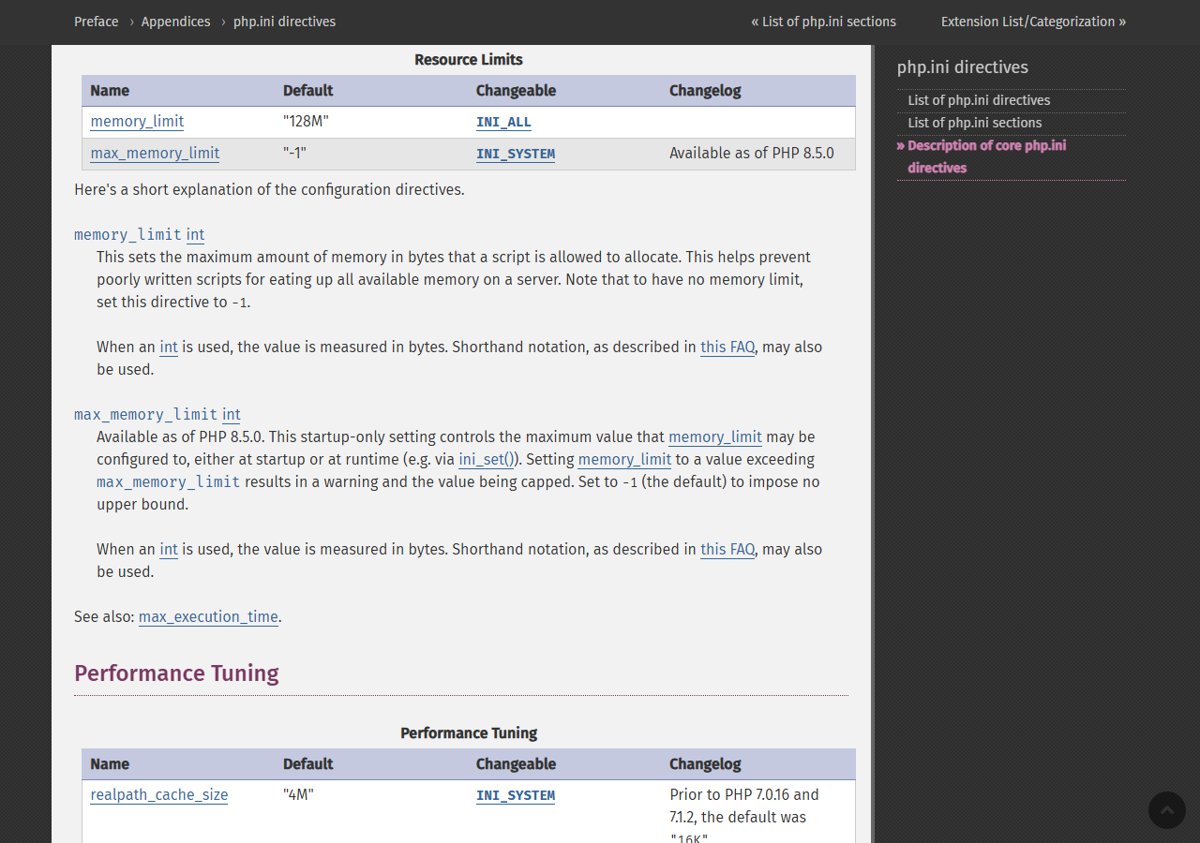
- Set memory_limit to -1 with php_admin_value so applications cannot lower it again.
- Lower post_max_size to 8M, or 32M if the site needs file uploads, and keep upload_max_filesize below it.
- Add request size and count limits at the web server or proxy.
- Put the PHP workers under a container or cgroup memory limit.
- Restart every PHP worker so the new values load.
Set memory_limit=-1 with php_admin_value
php.net advises setting memory_limit=-1 in a way applications can't override, such as php_admin_value. The PHP manual confirms that values set with php_admin_value cannot be overridden by ini_set() or, on Apache, by .htaccess.
- For PHP-FPM, open the pool file for the site and add
php_admin_value[memory_limit] = -1. - For Apache with mod_php, add
php_admin_value memory_limit -1inside the relevant<VirtualHost>or<Directory>block in the Apache configuration, not in .htaccess. - Search every other pool file, virtual host,
<Directory>block and application config for a memory_limit value that sets a finite limit again, and remove it. - On PHP 8.5, leave max_memory_limit at its default of -1; any lower value caps memory_limit and puts a finite limit back.
- Restart the PHP-FPM service or Apache.
With no PHP memory limit, a runaway script can use all available RAM, which is why the container or cgroup boundary below matters.
Lower post_max_size and upload_max_filesize
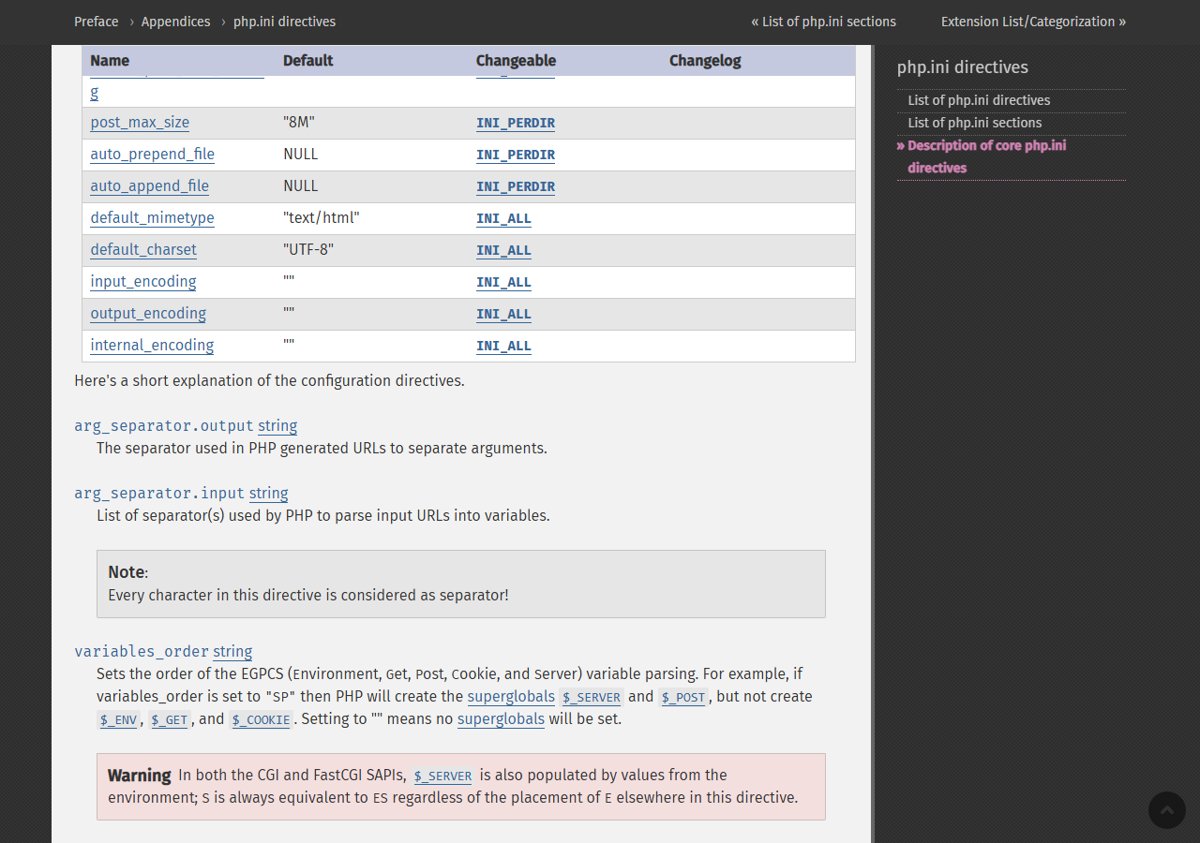
PHP's default post_max_size is 8M and upload_max_filesize is 2M. Both are INI_PERDIR settings, so set them in php.ini, the FPM pool or the Apache configuration.
| Your site | post_max_size | upload_max_filesize |
|---|---|---|
| Does not accept file uploads | 8M | Below 8M |
| Needs file uploads | 32M | Below 32M |
In an FPM pool, write php_admin_value[post_max_size] = 8M; on Apache, php_admin_value post_max_size 8M. Uploads larger than the new limit will fail until you update and raise it again.
Limit request size at the web server or proxy
php.net suggests enforcing limits in front of PHP as well. The limits must also cover requests without a usable Content-Length header.
- Cap the decoded request body size at the web server or reverse proxy.
- Cap the number of input fields per request.
- Cap the number of multipart parts per request.
- Cap the number of request headers.
- Cap the nesting depth of submitted input.
- Confirm each limit also applies to requests with no usable Content-Length.
Directive names differ between Apache, nginx, LiteSpeed and web application firewalls, so take the exact names from your server's own documentation.
Use a container or cgroup memory limit
With memory_limit removed, an outside memory boundary keeps one runaway worker from exhausting the server.
- Put PHP-FPM or the web server in a container or cgroup with a memory limit.
- Prefer an out-of-memory policy that kills only the affected worker, not the whole service.
- Do not use RLIMIT_AS or RLIMIT_DATA as a substitute; php.net warns these can cause the vulnerable allocation failure.
Mitigate CVE-2026-109619 (stale global state)
CVE-2026-109619 (GHSA-6wmf-4rv5-p3rp) is RCE via stale global state. Request-owned internal state can survive after its memory is freed, and a later request on the same worker may use it before normal initialization resets it.
That is why the restart step matters here: a worker that already holds stale state stays exposed until it is replaced.
- Turn off session.upload_progress.enabled in configuration that applies before request parsing.
- On PHP 8.5, set fatal_error_backtraces to 0.
- Remove invalid or deprecated settings applied per request.
- Fix fatal errors and execution timeouts an attacker can trigger.
- Restart every PHP worker.
Disable session.upload_progress.enabled
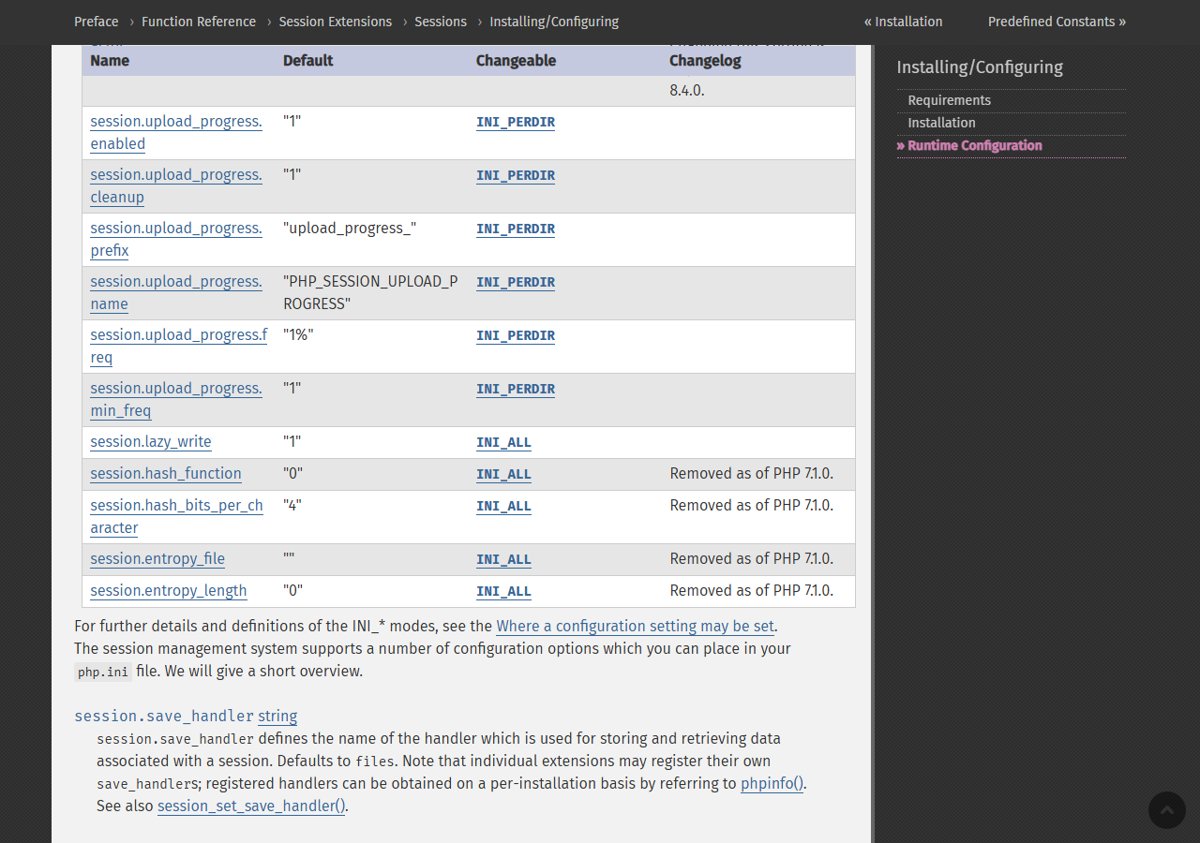
session.upload_progress.enabled defaults to 1 and is an INI_PERDIR setting. php.net says to set it in php.ini, an FPM pool or server configuration that applies before request parsing, and not to rely on ini_set() or an FPM .user.ini file.
- In php.ini, set
session.upload_progress.enabled = 0. - Or, in the PHP-FPM pool file, add
php_admin_flag[session.upload_progress.enabled] = off. - Or, for Apache with mod_php, add
php_admin_flag session.upload_progress.enabled offin the server or virtual host configuration. - Remove any
ini_set()call or .user.ini entry you added for this setting, because neither applies early enough. - Restart every PHP worker.
This blocks the confirmed session paths but not other variants. Session upload progress bars stop working while it is off.
Set fatal_error_backtraces=0 on PHP 8.5
fatal_error_backtraces exists only in PHP 8.5 and later, where it defaults to 1. php.net says setting it to 0 blocks the confirmed fatal backtrace path only.
- Confirm the server runs PHP 8.5; older branches do not have this setting.
- In php.ini, set
fatal_error_backtraces = 0, or in the FPM pool addphp_admin_flag[fatal_error_backtraces] = off. - Restart every PHP worker.
Remove deprecated per-request settings and fix fatal errors
Settings applied per request that are invalid or deprecated emit diagnostics before PHP finishes initialization. php.net says hiding those diagnostics with error_reporting, display_errors or the @ operator does not help.
- Check the PHP error log for deprecation or invalid-setting warnings logged at startup of each request.
- Trace each warning to its source: a php_value line, an .htaccess entry, a .user.ini file or a PHP_VALUE parameter passed by the web server.
- Delete or correct the setting rather than silencing the warning.
- Fix fatal errors and execution timeouts an attacker can reach, including in callbacks, upload or import processing, and cleanup code.
- Restart every PHP worker.
Restart every PHP worker
Values in php.ini and pool files load when workers start, and CVE-2026-109619 lives in state kept by a running worker. Every running worker must be replaced.
| Setup | What to restart |
|---|---|
| PHP-FPM (nginx, Apache proxy, others) | The PHP-FPM service, so every pool's workers are replaced |
| Apache with mod_php | Apache itself, since PHP runs inside its processes |
| php-cgi | Every php-cgi process the web server keeps running |
| FrankenPHP or LiteSpeed | The server process that hosts the PHP workers |
| Containers | Redeploy or restart every container running PHP |
How to check the PHP mitigation settings are active
The PHP command line reads its own php.ini, so check the values as the web server sees them.
- Create a temporary file containing
<?php phpinfo();in a site served by the same pool or virtual host. - Open it in a browser and find memory_limit, post_max_size, upload_max_filesize, session.upload_progress.enabled and, on PHP 8.5, fatal_error_backtraces.
- Confirm the Local Value column shows the new value, not only the Master Value column.
- Check the PHP Version line at the top: 8.5.12, 8.4.27, 8.3.36 or 8.2.35 means the fix is in.
- Delete the phpinfo file immediately, because it exposes server details.
Remove the PHP mitigations after updating to 8.5.12, 8.4.27, 8.3.36 or 8.2.35
The stopgaps cost uploads, progress bars and memory protection, so undo them once the fixed release runs.
- Confirm the server reports a fixed version in phpinfo().
- Restore your previous memory_limit value and remove the -1 override.
- Raise post_max_size and upload_max_filesize back to what your site needs.
- Re-enable session.upload_progress.enabled and fatal_error_backtraces if you use them.
- Keep the web server request limits and the container memory limit if they suit your workload.
- Restart every PHP worker.
Windows users who run PHP locally can grab the fixed build from the official PHP for Windows download, or the PHP 8.5.12 Windows download for the 8.5 branch.
Is a mitigated PHP server safe from CVE-2026-109618 and CVE-2026-109619?
No. Treat the mitigations as a short bridge to the update, not as protection. php.net says these measures reduce exposure to specific attack paths but do not make an installation safe: an allocation failure outside memory_limit can still reach CVE-2026-109618, and the CVE-2026-109619 settings block only the confirmed session and fatal backtrace paths, not other variants.
PHP CVE-2026-109618 and CVE-2026-109619 mitigation FAQ
Which PHP versions fix CVE-2026-109618 and CVE-2026-109619?
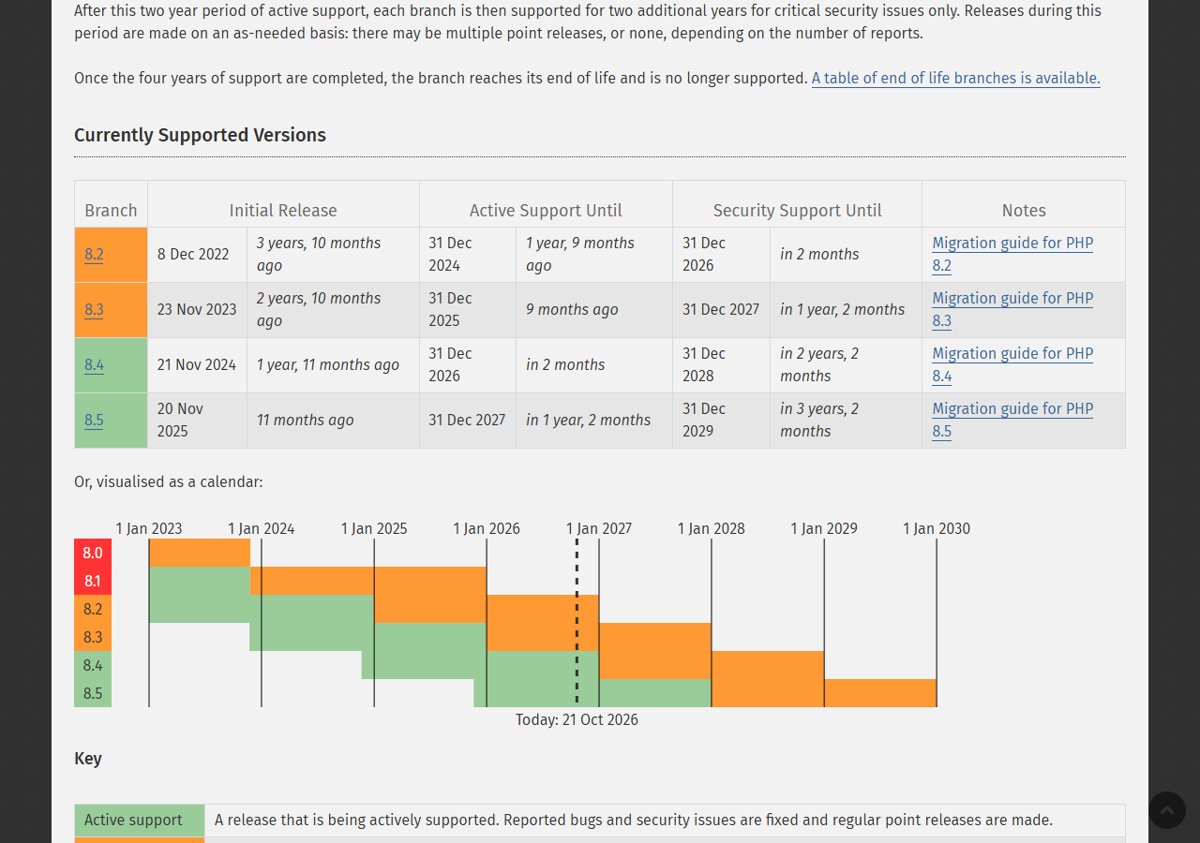
PHP 8.5.12, 8.4.27, 8.3.36 and 8.2.35, released on 21 October 2026, fix both vulnerabilities. Linux distributions and LTS vendors received the patches in advance, so their updated packages carry the fix too.
Is there a complete mitigation without updating PHP?
No. php.net says there are no complete mitigations and updating is the only safe choice. The listed settings reduce exposure to the confirmed attack paths but leave other variants open.
Which PHP setups are at risk from this vulnerability?
Every PHP installation serving web requests is at risk, including PHP-FPM, Apache with mod_php, php-cgi, FrankenPHP and LiteSpeed. The PHP team rates mod_php highest, with a demonstrated exploit that runs before any application code.
Does setting memory_limit=-1 make PHP less secure?
It removes PHP's own memory cap, so a heavy script can use all server RAM. That is why php.net pairs it with a container or cgroup memory limit, preferably one that kills only the affected worker.
Can I disable session.upload_progress.enabled with ini_set()?
No. php.net says not to rely on ini_set() or an FPM .user.ini file. Set it in php.ini, the FPM pool or server configuration that applies before request parsing, then restart every worker.
Does fatal_error_backtraces apply to PHP 8.4 or 8.3?
No. fatal_error_backtraces was added in PHP 8.5.0, so only PHP 8.5 servers need to set it to 0. Earlier branches still need the other CVE-2026-109619 measures.
Does hiding errors with display_errors=Off help?
No. php.net states that hiding diagnostics with error_reporting, display_errors or the @ operator does not help. Remove the invalid or deprecated per-request setting that produces the diagnostic instead.
What should PHP 8.1 or PHP 7.4 users do?
PHP 8.1 and older no longer get updates from the PHP project. Ask your distribution or LTS vendor for a backported fix, upgrade to a supported branch, or apply the minimal source backports for 7.4, 8.0 and 8.1 if you build from source.
Bottom line: should you rely on PHP mitigations for CVE-2026-109618?
Apply every mitigation that fits your server today, restart all workers, and install PHP 8.5.12, 8.4.27, 8.3.36 or 8.2.35 as soon as your package or build is ready. Both flaws allow unauthenticated remote code execution, and the settings only close the attack paths the PHP team has confirmed.