The PHP project released PHP 8.5.12, 8.4.27, 8.3.36 and 8.2.35 on 21 October 2026 to fix CVE-2026-109618 and CVE-2026-109619, two critical flaws that can allow unauthenticated remote code execution.
This article, part of our PHP update guide, covers who is exposed, how each flaw works, which build to install for your branch, what to do on PHP 8.1 or older, and the partial mitigations php.net lists for servers that cannot update today.
How to update PHP now
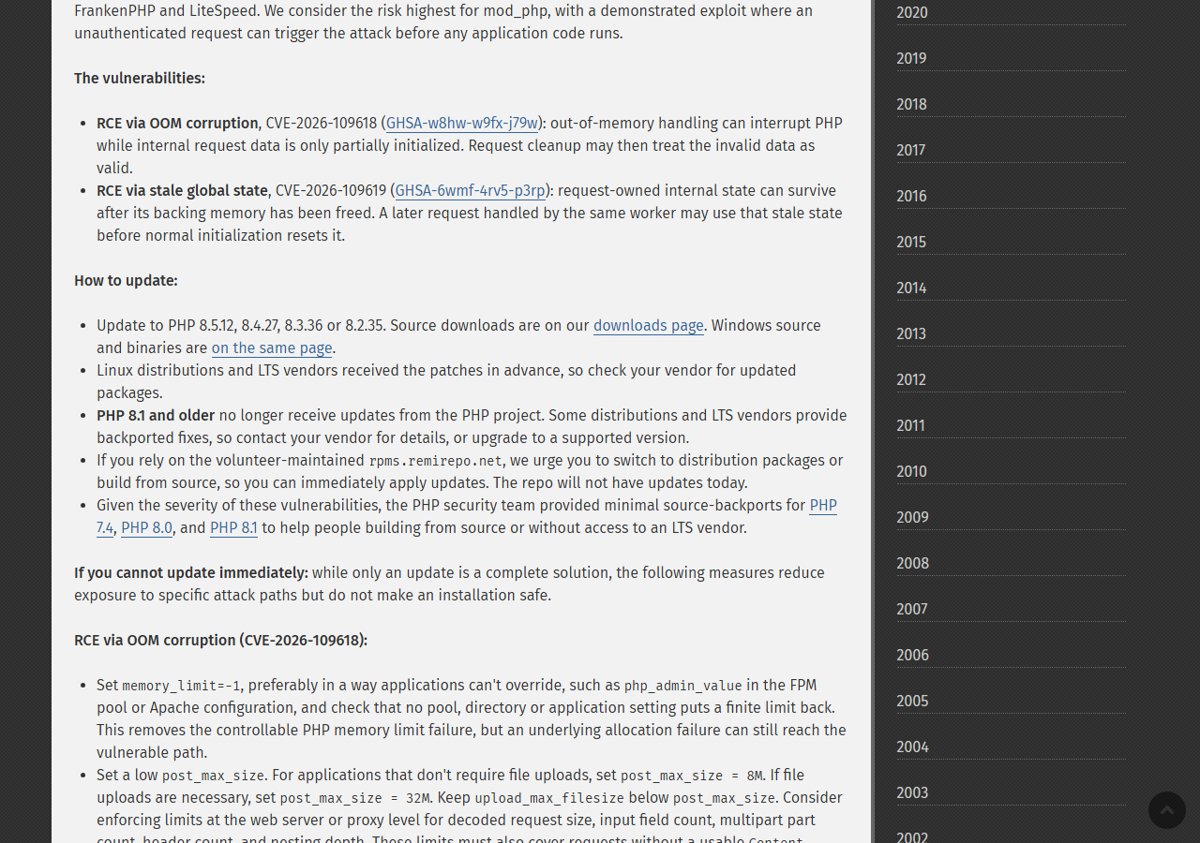
Updating is the only complete fix. The PHP project says there are no complete mitigations, so install the patched build for your branch before anything else.
- Run
php -von the server to see which branch you use (8.5, 8.4, 8.3 or 8.2). - On Linux, install the updated PHP packages from your distribution or LTS vendor, because they received the patches in advance.
- If you build from source, download the 8.5.12, 8.4.27, 8.3.36 or 8.2.35 tarball from the official Downloads page at php.net/downloads.php.
- On Windows, get the matching binaries from windows.php.net/download/, the same source php.net points to for Windows builds.
- Restart every PHP worker: PHP-FPM pools, Apache with mod_php, php-cgi, FrankenPHP or LiteSpeed, so no process keeps running the old code.
- Run
php -vagain and confirm the new version number is shown.
On Windows or XAMPP, replace the PHP folder with the new build and keep your existing php.ini.
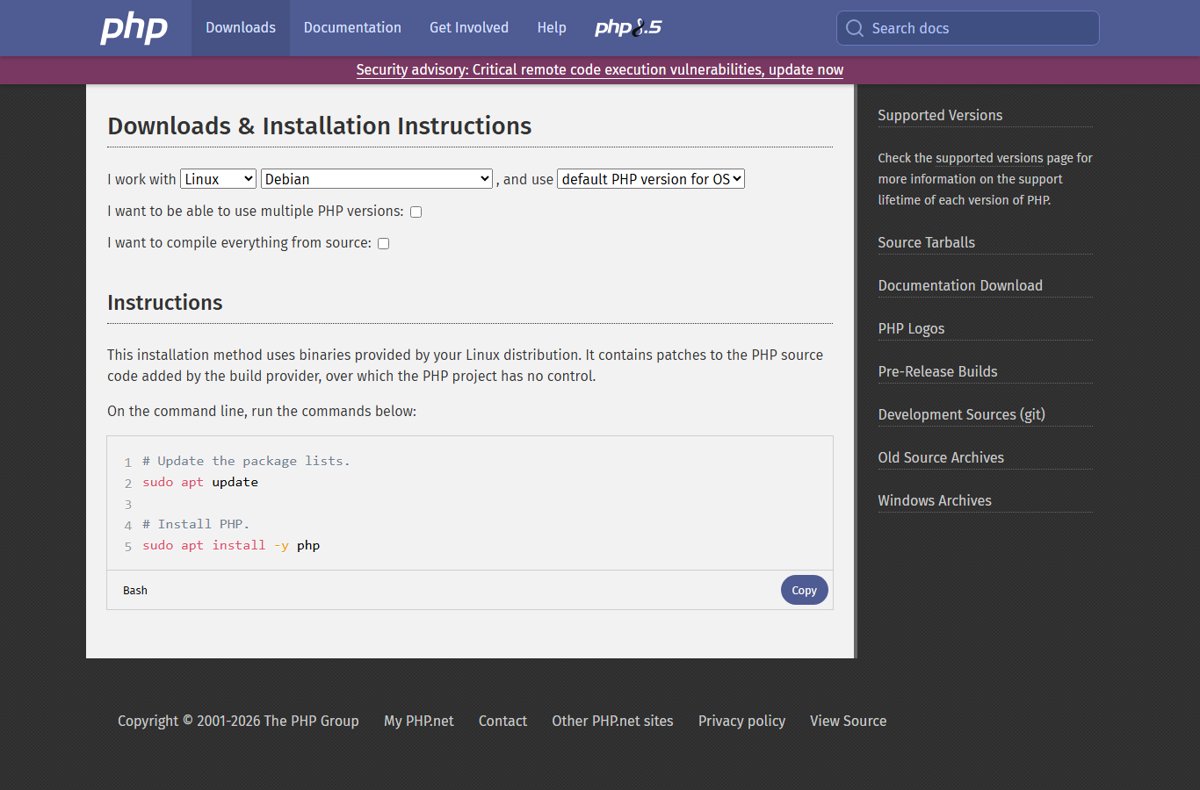
Fixed PHP versions: 8.5.12, 8.4.27, 8.3.36 and 8.2.35
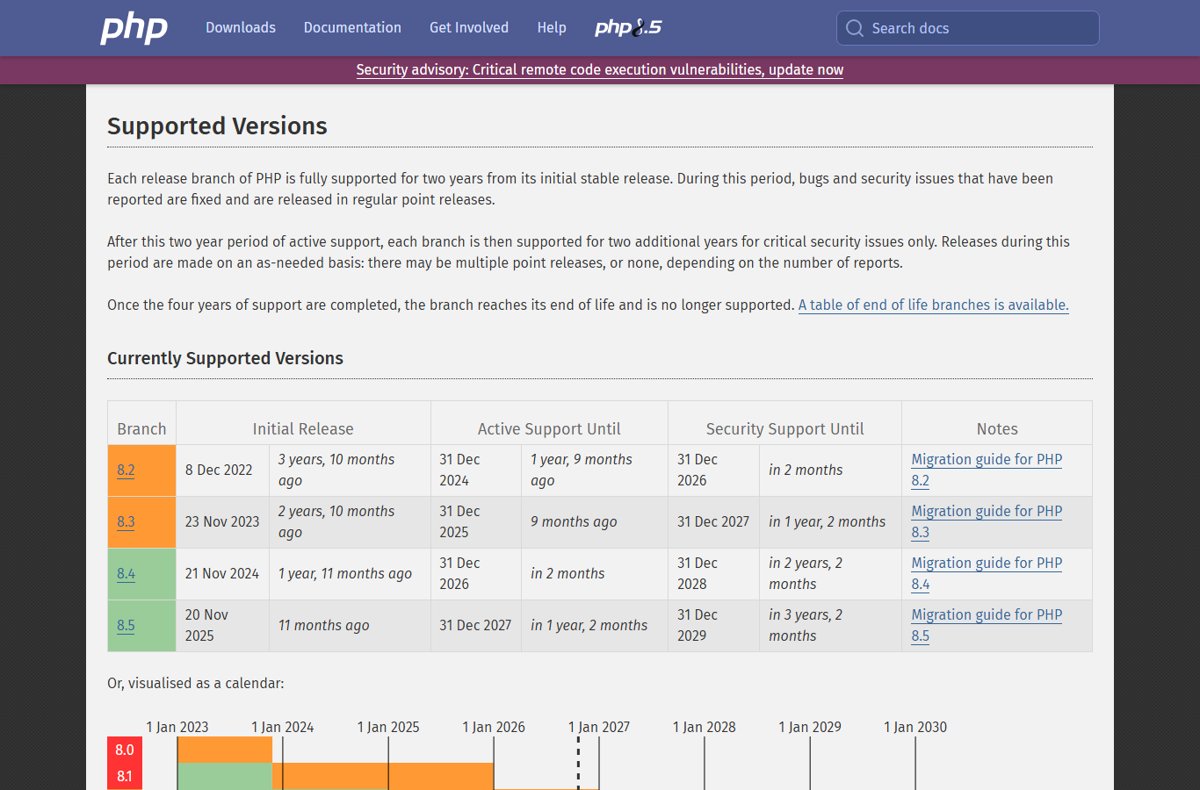
Pick the row for the branch you run. Moving to the fixed build within your branch is the smallest change that closes both flaws.
| Branch you run | Install this build | Security support ends |
|---|---|---|
| PHP 8.5 | 8.5.12 | 31 Dec 2029 |
| PHP 8.4 | 8.4.27 | 31 Dec 2028 |
| PHP 8.3 | 8.3.36 | 31 Dec 2027 |
| PHP 8.2 | 8.2.35 | 31 Dec 2026, so plan a branch upgrade |
| PHP 8.1, 8.0 or 7.4 | No official release; vendor backport or upgrade to a supported branch | Already end of life |
Each build also fixes other Core bugs, listed in the PHP 8.5.12 change list, PHP 8.4.27 changes and 8.3.36 and 8.2.35 changes.
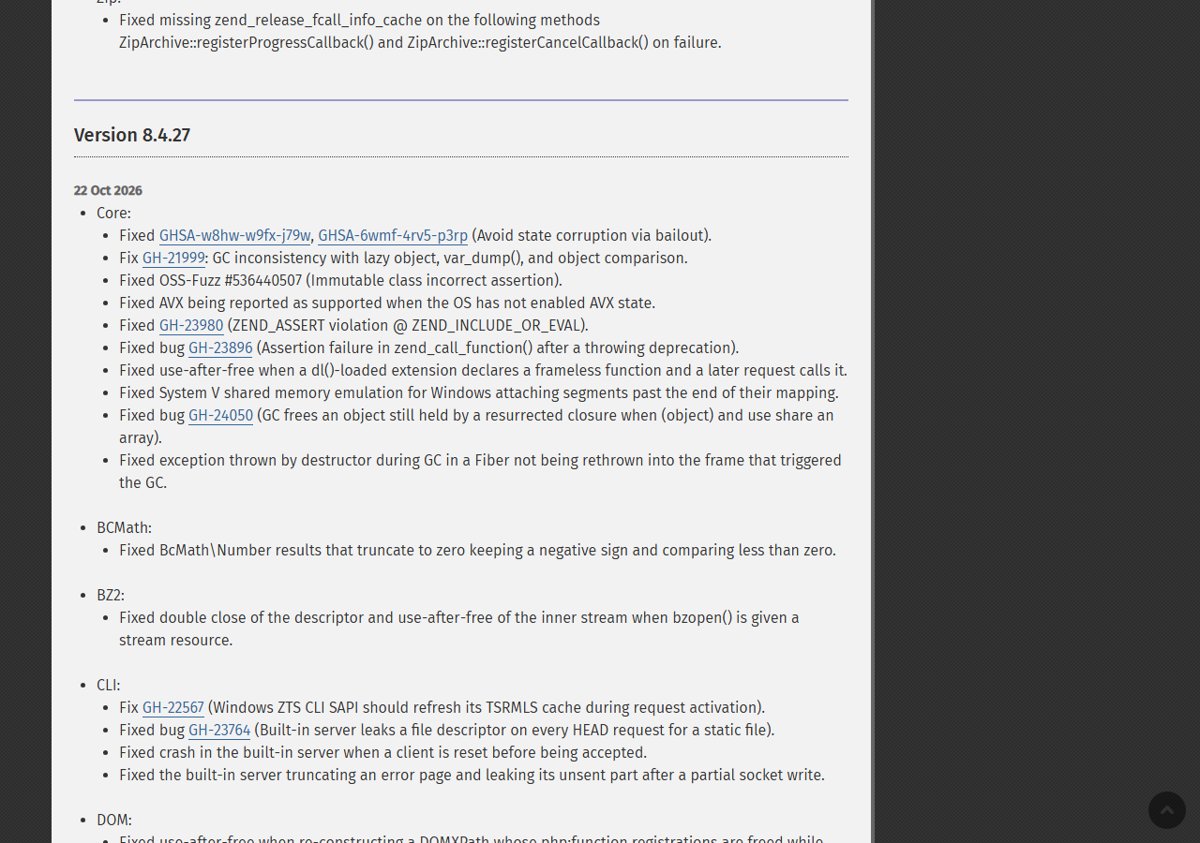
Who is at risk: PHP-FPM, mod_php, php-cgi, FrankenPHP and LiteSpeed
Every PHP installation that serves web requests is at risk, whatever server interface it uses. Command-line scripts that never handle web requests are not named in the advisory.
| Setup | Exposed? | Note from the advisory |
|---|---|---|
| Apache with mod_php | Yes, highest risk | A demonstrated exploit lets an unauthenticated request trigger the attack before any application code runs |
| PHP-FPM (Nginx, Apache proxy) | Yes | Listed among affected setups |
| php-cgi | Yes | Listed among affected setups |
| FrankenPHP | Yes | Listed among affected setups |
| LiteSpeed | Yes | Listed among affected setups |
What are CVE-2026-109618 and CVE-2026-109619?
Both are memory-state bugs in the PHP engine, not in a framework or extension. The PHP security team announced the release a day early and rated both flaws CVSS v4.0 9.2.
| CVE | GitHub advisory ID | Type | Impact |
|---|---|---|---|
| CVE-2026-109618 | GHSA-w8hw-w9fx-j79w | RCE via OOM (out-of-memory) corruption | Unauthenticated remote code execution |
| CVE-2026-109619 | GHSA-6wmf-4rv5-p3rp | RCE via stale global state | Unauthenticated remote code execution |
The PHP 8 ChangeLog records both under Core as "Avoid state corruption via bailout". php.net has not reported exploitation in the wild.
How the OOM corruption flaw works
| Stage | What happens in CVE-2026-109618 |
|---|---|
| Trigger | Out-of-memory handling interrupts PHP while internal request data is only partly initialized |
| Fault | Request cleanup then treats the invalid data as valid |
| Result | Corrupted memory state that can lead to remote code execution |
How the stale global state flaw works
| Stage | What happens in CVE-2026-109619 |
|---|---|
| Trigger | Request-owned internal state survives after its backing memory has been freed |
| Fault | A later request handled by the same worker uses that stale state before normal initialization resets it |
| Result | One request can affect the next on a shared worker, leading to remote code execution |
This is why the fix must be followed by a restart of every worker process.
Which PHP versions are affected
Every supported branch before its fixed build is affected, and the project ships minimal backports for three end-of-life branches, so those are affected too.
| Version range | Status | What to do |
|---|---|---|
| 8.5.0 to 8.5.11 | Affected | Update to 8.5.12 |
| 8.4.0 to 8.4.26 | Affected | Update to 8.4.27 |
| 8.3.0 to 8.3.35 | Affected | Update to 8.3.36 |
| 8.2.0 to 8.2.34 | Affected | Update to 8.2.35 |
| 8.1, 8.0, 7.4 | Affected, no official release | Use a vendor backport, the source backport, or upgrade |
Linux distribution and hosting packages
Distributions and LTS vendors got the patches before release, so a normal package update is usually all you need. Check your vendor's security notice for the exact fixed package version.
- On Debian or Ubuntu, run
sudo apt updateand thensudo apt upgrade. - On RHEL, AlmaLinux, Rocky Linux or Fedora, run
sudo dnf upgrade. - Compare the installed PHP package version with the fixed version in your vendor's security notice.
- Restart PHP-FPM, Apache or your PHP server so every worker loads the patched build.
- On shared or managed hosting, ask your host whether the patched packages are deployed and the workers restarted.
If you install PHP from the volunteer-run rpms.remirepo.net, php.net says that repository will not have updates on release day. It urges switching to distribution packages or building from source so you can patch immediately.
How to check your PHP version after the security update
- Run
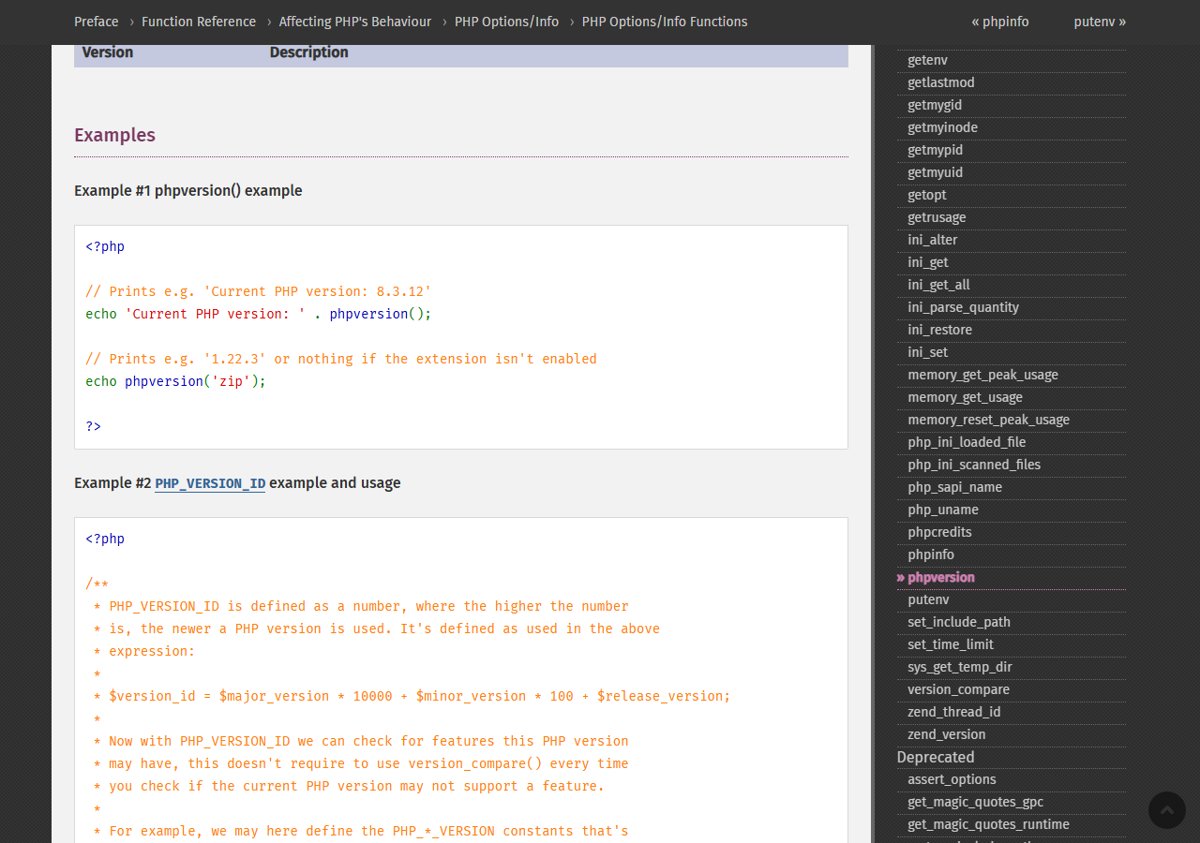
php -vin a terminal and confirm it shows 8.5.12, 8.4.27, 8.3.36 or 8.2.35. - Check the version the web server actually runs, since the CLI and FPM or mod_php can differ: call
phpversion()from a temporary script or check your control panel. - Delete any temporary test script once you have read the version.
- Confirm no old worker processes remain by restarting the PHP service once more if in doubt.
Temporary mitigations if you can't update
php.net lists these measures only as partial: they reduce exposure to specific attack paths but do not make an installation safe. Apply them only until the update is in place. Each change needs a PHP mitigation config for these CVEs that applications cannot override.
| Flaw | Measure from php.net | Limit |
|---|---|---|
| CVE-2026-109618 | Set memory_limit=-1 where applications can't override it, such as php_admin_value in the FPM pool or Apache config | An underlying allocation failure can still reach the vulnerable path |
| CVE-2026-109618 | Set a low post_max_size: 8M without file uploads, 32M with them; keep upload_max_filesize below it | Also enforce request size and count limits at the web server or proxy |
| CVE-2026-109618 | Use a container or cgroup memory limit that kills only the affected worker | Do not use RLIMIT_AS or RLIMIT_DATA; they can cause the vulnerable failure |
| CVE-2026-109619 | Set session.upload_progress.enabled=0 in php.ini, FPM pool or server config, then restart every worker | Blocks the confirmed session paths only; ini_set() and .user.ini do not work |
| CVE-2026-109619 | On PHP 8.5, set fatal_error_backtraces=0 and restart every worker | Blocks the confirmed fatal backtrace path only |
| CVE-2026-109619 | Remove invalid or deprecated per-request settings and fix attacker-reachable fatal errors and timeouts | Hiding errors with error_reporting, display_errors or @ does not help |
What if you run PHP 8.1, 8.0 or 7.4
Upgrade to a supported branch, ideally PHP 8.4 or 8.5, or get a backported fix from your distribution or LTS vendor. PHP 8.1 and older no longer receive updates from the PHP project. Because of the severity, the security team published minimal source backports for 7.4, 8.0 and 8.1 for people who build from source or have no LTS vendor, but there are no official 8.1, 8.0 or 7.4 releases.
PHP CVE-2026-109618 and CVE-2026-109619 FAQ
What is the latest PHP security update?
The latest PHP security update, released 21 October 2026, is PHP 8.5.12, 8.4.27, 8.3.36 and 8.2.35. Each fixes CVE-2026-109618 and CVE-2026-109619, two critical flaws that can allow unauthenticated remote code execution.
How severe is the PHP RCE vulnerability?
The PHP security team rated both CVE-2026-109618 and CVE-2026-109619 at CVSS v4.0 9.2, which is critical. They can allow unauthenticated remote code execution on PHP installations that serve web requests.
Is PHP 8.5.12 a security release?
Yes. PHP 8.5.12 is a security release fixing CVE-2026-109618 and CVE-2026-109619, and php.net strongly encourages all PHP 8.5 users to update immediately. It also includes several Core bug fixes listed in the PHP 8 ChangeLog.
Are PHP CLI scripts affected?
The advisory names installations serving web requests as at risk: PHP-FPM, Apache mod_php, php-cgi, FrankenPHP and LiteSpeed. Updating the PHP package fixes the CLI at the same time, so there is no reason to leave it on the old build.
Do mitigations replace the PHP security update?
No. php.net says only an update is a complete solution. Settings such as memory_limit=-1 or session.upload_progress.enabled=0 reduce exposure to specific attack paths but do not make an installation safe.
Is the PHP vulnerability being exploited?
php.net has not reported exploitation in the wild. It does say a demonstrated exploit exists for Apache mod_php, where an unauthenticated request can trigger the attack before any application code runs.
Do I need to restart PHP after updating?
Yes. Restart every PHP worker, including PHP-FPM pools and Apache with mod_php, so no running process keeps the vulnerable code. CVE-2026-109619 involves state shared between requests on the same worker.
When does PHP 8.2 support end?
PHP 8.2 receives security fixes until 31 December 2026. After that date it gets no further fixes, so php.net asks PHP 8.2 users to plan an upgrade to a supported branch such as 8.4 or 8.5.
Bottom line on the PHP security update
Install 8.5.12, 8.4.27, 8.3.36 or 8.2.35 today and restart every PHP worker, starting with servers on Apache mod_php. Both flaws allow unauthenticated remote code execution, mod_php has a demonstrated pre-application exploit, and php.net states that no mitigation is complete.