You can view Facebook without an account by opening public content directly: Facebook Pages, posts shared with Public, public groups and public events can be seen by anyone, including people who are not on Facebook.
This guide covers eight legitimate ways to reach that content, what stays locked behind a login, and how to deal with sign-in prompts without third-party viewer sites.
Method 1: Open a public Facebook Page directly
Facebook treats posts on Pages as public information, so a Page's link opens in any browser without signing in. A Page or profile's username sits in its web address, which makes the link easy to type.
- Find the Page's link on the business, band or organization's own website, usually behind a Facebook icon in the header or footer.
- Click the link, or type the address in your browser as
facebook.com/followed by the Page's username. - If a sign-in box covers the page, close it with the X in its corner.
- Scroll the Page to read its posts, photos and videos that are shared publicly.
- Bookmark the address so you can return without searching again.
Facebook decides how much a logged-out visitor sees on each visit, so a Page may show a few posts before it asks you to log in. The troubleshooting section below covers that prompt.
Which way to view Facebook without an account fits your goal?
| What you want to see | Best method | Why |
|---|---|---|
| A business, venue or public figure | Method 1: open the Page link | Page posts are public by default |
| Something but you do not know the link | Method 2: Google or Bing | Public Facebook content can appear in search engine results |
| Recent photos or videos from a Page | Method 3: search result tabs | Image and video filters surface media that the main results skip |
| Date, time and place of a gathering | Method 4: the public event page | Public events are visible to anyone, like other Public content |
| A video or reel someone sent you | Method 5: open the direct link | Public videos play from their own address |
| A post quoted in a news story | Method 6: the embedded post | Only public posts can be embedded, so the article shows it in full |
| Pages keep showing a logged-in state | Method 7: a private window | A fresh session carries no old Facebook cookies |
| The mobile page hides content | Method 8: desktop mode | The desktop layout loads the full page view |
What you can and cannot view on Facebook without an account
The rule is simple: if the owner shared something with Public, anyone can see it, on or off Facebook. Everything else needs an account and, often, the owner's permission.
| Content | Viewable without an account? | Notes |
|---|---|---|
| Facebook Pages and their posts | Usually yes | Posts and comments on Pages are public |
| Posts set to Public on a personal profile | Yes | Shown with a globe icon next to the time |
| Public profile basics | Yes | Name, profile picture, cover photo, username and gender are always public |
| Public group posts | Yes | Anyone on or off Facebook can see what is shared |
| Public group member list | No | Only people on Facebook can see who is in a public group |
| Private group posts | No | Only current members can see them |
| Friends-only posts and photos | No | Limited to the audience the owner picked |
| Messages and Marketplace chats | No | Sending or reading messages needs a signed-in account |
Method 2: Use Google or Bing to find public Facebook content
Facebook's own help center confirms that public information can appear when someone searches on another search engine. Google documents the site: operator, which limits results to one website.
- Open Google or Bing in your browser.
- Type the name you want plus the word Facebook, for example
Riverside Library Facebook. - For tighter results in Google, type
site:facebook.comfollowed by the name, with no space after the colon. - Put a full name or exact phrase in quotes, such as
"Riverside Library", to match it exactly. - Check that the result's address starts with
facebook.combefore you click it. - Open the result to view the public Page, post, group or event.
A missing result does not prove the content is gone. A profile owner can stop search engines from linking to the profile, and private content never reaches search results.
Method 3: Browse Facebook Pages through search result tabs
After a search, Google shows filters such as Images, Videos, Short Videos and News under the search bar. These pull public Facebook media into the results page itself.
- Search for
site:facebook.complus the Page or topic name. - Select Images to see public photos posted on facebook.com.
- Select Videos or Short Videos to list public Facebook videos and reels.
- Select All if the filter you want is missing, because the filters change with each query.
- Click a thumbnail to open the original Facebook post in your browser.
Method 4: View Facebook events without logging in
Event hosts choose who can see an event. A public event is public information, so its page shows the name, time and place to anyone with the link.
- Search Google or Bing for the event name, the venue and the word Facebook.
- Open the result that leads to the event page on facebook.com.
- Close any sign-in box with the X.
- Read the date, time, location and description on the event page.
- Check the organizer's own website as well, because hosts often post ticket links and changes there first.
A private event never appears for logged-out visitors. Replying, joining the guest list or asking the host a question needs an account.
Method 5: Watch public Facebook videos and reels
A video or reel posted publicly has its own address, so a shared link plays in a browser without a login.
- Copy the video link from the message, email or website where someone shared it.
- Paste it into your browser's address bar and press Enter.
- Close any sign-in prompt with the X.
- Press play, and turn the sound on with the speaker icon if the video starts muted.
- If the video will not load, open the same link in a private window (Method 7).
Videos shared with Friends or a custom audience will not play for a logged-out visitor. Comments under the video may be cut short or hidden.
Method 6: Use embedded Facebook posts on other websites
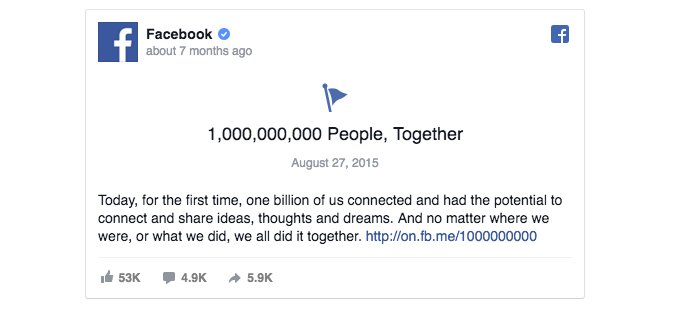
Many news sites and blogs show Facebook posts inside their articles. Meta's developer documentation states that only public posts from Pages and profiles can be embedded, so any embedded post is safe to read without an account.
- Look for a post box with the Facebook logo, the poster's name and a timestamp inside an article.
- Read the post text, photo or video right on that website.
- Click the timestamp or the post itself to open the original on facebook.com.
- Check the globe icon next to the time on the original, which confirms the post is public.
- Return to the article if Facebook asks you to sign in to see the comments.
Method 7: Use a browser's private window to avoid session problems
Old Facebook cookies from a past login or a shared computer can send you to a login page instead of the content. A private window starts a separate session with none of those cookies.
| Browser | How to open a private window | Shortcut |
|---|---|---|
| Chrome on a computer | Select More > New Incognito window | Ctrl + Shift + N on Windows, Command + Shift + N on Mac |
| Microsoft Edge | Select Settings and more > New InPrivate window | Right-click a link and select Open link in InPrivate window |
| Chrome on Android | Tap More, then open a new Incognito window | Touch and hold a link, then open it in Incognito |
| Safari on iPhone | Tap the tabs button, then swipe right on the tab bar until Private Browsing opens | None |
Paste the Facebook link into the private window and load it. Chrome states that Incognito does not sign you in to websites, but it does not make you invisible to the sites you visit.
Method 8: Try desktop mode on a phone
The mobile version of a Page can stop at a sign-in screen sooner than the full desktop layout does. Requesting the desktop site is a browser feature, not a workaround. The old lightweight mbasic version of Facebook is gone too, since it now redirects to the regular site.
- Open the Facebook link in Safari on iPhone.
- Tap the page menu button in the address bar.
- Tap Request Desktop Website, if it is offered for that page.
- Pinch to zoom on the desktop layout to read posts.
- On Android, open the browser's main menu and turn on its desktop-site option, then reload the page.
Can you search for people on Facebook without an account?
Not inside Facebook. Facebook's own search box is for signed-in users, so the only route is an outside search engine.
| What you try | Result without an account |
|---|---|
| Search Google or Bing for the person's name plus Facebook | Works when the profile is public and the owner allows search engine links |
| Open a profile link someone sent you | Shows the public profile basics: name, profile picture, cover photo |
| View that person's friends-only posts | Not possible |
| See who has viewed a profile | Not possible for anyone: Facebook does not offer it |
Facebook lets each person turn off Do you want search engines outside Facebook to link to your profile?, so some people never appear in search results at all.
Can you view Facebook groups without an account?
Yes for public groups, no for private ones. Facebook's group settings spell out exactly who sees what.
| Question | Public group | Private group |
|---|---|---|
| Who can see posts, comments and shares? | Anyone on or off Facebook | Current members only |
| Who can see the member list? | Anyone on Facebook | Current members only |
| Who can find the group? | Anyone on or off Facebook | Anyone on Facebook if visible; invited people only if hidden |
| Can you post or comment? | Only with an account | Only as an approved member |
Search Google or Bing for the group name plus Facebook and open the facebook.com result for the group. Some private groups show selected posts publicly as group highlights.
Can you browse Facebook Marketplace without an account?
Only in part. Facebook's Marketplace help describes buying and selling from a Facebook account: sellers list items, and buyers contact them to arrange the sale. Anything beyond reading a listing happens from an account.
| Marketplace task | Without an account |
|---|---|
| Open a listing link someone shared | Try it in a browser; a sign-in box means that listing needs an account |
| Browse listings near you | Try facebook.com/marketplace in a browser; a sign-in box means you need an account |
| Message the seller or make an offer | Not possible |
| Save, follow or rate a seller | Not possible |
Facebook states that it plays no role in the actual transaction: buyers and sellers arrange payment and delivery themselves.
Tips for getting around Facebook login prompts legitimately
These steps keep you on public content and inside Facebook's rules. None of them unlock private posts, and nothing does.
- Close the sign-in box with its X instead of reloading the page.
- Open each post from its own link rather than scrolling a long Page feed.
- Use a private window when the page keeps acting as if you were logged in.
- Search Google or Bing again and open a different result for the same Page.
- Read the post where it is embedded on a news site or the organizer's website.
- Check the organization's own website or newsletter, which often repeats its Facebook updates.
How to check if a Facebook post is public
- Look at the small icon next to the post's publishing time.
- A gray globe icon means the post is Public, and anyone can see it without an account.
- A two-person icon or a lock means the audience is limited, so you will not see it logged out.
- Copy the post link and open it in a private window: if the post loads there, it is public.
Facebook without an account: common problems and fixes
Why can't I view Facebook without an account?
The content is not public, or Facebook limits how much a logged-out visitor sees.
- Check for the globe icon next to the post time.
- Close the sign-in box with the X and scroll again.
- Open the single post's own link instead of the full Page.
Facebook post link opens but the content is missing
The post was deleted, its audience changed, or the link points to private content.
- Search Google or Bing for the Page name to find a current link.
- Open the Page's main address rather than the old post link.
- Accept that friends-only and private group posts cannot be viewed without an account.
Every Facebook link goes straight to a login page
Old cookies or a saved session from another person's account.
- Open a private window in your browser.
- Paste the link and load it there.
- Close all private windows afterwards to clear the session.
Public Facebook video will not play
The link points to a video with a limited audience, or the mobile page stalls.
- Confirm the post shows the globe icon.
- Load the link in a private window.
- Request the desktop site on your phone and try again.
A Facebook profile does not show up in Google or Bing
The owner turned off search engine links to the profile.
- Ask the person for their profile link directly.
- Search for a Page or public group connected to them instead.
Should you use third-party Facebook viewers?
No. Skip any site or app that promises to show private Facebook profiles, hidden photos or who viewed your profile. Facebook states that it does not let people track profile viewers and that third-party apps cannot provide it either, and it asks users to report apps that claim to. Sites that promise private content often ask for your login details or push downloads, and anything a legitimate tool can show you is public already.
Privacy and legal limits of viewing Facebook without an account
Public does not mean free to reuse. The person who posted still controls their content, and the audience choice they made is the line to respect.
| Limit | What it means for you |
|---|---|
| Audience settings | Only content shared with Public is meant for logged-out visitors; never try to get around a limited audience |
| Copying and reposting | Photos and videos still belong to whoever posted them; link to the post rather than reposting it |
| Search engine opt-out | A person who turns off search links has chosen not to be found that way |
| Removal requests | Content in Google or Bing results is removed through that search engine, not through Facebook |
| Your own trail | Private browsing hides history on your device, not your visit from the websites you load |
Best uses for browsing Facebook without an account
| Use | Works well because |
|---|---|
| Checking a restaurant's or shop's hours and updates | Business Pages are public |
| Finding details of a public concert, market or meeting | Public event pages show the time and place |
| Reading a local council's or school's announcements | Organizations post on public Pages |
| Watching a video a friend shared | Public videos play from their link |
| Reading a public group's tips before deciding to join | Public group posts are visible to anyone |
Viewing Facebook without an account FAQ
Can I view Facebook without an account?
Yes, but only public content. Facebook Pages, posts shared with Public, public groups, public events and public videos can be opened by anyone with the link, including people who are not on Facebook. Friends-only posts, private groups and messages need an account.
Can I view Facebook without logging in?
Yes, for public content. Open the Page, post or event link in your browser and close any sign-in box with the X. If the browser keeps an old session, load the link in a private window, which starts without Facebook cookies.
How do I view a Facebook page without an account?
Open the Page's link from the organization's website, or type facebook.com/ followed by the Page's username. You can also search Google or Bing for the Page name plus Facebook. Posts on Facebook Pages are public, so they load without an account.
How do I view a Facebook profile without an account?
Search Google or Bing for the person's name plus Facebook, or open a profile link they sent you. Without an account you see the public profile: name, profile picture, cover photo and any posts set to Public. Friends-only content stays hidden.
Why can't I view Facebook without an account?
The content you want is not public, or Facebook is asking logged-out visitors to sign in after a few posts. Check for a globe icon next to the post time. If there is none, the post has a limited audience and cannot be viewed without an account.
How do I view Facebook without being seen?
Facebook does not tell anyone who viewed their profile, and third-party apps cannot either, so viewing a public profile or Page does not notify the owner. Reacting, commenting, following or sending a request is visible, so avoid those if you only want to read.
Can I see Facebook photos without an account?
Yes, if the photos were shared with Public or posted on a Page. Open the photo's link, or use the Images filter in Google with site:facebook.com and the name. Photos in friends-only albums or private groups cannot be viewed without an account.
Can I view Facebook Marketplace without an account?
Only partly. Open a shared listing link in your browser; if a sign-in box appears, that listing needs an account. Messaging the seller, making an offer and saving listings all need a Facebook account.
Can I view a Facebook story without logging in?
Not reliably. Facebook describes watching the stories of people you follow in the Facebook app or at facebook.com, which means signing in, and each poster chooses their story's audience. To follow someone's updates without an account, look for their public posts, Page or public group instead.
Is there a website to view Facebook without an account?
Facebook itself is that website: public Pages, posts and groups load at facebook.com without a login. Avoid third-party viewer sites that promise private profiles. Facebook says no outside app can show who viewed a profile, and such sites often ask for your login.
When creating a minimal Facebook account may be the better option
Stay logged out if you only read public Pages, events and videos now and then; create a basic account with a minimal profile if you need to search people, join groups, message sellers or read comments in full. Public content opens for anyone, but every action that involves another person, from messaging to joining a private group, is tied to an account. You can create a Google account without a phone number to use as a separate sign-up email, then choose who sees your posts with Facebook's audience selector.