Sign in to Gmail at gmail.com with your Google Account email or phone number and password, then manage the password, recovery info, 2-Step Verification and storage at myaccount.google.com.
This guide covers sign-in fixes, password resets, account recovery, deleting Gmail or the whole account, Google Photos downloads, storage, IMAP and SMTP settings, and Google apps on Windows.
Sign in to your Gmail account
Gmail uses your Google Account sign-in, so the same email and password open YouTube, Drive and Google Play.
- On your computer, go to gmail.com. If a page describing Gmail opens, click Sign in at the top right.
- If another account is filled in, click Use another account.
- Enter your email address or phone number and click Next.
- Enter your password and click Next.
- With 2-Step Verification on, tap Yes on the Google prompt on your phone, or click Try another way.
- On a phone, open the Gmail app, tap your Profile picture, then Add another account > Google.
Bookmark the direct Gmail login link, and sign out before you leave a shared computer. With several accounts, click your profile picture > Add account to switch without signing out.
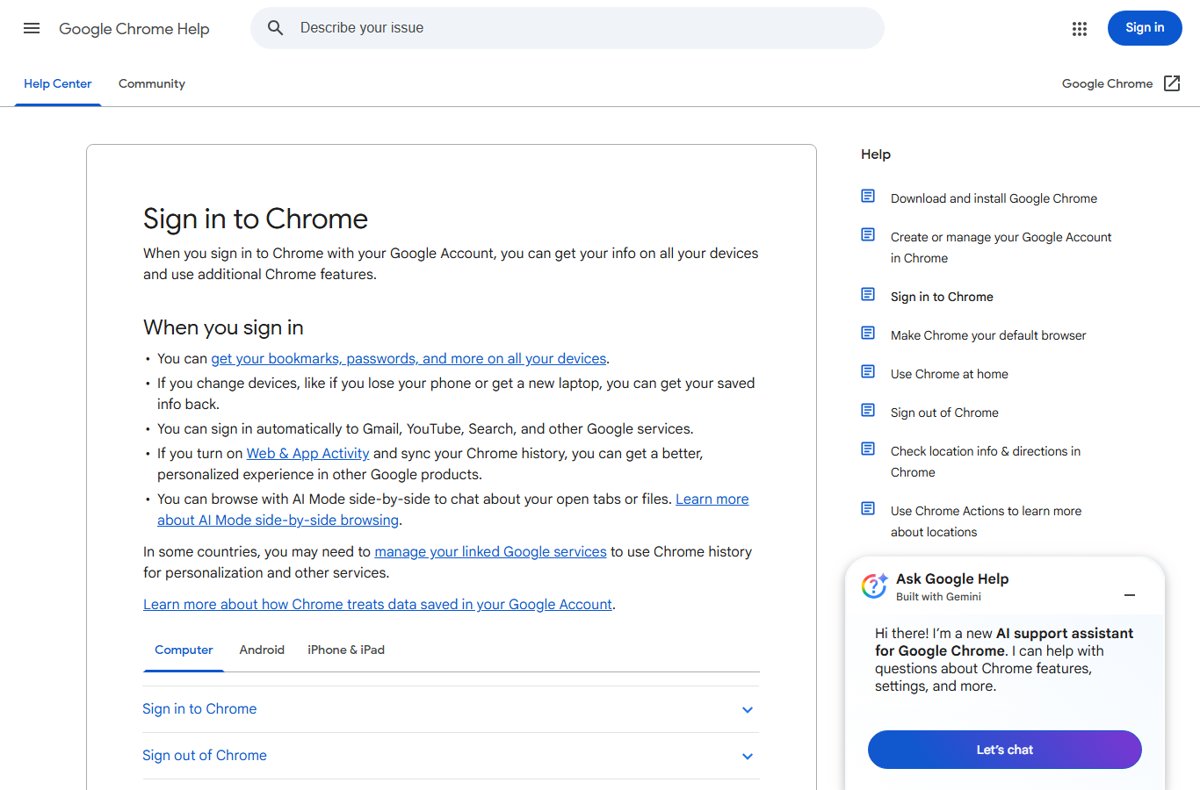
In many cases the first account you sign in with becomes the default, so you can set a different default Google account by signing out of all of them and signing in to that one first. Signing in to Chrome also signs you in to Gmail and YouTube and syncs passwords, so Chrome sign-in and sign-out matters on a shared PC.
Fix sign-in issues with Gmail
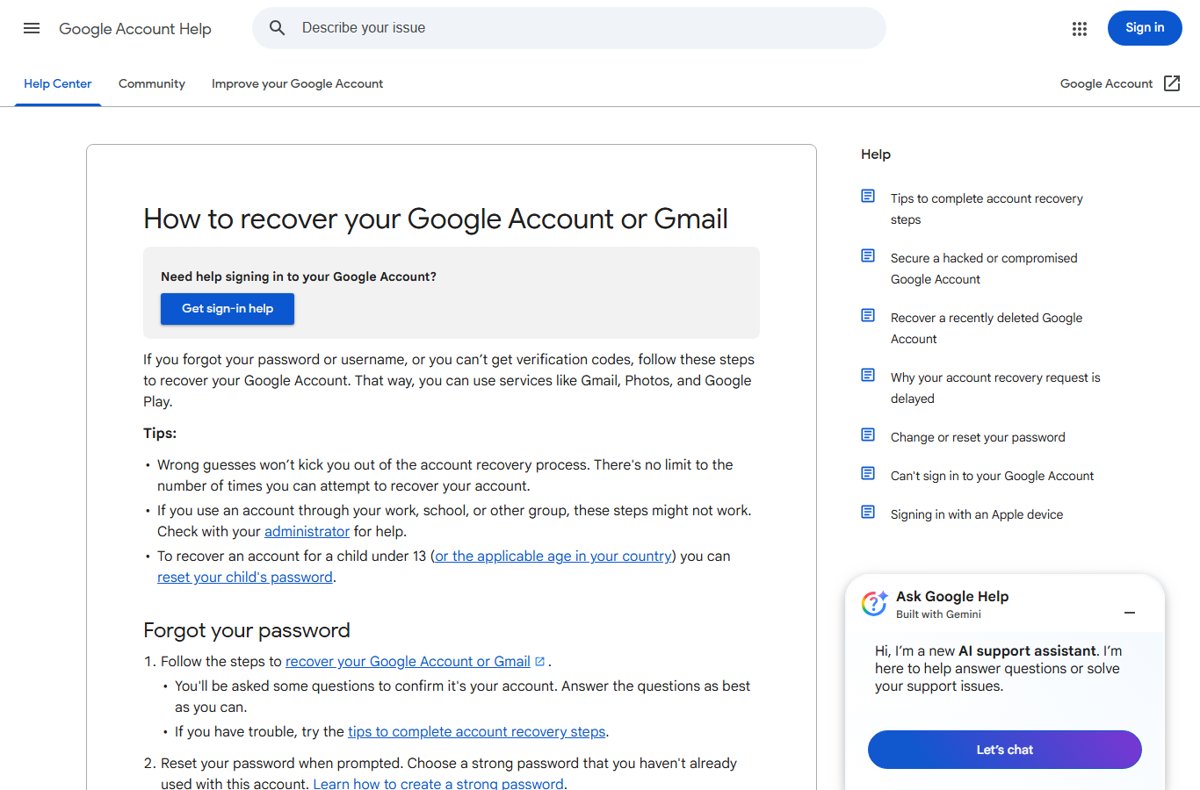
Wrong guesses during account recovery never lock you out, and there is no limit on attempts.
| Symptom | Likely cause | Fix |
|---|---|---|
| Password rejected or forgotten | Someone changed it, or you forgot it | Reset it at accounts.google.com/signin/recovery |
| You don't remember the Gmail address | Several or old accounts | Run username recovery with the recovery phone or email and your full name |
| The code goes to a phone you no longer have | 2-Step Verification is tied to the old phone | Click Try another way and enter a backup code, or recover the account without your old phone |
| The Gmail app on a new iPhone won't sign in | The Google prompt is waiting on your old phone | Approve it there, or fix Gmail sign-in on a new iPhone |
| iPhone Mail or Safari can't sign in | Safari cookies are off, or the app wants only a password | Turn on Safari cookies, wait 5 minutes, re-add the account as Google, or repair iPhone Mail and Safari sign-in |
| Google refuses your browser | JavaScript off, unsupported extensions, or a browser embedded in an app | Use Chrome, Safari, Firefox, Opera or Edge with JavaScript on |
| Outlook shows "Invalid password" or "Unable to log in" | Password-only sign-in | Remove the account and add it again with Sign in with Google |
| Your account is disabled | A policy violation | Sign in on a browser and select Start Appeal |
| Still can't sign in after new recovery info | Changes can take up to 7 days | Wait a few days and try recovery again |
| The account was deleted | You or someone else deleted it | Start account recovery soon; an account deleted a while ago may be gone |
Manage your Google Account contact info & security
Open myaccount.google.com, or click your profile picture in Gmail > Manage your Google Account. Gmail's own options sit under Settings (the gear) > See all settings.
| Task | Where it lives (Google Account or Gmail) |
|---|---|
| Change your password | Security & sign-in > How you sign in to Google > Password |
| Turn on 2-Step Verification | Security & sign-in > How you sign in to Google > Turn on 2-Step Verification |
| Get backup codes | Security & sign-in > 2-Step Verification > Backup codes |
| Create an app password | myaccount.google.com/apppasswords |
| Add a recovery email or phone | Personal info > Contact info > Email or Phone |
| Sign out a device | Security & sign-in > Your devices > Manage all devices |
| Check security events | Security & sign-in > Recent security events |
| View or delete activity | Data & privacy > Personalization & activity > My Activity |
| Download your data | takeout.google.com |
| Delete Gmail or another email service | Data & privacy > Delete a Google service |
| Delete the whole account | Data & privacy > More options > Delete your Google Account |
| Check or buy storage | one.google.com |
| Sign out of Gmail | Gmail > Profile > Sign out |
| Turn on POP | Gmail > Settings > See all settings > Forwarding and POP/IMAP |
| Set the Undo Send time | Gmail > Settings > See all settings > Undo Send |
| Turn on keyboard shortcuts | Gmail > Settings > See all settings > Keyboard shortcuts |
How to change your Gmail password on a desktop computer (Windows or Mac)
- Go to myaccount.google.com and sign in.
- Click Security & sign-in at the top left.
- Under How you sign in to Google, click Password, and sign in again if asked.
- Enter the new password, then click Change Password.
Afterwards you're signed out everywhere except devices you use to verify sign-ins, some third-party apps and linked home devices, and Google revokes your app passwords.
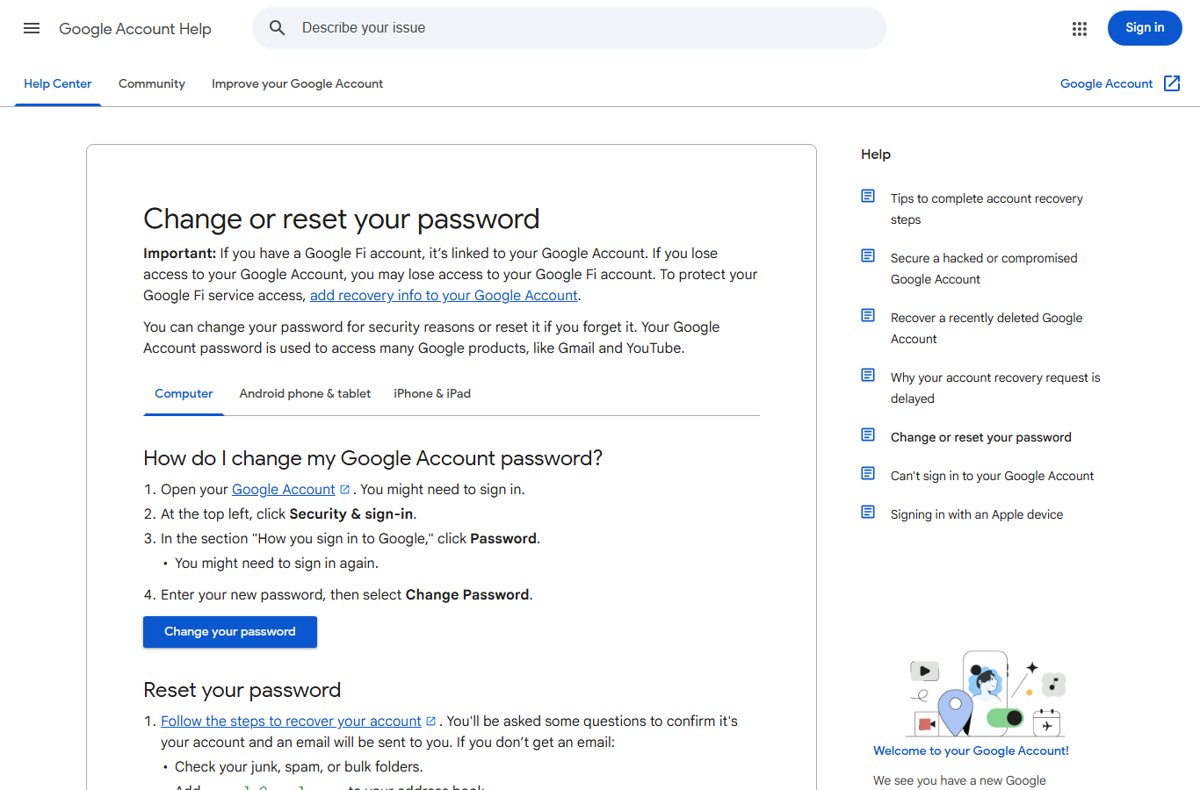
A strong, secure password is long, unique and free of personal info such as your birth date. It can't reuse an old password or start with a space. You can change your Gmail password on every device, including the copy saved in Outlook.
How to change your Gmail password on Android & iPhone (Gmail app or Settings)
| Mobile device | Path | Then |
|---|---|---|
| Android phone or tablet | Settings app > Google > your name > Manage your Google Account > Security & sign-in > Password | Enter the new password, tap Change Password |
| iPhone or iPad (iOS) | Gmail app > profile picture > Manage your Google Account > Personal info > Password | Enter the new password, tap Next |
| Any phone without the app | Browser > myaccount.google.com | Follow the computer steps |
On mobile, the first letter of a password isn't case sensitive.
How to recover a Google account if you forgot your password
- Go to accounts.google.com/signin/recovery and enter your email or phone number.
- Answer each question; a best guess beats skipping one.
- Use a device, browser and location where you usually sign in.
- Open the email from Google. If it's missing, check spam and add [email protected] to your contacts.
- Reset the password, choosing one you haven't used on this account.
Work and school accounts may not accept these steps; ask the administrator.
How to recover a Google account if you forgot your email address
- Go to accounts.google.com/signin/usernamerecovery.
- Enter the recovery phone number or recovery email address.
- Enter the full name on the account.
- Follow the instructions to confirm it's your account.
- Pick your address from the list of matching usernames.
How to recover a Google account if your account was hacked
- Sign in at myaccount.google.com. If someone changed the password or recovery phone, use the account recovery page.
- Click Security & sign-in > Review security events and choose No, it wasn't me for anything unfamiliar.
- Open Your devices > Manage devices and select Don't recognize a device? for unknown ones.
- Change the password here and on every site that used it.
- Turn on 2-Step Verification.
Someone else using your account may also have reached saved passwords or Google Wallet, so check those. Before deleting a hacked account, run Security Checkup, which can't review it after deletion.
How to recover a deleted Google account (and Gmail address)
- Go to the account recovery page and enter the deleted address.
- Answer the questions to confirm it's your account.
- Create a password you haven't used on this account.
- To restore only a removed Gmail address, open Gmail, sign in and follow the on-screen steps.
Recovery works only for a limited time. Google can also delete accounts inactive for at least two years.
Tips for completing account recovery steps
| Situation | What to do |
|---|---|
| Start with the account recovery form | Answer every question at accounts.google.com/signin/recovery |
| A code goes to a phone or email you can't reach | Click Try another way to skip that challenge |
| Stack the odds | Use your familiar device, browser and location |
| The account uses 2-Step Verification | Expect a security hold of a few hours to several days |
| You still have a usable second step | Skip recovery and sign in with it, such as an unused 8-digit backup code |
| You're waiting for Google's reply | Check spam for "Your Google support inquiry" |
| Recovery fails | The only official last resort is a replacement Google Account |
| You want to contact Google | Google takes no calls for sign-in help; Google One members can chat, call or email about membership and storage, so learn who can call Google support |
Google asks for passwords and codes only at accounts.google.com, never by email, phone or message, and works with no recovery service.
How to enable 2-Step Verification for extra security
- Open myaccount.google.com > Security & sign-in.
- Under How you sign in to Google, select Turn on 2-Step Verification.
- Follow the on-screen steps to add your phone.
- Add backups: Google prompts, an authenticator app and backup codes.
- On computers only you use, tick Don't ask again on this computer at sign-in.
Prompts reach Android phones signed in to the account and iPhones with the Gmail, Google Photos, YouTube or Google app. A new phone can take up to 7 days to be trusted.
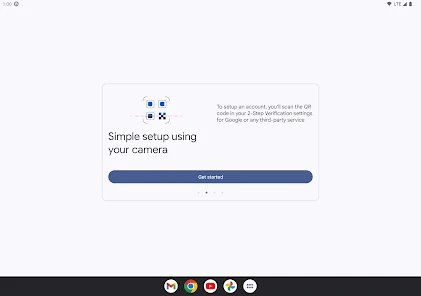
For offline codes, set up Google Authenticator and sync its codes to your account; the Authenticator app for iPhone and Android needs Android 6.0 or later. Backup codes come in sets of 10, each usable once.
How to create a Gmail account
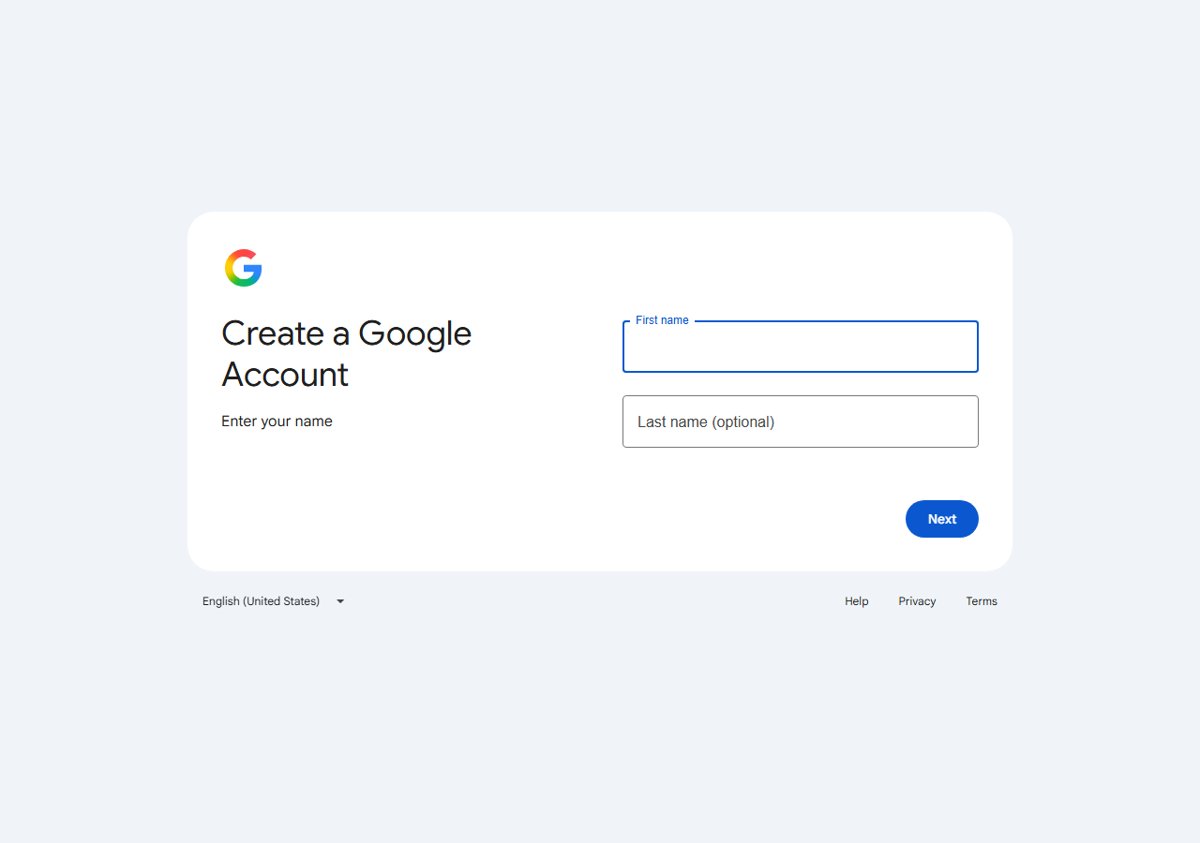
- Go to the Google Account sign-in page and click Create account.
- Choose Personal use, Child or Business.
- Enter your name, birthday and gender.
- Pick a suggested Gmail address or type your own username.
- Enter and confirm a password, then click Next.
- Add a phone number if you want to, then click Next.
The phone step is optional, so you can sign up without a phone number. To skip Gmail, click Use your existing email and verify that address. You can also create a child or business account from the same menu, then add a recovery phone and email.
Is Gmail account same as Google account?
No. The Google Account is your sign-in for Google services, and Gmail is one service inside it.
| Account | What it is | What to know |
|---|---|---|
| Google Account | One sign-in for Gmail, YouTube, Drive and Play | Up to 15 GB of storage, shared |
| Gmail account | The @gmail.com mailbox inside it | Removing it needs a non-Gmail email on the account |
| Google Workspace vs personal Gmail | An account from your work or school | The administrator handles recovery and storage, and app passwords may be unavailable |
| Google Health and Fitbit | Fitbit now runs on Google Accounts | Fitbit accounts stopped working after May 19, 2026, so sign in to Fitbit with Google |
| Apple Account | Apple's own sign-in | Its primary email can be a Gmail address you verify; use Gmail as your Apple ID |
Comparison: three ways to delete your Google Account (and alternatives)
| Option | What goes | What stays | Where | Undo? |
|---|---|---|---|---|
| Delete Gmail only | The address and emails (after 30 days) | The account, Play purchases, YouTube | Data & privacy > Delete a Google service | You may get the address back |
| Delete the whole Google Account | Emails, files, photos, calendars, purchases | Your other Google Accounts | Data & privacy > More options | For a limited time |
| Remove it from a phone or tablet | Nothing | Everything | Gmail app > Profile > Manage accounts on this device | Add it again |
| Alternative: sign out on a computer | Nothing | Everything | Gmail > Profile > Sign out | Sign in again |
Removing an account from the Gmail app also signs it out of Maps, YouTube and other Google apps on that phone.
Review & download your Google Account info
Do this before deleting anything. Move banking and app logins that use your Gmail address to another email first.
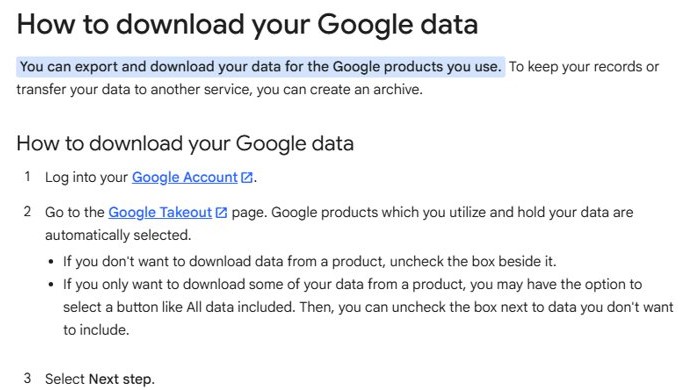
- Go to takeout.google.com and sign in.
- Untick any product you don't want, then click Next step.
- Choose a delivery method, one-time or scheduled export, .zip or .tgz, and the archive size.
- Create the export; most download links arrive by email the same day.
- Download the archive within about 7 days, up to 5 times.
To review instead, open Data & privacy > My Activity, or open My Activity on Android. Scheduled exports and the other Google Takeout export options work from the same page.
How to delete your Google Account permanently
- Download what you want to keep with Google Takeout.
- Go to myaccount.google.com > Data & privacy.
- Scroll to Your data & privacy options.
- Select More options > Delete your Google Account and follow the instructions.
You lose the account's emails, files, calendars and photos, sign-in to Gmail, Drive and Play, and YouTube and Play purchases. Other Google Accounts you own stay. It's confusing because Gmail is separate, so deleting Gmail alone keeps YouTube and Drive. When you're sure, remove the Google Account for good.
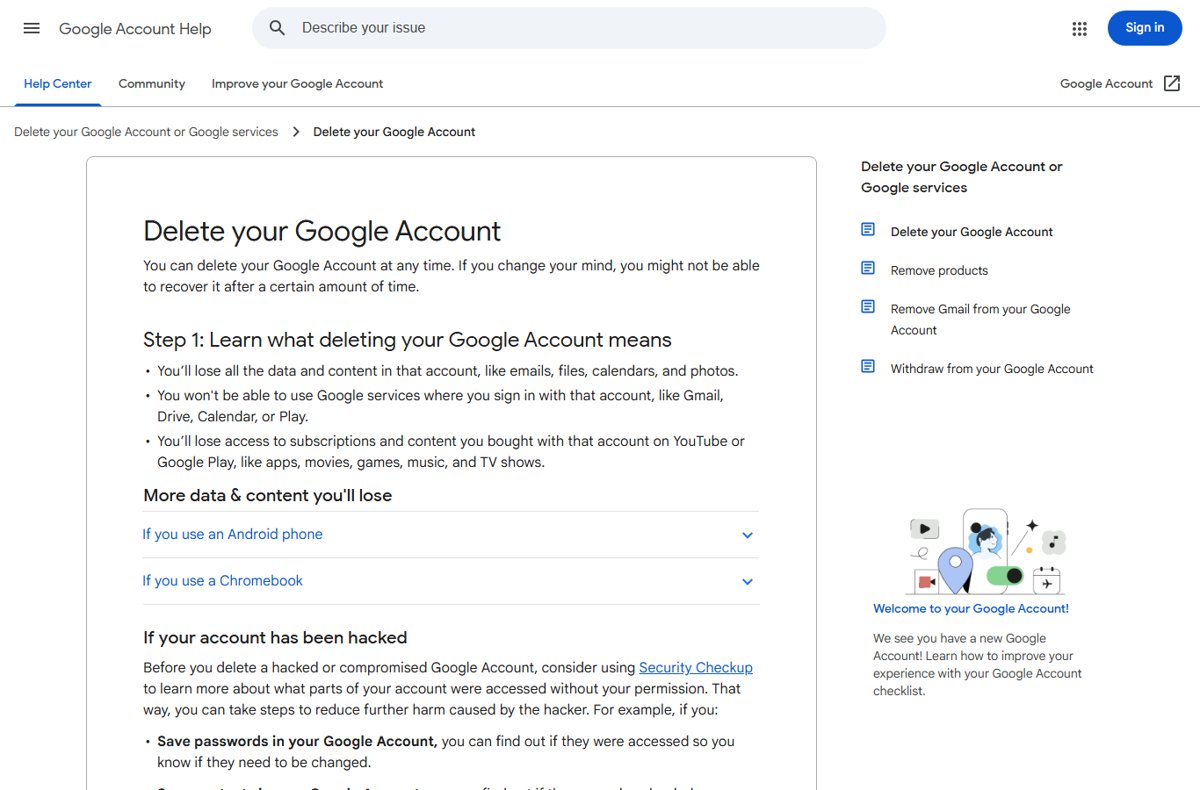
Delete your Gmail account
- In Gmail, click your profile picture > Manage your Google Account > Data & privacy.
- Select Delete a Google service, or Remove data from services you no longer use under Tools.
- Next to Gmail, click Delete.
- Enter a non-Gmail address, which becomes your sign-in, and send the verification email.
- Verify that email. Gmail isn't removed until you do.
Gmail deletes the emails after 30 days, and nobody can reuse the address. The same page removes other services one at a time. You can also delete only the Gmail inbox from a phone.
How to remove a Google Account from your phone or another device
- Android: in the Gmail app, tap Profile > Manage accounts on this device, choose the account and tap Remove account.
- iPhone or iPad: in the Gmail app, tap Profile > Manage accounts on this device > Remove from this device.
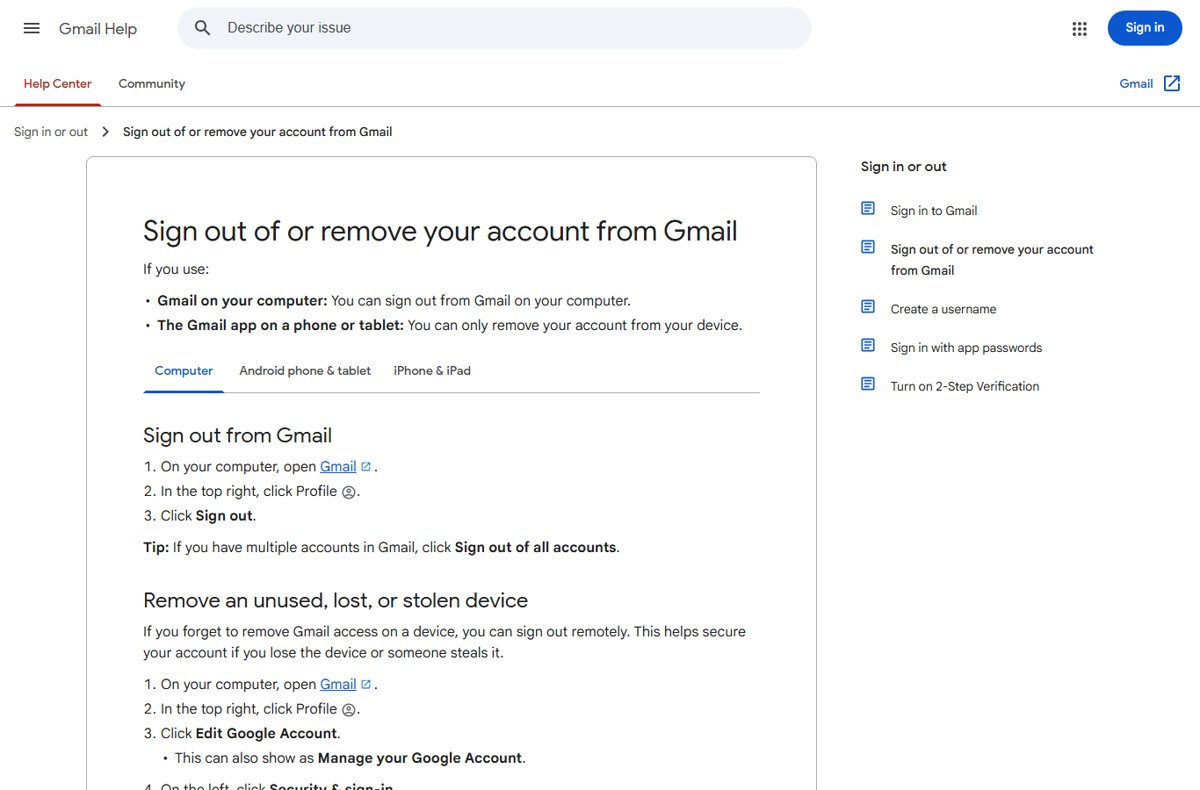
- Computer: in Gmail, click Profile > Sign out or Sign out of all accounts.
- Browser sign-in list: at myaccount.google.com, click your profile picture > Sign out > Remove an account.
- Lost device: open Security & sign-in > Manage all devices, select it and click Sign out.
Removing the account deletes nothing. Each session signs out separately, so log out of Gmail on every device you have used.
How to download all photos and videos from Google Photos
Google Takeout downloads your entire Google Photos library in one export.
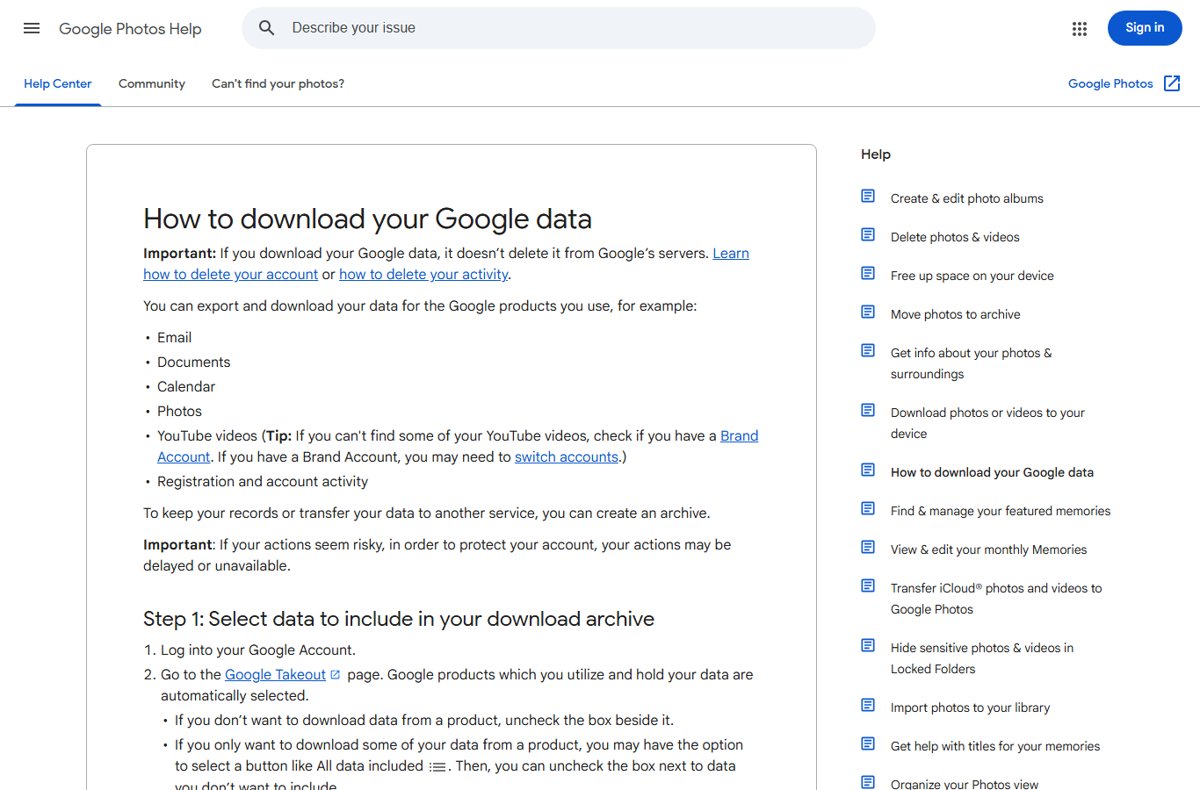
- Go to takeout.google.com and untick every product except Google Photos.
- For selected albums instead of your full library, click the button under Google Photos and untick albums you don't need.
- Click Next step and choose .zip and an archive size; 50 GB means fewer files.
- Download every archive within about 7 days.
- Extract the ZIP files on Windows or macOS.
Downloading your memories doesn't delete them from Google Photos. Files can get a new timestamp, while the original date stays in the file details. Large libraries arrive as several archives, so download all Google Photos to a computer into one folder and organise them there.
How to download multiple photos or albums from Google Photos
- On your computer, go to photos.google.com.
- Place your cursor over each photo or video and click Select.
- Click More > Download.
- For a whole album, pick it in Takeout as above.
If a downloaded video won't play, try another browser or VLC. To move photos to another account, download and upload them there.
How to find, share and delete Google Photos
| Task | How | Watch for |
|---|---|---|
| Find missing photos | Check Archive, Locked Folder and Trash, and the account you're in | You can find missing Google Photos by backup status |
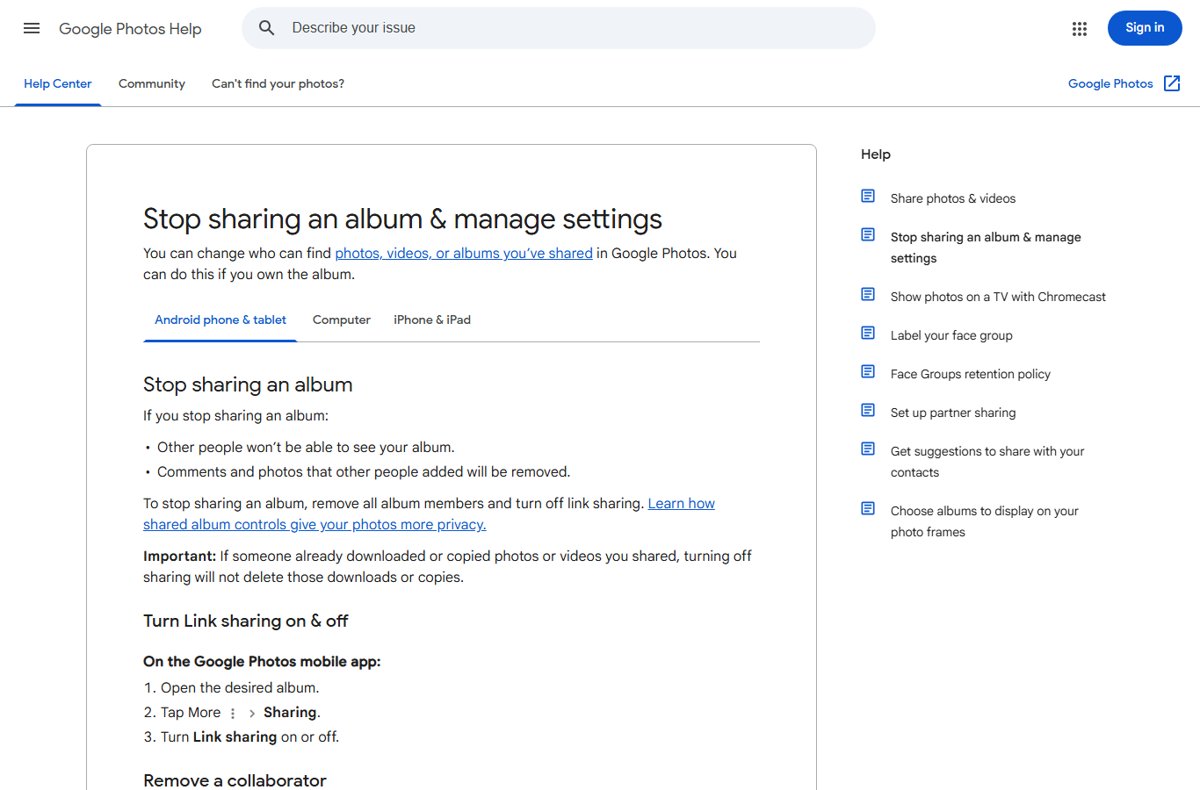
| Share by link | In the app: select > Share > Create link | Anyone with it can view; share Google Photos with a link and stop sharing later |
| Delete photos | Select > Move to trash | Trash keeps them 30 days; they also leave phones with backup on |
| Delete everything | Trash > Empty trash | Permanent; Drive and Gmail copies stay. You can clear out every Google Photos item this way |
How much free storage does a Gmail account have?
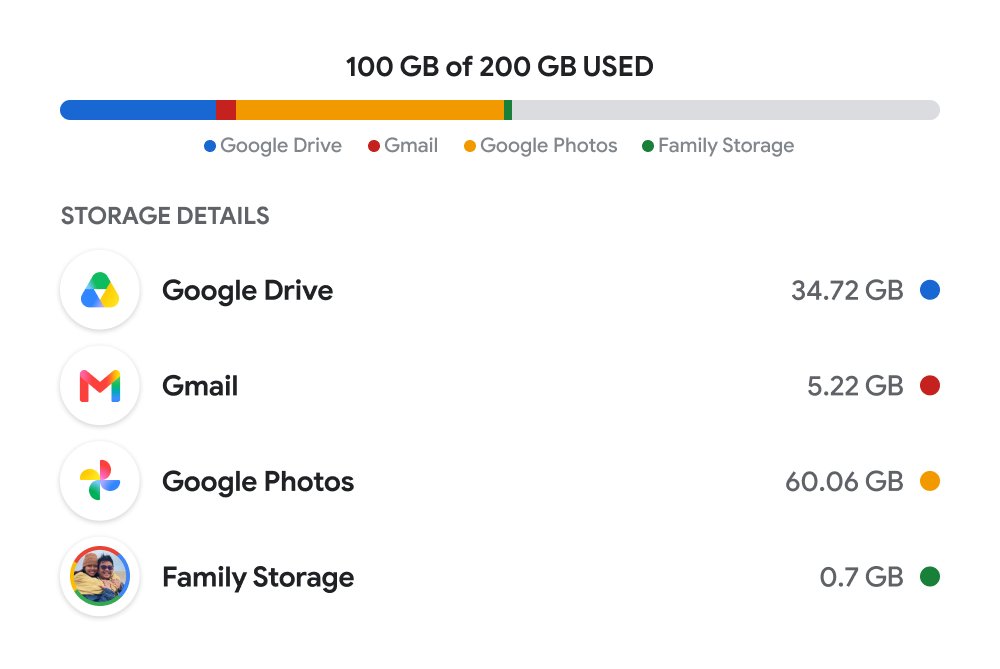
Each Google Account includes up to 15 GB at no charge, shared by Gmail, Google Drive and Google Photos.
| Item | Counts? |
|---|---|
| Gmail mail and attachments, Spam and Trash included | Yes |
| Drive files, and Docs or Sheets edited after June 1, 2021 | Yes |
| Original quality photos, and Storage saver ones after June 1, 2021 | Yes |
| Android and WhatsApp backups | Yes |
| Files others share with you | No |
Over quota, Drive uploads and photo backup stop and Gmail may not send or receive mail; after 2 years Google can remove content, with 3 months' notice. Freed space takes up to 72 hours to show.
Google One starts at 100 GB, so weigh whether Google One is worth paying for before you click Upgrade at one.google.com.
Gmail IMAP, POP3, and SMTP settings
Most mail apps connect with Sign in with Google. Manual settings are only for apps and devices without it, such as printers and older clients.
| Setting | Value |
|---|---|
| IMAP | Always on for personal accounts since January 2025; no Enable IMAP switch |
| POP | Settings > See all settings > Forwarding and POP/IMAP > Enable POP |
| POP server | pop.gmail.com, SSL, port 995 |
| SMTP server | smtp.gmail.com, authentication required |
| SMTP ports | 465 for SSL, 587 for TLS |
| Username and password | Full email address; app password with 2-Step Verification |
| Limit | 15 email clients at a time |
| Work or school | Ask the administrator |
POP vs IMAP: IMAP syncs every device in real time, while POP downloads to one computer. Gmail setup in Outlook, Thunderbird, Apple Mail and iPhone Mail starts with the client's Google option, and the Outlook settings and signatures then apply to the Gmail account.
How to create a Gmail app password
Use one only when an app has no Sign in with Google option; iPhones on iOS 11 or later don't need one.
- Turn on 2-Step Verification.
- Go to myaccount.google.com/apppasswords and sign in again if asked.
- Follow the prompts to create a password for the app.
- Enter the 16-digit passcode in the app, usually once per app.
The option is missing with security-key-only 2-Step Verification, work accounts and Advanced Protection. A password change revokes every app password.
Gmail tips: keyboard shortcuts, Undo Send, Sent mail and Settings
Keeping Gmail manageable after setup comes down to a few settings.
| Task | How on a computer | Go further |
|---|---|---|
| Open settings | Settings (gear, top right) > See all settings | Find the Gmail gear icon on a phone |
| Keyboard shortcuts | See all settings > Keyboard shortcuts on; press ? for the list | Learn the Gmail shortcuts for compose and archive |
| Unsend an email | Click Undo; set 5 to 30 seconds under Undo Send | You can also recall a Gmail message on mobile |
| Find sent mail | Click Sent, or search from:me | Track down a sent message that seems missing |
| Stuck unread count | Search is:unread in:anywhere, which includes Spam and Trash | Hunt down the last hidden unread message |
Gmail app for PC: Google apps on Windows 11 and 10
Drive installs as Drive for desktop. The others open in the browser, and Chrome installs any of them as a web app: More > Cast, save, and share > Install page as app.
| App | What it is | Web or desktop app | Get it |
|---|---|---|---|
| Gmail | Web app, works offline | Gmail for PC and Mac | |
| Google Photos | Photo backup | Web app | Google Photos for Windows |
| Google Calendar | Schedules; plan your week in Calendar | Web app; pin Calendar to the Windows 10 desktop | Google Calendar for PC |
| Google Keep | Notes and lists | Web app | Google Keep for PC |
| Google Drive | File sync | Desktop app, up to 4 accounts | Drive for desktop installer |
| Google One | Storage and support | Web app | Google One app for PC |
Docs and Sheets run the same way, with their own Docs, Sheets and Drive offline tips. Installed web apps are managed in Chrome, alongside Chrome profiles, sync and extensions.
Why is my Gmail account not working?
Gmail account locked or disabled
Google disabled it over a policy, or can't confirm it's you.
- Sign in on a browser to read the explanation.
- If disabled, select Start Appeal; if locked out, run account recovery from your usual device.
Email app keeps asking for the password
Password-only sign-in, or a password change revoked its app password.
- Remove the account and add it again with Sign in with Google.
- With no Google option, create a new app password.
Gmail account not receiving emails
Storage is over quota, or mail went to Spam.
- Check storage at one.google.com and delete large files.
- Search in:anywhere with the sender's name.
Can't add Gmail account to Outlook
Older versions such as Outlook 2016 may not support Gmail's security.
- Remove the account, then add it again through the Google sign-in screen.
- Update Outlook, or use an app password if no Google sign-in appears.
Gmail SMTP not working
Wrong port, no authentication, or a plain password with 2-Step Verification on.
- Use smtp.gmail.com, port 587 (TLS) or 465 (SSL), with authentication.
- Enter an app password, and close other mail apps on a "Too many simultaneous connections" error.
Gmail account FAQ
How do I recover my Gmail account by phone number?
Enter the recovery phone number and your full name at Google's username recovery page to find the address. Then reset the password on the account recovery page, where Google can text or call a code to that number.
How do I delete a Gmail account permanently?
In your Google Account, open Data & privacy, select Delete a Google service and click Delete next to Gmail. You need a non-Gmail address to keep the account; the emails go after 30 days and the address is never reused.
How do I make a Gmail account?
Go to the Google Account sign-in page, click Create account and choose personal use. Enter your name, birthday and gender, pick a Gmail address and set a password. The phone number is optional.
Why is my Gmail account locked?
Google can't confirm it's you: the password is forgotten, the second step fails, or a recovery request is on a security hold. Run recovery from a familiar device and browser, and expect hours to days with 2-Step Verification.
Why is my Gmail account disabled?
Google disables accounts that break its policies, such as spam, hijacking, impersonation or malware. Sign in on a browser to read the reason and select Start Appeal. A failed appeal leaves the account disabled.
What Gmail accounts do I have?
Run Google's username recovery with your phone number or recovery email and full name, and it lists every matching username. In a browser, your profile picture shows the accounts signed in there.
What Gmail accounts are connected to my phone?
Open the Gmail app and tap your profile picture to see each account added on that phone. Manage accounts on this device removes one, which also signs it out of the other Google apps on the phone.
Is a Gmail account free?
Yes. A Google Account with Gmail costs nothing and includes up to 15 GB shared with Drive and Photos. You pay only for more space through Google One, which starts at 100 GB, or for Google Workspace.
Can a Gmail account be added to Outlook?
Yes. Add it in Outlook and sign in on the Google sign-in screen with your Google Account user name. IMAP is always on for personal Gmail, though very old versions such as Outlook 2016 may not connect.
Is a Gmail account the same as an Apple account?
No. An Apple Account is Apple's own sign-in for iCloud and purchases, separate from your Google Account. Its primary email can be a Gmail address you verify, and changing that email keeps your contacts and purchases.