VLC Media Player is free to download for Windows 11, Windows 10 and macOS, and VideoLAN publishes separate builds for Windows x64, Windows ARM64, Intel Macs and Apple silicon Macs. The current release is 3.0.23.
VLC plays almost anything you throw at it without extra codec packs, including MKV, MP4, AVI, MOV, MP3 and FLAC, plus DVDs, audio CDs, webcams and network streams.
This guide covers which file to download for your machine, how to install and verify it, MSI packages for deployment, the portable builds, Mac downloads, and fixes for the problems people actually hit.
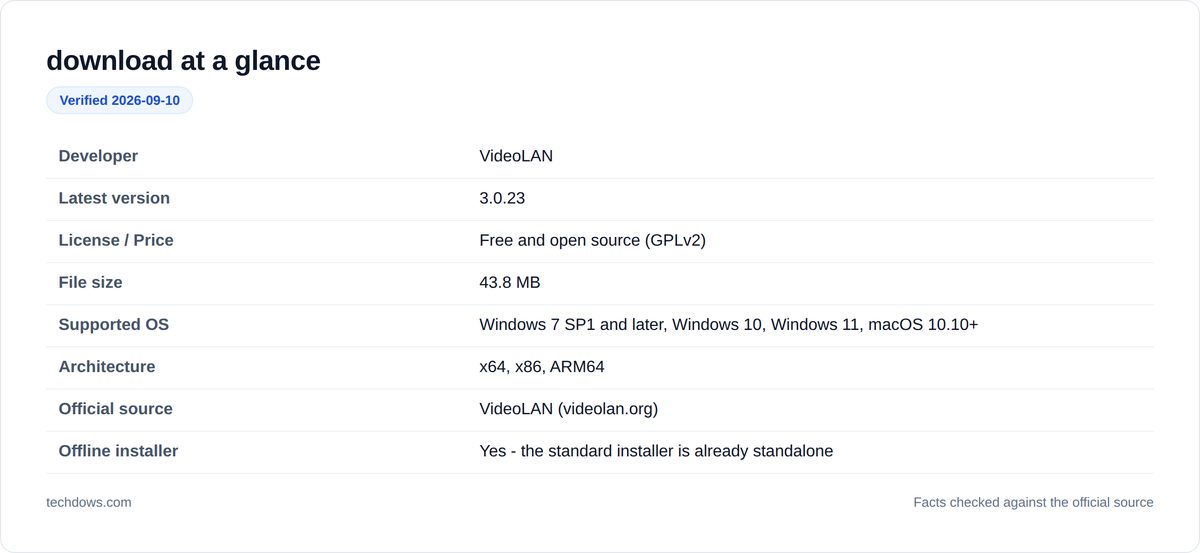
Which VLC download do you need?
Press Windows + I, open System → About and read the System type line. Match it below.
| Your PC | Download | Size |
|---|---|---|
| x64-based processor (most Intel and AMD PCs) | vlc-3.0.23-win64.exe | 43.8 MB |
| ARM-based processor (Snapdragon, Copilot+ PCs) | vlc-3.0.23-winarm64.exe | 36.9 MB |
| 32-bit Windows | vlc-3.0.23-win32.exe | 42.5 MB |
| Managed business PC (Group Policy, Intune) | vlc-3.0.23-win64.msi | 57.8 MB |
| You cannot or do not want to run Setup | vlc-3.0.23-win64.zip | 76.2 MB |
Windows 11 only runs on 64-bit processors, so the 32-bit build is for older Windows 10 and earlier machines.
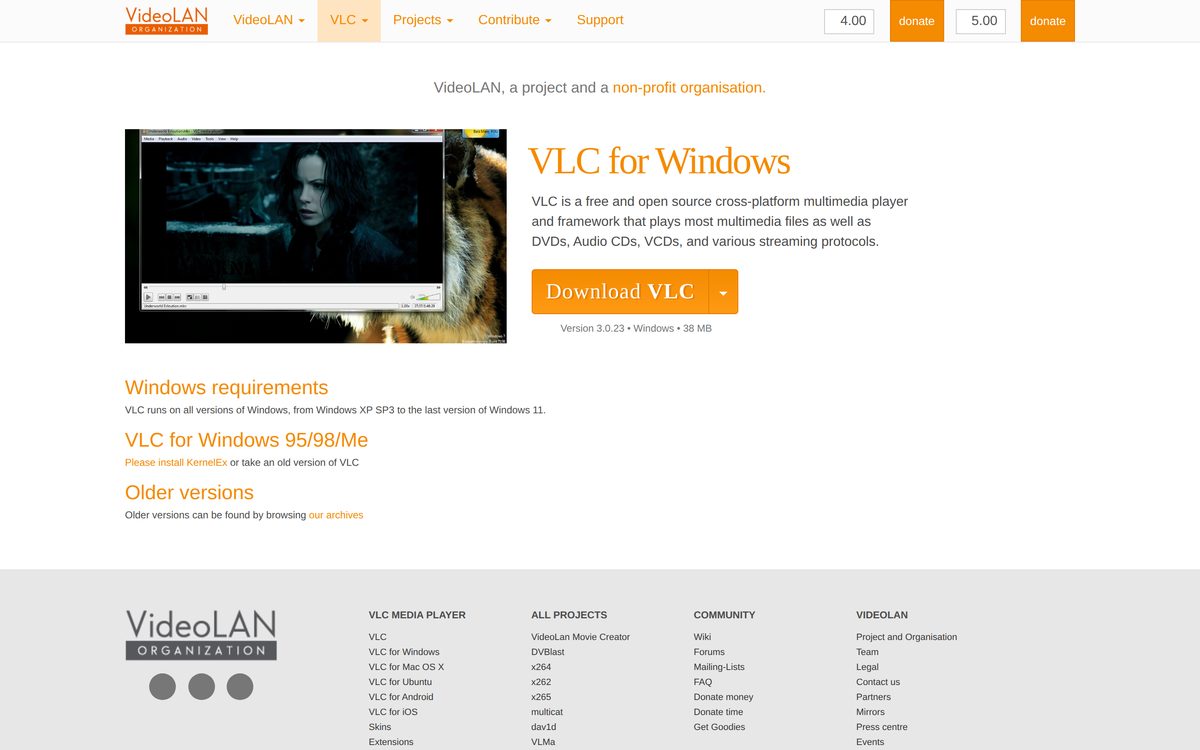
Download VLC for Windows 11 and Windows 10
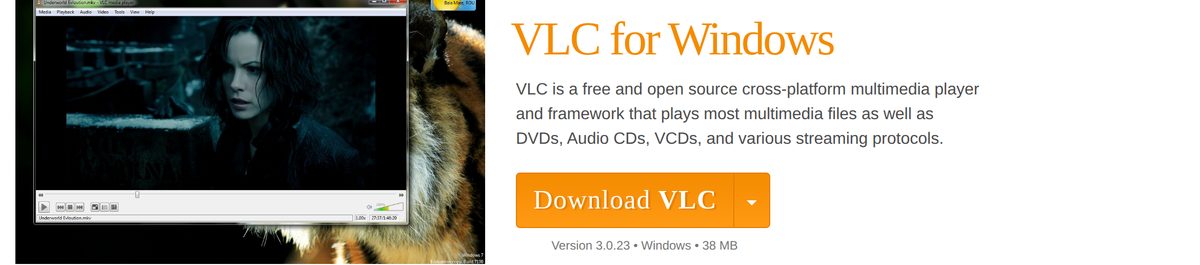
Download from VideoLAN. Portal sites wrap VLC in their own installer and sometimes bundle extra software.
- Official VLC download page — picks a build for you, with a dropdown for the rest
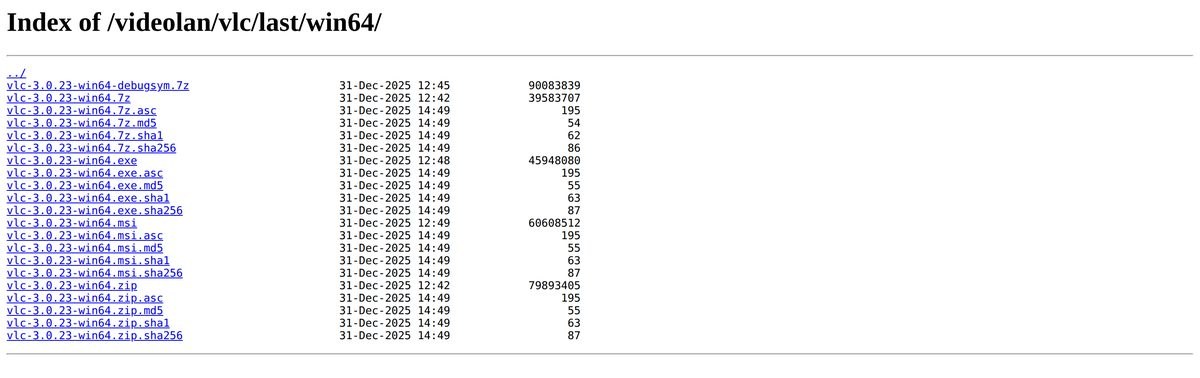
- All VLC 3.0.23 packages and checksums — every build with its exact size
The version at the top of the official page should read 3.0.23. If it does not, VideoLAN has published a newer release and the sizes below will have changed.
How to install VLC on Windows 11 and 10
- Run the installer you downloaded.
- Select Yes at the User Account Control prompt.
- Choose your language and click OK.
- Click Next, then accept the GPLv2 licence.
- Leave the default components selected unless you want to skip the browser plugin.
- Keep the default folder,
C:\Program Files\VideoLAN\VLC, and click Install. - Click Finish. VLC opens and is ready to play a file straight away.
Nothing is downloaded during setup, so this works on a PC with no internet connection.
How to verify the VLC installer is genuine
VideoLAN publishes an MD5, SHA-1 and SHA-256 file plus a GPG signature beside every package. Almost no download site shows you this, and it is the only way to know the file is the one VideoLAN built.
- Open the VLC 3.0.23 release directory.
- Click
vlc-3.0.23-win64.exe.sha256and copy the hash. - Open PowerShell in the folder holding your download.
- Run
Get-FileHash .\vlc-3.0.23-win64.exe -Algorithm SHA256. - Compare the two strings. They must match exactly.
A mismatch means the download was corrupted or the file did not come from VideoLAN. Delete it and download again.
Download the VLC MSI package for deployment
MSI packages are for rolling VLC out across managed machines with Group Policy, Intune or SCCM. For a single PC, use the standard installer instead.
| Build | File | Size |
|---|---|---|
| 64-bit x64 | vlc-3.0.23-win64.msi | 57.8 MB |
| 32-bit x86 | vlc-3.0.23-win32.msi | 56.2 MB |
| ARM64 | vlc-3.0.23-winarm64.msi | 49.2 MB |
Each MSI sits beside its own SHA-256 file in the release directory.
The package uses standard Windows Installer switches, so a silent install takes the usual msiexec /i vlc-3.0.23-win64.msi /qn form. Test the exact command on one machine before pushing it to a fleet.
Run VLC without installing it
The ZIP and 7z archives need no installation and no administrator rights, which makes them the version to carry to a locked-down work PC.
- Download vlc-3.0.23-win64.zip (76.2 MB), or the smaller 7z archive (37.7 MB) if you already have 7-Zip.
- Extract it to a folder or a USB stick.
- Open the extracted folder and run
vlc.exe.
Portable VLC keeps its settings in its own folder, so it leaves nothing behind on the host machine.
Which VLC download do you need for your Mac?
Open the Apple menu and select About This Mac. The Chip or Processor line tells you which build to take.
| Your Mac says | Download | Size |
|---|---|---|
| Apple M1, M2, M3 or M4 | vlc-3.0.23-arm64.dmg | 48.9 MB |
| Intel Core i5, i7 or i9 | vlc-3.0.23-intel64.dmg | 54.9 MB |
| Not sure, or setting up several Macs | vlc-3.0.23-universal.dmg | 85.0 MB |
The universal build contains both versions in one file, which is why it is 30 MB larger. It runs on either chip, so take it if you are unsure.
Open the DMG and drag VLC into Applications.
Is VLC free?
VLC is completely free, with no paid tier, no trial limit and no adverts. It is released by VideoLAN, a non-profit, under the GPLv2 licence. Every feature is available in the official build.
VideoLAN accepts donations on its own site and nothing in the player is gated behind them.
Any listing selling a "VLC Pro" licence, a lifetime key or an unlocked build is repackaging free software. So is any paid VLC in a mobile app store that is not published by VideoLAN.
VLC 3 or VLC 4: which should you install?
Install VLC 3.0.23. It is the current stable release and the only version on VideoLAN's main download page.
VLC 4 exists only as a development build, published separately from the stable download and marked unfinished. Those builds can crash and change behaviour between nightlies.
Take a VLC 4 build only if you are deliberately testing it and can afford it breaking. Everyone else should use the stable installer above.
How to check your VLC version and update it
Open VLC and select Help → About on Windows, or VLC media player → About VLC media player on a Mac. The version appears at the top of the panel.
- If the version is older than 3.0.23, download the current installer for your machine from the table above.
- Close VLC completely.
- Run the installer and keep the default install folder.
- Open VLC and check Help → About again.
You do not need to uninstall the old version first. Your preferences live in %APPDATA%\vlc on Windows, which the installer does not touch, so your settings and file associations survive the upgrade.
VLC system requirements
VLC is unusually light. VideoLAN states that it runs on every version of Windows from Windows XP SP3 to the current Windows 11.
| Requirement | Detail |
|---|---|
| Windows | Windows XP SP3 through Windows 11 |
| macOS | macOS 10.10 or later |
| Architecture | x64, x86 or ARM64 on Windows; Intel or Apple silicon on Mac |
| Disk space | About 200 MB installed |
| Memory | 512 MB is enough for standard-definition playback |
| Graphics | Hardware decoding needs a GPU driver supporting DXVA 2.0 |
4K playback is the one place an older machine struggles. If 4K stutters, the fix is usually enabling hardware decoding under Tools → Preferences → Input / Codecs.
What VLC can open
VLC bundles its own decoders, so you do not install codec packs. If a file will not play in Windows Media Player, VLC is the usual answer.
| Type | VLC handles |
|---|---|
| Video containers | MP4, MKV, AVI, MOV, 3GP, ASF/WMV, OGG/OGM, FLV, MXF, Real, Raw DV |
| Video codecs | H.264/MPEG-4 AVC, MPEG-1/2, MPEG-4 ASP, DivX, XviD, H.263, Theora, Dirac/VC-2, VP3/VP5/VP6, WMV 1/2/3, VC-1, Cinepak, MJPEG, DV, Real Video |
| Audio | MP3, AAC, Vorbis, FLAC, ALAC, WMA 1/2/3, AC3, E-AC-3, DTS, TrueHD, Speex, WavPack, APE, LPCM, MIDI |
| Discs | DVD-Video, Video CD, SVCD, Audio CD |
| Live sources | Webcams, capture devices, DVB satellite/cable/digital TV |
| Network | HTTP, FTP, MMS, UDP/RTP unicast and multicast, TCP/RTP |
Subtitles ride along with all of it, including SRT, ASS and embedded MKV tracks.
How to make VLC the default player on Windows 11
- Press Windows + I and open Apps → Default apps.
- Type
VLCin the search box and select VLC media player. - Click Set default to claim the file types VLC handles.
- To change one format only, scroll the list, click the extension such as
.mkv, and pick VLC media player.
Right-clicking a single file and choosing Open with → Choose another app → Always does the same job for that one format.
Fix VLC not installing or not playing
The installer will not run
Windows blocked the file because it came from another machine.
- Right-click the installer and select Properties.
- Tick Unblock at the bottom of the General tab.
- Click OK and run it again.
SmartScreen says "Windows protected your PC"
The installer has not built up reputation yet. This is normal for a fresh VLC release.
- Click More info.
- Check the publisher line reads VideoLAN.
- Click Run anyway. Do not turn SmartScreen off.
The download stops partway
The main mirror throttles under load.
- Download from the release directory instead, which serves the same files.
- Verify the SHA-256 afterwards using the steps above.
VLC installs but will not open
A broken preferences file from an earlier install.
- Close VLC.
- Delete the folder
%APPDATA%\vlc. - Start VLC again. It rebuilds its settings.
Video plays but there is no sound
The default DirectX audio output fails on some Realtek drivers.
- Open Tools → Preferences → Audio.
- Set the output module to Windows Audio Session API.
- Restart VLC.
4K video stutters
Hardware decoding is off, so the CPU is doing the work.
- Open Tools → Preferences, select All at the bottom left.
- Go to Input / Codecs → Video codecs → FFmpeg.
- Set Hardware decoding to Automatic.
- Restart VLC.
How to uninstall VLC from Windows
- Press Windows + I and open Apps → Installed apps.
- Find VLC media player, click the three dots and select Uninstall.
- Confirm, and let the uninstaller finish.
- To remove your settings too, delete
%APPDATA%\vlcafterwards.
Delete that folder before reinstalling if you are trying to fix a broken VLC — a fresh install on top keeps the old settings, including whatever was wrong with them.
Frequently asked questions
Is VLC Media Player free for Windows 11?
Yes. VLC is free and open-source software. Windows 11 users can download the x64 or ARM64 version without purchasing a license.
What is the official VLC download website?
The official VLC website is VideoLAN.org . Use VideoLAN’s download pages rather than third-party mirrors when possible.
Which VLC version should I download for Windows 11?
Choose VLC x64 if the PC has an Intel or AMD processor. Choose VLC ARM64 if it has an ARM processor such as Qualcomm Snapdragon.
Is VLC available for Windows 10 64-bit?
Yes. VideoLAN provides a dedicated 64-bit VLC installer for Windows. The same x64 build works on supported 64-bit Windows 10 and Windows 11 PCs.
Is there a VLC ARM64 download?
Yes. VideoLAN officially provides ARM64 EXE, MSI, ZIP, and 7-Zip packages for Windows.
Can I download VLC offline installer?
Yes. The standard VLC EXE and MSI packages contain the files required for installation. Once downloaded, you can move the installer to another compatible PC and install VLC without an internet connection.
Does VLC have an MSI installer?
Yes. VideoLAN provides MSI packages for Windows, including separate builds for 64-bit x64 and ARM64 systems.
Is there a portable VLC download?
VideoLAN provides ZIP and 7-Zip packages that can run after extraction without using the normal setup wizard. VLC can still save configuration data to the Windows user profile, so the ZIP build is not automatically a completely self-contained portable installation.
Can I download VLC for MacBook?
Yes. VideoLAN provides VLC for Intel Macs, Apple silicon Macs, and a Universal Binary supporting both architectures.
Which VLC should I download for an M1, M2, M3, or M4 Mac?
Choose the Apple Silicon version. VideoLAN’s ARM64 Mac package works with supported Macs using Apple M-series processors.
What is the VLC Universal Binary?
The Universal Binary contains both Intel and Apple silicon code in one Mac application. It is useful when the same installer needs to run across Macs with different processor architectures.
Can VLC play MKV files?
Yes. VLC supports MKV playback and includes decoders for many of the video and audio formats commonly stored inside MKV containers.
Can VLC play DVDs?
Yes. VLC supports DVD playback, although encrypted commercial discs can involve regional, encryption, or legal restrictions that depend on the disc and location.
Do I need to download codecs for VLC?
Usually no. VLC includes support for most common codecs and media formats, which is one of its main advantages over players that depend on separate codec packs.
Is VLC 4 available to download?
VideoLAN publishes VLC 4 nightly development builds, but the project identifies them as experimental and unstable. Use VLC 3.0.23 for a stable everyday installation unless you specifically want to test VLC 4.
Can VLC work without internet?
Yes. VLC can play local media files without an internet connection. Internet access is needed for online streams, update checks, and other network-based content.

![How to Get Help in Windows 11 [Fast]](https://techdows.com/wp-content/uploads/2026/10/How-to-Get-Help-in-Windows-11-Fast-600x338.jpg)
How To Download And Install QuickTime Player In Windows 11 - Techdows
[…] play a .mov file on Windows 11, open it in the built-in Media Player app or in VLC instead. This guide explains what Apple still documents, how to remove an old copy, and how to […]
TS file (what it is & how to open one) - Techdows
[…] a video saved in the MPEG-2 transport stream format, and the most reliable way to open one is the free VLC media player on Windows, macOS or […]