No, you cannot send Apple Pay money directly to an Android phone, because Apple Cash only works in Wallet and Messages on Apple devices.
The workaround is to transfer your Apple Cash balance to a US bank account or debit card, then pay the Android user from a service you both use. This guide covers the steps, fees, limits and common transfer problems.
How to get Apple Cash money to an Android user
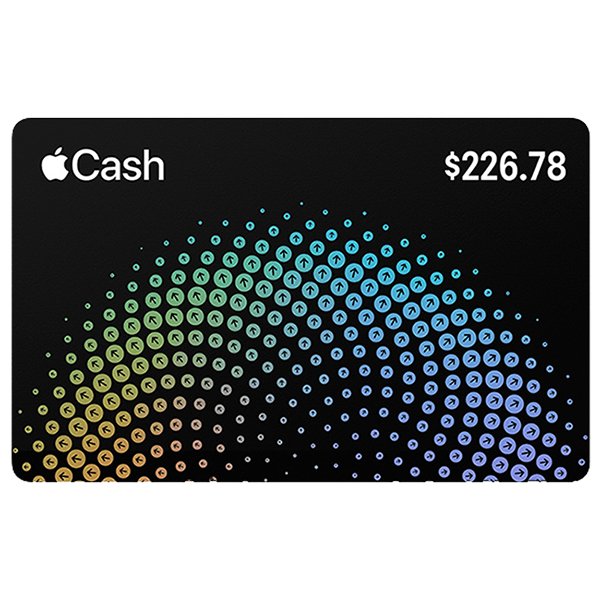
The money people call Apple Pay money is your Apple Cash balance. Move it out of Apple Cash first, because an Android phone cannot accept an Apple Cash payment.
- Open the Wallet app on your iPhone and tap your Apple Cash card.
- Tap the More button, then tap Transfer to Bank.
- Enter the amount, tap the checkmark, then tap Continue.
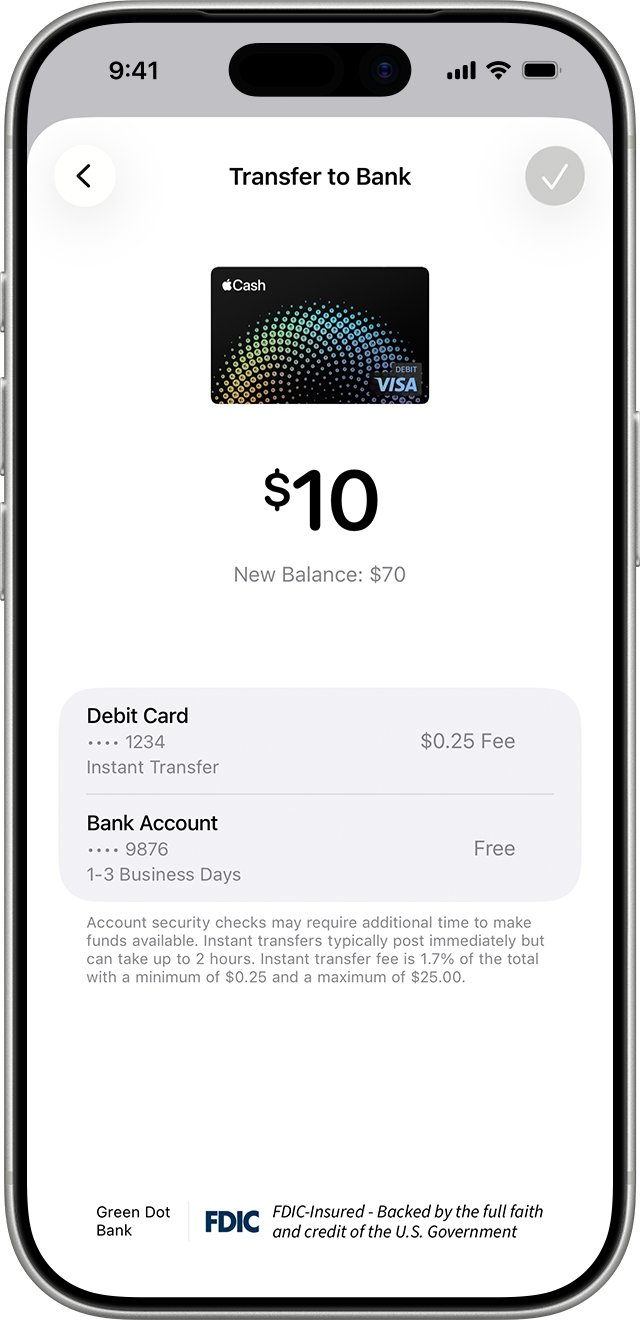
- Choose Instant Transfer for a debit card or 1-3 Business Days for a bank account, then tap Done.
- Double-click the side button and confirm with Face ID, Touch ID or your passcode.
- Once the money lands, send it to the Android user from a payment service you both use, such as your bank's transfer feature, PayPal, Venmo, Cash App or Zelle.
Why Apple Pay money cannot be sent to an Android phone
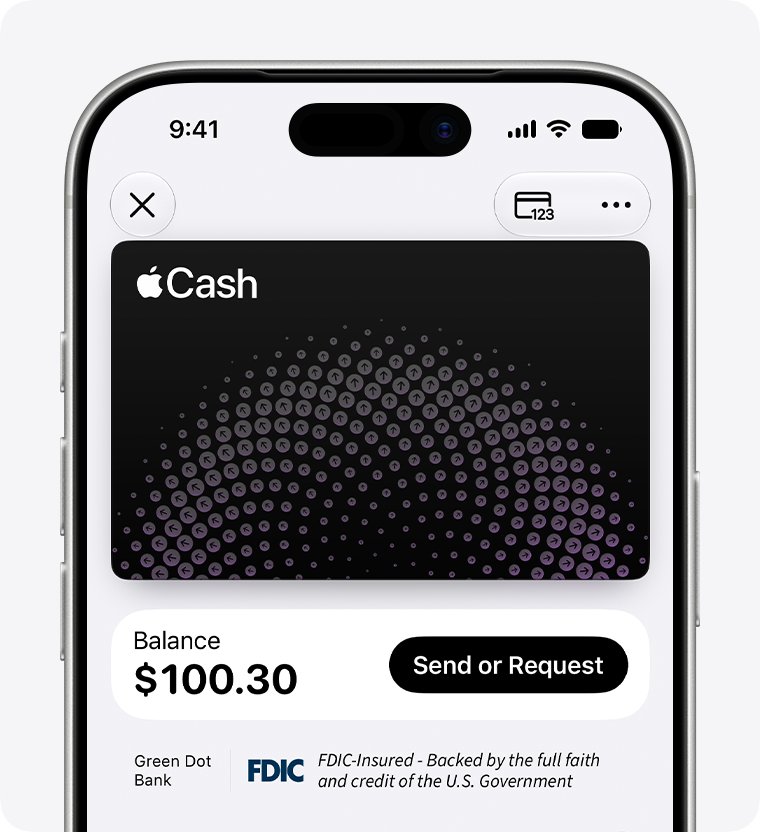
Apple Pay itself holds no money; it passes payments to the cards in your Wallet. The balance you can send to people is Apple Cash, and its requirements tie both sides to Apple hardware.
| Apple Cash requirement | What it means for an Android user |
|---|---|
| A compatible Apple device on the latest iOS, iPadOS, watchOS or visionOS | An Android phone cannot run Wallet or Apple Cash; it uses Google Wallet for tap to pay instead |
| Signed in with an Apple Account that uses two-factor authentication | The recipient needs an Apple Account on an Apple device |
| Payments are sent from Messages or Wallet | Messages to an Android number cannot carry an Apple Cash payment |
| Age 18 or older and a US resident | Even on an iPhone, recipients outside the US cannot receive Apple Cash |
| Recipient taps Accept to set up Apple Cash | Setup happens in Wallet, which exists only on Apple devices |
Apple Cash transfer options: bank, debit card or another Apple user
| Your situation | Use this | Why |
|---|---|---|
| Recipient has an Android phone and needs the money today | Instant Transfer to your debit card, then pay them | Arrives within about 30 minutes for a 1.7% fee |
| Recipient has an Android phone and can wait | 1-3 Business Days to your bank, then pay them | No fee; most transfers finish within 1 to 3 business days |
| Recipient has an iPhone with Apple Cash | Send in Messages or Wallet | Free and stays inside Apple Cash |
| You want to pay the Android user directly from your card | Use a payment app both of you have, funded by your bank or debit card | Skips Apple Cash entirely |
Transfer money from Apple Pay to a bank account
Bank transfers are free and need a US bank account, which you add with its routing and account numbers the first time.
- Open Wallet and tap your Apple Cash card.
- Tap More > Transfer to Bank.
- Type the amount; the minimum is $1, or your full balance if it is under $1.
- Tap the checkmark, then tap Continue.
- Choose 1-3 Business Days and add your bank's routing and account numbers if asked.
- Tap Done, then double-click the side button to confirm.
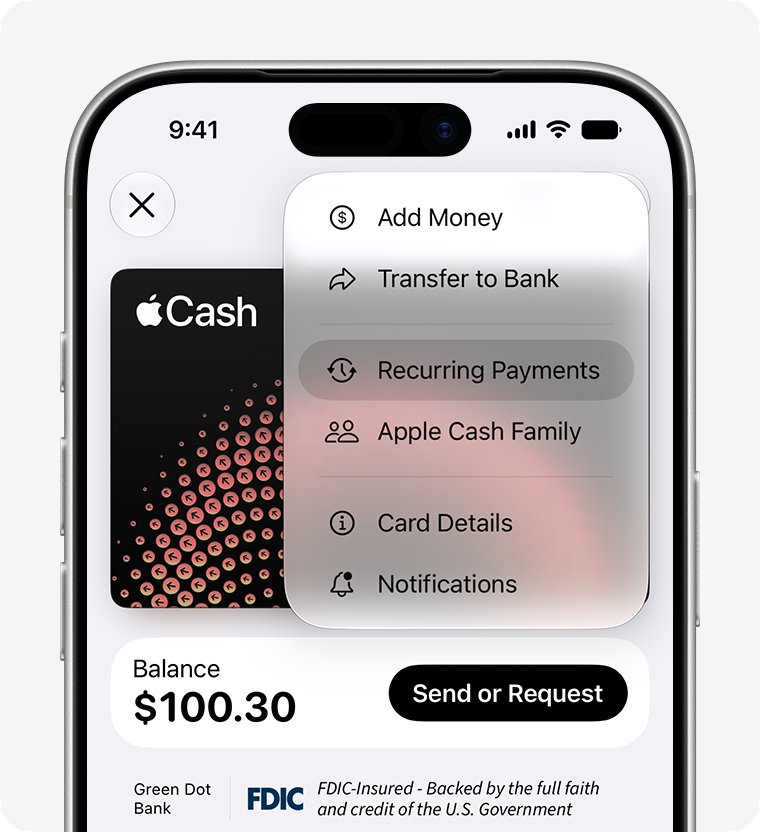
Transfer money from Apple Pay to a debit card with Instant Transfer
Instant Transfer sends Apple Cash to an eligible US-issued debit card. Apple says it should arrive immediately but can take up to 30 minutes.
- Open Wallet, tap Apple Cash, then tap More > Transfer to Bank.
- Enter the amount, tap the checkmark and tap Continue.
- Choose Instant Transfer and pick an eligible debit card.
- Review the fee shown, tap Done and confirm with the side button.
How to send money with Apple Pay to another iPhone user
If the person also has an iPhone set up for Apple Cash, there is no need to go through a bank.
- Open the conversation with that person in Messages.
- Tap the plus icon and choose Apple Cash.
- Enter the amount and tap Send; add a comment if you want one.
- Double-click the side button and confirm with Face ID, Touch ID or your passcode.
From Wallet instead, tap the Apple Cash card, tap Send or Request, pick a contact, enter the amount, tap Next and then Send.
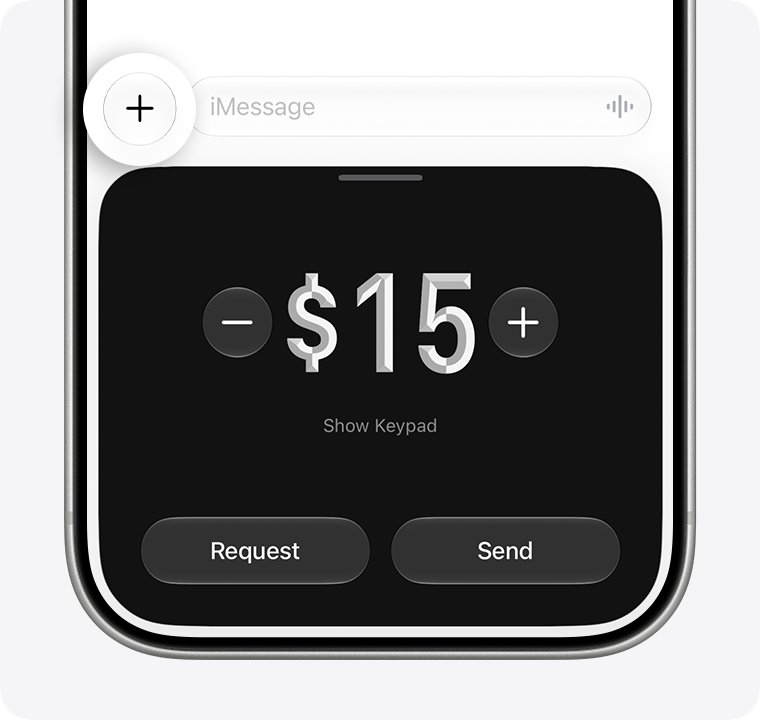
How to add money to Apple Pay (Apple Cash)
You can top up Apple Cash only from a debit or prepaid card already in Wallet. Credit cards and gift cards are not accepted.
- Open Wallet and tap your Apple Cash card.
- Tap More, then tap Add Money.
- Enter at least $10.
- Tap the checkmark and approve with Face ID, Touch ID or your passcode.
Card Details also has an auto reload option that tops up your balance when it drops below an amount you set.
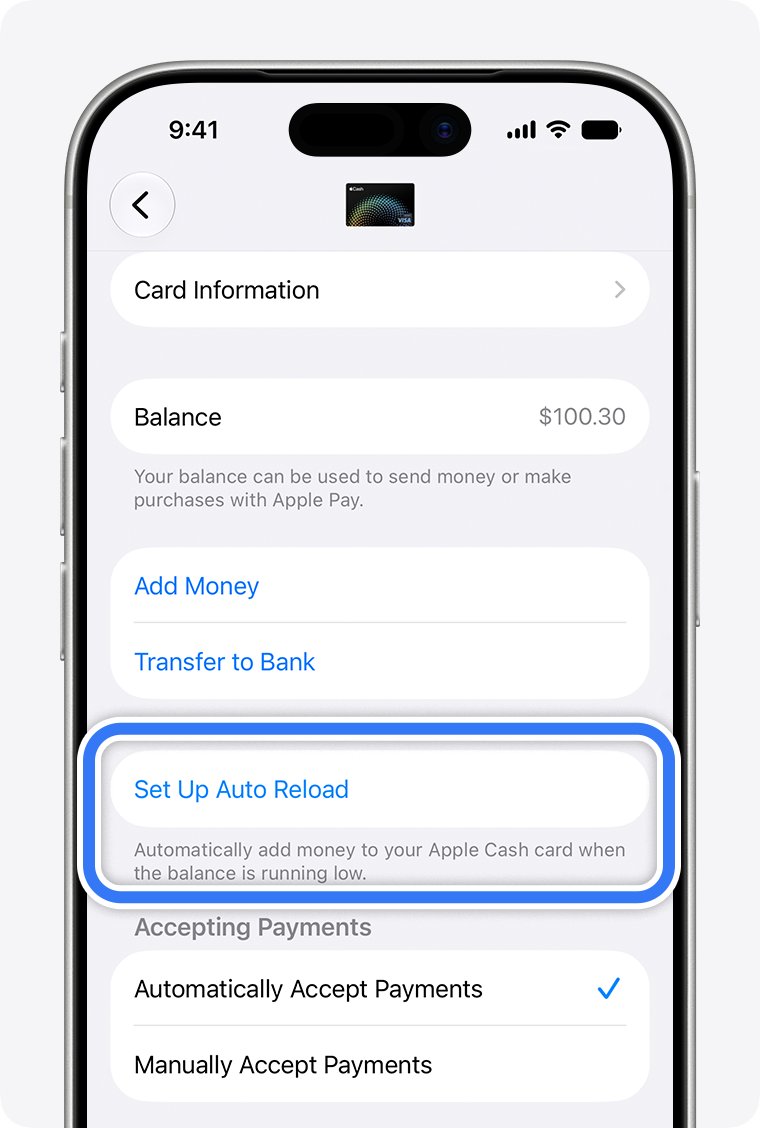
Apple Cash transfer limits and fees
| Action | Limit | Fee |
|---|---|---|
| Send or receive in Messages or Wallet | $1 to $10,000 per message; $10,000 per 7 days | None |
| Tap to Cash or Apple Cash Family | $1 to $2,000 per message; $2,000 per 7 days | None |
| Add money from a debit or prepaid card | $10 to $10,000 per transaction; $10,000 per 7 days | None listed by Apple |
| Transfer to bank (1-3 business days) | $1 to $10,000 per transfer; $20,000 per 7 days | None |
| Instant Transfer to debit card | Same limits as bank transfers; the fee is not counted | 1.7%, minimum $0.25, maximum $25 |
| Apple Cash balance | Up to $20,000 after identity verification | None |
Apple Cash transfer not working: fixes
The Android user never received the Apple Cash payment
Apple Cash payments need an Apple device with Apple Cash on the receiving end.
- Open the payment in Latest Transactions on your Apple Cash card.
- Cancel it if it is still pending and has not been accepted.
- Transfer the money to your bank and pay the person from a service they use.
Instant Transfer option is missing or your card is refused
Instant Transfer works only with an eligible US-issued debit card.
- Check that the card is a debit card issued in the US, not a credit or prepaid card.
- Choose 1-3 Business Days to send the money to your bank instead.
Transfer to bank is blocked or over the limit
Transfers are capped at $10,000 each and $20,000 in a rolling seven-day period.
- Split the amount into transfers under $10,000.
- Wait for the seven-day window to roll forward if you have moved $20,000 already.
- Complete identity verification if Wallet asks for it.
Received money is not available yet
Apple says security checks can add time before funds are available.
- Check the payment status in Latest Transactions.
- Accept manual payments within 7 days, or they are not added.
- Contact Apple Pay support if the hold does not clear.
If Apple Pay itself fails at the checkout terminal rather than during a transfer, work through these Apple Pay troubleshooting fixes.
Apple Pay money to Android FAQ
Can I transfer money from Apple Pay to a bank?
Yes. In Wallet, tap your Apple Cash card, tap More, then Transfer to Bank. Choose 1-3 Business Days for a free transfer to a US bank account, or Instant Transfer to an eligible US debit card for a 1.7% fee.
Can I transfer money from Apple Pay to Venmo?
Apple Cash has no direct transfer to Venmo. Its only cash-out options are a US bank account or an eligible debit card. Move the money to your bank first, then fund Venmo or pay the person from that bank account.
Can I transfer money from Apple Pay to PayPal?
Not directly. Apple Cash transfers out only to a US bank account or an eligible US debit card. Send the balance to your bank with Transfer to Bank, then use that bank account with PayPal.
Can I transfer money with Apple Pay?
Yes, to other people who use Apple Cash on an Apple device. Send from a Messages conversation with the plus icon and Apple Cash, or from the Apple Cash card in Wallet. Sending, receiving and requesting money carry no fee.
How do I transfer cash to Apple Pay?
Open Wallet, tap your Apple Cash card, tap More, then Add Money, and enter at least $10. Funds come from a debit or prepaid card already in Wallet; credit cards and gift cards cannot be used.
How much money can I transfer to my Apple Pay?
You can add $10 to $10,000 per transaction and up to $10,000 in seven days. Your Apple Cash balance can reach $20,000 after identity verification. Apple Cash Family members have lower caps of $2,000 per transaction and a $4,000 balance.
Does Apple Pay charge to transfer money?
Sending, receiving and requesting Apple Cash is free, and so is a standard bank transfer. Only Instant Transfer to a debit card has a fee: 1.7% of the amount, with a $0.25 minimum and a $25 maximum.
Can I transfer money from Apple Pay to Cash App?
There is no direct Apple Cash to Cash App transfer. Move your Apple Cash balance to your bank or eligible debit card with Transfer to Bank, then add the money to Cash App from that account.
How long does an Apple Cash transfer to a bank take?
Most standard transfers to a bank account complete within 1 to 3 business days. Instant Transfer to an eligible debit card should arrive immediately but can take up to 30 minutes.
Bottom line: the best way to pay an Android user from Apple Cash
Transfer your Apple Cash balance to your bank with the free 1-3 business day option, then pay the Android user from a payment service you both use; use Instant Transfer only when the money is needed the same day. Apple Cash cannot reach an Android phone at all, bank transfers carry no fee, and Instant Transfer costs 1.7% up to $25 per transfer.