A @me.com address is all three at once: an iCloud Mail email address, part of your iCloud account, and a valid sign-in for your Apple ID, which Apple now calls your Apple Account.
This guide shows how the three fit together, how to find which email your Apple ID uses, how to sign in with a me.com address, and what to do when that sign-in fails.
Is me.com an Apple email?
Yes. Apple owns the me.com domain, and iCloud Mail still treats @me.com, @mac.com and @icloud.com addresses as its own. Match your question to a row below.
| Your question | Answer for a @me.com address | Why |
|---|---|---|
| Is it an email address? | Yes, a working iCloud Mail address | iCloud Mail lists @me.com beside @icloud.com and @mac.com as existing iCloud Mail addresses |
| Is it my Apple ID? | Yes, if it is on your Apple Account | Any email address on file for an Apple Account can be used to sign in |
| Is it an iCloud account? | It is the mail address of one | iCloud is a service you reach with your Apple Account; the me.com address is that account's iCloud Mail |
| Is it a separate account from my Apple ID? | No | There is one Apple Account; iCloud, the App Store and iMessage all sit on it |
| Can I create a new one? | No | New iCloud Mail addresses and aliases end in @icloud.com |
The short version: one Apple Account, one iCloud Mail inbox, and the @me.com address is a name that points at both.
Is an Apple ID an email address?
Not exactly. An Apple ID is an account, and an email address or phone number is the name you sign in with. Apple renamed Apple ID to Apple Account, and the same email address or phone number and password still work.
| Term | What it is | How @me.com fits |
|---|---|---|
| Apple ID / Apple Account | The account behind the App Store, Apple Music, iCloud, iMessage, FaceTime, Find My and other Apple services | The account the me.com address belongs to |
| Primary email address | The address that receives Apple's emails and shows to others when you collaborate in iCloud | Often the me.com address on accounts from the MobileMe era |
| Other sign-in addresses | Every other email address or phone number on file for the account | A me.com address works here even when another address is primary |
| iCloud account | Your Apple Account's storage, Photos, Drive, Mail and backups | Not a second login; it uses the same Apple Account |
| iCloud Mail address | The @icloud.com, @me.com or @mac.com inbox that comes with iCloud | This is what a @me.com address is |
Because iCloud and the Apple ID are one account, the difference between iCloud and Apple ID is mostly one of naming, not of separate logins.
How to find Apple ID email on iPhone or iPad
This shows every address that signs in to your Apple Account, so you can see whether your me.com address is one of them.
- Open Settings on your iPhone or iPad.
- Tap your name at the top.
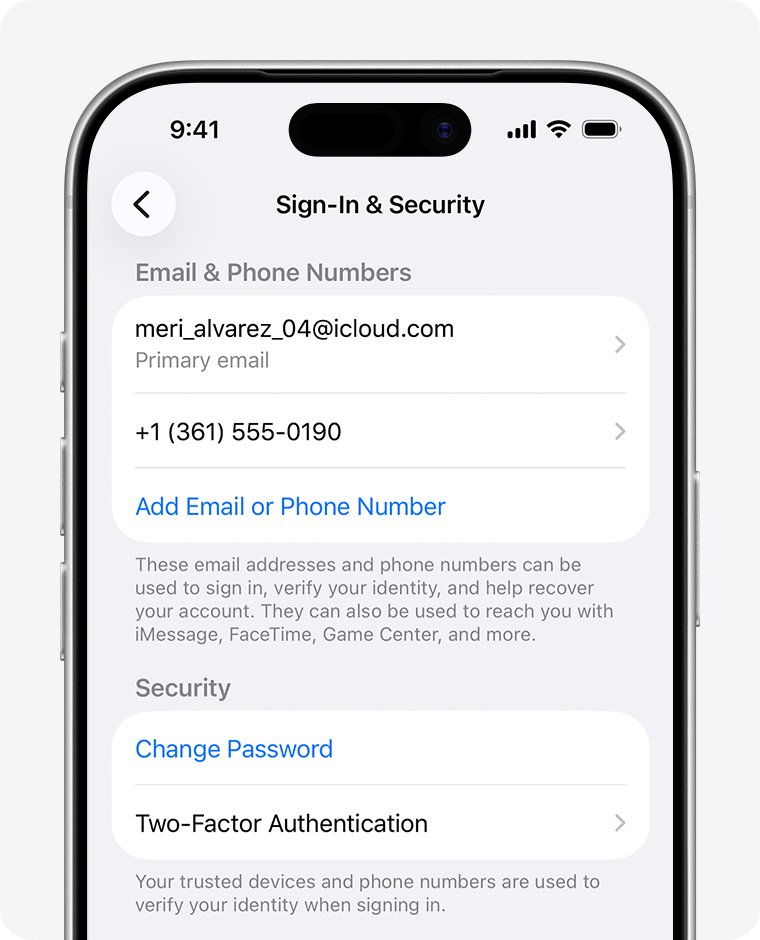
- Tap Sign-In & Security.
- Read the email addresses and phone numbers listed there. Each one signs in to the same Apple Account.
- Tap an address to see whether it is marked as the Primary Email.
If your @me.com address appears in this list, it is your Apple ID sign-in as well as your iCloud Mail address.
How to find Apple ID email address on a Mac or Windows PC
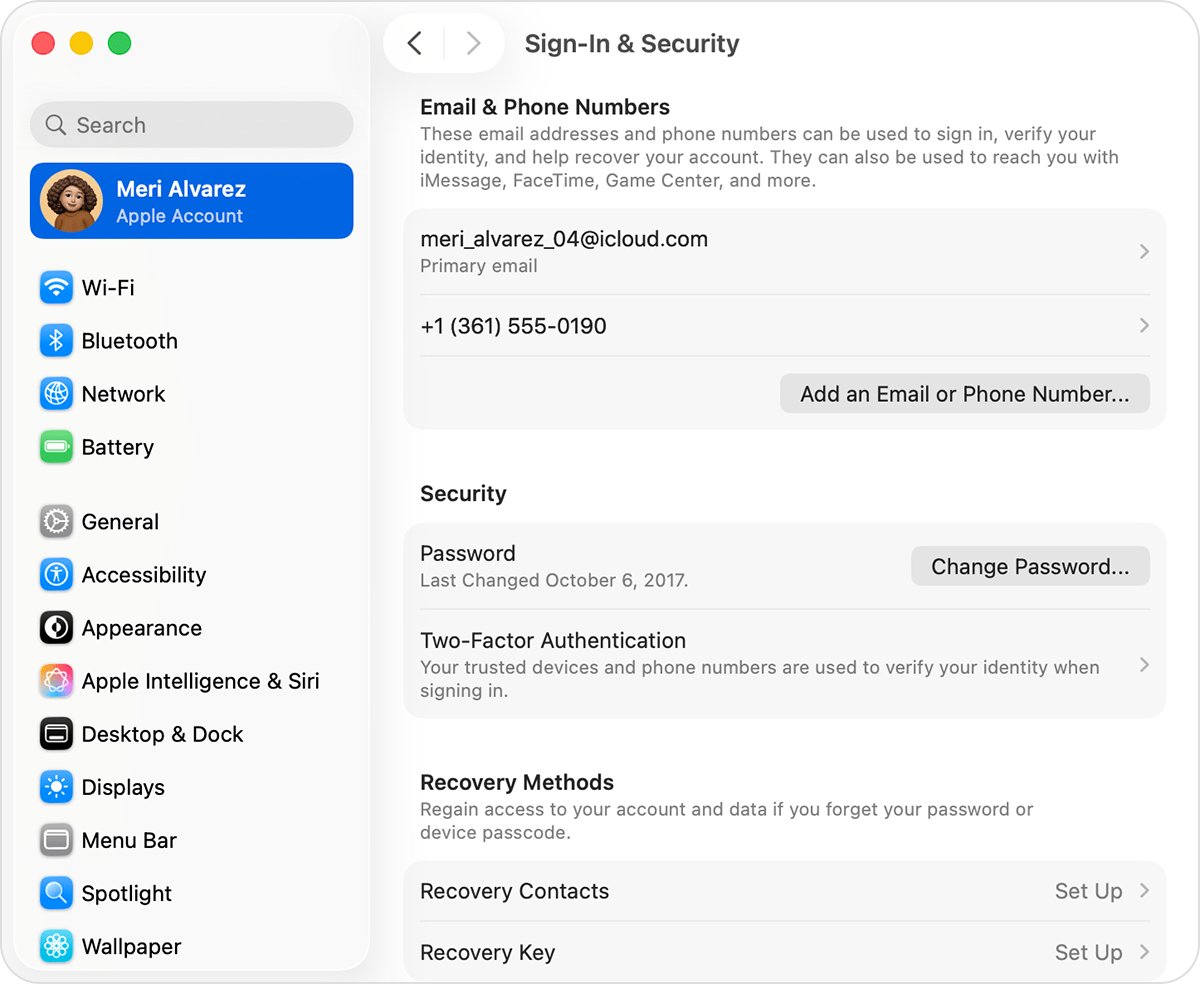
- On a Mac, choose Apple menu > System Settings.
- Click your name at the top of the sidebar, then click Sign-In & Security to see every email address and phone number that signs in.
- On a Windows PC, open iCloud for Windows and read the primary email address or phone number shown under your name.
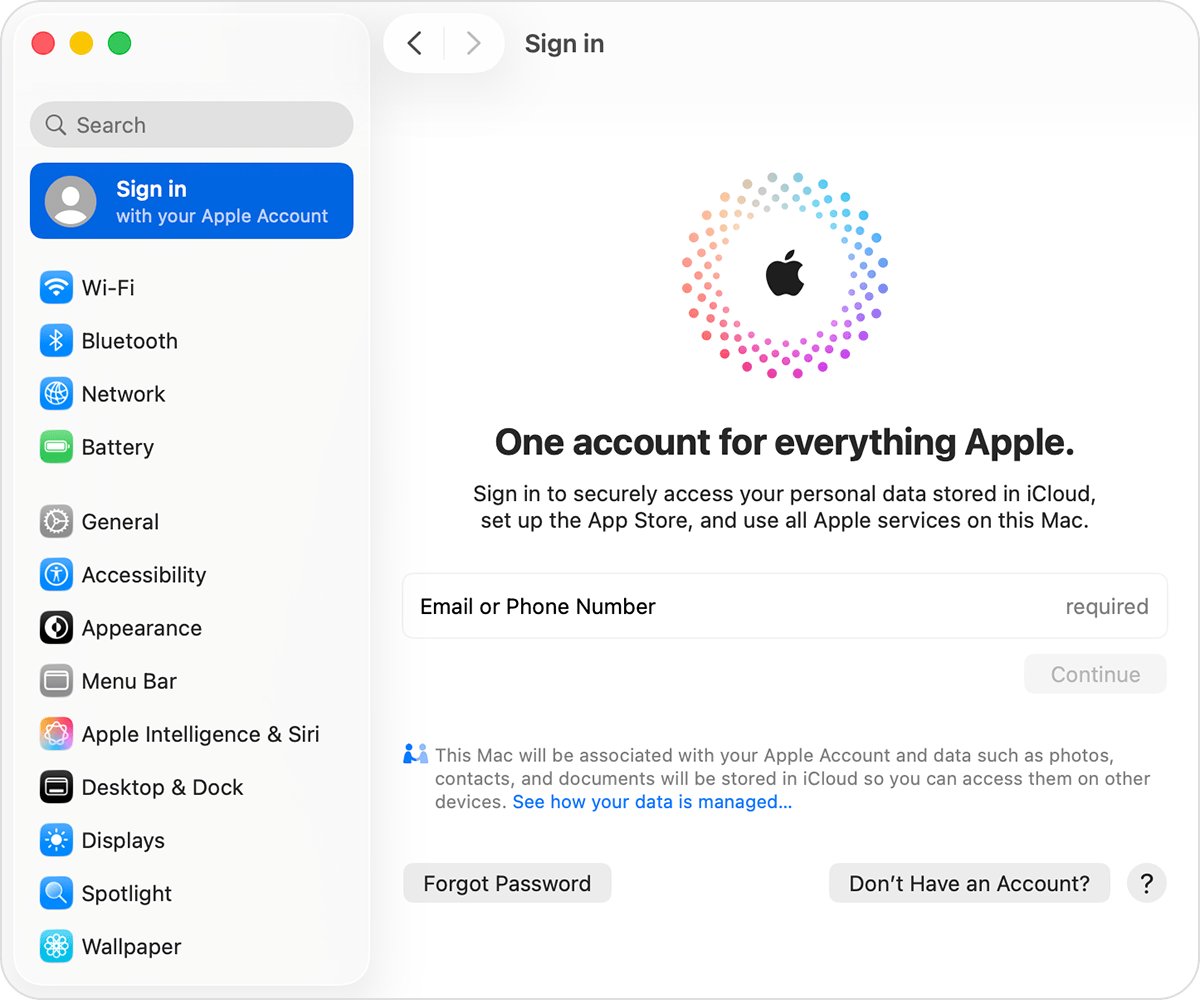
- On any browser, go to account.apple.com and check whether the sign-in screen remembers your Apple Account email address or phone number.
Still not sure? Check whether you are signed in to the App Store, FaceTime or Messages on an Apple device, or ask a Family Sharing organizer to look up your account in their Family Sharing settings.
What is my Apple ID email if I only see j*****@icloud.com?
Apple masks addresses on some screens and in some emails. A masked address such as j*@icloud.com may not have the same number of characters as the real one, so do not count the asterisks.
| Where to look | What you find there |
|---|---|
| Apple receipts in your inbox | The primary email address of the account that made the purchase |
| Apple repair, support and billing emails | The Apple Account primary email address in the body of the message |
| Sign-In & Security on a signed-in device | The full, unmasked list of sign-in addresses |
| account.apple.com sign-in screen | A remembered address, if this browser has signed in before |
A masked hint that ends in a different domain, such as @m—–.com, points to another address on file, and you can identify a masked Apple Account email the same way.
me.com vs icloud.com email addresses
Apple launched me.com with MobileMe, then moved MobileMe Mail into iCloud in 2011 with the push mail account still hosted at me.com. The domains differ in age, not in what they do.
| Question | @me.com | @icloud.com |
|---|---|---|
| Who has one | Accounts from the MobileMe era | Every primary iCloud Mail address Apple creates now |
| Works as an Apple ID sign-in | Yes, when it is on the account | Yes; Apple says an @icloud.com address signs in to iCloud.com and your devices |
| Mail servers | imap.mail.me.com and smtp.mail.me.com | The same servers |
| Can you get a new one | No | Yes, more than three characters and not already taken |
| Can you rename it later | No; add an alias instead | No; add an alias instead |
A me.com address that still receives mail is worth keeping, since Apple no longer hands them out. You can check that your me.com address is still active from iCloud Mail settings on the web.
Is my email my Apple ID?
Your Apple ID can be a me.com address, any other email such as Gmail or Outlook, or a phone number. Find your own case below.
| Your situation | What signs in to your Apple Account | What to do |
|---|---|---|
| You created the account with a Gmail or Outlook address | That address, plus any iCloud address you added later | Sign in with either; keep the non-Apple address reachable for recovery |
| You tapped "Don't have an email address?" during setup | The free iCloud email address Apple created | Use the @icloud.com address as your Apple ID |
| Your account dates from MobileMe | The @me.com address, plus any other address added since | Use the me.com address or any other one listed in Sign-In & Security |
| Your account uses a phone number | The phone number | Add an email address later to make sign-in and recovery easier |
| You have several Apple Accounts | Each account's own addresses only | Check Sign-In & Security on each device to see which account it uses |
Apple email me.com login on iCloud.com
Signing in with the me.com address opens the same account you reach with your other Apple ID addresses.
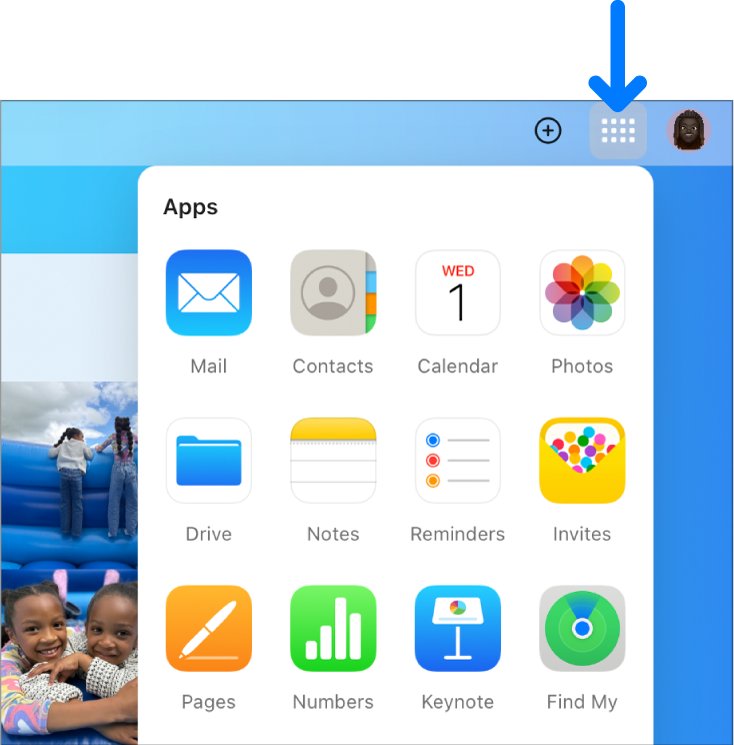
- Go to icloud.com/mail in a web browser.
- Enter your @me.com address, or any other email or phone number on the account.
- Enter your Apple Account password.
- Enter the six-digit verification code sent to your trusted device or phone number.
- Read your mail in the inbox that opens. If you see Create Email Address instead, this Apple Account has no iCloud Mail address yet.
Outlook 2021 or later on Windows authorizes iCloud Mail with your Apple Account. Older or third-party email apps need an app-specific password and the server name imap.mail.me.com, not your normal Apple Account password.
Can you remove @me.com from an Apple ID?
It depends on whether the me.com address is the only email on the account.
| Your account | What you can do | Where |
|---|---|---|
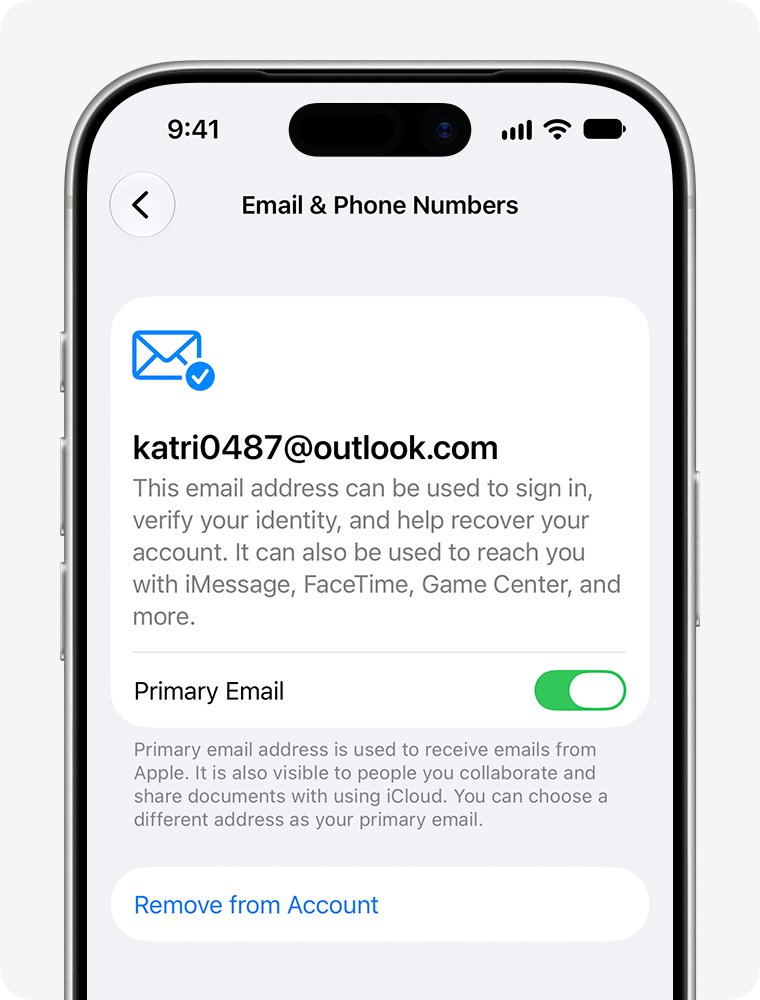
| Has another email address too | Turn off Primary Email so the other address becomes primary, while me.com stays on the account | Settings > your name > Sign-In & Security > tap the address |
| Has only the me.com address | Choose Change Email Address to replace it; your iCloud Mail and existing messages stay | iOS 18.1, iPadOS 18.1 or macOS 26.4 and later |
| No trusted device | Change the primary email on the web | account.apple.com > Sign-In and Security > Email & Phone Numbers |
There is no Remove from Account option for an account whose only email is an iCloud address. Changing the primary email keeps your contacts, purchases and account data.
If you want to stop using the mailbox altogether, delete the iCloud email address only after you move your sign-in to another address.
Apple ID email sign in not working
You don't know which email is your Apple ID
The account has several addresses, or you created it with an address you rarely use.
- Try each email address or phone number you use for Apple services; any one on file signs in.
- Open Settings > your name > Sign-In & Security on a signed-in device to see the full list.
- Search your inbox for Apple receipts or support emails that show the primary address.
The me.com address is rejected at sign-in
The address belongs to a different Apple Account, or it was changed to a new iCloud address.
- Sign in with another address or phone number you know is on your account.
- Check Sign-In & Security for the current list of addresses.
- If the me.com address is missing from the list, use the addresses shown there instead.
You know the email but forgot the password
The password, not the address, is the problem.
- Select Forgot password? on the sign-in screen and follow the onscreen instructions.
- Use a trusted device or your trusted phone number when asked.
- If neither is available, start account recovery at iforgot.apple.com and expect a wait of several days or more.
An email app rejects your me.com password
Third-party email apps need an app-specific password, not the Apple Account password.
- Generate an app-specific password from your Apple Account.
- Enter it as the password in the email app.
- Use imap.mail.me.com on port 993 and smtp.mail.me.com on port 587.
If another app rejects the iCloud Mail password rather than the Apple ID itself, reset the iCloud email password for that app.
me.com Apple ID and iCloud email FAQ
Is me.com an Apple email?
Yes. Apple owns the me.com domain, and iCloud Mail treats @me.com addresses the same way as @icloud.com and @mac.com addresses. A me.com address receives mail in your iCloud Mail inbox on iCloud.com, iPhone, iPad and Mac.
Is your Apple ID an email?
Usually. Your Apple ID, now called Apple Account, is the account itself, and you sign in to it with an email address or phone number. Any email address on file for the account, including a me.com address, works as the sign-in name.
Is my email my Apple ID?
It is if that address is on your Apple Account. Open Settings, tap your name, then tap Sign-In & Security to see every email address and phone number that signs in to the account.
Is me.com a personal email?
Yes. A me.com address is a personal iCloud Mail address tied to one person's Apple Account. Apple stopped issuing new me.com addresses, so new iCloud Mail users get an @icloud.com address instead.
What email is me.com?
It is Apple's iCloud Mail, originally launched as MobileMe Mail. When iCloud replaced MobileMe in 2011, the push mail account stayed hosted at me.com, and iCloud Mail's servers are still imap.mail.me.com and smtp.mail.me.com.
What is an Apple ID email?
It is the email address you use to sign in to your Apple Account. The primary one receives Apple's emails and shows to people you collaborate with in iCloud. It can be an Apple address such as @me.com or a non-Apple address such as Gmail.
How do I find my Apple ID email address?
On iPhone or iPad, go to Settings, tap your name, then tap Sign-In & Security. On a Mac, use System Settings and the same menu. On a Windows PC, open iCloud for Windows and read the address under your name.
How do I get an Apple ID email?
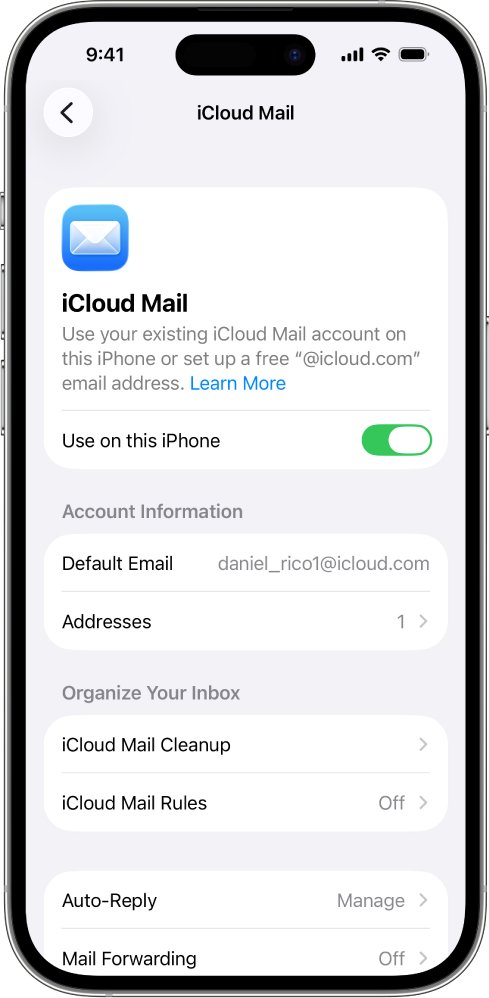
Create one when you set up a device or create an Apple Account. Tap "Don't have an email address?" to get a free iCloud email address, or turn on iCloud Mail later on an existing account to create a primary @icloud.com address.
How do I access an Apple ID email?
Go to icloud.com/mail and sign in with your Apple Account, or turn on iCloud Mail in Settings on iPhone, iPad or Mac. If the Apple ID email is a Gmail or Outlook address, open it in that provider's own mail app or website.
Can I use my me.com email to sign in to iCloud?
Yes, if the address is on your Apple Account. Enter it on iCloud.com or in device settings with your Apple Account password, then enter the verification code if asked.