An Apple Cash transfer that never arrived is usually still pending: a person-to-person payment waits up to 7 days for the receiver to tap Accept, a bank transfer takes 1 to 3 business days, and an Instant Transfer can take up to 30 minutes.
This guide shows how to find the transfer status in Wallet, fix each reason money does not arrive, cancel a payment that is still pending, and when to contact an Apple Cash Specialist at Green Dot Bank.
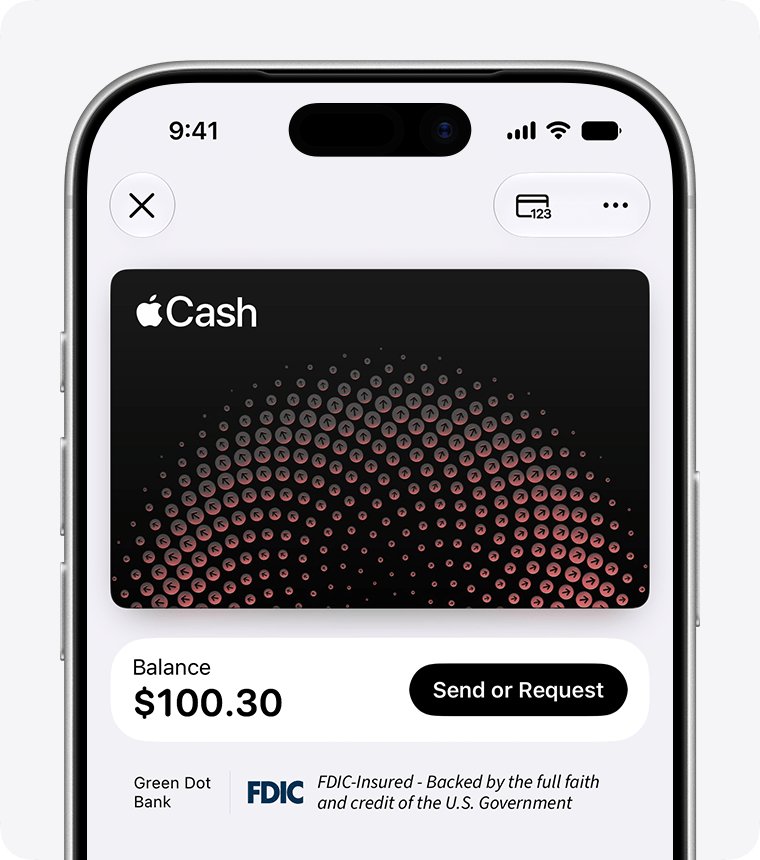
Check Apple Cash transfer status in Wallet
The status line on the transaction tells you which fix applies. Check it on the sender's iPhone first.
- Open the Wallet app on your iPhone.
- Tap your Apple Cash card.
- Find the payment or transfer under Latest Transactions.
- Tap the transaction, then tap it again to open its details.
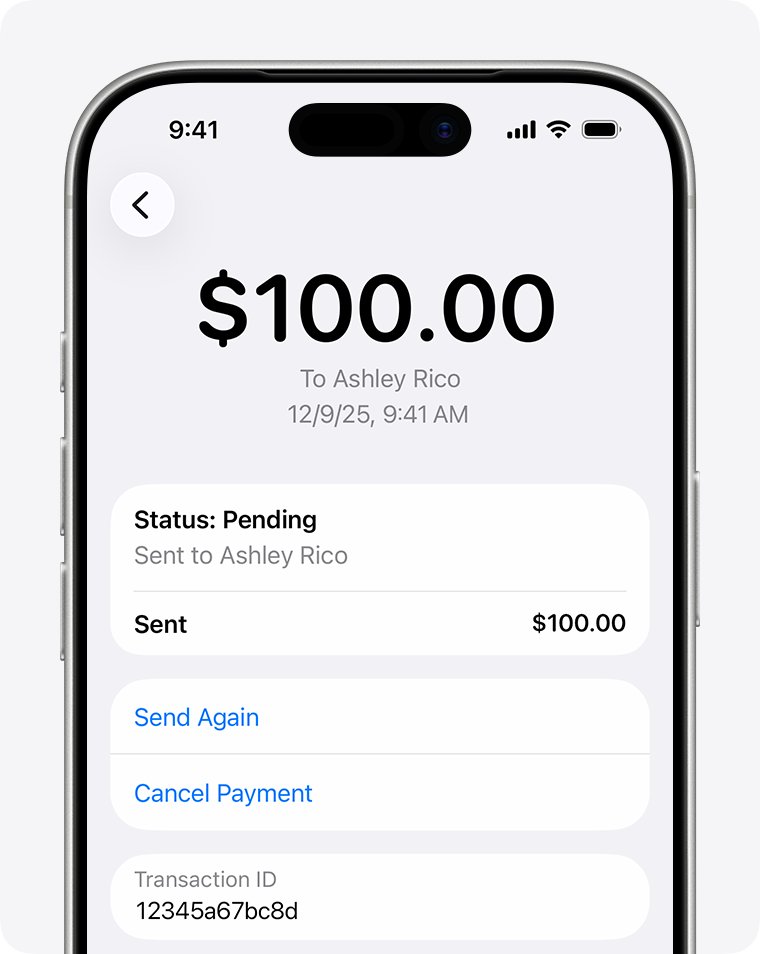
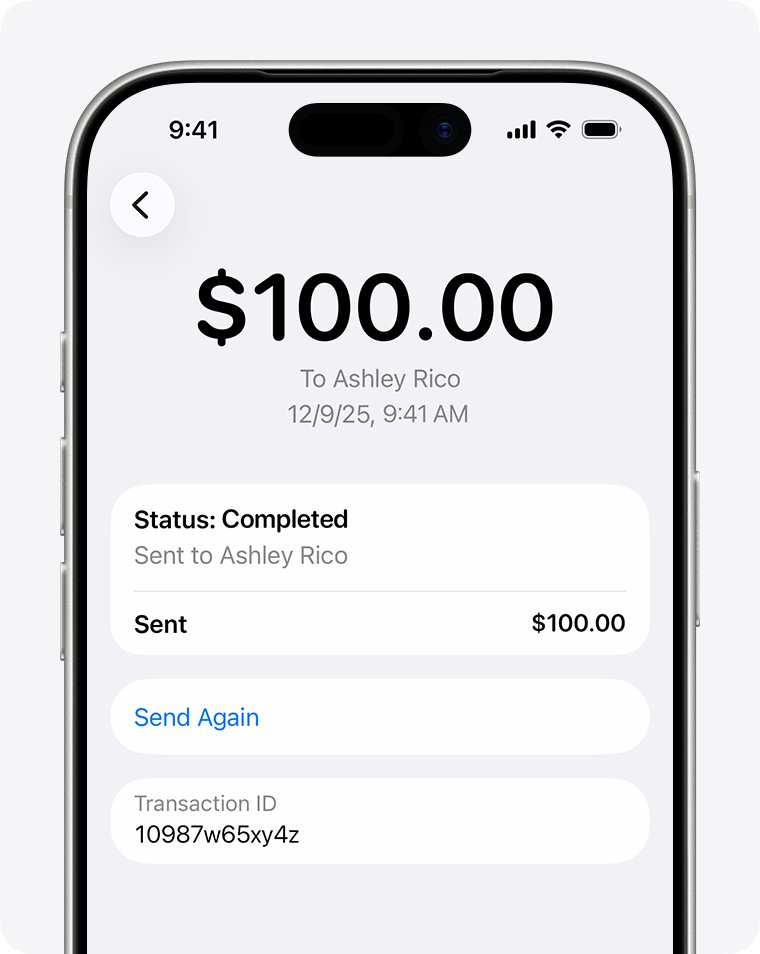
- Read the Status line: Pending means the receiver has not accepted it yet, and Completed means the money left Apple Cash.
How long Apple Cash transfers take
| Transfer type | Normal arrival time | When to escalate |
|---|---|---|
| Person-to-person payment in Messages or Wallet | Immediately once accepted; the receiver has 7 days to accept | After 7 days the money returns to the sender automatically |
| Transfer to bank account (1-3 Business Days) | 1 to 3 business days, no fee | Contact Green Dot Bank after more than 3 business days |
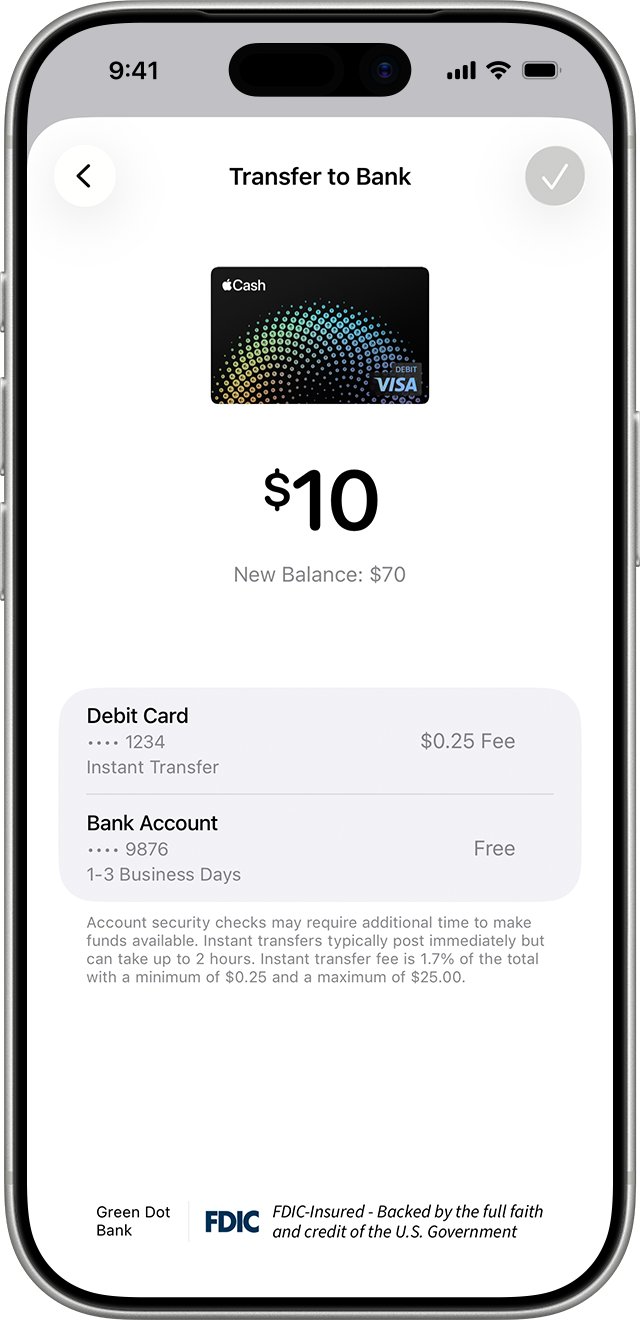
| Instant Transfer to a debit card | Immediately, up to 30 minutes; 1.7% fee (min $0.25, max $25) | Contact Green Dot Bank after more than 2 hours |
Apple notes that security checks may require more time to make funds available, so a short delay past these times is not always a fault.
Accept a pending Apple Cash payment
If the receiver has Manually Accept Payments turned on, or this is their first Apple Cash payment, the money sits in Messages until they accept it.
- On the receiver's iPhone, open the Messages conversation that holds the payment.
- Tap Accept on the payment bubble.
- Follow the on-screen instructions, including setting up Apple Cash if prompted.
- Verify identity if Wallet asks for it.
- To skip this step next time, open Wallet, tap the Apple Cash card, tap the More button, tap Card Details, then tap Automatically Accept Payments.
Why can't I receive Apple Cash? Fixes by symptom
Unable to receive Apple Cash or cannot accept a payment
Apple Cash is off, the device is not eligible, or the Apple Account is not signed in to iCloud and iMessage on the same account.
- Open Settings, tap Wallet & Apple Pay, and make sure Apple Cash is turned on.
- Update iOS to the latest version.
- In Settings, tap your name to confirm iCloud uses the same Apple Account as Settings > Messages > Send & Receive.
- Restart the iPhone and tap Accept again.
Why can't I send Apple Cash
The receiver is not eligible, a limit was reached, or the bank declined the debit card.
- Check Messages for a note that the recipient is not eligible; they need a US Apple Cash account and current iOS or watchOS.
- If asked to choose a lower amount, stay under $10,000 per message and per 7 days, or $2,000 for Apple Cash Family and Tap to Cash.
- If the payment was declined by your bank, contact the bank or card issuer.
Apple Cash not transferring to bank
The transfer is inside its 1 to 3 business day window, the bank details are wrong, or the amount is outside the limits.
- Wait until 3 business days have passed.
- Open Wallet, tap the Apple Cash card, tap More, tap Card Details, then tap Bank Account to check the routing and account numbers.
- Keep each transfer between $1 and $10,000, and under $20,000 in 7 days.
- If the numbers were wrong or 3 business days have passed, contact an Apple Cash Specialist at Green Dot Bank.
Instant Transfer did not arrive on the debit card
Security checks can hold the funds, or the card is not an eligible US debit card.
- Wait 30 minutes.
- Confirm with the card issuer that the card is eligible.
- After more than 2 hours, contact an Apple Cash Specialist at Green Dot Bank.
Apple Cash not available or not working at all
An outage, a restricted or locked account, or a device outside the United States, the same issues that can stop Apple Pay from working.
- Check the Apple System Status page for Apple Cash.
- Confirm the device is in the United States and connected to Wi-Fi or cellular data.
- For Apple Cash Family, ask the family organizer whether the account is locked or restricted.
How to cancel an Apple Cash payment
Only a person-to-person payment that still shows Pending can be cancelled. A payment marked Sent with status Completed cannot.
- Open the Wallet app, then tap your Apple Cash card.
- Tap the pending transaction, then tap it again on the next screen.
- Tap Cancel Payment.
- If the money went to the wrong person and was accepted, ask them to send it back.
How to transfer Apple Cash to a bank account
Resending a bank transfer correctly avoids the most common cause of missing money: wrong account details. Apple warns that money sent to a wrong account may not be recoverable.
- Open Wallet, tap the Apple Cash card, tap the More button, then tap Transfer to Bank.
- Enter an amount, tap the Close button, then tap Continue.
- Tap 1-3 Business Days for a free transfer, or Instant Transfer for a debit card, then tap Done.
- If no bank account is listed, tap Add A Bank Account and enter the routing and account numbers twice.
- Double-click the side button and confirm with Face ID, Touch ID or your passcode.
Confirm the Apple Cash money arrived
- For a payment, ask the receiver to open Wallet and check that the Apple Cash balance rose by the amount.
- On the sender's side, confirm the transaction status reads Completed.
- For a bank transfer, check the bank account statement after the third business day.
- For an Instant Transfer, check the debit card activity, noting the fee was deducted from the amount.
Apple Cash transfer FAQ
How long does an Apple Cash to bank transfer take?
Most standard bank transfers complete within 1 to 3 business days and carry no fee. Instant Transfer to an eligible debit card usually posts immediately but can take up to 30 minutes.
Can you cancel an Apple Cash transfer?
Yes, if a person-to-person payment still shows Pending. Open Wallet, tap the Apple Cash card, tap the transaction twice and tap Cancel Payment. Completed payments cannot be cancelled.
Can you transfer Apple Cash to a bank?
Yes. In Wallet, tap the Apple Cash card, tap More, then Transfer to Bank. The account must be a US bank account, and each transfer must be between $1 and $10,000.
Why can't I receive Apple Cash?
Common causes are Apple Cash being switched off in Wallet & Apple Pay, outdated iOS, an Apple Account mismatch between iCloud and iMessage, a pending identity check, or a limit being reached.
Why can't I accept Apple Cash?
The Accept button needs Apple Cash set up and, sometimes, identity verification. If 7 days have passed since the payment was sent, it has already returned to the sender and cannot be accepted.
Is there an Apple Cash transfer fee?
Bank transfers taking 1 to 3 business days are free. Instant Transfer to a debit card costs 1.7% of the amount, with a $0.25 minimum and a $25 maximum, shown before you confirm.
How do I transfer money to Apple Cash?
Add money from a supported US debit or prepaid card in Wallet. Each top-up must be at least $10 and no more than $10,000, with a $10,000 cap within 7 days.
Who do I contact about a missing Apple Cash transfer?
Contact an Apple Cash Specialist at Green Dot Bank, the bank that provides Apple Cash. Apple lists 877-233-8552 for transaction issues and unrecognized charges.