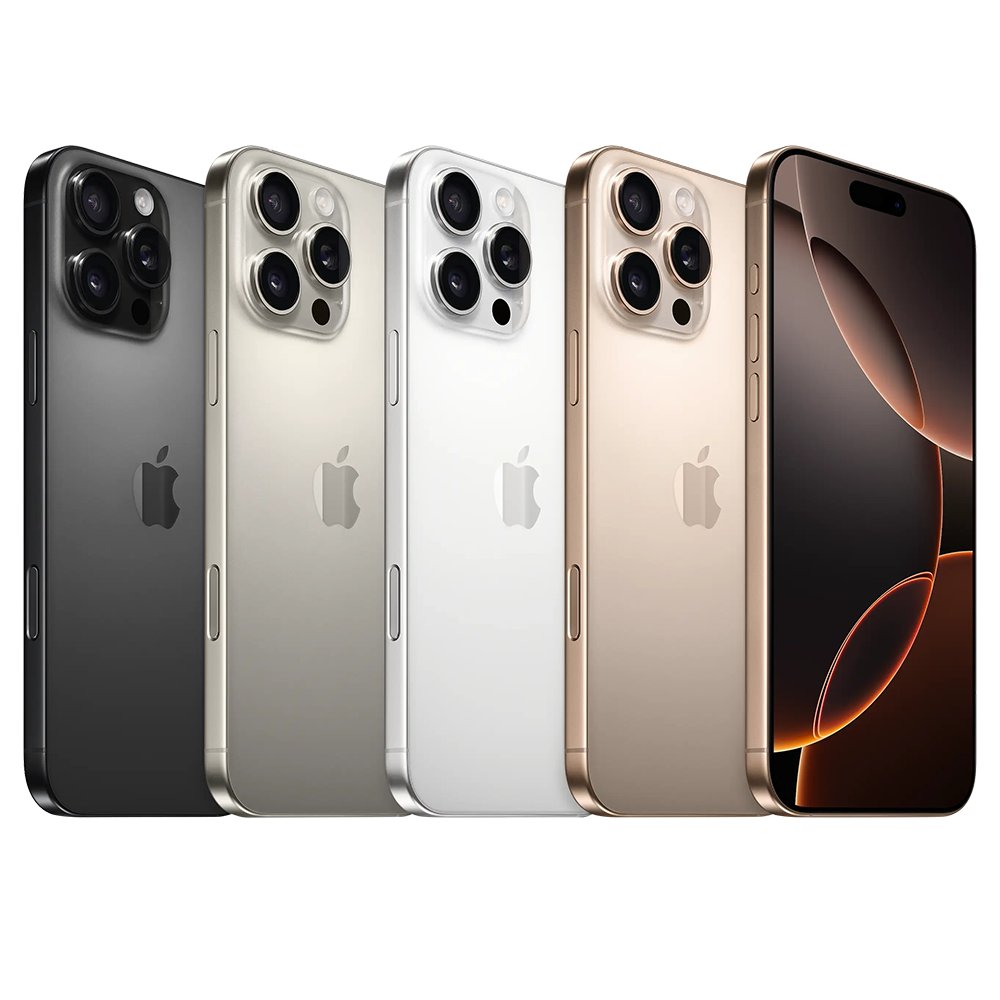
An iPhone 16 Pro Max that lags after the iOS 18 update usually recovers once it finishes post-update work and cools down, so leave it charging on Wi-Fi, then force restart the iPhone and install any newer iOS and app updates.
This guide covers why a major update slows the phone for a while, every fix Apple documents for a sluggish or hot iPhone, the settings that make scrolling look choppy, and what to do when it keeps restarting.
Quick fix for iPhone 16 Pro Max lagging after the iOS 18 update
Apple notes that an iPhone can feel warmer after a software update, particularly a major release, and that this is normal until the process completes. A warm iPhone may lower frame rates and increase processing times to protect itself.
- Plug the iPhone into power and connect it to Wi-Fi.
- Leave it on the charger, out of direct sunlight, for a few hours or overnight so post-update tasks can finish.
- Force restart it: press and release volume up, press and release volume down, then hold the side button until the Apple logo appears.
- Open Settings > General > Software Update and tap Download and Install if a newer version is listed.
- Open the App Store, tap your picture, then tap Update All under App Updates.
- Use the phone normally and note whether the lag is gone or limited to one app.
If the lag is still there a day later, work through the fixes below in order, starting with storage and battery health.
Why is my iPhone 16 Pro Max lagging after the update?
A slow iPhone 16 Pro Max after an update has a short list of documented causes. Match what you see to a row and go to the fix.
| Cause | What you notice | Fix |
|---|---|---|
| Post-update background work | Phone feels warm and sluggish for the first hours after the update | Leave it charging on Wi-Fi, then restart |
| Heat | Lower frame rates, slower apps, dim display, charging pauses | Move it somewhere cooler and let it rest |
| Low storage | "Storage Almost Full" alert, apps slow to open | Review iPhone Storage recommendations |
| Low Power Mode | Yellow battery icon, fewer visual effects, no background refresh | Turn off Low Power Mode or charge past 80% |
| Limit Frame Rate turned on | Scrolling looks less smooth than before | Turn off Limit Frame Rate in Motion settings |
| Outdated apps | One app stutters or freezes while the rest of the phone is fine | Update that app from the App Store |
| Battery health or performance management | Unexpected shutdowns, slow app launches | Check Battery Health in Settings |
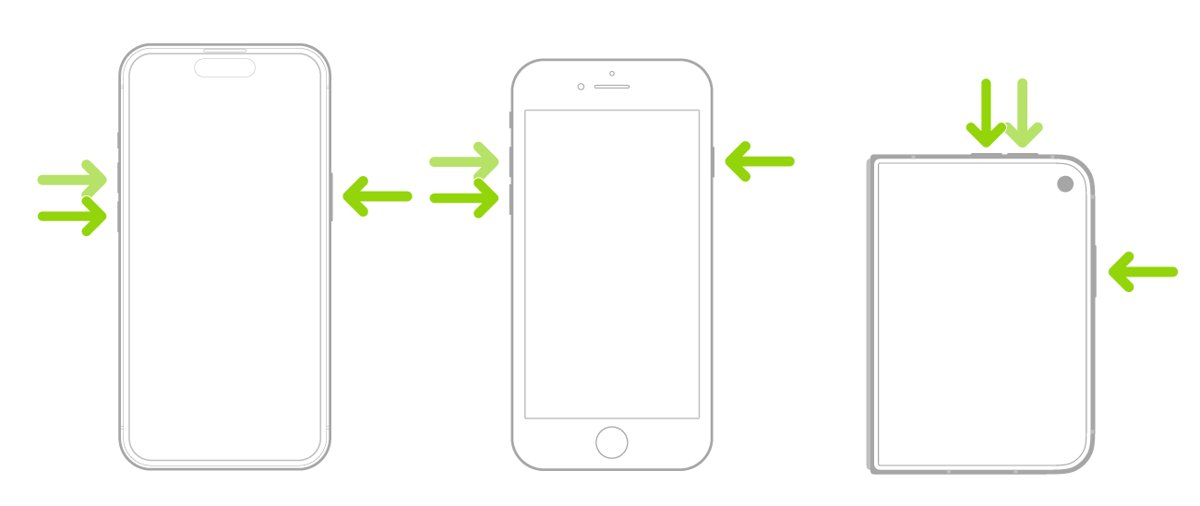
Force restart iPhone 16 Pro Max
A force restart clears a frozen or unresponsive state without erasing anything. Use it when the touch screen stops responding or the phone will not turn off normally.
- Press and quickly release the volume up button.
- Press and quickly release the volume down button.
- Press and hold the side button.
- Release the side button when the Apple logo appears.
- Enter your passcode when the Lock Screen appears.
Update iOS and apps on iPhone 16 Pro Max
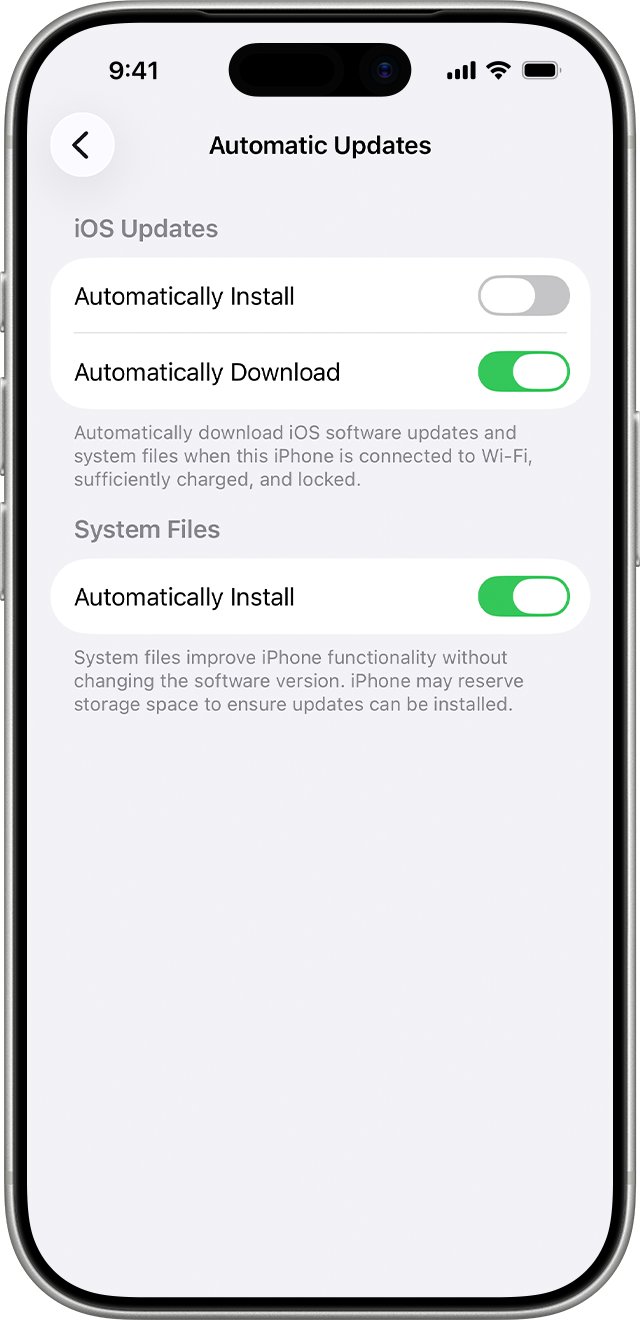
Apple fixes bugs in follow-up releases, so a lagging phone on the first iOS 18 build should move to the newest version Software Update offers. Apps that came with the iPhone update with iOS; App Store apps update separately.
- Back up the iPhone with iCloud or your computer.
- Plug the iPhone into power and connect to Wi-Fi.
- Open Settings, tap General, then tap Software Update.
- Tap Download and Install if an update is available, then follow the onscreen instructions.
- Open the App Store app and tap your picture.
- Tap App Updates, then tap Update All.
Turn off any VPN or proxy if the update does not appear, because Apple says these connections can stop the iPhone from reaching the update servers.
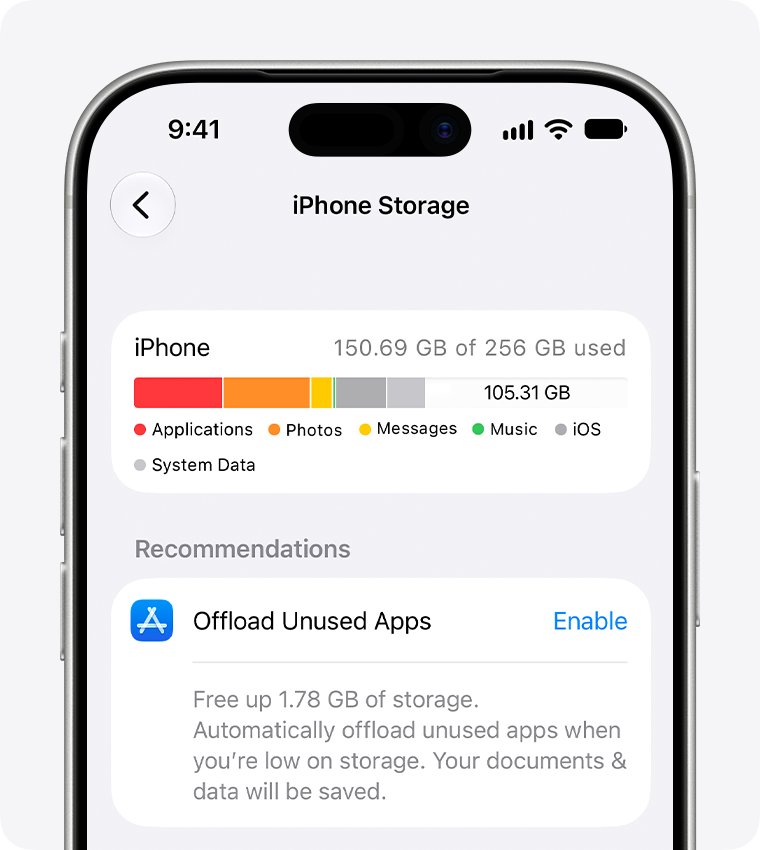
Free up storage on iPhone 16 Pro Max
The iPhone 16 Pro Max tech specs note that Apple Intelligence on-device models use about 7GB once downloaded. A phone that was nearly full before the update can run short of space afterward.
- Open Settings and tap General.
- Tap iPhone Storage to see recommendations and a list of apps by size.
- Tap Show All and tap Enable on any recommendation you want.
- Tap a large app you rarely use and choose Offload App to keep its documents, or Delete App to remove it completely.
- Remove large videos you no longer need from Photos.
- Restart the iPhone after freeing space.
Check iPhone 16 Pro Max battery health and Low Power Mode
Low Power Mode turns off some visual effects and Background App Refresh, which can make the phone feel slower. Battery Health shows whether performance management has been applied after an unexpected shutdown.
- Open Settings and tap Battery.
- Tap Power Mode and turn off Low Power Mode if it is on.
- Go back and tap Battery Health.
- Read the Peak Performance Capability message.
- If it says your battery is supporting normal peak performance, the battery is not the cause of the lag.
- If it says performance management has been applied or that battery health is significantly degraded, arrange battery service with Apple.
Turn off Limit Frame Rate and Reduce Motion on iPhone
The iPhone 16 Pro Max has a ProMotion display with adaptive refresh rates up to 120Hz. The Limit Frame Rate setting caps it at 60 frames per second, which makes scrolling look less fluid.
Reduce Motion cuts motion effects and screen transitions. Turn it on if animations feel slow to you, or off if you want the full effects back.
- Open Settings and tap Accessibility.
- Tap Motion.
- Turn off Limit Frame Rate so the display can run at its full refresh rate.
- Turn Reduce Motion on or off to suit how you like transitions to look.
- Turn off Auto-Play Video Previews if App Store previews make scrolling stutter.
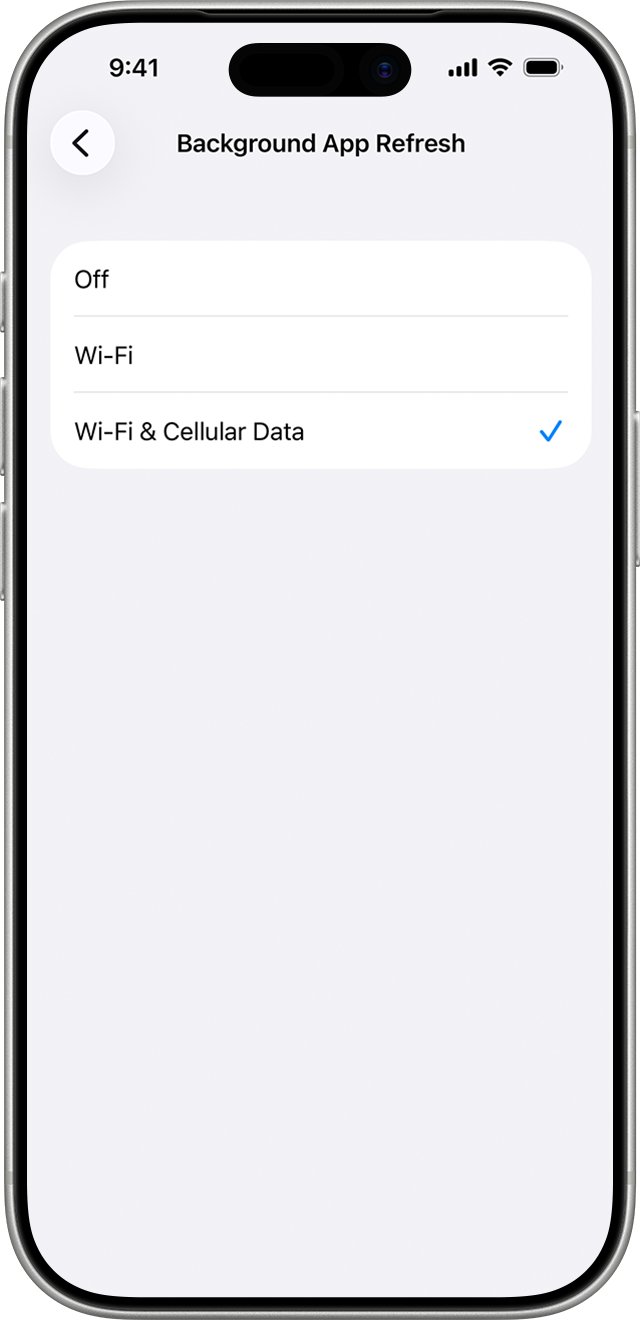
Turn off Background App Refresh on iPhone 16 Pro Max
Background App Refresh lets suspended apps check for new content. Turning it off for apps you rarely use reduces background work after a big update.
- Open Settings and tap General.
- Tap Background App Refresh.
- Tap Background App Refresh again and choose Off, Wi-Fi, or Wi-Fi & Cellular Data.
- Back on the previous screen, turn off the switch for individual apps you do not need refreshed.
Reset all settings on iPhone 16 Pro Max
Reset All Settings returns network, keyboard, location, privacy and other settings to their defaults without deleting your data or media. Use it when the lag started after the update and nothing above helped.
- Back up the iPhone so you can restore your previous settings if needed.
- Open Settings and tap General.
- Tap Transfer or Reset iPhone, then tap Reset.
- Tap Reset All Settings and enter your passcode.
- Rejoin Wi-Fi and set your preferences again after the restart.
Do not tap Erase All Content and Settings on the same screen unless you mean to remove everything from the phone.
Check iPhone 16 Pro Max battery usage after the update
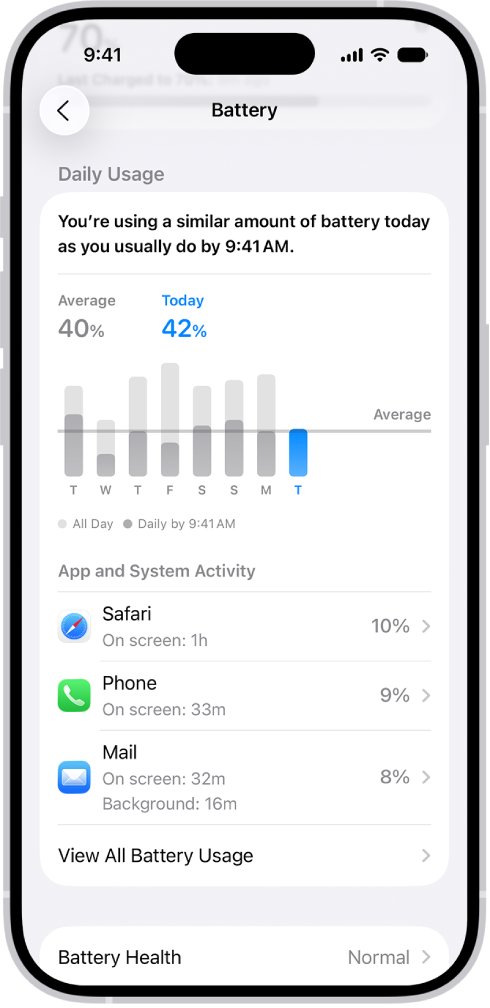
The Battery screen shows which apps and system activities are working hardest. A single app with long background time is a likely source of the slowdown.
- Open Settings and tap Battery.
- Look at Daily Usage: orange means higher usage than usual, and iPhone names the top three apps or activities behind it.
- Tap View All Battery Usage, then tap today.
- Scroll to the app and system activity list and tap an app with high Background time.
- Update, offload or restrict that app, then compare the next day's usage.
When usage returns to blue and scrolling is smooth, the phone has settled after the update.
iPhone 16 Pro Max laggy, slow or restarting: fixes
iPhone 16 Pro Max is lagging and feels hot
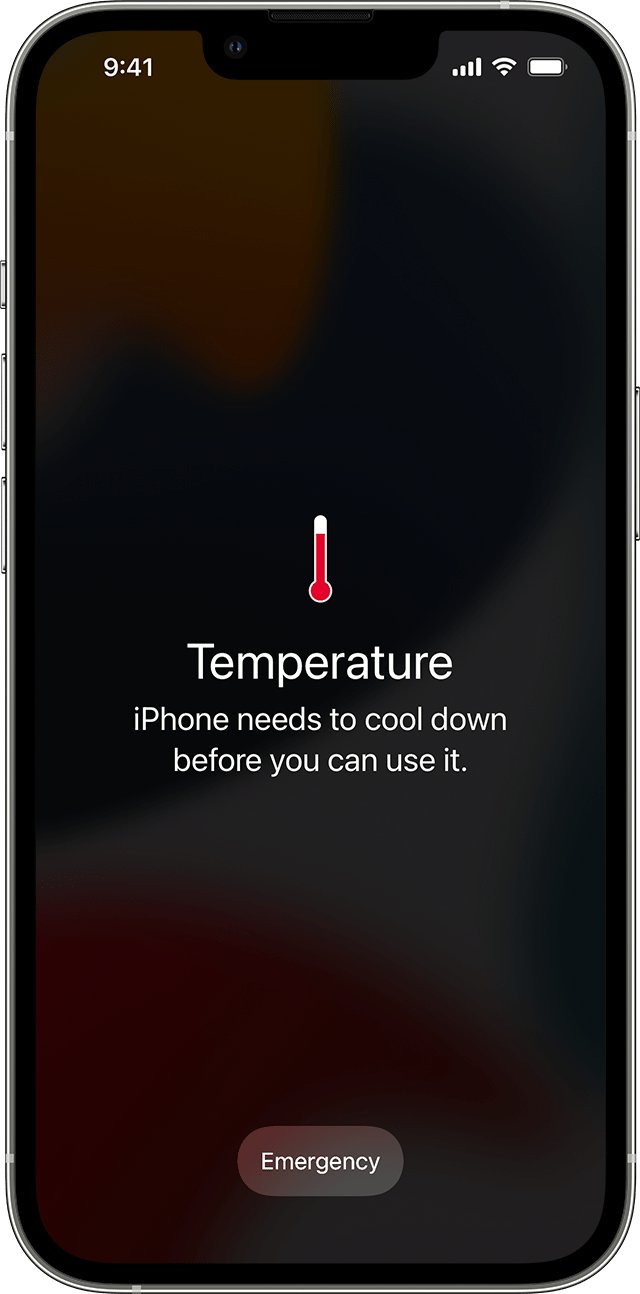
The phone is reducing frame rates and processing to manage its temperature.
- Stop gaming, navigation or camera use for a while.
- Remove a thick case and move the phone out of direct sunlight.
- Turn the iPhone off if a temperature warning appears and let it cool.
- Charge it in a cool place once it is back to normal.
Scrolling is choppy on the 120Hz display
Limit Frame Rate or Low Power Mode is reducing visual smoothness.
- Open Settings > Accessibility > Motion and turn off Limit Frame Rate.
- Open Settings > Battery > Power Mode and turn off Low Power Mode.
- Scroll a long page in Safari to compare.
iPhone 16 Pro Max keeps restarting
An unexpected shutdown can point to a battery that cannot deliver peak power, or a software fault.
- Install the latest iOS from Settings > General > Software Update.
- Open Settings > Battery > Battery Health and read the message.
- Update all apps from the App Store.
- Contact Apple Support if restarts continue so the phone can be tested.
Only one app is slow or freezing
The app has not been updated for the new iOS version.
- Update the app from the App Store.
- Tap the app in Settings > General > iPhone Storage and choose Offload App.
- Reinstall it from the App Store and sign in again.
iPhone 16 Pro Max is still slow after every fix
A hardware fault or a corrupted setting the steps above did not clear.
- Run Reset All Settings if you have not already.
- Back up the phone to iCloud or your computer.
- Contact Apple Support or visit an Apple Store for a diagnosis before erasing the phone.
iPhone 16 Pro Max lagging FAQ
Why is my iPhone 16 Pro lagging?
An iPhone 16 Pro usually lags after a major update because it is finishing background tasks, running warm, short on storage, or in Low Power Mode. Leave it charging on Wi-Fi, force restart it, update iOS and apps, then check storage and battery health.
Why is my iPhone 16 lagging?
The same causes apply to the standard iPhone 16: post-update background work, heat, low storage, Low Power Mode or an app that needs an update. Restarting the phone and installing the newest iOS release fixes most cases within a day.
How long does an iPhone stay slow after an iOS update?
Apple does not give a fixed time. It says the iPhone may feel warmer after a major update and that this is normal until the process completes. Keeping the phone charging on Wi-Fi overnight lets that work finish sooner.
Does closing apps make an iPhone 16 Pro Max faster?
No. Apple states that closing all your apps does not improve overall performance, because suspended apps use resources only when active or doing specific background tasks. Closing an app may stop it from refreshing before you open it again.
Why is my iPhone 16 Pro Max running slow and hot?
When an iPhone gets too warm, it protects itself by lowering frame rates, slowing charging and dimming the display. Move it out of the sun, stop heavy apps and let it cool. A temperature warning means it needs to be turned off until it cools.
Does Low Power Mode make the iPhone slower?
Low Power Mode turns off some visual effects, Background App Refresh, automatic downloads and mail fetch to save battery, so the phone can feel less responsive. It switches off automatically when you charge past 80%.
Why does my iPhone 16 Pro Max keep restarting?
Repeated restarts can come from a software fault or a battery that cannot supply peak power. Update iOS and your apps, then check Battery Health in Settings. If restarts continue, contact Apple Support for a diagnosis and service options.
Will resetting all settings delete my photos?
No. Reset All Settings returns settings such as network, keyboard, location and privacy to their defaults without deleting data or media. Erase All Content and Settings, on the same screen, is the option that removes everything.