Download Windows 11 KB5127646 through Windows Update on a version 26H1 PC, or use the direct x64 (3.86 GB) and ARM64 (3.35 GB) .msu files from the Microsoft Update Catalog listed below.
KB5127646 is the October 13, 2026 security update for Windows 11, version 26H1, and it moves the PC to OS build 28000.3231.
This guide covers every download option, how to install the offline installer, how to confirm the build, and the complete list of changes from Microsoft's release notes.
How to download KB5127646 through Windows Update
Microsoft delivers KB5127646 automatically through Windows Update and Microsoft Update. On a 26H1 PC you can start it straight away instead of waiting.
- Save your work and close open apps, because the update ends with a restart.
- Open Start > Settings > Windows Update.
- Select Check for updates.
- Wait for 2026-10 Cumulative Update for Windows 11, version 26H1 (KB5127646) to download and install.
- Select Restart now when Windows asks, and let the PC finish the update.
The update only appears on PCs that already run version 26H1. A PC on 24H2, 25H2 or 26H2 gets KB5127648 and its list of changes instead, and the October 2026 Update review explains which PC gets which KB.
How to get this update: KB5127646 download options
Microsoft lists four release channels for KB5127646, and all four mark the update as available.
| Your situation | Use this channel | What happens |
|---|---|---|
| Home PC running 26H1 | Windows Update | The update downloads and installs automatically from Windows Update and Microsoft Update |
| Work PC managed by update policies | Windows Update for Business | The update downloads automatically according to the policies your organization has configured |
| Offline PC, slow connection or a reinstall | Microsoft Update Catalog (.msu) | You download the standalone package once and install it with a double-click or DISM |
| PCs managed through WSUS | Windows Server Update Services | The update syncs automatically when Product is Windows 11 and Classification is Security Updates |
If Windows Update itself is stuck, the Windows Update settings in Windows 11 explain what each option controls.
KB5127646 offline installer: direct .msu download links
Both files come from catalog.sf.dl.delivery.mp.microsoft.com, the server behind the Microsoft Update Catalog's own download dialog. Each one holds the cumulative update together with the servicing stack update.
- KB5127646 for x64 (Intel and AMD) – 3.86 GB —
windows11.0-kb5127646-x64_1581b4e504578c7885f2ce34a86c37f785bef551.msu, 4,139,524,203 bytes (3947.8 MB in the catalog) - KB5127646 for ARM64 – 3.35 GB —
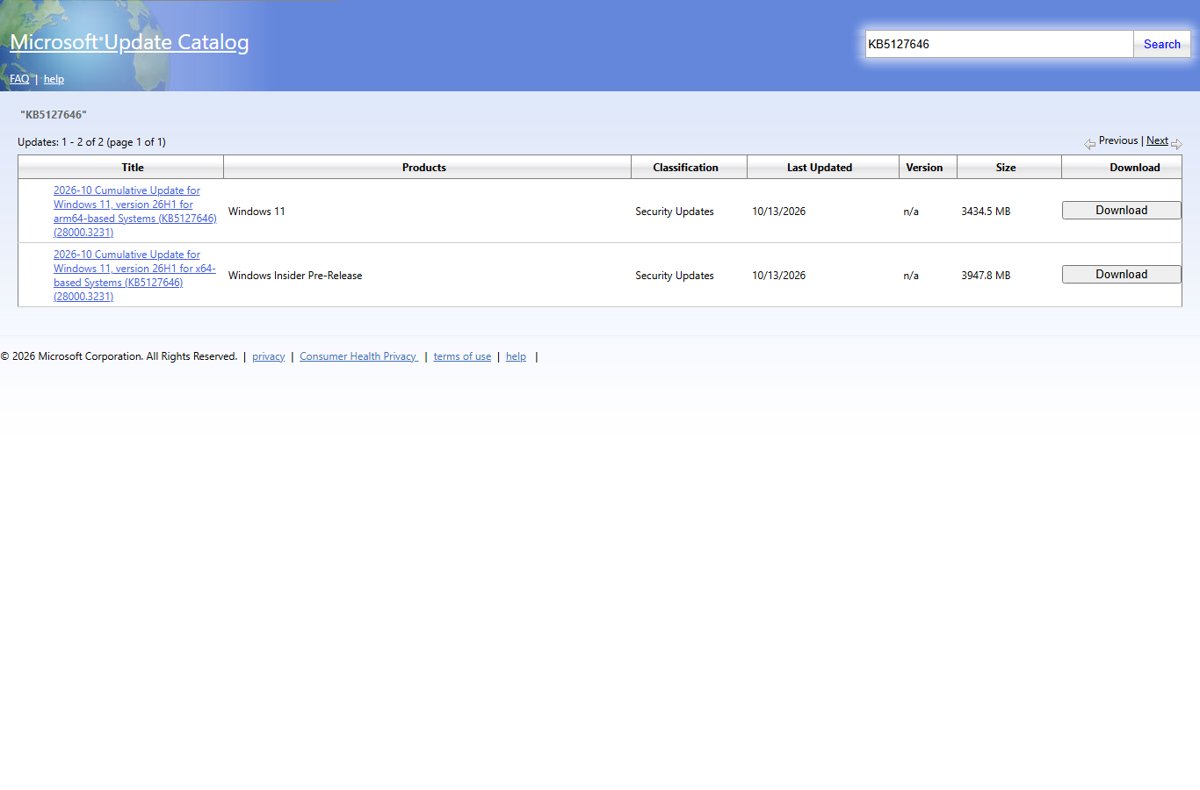
windows11.0-kb5127646-arm64_9495674eba343f8241770ebcb479bc4325de9cb7.msu, 3,601,319,990 bytes (3434.5 MB in the catalog) - KB5127646 in the Microsoft Update Catalog — Two entries dated 10/13/2026, classified as Security Updates
The catalog lists the ARM64 entry under the product Windows 11 and the x64 entry under Windows Insider Pre-Release. Both carry the same title format and build, 28000.3231. Microsoft's KB article documents install steps for the Arm64 package only.
Before you install KB5127646: requirements
Microsoft combines the latest servicing stack update (SSU) with the latest cumulative update (LCU) in this package, so there is no separate prerequisite to install first.
| Requirement | How to check | If it does not match |
|---|---|---|
| Windows 11, version 26H1 | Settings > System > About, then Version under Windows specifications | Use the KB for your version: KB5127648 for 24H2, 25H2 and 26H2, KB5126653 for 23H2 |
| OS build starting with 28000 | OS build on the same About page | A 26100, 26200 or 26300 build is not 26H1 |
| Matching architecture | Device specifications > System type on the About page | Download the x64 file for Intel and AMD PCs and the ARM64 file for ARM-based PCs |
| Administrator rights | Your account type | DISM and PowerShell need an elevated window |
| boot.stl in installation media (image deployment only) | The Windows\Boot\EFI folder of your media | Missing boot.stl can stop media from starting with error 0xc0430001 |
The boot.stl note only matters when you add the update to an existing Windows image. Microsoft recommends the Update WinPE script, or copying boot.stl from the device's Windows\Boot\EFI folder to the same folder on the installation media.
You can also check your Windows version with winver before downloading anything.
How to install the KB5127646 .msu file
An .msu file opens in the Windows Update Standalone Installer (wusa.exe), which handles the whole install from a double-click.
- Download the .msu that matches your PC from the links above.
- Open File Explorer and go to the folder that holds the file.
- Close open apps and save your work.
- Double-click the file, for example
windows11.0-kb5127646-arm64_9495674eba343f8241770ebcb479bc4325de9cb7.msu. - Confirm the Windows Update Standalone Installer prompt to start the installation.
- Restart the PC when the installer finishes.
Install KB5127646 with DISM or PowerShell
Microsoft's KB5127646 article gives DISM and PowerShell commands for the standalone package. Put the .msu in its own folder, such as C:\packages, and run the command from an elevated Command Prompt.
DISM /Online /Add-Package /PackagePath:C:\packages\windows11.0-kb5127646-arm64_9495674eba343f8241770ebcb479bc4325de9cb7.msu/Online targets the running copy of Windows and /Add-Package installs the file named in /PackagePath. On an x64 PC use the x64 file name. The PowerShell equivalent is Add-WindowsPackage -Online -PackagePath "C:\packages\<file name>.msu". For a mounted image, use DISM /Image:<mount folder> /Add-Package /PackagePath:<file name>.msu, or Add-WindowsPackage -Path "C:\offline" -PackagePath "<file name>.msu" -PreventPending in PowerShell.
You should see: DISM completes without an error. Restart the PC, and the build reads 28000.3231.
Check if KB5127646 is installed
- Restart the PC if the update is waiting for one.
- Type
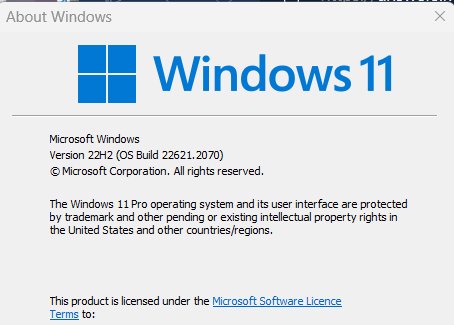
winverin the taskbar search box and press Enter. - Confirm the About Windows box shows Version 26H1 and OS Build 28000.3231 or higher.
- For a second check, open Settings > Windows Update > Update history and look for KB5127646 under quality updates.
Build 28000.3086 means the PC stopped at the September 22 preview. Build 28000.2954 or 28000.2956 means it never took the preview or this update.
Changes in KB5127646: improvements in the October update
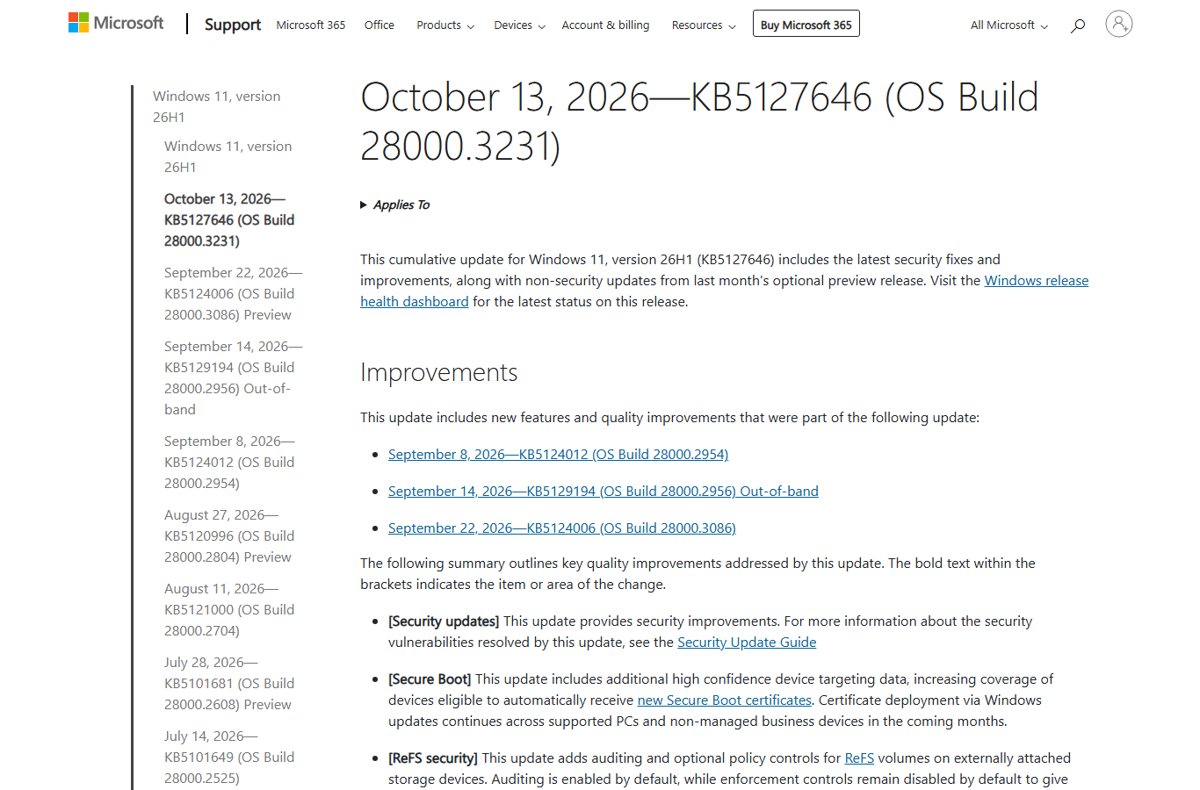
Microsoft lists these items for KB5127646. The bold area name in brackets on Microsoft's page is the first column here.
| Area | What changed |
|---|---|
| Security updates | Security improvements; the vulnerabilities fixed are listed in Microsoft's Security Update Guide |
| Secure Boot | Adds more high-confidence device targeting data, so more devices automatically receive the new Secure Boot certificates. Certificate deployment through Windows Update continues over the coming months |
| ReFS security | Adds auditing and optional policy controls for ReFS volumes on externally attached storage. Auditing is on by default; enforcement stays off by default (details in KB5130741) |
| Windows Explorer (known issue) | Fixes Explorer.exe failing to start or crashing repeatedly after sign-in in multi-user setups such as Azure Virtual Desktop and FSLogix, which caused a black screen |
| Always On VPN | Fixes connections stuck on Connecting or failing after a first failed attempt when automatic protocol selection or fallback was configured, sometimes with "The specified port is already in use" |
| Storage Spaces Direct | Fixes tiered virtual disks that might not come online after certain security updates, leaving clustered workloads unavailable |
| Gaming | Fixes mouse input that could stutter in some games |
KB5127646 also carries everything from the September 8 update KB5124012, the September 14 out-of-band update KB5129194 and the September 22 preview KB5124006. If you installed those already, Windows downloads only the new parts.
KB5127646 new features from the September preview (KB5124006)
These features came from the September 22 preview and are now part of the security update. Microsoft ships them as a gradual rollout, so they reach devices over time and may not appear on your PC straight after installing KB5127646.
| Area | What is new |
|---|---|
| Taskbar | Place the taskbar at the bottom, top, left or right of the screen; a Small taskbar size shrinks icons and height |
| Start menu | Choose a Small or Large Start size, rename Recommended to Recent, hide your name and picture, and toggle the Pinned, Recommended and All sections |
| Windows Search | Simplified search home, clearer result sources, a setting for web and Microsoft Store suggestions, and automatic indexing of your most-used folders |
| File Explorer | Home opens faster, and its Recommended section supports touch scrolling |
| General design | New progress indicators at startup, sign-in, restart, shutdown and update installation |
| Windows Share | Work or school accounts can find and install relevant apps from the share window, managed in Settings > System > Share |
| Administrator protection | Starts rolling out; it uses just-in-time privileges and profile separation and is off by default |
| Multiple desktops | Smoother switching between virtual desktops |
| Display and graphics | More reliable Settings > System > Display, and brightness persists better after energy saver turns off |
| Task Manager | App history displays more reliably |
| Windows Setup | Easier to skip the secondary keyboard step; the Get Started app adds App install, Site pinning and Theme pages |
| Windows Update | A PC you put to sleep manually goes back to sleep after an update, even when automatic sleep is set to Never |
| App updates | Participating apps can coordinate their updates with Windows Update through the Windows Update Orchestration Platform |
| Microsoft Store | In-app purchases work in packaged WinUI 3 apps that need elevation |
| Windows Autopilot device preparation | Device association is generally available |
| Microsoft Execution Containers | Process Isolation adds a lightweight boundary for workloads such as coding agents |
| Agentic processes | Preview support for tagging processes with an agent identifier that child processes inherit |
| Cryptography | ML-KEM post-quantum key exchange can be used on its own in TLS |
| Network and input | Better recovery from VPN process issues, improved netsh wlan show wlanreport output for Japanese users, fewer Japanese IME hangs |
| WMIC | Removed from version 26H1 and no longer available as a Feature on Demand; WMI itself stays supported |
The preview's normal-rollout fixes also carry over: domain-joined devices losing their trust relationship when Machine Identity Isolation ran in unsupported setups, and File History failing to back up to an external drive or network location. If Administrator protection is on, Administrator protection in Windows 11 explains what it blocks.
Component updates in KB5127646: AI components and servicing stack
| Component | Version | Where it applies |
|---|---|---|
| Image Search | 1.2608.951.0 | Copilot+ PCs only |
| Content Extraction | 1.2608.951.0 | Copilot+ PCs only |
| Semantic Analysis | 1.2608.951.0 | Copilot+ PCs only |
| Settings Model | 1.2608.951.0 | Copilot+ PCs only |
| Servicing stack update KB5127645 | Build 28000.3225 | Every 26H1 PC; improves the reliability of the update install process |
The AI component updates do not install on Windows PCs that are not Copilot+ PCs, or on Windows Server.
Known issues in this update (KB5127646)
Microsoft lists one open known issue on the KB5127646 page and tracks one more on the 26H1 release health page. The KB5127646 issues and install advice cover each one in depth.
| Issue | Status | What Microsoft says |
|---|---|---|
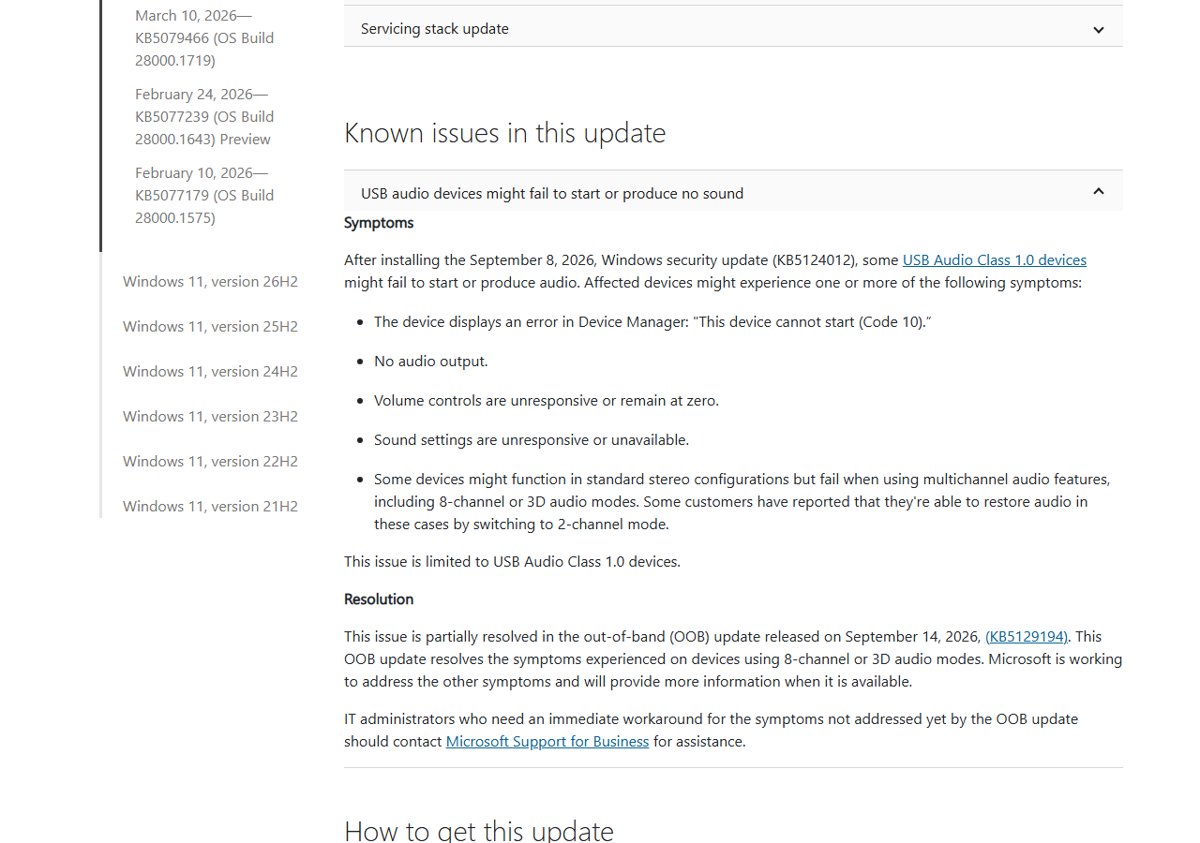
| USB Audio Class 1.0 devices fail to start (Code 10) or give no sound | Mitigated | Started with KB5124012 on September 8. KB5129194 fixed the 8-channel and 3D audio symptom; the rest is still being worked on |
| Remote Desktop fails for non-admin users with error 0xC000000D | Mitigated | Hits hosts with Administrator protection on, after KB5124006 or later. IT admins can turn Administrator protection off temporarily through policy |
| Black screen or desktop not loading after sign-in | Resolved by KB5127646 | Seen mainly on Azure Virtual Desktop hosts with FSLogix after KB5120996 |
For the audio problem, the USB audio Code 10 fix guide walks through Microsoft's options, and the October 2026 Update issues roundup covers every Windows 11 version.
Full tracking and change history for KB5127646
Every 26H1 update is cumulative, so KB5127646 contains all of these. The table lists the 26H1 releases from Microsoft's update history, newest first.
| Date | KB | OS build | Type |
|---|---|---|---|
| October 13, 2026 | KB5127646 | 28000.3231 | Security update |
| September 22, 2026 | KB5124006 | 28000.3086 | Preview |
| September 14, 2026 | KB5129194 | 28000.2956 | Out-of-band |
| September 8, 2026 | KB5124012 | 28000.2954 | Security update |
| August 27, 2026 | KB5120996 | 28000.2804 | Preview |
| August 11, 2026 | KB5121000 | 28000.2704 | Security update |
| July 28, 2026 | KB5101681 | 28000.2608 | Preview |
| July 14, 2026 | KB5101649 | 28000.2525 | Security update |
| June 9, 2026 | KB5095051 | 28000.2269 | Security update |
| May 12, 2026 | KB5089548 | 28000.2113 | Security update |
| April 14, 2026 | KB5083768 | 28000.1836 | Security update |
| March 10, 2026 | KB5079466 | 28000.1719 | Security update |
| February 10, 2026 | KB5077179 | 28000.1575 | Security update |
The September 14 out-of-band update fixed Remote Desktop Services instability and missing Plan9 host folder shares in Hyper-V Linux VMs, both caused by the September 8 update.
File information for KB5127646
- KB5127646 release notes on Microsoft Support — Links the file information for the cumulative update and for the SSU, version 28000.3225
- Security Update Guide — Microsoft's list of the security vulnerabilities each update resolves
- Windows 11, version 26H1 known issues and notifications — Release health status for every open and resolved 26H1 issue
KB5127646 scope and sources: which PCs get the 26H1 update
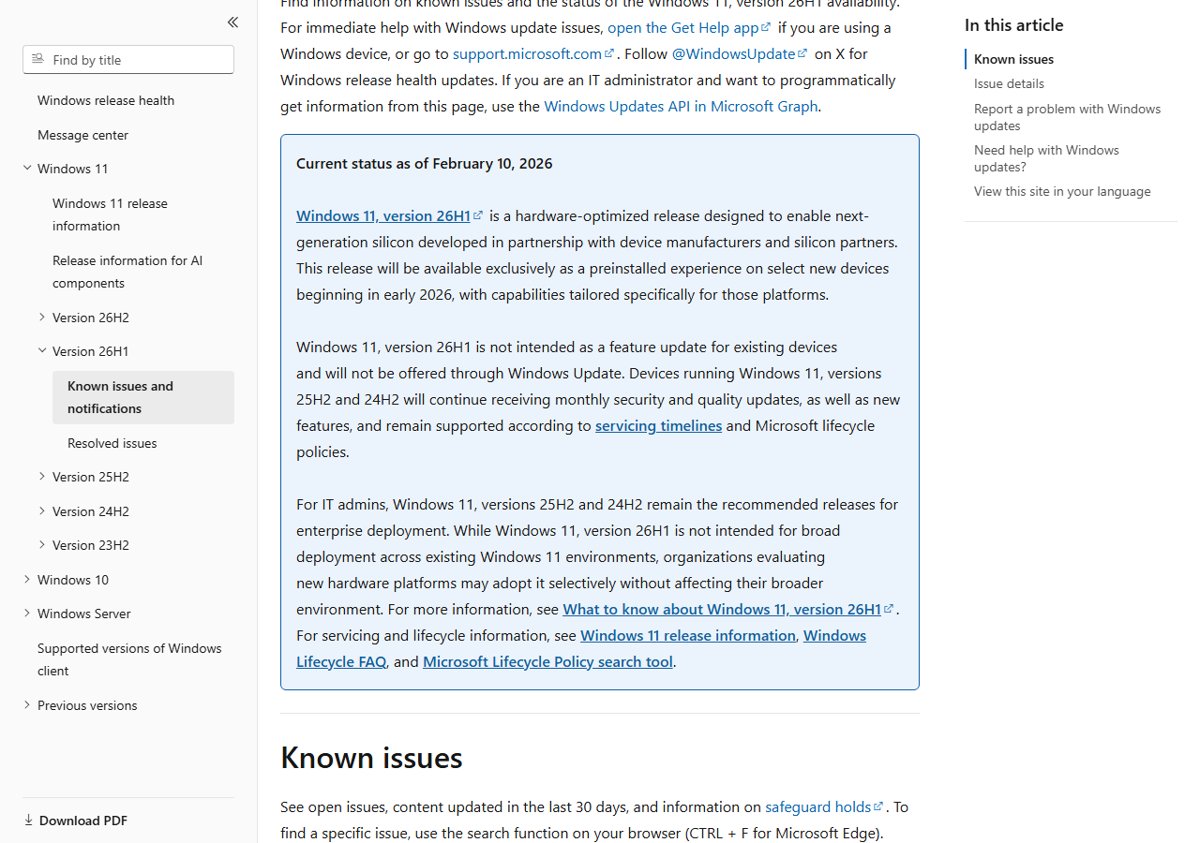
Version 26H1 is a hardware-optimized release that ships preinstalled on select new devices. Microsoft does not offer it through Windows Update as a feature update for existing PCs, so most Windows 11 PCs never see KB5127646.
| Windows 11 version | October 13, 2026 update | OS build |
|---|---|---|
| 26H1 (select new devices) | KB5127646 | 28000.3231 |
| 24H2, 25H2 and 26H2 | KB5127648 | 26100.9711, 26200.9711, 26300.9711 |
| 23H2 | KB5126653 | 22621.7652 |
The 26H1 vs 26H2 differences explain why there were two 2026 releases. 23H2 PCs can grab KB5126653 and its changes instead.
Fix KB5127646 download and install problems
KB5127646 does not show in Windows Update
The PC is not on version 26H1, or Windows Update has not checked yet.
- Open Settings > System > About and check that Version reads 26H1.
- If it shows 24H2, 25H2 or 26H2, install KB5127648; on 23H2 install KB5126653.
- On 26H1, open Settings > Windows Update and select Check for updates again.
"The update is not applicable to your computer"
The .msu does not match the PC's version or architecture.
- Confirm the OS build starts with 28000.
- Compare System type with the file name:
x64for Intel and AMD,arm64for ARM-based PCs. - Check Update history in case KB5127646 is already installed.
DISM stops with an error or the install fails
Pending changes from another update are waiting for a restart, or system files are damaged.
- Restart the PC and run the install again.
- Make sure
/PackagePathnames the full .msu file, including the long hash. - Run the Windows Update troubleshooter from Settings.
- Repair the component store with DISM RestoreHealth, then retry.
Black screen after sign-in on an older 26H1 build
Explorer.exe fails to start; KB5127646 resolves this issue.
- Press Ctrl + Shift + Esc to open Task Manager.
- Select Run new task, type
explorer.exeand select OK. - Install KB5127646 so the fix is permanent.
Something broke after installing KB5127646
The PC may be hit by one of the known issues above, or by a driver conflict.
- Compare the symptom with the known issues table in this guide.
- If the problem started with this update, remove the problematic update from Settings > Windows Update > Update history > Uninstall updates.
- Report the problem through the Feedback Hub app.
KB5127646 download FAQ
What is KB5127646?
KB5127646 is the October 13, 2026 cumulative security update for Windows 11, version 26H1. It moves the PC to OS build 28000.3231 and includes the September 22 preview's features plus fixes for Explorer, Always On VPN, Storage Spaces Direct and game mouse stutter.
Where can I download the KB5127646 offline installer?
The Microsoft Update Catalog lists KB5127646 for x64 and ARM64. The direct .msu links in this guide point to Microsoft's catalog download server: 3.86 GB for x64 and 3.35 GB for ARM64.
Is there a KB5127646 msu file for x64?
Yes. The catalog lists an x64 entry of 3947.8 MB, though it files it under the product Windows Insider Pre-Release. Microsoft's KB article only documents install steps for the Arm64 package.
What build number does KB5127646 install?
KB5127646 installs OS build 28000.3231. Run winver after the restart to confirm it. The previous builds were 28000.3086 from the September 22 preview and 28000.2954 from the September 8 update.
Why can't I find KB5127646 in Windows Update?
KB5127646 is only for Windows 11, version 26H1, which ships preinstalled on select new devices. PCs on 24H2, 25H2 or 26H2 get KB5127648, and 23H2 PCs get KB5126653 in the same October release.
What's new in KB5127646?
KB5127646 brings the September preview's gradual-rollout features, including a movable taskbar, Small and Large Start menu sizes, Windows Search changes and Administrator protection. It also fixes Explorer black screens, Always On VPN connections and game mouse stutter.
Does KB5127646 have known issues?
Yes. Microsoft lists USB Audio Class 1.0 devices failing with Code 10 or no sound as a mitigated issue. Release health also lists Remote Desktop error 0xC000000D for non-admin users when Administrator protection is on.
Does KB5127646 need a restart?
Yes. KB5127646 is a cumulative update combined with a servicing stack update, and Windows finishes installing it during a restart. Save your work before you select Restart now or install the .msu.