There is no Apple Finder for Windows PC, because Finder is the file manager built into macOS and Apple does not make a Windows version.
This guide explains what Finder does on a Mac and which free Apple and Microsoft tools take over each of its jobs on Windows 11 and Windows 10.
Is there an Apple Finder app for Windows?
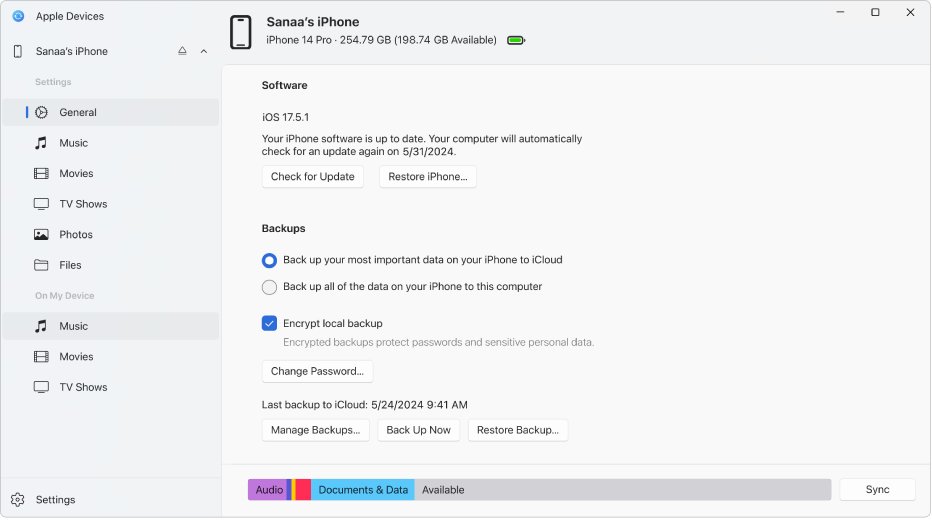
No. Any download labelled "Apple Finder for Windows" is not from Apple. On Windows, the job Finder does for iPhone owners is handled by the free Apple Devices app from the Microsoft Store.
- Open the Microsoft Store app on your Windows PC.
- Search for Apple Devices and confirm the publisher is Apple.
- Select Get or Install and wait for it to finish.
- Connect your iPhone or iPad with a USB cable and open Apple Devices.
- Unlock the device and tap Trust when it asks to trust this computer.
- Select your device in the sidebar to sync, back up, update or restore it.
You can also download Apple Devices for PC with the full setup details for Windows 11 and Windows 10.
What is Apple Finder?
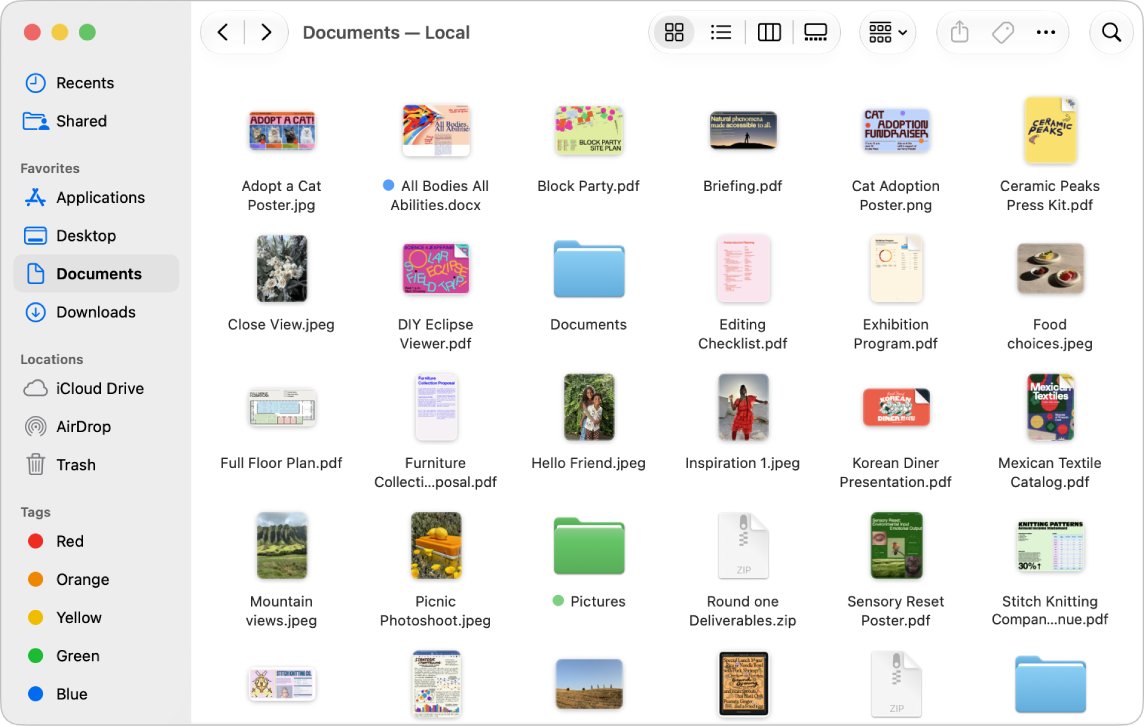
Finder is the built-in Mac app for viewing, opening and organising almost everything on the computer. It opens from the Dock and is always running on macOS.
On recent versions of macOS, Finder also replaced iTunes for connected iPhones and iPads. Plugging in an iPhone shows it in the Finder sidebar, where you sync, back up and update it.
| Finder feature on Mac | What it does |
|---|---|
| File browsing | Opens, moves, copies and deletes files and folders |
| iCloud Drive | Shows iCloud Drive files in the sidebar |
| Connected iPhone or iPad | Syncs music, photos and videos, backs up and restores the device |
| Software update | Installs iOS and iPadOS updates over a cable |
Apple Finder alternatives on Windows
| What you used Finder for | Use this on Windows | Where to get it |
|---|---|---|
| Browsing files and folders | File Explorer | Built into Windows, press Win + E |
| Syncing, backing up or updating an iPhone | Apple Devices | Microsoft Store, free |
| Opening iCloud Drive files | iCloud for Windows | Microsoft Store, free |
| Locating a lost iPhone or AirTag | Find Devices on iCloud.com | Any web browser |
Back up and sync an iPhone on Windows with Apple Devices
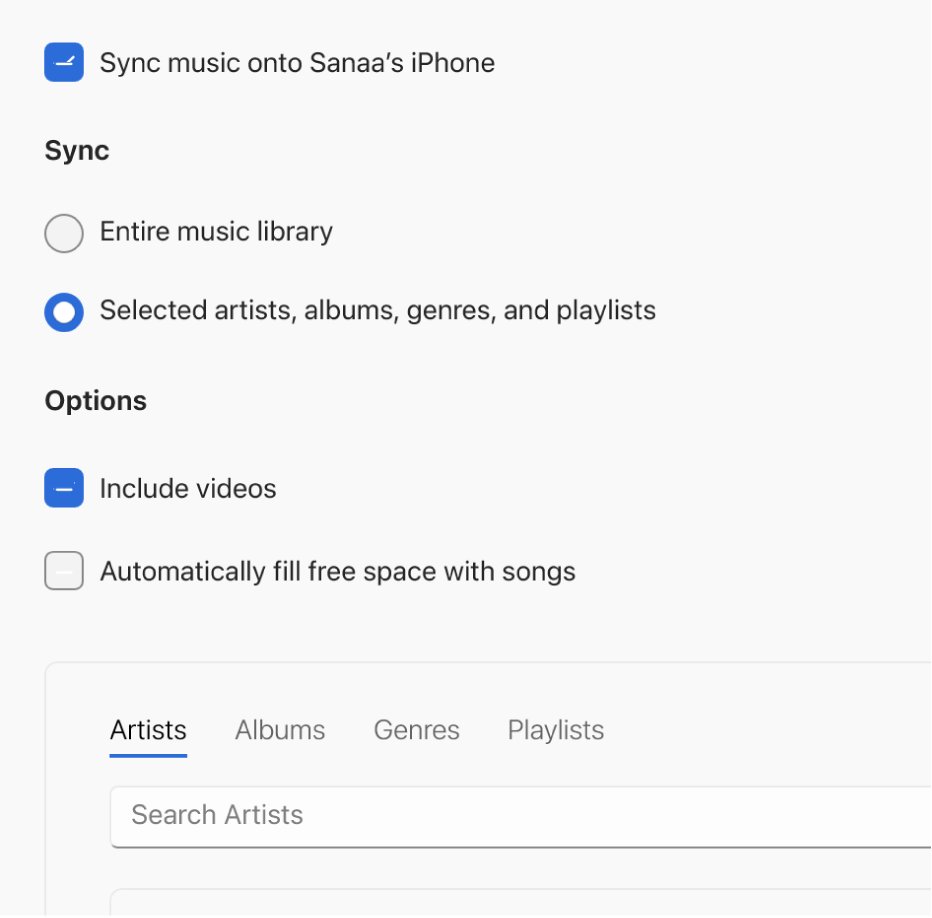
Apple Devices transfers photos, music, movies and more between Windows and an iPhone, iPad or iPod, and backs the device up so you can restore it later.
- Connect the iPhone to the PC with a USB cable and open Apple Devices.
- Select the iPhone in the sidebar, then select General.
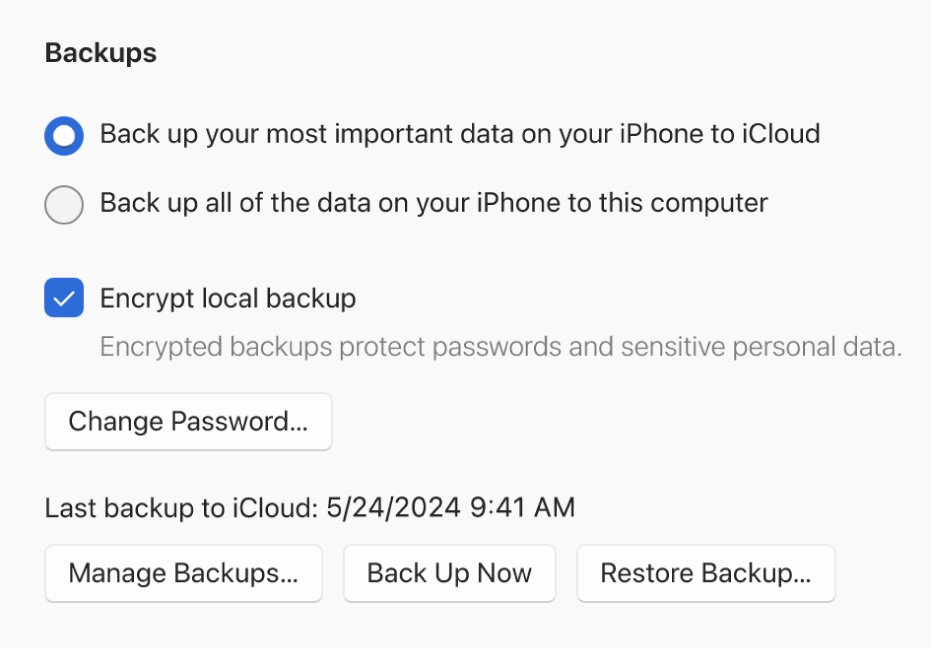
- Under Backups, choose to back up the data on your iPhone to this computer.
- Select Back Up Now and keep the cable connected until it finishes.
- Select a content type such as Music or Photos in the sidebar to choose what syncs, then select Apply.
Open iCloud Drive files in File Explorer on a Windows PC
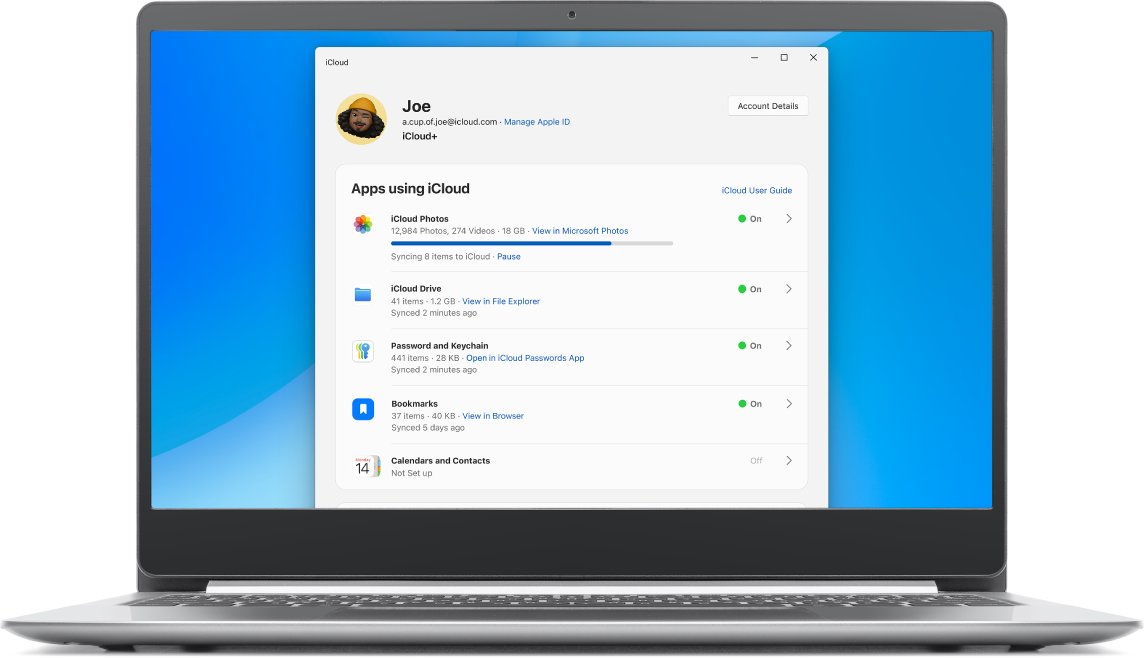
iCloud for Windows gives you your iCloud photos, files and passwords on a Windows computer, which covers the iCloud Drive part of Finder.
- Open the Microsoft Store, search for iCloud and install it.
- Open iCloud and sign in with your Apple Account.
- Turn on iCloud Drive and any other services you want, such as Photos.
- Press Win + E to open File Explorer and select iCloud Drive in the navigation pane.
Find my iPhone from a Windows PC
The Apple Find My app runs only on Apple devices, but iCloud.com offers the same location map in a browser on Windows.
- Open a browser on your PC and go to
icloud.com/find. - Sign in with your Apple Account if prompted.
- Select the device in the list to see it on the map.
- If it shows Offline, select Notify me when found to get an email when it comes back online.
Find My must already be turned on for the device, and the device must be online to show its current location.
Check that Windows sees your iPhone
- Open Apple Devices with the iPhone connected and unlocked.
- Confirm the iPhone's name appears in the sidebar.
- Select General and check that the iOS version and storage details load.
If the device is missing, unplug it, unlock it and reconnect it, then tap Trust on the iPhone.
Apple Finder for Windows FAQ
What is Apple Finder?
Finder is the file manager built into macOS. It lets you view, open and organise files on a Mac, and on recent macOS versions it also syncs, backs up and updates a connected iPhone or iPad.
How do I download Apple Finder on PC?
You cannot, because Apple makes Finder only for macOS. Install the free Apple Devices app from the Microsoft Store to manage an iPhone, and use File Explorer for your files.
Is there an Apple Finder app for Windows 11?
No. Windows 11 uses File Explorer as its file manager. For iPhone syncing and backups, Apple's replacement on Windows 11 is the Apple Devices app.
Is there an Apple Finder for Windows 10?
No. Windows 10 also uses File Explorer, and Apple Devices from the Microsoft Store handles iPhone and iPad syncing, backups and updates.
Is there an Apple Find My app for Windows?
No. Use a browser on your PC and go to icloud.com/find, then sign in with your Apple Account to see your devices on a map.
How do I see iPhone files on a Windows PC?
Connect the iPhone and open Apple Devices to sync photos, music and videos. For files stored in iCloud Drive, install iCloud for Windows and open iCloud Drive in File Explorer.