To reactivate voicemail after dialing #004# on iPhone, turn off Call Forwarding in the Phone settings, then ask your carrier to restore the conditional call forwarding that sends busy and unanswered calls to your voicemail box.
This guide covers why voicemail depends on that carrier setting, the codes AT&T and Verizon document, setting up voicemail again on the iPhone, testing it, and the fixes for problems that remain.
Turn voicemail back on after dialing #004# on iPhone
Voicemail lives on your carrier's network, not on the iPhone, so the carrier holds the setting that sends calls to it. Work through these in order.
- Open Settings, tap Apps, then tap Phone.
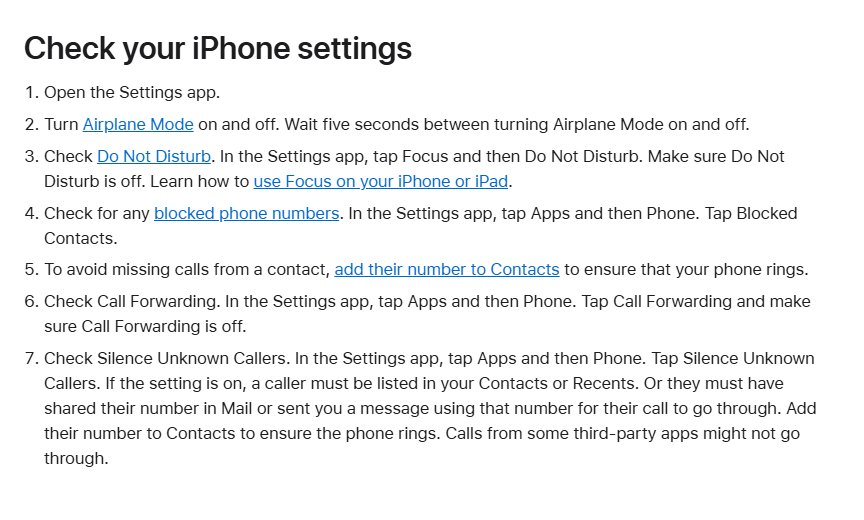
- Tap Call Forwarding and make sure Call Forwarding is off.
- Contact your carrier and say voicemail stopped after you dialed #004#. Ask them to restore call forwarding to voicemail for busy, unanswered and unreachable calls.
- Restart the iPhone once the carrier confirms the change.
- Open the Phone app and tap Voicemail. If Set Up appears, tap it and create a password and greeting.
- Call your number from another phone, let it ring out, and leave a test message.
Only the carrier can see and reset the forwarding settings on your line, so step 3 is the one that fixes most cases.
How conditional call forwarding sends iPhone calls to voicemail
Most mobile carriers use a feature called conditional call forwarding, or no answer/busy transfer, to decide where a call goes when you do not pick up. When it points at your voicemail box, callers can leave a message.
| Call condition | What normally happens | If voicemail forwarding is missing |
|---|---|---|
| Unanswered (Verizon: after 3 to 6 rings) | The call goes to your voicemail greeting | The caller does not reach your voicemail box |
| Busy (you are on another call or decline it) | The caller reaches voicemail | The caller does not reach your voicemail box |
| Unreachable (phone off or no signal) | The call goes straight to voicemail | The caller does not reach your voicemail box |
| Forwarded to another number | Your iPhone or the other number rings | Calls keep going to that number until forwarding is turned off |
Turn off call forwarding on iPhone
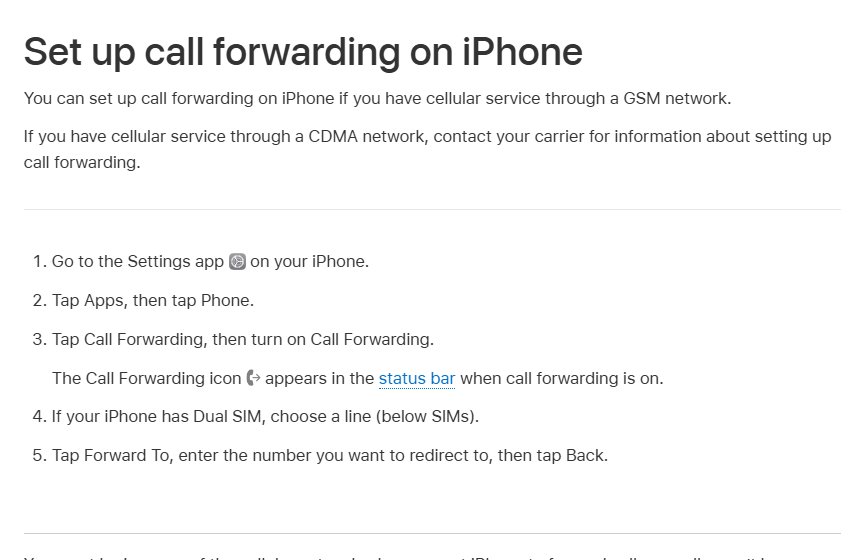
The iPhone's own Call Forwarding switch sends every call to another number, so voicemail never gets a chance. It works on GSM networks; on CDMA service, the carrier handles forwarding.
- Open the Settings app.
- Tap Apps, then tap Phone.
- Tap Call Forwarding.
- If your iPhone has Dual SIM, choose the line you use for calls.
- Turn off Call Forwarding.
- Check that the Call Forwarding icon has gone from the status bar.
Stay in range of the cellular network while you change this, or the change may not reach the carrier. iPhone also blocks links in messages or webpages that ask you to turn on call forwarding, because scammers use them.
Voicemail forwarding codes for AT&T, Verizon and T-Mobile
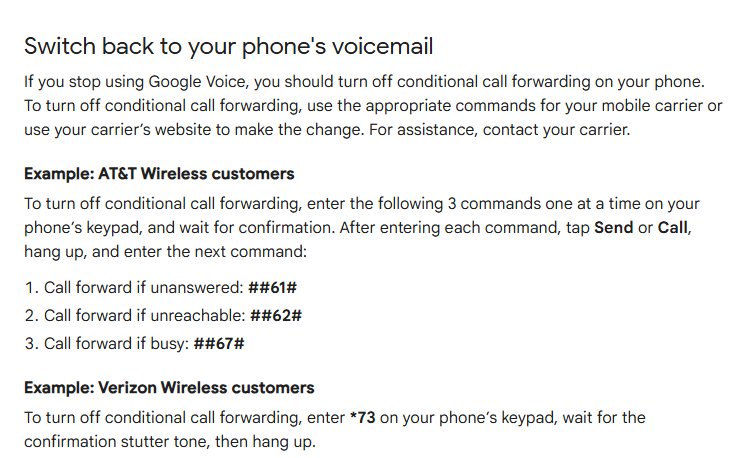
These codes remove call forwarding that you or an app set to another number. Dial them from the iPhone keypad in the Phone app, tap call, and wait for the confirmation before you hang up.
| Carrier | Remove forwarding to another number | Then |
|---|---|---|
| AT&T | Dial ##61# (unanswered), ##62# (unreachable) and ##67# (busy), one at a time | Wait for confirmation after each; contact AT&T if voicemail still does not pick up |
| Verizon | Dial *73 and wait for the confirmation tone, which can sound like a busy signal | Unanswered calls return to voicemail; contact Verizon if they do not |
| T-Mobile | No forwarding code is listed on T-Mobile's voicemail page | Contact T-Mobile and ask them to reset call forwarding to voicemail |
| Other carriers and resellers | Codes vary, and some resold plans do not support conditional forwarding | Ask the carrier for its conditional call forwarding commands |
Enter each code on the phone's own keypad, not in a third-party calling app. If a code gives an error, do not guess at others; call the carrier instead.
Set up voicemail again on iPhone
Once calls reach your voicemail box again, the iPhone may ask you to set up Visual Voicemail. New messages will not show in the app until setup is finished.
- Restart your iPhone.
- Open the Phone app and tap Voicemail.
- Tap Set Up if it appears.
- Create a voicemail password when asked.
- Record your greeting when prompted, then save it.
- If Set Up does not appear, press and hold the 1 key on the keypad to call your voicemail box and finish setup by voice.
On T-Mobile, the voicemail PIN must be 4 to 7 digits. Your saved voicemail messages stay on the iPhone during setup.
Reset your voicemail PIN on T-Mobile and Verizon
| Carrier | How to reset the voicemail password | Notes |
|---|---|---|
| T-Mobile | Dial #793#, then enter the temporary PIN that arrives by text | Create a new 4 to 7 digit PIN when prompted |
| Verizon | Use My Verizon, or call *611 from your mobile phone | Basic voicemail has no password until you create one |
| AT&T | Call voicemail by holding 1; it may ask for your password | Contact AT&T if you cannot get past the password prompt |

Test iPhone voicemail after reactivating it
- Call your iPhone from another phone and do not answer.
- Confirm the caller hears your voicemail greeting.
- Leave a short message and hang up.
- Open Phone > Voicemail on the iPhone and check that the message appears.
- Call again and decline the call to confirm busy calls reach voicemail too.
iPhone voicemail not working after dialing #004#
Calls ring out or end without reaching voicemail
Conditional call forwarding to voicemail is still not set on your line.
- Contact your carrier and ask them to restore forwarding to voicemail for unanswered, busy and unreachable calls.
- Ask them to confirm your account has voicemail and has no billing block or system error on calls.
Calls go to another number instead of voicemail
Call Forwarding on the iPhone or at the carrier still points at that number.
- Turn off Call Forwarding in Settings > Apps > Phone.
- On Verizon, dial *73; on AT&T, dial ##61#, ##62# and ##67# one at a time.
- Ask your carrier to remove any forwarding that remains.
Calls go straight to voicemail without ringing
A Focus, Silent mode or unknown-caller setting is silencing the phone, not a forwarding problem.
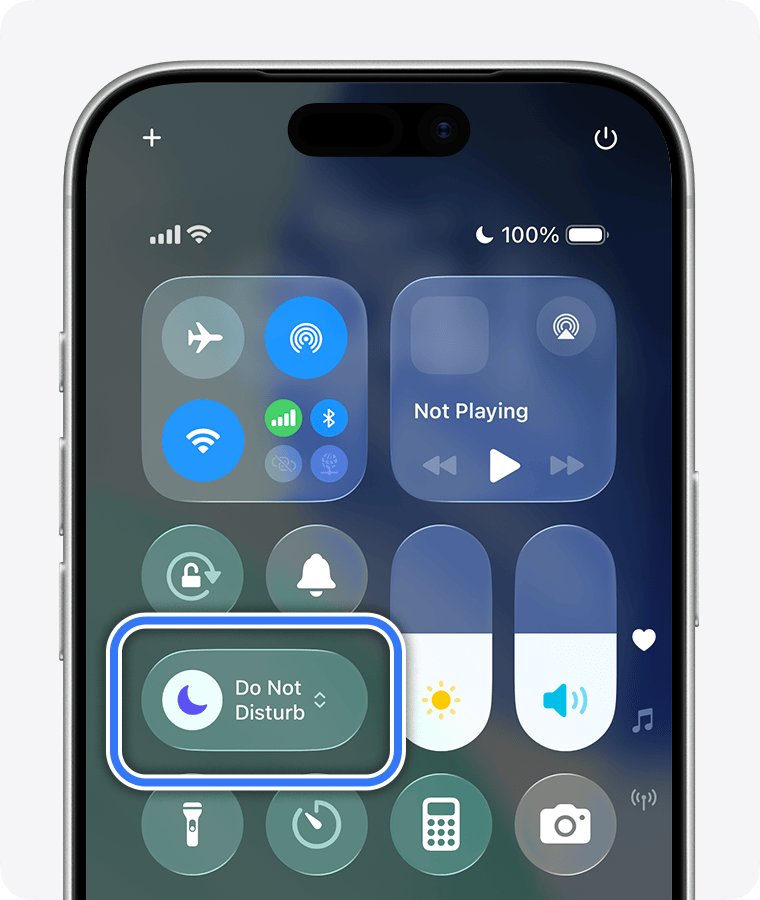
- Open Control Center and turn off any active Focus, such as Do Not Disturb or Sleep.
- Turn Silent mode off.
- In Settings > Apps > Phone, set Screen Unknown Callers to Never.
- Check Blocked Contacts for numbers blocked by mistake.
Voicemail tab shows no messages or no Set Up option
Software, carrier settings or network settings are out of date or corrupted.
- Install any iOS update and any carrier settings update.
- Turn Airplane Mode on, wait five seconds, and turn it off.
- Go to Settings > General > Transfer or Reset iPhone > Reset > Reset Network Settings.
- Restart the iPhone and open Phone > Voicemail again.
Forgot the voicemail password during setup
The carrier holds the voicemail password, not Apple.
- On T-Mobile, dial #793# and use the temporary PIN sent by text.
- On Verizon, reset it in My Verizon or call *611.
- On other carriers, contact customer support.
iPhone voicemail reactivation FAQ
How do I activate voicemail on iPhone?
Open the Phone app, tap Voicemail and tap Set Up, then create a password and greeting. If Set Up does not appear, press and hold 1 on the keypad to call your voicemail box and follow the prompts.
Why did my voicemail stop working after I dialed #004#?
Your carrier routes busy and unanswered calls to voicemail through conditional call forwarding. If voicemail stopped right after you dialed the code, that routing was most likely changed. Your carrier can restore it.
How do I deactivate voicemail on iPhone?
There is no iPhone switch that removes carrier voicemail. Voicemail is part of your carrier account, so ask your carrier to turn it off on your line. Changing forwarding codes yourself can leave calls with nowhere to go.
What number do I call to activate voicemail on a new phone?
On AT&T and T-Mobile, press and hold the 1 key. T-Mobile also lists 123 and your own number. Verizon basic voicemail uses *86 on non-iPhone devices; iPhones use Phone > Voicemail.
How do I dial my voicemail directly on iPhone?
Open the Phone app, tap Keypad, then press and hold 1 to call your voicemail box. You can also tap Voicemail in the Phone app to play messages without calling.
Does turning off call forwarding turn voicemail back on?
Turning off forwarding to another number lets unanswered calls return to voicemail on Verizon. If the code you dialed cleared voicemail forwarding itself, turning forwarding off does not restore it, and your carrier has to reset it.
Does resetting network settings fix iPhone voicemail?
It can fix a Voicemail tab that will not load, because it clears saved cellular, Wi-Fi, VPN and APN settings. It does not change carrier forwarding, so it will not fix calls that never reach voicemail.
Carrier or iPhone: who restores voicemail after #004#?
Turn off Call Forwarding on the iPhone, then call your carrier and ask them to restore voicemail forwarding for busy, unanswered and unreachable calls before you set up voicemail again. Voicemail routing is stored on the carrier's network. The iPhone can remove forwarding to another number, but only the carrier can reliably put calls back to your voicemail box.