Microsoft's free way to view Word, Excel and PowerPoint files today is the free web versions of those apps, because Word Viewer, Excel Viewer and PowerPoint Viewer are retired and no longer downloadable.
Visio is the exception: Visio Viewer is still on the Microsoft Download Center, and Visio for the web opens basic diagrams read-only without a licence. This guide covers each free option, the steps to open a file, and what changes when a Microsoft 365 subscription runs out.
How to view Word, Excel and PowerPoint files free in a browser
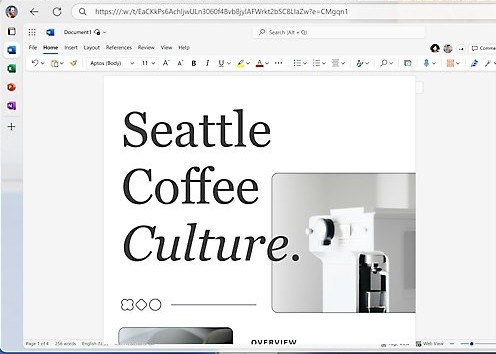
A free Microsoft account is the only requirement. The file opens in Word, Excel or PowerPoint for the web, and the same steps work on Windows, a Mac or a Chromebook.
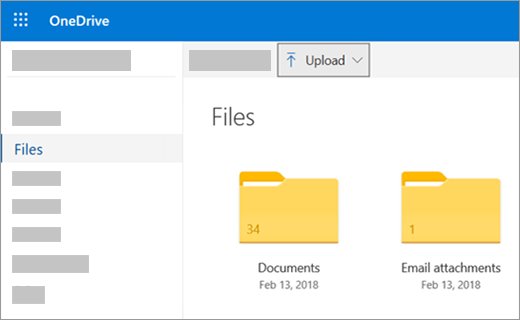
- Go to onedrive.com and sign in with your Microsoft account. Create one with any email address if you have none.
- Browse to the folder where you want to keep the file.
- Select Upload at the top of the page.
- Pick the .docx, .xlsx or .pptx file and select Open.
- Wait for the upload to finish, then select the file name.
- Read the document in your browser. Word, Excel and PowerPoint for the web open it automatically.
You can also drag a file from File Explorer or Finder straight onto the OneDrive page. Microsoft's support page also lists Dropbox as a place where Word, Excel and PowerPoint Online open stored files.
Free Office viewers from Microsoft
Microsoft has discontinued every standalone viewer except Visio's. The discontinued list covers Word Viewer, Excel Viewer and PowerPoint Viewer in all versions, plus Visio Viewer 2002 and 2003. None of them receives hotfixes, service packs or security updates.
| Viewer | Status | Free replacement from Microsoft |
|---|---|---|
| Word Viewer | Retired, no download, no security updates | Word for the web or the Word mobile app |
| Excel Viewer | Retired, no download, no security updates | Excel for the web or the Excel mobile app |
| PowerPoint Viewer | Retired, no download, no security updates | PowerPoint for the web or the PowerPoint mobile app |
| Visio Viewer 2002 and 2003 | Discontinued | Microsoft Visio 2013 Viewer |
| Visio Viewer 2016 | Extended support ended 14 October 2025 | Microsoft Visio 2013 Viewer or Visio for the web |
| Microsoft Visio 2013 Viewer | Still on the Download Center (published 15 July 2024) | Current free Visio viewer |
| Visio for the web | Live, read-only view of basic files without a licence | No install needed |
A site that still offers a Word Viewer or Excel Viewer installer is offering software Microsoft no longer patches. Use the web apps instead.
Best free option for Microsoft Office files on each device
| Your situation | Use this | Why |
|---|---|---|
| Windows PC, Mac or Chromebook with a browser | Word, Excel or PowerPoint for the web | Free with a Microsoft account, nothing to install |
| Phone or small tablet | Word, Excel or PowerPoint mobile app | Free accounts get basic editing on devices under 10.1 inches |
| Visio diagram on Windows 11 or a Mac | Visio for the web | Read-only view in Edge, Chrome, Firefox or Safari 10+ |
| Visio diagram on an older Windows PC with Internet Explorer | Microsoft Visio 2013 Viewer | Opens .vsdx and .vsd drawings inside Internet Explorer |
| Work PC with an unlicensed Microsoft 365 Apps install | Viewer mode, set by your admin | Opens and prints files without an activation prompt |
| Microsoft 365 subscription has lapsed | The desktop apps you already have | You can still open and print, but not edit or create files |
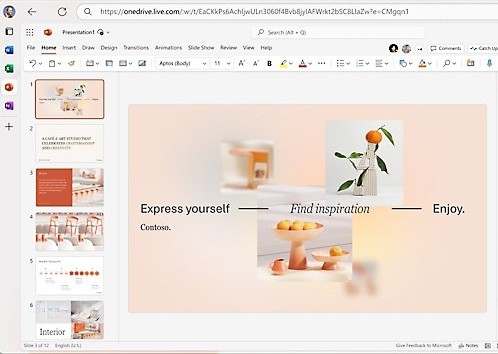
Microsoft Office online viewer: Word, Excel and PowerPoint for the web
Microsoft365.com is the start page for the free web apps. A free account shows a Free badge after you sign in, and a paid one shows Subscribed.
- Open microsoft365.com in your web browser.
- Select Sign in and enter your Microsoft account.
- Open the app launcher and choose Word, Excel or PowerPoint.
- Open a file stored in your OneDrive, or start a new blank document.
- Read, print or share the file from the browser window.
Free web users get 5 GB of OneDrive storage. Files you create in the free web apps save to OneDrive automatically. If you only need slides, you can get PowerPoint for free through the same account. Edge or Chrome can also install the Office web apps as PWAs so they open in their own window.
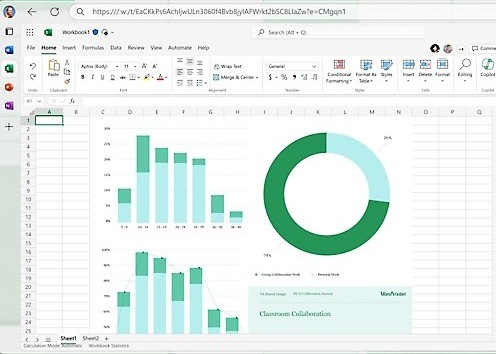
Free Office viewer apps for Android, iPhone and iPad
Microsoft's viewer retirement notice points phone and tablet users to the Word, Excel and PowerPoint apps in Google Play, the App Store and the Microsoft Store. Availability varies by country or region.
- Open Google Play on Android or the App Store on iPhone and iPad.
- Search for Microsoft Word, Microsoft Excel or Microsoft PowerPoint, published by Microsoft Corporation.
- Tap Install or Get.
- Open the app and sign in with your free Microsoft account.
- Open a file from OneDrive, from an email attachment or from the device's storage.
Without a subscription, editing is limited to basic edits on phones and tablets with screens under 10.1 inches.
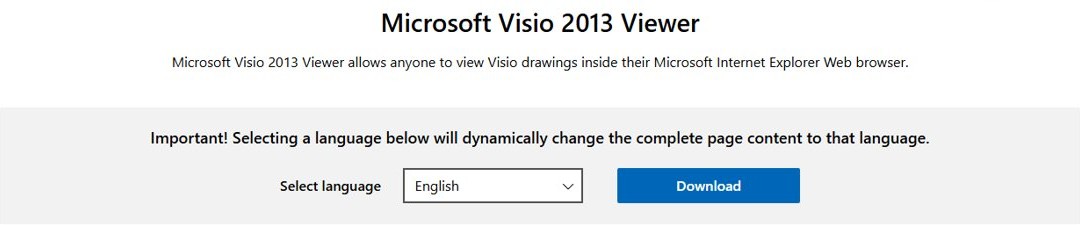
Download Visio Viewer for Windows
Microsoft Visio 2013 Viewer is the free Visio viewer Microsoft still publishes. It opens .vsdx, .vsdm, .vsd, .vdx, .vdw, .vstx, .vstm, .vst and .vtx drawings, and it cannot create, edit or save a diagram.
- Open the Microsoft Visio 2013 Viewer page on the Microsoft Download Center.
- Choose your language and select Download.
- Tick visioviewer64bit.exe (21.1 MB) on 64-bit Windows or visioviewer32bit.exe (11.1 MB) on 32-bit Windows.
- Save the file, then run it to start Setup.
- Follow the on-screen instructions to finish the install.
- Double-click a Visio drawing in File Explorer. It opens in Internet Explorer, where you can pan, zoom and view shape properties.
The Download Center lists Windows 7, Windows 8 and Internet Explorer 8, 9 or 10 as requirements, because the viewer is an ActiveX control. The Internet Explorer 11 desktop app went out of support on 15 June 2022, so on current Windows, Visio for the web is the dependable route.
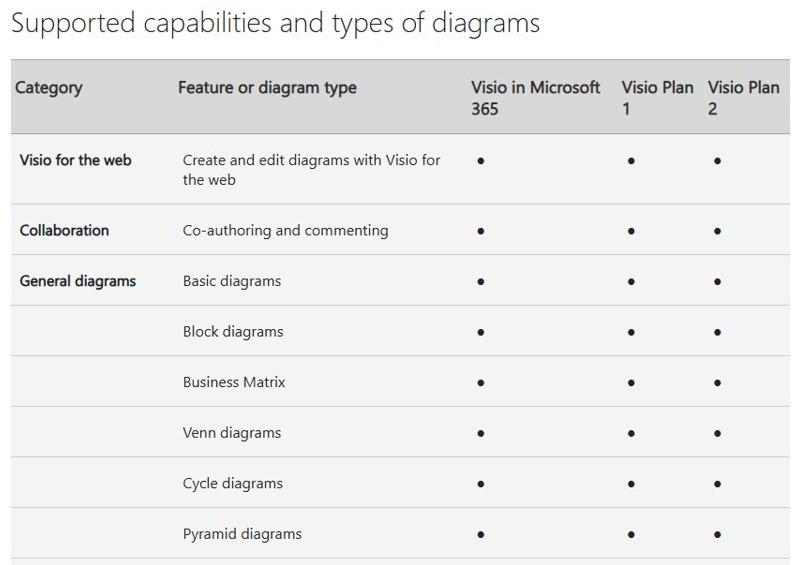
View Visio files free in Visio for the web
Microsoft states that Visio for the web can be used without a licence to view basic Visio files. The diagram opens read-only in the browser.
- Sign in to onedrive.com with your Microsoft 365 or Microsoft account.
- Select Upload, choose the .vsdx file and select Open.
- Select the uploaded file in OneDrive.
- Read the diagram in Visio for the web in read-only view.
Use the latest Microsoft Edge, Firefox, Google Chrome or Safari 10 and later. Editing a diagram needs a Visio plan, which you can try first with a Visio free trial.
Viewer mode for Microsoft 365 Apps
Viewer mode lets unlicensed users of Microsoft 365 Apps for enterprise view and print Office files without an activation prompt. It is a work setting that an IT admin turns on with Group Policy, not something a home user can switch on.
| Detail | What Microsoft documents |
|---|---|
| Who it is for | Unlicensed users of a supported Microsoft 365 Apps for enterprise install |
| What users can do | View and print Word, Excel and PowerPoint files; no creating or editing |
| Supported apps | Word, Excel and PowerPoint Version 1902 or later; Project and Visio Version 2005 or later |
| Policy setting | Use Viewer Mode under Computer Configuration\Policies\Administrative Templates\Microsoft Office 2016 (Machine)\Licensing Settings |
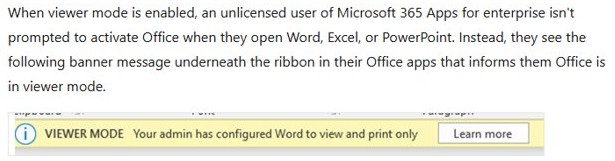
| What the user sees | A banner under the ribbon saying Office is in viewer mode; Activate Product under File > Account is hidden |
| Updates | Security updates and new features still install |
Can you view Office files after Microsoft 365 expires?
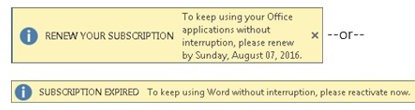
Yes. When a Microsoft 365 subscription notice is ignored, the desktop apps still open and print documents, but you cannot edit them or create new ones. Microsoft's subscription notice page says Office eventually goes into reduced functionality mode. To edit again, renew the subscription or switch to the free web apps, which keep full basic editing in the browser.
Desktop apps also need an internet connection at least every 39 days. Past that, they drop into reduced functionality mode until you reconnect and sign in.
Microsoft Office free vs paid
| Feature | Free Microsoft 365 web apps | Microsoft 365 Personal or Family |
|---|---|---|
| Cost | Free with a Microsoft account | Monthly or annual fee |
| Word, Excel, PowerPoint, Outlook, OneNote | Web versions only | Web apps plus desktop apps for PC and Mac |
| Phones and tablets | Basic editing on devices under 10.1 inches | Apps with subscription features and updates |
| Access and Publisher | Not available | Desktop versions, PC only |
| OneDrive storage | 5 GB | 1 TB (Personal) or 2 TB shared (Family) |
| Feature updates | Security updates, no new features | New features and security updates |
| Technical support | None | Included |
Free Microsoft Office viewer FAQ
Does Microsoft offer free Office?
Yes. Word, Excel and PowerPoint for the web are free with a Microsoft account at microsoft365.com, along with 5 GB of OneDrive storage. The desktop apps need a Microsoft 365 subscription or a one-time Office purchase.
Which Microsoft Office is free?
The web versions of Word, Excel and PowerPoint are free, and the mobile apps offer basic editing on phones and tablets under 10.1 inches. Visio for the web shows basic Visio files read-only without a licence.
Is free Office really free?
Yes. The free web apps cost nothing and need only a Microsoft account. They receive security updates but no new features, and they come with no technical support from Microsoft.
Is there still a free Microsoft Word Viewer?
No. Microsoft retired Word Viewer, so it is no longer available for download and gets no security updates. Microsoft recommends uploading the document to OneDrive or Dropbox and opening it in Word for the web, or using the Word mobile app.
How do I use Microsoft Office free online?
Sign in to microsoft365.com with a Microsoft account, open the app launcher and choose Word, Excel or PowerPoint. Files you upload to OneDrive open in the matching web app, and new files save to OneDrive automatically.
Where is my free Office?
Free Office lives in your browser at microsoft365.com, not as an installed program. After you sign in, a Free badge means you have the free web apps and online storage but no Microsoft 365 Family or Personal subscription.
Why is Microsoft Office not free anymore?
The Word, Excel, PowerPoint and Outlook desktop apps are part of paid Microsoft 365 plans or one-time Office purchases. The free tier is the web versions of Word, Excel and PowerPoint, which still open and edit files at no cost.
Is Visio Viewer free?
Yes. Microsoft Visio 2013 Viewer is a free download on the Microsoft Download Center and opens, views and prints Visio drawings. It cannot create, edit or save a diagram, and it runs inside Internet Explorer.