CE0682 on the back of an iPhone 6 is a European regulatory marking, not a phone number, IMEI, serial number or model number.
This guide shows what each printed number on the iPhone 6 back cover means, where to find the identifiers Apple asks for, and how to see your phone number.
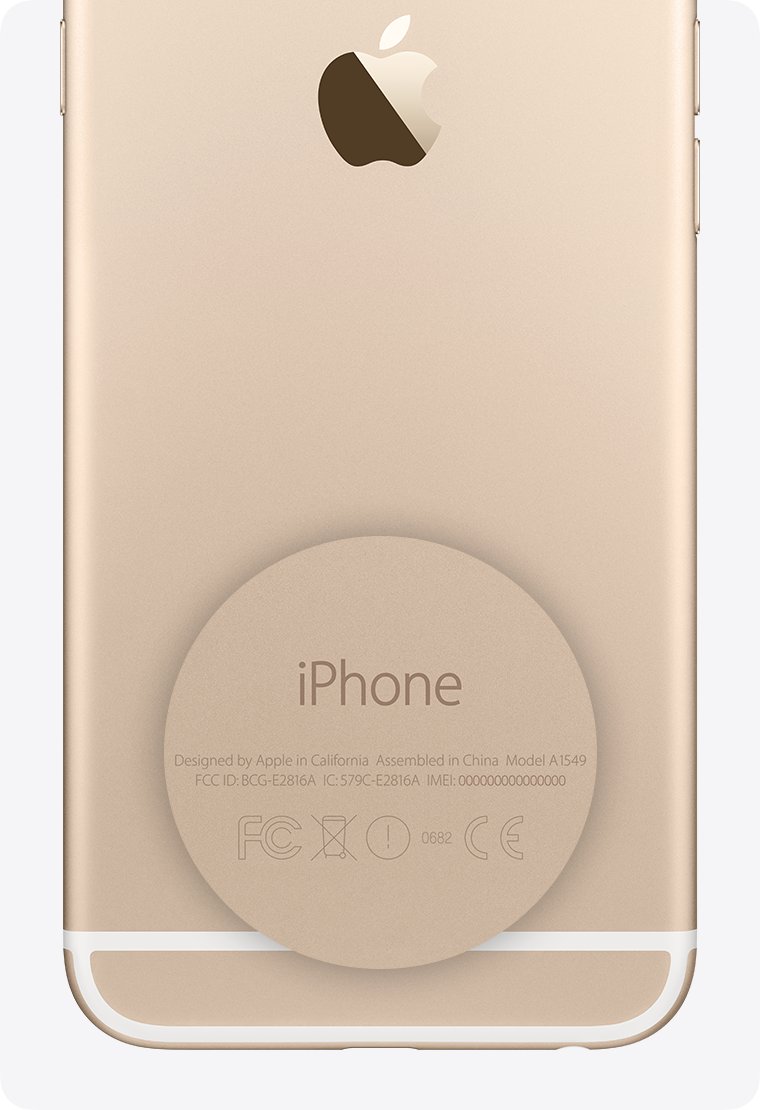
What CE0682 on the back of iPhone 6 means
The CE letters and the four digits after them are part of the regulatory marks Apple prints for devices sold in Europe. Apple publishes its EU and UK Declarations of Conformity on its regulatory information site.
You never type CE0682 anywhere, and Apple support does not ask for it.
- Open the Settings app on your iPhone 6.
- Tap General.
- Tap Legal & Regulatory to see the regulatory marks, legal notices, warranty and RF exposure information.
- Go back to General and tap About for the numbers that identify your phone.
Numbers on the back of iPhone 6 explained
| Printed item | What it is | When you need it |
|---|---|---|
| Model A1549, A1586 or A1589 | Apple's model number for the iPhone 6 | Buying parts, cases or checking network bands |
| IMEI | International Mobile Equipment Identity, unique to your phone | Carrier unlocks, blacklist checks, insurance and Apple support |
| MEID | The first 14 digits of the IMEI | CDMA carriers |
| CE plus four digits | European regulatory marking | Not needed by owners |
| FCC ID and other symbols | Regulatory marks for other regions | Not needed by owners |
The serial number is not printed on the iPhone 6 back. Find it in Settings, the Finder, iTunes or on the box.
Find the iPhone 6 model number and IMEI in Settings
- Open Settings and tap General.
- Tap About.
- Find Model Number. A part number shows first, so tap it to see the A-number.
- Scroll down to IMEI and MEID.
- Touch and hold a number until Copy appears to paste it into a support form.
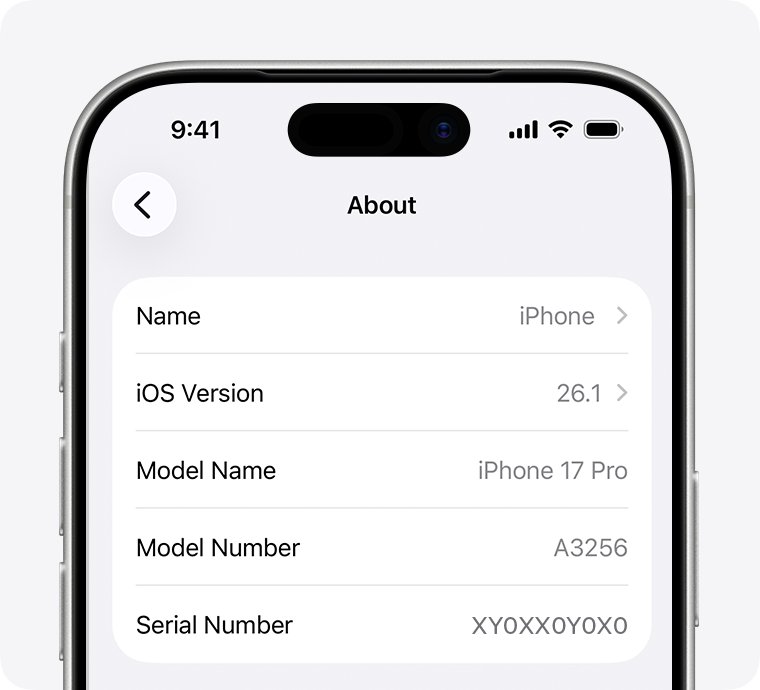
Find the iPhone 6 serial number and IMEI without the phone
Use these routes when the screen is broken or the phone won't start.
- Read the IMEI printed on the back cover of the iPhone 6.
- Check the barcode label on the original box for the serial number and IMEI/MEID.
- Or connect the phone to a computer and open the Finder on a Mac with macOS Catalina or later, or the Apple Devices app or iTunes on a PC.
- Select the iPhone and click the model name under the device name to show the serial number.
- Or go to account.apple.com in a browser and sign in to see the devices linked to your Apple Account.
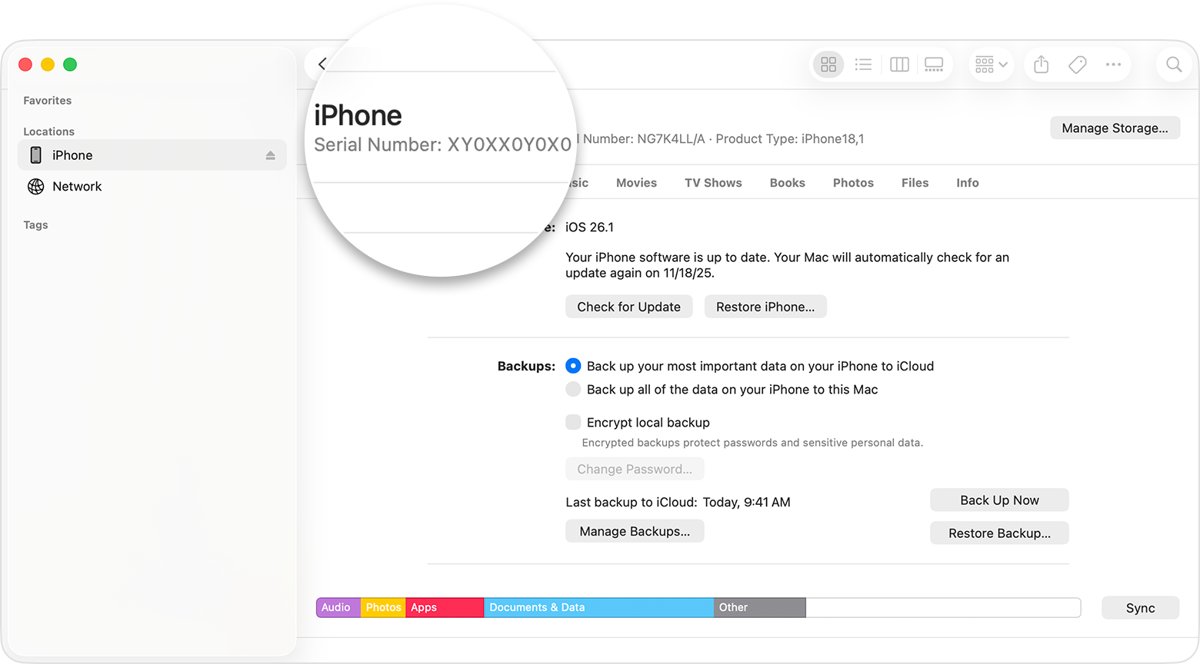
Where is my phone number on iPhone
Your phone number belongs to the SIM, so it is never printed on the iPhone 6 back.
- Connect the iPhone to your computer.
- Open the Finder, the Apple Devices app or iTunes.
- Select your iPhone under the device list.
- Click Phone Number under the device name to show the number along with the IMEI and ICCID.
- Ask your carrier for the number if no SIM is inserted.
iPhone 6 model numbers A1549, A1586 and A1589
| Model number | Phone | Cellular notes from Apple's specs |
|---|---|---|
| A1549 | iPhone 6 | GSM and CDMA versions listed |
| A1586 | iPhone 6 | Adds TD-SCDMA bands |
| A1589 | iPhone 6 | Listed by Apple as an iPhone 6 back-cover model number |
Every iPhone 6 model supports 802.11a/b/g/n/ac Wi-Fi, Bluetooth and NFC, and Apple lists Wi-Fi calling and VoLTE for it, subject to carrier support.
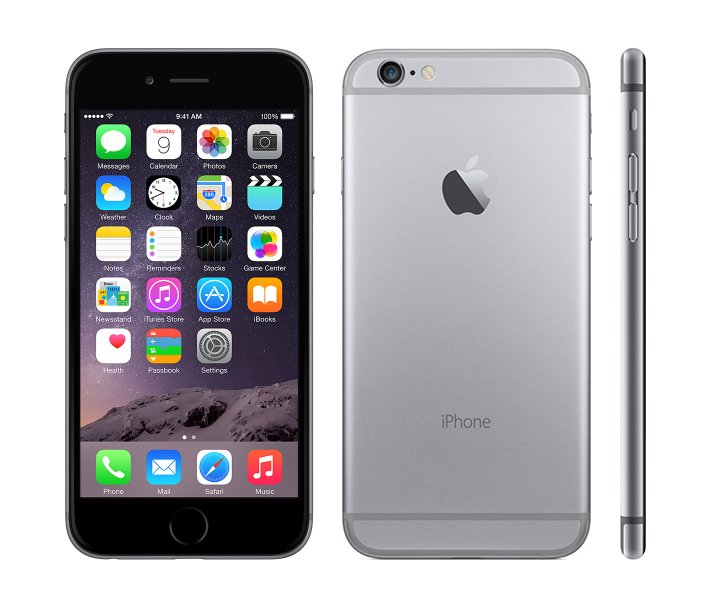
Confirm the IMEI on the back matches iPhone 6 Settings
- Note the IMEI printed on the back cover.
- Open Settings > General > About and scroll to IMEI.
- Compare the two numbers digit by digit.
- Treat a mismatch as a sign the back housing was replaced, and use the Settings number for support and carrier requests.
iPhone 6 back cover numbers FAQ
Is CE0682 my iPhone's phone number?
No. CE0682 is a European regulatory marking printed with the other compliance marks. Your phone number belongs to the SIM card and shows in the Finder, Apple Devices or iTunes under Phone Number.
Where is my phone number on iPhone?
Connect the iPhone to a computer, select it in the Finder, Apple Devices app or iTunes, and click Phone Number under the device name. Your carrier can also confirm the number.
Where is the IMEI on an iPhone 6?
Apple prints the IMEI on the back of the iPhone 6. It also appears in Settings > General > About and on the barcode label of the original box.
What is the iPhone 6 model number?
The iPhone 6 model number on the back cover is A1549, A1586 or A1589. In Settings > General > About, tap the part number beside Model Number to see it.
Does iPhone 6 have Wi-Fi calling?
Yes. Apple's iPhone 6 technical specifications list Wi-Fi calling and Voice over LTE, though both depend on your carrier offering them.
Where is the serial number on an iPhone 6?
The serial number is not on the back. Find it in Settings > General > About, in the Finder or iTunes when the phone is connected, at account.apple.com, or on the box barcode.