The country an iPhone was made for is identified by its model number, the code that starts with A (such as A3256), and Apple lists which countries and regions each model number belongs to.
This guide shows where to find that number, how to read it against Apple's region list for recent iPhones, and how it differs from the part number, serial number and IMEI.
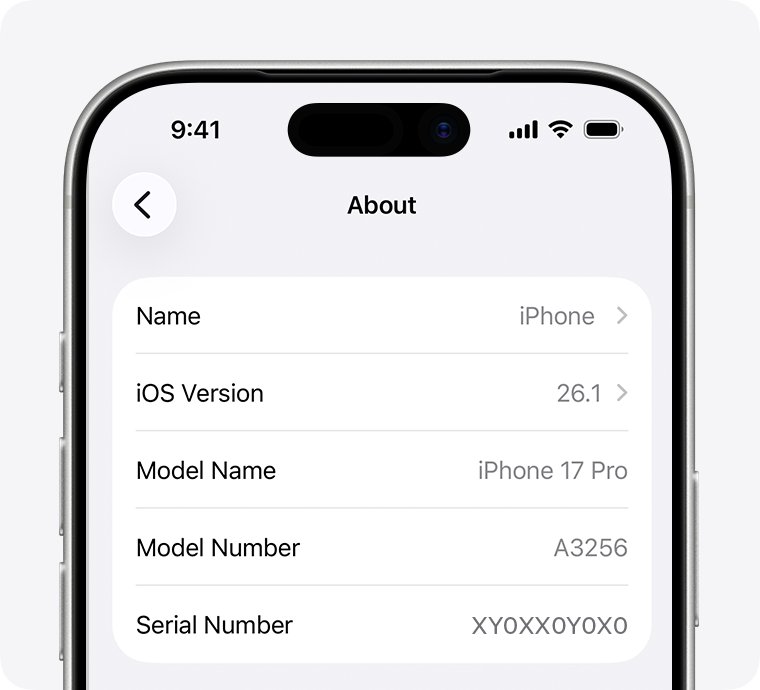
How to check iPhone model country in Settings
- Open the Settings app and tap General.
- Tap About.
- Look to the right of Model Number. You first see the part number.
- Tap the part number once. It changes to the model number that starts with A.
- Find that A-number in the region tables below, or in Apple's Identify your iPhone model article, to see the countries it was made for.
Example: an iPhone 17 Pro that shows A3256 is the United States and Puerto Rico model, while A3524 is the China mainland model.
iPhone model number meaning: part number vs model number
Settings shows two different codes in the same row, and only one of them maps to Apple's published country list.
| Code | What it looks like | What it tells you | Where to see it |
|---|---|---|---|
| Model number | A plus four digits, such as A3256 | The iPhone model and the countries or regions it was made for, per Apple's list | Settings > General > About, after tapping Model Number; SIM tray slot; connector; back on iPhone 7 and earlier |
| Part number | A longer letter-and-number code shown first next to Model Number | The exact retail configuration; Apple publishes no country key for its letters | Settings > General > About, before tapping |
| Serial number | Unique to one device | Identifies your specific iPhone for Apple support and coverage | Settings > General > About |
| IMEI/MEID | 15-digit number (MEID is the first 14 digits) | Identifies the phone on cellular networks | Settings > General > About; SIM tray on many models |
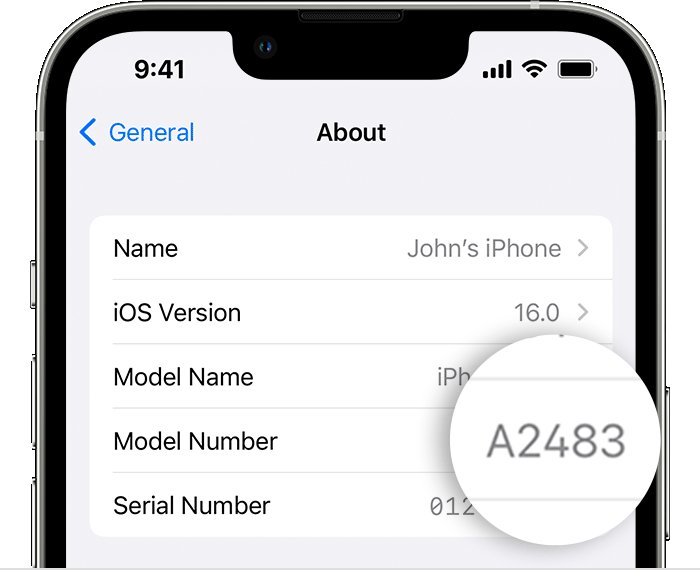
Where to find the iPhone model number on the device
If the iPhone will not turn on, the model number is also printed on the hardware. Look in bright overhead light, because the print is small.
| Your iPhone | Where the model number is printed |
|---|---|
| Any iPhone that turns on | Settings > General > About > tap the part number next to Model Number |
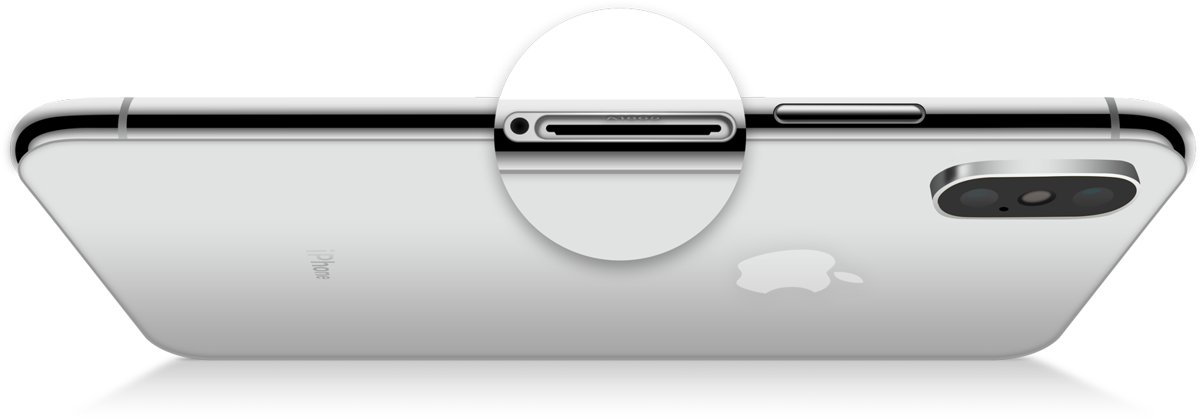
| iPhone 8 or later with a SIM tray | Inside the SIM tray slot, on the upper side facing the display |
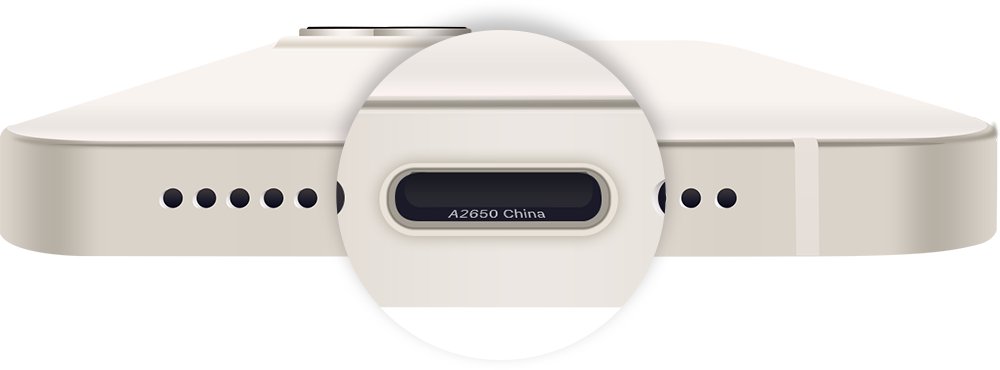
| iPhone without a SIM tray | Inside the USB-C or Lightning connector, on the upper side facing the display |
| iPhone 7 or earlier | On the back of the device |
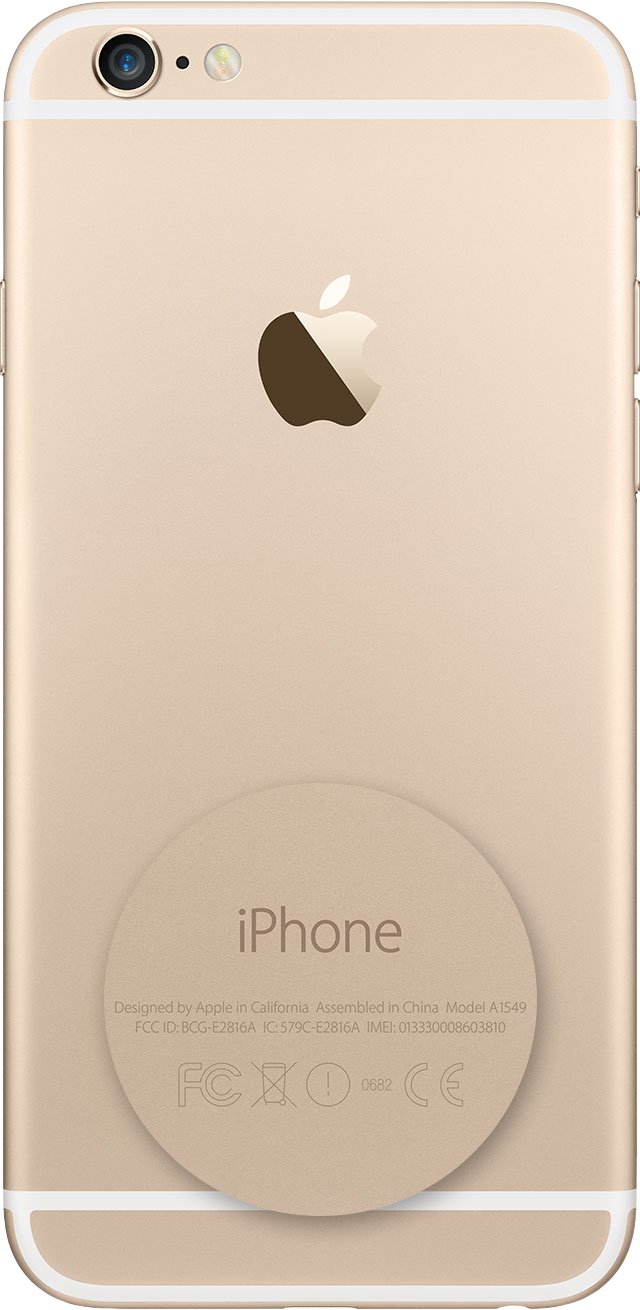
iPhone model number country list: iPhone 18 Pro to iPhone 16
Recent iPhones usually come in four region groups: United States, a second group covering Canada, Japan, Mexico and some Gulf countries, China mainland, and everywhere else.
| iPhone | United States, Puerto Rico | Canada, Japan, Mexico, Gulf group | China mainland | Other countries and regions |
|---|---|---|---|---|
| iPhone 18 Pro Max | A3473 | A3716 (Japan, Canada, Mexico, Guam, USVI and Gulf states) | A3718 | A3717 |
| iPhone 18 Pro | A3472 | A3713 | A3715 | A3714 |
| iPhone 17e | A3575 (also Canada, Japan, Mexico, Gulf states) | A3575 | A3635 | A3634 |
| iPhone 17 Pro Max | A3257 | A3525 | A3527 | A3526 |
| iPhone 17 Pro | A3256 | A3522 | A3524 | A3523 |
| iPhone 17 | A3258 | A3519 | A3521 | A3520 |
| iPhone Air | A3260 (also Canada, Mexico, Gulf states) | A3516 (Japan only) | A3518 | A3517 |
| iPhone 16e | A3212 | A3408 (no Japan listed) | A3410 | A3409 |
| iPhone 16 Pro Max | A3084 | A3295 | A3297 (plus Hong Kong, Macao) | A3296 |
| iPhone 16 Pro | A3083 | A3292 | A3294 (plus Hong Kong, Macao) | A3293 |
| iPhone 16 Plus | A3082 | A3289 | A3291 (plus Hong Kong, Macao) | A3290 |
| iPhone 16 | A3081 | A3286 | A3288 (plus Hong Kong, Macao) | A3287 |
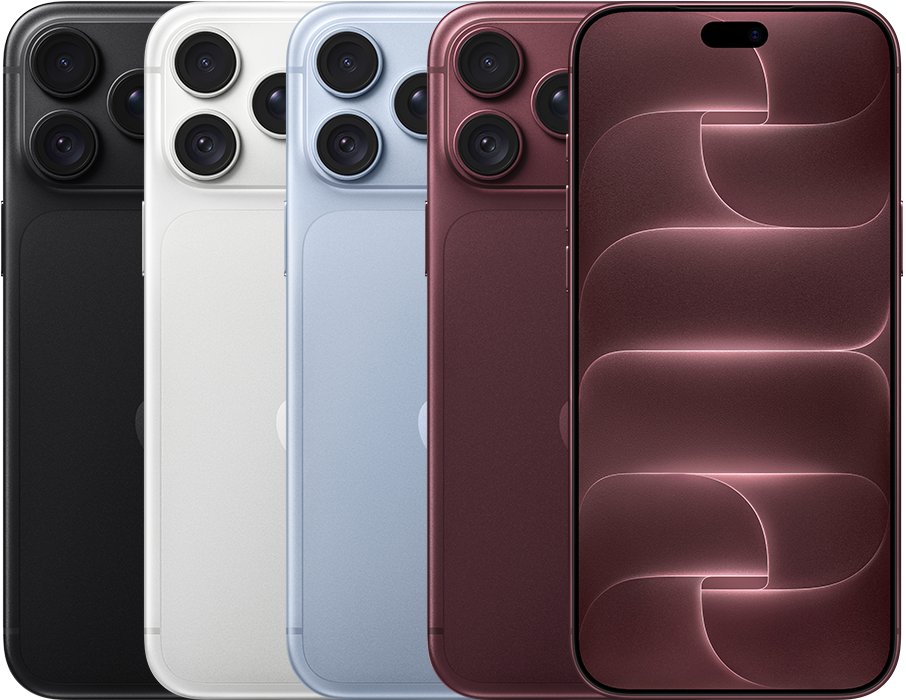
iPhone model number country list: iPhone 15 to iPhone 13
From iPhone 13 to iPhone 14, Apple also sold a separate model for Armenia, Belarus, Kazakhstan, Kyrgyzstan and Russia.
| iPhone | United States | Canada, Japan, Mexico group | China mainland | Russia group | Other countries and regions |
|---|---|---|---|---|---|
| iPhone 15 Pro Max | A2849 | A3105 | A3108 | Not listed | A3106 |
| iPhone 15 Pro | A2848 | A3101 | A3104 | Not listed | A3102 |
| iPhone 15 Plus | A2847 | A3093 | A3096 | Not listed | A3094 |
| iPhone 15 | A2846 | A3089 | A3092 | Not listed | A3090 |
| iPhone 14 Pro Max | A2651 | A2893 | A2896 | A2895 | A2894 |
| iPhone 14 Pro | A2650 | A2889 | A2892 | A2891 | A2890 |
| iPhone 14 Plus | A2632 | A2885 | A2888 | A2887 | A2886 |
| iPhone 14 | A2649 | A2881 | A2884 | A2883 | A2882 |
| iPhone SE (3rd generation) | A2595 (also Canada, Mexico) | A2782 (Japan) | A2785 | A2784 | A2783 |
| iPhone 13 Pro Max | A2484 | A2641 | A2644 | A2645 | A2643 |
| iPhone 13 Pro | A2483 | A2636 | A2639 | A2640 | A2638 |
| iPhone 13 | A2482 | A2631 | A2634 | A2635 | A2633 |
| iPhone 13 mini | A2481 | A2626 | A2629 | A2630 | A2628 |
iPhone model number country list: iPhone 12 to iPhone 11
| iPhone | United States (and Canada where noted) | Canada, Japan | China mainland | Other countries and regions |
|---|---|---|---|---|
| iPhone 12 Pro Max | A2342 | A2410 | A2412 | A2411 |
| iPhone 12 Pro | A2341 | A2406 | A2408 | A2407 |
| iPhone 12 | A2172 | A2402 | A2404 | A2403 |
| iPhone 12 mini | A2176 | A2398 | A2400 | A2399 |
| iPhone SE (2nd generation) | A2275 (Canada, United States) | Not listed | A2298 | A2296 |
| iPhone 11 Pro | A2160 (Canada, United States) | Not listed | A2217 | A2215 |
| iPhone 11 Pro Max | A2161 (Canada, United States) | Not listed | A2220 | A2218 |
| iPhone 11 | A2111 (Canada, United States) | Not listed | A2223 | A2221 |
For iPhone XS and earlier, Apple lists several model numbers per phone and names only the Japan and China mainland variants, so check the exact wording for your number in Apple's article.
iPhone model country differences: SIM tray, Japan and China models
The region group changes real hardware, which matters when you buy an imported or used iPhone.
| Model number group | What is different | What it means for you |
|---|---|---|
| United States model, iPhone 14 and later | No SIM tray; eSIM only | You need a carrier that supports eSIM |
| Canada, Japan, Mexico and Gulf group, iPhone 17 and later | No SIM tray in those countries | Same eSIM-only setup as the US model |
| Other countries and regions, recent models | SIM tray on the left side for a nano-SIM | Works with a physical SIM card |
| iPhone XS Max sold in China mainland, Hong Kong, Macao | SIM tray holds two nano-SIM cards | Dual physical SIM instead of eSIM |
| iPhone 7 and 7 Plus Japan models (A1779, A1785) | FeliCa for Apple Pay transit and payment | Japanese transit cards work in Apple Pay |
| iPhone X, 8 and 8 Plus models A1902, A1906, A1898 | Support LTE bands used in Japan | Better fit for Japanese carriers |
Check the iPhone model number matches the box and the listing
When you buy a used or imported iPhone, confirm the region before you pay.
- Ask the seller for the A-number shown after tapping Model Number in Settings > General > About.
- Remove the SIM tray, if there is one, and read the model number printed in the slot.
- Confirm both numbers match each other and the region the listing claims.
- Compare the SIM setup with the region table: a US model from iPhone 14 onward should have no SIM tray.
Can't find iPhone model number: fixes by symptom
Model Number in Settings does not start with A
Settings shows the part number first.
- Go to Settings > General > About.
- Tap the code next to Model Number once.
- Read the A-number that replaces it.
The iPhone will not turn on, so Settings is not available
The number must be read from the hardware instead.
- On iPhone 8 or later with a SIM tray, eject the tray and look at the upper side of the slot.
- On an iPhone without a SIM tray, look inside the USB-C or Lightning port.
- On iPhone 7 or earlier, read the number on the back.
- Use bright overhead light or a magnifier.
Your model number is not in the tables
Older iPhones list several numbers without a named country.
- Open Apple's Identify your iPhone model article.
- Search the page for your A-number.
- Read the countries in brackets next to it. If none are shown, Apple does not tie that number to one country.
iPhone model number country code FAQ
How do I check my iPhone model country?
Go to Settings > General > About and tap the code next to Model Number to show the A-number. Then match it to Apple's Identify your iPhone model list, which names the countries and regions for each number.
How do I get the iPhone model number?
Open Settings, tap General, then About. The part number appears next to Model Number; tap it once to see the model number that starts with A, such as A3256.
Where do I find the iPhone model number on the phone itself?
On iPhone 8 or later with a SIM tray, it is printed inside the SIM tray slot. On iPhones without a tray, it is inside the USB-C or Lightning connector. On iPhone 7 and earlier, it is on the back.
What is the current iPhone model number?
The newest models are iPhone 18 Pro (A3472 in the United States) and iPhone 18 Pro Max (A3473 in the United States), both introduced in 2026. Each also has separate numbers for Japan and Canada, China mainland, and other regions.
What does the iPhone model number mean?
The model number identifies the iPhone model and the region group it was built for. For example, A3256 is an iPhone 17 Pro for the United States and Puerto Rico, and A3524 is the same phone for China mainland.
Does the part number show the country?
Apple does not publish a country key for the letters in the part number. Use the A-number instead, because Apple's Identify your iPhone model article lists the countries and regions for every model number.
Does the model number show where the iPhone was manufactured?
No. Apple's list groups model numbers by the countries and regions where they are sold. It does not name a factory or manufacturing country.
Is the model number country code the same as the dialing country code?
No. The model number region has nothing to do with phone dialing codes such as +1 or +44. Any iPhone can call international numbers when the carrier and plan allow it.
Bottom line: the reliable way to read an iPhone's country code
Use the A-number from Settings or the SIM tray slot and look it up in Apple's model list, not the part number letters. Apple publishes the countries and regions for every A-number, and that region decides real hardware differences such as an eSIM-only design or a physical SIM tray.