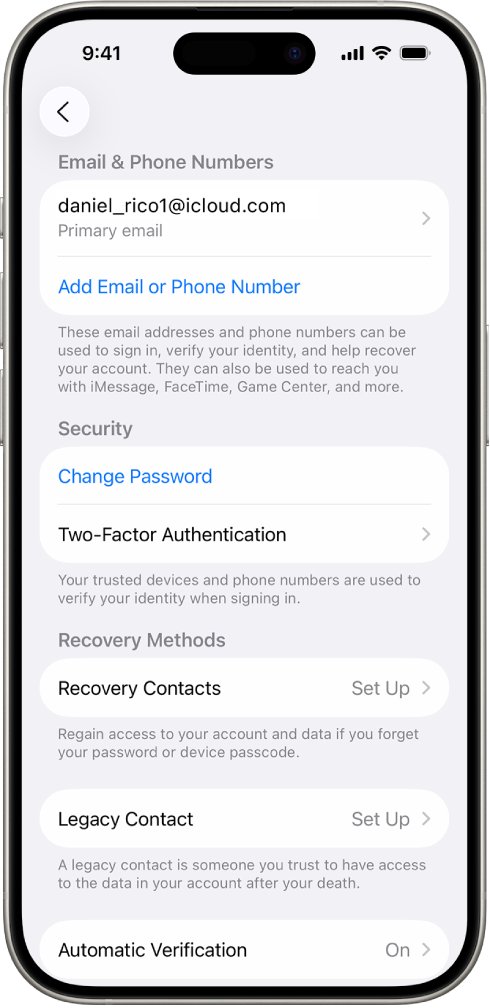
To change the notification email on your Apple Account, open Settings, tap [your name], tap Sign-In & Security, then tap your primary email address and replace it with the new one.
Apple sends account emails to that primary address, so this guide covers the iPhone, Mac and web routes, phone-number accounts, iCloud-only addresses, and what to do when the change will not go through.
How to change notification email on Apple ID on iPhone
Apple ID is now called Apple Account, and the address Apple writes to is your primary email address. Apple calls it the contact email for your account and uses it for the notifications that help you manage the account.
An iPhone or iPad already signed in to your account is the quickest and most secure place to change it.
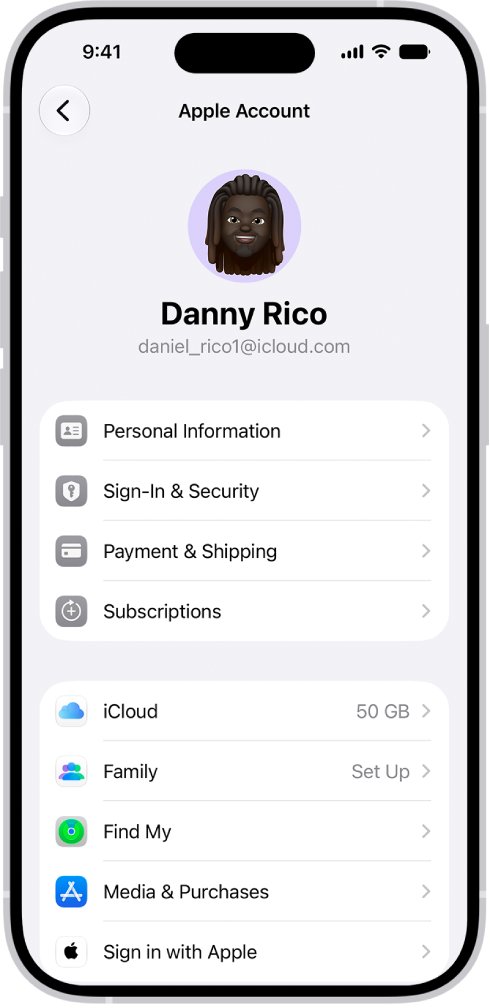
- Open Settings and tap [your name] at the top.
- Tap Sign-In & Security.
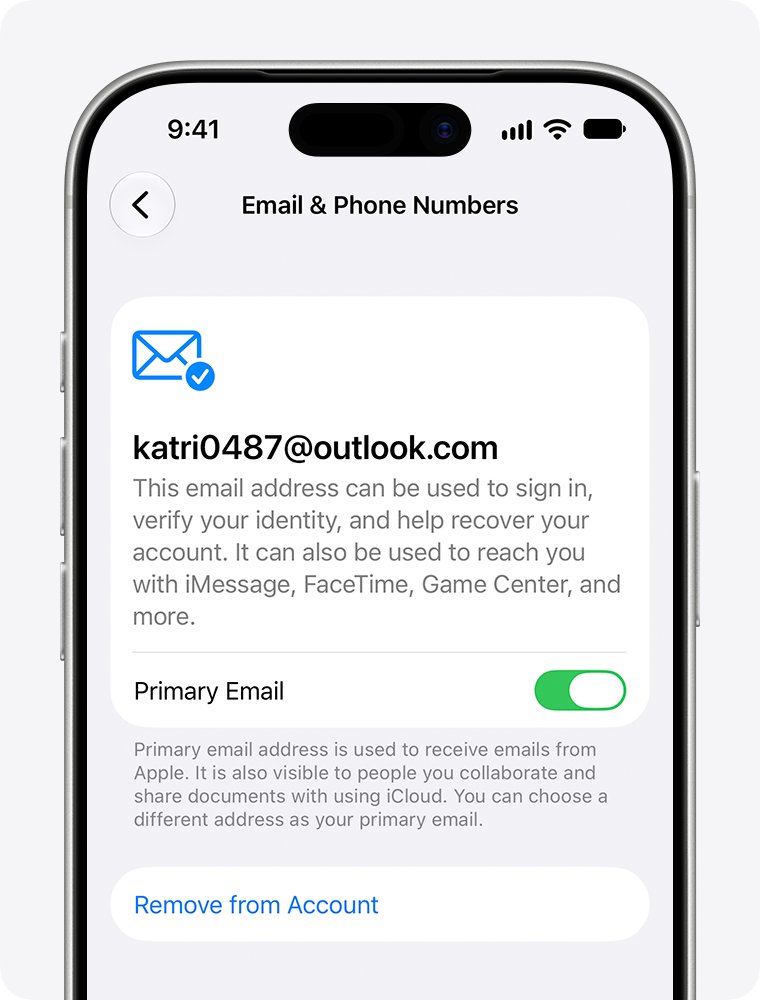
- Tap your primary email address.
- To keep the old address on the account but stop it being the main one, turn off Primary Email. To drop the old address completely, tap Remove from Account.
- When prompted, pick another email address already on the account as the new primary, or add a new email address.
- Enter the verification code Apple sends to the new address and follow the onscreen steps to finish.
Your contacts, purchases and other account information stay where they are. Only the address that receives Apple's emails, and that others see when you collaborate in iCloud, changes.
Apple Account primary email vs additional email vs rescue email
An Apple Account can hold several email addresses, and each type does a different job. The one people usually mean by notification email is the primary address.
| Address type | What Apple uses it for | Can sign in with it? | Where to change it |
|---|---|---|---|
| Primary email address | Receives emails and account notifications from Apple; shown to others when you collaborate in iCloud | Yes | Settings > [your name] > Sign-In & Security |
| Additional email address | Helps friends find you in FaceTime, Messages, Photo Sharing and Find My; Apple may also send account information to it | Yes | account.apple.com > Sign-In and Security > Email & Phone Numbers |
| Rescue email address | Receives important account and security information, only on accounts without two-factor authentication | No | Offered only on some accounts that do not use two-factor authentication |
| Primary phone number (phone-number accounts) | Receives Apple communications as an iMessage in the Messages app instead of an email | Yes | Settings > [your name] > Sign-In & Security |
Any email address or phone number on file can be used with your password to sign in, so adding an address does not stop the old ones from working.
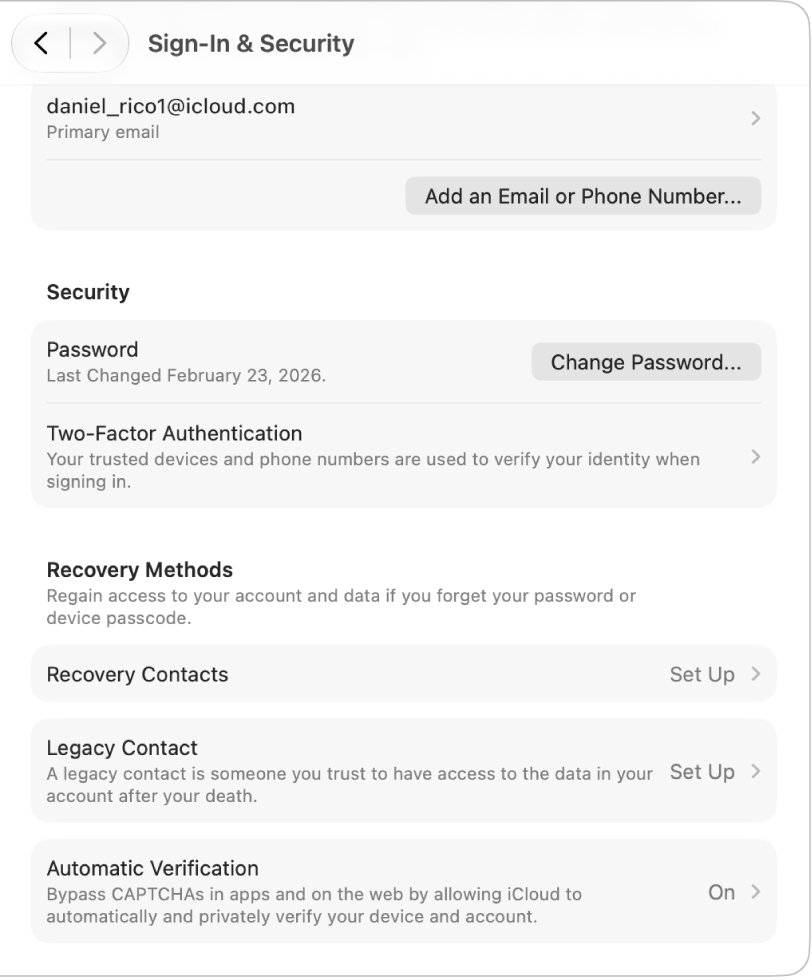
Change notification email address on Apple ID on Mac
The Mac route mirrors the iPhone one and works on any Mac signed in to your Apple Account.
- Choose the Apple menu, then System Settings.
- Click [your name] at the top of the sidebar.
- Click Sign-In & Security.
- Click your primary email address.
- Turn off Primary Email to keep the old address as a secondary one, or click Remove from Account to drop it.
- Choose an existing address as the new primary, or add a new email address.
- Enter the verification code sent to the new address and follow the onscreen steps.
Change Apple notification email address on account.apple.com
Use the web on a Windows PC or Android phone. Apple redirects you to a trusted device when it can, so the web route is mainly for people who have no trusted Apple device to hand.
- Type account.apple.com into your browser's address bar and sign in.
- Enter the verification code shown on your trusted device or sent to your trusted phone number.
- Select Sign-In and Security.
- Choose Email & Phone Numbers.
- Select the primary email address and follow the prompts to replace it with your new one.
- Open the verification email at the new address and enter the code to finish.
If the site sends you to your iPhone or Mac instead of showing the change option, follow the device steps above.
Add or remove an additional email address on Apple Account
Add a second address when you want Apple and your contacts to reach you there without changing your main sign-in. The new address cannot already belong to a different Apple Account.
- Sign in at account.apple.com.
- Select Sign-In and Security.
- Choose Email & Phone Numbers, then select the Add button.
- Type the additional email address.
- Open the verification email Apple sends to that address.
- Enter the verification code and select Continue.
- To delete an additional address later, return to Email & Phone Numbers and click the Remove button next to it.
Change Apple notification email on a phone number Apple Account
Accounts created with a mobile number in Brazil, China mainland, India or Mexico get Apple's messages as an iMessage, not an email. Switching the account to an email address, either one you already have or a free iCloud email address, moves those communications to your inbox and makes sign-in and recovery easier.
- Open Settings (or System Settings on a Mac) and choose [your name].
- Tap or click Sign-In & Security.
- Tap or click your primary phone number.
- Turn off Primary Phone Number to keep the number on the account, or tap Remove from Account to drop it.
- Choose Add New Primary Phone or Email.
- Choose Existing Email Address to use an address you already have, or New iCloud Email Address to create a free one.
- Enter and verify the new primary email address.
Until you switch, Apple's messages to a phone-number account only reach the Messages app on a device with that SIM. You can also read them on account.apple.com. If you only want a different number on file, update the Apple Account phone number instead.
Change iCloud email address on Apple Account
If the only address on your account is an iCloud one, Remove from Account does not appear. You see Change Email Address instead, which needs iOS 18.1, iPadOS 18.1 or macOS 26.4 or later.
- Open Settings and tap [your name].
- Tap Sign-In & Security.
- Tap your iCloud email address.
- Tap Change Email Address.
- Enter the new iCloud email address you want and follow the onscreen steps.
The new iCloud address replaces the old one, and you keep your iCloud Mail and every message already sent to it.
Where to see your Apple Account notification email
After the change, the new address should be the one Apple lists as primary on every device and on the web.
- Open Settings, tap [your name], then tap Sign-In & Security.
- Check that the new address appears and is marked as your primary email.
- Sign in at account.apple.com and open Sign-In and Security > Email & Phone Numbers to see the same list.
- Look for any address marked as unverified and click Resend next to it if you never got the code.
- Sign in once with the new address to prove it works; any address still on file, including the old one if you only turned off Primary Email, also signs in.
A masked address that looks like a string of dashes is not a typo. You can identify a masked Apple Account email from the list on account.apple.com.
How to change Mail notification settings on iPhone
If you searched for this because new emails do not alert you, the setting you need is the Mail app's notifications, not your Apple Account address.
- Open Settings and tap Notifications.
- Under Notification Style, tap Mail.
- Turn on Allow Notifications to get an alert for new email.
- Under Alerts, choose Lock Screen, Notification Center, Banners or any combination.
- Tap Sounds, where shown, and choose the email notification alert sound you want.
- Turn on Badges to show the unread count on the Mail icon.
- Tap Show Previews and choose Always, When Unlocked or Never.
If you use Scheduled Summary, set Mail to Immediate Delivery under Notification Delivery so new mail does not wait for the next summary.
What happens to your old Apple ID email after you change it
Changing the primary address is safe for your data, but the old address does not vanish instantly. Plan for these effects before you remove it.
| What changes | What Apple says happens |
|---|---|
| Contacts, purchases and account data | Nothing is lost; everything stays on the same Apple Account |
| The removed non-iCloud address | It cannot be linked to another Apple Account for 30 days, for security |
| After those 30 days | Another person might be able to link that address to their Apple Account for Messages and FaceTime |
| People who message or FaceTime the old address | Tell them the new one, because the old address stops reaching you once it is removed |
| Turning off Primary Email instead of removing | The old address stays on the account as an extra address and can still sign in |
Apple Account notification email not changing
The verification email never arrives
A spam filter or email rule moved it, or the address was typed wrongly.
- Search the inbox for messages from Apple.
- Check the Spam, Junk, Trash, Deleted Items and Archive folders.
- Allow messages from email.apple.com in your email provider's settings.
- Sign in at account.apple.com, correct the address if it is misspelled, and click Resend next to it.
"This email address is not available" or already in use
The address belongs to another Apple Account, often yours or a family member's.
- Check whether you created a second Apple Account with that address.
- If a family member uses it, ask them to remove it from their account.
- Wait 30 days after it is removed, then add it to your account.
No Remove from Account option on the email
Your only email on the account is an iCloud address.
- Update the device to iOS 18.1, iPadOS 18.1 or macOS 26.4 or later.
- Tap the address and choose Change Email Address instead.
account.apple.com keeps sending you to your iPhone
Apple redirects primary email changes to a trusted device whenever one is signed in.
- Pick up the trusted iPhone, iPad or Mac.
- Follow the Settings steps for that device instead of the web.
You cannot sign in to make the change
You no longer have the password or the trusted devices on the account.
- Reset the Apple Account password from iforgot.apple.com or a trusted device.
- If that fails, start Apple Account recovery and wait for the recovery period.
- Change the primary email once you are signed in again.
Apple Account notification email FAQ
How do I change the notification email on my Apple ID?
Open Settings, tap your name, tap Sign-In & Security, then tap your primary email address. Turn off Primary Email or tap Remove from Account, choose or add the new address, and enter the verification code Apple sends to it.
How do I change the notification email on my iPhone?
On iPhone, the Apple notification email is your Apple Account primary email. Go to Settings > [your name] > Sign-In & Security, tap the primary address, and follow the prompts to replace it with a verified new one.
Can I change my Apple notification email address on the web?
Yes, at account.apple.com under Sign-In and Security > Email & Phone Numbers. Apple redirects you to a trusted device when one is available, so the web route mainly helps if you have no iPhone, iPad or Mac signed in.
Can I get Apple emails at another address without changing my sign-in?
Yes. Add an additional email address at account.apple.com under Email & Phone Numbers. Apple might send account information to any address on file, and every address on file can still be used to sign in.
How do I turn on notifications for Mail on iPhone?
Open Settings, tap Notifications, tap Mail under Notification Style, and turn on Allow Notifications. Then choose Lock Screen, Notification Center or Banners under Alerts so new email shows up where you want it.
How do I change the email notification alert sound on iPhone?
Go to Settings > Notifications > Mail and tap Sounds, then pick a new sound. Apple shows the Sounds option for apps that support a custom notification sound, under the same screen where you allow notifications.
What is a rescue email on an Apple Account?
A rescue email is an extra security address Apple uses to send important account information. It is offered only on some accounts that do not use two-factor authentication, and it cannot be used to sign in.
Why did I not get the Apple Account verification email?
It may be in Spam, Junk, Trash or Archive, or the address may be misspelled. Search for mail from Apple, allow email.apple.com, then sign in at account.apple.com and click Resend next to the address.
Will changing my Apple Account email delete my purchases?
No. Apple states you keep access to your contacts, purchases and other account information when you change the primary email address. Only the address that receives Apple's emails changes.