To block calls on Android, open the Phone app, go to Call history, tap a call from the number and tap Block / report spam, and the phone then declines that number's calls automatically.
This guide covers blocking single numbers, unknown and private numbers, spam calls, call screening, carrier tools, and how to unblock a number again.
Step-by-step guide: how to block calls on Android
These steps use Phone by Google, the dialer on Pixel and many other Android phones. Some of them need Android 6.0 or later.
- Open the Phone app.
- Tap More, then tap Call history.
- Tap a call from the number you want to block.
- Tap Block / report spam.
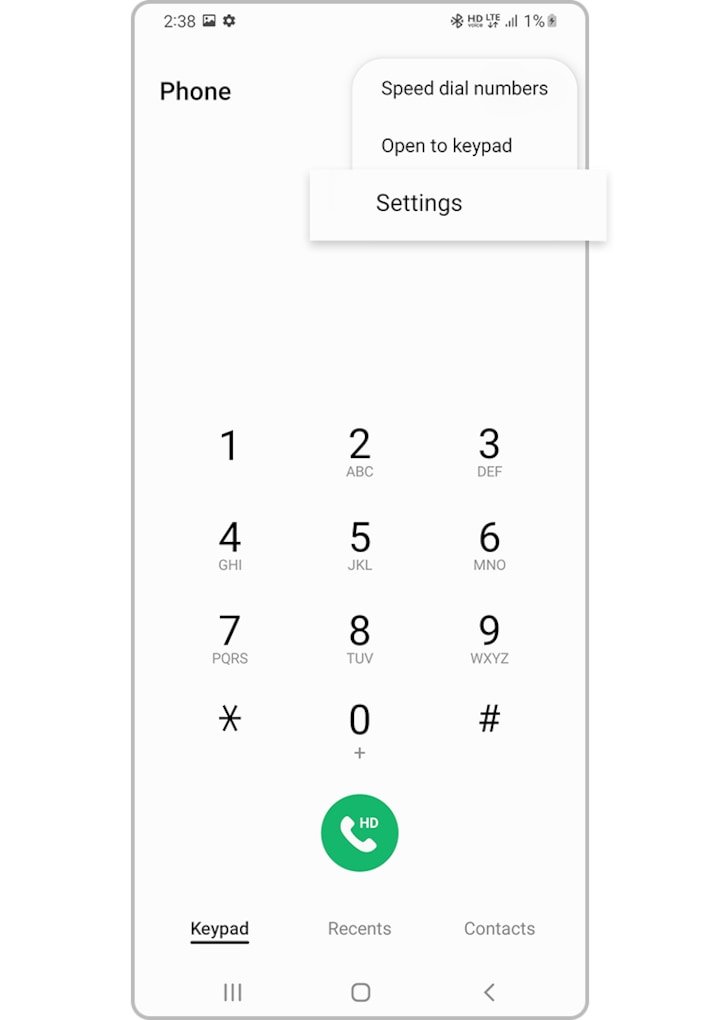
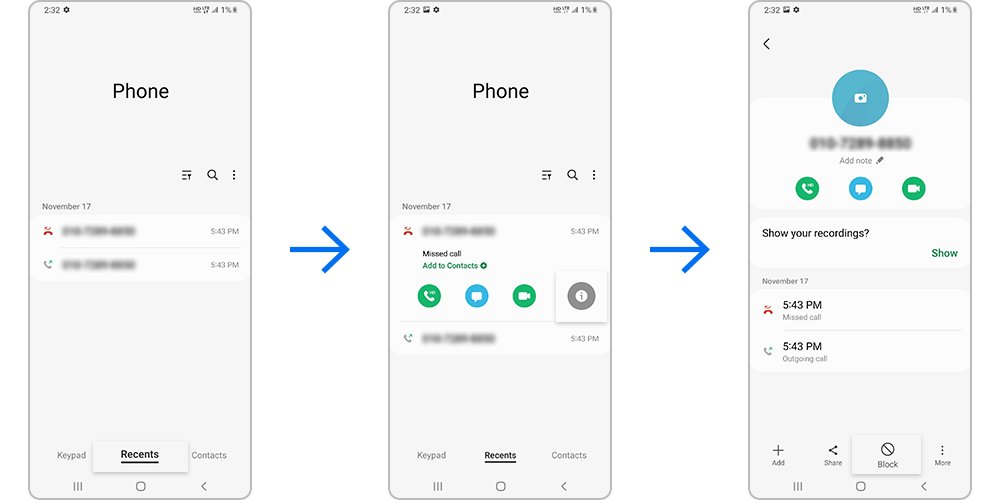
From then on, the phone declines calls from that number automatically. Samsung Galaxy phones use Samsung's own Phone app, where the block option sits under the call's details and the menu labels differ by One UI version.
Android call blocking methods comparison table
| Your situation | Use this | What happens |
|---|---|---|
| One number keeps calling | Block / report spam from Call history | The phone declines that number automatically |
| Calls from private or hidden numbers | Blocked numbers > Unknown | Private and unidentified numbers are blocked |
| Robocalls and spam from many numbers | Caller ID and spam > Filter spam calls | Suspected spam goes straight to call history without ringing |
| You want to hear why a stranger is calling | Call Screen on Pixel | Call Assist answers and shows a live transcript |
| Spam reaches you on every phone you own | Your carrier's blocking app | Spam is filtered on the carrier's network |
| You want quiet for a few hours | Do Not Disturb | Calls are silenced until you turn it off |
How to block calls on Android: complete guide
Every blocking control in Phone by Google lives in a different place. Use this table to go straight to the right one.
| Setting | Where it is in the Phone app | What it controls |
|---|---|---|
| Block a number | More > Call history > tap the call > Block / report spam | One specific number |
| Block unknown callers | More > Settings > Blocked numbers > Unknown | Private and unidentified numbers |
| Blocked numbers list | More > Settings > Blocked numbers | Every number you have blocked, with Unblock |
| Caller ID and spam | More options > Settings > Caller ID and spam | See caller ID and spam, Filter spam calls |
| Call Screen | More > Settings > Spam and Call Screen or Call Screen | Automatic screening levels on Pixel phones |
| Caller ID announcement | More options > Settings > Caller ID announcement | Reads out who is calling: Always, Only when using a headset, Never |
Why is blocking calls on Android difficult?
Blocking a number only stops that exact number. Most nuisance calls come from many numbers, hidden numbers or numbers made to look familiar.
| Problem | Why a simple block fails | Tool that handles it |
|---|---|---|
| Spammers change numbers | Each new number gets past the block list | Filter spam calls or Call Screen |
| Private or hidden numbers | There is no number to put on the list | Blocked numbers > Unknown |
| Numbers not in your contacts | The Unknown setting does not block them | Call Screen for first-time callers |
| Callers that pretend to be a contact | The number looks trusted | Fake call detection on Android 12 or later |
| Different phone apps | Samsung and other brands ship their own dialers with their own menus | The block option inside that brand's Phone app |
Fake call detection needs Android 12 or higher, Phone by Google, Contacts and Google Messages installed, and RCS turned on in Google Messages.
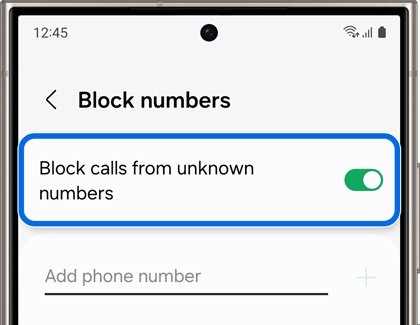
Android block calls from unknown numbers
- Open the Phone app.
- Tap More.
- Tap Settings, then Blocked numbers.
- Turn on Unknown.
This blocks private and unidentified numbers only. Calls from normal numbers that are not saved in your contacts still ring, so use Call Screen or spam filtering for those.
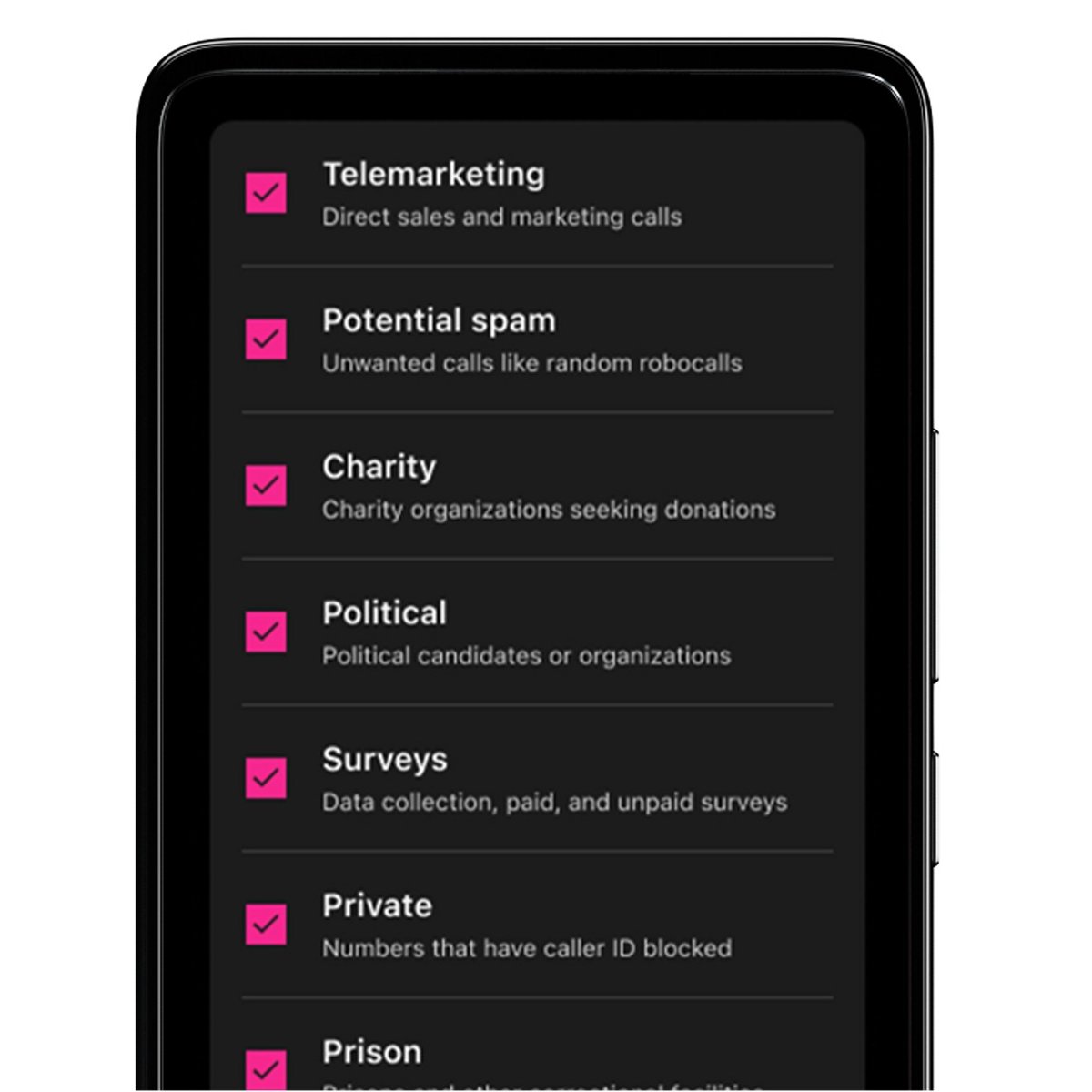
How to block spam calls on Android phone
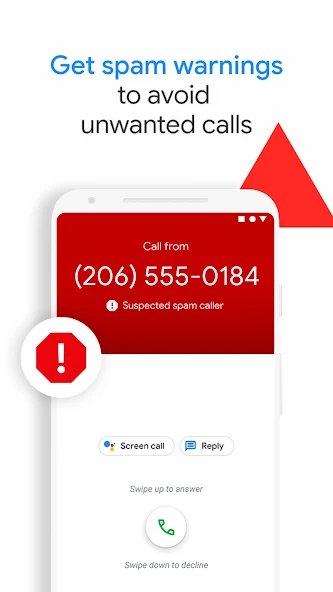
Caller ID and spam protection is on by default in Phone by Google. Turning on spam filtering stops suspected spam from ringing at all.
- Open the Phone app.
- Tap More options > Settings > Caller ID and spam.
- Make sure See caller ID & spam is on.
- Turn on Filter spam calls.
- To report a caller, tap Home, tap the call, then tap Block or Report spam.
Filtered calls do not give missed call or voicemail notifications, but they stay in your call history and you can still check voicemail. Phones with automatic Call Screen have no Filter spam calls switch, because spam blocking is part of Call Screen instead.
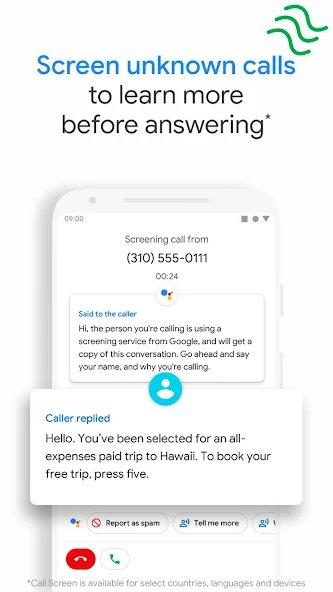
How to block scam calls on Android with Call Screen
Automatic Call Screen works on Pixel phones in the US, UK, Canada, Australia and Ireland. Manual screening is also available on selected Android phones in the US and Canada.
- Open the Phone app and update it if you see Update.
- Tap More > Settings > Spam and Call Screen or Call Screen.
- Tap Call Screen.
- Choose Maximum protection, Medium protection or Basic protection.
- On Pixel 7 and later, choose which callers to screen automatically: Spam, Possibly faked numbers and First-time callers.
When a screened call is spam, the phone hangs up. When it is not, the phone rings and shows how the caller answered. Calls are not screened automatically while roaming, and you should not use automatic screening with call forwarding.
Alternative solutions for blocking calls on Android
| Alternative | How to get it | What it does |
|---|---|---|
| Verizon Call Filter | Verizon Protect app or My Verizon | Free tier blocks high-risk spam and sends it to voicemail; Call Filter Plus adds a personal block list for $3.99 a month per line |
| T-Mobile ScamShield | T-Life app | Network scam blocking at no extra cost; Scam Block can send unwanted calls to voicemail |
| AT&T ActiveArmor | ActiveArmor app | Free with AT&T wireless plans; block unwanted calls or send them to voicemail |
| Do Not Disturb | Swipe down from the top of the screen and tap Do Not Disturb | Silences calls and notifications; set who can interrupt you in its settings |
| Manual Call Screen | Tap Screen call when a call arrives | Call Assist asks who is calling and why before you answer |
Carrier filters can also block calls you want, so check voicemail and the carrier app's blocked list from time to time.
Best practices for call blocking
| Practice | Why it matters |
|---|---|
| Save doctors, schools and delivery numbers as contacts | Call Screen uses your contacts to decide which calls to screen |
| Report spam instead of only blocking it | Reporting marks the number as spam and flags the spammer |
| Check voicemail and call history for filtered calls | Spam filters can catch a wanted call |
| Keep the Phone app updated | Call Screen needs the latest version of the Phone app |
| Turn on visual voicemail if you want blocked callers kept out of voicemail | With visual voicemail on, blocked callers cannot leave voicemails |
On an iPhone the menus are different; you can block a number on iPhone from its Recents list and silence spam calls on iPhone in Phone settings.
How to allow blocked calls on Android
- Open the Phone app.
- Tap More.
- Tap Settings > Blocked numbers.
- Next to the number, tap Clear, then tap Unblock.
- To let private numbers through again, turn off Unknown on the same screen.
Calls that arrived while the number was blocked do not appear in your call history, so ask the person to call again.
Android call blocking still not working? Troubleshooting tips
Calls from strangers still ring after turning on Unknown
Unknown blocks only private and unidentified numbers, not numbers missing from your contacts.
- Turn on Filter spam calls under Caller ID and spam.
- On a Pixel, set Call Screen to screen First-time callers.
Spam calls still get through
Spam detection cannot catch every spam call or robocall.
- Block and report each spam number from Call history.
- Turn on your carrier's spam blocking app.
- Raise the Call Screen protection level.
No Filter spam calls switch
Phones with automatic Call Screen handle spam blocking inside Call Screen.
- Open More > Settings > Spam and Call Screen or Call Screen.
- Turn on automatic screening for Spam.
Call Screen does not screen calls
Roaming, headphones, Bluetooth, call forwarding or recording apps can stop it.
- Turn off third-party call recording and screen recording apps.
- Update the Phone app.
- Disconnect Bluetooth headphones and test again at home.
Blocked callers still leave voicemails
Visual voicemail is off.
- Turn on visual voicemail in the Phone app.
- Check that the number is still listed under Blocked numbers.
Block option is missing on a Samsung phone
Samsung's Phone app uses its own menus.
- Open the call in the Samsung Phone app's recent calls and open its details.
- Look for the block option there or in the Phone app's settings.
Android call blocking FAQ
How do I block calls on my Android phone?
Open the Phone app, tap More > Call history, tap a call from the number and tap Block / report spam. After that, the phone declines calls from that number automatically. Some steps need Android 6.0 or later.
How do I block calls on an Android Samsung phone?
Samsung Galaxy phones use Samsung's own Phone app, so the menus differ from Phone by Google. Open the call in recent calls, open its details and choose the block option. The exact labels change between One UI versions.
How do I block spam calls on Android?
In the Phone app, open More options > Settings > Caller ID and spam and turn on Filter spam calls. Suspected spam stops ringing but stays in call history. On Pixel phones with automatic Call Screen, turn on spam screening there instead.
How do I block all spam calls on an Android phone?
No setting stops every spam call, because spam detection cannot catch all robocalls. Combine spam filtering, Call Screen for first-time callers on a Pixel, and your carrier's spam app, such as Verizon Call Filter, T-Mobile ScamShield or AT&T ActiveArmor.
How do I block scam calls on Android?
Turn on Call Screen and choose Possibly faked numbers on Pixel 7 or later, and keep caller ID and spam protection on. Fake call detection on Android 12 or later also warns you when a caller hides their identity or impersonates a contact.
Can I block calls from unknown numbers on Android?
Yes. Open the Phone app, tap More > Settings > Blocked numbers and turn on Unknown. This blocks private and unidentified numbers. Normal numbers that are not in your contacts still ring unless spam filtering or Call Screen catches them.
How do I allow blocked calls on Android?
Open the Phone app, tap More > Settings > Blocked numbers, then tap Clear > Unblock next to the number. Calls the person made while blocked do not appear in your call history, so the number has to call again.
Do blocked numbers still get my voicemail?
Not if visual voicemail is on. With visual voicemail turned on, blocked callers cannot leave voicemails. Calls filtered as spam are different: they skip the ring but can still leave a voicemail you can check.
Can I block calls silently on Android?
Yes. A blocked number is declined automatically without ringing, and Filter spam calls gives no missed call or voicemail notification for suspected spam. Do Not Disturb silences all calls for a while if you only need quiet.
Is Google Voice blocking better than native Android blocking?
They cover different numbers. Google Voice blocking applies to calls placed to a Google Voice number. Calls to your normal mobile number are handled by the Phone app's block list, spam filtering and Call Screen.
Quick summary: key steps
Block single numbers from Call history, turn on Unknown for private numbers, turn on spam filtering or Call Screen for robocalls, and add your carrier's spam app for network-level protection. Each tool stops a different kind of caller, so using them together blocks far more unwanted calls than the number block list alone, and every block can be undone from Blocked numbers.