Find My shows "No location found" when an iPhone has not sent its location to Apple for more than seven days, so the fix is to get that iPhone powered on and online with Location Services, Find My and Share My Location turned on.
This guide explains each Find My status, walks through the fixes on the iPhone itself, and shows what to do when the iPhone is lost and cannot be reached.
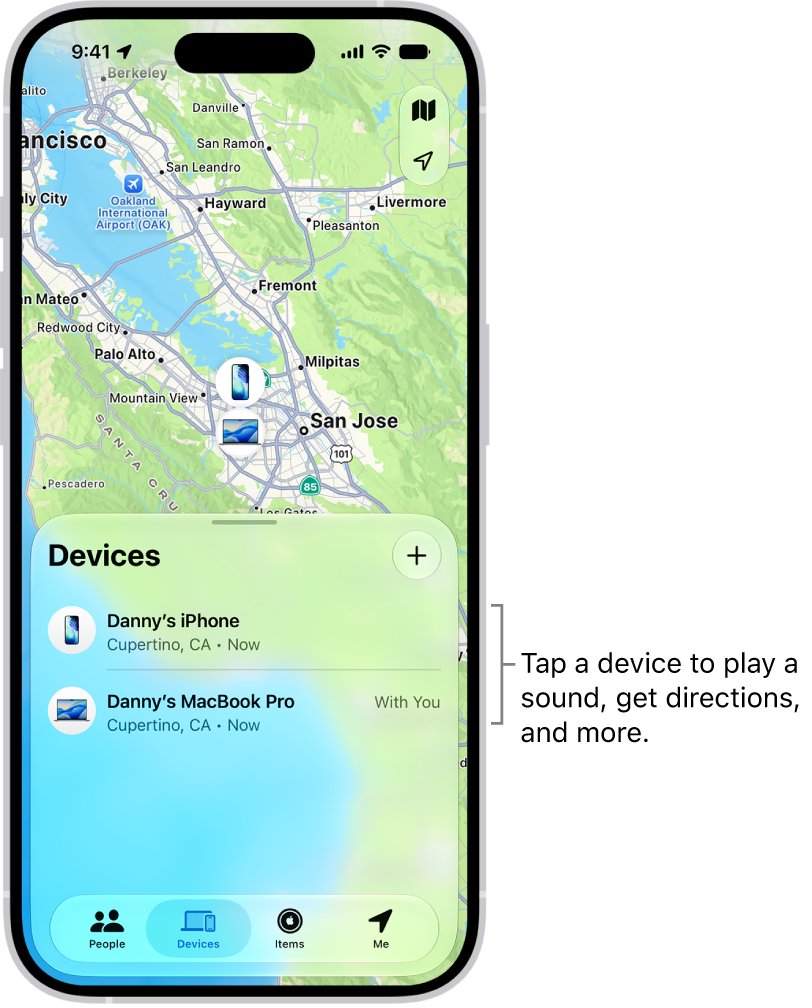
Step by step tutorial: Fixing no location found iPhone message
Do these steps on the iPhone that shows no location. Each one removes a common reason Find My cannot report a position.
- Charge the iPhone, turn it on and connect it to Wi-Fi or cellular data.
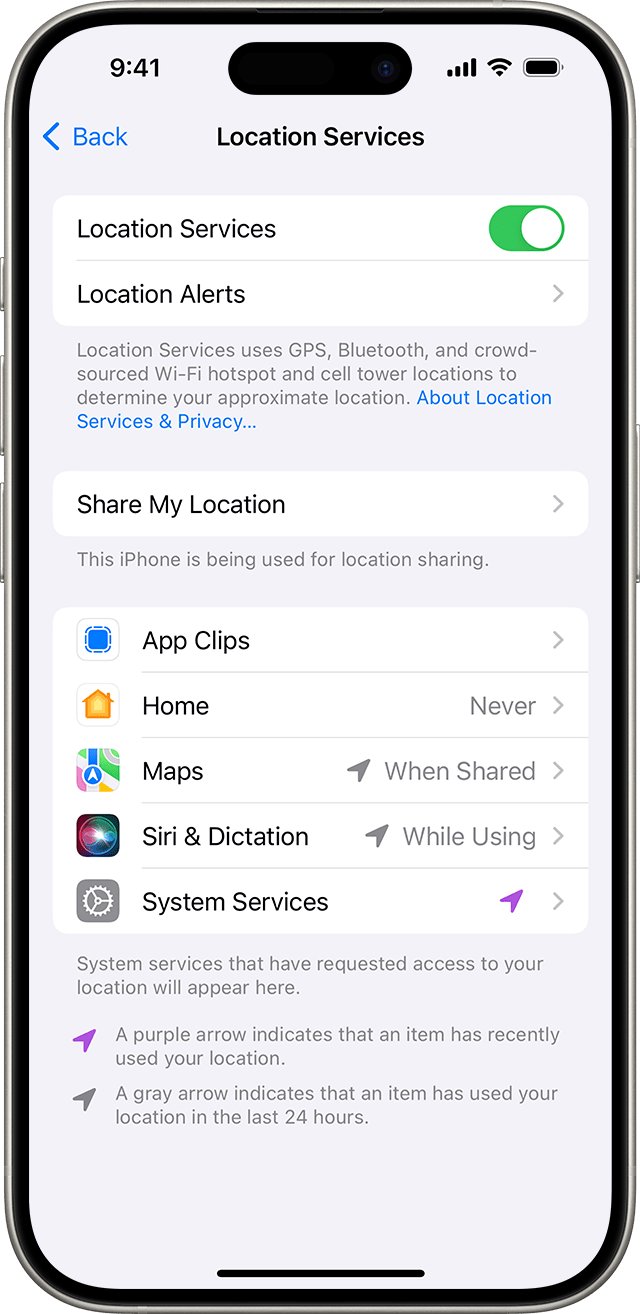
- Open Settings > Privacy & Security > Location Services and turn on Location Services.
- On the same screen, tap Find My and allow location access.
- Open the Find My app, tap Me and turn on Share My Location. If another device is listed, tap Use This iPhone as My Location.
- Go to Settings > General > Date & Time and turn on Set Automatically.
- Go to Settings > General > Software Update and install any available update.
- If the message stays, go to Settings > General > Transfer or Reset iPhone > Reset and tap Reset Location & Privacy.
Give the iPhone a few minutes online, then reopen Find My on the other device to see if the location appears.
Why does my iPhone say ‘no location found’?
Find My uses different labels depending on what it last heard from the iPhone. The label tells you whether the problem is the connection, the settings or simply time.
| What Find My shows | What it means | First thing to try |
|---|---|---|
| No location found | More than seven days have passed since the iPhone last sent its location through the Find My network | Power the iPhone on and connect it to a network |
| Not sharing location • Online | The iPhone is online but cannot send a location, for example because of a Location Services problem | Turn on Location Services and allow Find My to use it |
| Offline or No location available | The iPhone is off, its battery is dead, or it has no known Wi-Fi or data connection | Charge it and reconnect it; last known location shows for up to seven days |
| Location Services Off | Location Services is turned off on the iPhone | Turn on Settings > Privacy & Security > Location Services |
| iPhone missing from Devices | Find My is not set up, or the iPhone uses a different Apple Account | Sign in with the same Apple Account and turn on Find My iPhone |
Check Location Services and Find My permissions on iPhone
Find My needs Location Services on and its own permission set. Without them, friends and your other devices see no location.
- Open Settings and tap Privacy & Security.
- Tap Location Services and make sure it is on.
- Scroll down and tap Find My.
- Choose While Using the App or the option that allows access.
- Turn on Precise Location so friends see your exact position instead of an approximate one.
Location Services uses GPS, Bluetooth, crowd-sourced Wi-Fi hotspots and cell towers. GPS and cellular location work on iPhone and on Wi-Fi + Cellular iPad models.
Turn on location sharing in the Find My app
If friends or family see no location for you, the iPhone may not be the device sharing it. You can share your location on iPhone with a specific person once this is on.
- Open the Find My app on the iPhone.
- Tap Me.
- Turn on Share My Location.
- Check the device shown next to Sharing From.
- If it is not this iPhone, tap Use This iPhone as My Location.
The same options are in Settings > [your name] > Find My.
Turn on Find My network and Send Last Location on iPhone
These two switches keep a location available when the iPhone goes offline or runs out of battery, which is what stops "No location found" appearing later.
- Open Settings and tap your name.
- Tap Find My, then tap Find My iPhone.
- Turn on Find My iPhone.
- Turn on Find My network so the iPhone can be located while it is offline.
- Turn on Send Last Location so the iPhone sends its location to Apple when the battery is critically low.
On a supported iPhone, the Find My network can locate it for up to 24 hours after it is turned off, or up to 5 hours in power reserve mode.
Reset Location & Privacy on iPhone
This returns every location and privacy permission to its default. It does not delete photos, messages or other data, but apps will ask for location access again.
- Open Settings and tap General.
- Tap Transfer or Reset iPhone, then tap Reset.
- Tap Reset Location & Privacy. Do not choose Erase All Content and Settings.
- Enter your passcode and confirm.
- Open Find My and allow location access when asked.
Update iOS to fix Find My location problems
- Back up the iPhone to iCloud or a computer.
- Plug it into power and connect to Wi-Fi.
- Open Settings > General > Software Update.
- Tap Download and Install if an update is listed, then follow the prompts.
How to check Find My shows your iPhone location again
- On another Apple device, open Find My and choose Devices.
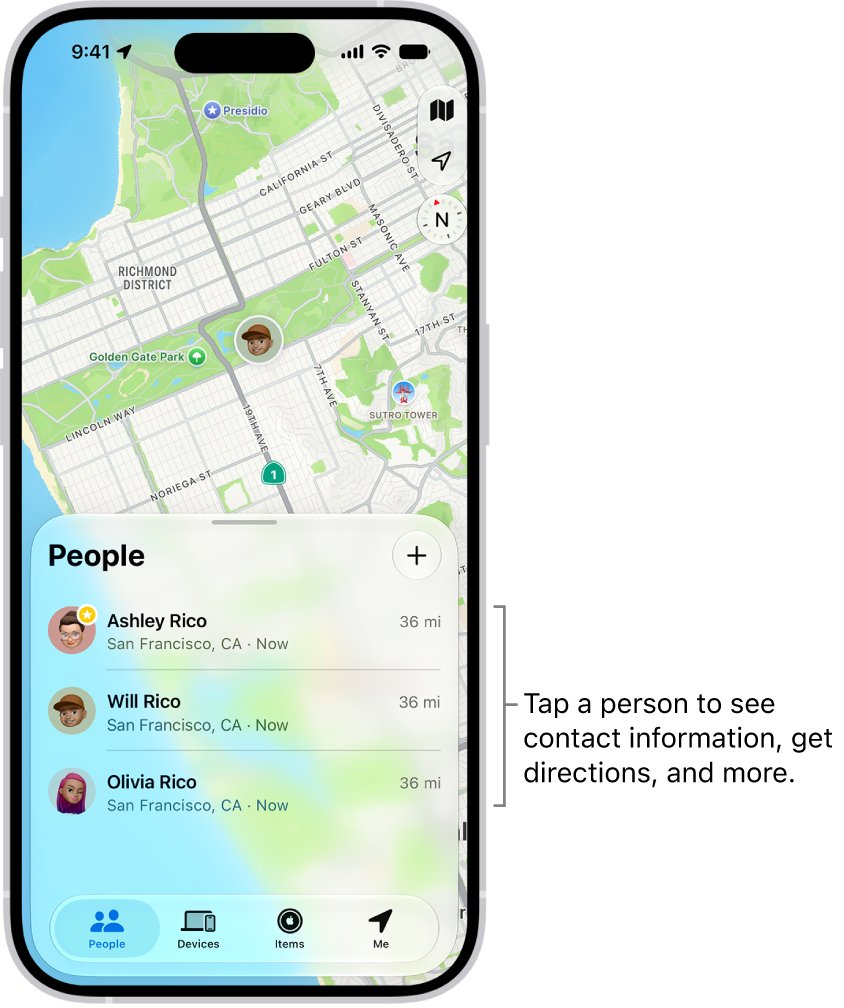
- Select the iPhone and check that a map location and a recent time appear.
- Or sign in at
icloud.com/findon a computer and select the iPhone. - Ask a friend you share with to check your location under People in their Find My app.
How to fix ‘no location found’ on iPhone?
Find My iPhone says no location found for a lost iPhone
The lost iPhone has not reached Apple for more than seven days, usually because it is off or the battery is dead.
- Open Find My, select the iPhone and turn on Lost Mode under Lost iPhone.
- Add a message and phone number so a finder can contact you.
- Leave Lost Mode on; the iPhone receives it as soon as it powers on and connects.
- Erase it only when you are sure it is gone, because erasing cannot be undone.
iPhone online but no location found
Find My shows the iPhone as online but cannot get a position, typically because Location Services is off or blocked for Find My.
- Turn on Settings > Privacy & Security > Location Services.
- Allow Find My to use your location.
- Turn Airplane Mode on and off, then restart the iPhone.
iPhone not showing in Find My at all
Find My is off, or the iPhone is signed in with a different Apple Account.
- Go to Settings and tap Sign in to your iPhone if it appears.
- Use the same Apple Account on every device.
- Turn on Settings > [your name] > Find My > Find My iPhone.
- Check Settings > General > Date & Time has Set Automatically on.
Friend sees location not available for you
Share My Location is off, or your location is being shared from another device such as an iPad.
- Open Find My, tap Me and turn on Share My Location.
- Tap Use This iPhone as My Location if needed.
- Check you have not hidden your location from that person under People.
iPhone battery is dead or will not charge
A dead iPhone cannot send a location, and Find My switches to the last known location for up to seven days.
- Charge the iPhone for at least a few minutes before turning it on.
- If it shows no sign of charging, fix the iPhone not charging problem first.
- Once it is on and online, recheck Find My.
Tips for fixing no location found iPhone message
These settings stop the message coming back and make a lost iPhone easier to find.
| Tip | Why it helps |
|---|---|
| Keep Find My network on | Lets other Apple devices report your iPhone's approximate position while it is offline |
| Keep Send Last Location on | Sends a final location when the battery gets critically low |
| Keep Location Services on for Find My | Without it the iPhone shows online but not sharing location |
| Turn on automatic iOS updates | Find My fixes arrive through iOS updates |
| Sign in with one Apple Account everywhere | Devices on another account do not appear in your Find My |
| Keep the battery charged | A powered-off iPhone sends no new location; after seven days Find My shows no location found |
Frequently asked questions
What does “No location found” mean on an iPhone?
It means Find My has not received a location from the iPhone for more than seven days. The iPhone is usually off, out of battery or without a network, so Find My cannot even show its last known location.
Why does iPhone say location not available?
Location not available usually means the iPhone is offline, powered off or out of battery, or that Share My Location is off. Charge it, connect it to Wi-Fi or cellular data, and check Location Services and Share My Location.
Why does Find My show my iPhone online but no location?
The iPhone is connected but cannot send its position, which Apple lists as a Location Services problem. Turn on Location Services, allow Find My to use location, then restart the iPhone.
Can this issue be caused by a hardware problem?
Rarely. Most cases come from a dead battery, no network or location settings. If location fails in Maps too after a settings reset and an iOS update, contact Apple Support to check the hardware.
Will resetting my location and privacy settings delete my data?
No. Reset Location & Privacy returns location and privacy permissions to their defaults without deleting photos, messages or apps. Apps simply ask for permission again the next time they need your location.
What if the issue persists after following all the steps?
Check that Find My iPhone is on and the iPhone uses the same Apple Account as your other devices. If it still shows no location, contact Apple Support, and use Lost Mode if the iPhone is missing.
Can I prevent this issue from happening in the future?
Yes. Keep Find My network and Send Last Location turned on, keep Location Services on for Find My, and keep iOS updated. The Find My network can locate a supported iPhone for up to 24 hours after it turns off.
Can I find a lost iPhone that says no location found?
Not until it reconnects. Turn on Lost Mode in Find My so the iPhone locks and shows your contact details as soon as it powers on and reaches a network.