The Logitech G HUB download is free from logitechg.com, with one installer for Windows 11 and Windows 10 and one for Mac. Run it, plug in your Logitech G mouse, keyboard, headset or wheel, and G HUB picks the device up.
G HUB is the settings app for Logitech G gear. It sets DPI, button assignments, LIGHTSYNC RGB lighting, game profiles and macros, and its Games feature launches and organises your game library.
This guide covers the official files, installing on Windows and macOS, winget, checking the installer, updates, fixes for G HUB not installing or not launching, and a clean uninstall.
Which Logitech G HUB download do you need?
Logitech publishes one file per platform, so the choice comes down to your operating system. Press Windows + R, type winver and press Enter to read your Windows version first.
| Your machine | File to download | Notes |
|---|---|---|
| Windows 11, 64-bit | lghub_installer.exe | 67.1 MB, x64 build |
| Windows 10 version 1809 or later, 64-bit | lghub_installer.exe | The same 67.1 MB file |
| Windows 10 older than version 1809 | Windows Update | Update Windows first, then install G HUB |
| Mac on one of the three latest macOS releases | lghub_installer.zip | Unzip it, then run the installer |
| Mac where G HUB stopped launching | lghub_installer.zip | Run it over the existing copy, do not uninstall |
| Several Windows PCs, scripted | winget package Logitech.GHUB | Installs silently with –silent |
There is no 32-bit Windows build. Logitech ships G HUB for 64-bit Windows only.
Check the Logitech G HUB system requirements
G HUB asks more of the operating system than of the hardware. Windows 10 needs the October 2018 feature update, version 1809, or anything newer.
| Field | Value |
|---|---|
| Software | Logitech G HUB |
| Developer | Logitech, Inc. |
| Latest version | 2026.4.919028 (Windows) |
| Licence | Free |
| Supported Windows | Windows 10 version 1809 or later, and Windows 11 |
| Supported macOS | The latest three major macOS releases |
| Architecture | 64-bit (x64) on Windows |
| Windows download size | 67.1 MB |
| Runtime dependency | Microsoft Visual C++ 2015-2022 Redistributable (x64) |
| Silent install switch | –silent |
| winget package | Logitech.GHUB |
| Official download source | logitechg.com |
| Last verified | 2026-09-13 |
G HUB configures Logitech G mice, keyboards, headsets, racing wheels and microphones. Older ASTRO headsets use ASTRO Command Center instead.
Download Logitech G HUB from the official source
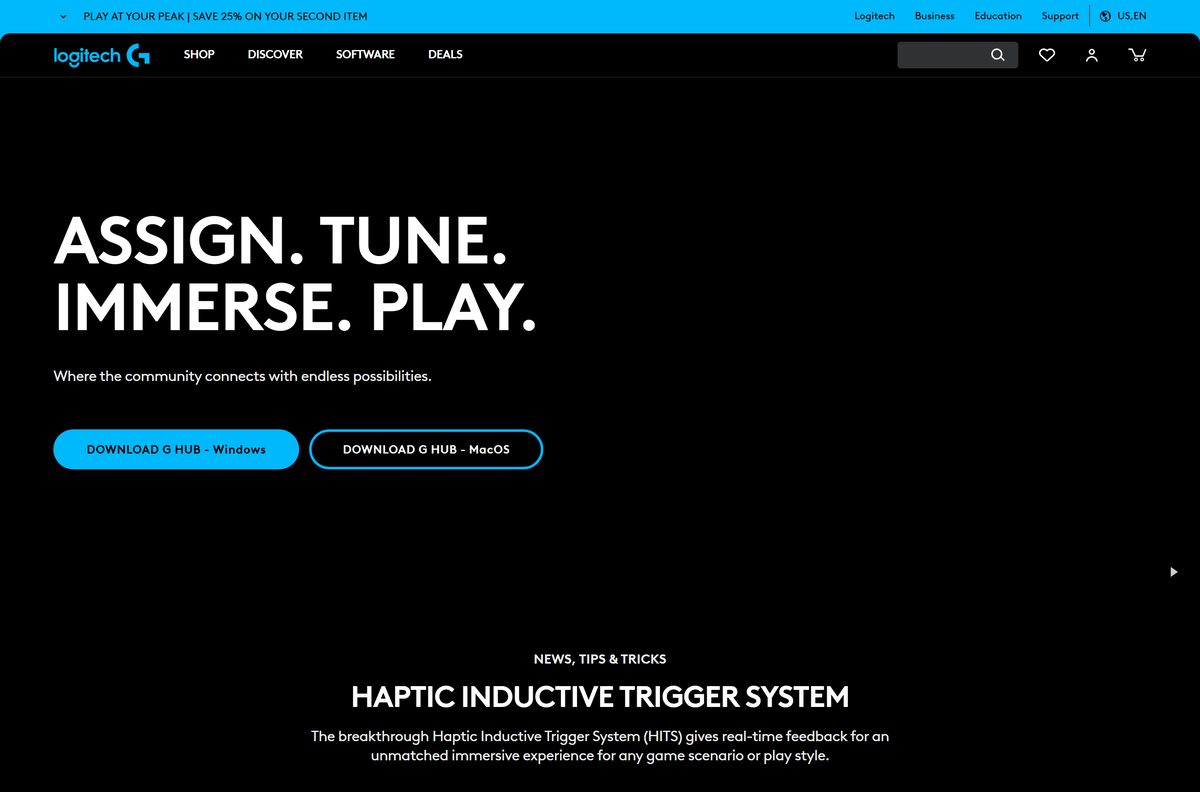
The download page lives on logitechg.com, and both buttons point to files on download01.logi.com. A G HUB copy from any other host is a third-party copy.
- G HUB official download page — DOWNLOAD G HUB – Windows and DOWNLOAD G HUB – MacOS buttons
- lghub_installer.exe for Windows 11 and 10 — 67.1 MB, 64-bit
- lghub_installer.zip for macOS — installer inside a ZIP archive
- Logitech G HUB support page — manuals, device downloads and help articles
The file name never changes between releases. Logitech replaces the file behind the same link whenever a new version ships.
How to install Logitech G HUB on Windows 11 and 10
Keep the PC online during setup, and close any other Logitech software that is running.
- Open the G HUB download page and click DOWNLOAD G HUB – Windows.
- Open your Downloads folder and double-click lghub_installer.exe.
- Select Yes at the User Account Control prompt.
- Click Install in the G HUB installer window.
- Wait for the progress bar to finish.
- Launch Logitech G HUB from the Start menu when setup finishes.
- Plug in your Logitech G device, or switch on its LIGHTSPEED receiver.
- Select the device on the G HUB home screen to set DPI, buttons and lighting.
The download page also links the G HUB Basics guide, a tour of DPI, first assignments and LIGHTSYNC effects.
Install Logitech G HUB with winget
Windows Package Manager carries G HUB under the ID Logitech.GHUB . It pulls the same installer from download01.logi.com and adds the Visual C++ runtime G HUB depends on.
- Right-click Start and select Terminal (Admin).
- Run winget install –id Logitech.GHUB -e and accept the source agreement if asked.
- Check that the publisher line reads Logitech, Inc. before the download starts.
- Add –silent to the command to install without the setup window on a managed PC.
- Run winget upgrade –id Logitech.GHUB -e later to update it.
winget installs G HUB machine-wide, so every account on the PC gets it.
How to verify the Logitech G HUB installer
The installer is signed by Logitech. Two checks confirm the copy on your PC is the genuine file.
- Right-click lghub_installer.exe and select Properties.
- Open the Digital Signatures tab and confirm the signer is Logitech.
- Open Terminal in your Downloads folder.
- Run Get-FileHash .\lghub_installer.exe -Algorithm SHA256 .
- Compare the result with 4B2F9903B27C8434AFCD52FE65845632FCAE47CC50432FB6B3B1637144E811E1 , the hash Microsoft’s winget index lists for version 2026.4.919028.
- Delete the file if the signature tab is missing or names another company.
A different hash on a file from download01.logi.com means Logitech has shipped a newer build, not that the file is bad. Check the signature in that case.
Which Logitech G HUB download do you need for your Mac?
G HUB supports the three latest major releases of macOS. Open the Apple menu and select About This Mac to see which one you run.
| Your Mac | Download | What to do |
|---|---|---|
| One of the three latest major macOS releases | lghub_installer.zip | Unzip, open the installer and click Install |
| G HUB already installed but will not open | lghub_installer.zip | Run it over the current copy to keep profiles |
| An older macOS release | Apple’s macOS upgrade guide | Upgrade macOS before installing |
Double-click the ZIP to extract it, open lghub_installer, and follow the prompts. Approve each permission prompt macOS shows, then plug in your Logitech G device.
Is Logitech G HUB free?
Yes. G HUB is free, with no paid tier and no trial. Logitech gives G HUB away because it is the configuration software for Logitech G hardware you have already bought. Every feature is in the free download, including macros, game profiles and LIGHTSYNC. A site that charges for G HUB, or sells a ‘pro’ or ‘full’ edition, is selling something Logitech does not make.
Should you look for a G HUB offline or 32-bit installer?
No. Use the single 64-bit installer from logitechg.com. Logitech lists one Windows installer and one Mac installer on the download page, and no separate offline, full or standalone package. The Windows build is x64 only, so no 32-bit or ARM64 file exists to find. Files sold as a G HUB offline installer or an old-version download come from third parties, and they miss later device support and fixes.
How to check your G HUB version and update it
G HUB checks for its own updates. A manual check helps when a newly released device is not recognised.
- Open Logitech G HUB.
- Click the Settings gear icon at the top of the window.
- Read the version number on the settings screen.
- Click Check for updates and let G HUB download any new release.
- Restart G HUB when it asks, then reconnect the device.
- On Windows, run winget upgrade –id Logitech.GHUB -e in Terminal as an alternative.
Fix Logitech G HUB not installing or not launching
G HUB will not install on Windows 11 or 10
The installer needs administrator rights and the Microsoft Visual C++ 2015-2022 x64 runtime.
- Right-click lghub_installer.exe and select Run as administrator.
- Open Terminal (Admin) and run winget install –id Microsoft.VCRedist.2015+.x64 -e .
- Restart the PC.
- Run the G HUB installer again.
Setup refuses to start on Windows 10
G HUB needs Windows 10 version 1809 or later.
- Press Windows + R, type winver and press Enter.
- Open Settings > Update & Security > Windows Update if the version is below 1809.
- Install every feature update offered, then run the G HUB installer again.
G HUB will not open on a Mac
In January 2026 a certificate issue stopped G HUB launching on macOS 26, 15, 14 and 13.
- Leave the current G HUB in place. Uninstalling erases your customizations.
- Download lghub_installer.zip and double-click it.
- Run the installer. Exit it when it reports that the software already exists.
- Open Logitech G HUB from Applications.
G HUB does not detect your device
The device is on a hub or port that does not pass it through, or G HUB needs an update to recognise it.
- Plug the device or its LIGHTSPEED receiver straight into a USB port on the computer.
- Open Settings in G HUB and click Check for updates.
- Quit G HUB from the system tray or menu bar, then open it again.
How to uninstall Logitech G HUB
Removing G HUB takes its drivers and background service with it. Export any profiles you want to keep before you start.
- Right-click the G HUB icon in the system tray and select Quit.
- Open Settings from the Start menu, then Apps > Installed apps.
- Find Logitech G HUB, select the three-dot menu, then Uninstall.
- Confirm with Uninstall and select Yes at the User Account Control prompt.
- Restart the PC before installing G HUB again.
- From Terminal instead, run winget uninstall –id Logitech.GHUB -e .
On a Mac that simply will not launch G HUB, run the patch installer rather than uninstalling. Logitech warns that uninstalling erases your customizations.
Which Logitech app to use instead of G HUB
G HUB is the right app only for Logitech G gear. Logitech splits its other devices across separate software.
| App | Publisher | Use it for |
|---|---|---|
| Logi Options+ | Logitech | MX and other non-gaming Logitech mice and keyboards |
| ASTRO Command Center | Logitech G | Older generations of ASTRO Series headsets |
| Mixline | Logitech G | Audio routing and mixing for streaming |
| Streamlabs | Logitech G | Going live, stream design and viewer tools |
Install G HUB for a Logitech G mouse, keyboard, headset, wheel or Yeti GX microphone. Pick Options+ for an MX Master or other office device.
Other system utilities and drivers for Windows include RoboForm and Acronis True Image.
Frequently asked questions
Is Logitech G HUB free?
Yes. G HUB is free software from Logitech with no paid tier, no trial and no subscription. Every feature, including macros, LIGHTSYNC lighting and game profiles, comes in the free download.
Where is the official Logitech G HUB download page?
The official page is logitechg.com/en-us/software/ghub. Its Windows and macOS buttons download files from download01.logi.com, Logitech’s own file server. Any other host offers a third-party copy.
Does Logitech G HUB work on Windows 11?
Yes. Logitech supports G HUB on every release of Windows 11 and on Windows 10 version 1809 or later. The same 64-bit installer covers both operating systems.
How big is the Logitech G HUB download?
The Windows installer, lghub_installer.exe, is 67.1 MB on Logitech’s server. The same file serves Windows 11 and Windows 10, and there is no separate larger package.
Is there a Logitech G HUB offline installer?
Logitech does not publish a separate offline or standalone package. The download page offers one installer for Windows and one for Mac, so keep the computer online while setup runs.
Is Logitech G HUB available for Mac?
Yes. Logitech ships G HUB for macOS as lghub_installer.zip and supports the latest three major macOS releases. Unzip the archive, run the installer and grant the permissions macOS asks for.
Is there a 64-bit or ARM64 version of G HUB?
G HUB for Windows is 64-bit only. Microsoft’s winget index lists a single x64 installer, and Logitech publishes no 32-bit or ARM64 Windows build.
Is Logitech G HUB safe to download?
Yes, from logitechg.com. The installer carries Logitech’s digital signature, which you can check under Properties > Digital Signatures. Copies from download portals are the risk, so avoid them.
What is the latest version of Logitech G HUB?
Microsoft’s winget index lists G HUB 2026.4.919028 for Windows. G HUB checks for updates itself, so an installed copy moves to newer releases without a fresh download.
Why is Logitech G HUB not installing?
Missing administrator rights or a missing Visual C++ 2015-2022 x64 runtime is the common cause. Run the installer as administrator, install the runtime with winget, restart and try again. Windows 10 older than 1809 cannot install it.
Why won’t Logitech G HUB open on my Mac?
A certificate issue in January 2026 stopped G HUB launching on recent macOS releases. Run lghub_installer.zip over the existing copy. Do not uninstall first, because that erases your customizations.
How do I uninstall Logitech G HUB?
Quit G HUB from the system tray, then open Settings > Apps > Installed apps, select Logitech G HUB and choose Uninstall. Restart the PC before reinstalling it.







How to Download Logitech Unifying Software on Windows 11 - Techdows
[…] For Logitech G gear, see how to download Logitech G HUB for Windows 11. […]
Download Microsoft Mouse and Keyboard Center for Windows 11/10 - Techdows
[…] Download Logitech G HUB for PC, Windows 11/10 & Mac […]
Download Astro Command Center for PC, Windows 11/10 & Mac (Free) - Techdows
[…] Install Astro Command Center for Gen 3 and Gen 4 hardware, and G HUB for the A50 X LIGHTSPEED and the A50 (Gen 5). Logitech G describes the Command Center as built for older generations of Astro Series headsets, while G HUB customises the newer Astro headsets alongside Logitech gaming mice, keyboards and sim racing gear. The mobile app on iOS and Android adds the A30 LIGHTSPEED and the A20 X to the G HUB side. Running both on one PC is fine when you own hardware from each era. The full setup for the newer software is covered in the Logitech G HUB download guide. […]