You can get the Acronis True Image download for Windows 11, Windows 10 and macOS straight from acronis.com, and a free 30-day trial lets you run the full backup suite before you pay. It is the same product Acronis sold as Cyber Protect Home Office, now back under its original name.
The app makes full image backups, file backups, disk clones and bootable recovery drives, with cloud backup and anti-malware on the higher plans. After the trial it runs on a yearly subscription starting at $49.99.
Below are the official download links, install steps for both platforms, what each plan costs, and fixes for installs that refuse to start.
Check the Acronis True Image system requirements
Check your Windows edition first: open Settings, then System, then About, and read System type. It must say 64-bit. On a Mac, open the Apple menu and select About This Mac.
| Specification | Detail |
|---|---|
| Software | Acronis True Image (formerly Acronis Cyber Protect Home Office) |
| Developer | Acronis International GmbH |
| Latest version | Build 42980 for Windows (April 28, 2026); build 42902 for macOS (April 1, 2026) |
| License / price | Paid yearly subscription from $49.99; free 30-day trial |
| Windows | Windows 11 (all editions) and Windows 10, 64-bit only |
| macOS | macOS Tahoe 26, Sequoia 15, Sonoma 14, Ventura 13 and Monterey 12 |
| Processor (Windows) | Intel Core 2 Duo at 2 GHz or equivalent, with SSE instructions |
| Architecture | 64-bit Windows only; Macs with Apple silicon or Intel |
| Not supported | Windows XP, Vista, 7, 8 and 8.1, 32-bit Windows, Windows 10 LTSB, LTSC, IoT and Embedded |
| Devices per plan | Up to 5 PCs or Macs, plus unlimited mobile devices |
| Official download source | acronis.com download page |
| Last verified | 2026-09-24 |
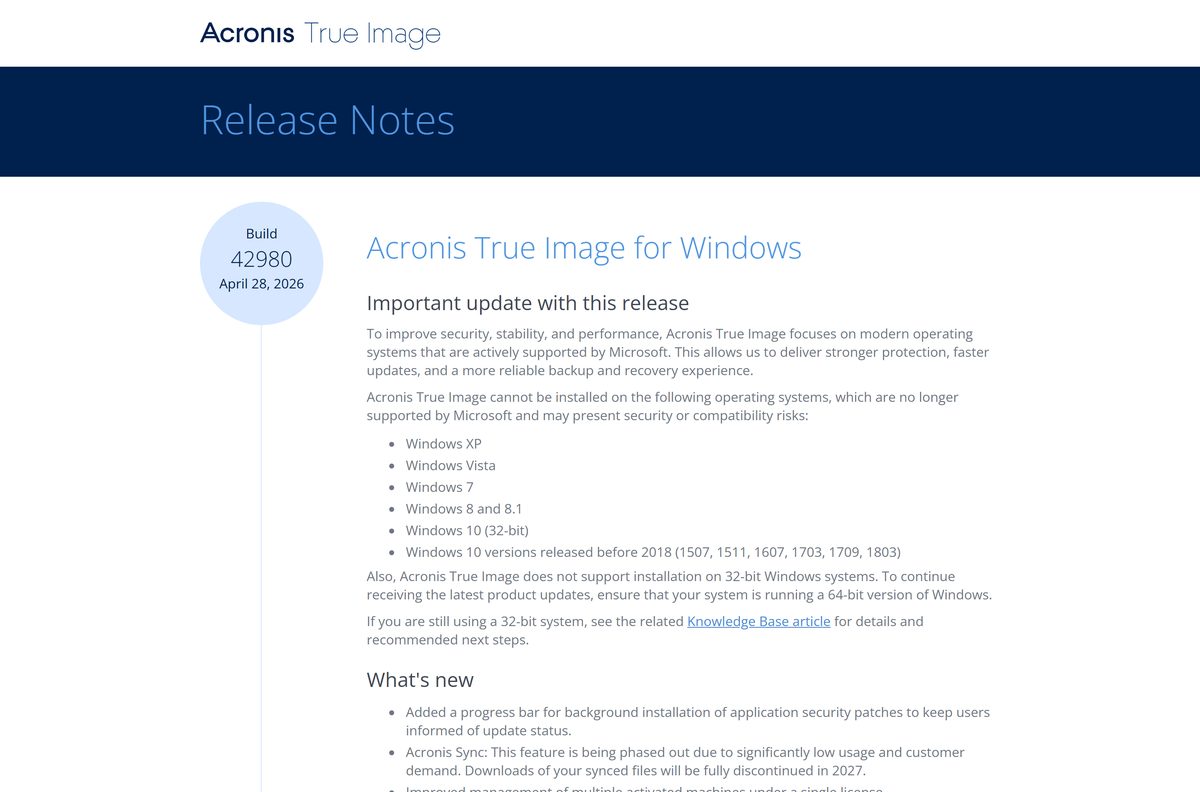
Windows 10 releases older than 2018 are also refused: versions 1507, 1511, 1607, 1703, 1709 and 1803 cannot install the current build.
Which Acronis True Image download do you need?
Match your machine and your situation to a row. The Windows and Mac apps share one subscription, so a single plan covers both.
| Your situation | What to get | Where to get it |
|---|---|---|
| You want to try it before paying | Free 30-day trial for Windows or Mac | Acronis trial page |
| You already bought a plan, Windows 11 or 10 64-bit | Windows installer, then sign in or enter your serial number | Download for Windows on acronis.com |
| You already bought a plan, Mac on macOS 12 or later | macOS disk image for Apple silicon and Intel | macOS link on the same page |
| You need to protect six or more computers | Pick Need protection for 6+ computers on the trial form | Acronis trial page |
| You run 32-bit Windows, Windows 7 or Windows 8.1 | Nothing installs; move to 64-bit Windows 10 or 11 first | Not offered |
Download Acronis True Image from the official site
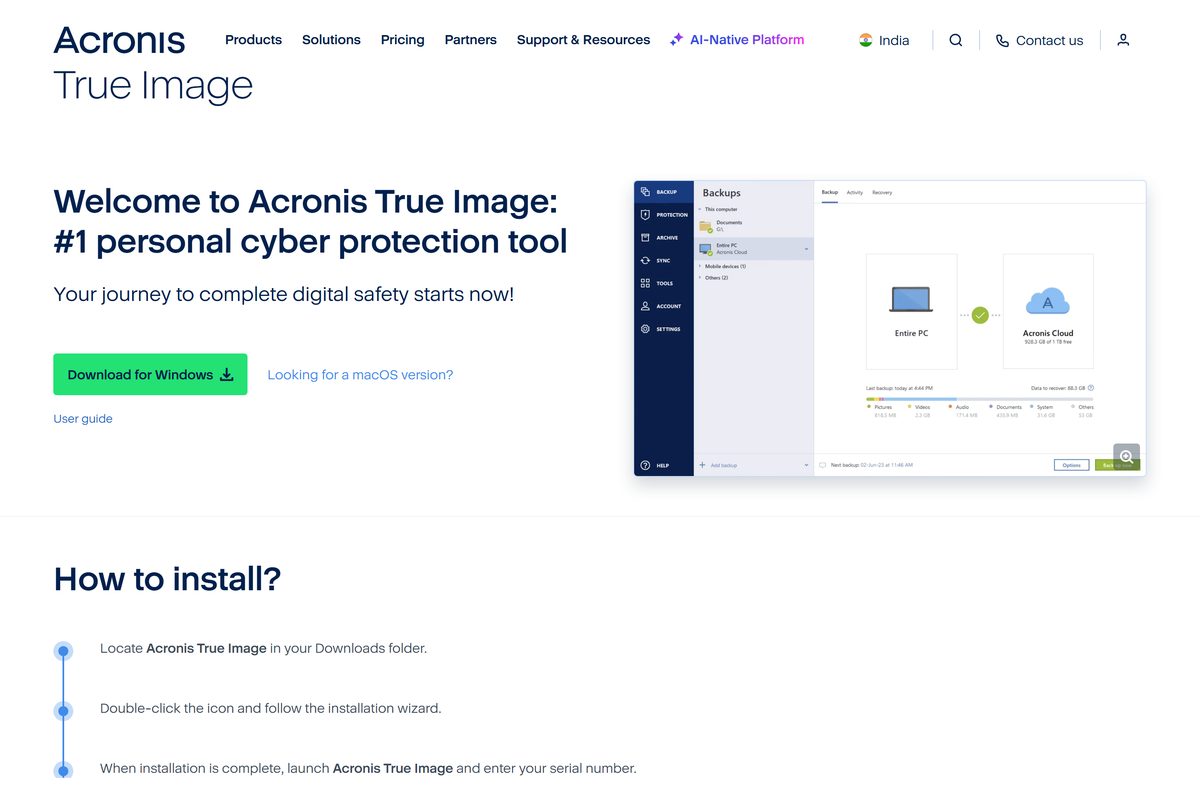
Acronis serves every build from its own site. The download page carries a Download for Windows button and a Looking for a macOS version? link beneath it.
- Acronis True Image download page for Windows and Mac — For owners of a plan; activate with your serial number or account
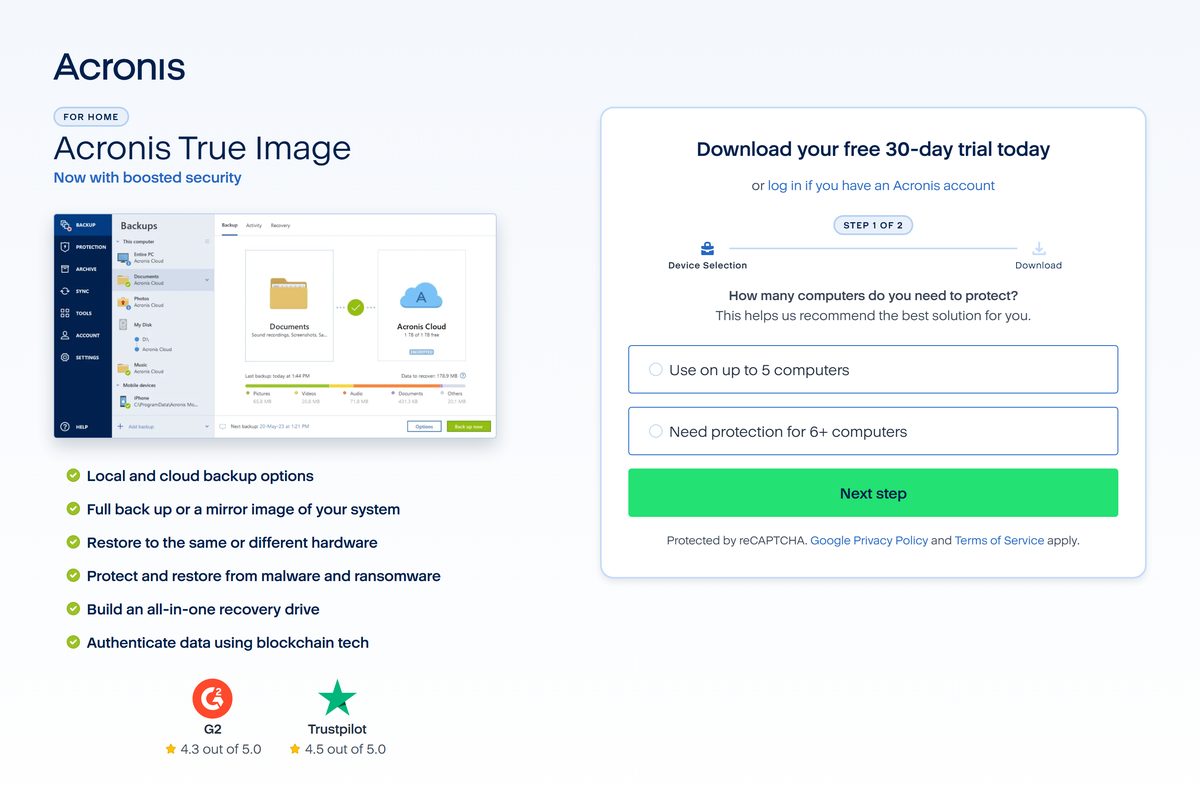
- Free 30-day trial download — Two-step form, then the installer
- Buy a plan: Essentials, Advanced or Premium — Yearly subscription, up to 5 PCs or Macs
- Release notes for the current Windows and Mac builds — Build numbers, requirements and known issues
Acronis lists no installer size on these pages. Take the setup file from acronis.com only; a repackaged copy from a download portal cannot be traced back to Acronis.
How to install Acronis True Image on Windows 11 and 10
Close any other disk or backup tool before you start. The app installs to the system partition, usually drive C.
- Open the Acronis trial page, or the download page if you already own a plan.
- On the trial form, select Use on up to 5 computers, then Next step, and finish the second step.
- Open your Downloads folder and double-click the Acronis True Image setup file.
- Click Install for the default setup, or Custom installation to pick components such as Active Protection or Try&Decide.
- When setup finishes, click Start application.
- Read and accept the license agreement.
- In the Activation window, click Start trial, or click Sign in to use your Acronis account.
- Enter a serial number and click Activate instead if you bought a boxed or emailed license.
Which Acronis True Image download do you need for your Mac?
Acronis ships one current macOS build for every supported Mac. What matters is the macOS version, not the chip.
| Your Mac | What to do | Where |
|---|---|---|
| Apple silicon (M-series) on macOS 12 to 26 | Install the current macOS build | acronis.com download page |
| Intel Mac on macOS 12 to 26 | Install the same macOS build | acronis.com download page |
| Any Mac, trying before buying | Start the 30-day trial | Acronis trial page |
| Mac on macOS 11 Big Sur or older | Update macOS first; the current build lists Monterey 12 as the oldest release | Not offered |
To install, open the downloaded .dmg file and double-click Install Acronis True Image. Enter your administrator password, accept the license, then pick Start trial, Sign in or Activate.
Grant Full Disk Access when macOS asks. Without it, backup and cloning do not work properly and protection stays off.
Is Acronis True Image free?
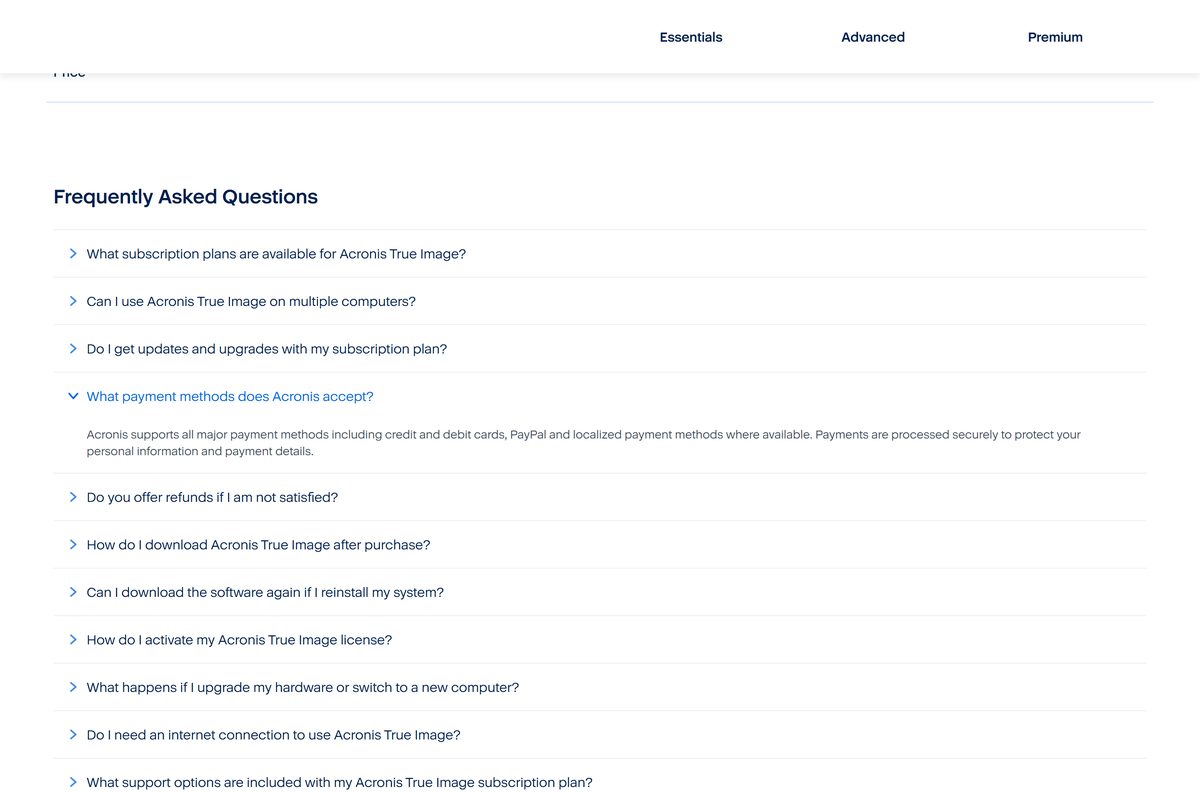
No. It is a paid yearly subscription, with a free 30-day trial to test it first. Essentials costs $49.99 a year and covers image backup, disk cloning and Universal Restore. Advanced costs $72.99 a year and adds malware protection, cloud backup, Microsoft 365 backup and 50 GB of Acronis Cloud storage. Premium costs $124.99 a year and adds blockchain certification, e-signatures and 1 TB of cloud storage, expandable to 10 TB. Every plan covers up to 5 PCs or Macs and includes phone, email and chat support. Any site offering a free full version, a crack or a lifetime key is not selling a genuine license.
Should you install Acronis True Image or Cyber Protect Home Office?
Both names describe one product. Acronis renamed True Image to Cyber Protect Home Office, then switched back, and its trial page now reads Acronis True Image (formerly Acronis Cyber Protect Home Office).
Install the current Acronis True Image build from acronis.com. It is the name Acronis now uses on its trial page, purchasing page and release notes, and it is the build that receives current security fixes. The April 2026 Windows release also dropped support for 32-bit Windows, so an old Cyber Protect Home Office copy on such a PC cannot move to it.
How to check your Acronis True Image version and update it
The current builds are 42980 on Windows and 42902 on macOS. Anything lower is worth updating.
- On Windows, open Settings, then Apps, then Installed apps.
- Find Acronis True Image in the list and read the build number shown under its name.
- On a Mac, open Finder, select Applications, then right-click the app and choose Get Info.
- Compare your build with the release notes.
- If you are behind, get the newest setup file from the download page.
- Run it and follow the setup prompts.
- Restart the app and confirm the new build number.
What Acronis True Image can back up and restore
Check your drive format before you pick a backup destination. The Windows and Mac apps read different file systems.
| Platform | File systems | Storage it can use |
|---|---|---|
| Windows | NTFS, Ext2/3/4, FAT16/32, exFAT, HFS+ and HFSX; ReiserFS and Linux SWAP for whole-disk backups only | HDD, SSD, NAS, FTP servers, Acronis Cloud, USB, USB-C, eSATA, optical discs |
| macOS | APFS, HFS+, FAT32; NTFS and Boot Camp for recovery only, not as a backup target | Internal drives, USB, Thunderbolt, FireWire, network shares, NAS, Acronis Cloud |
A corrupted or unsupported file system still gets backed up sector by sector. On an FTP target, backups are split into 2 GB files.
Fix Acronis True Image not installing on Windows 11, 10 or Mac
Setup refuses to run on an older PC
The current build blocks 32-bit Windows, Windows 7, 8 and 8.1, and Windows 10 releases before 2018.
- Press Windows + R, type winver and press Enter to read your version.
- Open Settings, then System, then About, and check that System type says 64-bit.
- Update Windows 10 to a current release, or move to a 64-bit installation, then run setup again.
Installation cannot continue appears during an update
Earlier builds could show this when fetching a newer build through the installer; build 42980 fixes it.
- Close Acronis True Image from the system tray.
- Get a fresh setup file from the download page.
- Right-click it, select Run as administrator, and click Install.
The app launches but keeps asking for a reboot
Acronis lists this launch bug as fixed in the April 2026 Windows build.
- Restart the PC once.
- Install the current build over your existing copy.
- Open the app from Start and confirm it reaches the Backup tab.
Mac backups or clones fail after installing
macOS has not granted the app Full Disk Access.
- Open System Settings, then Privacy & Security, then Full Disk Access.
- Turn on the switch for Acronis True Image, and enter your password.
- Quit and reopen the app, then run the backup again.
How to uninstall Acronis True Image
Quit the app and wait for any running backup to finish before you remove it.
- On Windows, open Settings, then Apps, then Installed apps.
- Select the three dots beside Acronis True Image, then Uninstall, and confirm.
- Follow the prompts in the removal wizard, then restart the PC.
- On a Mac, quit the app from the menu bar first.
- Open Finder, select Applications, and drag Acronis True Image to the Trash.
- Empty the Trash and restart the Mac.
Which free backup tool can replace Acronis True Image?
Both Windows and macOS ship a free backup tool. Neither clones disks or builds bootable rescue media, which is where a paid tool earns its fee.
| Tool | Platform | What it covers | Cost |
|---|---|---|---|
| Windows Backup | Windows 11 and 10 | Files, settings, apps and Wi-Fi details to OneDrive | Free, 5 GB OneDrive included |
| Time Machine | macOS | Apps, photos, email and documents to an external drive | Free, built in |
| Acronis True Image | Windows and macOS | Full image backup, cloning, recovery drive, cloud backup, anti-malware | From $49.99 a year |
Pick the built-in tool for plain file backups. Pick Acronis if you need to clone a drive, restore a whole system to new hardware, or keep an off-site cloud copy.
Frequently asked questions
Is Acronis True Image free?
No. Acronis True Image is a paid yearly subscription, starting at $49.99 for Essentials. A free 30-day trial from acronis.com lets you test backup, cloning and recovery on Windows or Mac before you buy a plan.
Where is the official Acronis True Image download?
The official download is on acronis.com. Plan owners use the product welcome page, which has a Download for Windows button and a macOS link. New users start from the 30-day trial page, which asks two quick questions before the download.
Does Acronis True Image work on Windows 11?
Yes. The current Windows build supports every edition of Windows 11 and 64-bit Windows 10. It will not install on Windows 7, 8, 8.1, 32-bit Windows, or Windows 10 releases older than 2018.
How big is the Acronis True Image download?
Acronis does not list an installer size on its download, trial or release-notes pages. The app installs to the system partition, which is usually drive C on Windows, so leave free space there before you run setup.
Is there an Acronis True Image offline installer?
Acronis names no separate offline installer on its download pages. The setup file from the welcome page or the trial page is the installer, and you choose Start trial, Sign in or Activate in the Activation window after setup.
Can I download Acronis True Image for Mac?
Yes. The download page links a macOS build that runs on macOS Monterey 12 through Tahoe 26, on Apple silicon and Intel Macs. The same subscription covers up to 5 PCs or Macs in any mix.
Does Acronis True Image run on 64-bit, 32-bit or ARM Windows?
It needs 64-bit Windows and an Intel Core 2 Duo at 2 GHz or equivalent processor with SSE instructions. The current build refuses 32-bit Windows, and Acronis lists no Windows on ARM support in its requirements.
Is Acronis True Image safe to download?
Yes, when the file comes from acronis.com, the site of developer Acronis International GmbH. Avoid download portals, cracked copies and lifetime-key offers: their repackaged installers cannot be traced back to Acronis and are not a genuine license.
What is the latest version of Acronis True Image?
The latest Windows release is build 42980, dated April 28, 2026. The latest Mac release is build 42902, dated April 1, 2026. Both come from the same download page on acronis.com.
Why won’t Acronis True Image install?
The usual cause is an unsupported system: 32-bit Windows, Windows 7 or 8.1, or a Windows 10 release older than 2018. Check your version with winver, update Windows, then run a fresh setup file as administrator.
Is Acronis Cyber Protect Home Office the same as Acronis True Image?
Yes. Acronis renamed Cyber Protect Home Office back to Acronis True Image, and the trial page title says so directly. Existing subscribers download the current Acronis True Image build to stay on supported releases.
What happens when the Acronis True Image trial ends?
The trial runs for 30 days. To keep backing up after that, buy an Essentials, Advanced or Premium plan on acronis.com and activate it with your serial number or by signing in to your Acronis account.