Yes, Windows 11 26H2 has Recall, but only on Copilot+ PCs, and it saves nothing until you opt in to snapshots.
On any other PC, installing 26H2 does not add Recall, because Microsoft ties the feature to Copilot+ hardware rather than to a Windows version. This guide covers who gets it, the exact requirements, how to switch it on or remove it, and how it behaves on work PCs. The rest of the Windows 11 26H2 release arrived on 29 September 2026.
Will your 26H2 PC have Recall?
| Your PC | Recall on 26H2? | What to do |
|---|---|---|
| Copilot+ PC you manage yourself (Home or Pro) | Yes, installed but not saving snapshots | Open Recall with Windows key + J and opt in, or leave it off |
| Copilot+ PC managed by work or school | Removed by default | Recall appears only if your IT admin enables the Allow Recall to be enabled policy |
| Any PC without a 40+ TOPS NPU (not a Copilot+ PC) | No | Nothing: 26H2 does not add Recall to standard PCs |
| Copilot+ PC still on 24H2 or 25H2 | Yes, already | Recall does not depend on 26H2; it arrived through monthly updates in 2025 |
Recall reached general availability on Copilot+ PCs on 25 April 2025 through the April 2025 non-security preview update. Because 24H2, 25H2 and 26H2 share one servicing branch, the same Recall carries through to 26H2.
Recall requirements on Windows 11 26H2
Microsoft publishes one hardware list for Recall, and it applies to every version that supports it, 26H2 included.
| Requirement | Minimum |
|---|---|
| PC type | A Copilot+ PC that meets the Secured-core standard (Microsoft's consumer page also lists a Windows 11 AI+ PC) |
| NPU | 40 TOPS neural processing unit |
| Memory | 16 GB RAM |
| Processor | 8 logical processors |
| Storage | 256 GB capacity, with at least 50 GB free to turn Recall on |
| Encryption | Device Encryption or BitLocker turned on |
| Sign-in | Windows Hello Enhanced Sign-in Security with face or fingerprint enrolled |
| Chips | Copilot+ PCs from Qualcomm, Intel or AMD |
| Best-supported languages | English, Chinese (Simplified), French, German, Japanese and Spanish |
Snapshots pause automatically when free space drops below 25 GB. Which processors count as Copilot+ is covered in the guide to 26H2 on Arm64 and Copilot+ PCs.
What 26H2 changes about Recall
| Question | Answer for 26H2 |
|---|---|
| Is Recall a new 26H2 feature? | No. Microsoft's 26H2 what's-new page does not list Recall at all |
| Did 26H2 change how Recall works? | Microsoft has not published any Recall change tied to 26H2 |
| Does 26H2 remove Recall? | No. The only feature Microsoft lists as removed in 26H2 is WMIC |
| Is Recall still labelled preview? | Yes. Microsoft's support and management pages still call it Recall (preview) |
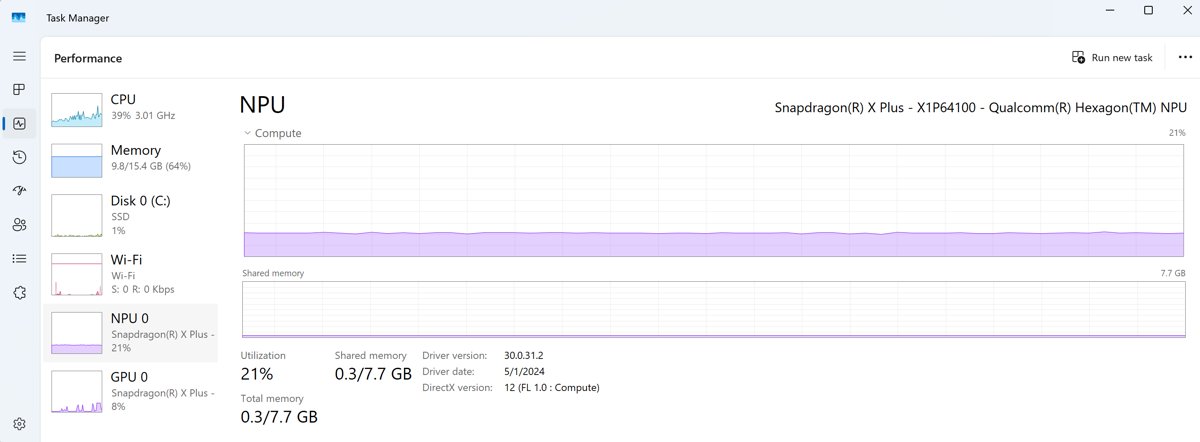
| Anything new near Recall in 26H2? | Enhanced Sign-in Security now works with compatible external fingerprint sensors, and Task Manager can show NPU usage columns |
The ESS change, one of several 26H2 new features, matters for desktop Copilot+ PCs without a built-in fingerprint reader, since Recall needs a biometric ESS sign-in.
How to turn on Recall in Windows 11 26H2
Saving snapshots is off by default for every user. Each person who signs in to the PC makes their own choice.
- Set up Windows Hello face or fingerprint sign-in under Settings > Accounts > Sign-in options if it is not already enrolled.
- Open Settings > Privacy & security > Recall & snapshots.
- Move the Save snapshots toggle to On.
- Confirm with Windows Hello when prompted.
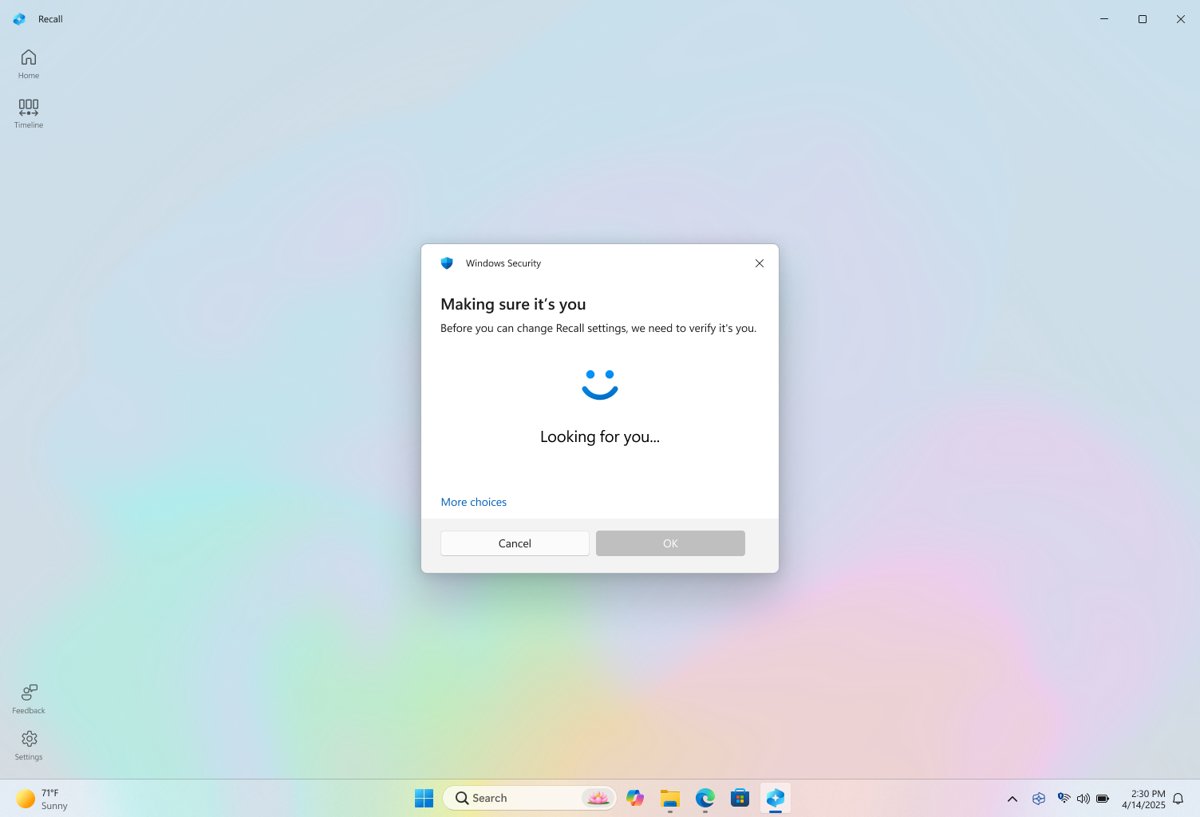
- Press Windows key + J to open Recall and finish the first-run setup.
You can also skip the Settings page: the first time you open Recall, it asks whether to allow snapshots. If the PC is not on 26H2 yet, you can download and install 26H2 through any official route, though Recall works the same on 24H2 and 25H2.
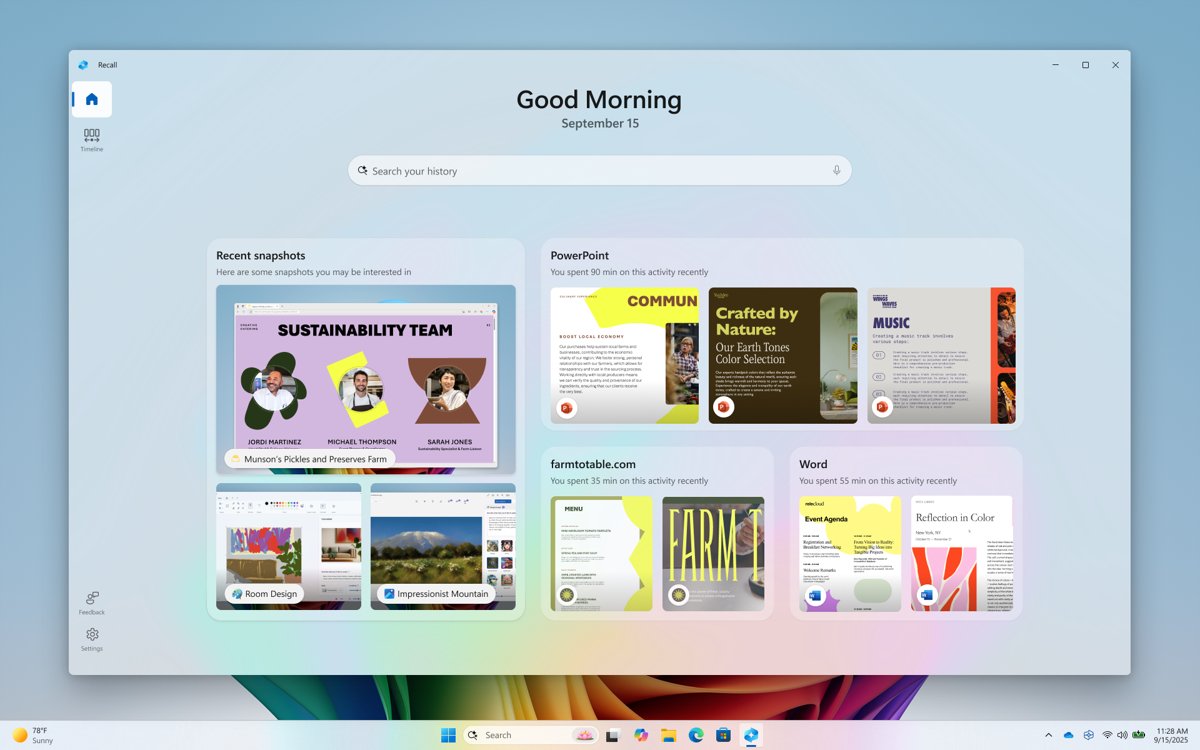
How to check Recall is on your PC
- Press Windows key + J; Recall should open and ask for Windows Hello.
- If nothing opens, select Start > All apps and look for Recall.
- Open Settings > Privacy & security and check for a Recall & snapshots entry.
- With snapshots on, look for the Recall icon in the system tray; it is absent when Save snapshots is Off.
- Press Win + R, type
winverand press Enter to confirm the version reads 26H2.
If Recall is missing from Start and Settings on a Copilot+ PC, see the troubleshooting section below. Other ways to confirm 26H2 is installed include Settings > System > About.
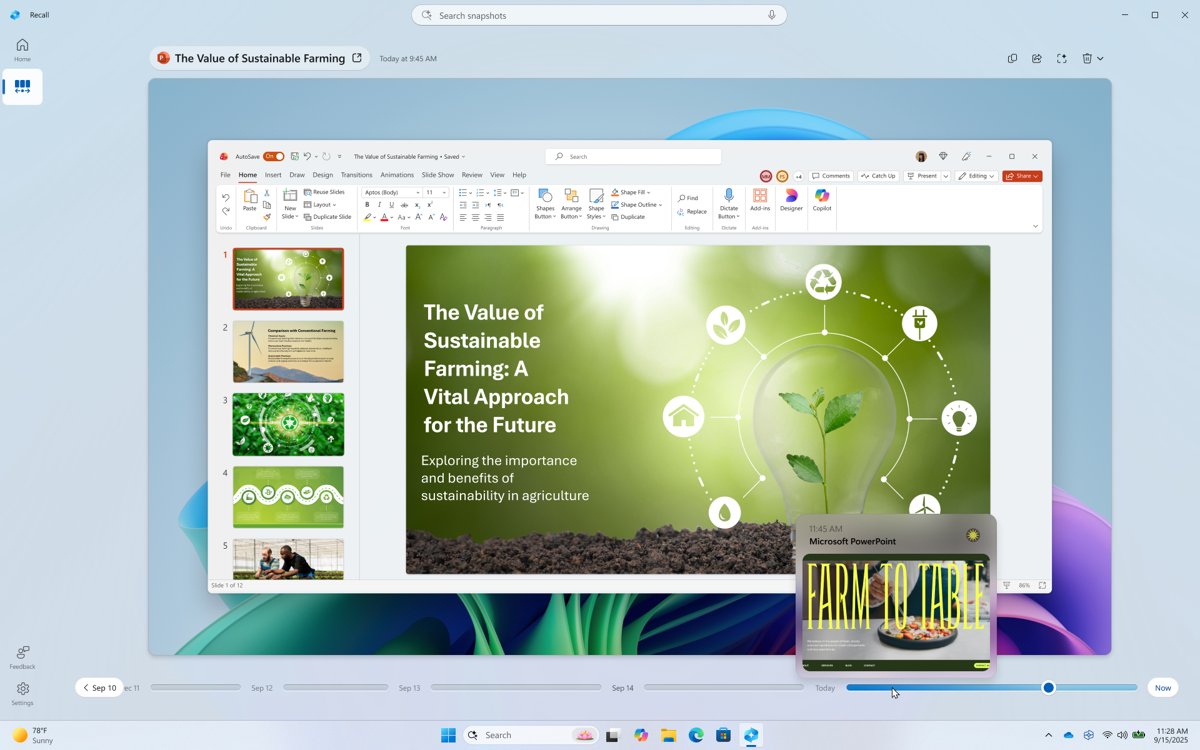
Pause, filter or reset Recall
| Goal | Where to do it |
|---|---|
| Stop snapshots until midnight | Select the Recall icon in the system tray > Pause until tomorrow |
| Resume early | Recall tray icon > Resume snapshots, then confirm with Windows Hello |
| Keep an app or website out of snapshots | Settings > Privacy & security > Recall & snapshots, then add it to the filter lists |
| Block passwords and card numbers | Leave Sensitive information filtering on; it is on by default |
| Delete one snapshot | Select … on the snapshot in Recall > Delete |
| Delete everything and start over | Recall & snapshots > Advanced settings > Reset Recall > Reset, then confirm with Windows Hello |
| Plain homepage without suggestions | Advanced settings > turn off Recall shows a customized experience using your snapshots |
Website filtering works in Microsoft Edge, Firefox, Opera and Google Chrome. Other Chromium browsers from version 124 filter private browsing only.
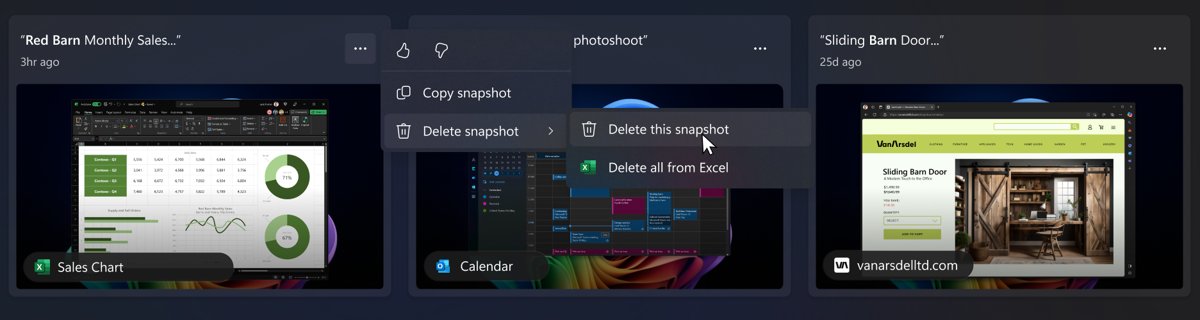
How to remove Recall from Windows 11 26H2
Recall is an optional Windows feature, so you can remove it completely. Every saved snapshot is deleted when you do.
- Type Turn Windows features on or off in the taskbar search box and open it.
- Clear the Recall check box.
- Select OK.
- Restart the PC when prompted.
- To bring Recall back later, open the same dialog, tick Recall and restart.
Turning off Save snapshots is enough if you only want Recall to stop recording; removal also deletes the Recall components from the PC.
Recall on work and school PCs running 26H2
On managed devices Recall is disabled and removed by default. An IT admin can make it available, but cannot turn on snapshots for a user; each user still has to opt in.
| Policy | Group Policy path | Effect |
|---|---|---|
| Allow Recall to be enabled | Computer Configuration > Administrative Templates > Windows Components > Windows AI | Disabled removes Recall and deletes snapshots; enabled makes it available |
| Turn off saving snapshots for Recall | Computer or User Configuration > Administrative Templates > Windows Components > Windows AI | Enabled blocks snapshots; disabled lets users choose |
| Set maximum storage for snapshots used by Recall | Same Windows AI folder | 10 to 150 GB cap; Enterprise and Education only |
| Set maximum duration for storing snapshots used by Recall | Same Windows AI folder | 30, 60, 90 or 180 days; Enterprise and Education only |
| App and URI filter lists | Same Windows AI folder | Filters named apps and sites; Enterprise and Education only |
Microsoft notes that in some commercial environments the Recall package does not deploy automatically, and admins enable it with Enable-WindowsOptionalFeature -Online -FeatureName "Recall". Rollout of 26H2 itself goes through WSUS and Intune.
Fix Recall problems on Windows 11 26H2
Recall is not in Start, Settings or Windows features
The PC is not a Copilot+ PC, or a work or school policy has removed Recall.
- Check the PC against the requirements table above, starting with the 40 TOPS NPU.
- If the PC is managed by an organisation, ask IT whether Allow Recall to be enabled is set.
- On an unmanaged Copilot+ PC, open Turn Windows features on or off, tick Recall and restart.
Recall options are greyed out
Your organisation manages the device and has locked those settings by policy.
- Ask your IT admin which Recall policies apply; only they can change them.
- Add extra apps or websites to your own filter lists, which stays allowed on managed devices.
Snapshots stopped saving
Snapshots were paused, or free space fell below 25 GB.
- Check the Recall tray icon; a slash through it means snapshots are paused.
- Select the icon > Resume snapshots and confirm with Windows Hello.
- Free up space until the drive has more than 25 GB free.
Recall will not open without face or fingerprint
Recall requires a biometric Windows Hello Enhanced Sign-in Security enrolment.
- Open Settings > Accounts > Sign-in options.
- Set up Windows Hello face or fingerprint sign-in; Recall needs at least one biometric option enrolled.
- On a desktop, use a compatible external fingerprint reader; 26H2 extends ESS to supported peripheral sensors.
- Press Windows key + J again and authenticate.
If Recall broke right after the update, compare the symptom with the 26H2 known issues list before changing settings.
Frequently asked questions
Does Windows 11 26H2 have Recall?
Yes, on Copilot+ PCs only. Recall is an optional Windows feature that ships on Copilot+ hardware, and it saves no snapshots until each user opts in. On PCs without a 40 TOPS NPU, 26H2 does not include Recall.
Is Recall turned on by default after the 26H2 update?
No. Saving snapshots is off by default on every Copilot+ PC. You opt in from Settings > Privacy & security > Recall & snapshots, or when you open Recall for the first time. On managed work PCs, Recall is removed entirely unless IT allows it.
Can I get Recall on a PC that is not a Copilot+ PC?
No. Microsoft's minimum requirements for Recall include a Copilot+ PC with a 40 TOPS NPU, 16 GB RAM, 8 logical processors and 256 GB of storage. Updating a standard PC to 26H2 does not change that. The 26H2 system requirements for Windows itself are separate and much lower.
Does Recall work on Windows 11 26H2 Home?
Yes. Recall is available by default on Copilot+ PCs that are not managed by an organisation, whatever the edition. Some storage and filtering policies apply only to Enterprise and Education, but Home users set filters and storage in Settings.
Does Recall send my snapshots to Microsoft?
No. Snapshots are processed and stored locally, encrypted, and not shared with Microsoft, third parties or other users of the same PC. Recall occasionally fetches website icons and metadata, and feedback you choose to file can include screenshots you attach.
How much disk space does Recall use?
Windows sizes it by drive capacity: 25 GB on a 256 GB drive, 75 GB on 512 GB, and 150 GB on 1 TB or larger. When the limit is reached, the oldest snapshots are deleted first. You need 50 GB free to turn Recall on.
How do I open Recall in Windows 11 26H2?
Press Windows key + J, select Recall from Start > All apps, or select the Recall icon on the taskbar. Windows asks you to confirm with Windows Hello every time Recall opens or its settings change.
Is Recall still in preview on 26H2?
Microsoft's support pages and Windows 11 specifications still label it Recall (preview), even though it reached general availability on Copilot+ PCs in April 2025. Microsoft has not published a date for dropping the label.
Do I need 26H2 to get Recall?
No. Recall has been on Copilot+ PCs since the April 2025 non-security preview update for 24H2, and 25H2 and 26H2 share the same servicing branch. With a staged 26H2 rollout, most PCs are not offered 26H2 on day one, and Recall works without it.
Bottom line
Treat Recall as a Copilot+ PC feature, not a 26H2 feature: if your PC has a 40 TOPS NPU it is there and waiting for your opt-in, and if it does not, 26H2 will not add it. Microsoft's 26H2 release notes list no Recall change, and the hardware requirements are the same as in 2025. Decide on snapshots under Settings > Privacy & security > Recall & snapshots, or remove Recall in Turn Windows features on or off.