The .NET SDK downloads free from Microsoft for Windows 11, Windows 10, Mac and Linux, and the Windows x64 installer is a 205.5 MB offline setup. One install gives you the dotnet command line, the C# and F# compilers, and all three runtimes needed to build and run apps.
This guide covers the x64, x86 and Arm64 installers, the Mac packages, the zip and tarball builds, winget, checksum checks, the LTS versus STS choice, updates, install fixes and clean removal.
Check the .NET SDK system requirements before you download
Your operating system version and processor decide which file you need. Microsoft publishes no RAM or disk minimum for the SDK.
| Field | Value |
|---|---|
| Software | .NET SDK |
| Developer | Microsoft Corporation |
| Latest version | 10.0.401 (Long Term Support) |
| Included runtimes | Runtime, ASP.NET Core and Desktop Runtime 10.0.12 |
| Languages | C# 14.0, F# 10.0, Visual Basic 17.13 |
| License | Free and open source, MIT License |
| Installer size | 205.5 MB, Windows x64 |
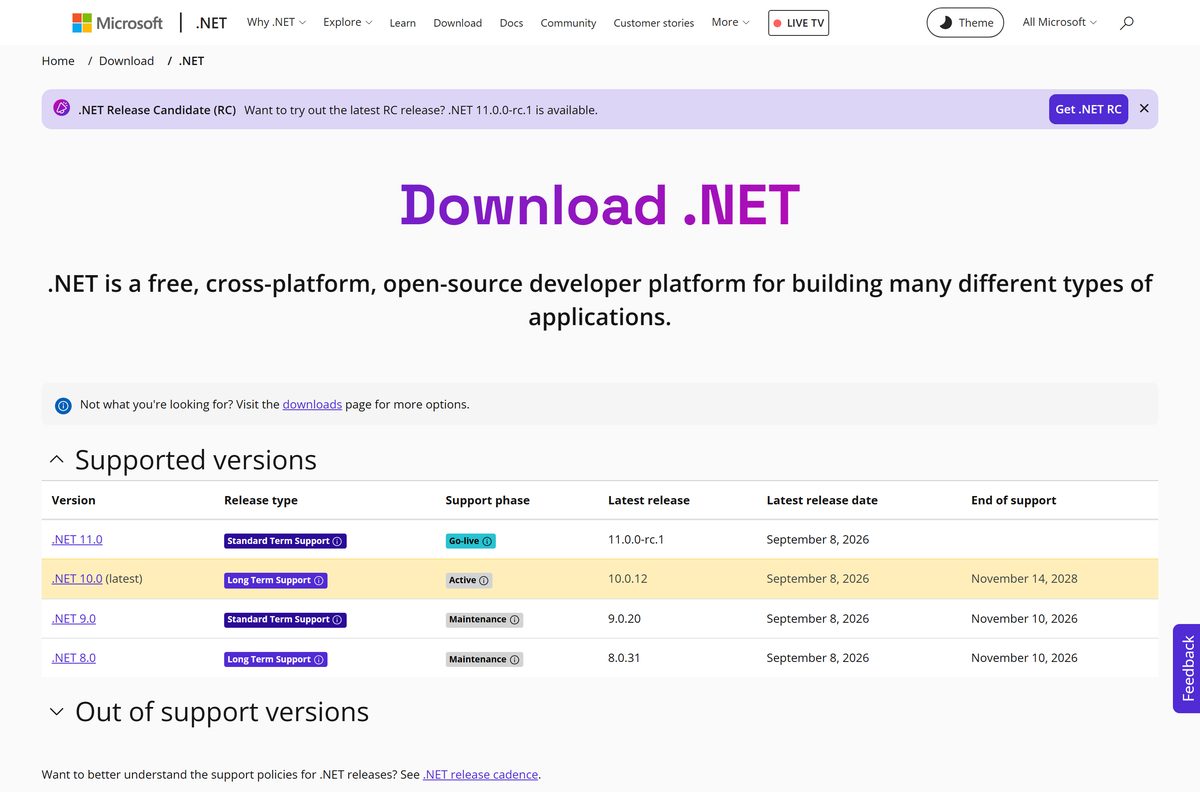
| Windows | Windows 11, Windows 10 (21H2, 1809, 1607 LTSC or Enterprise), Windows Server 2012 or later |
| macOS | macOS 14 Sonoma, macOS 15 Sequoia, macOS 26 Tahoe |
| Linux | Debian, Ubuntu, Fedora, RHEL, CentOS Stream, Alpine, openSUSE, SUSE Enterprise, Azure Linux |
| Architecture | x64, x86 and Arm64 on Windows; x64 and Arm64 on Mac |
| Offline installer | Yes, the .exe and .pkg carry everything |
| End of support | 14 November 2028 |
| Official download | dotnet.microsoft.com download page |
| Last verified | 2026-09-22 |
Windows 10 coverage stops at the LTSC and Enterprise editions listed above. Windows 8.1 and Windows 7 lost support with .NET 6.
Which .NET SDK download do you need?
Press Windows + I, open System > About and read the System type line. Match it to a row below.
| Your computer | File to download | Size |
|---|---|---|
| 64-bit Windows 11 or 10 on Intel or AMD, which is most PCs | dotnet-sdk-10.0.401-win-x64.exe | 205.5 MB |
| An Arm PC, such as a Snapdragon laptop | dotnet-sdk-10.0.401-win-arm64.exe | 194.3 MB |
| 32-bit Windows, or a 32-bit build target | dotnet-sdk-10.0.401-win-x86.exe | 193.7 MB |
| Windows with no administrator rights | dotnet-sdk-10.0.401-win-x64.zip | 286.7 MB |
| A Mac with an Apple M1, M2, M3 or M4 chip | dotnet-sdk-10.0.401-osx-arm64.pkg | 215.1 MB |
| A 64-bit Linux desktop or server | dotnet-sdk-10.0.401-linux-x64.tar.gz | 228.9 MB |
Take the x64 installer unless the System type line says otherwise. On an Arm PC the x64 build still runs, but it installs to a separate folder.
Download the .NET SDK from the official Microsoft site
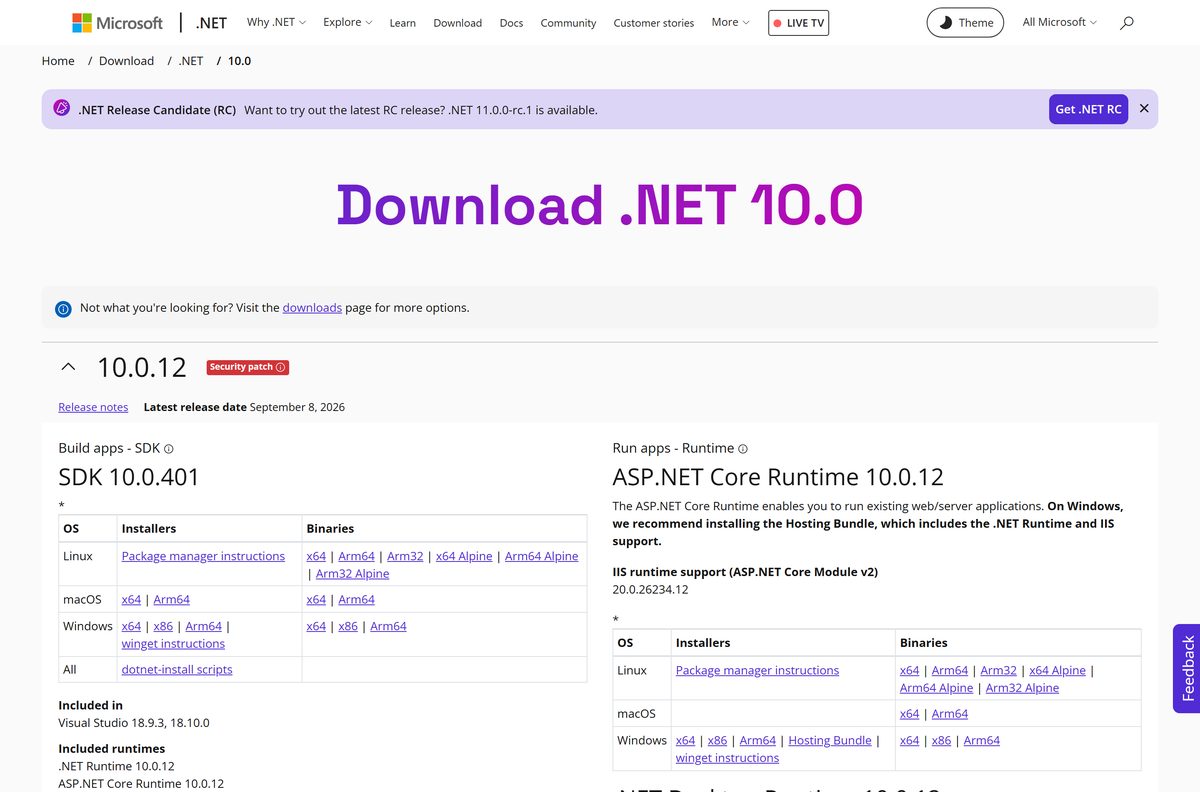
Microsoft publishes every build on dotnet.microsoft.com, with a SHA-512 checksum shown beside each file.
- .NET 10.0 download page — installers, binaries and checksums for the current release
- Windows x64 installer — 205.5 MB
- Windows Arm64 installer — 194.3 MB
- Windows x86 installer — 193.7 MB
- Windows x64 binaries, zip — 286.7 MB
- All supported releases — the .NET 8 and .NET 9 pages sit here
The installer works offline once it is on the machine. Nothing else is fetched during setup.
How to install the .NET SDK on Windows 11 and 10
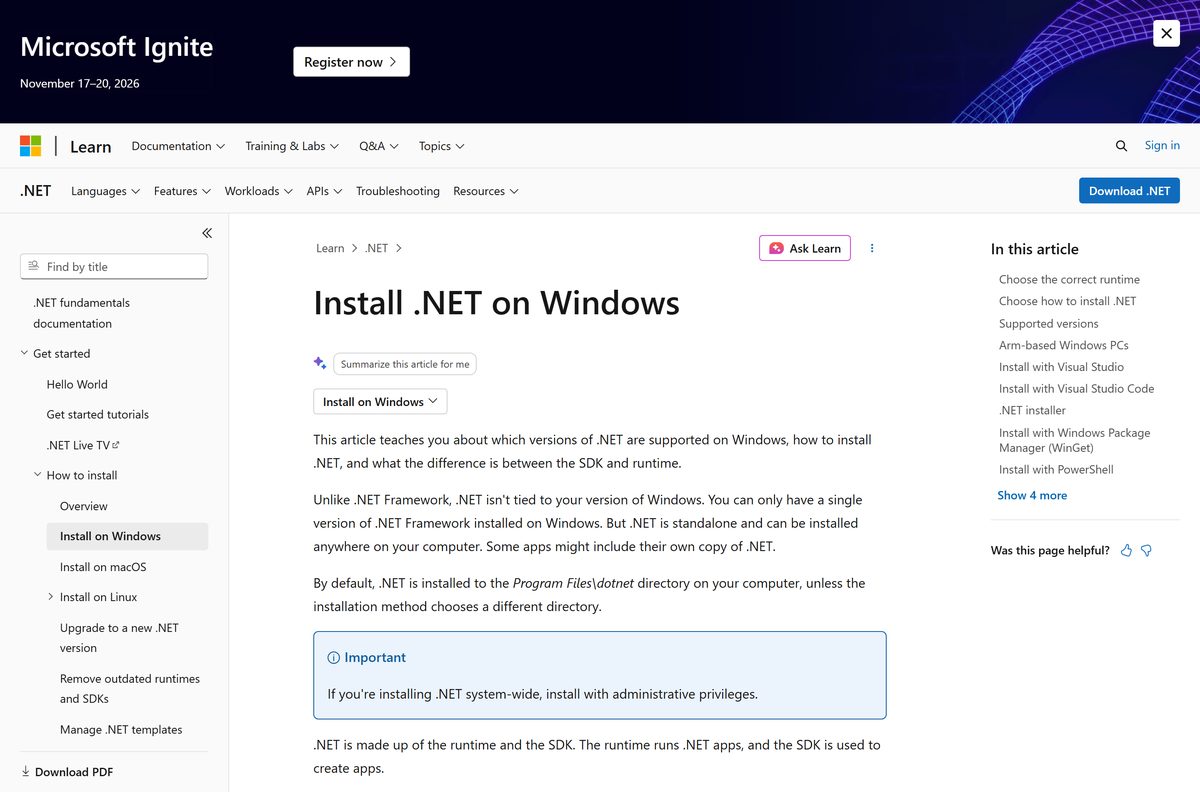
Setup writes to C:\Program Files\dotnet and adds that folder to the system path. Administrator rights are needed for a machine-wide install.
- Download the installer that matches your System type.
- Close Visual Studio and every open terminal window.
- Double-click the file in your Downloads folder.
- Select Yes at the User Account Control prompt.
- Read the licence terms, then select Install.
- Wait for the progress bar to finish, then select Close.
- Open a new Terminal window so the updated path loads.
- Run dotnet –version and check it reports the version you installed.
- Run dotnet new console -o hello and then dotnet run –project hello to build a first app.
Exit code 3010 means the install worked and Windows wants a restart. Any other non-zero code is a failure.
Install the .NET SDK with winget instead
Windows Package Manager pulls the same signed installer and keeps the version pinned to a major line. Run the terminal as administrator for a system-wide install.
- Right-click Start and select Terminal (Admin).
- Run winget search Microsoft.DotNet.SDK to list the package identifiers.
- Run winget install Microsoft.DotNet.SDK.10 to install the current long term support line.
- Type Y and press Enter to accept the source agreements if prompted.
- Close the window and open a fresh Terminal.
- Run dotnet –list-sdks to confirm the install.
- Run winget upgrade Microsoft.DotNet.SDK.10 later to move to the newest patch.
Swap the trailing number for 8 or 9 to install an older line side by side. Both can sit on one machine.
How to verify the .NET SDK installer you downloaded
Every download page shows a SHA-512 checksum in a copy box. Compare it before you run the file.
- Open the .NET 10.0 download page and select the build you took.
- Select Copy beside the Checksum box on the page that follows.
- Open PowerShell in your Downloads folder.
- Run (Get-FileHash .\dotnet-sdk-10.0.401-win-x64.exe -Algorithm SHA512).Hash .
- Compare the printed string with the one you copied.
- On a Mac, run shasum -a 512 dotnet-sdk-10.0.401-osx-arm64.pkg instead.
- To check several files at once, save the release checksum list beside them and run shasum -a 512 -c 10.0.12-sha.txt .
- Delete the file and download again if the values differ.
Run the .NET SDK without installing it
The binary archives are the same build without a setup program, which suits locked-down machines and build agents.
- Download the Windows x64 zip, 286.7 MB, or the Mac Arm64 tarball, 220.1 MB.
- Extract it to a folder you own, such as C:\dotnet or ~/Applications/.dotnet.
- Set DOTNET_ROOT to that folder.
- Add DOTNET_ROOT and its tools subfolder to PATH .
- Open a new terminal and run dotnet –info to confirm the path.
- Extract later releases into the same folder; versions sit side by side.
Nothing is written to the registry, so deleting the folder removes this copy completely.
Which .NET SDK download do you need for your Mac?
Open the Apple menu and select About This Mac, then read the Chip line.
| About This Mac says | File to download | Size |
|---|---|---|
| Apple M1, M2, M3 or M4 | dotnet-sdk-10.0.401-osx-arm64.pkg | 215.1 MB |
| Intel Core i5, i7 or i9 | dotnet-sdk-10.0.401-osx-x64.pkg | 222.0 MB |
| Apple silicon, install without admin rights | dotnet-sdk-10.0.401-osx-arm64.tar.gz | 220.1 MB |
The package installs to /usr/local/share/dotnet. An x64 build on an Apple silicon Mac lands in the x64 subfolder instead, so keep DOTNET_ROOT pointed at the one you want.
Is the .NET SDK free?
Yes, the SDK is free for personal and commercial work, with no licence key, trial period or paid edition. Microsoft ships it under the MIT License and keeps the source in the dotnet organisation on GitHub. Paid products such as Visual Studio bundle the same SDK, but the standalone download costs nothing on Windows, Mac or Linux. Any site charging for the installer is not Microsoft.
Should you install the LTS or the STS release?
Even-numbered releases are long term support and last three years. Odd-numbered releases are standard term support and last two.
Install .NET 10, the current LTS line, unless a project pins you to an older runtime. Version 10 arrived on 11 November 2025 and is supported until 14 November 2028. The .NET 9 STS line and the .NET 8 LTS line both end on 10 November 2026, so either one leaves you upgrading within weeks. The newest SDK still builds apps that target older runtimes, which is why Microsoft marks version 10 as the recommended download.
Both release types get the same monthly quality and security fixes. Only the length of support differs.
How to check your .NET SDK version and update it
The command line answers this faster than the Settings app, and it lists every copy installed.
- Open Terminal on Windows, or Terminal on a Mac.
- Run dotnet –version for the version used in the current folder.
- Run dotnet –list-sdks to see every SDK on the machine and its path.
- Run dotnet –list-runtimes to see the runtimes beside them.
- Compare the highest number with the one on the .NET 10.0 page.
- Download and run the newer installer; it upgrades the line in place.
- Or run winget upgrade Microsoft.DotNet.SDK.10 on Windows.
- Leave Microsoft Update switched on so patch releases arrive automatically.
Patches ship on the second Tuesday of each month and are cumulative, so only the newest one matters.
Check what the .NET SDK installs on your machine
One SDK install covers console, web and desktop development. Installing a separate runtime alongside it is unnecessary.
| Component | What it does |
|---|---|
| Runtime 10.0.12 | Runs console apps, services and class libraries |
| ASP.NET Core Runtime 10.0.12 | Runs web apps, APIs and Blazor projects |
| Desktop Runtime 10.0.12 | Runs Windows Forms and WPF apps |
| C# 14.0, F# 10.0, Visual Basic 17.13 | The compilers projects build with |
| dotnet CLI | Creates, builds, tests, publishes and packs projects |
| Install folder | C:\Program Files\dotnet on Windows, /usr/local/share/dotnet on Mac |
Visual Studio 2026 version 18.0 or higher is the minimum for building against version 10.
Fix the .NET SDK not installing or not running on Windows 11 or 10
“No .NET SDK was found” after a successful install
Both the x86 and x64 builds are installed, and the 32-bit path resolves first.
- Run where.exe dotnet and look at the order of the results.
- Press Start, type Edit the system environment variables and open it.
- Select Environment Variables, then the Path row under System variables, then Edit.
- Select the C:\Program Files\dotnet\ entry and use Move Up until it sits above the Program Files (x86) one.
- Select OK on each dialog and open a new terminal.
Setup fails with a missing hostfxr.dll or api-ms-win-crt-runtime-l1-1-0.dll
An older Windows or Windows Server build has no Visual C++ 2015-2019 Redistributable.
- Download the 64-bit redistributable from Microsoft, or the 32-bit one on a 32-bit system.
- Run it and restart the PC.
- Run the SDK installer again.
Builds run much slower than expected
Smart App Control inspects every new binary the compiler writes.
- Open Windows Security and select App & browser control.
- Select Smart App Control settings.
- Set the switch to Off.
- Rebuild the project and compare the time.
The dotnet command is not recognized after extracting the zip
A manual extract sets no environment variables.
- Set DOTNET_ROOT to the folder you extracted into.
- Add that folder and its tools subfolder to PATH .
- Store both as user or system variables so they survive a reboot.
- Close and reopen the terminal, then run dotnet –info .
How to uninstall the .NET SDK cleanly
Removing an old line is safe once nothing targets it. Newer SDKs build for older runtimes anyway.
- Run dotnet –list-sdks and note which versions you still need.
- Press Windows + I and open Apps > Installed apps.
- Type .net in the search box to filter the list.
- Select … then Uninstall beside each SDK entry you no longer want.
- Use the Visual Studio Installer instead for any entry marked as belonging to Visual Studio.
- On a Mac, delete the versioned folder with sudo rm -rf /usr/local/share/dotnet/sdk/10.0.401 .
- Delete the matching folders under shared and host/fxr on a Mac to remove the runtimes.
- Leave the parent dotnet folder in place, because removing it deletes your global tools.
Microsoft also publishes a .NET Uninstall Tool for clearing several versions at once.
Choose between the .NET SDK and the runtime-only downloads
The SDK builds apps; the runtimes only run them. Pick the smallest thing that does your job.
| Download | Install it when | Where to get it |
|---|---|---|
| Runtime | You only run console apps or background services | .NET 10.0 page |
| Desktop Runtime | You run Windows Forms or WPF software | .NET 10.0 page |
| ASP.NET Core Runtime | You host web apps or APIs on a server | .NET 10.0 page |
| Visual Studio 2026 | You want a full IDE that manages its own copy | visualstudio.microsoft.com |
| dotnet-install script | You set up build agents or install without admin rights | Script reference |
| SDK 8.0.425 | A project still pins you to the .NET 8 line | .NET 8.0 page |
Frequently asked questions
Is the .NET SDK free to download?
Yes. Microsoft publishes it under the MIT License, free for personal and commercial use. Every installer, zip and tarball on the official site is the complete SDK, with no trial period, licence key or paid edition.
What is the official .NET SDK download page?
The official page is dotnet.microsoft.com/download/dotnet, run by Microsoft. It lists every supported release, and each version page carries installers, binary archives and a SHA-512 checksum for Windows, Mac and Linux.
Does the .NET SDK work on Windows 11?
Yes. Version 10 supports Windows 11 and Windows 10 on x64, x86 and Arm64, plus Windows Server 2012 and later. Windows 10 coverage is limited to the 21H2, 1809 and 1607 LTSC and Enterprise editions.
How big is the .NET SDK download?
The Windows x64 installer is 205.5 MB, the Arm64 installer 194.3 MB and the x86 installer 193.7 MB. The Mac packages are 215.1 MB for Apple silicon and 222.0 MB for Intel chips.
Is there an offline installer for the .NET SDK?
Yes. The Windows .exe and the Mac .pkg are complete offline setups. Each one carries the compilers and all three runtimes, so you can copy the file to a machine with no internet connection and install from there.
Can I download the .NET SDK for Mac?
Yes. Microsoft offers .pkg installers for Apple silicon and Intel Macs, plus tar.gz archives for a manual install. Supported systems are macOS 14 Sonoma, macOS 15 Sequoia and macOS 26 Tahoe.
Which .NET SDK download do I need, x64 or Arm64?
Open Settings, then System, then About, and read the System type line. An Intel or AMD PC takes the x64 installer, and an Arm PC such as a Snapdragon laptop takes the Arm64 one.
Should I install the LTS or the STS release?
Install the LTS release. Even-numbered versions such as .NET 10 are long term support and get three years of fixes, while odd-numbered releases are standard term support and get two years.
Is the .NET SDK installer safe?
The file from Microsoft is safe. Each download page shows a SHA-512 checksum you can compare using Get-FileHash on Windows or shasum -a 512 on a Mac before you run the installer.
What is the latest version of the .NET SDK?
The current release is 10.0.401, published on 8 September 2026. It installs runtime 10.0.12 and carries long term support status until 14 November 2028.
Why is the dotnet command not recognized after installing?
Open a new terminal window so the updated path loads. If where.exe dotnet lists the Program Files (x86) copy first, move the 64-bit folder above it in the Path variable and try again.
Do I need the SDK if I only want to run an app?
No. A runtime is enough to run an app someone else built. Install the SDK only to build, test or publish projects; it already contains every runtime, so installing both is pointless.






