No, iCloud and Apple ID are not the same thing: your Apple ID, which Apple now calls your Apple Account, is the login, and iCloud is one of the services that login opens.
This guide explains how the two fit together, how to find the email address your account uses, why your iCloud email can differ from your sign-in email, and what to do when iCloud will not accept your login.
Is iCloud the same as Apple ID? The short answer
Apple renamed Apple ID to Apple Account. You still sign in with the same email address or phone number and password, so nothing changed except the name.
Treat your Apple Account (formerly Apple ID) as the key and iCloud as one room it unlocks: one sign-in, one password, used for iCloud, the App Store, Messages, FaceTime, Find My and more. Apple describes the Apple Account as the account you use to access Apple services like the App Store, Apple Music, iCloud, iMessage and FaceTime. iCloud is the service that stores your photos, files, notes, passwords and backups once you sign in with that account.
So there is no separate "iCloud password". The password you type on iCloud.com is your Apple Account password, and you can change your Apple Account password from your device settings.
Difference between Apple ID and iCloud
| Apple Account (Apple ID) | iCloud | |
|---|---|---|
| What it is | Your sign-in identity for all Apple services | Apple's cloud service for storage and sync |
| What it holds | Sign-in email or phone number, password, contact, payment and security details | Photos, iCloud Drive files, notes, passwords, contacts, calendars, device backups |
| Where you manage it | account.apple.com, or Settings > [your name] > Sign-In & Security | iCloud.com, or Settings > [your name] > iCloud |
| What it costs | Free | 5 GB free; iCloud+ plans add 50 GB, 200 GB, 2 TB, 6 TB or 12 TB |
| Email address | Any email you own (Gmail, Outlook, @icloud.com) or a phone number | An optional @icloud.com address for iCloud Mail |
| Without the other | Works for the App Store and other services with iCloud turned off | Cannot be used without signing in to an Apple Account |
What services does an Apple Account sign in to?
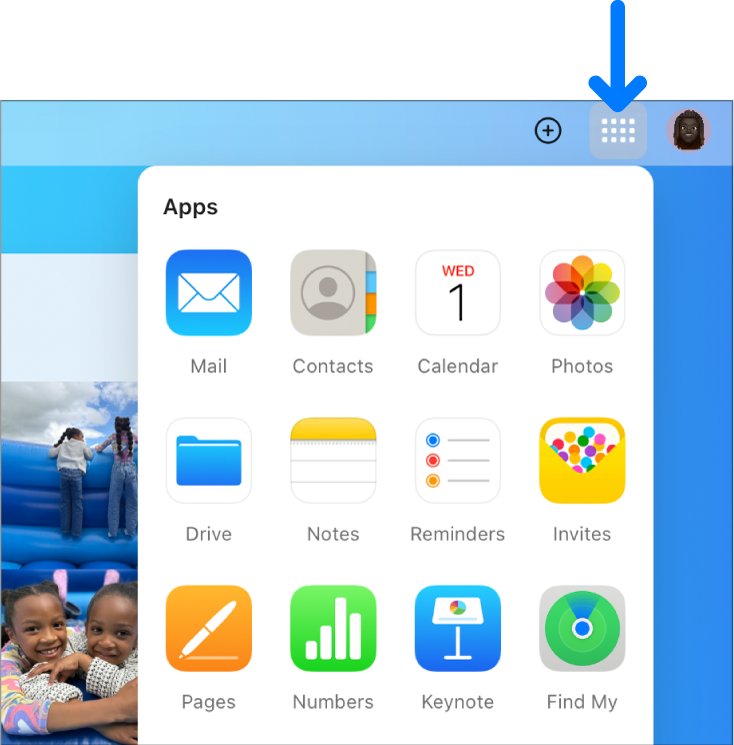
iCloud is only one item on a long list. The same account and password sign you in to every service below.
| Category | Services that use your Apple Account |
|---|---|
| Storage and sync | iCloud and iCloud+, Find My |
| Communication | iMessage, FaceTime |
| Purchases and media | App Store and Apple Arcade, Apple Music, Apple TV app and Apple TV+, Apple Books, Apple Podcasts, Apple News |
| Payments | Apple Pay, Apple Card, Apple Cash |
| Account features | Family Sharing, Game Center, Sign in with Apple |
| Shopping and support | Apple Online Store, Apple Store app, Apple Retail services, Apple Support Communities |
Because one account covers all of these, the App Store sign-in screen asks for the same credentials. You can sign in to the App Store with the account you use for iCloud.
What is my iCloud ID? Find your Apple Account email
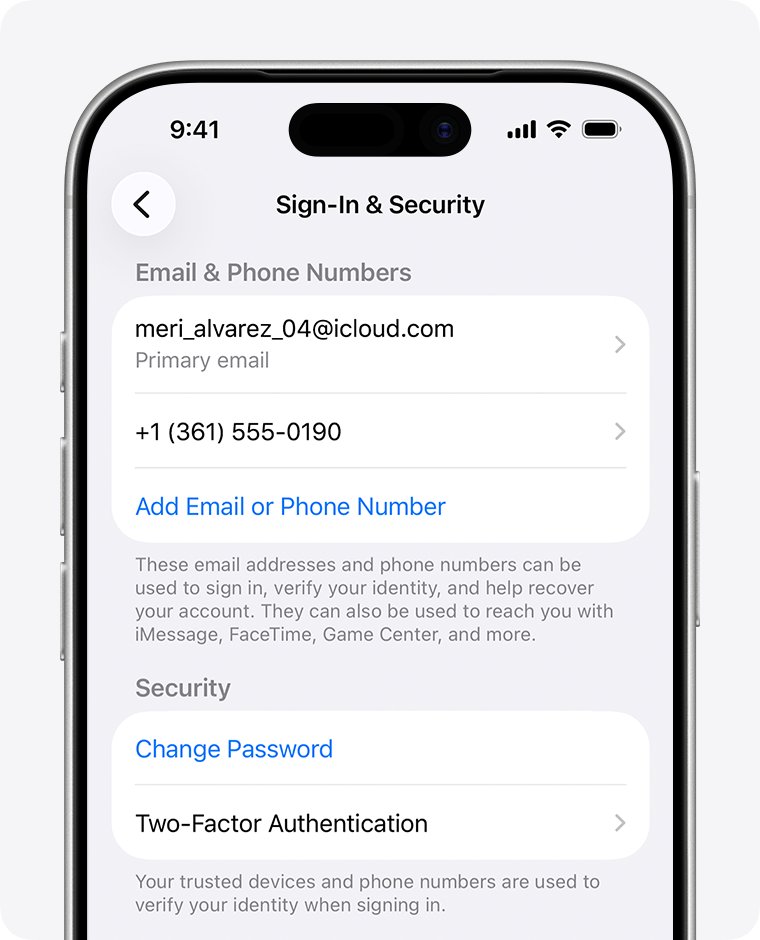
Your "iCloud ID" is the email address or phone number on your Apple Account. Any email address or phone number on file works for sign-in.
| Device | Where to look |
|---|---|
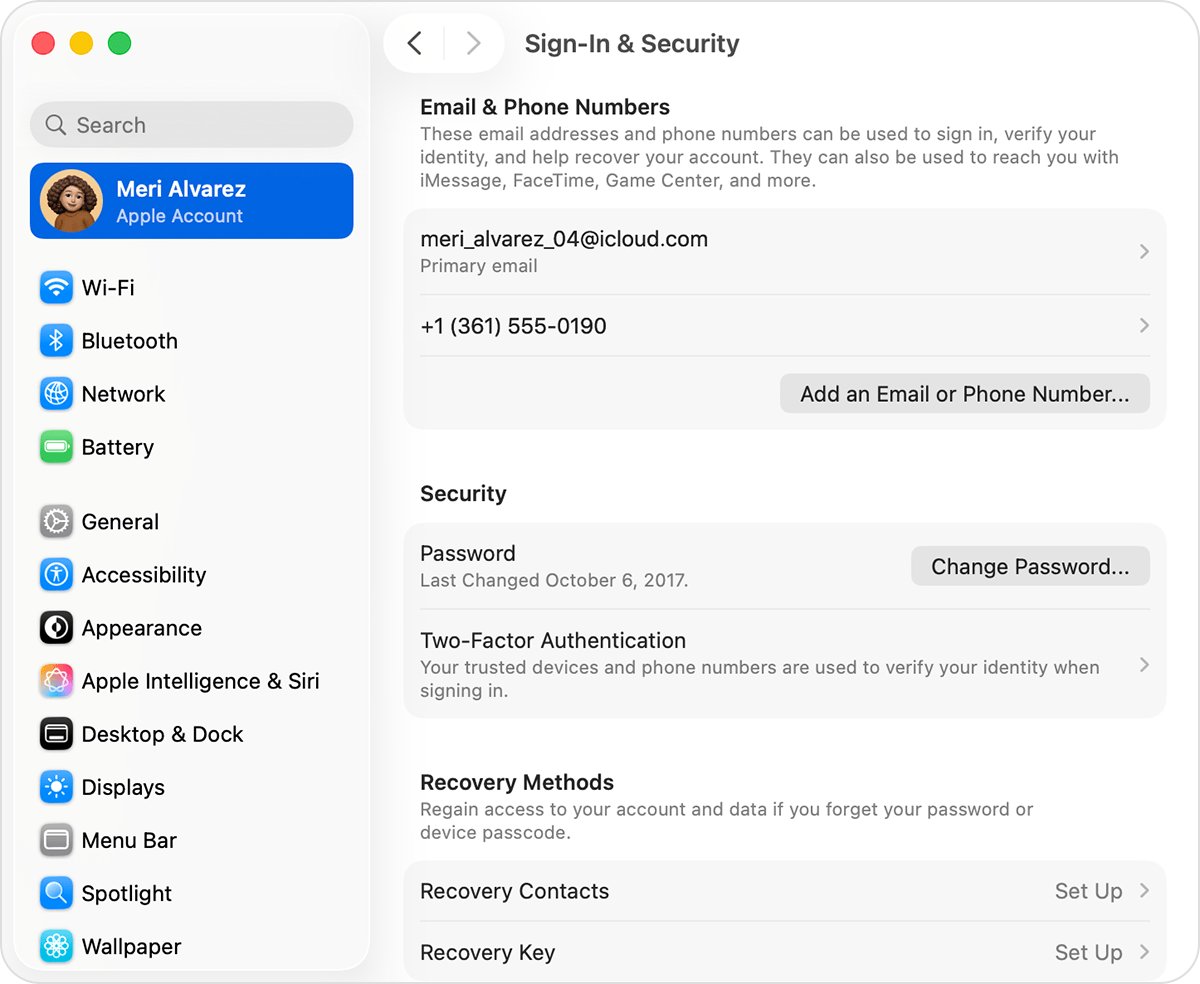
| iPhone or iPad | Open Settings, tap your name, then tap Sign-In & Security to see every email address and phone number you can sign in with |
| Mac | Choose Apple menu > System Settings, click your name, then select Sign-In & Security |
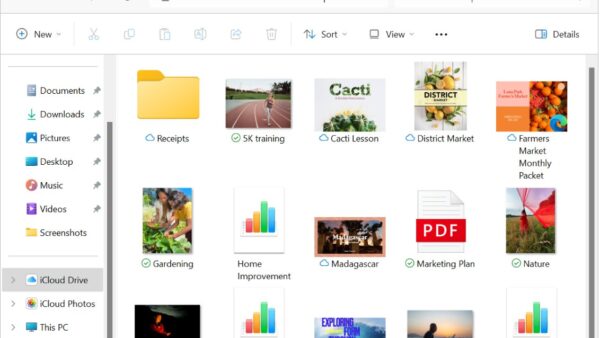
| Windows PC | Open the iCloud for Windows app and read the primary email address or phone number under your name |
| Any browser | Go to account.apple.com and see whether the sign-in screen remembers your email address or phone number |
| Other Apple apps | Check whether you are signed in to the App Store, FaceTime or Messages on your Apple device |
| Email inbox | Search for Apple receipts, repair, support or billing emails, which can include your primary email address |
If Apple shows a masked address such as j*@icloud.com, the number of asterisks may not match the real length of the address.
Why is my Apple ID and iCloud email different?
Many people created their Apple Account with a Gmail or Outlook address and later turned on iCloud Mail. Turning on iCloud Mail creates a separate @icloud.com address on the same account.
| Address | What it does | Can it sign you in? |
|---|---|---|
| Primary email (for example a Gmail address) | Receives emails from Apple and is visible when you collaborate in iCloud | Yes |
| @icloud.com address from iCloud Mail | Sends and receives iCloud Mail | Yes, once it is set up, on iCloud.com and your devices |
| Older @me.com or @mac.com address | Works as an iCloud Mail address | Yes, as an email on the account |
| Phone number on the account | Two-factor codes and account recovery | Yes, if it is listed under Sign-In & Security |
All of these addresses belong to one account with one password. You cannot rename a primary @icloud.com address after creating it, but you can add an email alias.
Why do I need an Apple ID and an iCloud ID?
You need only one account. Create or use a single Apple Account, then sign in to iCloud with it on every device so you see the same photos, files and backups everywhere. Apple says everyone should have their own Apple Account and that you should sign in to the same account on each device. A second account splits your data, and the App Store cannot use more than one account at the same time.
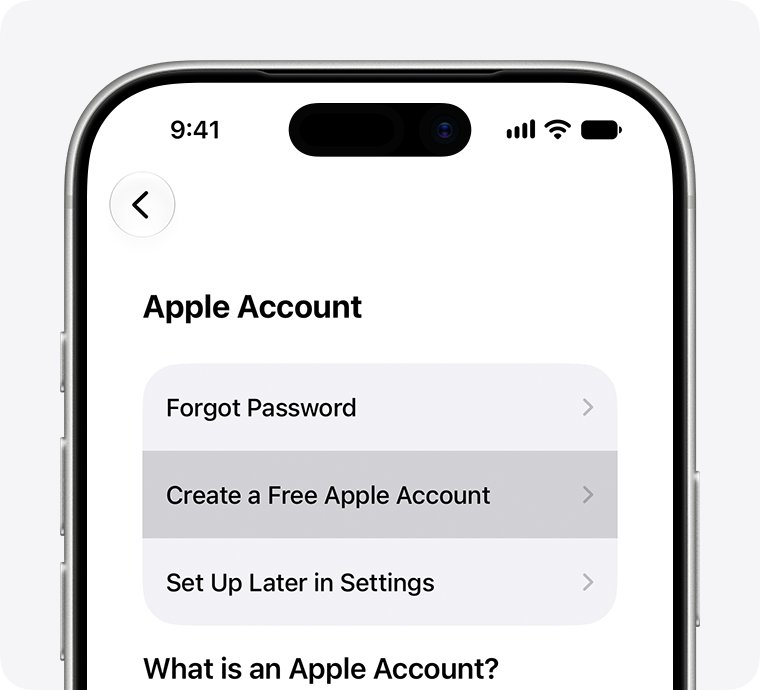
If a sign-up screen tells you an email address is unavailable, an Apple Account already exists with it. Reset that account's password instead of creating a new one.
How to create an iCloud email address for your Apple Account
Do this if you want an @icloud.com address on the account you already have. If the Mail screen shows an inbox instead of setup steps, you already have one.
- On iPhone or iPad, go to Settings > [your name] > iCloud.
- Tap iCloud Mail (or Mail).
- Follow the onscreen instructions and pick a suggested address or edit it.
- Choose an address longer than three characters that is still available.
- On iCloud.com instead, go to icloud.com/mail, sign in, select Create Email Address and follow the prompts.
- Sign in to iCloud.com with the new @icloud.com address to confirm it works.
Check which Apple Account your iCloud uses
- On iPhone, open Settings and confirm your name appears at the top.
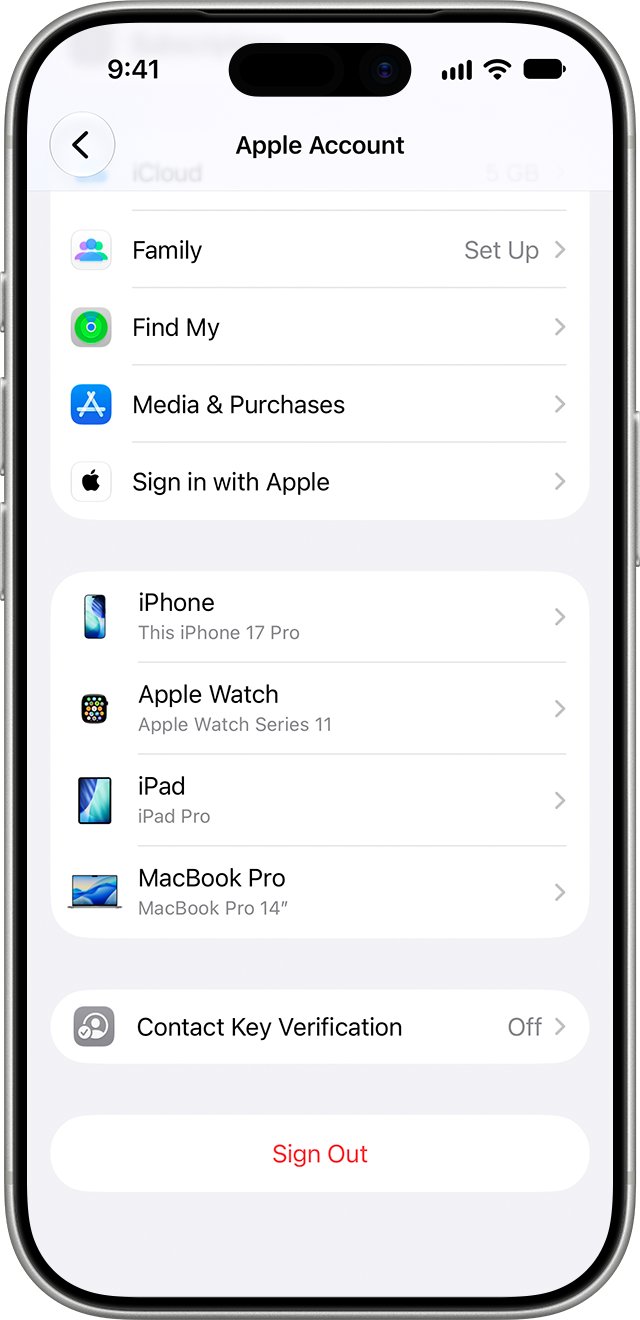
- Tap your name and scroll down to see every device signed in to that account.
- Tap iCloud to confirm which apps sync with this account.
- On a PC or Android device, sign in at account.apple.com and select Devices.
- Sign in to iCloud.com with the same account and check that your photos and files match your iPhone.
If iCloud.com shows no photos that your iPhone has, you have more than one Apple Account and signed in with the wrong one.
Can't sign in to iCloud with your Apple ID: fixes
Why can't I open my iCloud through Apple ID?
You are using an email address that is not on the account, a different Apple Account, or the wrong password.
- Find the sign-in email under Settings > [your name] > Sign-In & Security on a device that is signed in.
- Try other email addresses or phone numbers you use for Apple services.
- On iCloud.com, select Forgot password? if the password is the problem and follow the onscreen steps.
- Enter the six-digit code sent to your trusted device or phone number when asked.
Why can't I use my iCloud email for Apple ID?
Every @icloud.com address already belongs to the Apple Account that created it, and one address cannot sit on two accounts.
- Sign in with that @icloud.com address, since it already works as a sign-in for its own account.
- If you see "email address is unavailable", reset the password for the account that owns it.
- To change an iCloud-only address, open Sign-In & Security, tap the address and choose Change Email Address (iOS 18.1, iPadOS 18.1 or macOS 26.4 or later).
Apple Account locked or disabled when signing in to iCloud
Too many wrong password attempts or a security block on the account.
- Stop retrying the password on every device.
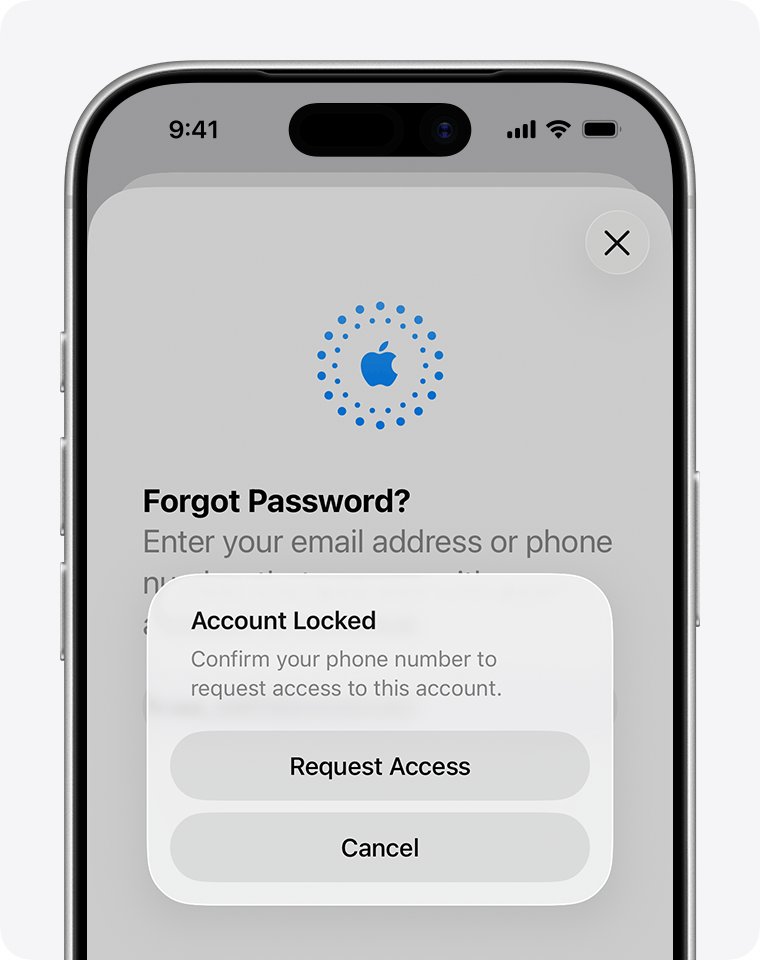
- Go to iforgot.apple.com or select Forgot password? and follow the prompts.
- Use a trusted device or trusted phone number to verify your identity.
- Request account recovery if you have neither, and expect it to take several days or more.
iCloud.com does not show apps or data you expect
A different Apple Account, a web-only account, a phone browser, or Advanced Data Protection limiting web access.
- Sign out and sign back in with the Apple Account your iPhone uses.
- Use a computer browser, which shows more apps than a phone or tablet.
- If Advanced Data Protection is on, turn on Access iCloud Data on the Web in iCloud settings on your device.
iCloud vs Apple ID FAQ
Is iCloud and Apple ID the same thing?
No. Your Apple ID, now called Apple Account, is the login you use for all Apple services. iCloud is one of those services, storing photos, files, notes, passwords and backups. You sign in to iCloud with your Apple Account.
Is iCloud and Apple ID the same password?
Yes. iCloud has no separate password. When you sign in to iCloud.com or turn on iCloud on a device, you enter your Apple Account password, plus a verification code if two-factor authentication is on.
Is my iCloud my Apple ID?
Your iCloud account is your Apple Account with iCloud turned on. The email address or phone number you sign in to iCloud with is your Apple Account sign-in, even if your iCloud Mail address is different.
Is iCloud login same as Apple ID?
Yes. iCloud.com asks for your Apple Account email address or phone number and password. You can also use Face ID, Touch ID or a passkey if your device supports it.
What is my iCloud ID?
It is the email address or phone number on your Apple Account. On iPhone, open Settings, tap your name, then tap Sign-In & Security to see every address and number you can sign in with.
Why is my Apple ID and iCloud email different?
Your Apple Account may use a Gmail or other address as its primary email, while iCloud Mail gave you a separate @icloud.com address. Both belong to one account and either can sign you in.
Why do I need an Apple ID and an iCloud ID?
You do not need two. One Apple Account signs you in to iCloud, the App Store, Messages, FaceTime and other Apple services. Creating a second account splits your data between them.
Why can't I use my iCloud email for Apple ID?
An @icloud.com address already belongs to the Apple Account that created it, and an email address cannot be used by two accounts. Sign in with that address on its own account instead.
Can I use my Apple Account without iCloud?
Yes. You can sign in to the App Store and other media services with your Apple Account and leave iCloud features turned off. You lose sync, iCloud Backup and iCloud Drive.
Is iCloud storage free with an Apple Account?
Yes, up to 5 GB. Every iCloud setup includes a free email account and 5 GB of storage. iCloud+ plans add 50 GB, 200 GB, 2 TB, 6 TB or 12 TB. When the free space runs out, you can copy iCloud Drive files to an external drive to free some up.
Bottom line: Apple ID and iCloud are one account, two roles
Keep a single Apple Account and sign in to iCloud with it on every device. The Apple Account is the identity and iCloud is the storage behind it, so one email address and one password cover both. Most "different account" confusion comes from a separate @icloud.com Mail address, which still belongs to the same account.
Your purchases also live on that account, and you can view your purchase history with the same sign-in.