Yes, you can have more than one iCloud account, but each iPhone, iPad or Mac user signs in to iCloud with one Apple Account at a time.
This guide shows how to create a second Apple Account, use it for App Store purchases or Mail on the same device, give it its own Mac user, and what Apple does not allow, such as merging two accounts.
How to create a second iCloud account
Every Apple Account needs its own email address or phone number, so pick one that is not already linked to an Apple Account.
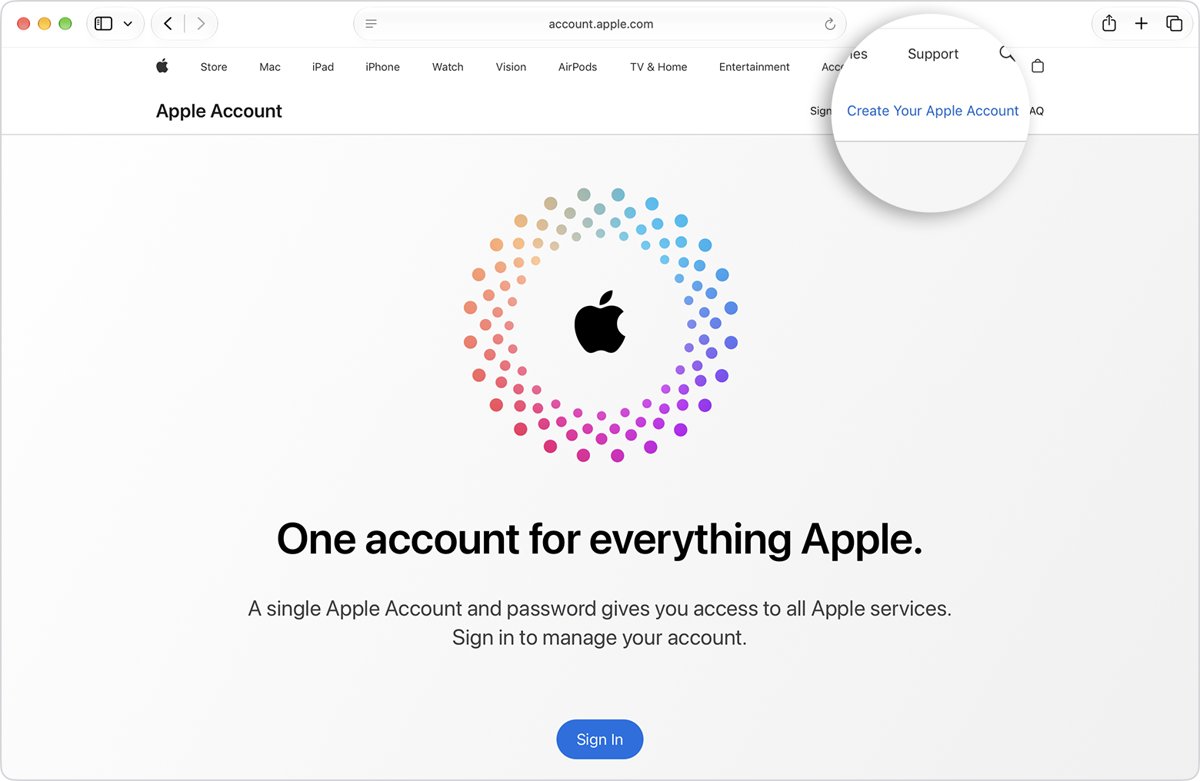
- Go to account.apple.com in a web browser, or open the App Store on a device that is signed out of iCloud.
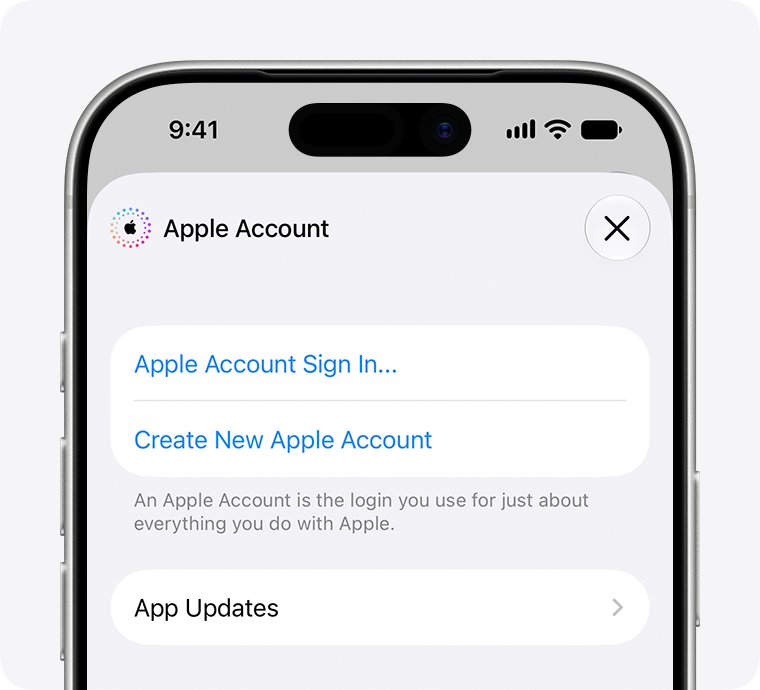
- Choose to create a new Apple Account. In the App Store, tap the My Account button, then tap Create New Apple Account.
- Enter an email address that no other Apple Account uses. On an iPhone or iPad during setup, tap Don't have an email address? to get a free iCloud email address instead.
- Create a strong password and set your country or region.
- Confirm your phone number, then open the verification email from Apple and verify the address.
- Sign in with the new Apple Account where you want to use it.
If you see that the email address or phone number is unavailable, an Apple Account already uses it. Try a different address, or reset the existing Apple Account password.
Ways to use two iCloud accounts on one iPhone or Mac
The right setup depends on what the second account is for. Match your goal to a row before you sign anything out.
| What you want | Setup | What you get |
|---|---|---|
| Buy apps and media with a different account | Second Apple Account in Media & Purchases on iPhone or iPad | iCloud stays on account one; App Store and media purchases use account two |
| Read a second iCloud mailbox | Add the second iCloud email in Mail Accounts | Both mailboxes in the Mail app, iCloud features stay on your main account |
| Two people on one Mac | A separate macOS user for each person | Each user signs in to their own Apple Account and iCloud |
| Check files or photos in the other account | Sign in at iCloud.com in a browser | Web access to that account's iCloud data without changing the device |
| Share purchases with family | Family Sharing, each person with their own Apple Account | Shared purchases and subscriptions without sharing personal data |
| Switch the device to the other account completely | Sign out of iCloud, then sign in with account two | All iCloud features move to the second account |
Use a different Apple Account for App Store purchases on iPhone
iPhone and iPad let one Apple Account handle iCloud and most features while a second account handles Media & Purchases.
- Open the Settings app and tap your name.
- Tap Media & Purchases, then tap Sign Out.
- Tap Media & Purchases again and choose Not [your name]?.
- Sign in with the second Apple Account.
- Go back to the page under your name and check that the second account shows under Media & Purchases.
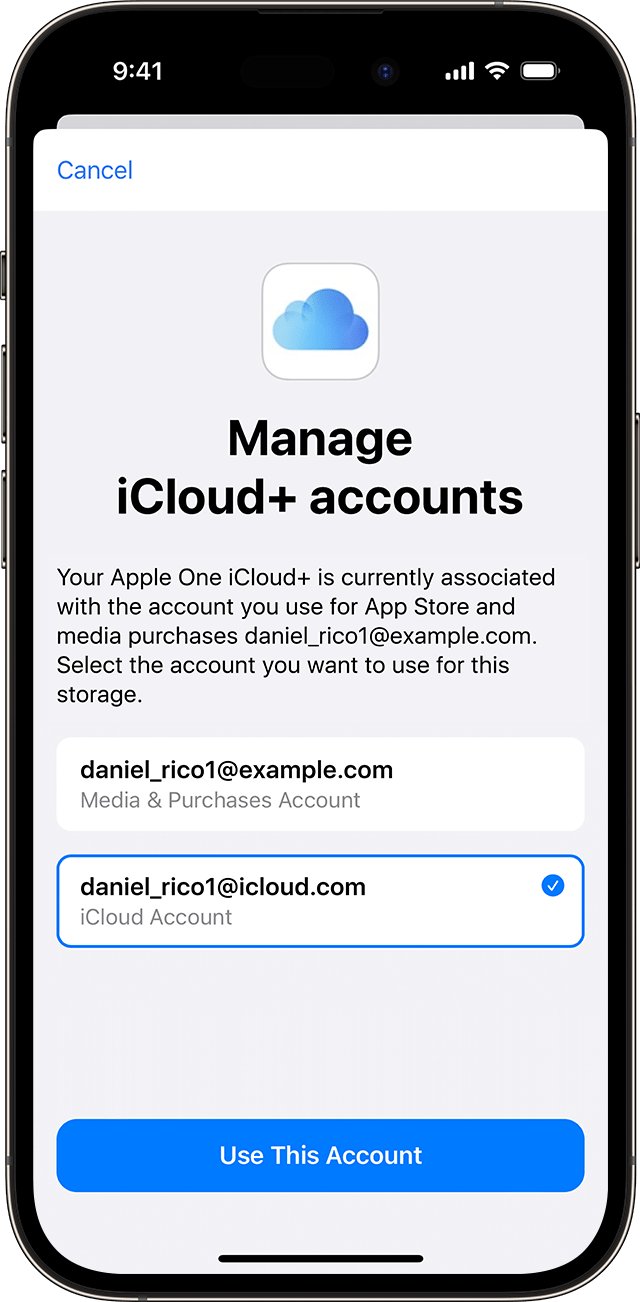
If you subscribe to Apple One with this split, its iCloud+ storage goes to the purchases account by default. Change it in Settings > your name > Subscriptions > Apple One > Manage iCloud+, then tap Use This Account.
Add a second iCloud email account to Mail on iPhone and Mac
Mail can hold several accounts at once, so a second iCloud mailbox can sit next to your main one without changing which account runs iCloud.
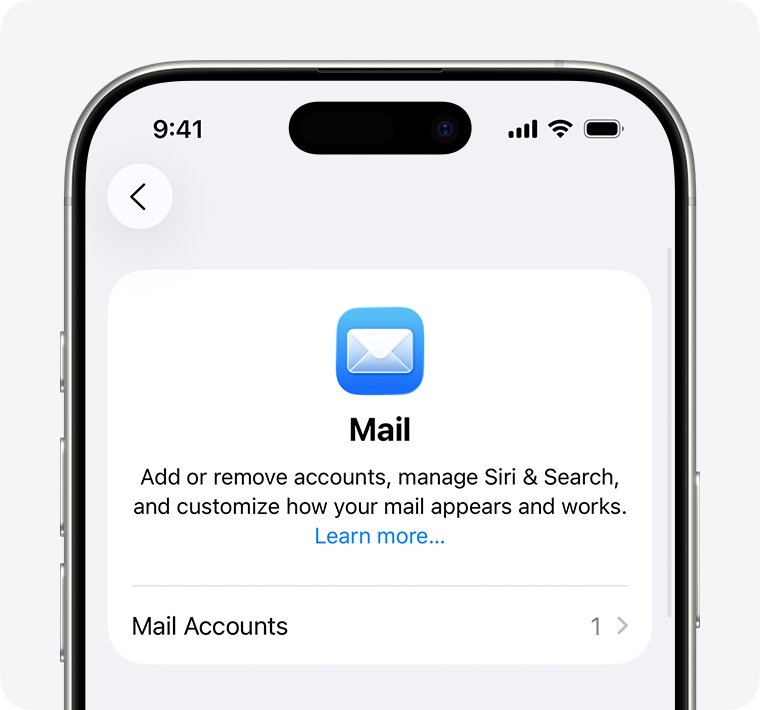
- On iPhone or iPad, go to Settings, then tap Apps.
- Tap Mail, then tap Mail Accounts.
- Tap Add Account, enter the second iCloud email address, and choose iCloud from the provider list if asked.
- Enter the password, then tap Next or Save when it appears.
- On a Mac, open Mail and choose Mail > Add Account, or open System Settings > Internet Accounts > Add Account.
- Select the provider, sign in, and choose which apps use the account in the dialog that appears.
Give each Apple Account its own Mac user
A Mac user account keeps its own settings, files and Apple Account, so two people can each run full iCloud on one Mac. You must be an administrator to add users.
- Choose Apple menu > System Settings, then click Users & Groups in the sidebar.
- Click Add User below the list of users and enter your password if asked.
- Click the pop-up menu next to New User and choose Standard or Administrator.
- Enter a full name and a password, then click Create User.
- Log in as the new user and sign in with the second Apple Account to set up iCloud.
Once that user has set up iCloud on the Mac, you can select Allow user to reset password using Apple Account in the user's info settings.
Switch iPhone or Mac to a different iCloud account
Signing out also signs you out of the App Store, iMessage and FaceTime. Make sure you have an up-to-date iCloud backup first, because iCloud data is removed from the device unless you keep a copy. You can also export your iCloud contacts to a file before you switch.
- On iPhone or iPad, open Settings and tap your name.
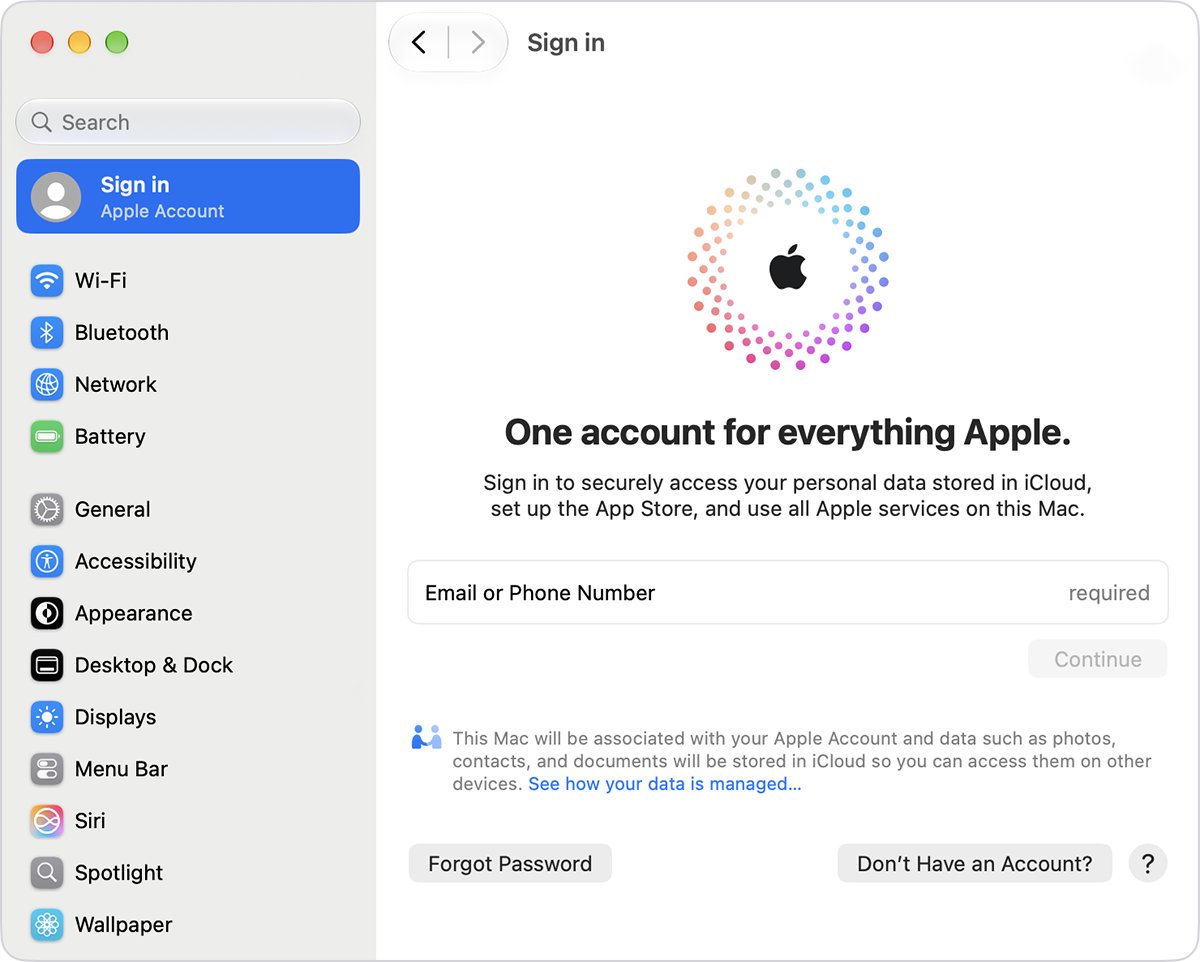
- Scroll to the bottom and tap Sign Out.
- Choose Sign Out But Don't Erase to keep content on the device, or Erase this [Device].
- Enter the device passcode or your Apple Account password, then tap Confirm and Sign Out.
- On a Mac, choose Apple menu > System Settings, click your name, then click Sign Out and select Keep a Copy for data you want to keep.
- Sign in with the other Apple Account.
Can you merge two iCloud accounts?
Apple has no way to combine two Apple Accounts into one. The closest option moves purchases from a secondary account to a primary one, and iCloud data does not migrate out of the secondary account.
| Item | Moves to the primary account? | Detail |
|---|---|---|
| Apps, music, movies, TV shows, books | Yes | Past purchases move with Migrate Purchases |
| Payment methods and subscriptions | Yes | They replace the primary account's payment methods |
| iCloud data (photos, Drive, mail) | No | Stays in the secondary account, still reachable at iCloud.com |
| Personalized recommendations | No | Personalization starts over on the primary account |
| App Store reviews | No | Reviews from the secondary account can no longer be edited |
To start, open Settings, tap your name > Media & Purchases > View Account, then tap Migrate Purchases. Both accounts need two-factor authentication and the same country or region, and the feature is not available in India.
Fix problems creating or adding another iCloud account
"The maximum number of free accounts have been activated"
Too many accounts have been set up with iCloud on this device in one year.
- Set up iCloud for the new Apple Account on another iPhone, iPad or Mac you own.
- Or sign in with an Apple Account that is already set up with iCloud.
- Use iCloud.com in a browser to reach the new account's data meanwhile.
"Your account cannot be created at this time"
Out-of-date software, a connection problem, or several accounts created in a short time.
- Update the device to the latest iOS, iPadOS or macOS version.
- Create the account from Settings or System Settings on an Apple device, or at account.apple.com on Windows or Android.
- Check that web pages load, then try again later or on a different network.
- Check Apple's System Status page for an outage.
The email address or phone number is unavailable
An Apple Account already uses that address or number.
- Try signing in with that address: it may be an older account you forgot.
- Reset the password for that account if it is yours.
- Use a different email address or phone number for the new account.
Should family members share one iCloud account?
No. Give each person their own Apple Account and join them with Family Sharing instead of sharing one iCloud login. A shared account mixes messages, voicemails, call history, Health and Fitness data, and Apple Music libraries. If Family Sharing ever stops, the account owner keeps all purchases, including ones another person made.
More than one iCloud account FAQ
Can I have more than one Apple ID?
Yes. Apple ID is now called Apple Account, and you can create more than one as long as each uses a different email address or phone number. Each device or Mac user signs in to iCloud with one of them at a time.
Can I have two iCloud accounts on one iPhone?
Only one Apple Account runs iCloud on an iPhone. You can still use a second Apple Account for Media & Purchases, and add a second iCloud email address to the Mail app under Settings > Apps > Mail > Mail Accounts.
Can I merge two iCloud accounts into one?
No. Apple only lets you migrate purchases such as apps, music and books from a secondary account to a primary one. iCloud data like photos and iCloud Drive files stays in the secondary account.
How do I see files from my other iCloud account?
Sign in to iCloud.com in a web browser with the other Apple Account. That gives you its iCloud data without signing your iPhone, iPad or Mac out of your main account.
Can I use one Apple Account for iCloud and another for the App Store?
Yes. On iPhone or iPad, open Settings, tap your name, then Media & Purchases. Sign out there and sign in with the second account. iCloud and most other features stay on your main account.
Can two people use different iCloud accounts on one Mac?
Yes. Create a separate macOS user for each person in System Settings > Users & Groups > Add User. Each user then signs in to their own Apple Account and gets their own iCloud data and settings.
Why can't I create another Apple Account?
The usual causes are an email address already in use, too many accounts set up with iCloud on one device in a year, or out-of-date software. Try another address, another Apple device, or account.apple.com.
Bottom line: is a second iCloud account worth it?
Create a second Apple Account only for a clear purpose, such as separate purchases, a separate mailbox or another person, and keep one account as the iCloud account on each device. Apple cannot merge accounts later, so iCloud data split across two accounts stays split. Using Media & Purchases, Mail Accounts or a separate Mac user keeps both accounts usable without constant sign-outs.