
PHP guide: security updates, downloads and how to update PHP

PHP update guide: the fixed version for each branch (8.5.12, 8.4.27, 8.3.36, 8.2.35), how to update PHP on Windows, Linux, Docker and WordPress, and verify it.
2,132 articles
PHP update guide: the fixed version for each branch (8.5.12, 8.4.27, 8.3.36, 8.2.35), how to update PHP on Windows, Linux, Docker and WordPress, and verify it.


PHP 7.4, 8.0 and 8.1 get no official CVE-2026-109618 release. Use vendor backports, the PHP security team source patches, or upgrade to PHP 8.4 or 8.5.


Restart PHP-FPM after the PHP 8.5.12, 8.4.27, 8.3.36 and 8.2.35 security update on Ubuntu, Debian, RHEL and Apache mod_php, then confirm the new version runs.


Check your PHP version with php -v or phpinfo() on Windows, Linux and XAMPP, then see if it is below 8.5.12, 8.4.27, 8.3.36 or 8.2.35 and exposed to CVE-2026-109618.


Update PHP Docker images to 8.5.12, 8.4.27, 8.3.36 or 8.2.35: pull the patched php tag, rebuild FROM php images, recreate fpm and apache containers, then verify.


WordPress PHP version check for CVE-2026-109618 and CVE-2026-109619: find your PHP version in Site Health and move to 8.5.12, 8.4.27, 8.3.36 or 8.2.35.


Update PHP on Ubuntu and Debian to fix CVE-2026-109618 and CVE-2026-109619: apt commands, USN-8948-1 fixed package versions, PPA checks and PHP-FPM restarts.

CVE-2026-109619 is a critical PHP stale global state RCE. Learn how it works, which setups are exposed, and the fix: PHP 8.5.12, 8.4.27, 8.3.36 or 8.2.35.


CVE-2026-109618 fix: PHP 8.5.12, 8.4.27, 8.3.36 and 8.2.35 patch the OOM corruption RCE. Where to download each build for Windows and Linux, and how to confirm it.
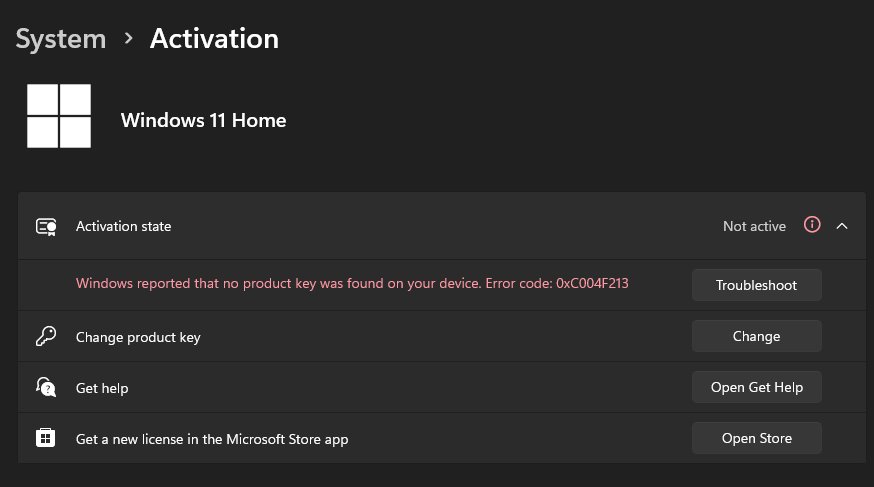
Generic product keys for Windows 11 and 10 are Microsoft’s KMS client keys (GVLKs). Get the official keys, install one with slmgr and see when it activates.


PHP 8.3.36 download and PHP 8.2.35 download from php.net: both fix critical RCE flaws CVE-2026-109618 and CVE-2026-109619. Changelog, builds and EOL dates.
PHP 8.4.27 download for Windows: pick the right x64 or x86, TS or NTS zip from php.net, check its SHA256 hash, upgrade safely and read the full changelog.