You can download Cricut Design Space for free on a Windows 11 or Windows 10 PC and on a Mac from design.cricut.com. The same free app runs on iPhone, iPad and Android, and it sets up and runs Cricut Joy, Explore, Maker and Venture machines.
This guide covers which download to pick, installing on Windows and Mac, what Cricut Access adds, system requirements, updates, and fixes for Design Space not installing or opening.
Which Cricut Design Space download do you need?
Cricut publishes one desktop app for Windows and Mac and a separate mobile app for phones and tablets. Match your device to a row.
| Your device | Get it here | Download |
|---|---|---|
| Windows 11 or Windows 10 PC | design.cricut.com | 1.2 MB web installer |
| Mac on macOS 12 or later | design.cricut.com | 0.6 MB web installer |
| iPhone or iPad on iOS 17 or later | Cricut Design Space on the App Store | App Store |
| Android phone or tablet on Android 11 or later | Cricut Design Space on Google Play | Google Play |
| Chromebook or Linux computer | Design Space system requirements | Not supported |
The desktop file is small because it fetches the rest of the app during setup. Keep the computer online until the sign-in screen appears.
Download Cricut Design Space from the official links
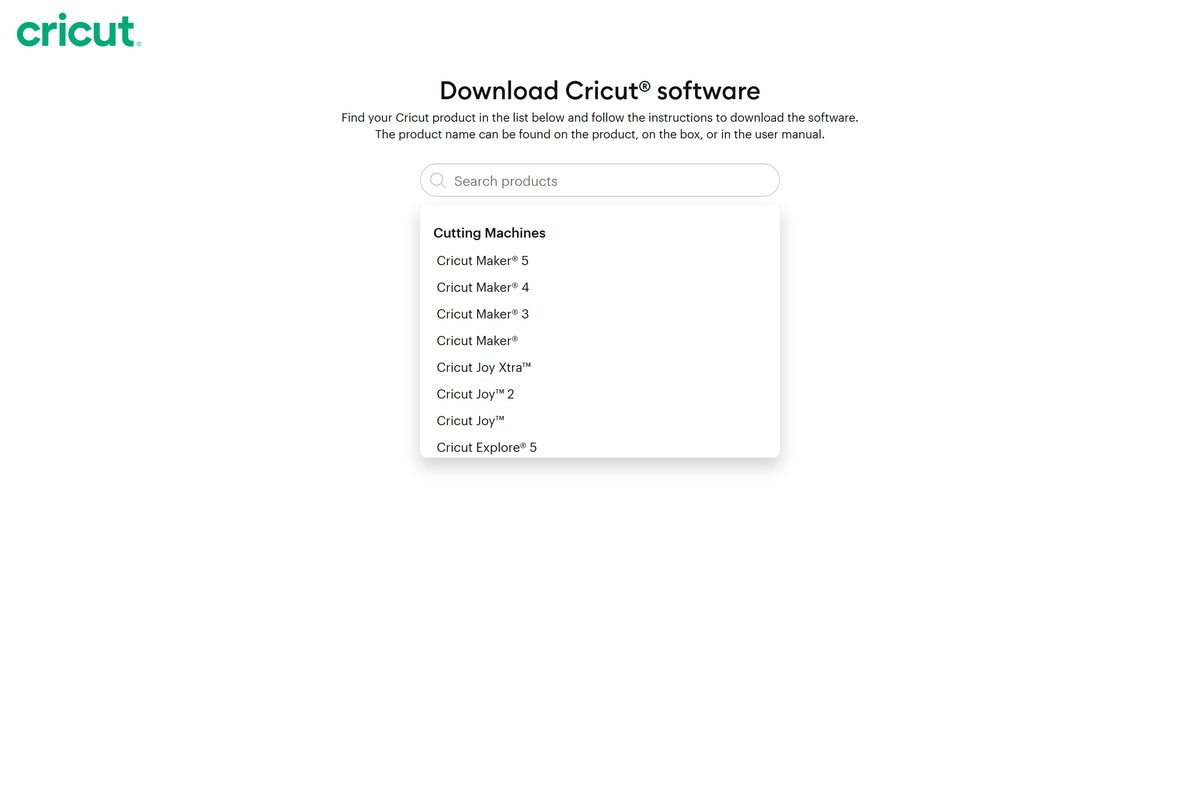
Cricut serves the desktop installer from its own domain after you pick your machine on design.cricut.com. A copy hosted anywhere else is not from Cricut.
- Download Design Space for Windows and Mac — pick your machine, accept the terms, select Download
- Cricut Design Space for iPhone and iPad — App Store
- Cricut Design Space for Android — Google Play
- Design Space release notes — current desktop version and fixes
- Design Space system requirements — Windows, Mac, iOS and Android
The Windows download saves as Install Cricut Design Space.exe . You need a free Cricut ID to sign in after installing.
How to install Cricut Design Space on Windows 11 and 10
Check that Windows is not in S mode first, because Design Space does not install on it.
- Open design.cricut.com in any browser.
- Select your Cricut machine model from the list.
- Tick the box to agree to the Cricut Terms of Use and Privacy Policy.
- Select Download and wait for Install Cricut Design Space.exe to save.
- Double-click the file in your browser or your Downloads folder.
- Choose the option to trust the application if Windows asks.
- Wait while the setup window downloads and installs the app.
- Sign in with your Cricut ID and password.
- Right-click the new desktop icon and select Pin to taskbar for quick access.
The app remembers your sign-in between sessions. It does not auto-save, so save projects often while you design.
Install Cricut Design Space on iPhone, iPad or Android
The mobile app uses the same Cricut ID, so projects saved to the Cricut Cloud open on your computer too.
- Open the App Store on an iPhone or iPad, or Google Play on an Android phone or tablet.
- Search for Cricut Design Space.
- Pick the app with a white square icon and the word Cricut in the middle.
- Tap Get on iOS or Install on Android.
- Open the app when it finishes installing.
- Tap Sign In, or start a Machine Setup for a new Cricut.
Android tablets work too. Chromebooks are not supported.
Which Cricut Design Space download do you need for your Mac?
Open the Apple menu and select About This Mac to see your macOS version.
| Your Mac says | Do this | Download |
|---|---|---|
| macOS 12 Monterey or later | Download from design.cricut.com | 0.6 MB web installer |
| macOS 11 Big Sur or older | Check the Mac requirements | Update macOS first |
| You design on an iPad instead | Get the iPad app | Needs iPadOS 17 or later |
To install, open the downloaded file from Downloads and drag the Cricut icon to the Applications folder. Double-click Cricut Design Space in Applications, select Open if macOS asks about an app from the internet, and sign in with your Cricut ID.
Drag the app to the Dock if you want a shortcut.
Is Cricut Design Space free?
Yes. Design Space is free to download and use with any Cricut cutting machine, and Cricut Access is an optional paid subscription. A free Cricut account includes 3,000+ images, 100+ fonts and 250+ ready-to-make projects, and you can upload your own images and use fonts installed on your computer. Cricut Access Standard costs $9.99 a month or $95.88 a year and adds 1,500,000+ premium images, 1,000+ fonts and 100,000+ projects. Access Premium costs $14.99 a month or $119.88 a year and raises monthly Credits from 20 to 200.
Individual images can also be bought one at a time without a subscription, and purchased images stay in your library. Compare plans on the Cricut Access page.
Should you use Design Space on desktop or mobile?
Use Design Space for Desktop on a Windows PC or Mac for most projects, and add the mobile app for quick jobs away from your desk. Desktop and iOS both have an Offline feature that lets you design and cut without internet after setup. Design Space for Android has no Offline feature. Some machine setup flows also point you to a computer, so a Windows or Mac install is the safer main copy.
Projects saved to the Cricut Cloud sync between every device signed in to the same Cricut ID.
How to check your Design Space version and update it
Cricut updates the desktop app regularly, and a new Cricut Maker 5 needs the latest version to finish setup.
- Open Design Space for Desktop and sign in.
- Select the menu in the upper-right corner.
- Select Settings > General > About Design Space to see the version number.
- Select Check for updates in the same panel.
- Install any update it finds, then reopen the app.
- Compare your number with the newest entry on the release notes page.
On iPhone or Android, open the app menu, tap About for the version, and update through the App Store or Google Play.
Check the Cricut Design Space requirements before you download
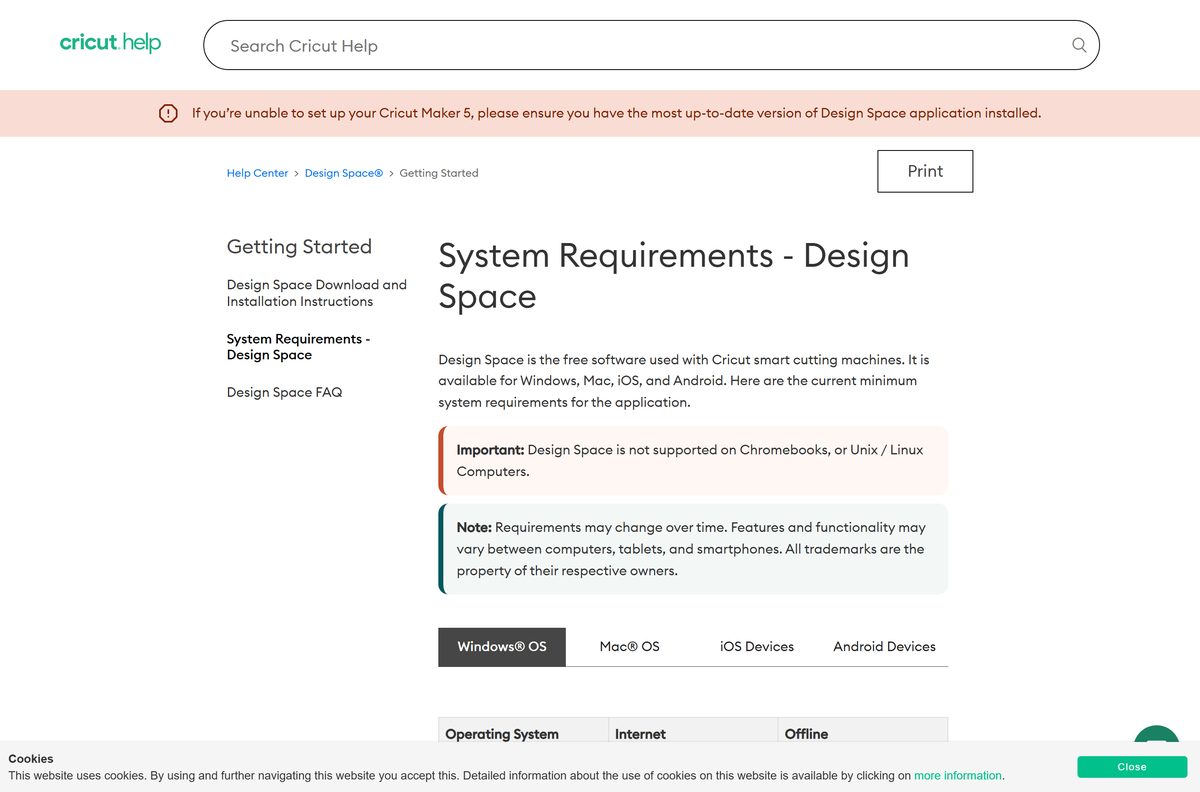
Cricut lists these as minimums. Some features need more, such as 64-bit Windows 10 or later.
| Field | Value |
|---|---|
| Software | Cricut Design Space (Design Space for Desktop) |
| Developer | Cricut, Inc. |
| Latest version | 10.3.138 for desktop (released Sep 10, 2026) |
| License | Free; optional Cricut Access subscription |
| Windows | Windows 10 or later; not Windows in S mode, Windows 7 or Windows 8 |
| macOS | macOS 12 or later |
| Mobile | iOS and iPadOS 17 or later; Android 11 or later |
| Processor | Intel Dual-Core or equivalent AMD on Windows; 1.83 GHz on Mac |
| RAM | 4 GB |
| Disk space | 2 GB free |
| Display | 1024 x 768 minimum |
| Connection to machine | USB port or Bluetooth |
| Internet | Broadband, 2-3 Mbps down and 1-2 Mbps up |
| Architecture | x86/x64 Intel or AMD on Windows; no ARM64 support listed |
| Installer size | 1.2 MB Windows, 0.6 MB Mac (web installers) |
| Offline installer | No; setup and sign-in need internet |
| Not supported | Chromebooks, Linux |
| Official source | design.cricut.com |
| Last verified | 2026-09-13 |
Design Space for Desktop also works offline once installed, with memory needs that grow with project size.
Fix Cricut Design Space not installing or opening on Windows 11
An Unsupported or Incompatible Operating System warning appears
Design Space is running in compatibility mode for Windows 8 or earlier.
- Right-click the Design Space desktop icon and select Properties.
- Open the Compatibility tab.
- Clear Run this program in compatibility mode for.
- Select Apply, then OK.
- Close and reopen Design Space.
The installer will not run at all
Windows is in S mode, which Design Space does not support.
- Confirm whether your PC runs Windows in S mode.
- Follow Microsoft’s instructions on support.microsoft.com to switch out of S mode.
- Run Install Cricut Design Space.exe again.
Unable to open Design Space, or a blank white screen
The installed copy is out of date or damaged.
- Close Design Space.
- Uninstall it from Add or remove programs.
- Restart the computer.
- Download a fresh copy from design.cricut.com and install it.
Could not load Design Space after a clean reinstall
Third-party security software is intercepting the app’s secure connection to Cricut.
- Open Microsoft Edge and go to design.cricut.com.
- Select the padlock icon in the address bar, then the certificate icon.
- If the certificate details are not what Cricut shows, run a malware scanner or contact Cricut Member Care.
Cricut’s error starting application guide covers the same checks for Mac.
How to uninstall Cricut Design Space
Close Design Space first, or the uninstall will not complete properly.
- Select Start, search for Add or remove programs and open it.
- Type Cricut in the search field.
- Select Cricut Design Space, then Uninstall.
- Confirm the uninstall.
- Restart the computer if Windows asks.
- On a Mac, open Finder > Applications, drag Cricut Design Space to the Trash, then select Empty Trash.
Restart before reinstalling. Projects saved to the Cricut Cloud stay in your account after an uninstall.
Other creative apps for PC include Snapseed and Figma.
Frequently asked questions
Is Cricut Design Space free to download?
Yes. Design Space is free on Windows, Mac, iOS and Android, and a free account includes 3,000+ images, 100+ fonts and 250+ projects. Cricut Access is an optional subscription starting at $9.99 a month for the larger premium library.
Where is the official Cricut Design Space download page?
The desktop download is at design.cricut.com. Select your machine, agree to the Terms of Use and Privacy Policy, and select Download. The mobile apps are on the Apple App Store and Google Play under Cricut Design Space.
Does Cricut Design Space work on Windows 11?
Yes. Cricut supports Windows 10 or later, which includes Windows 11. Windows in S mode is not supported, and Cricut says some features need higher specs such as 64-bit Windows.
How big is the Cricut Design Space download?
The Windows installer is 1.2 MB and the Mac download is 0.6 MB, because both fetch the full app during setup. Cricut asks for 2 GB of free disk space for the installed app.
Is there a Cricut Design Space offline installer?
No. The desktop downloads are web installers, and you need internet to install and sign in. After setup, Design Space for Desktop has an Offline feature for designing and cutting without a connection.
Is Cricut Design Space available for Mac?
Yes. Design Space for Desktop runs on macOS 12 or later and downloads from the same design.cricut.com page as the Windows version. Drag the Cricut icon to Applications to install it.
Does Cricut Design Space run on 64-bit and ARM64 Windows PCs?
Cricut lists an Intel Dual-Core or equivalent AMD processor as the Windows minimum and recommends 64-bit Windows 10 or later for all features. Its requirements list no support for Windows on ARM devices.
Is Cricut Design Space safe to download?
Yes, when it comes from design.cricut.com, the App Store or Google Play. The Windows installer is served from Cricut’s own software.cricut.com domain. Skip copies offered on download portals.
What is the latest version of Cricut Design Space?
The latest desktop release is Design Space 10.3.138, released on September 10, 2026. Check your copy under Settings > General > About Design Space, and select Check for updates there.
Why won’t Cricut Design Space install on my computer?
Common causes are Windows in S mode, Windows 7 or 8, macOS older than 12, a Chromebook, or no internet during setup. Cricut’s first fix for a failed install or launch is to uninstall, restart and reinstall.
Can I use Cricut Design Space on a Chromebook?
No. Cricut does not support Design Space on Chromebooks or Linux computers. Use a Windows PC, a Mac, or the mobile app on a supported iPhone, iPad or Android phone or tablet instead.
Can I use Cricut Design Space offline?
Yes, on Windows, Mac and iOS. Design Space for Desktop and the iOS app have an Offline feature once installed and signed in. The Android app has no offline feature and needs a connection.
How do I uninstall Cricut Design Space?
On Windows, close the app, open Add or remove programs, search Cricut, and select Uninstall. On a Mac, drag Cricut Design Space from Applications to the Trash and empty it. Restart before reinstalling.







Download Silhouette Studio for PC, Windows 11/10 & Mac (Free) - Techdows
[…] Cricut Design Space […]