The Silhouette Studio download gives you the free design and cutting software for every Silhouette CAMEO, Portrait and Curio machine. You install it on Windows 11, Windows 10 or a Mac from the Silhouette America software page.
The Basic edition costs nothing and handles designing, text, tracing and sending jobs to the cutter. Designer, Designer Plus and Business are one-time upgrades that unlock inside the same program with a license key.
Below you will find the right build for your computer, the install steps for each system, what each paid edition adds, the older versions for older machines, and fixes for the problems that come up most.
Which Silhouette Studio download do you need?
Match your computer to a row. The software page offers two current builds, Win 64 and MAC 64, and the Mac build is Universal, so it runs natively on Intel and Apple silicon Macs.
| Your device | Take this | Where |
|---|---|---|
| Windows 11 or Windows 10, 64-bit | Win 64 installer | silhouetteamerica.com/software |
| Mac with an Apple M-series chip or an Intel processor | MAC 64 disk image (Universal) | silhouetteamerica.com/software |
| 32-bit Windows PC | Win 32 build of 4.5.735, the last one offered | Legacy versions page |
| Chromebook or tablet | Silhouette Web in the Chrome browser | More apps from Silhouette |
| iPhone or Android phone | Silhouette Go from the App Store or Google Play | Linked from the software page |
Not sure whether your Windows is 64-bit? Open Settings > System > About and read System type.
Download Silhouette Studio from the official software page
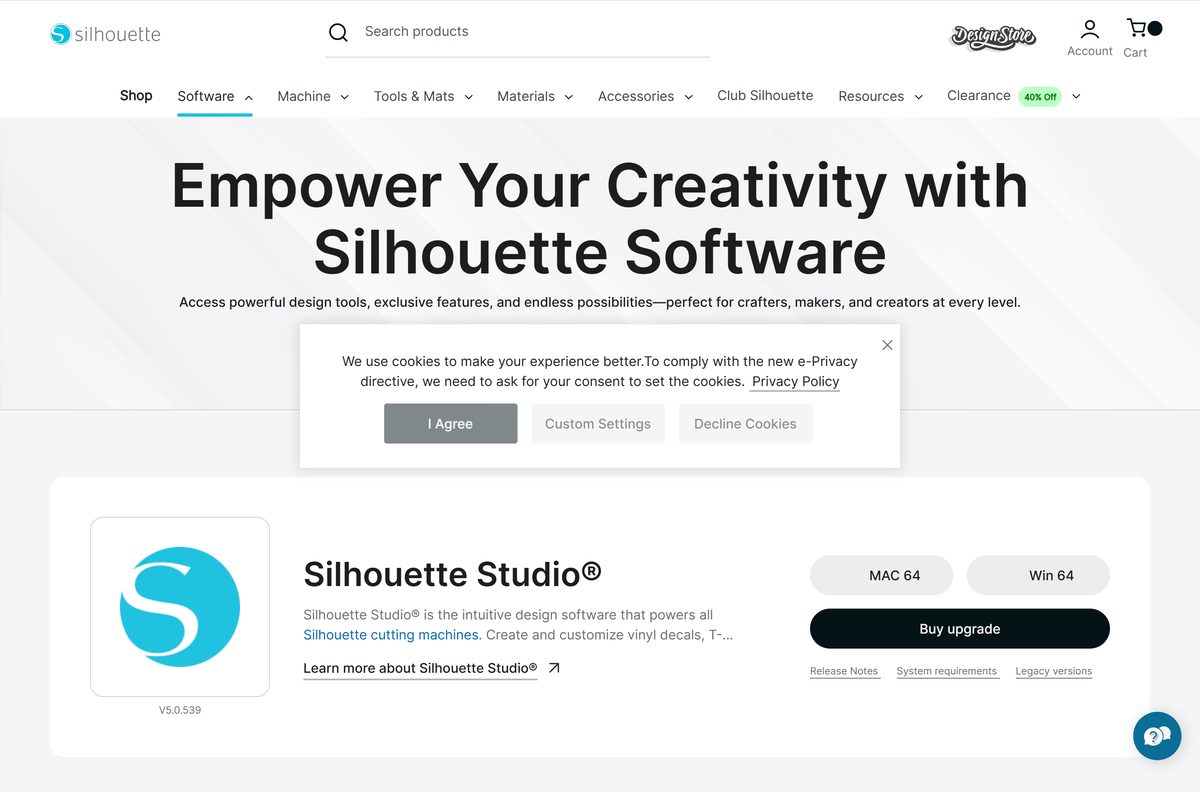
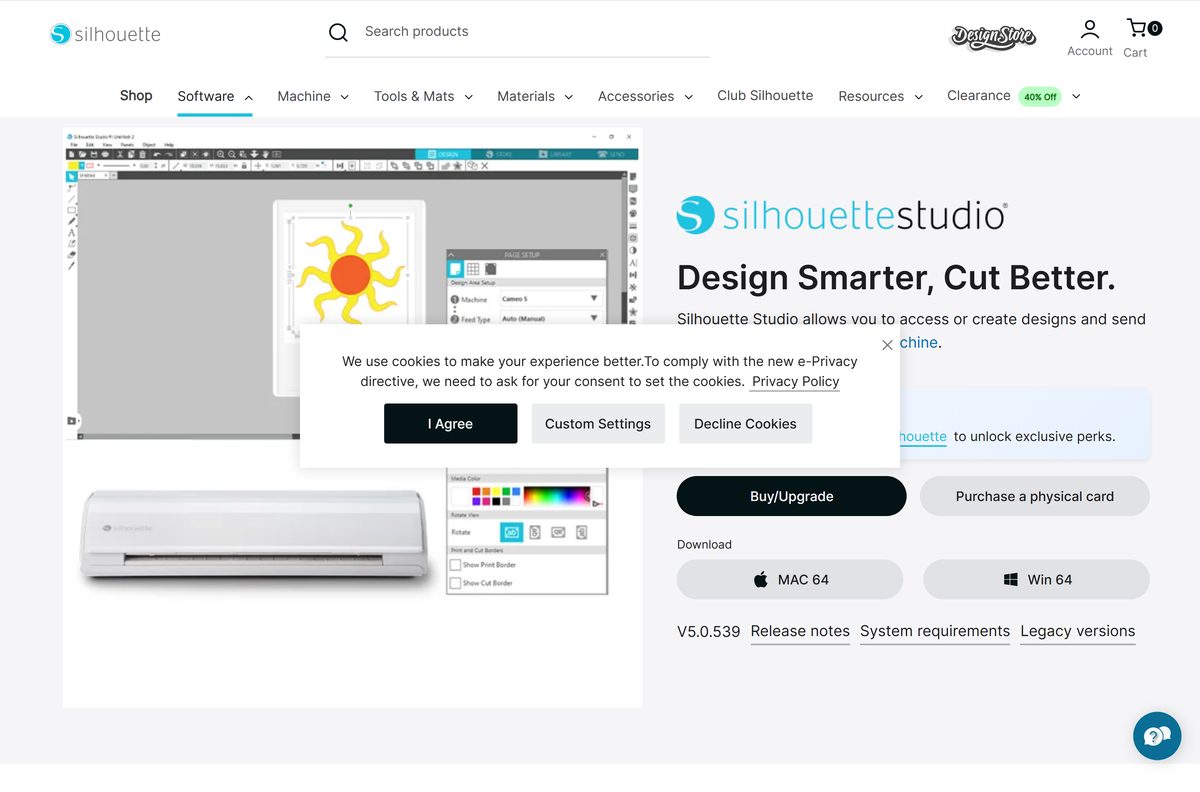
Silhouette America lists the current release at the top of its software page, with the MAC 64 and Win 64 buttons, the release notes, the system requirements and the legacy versions next to it.
The installer is the same for every edition. Paid editions unlock inside the program, so there is no separate Designer or Business download.
- Silhouette Studio software page (Win 64 and MAC 64 buttons) — current release, free Basic edition
- Silhouette Studio product page with edition prices — Buy/Upgrade and software cards
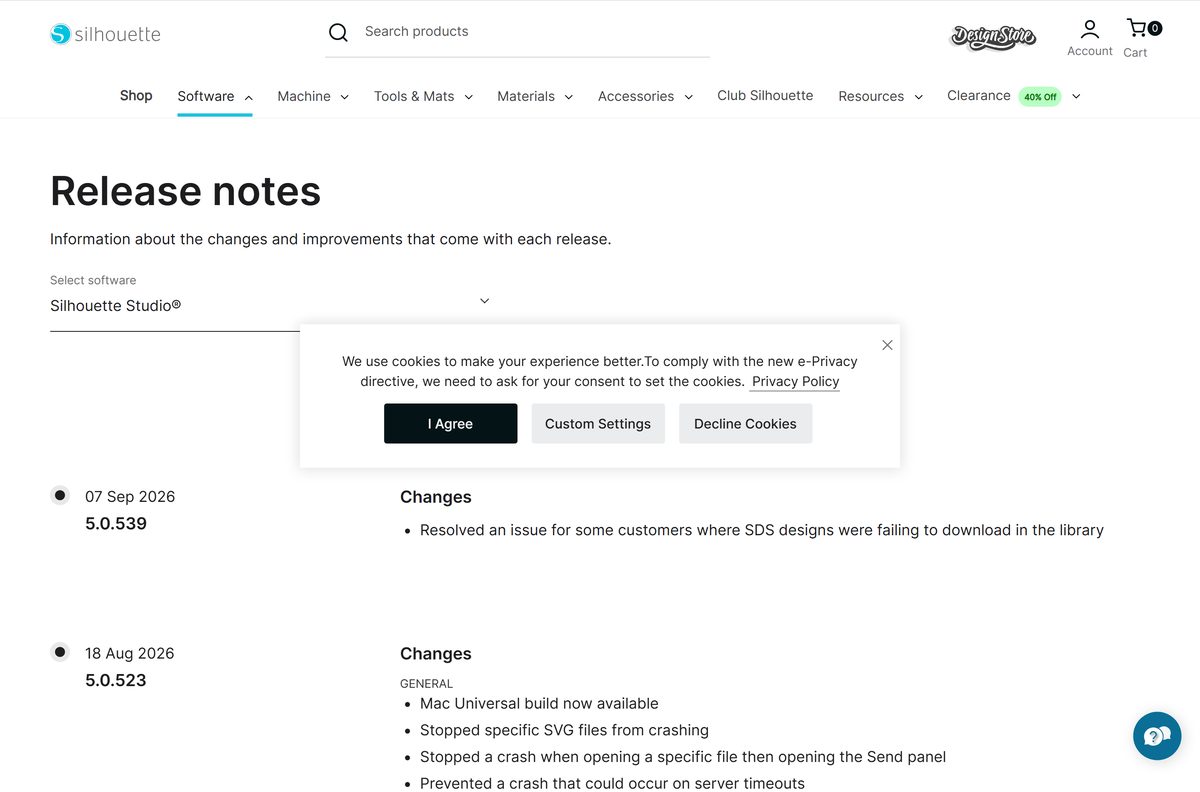
- Silhouette Studio release notes — changes in every version
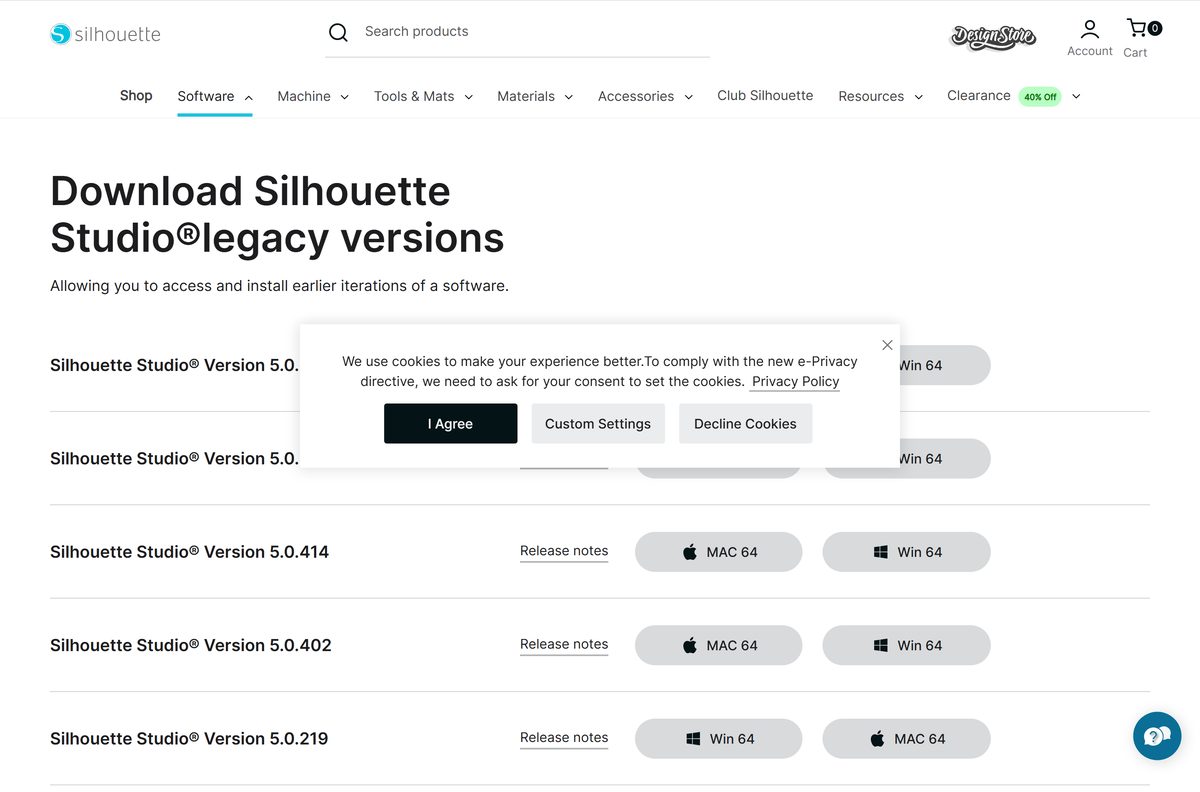
- Silhouette Studio legacy versions — earlier 5.0 and 4.x builds
How to install Silhouette Studio on Windows 11 and 10
The same installer serves every edition, so there is nothing to choose during setup.
- Open silhouetteamerica.com/software in your browser.
- Select Win 64 under Silhouette Studio and save the installer.
- Open the downloaded file from your browser’s downloads list.
- Select Yes when User Account Control asks to allow changes.
- Follow the setup wizard to the end.
- Launch Silhouette Studio from the Start menu.
- Sign in with your Silhouette account, or create a free one to reach your library and Design Store purchases.
- Connect your CAMEO, Portrait or Curio and select it on the Send tab.
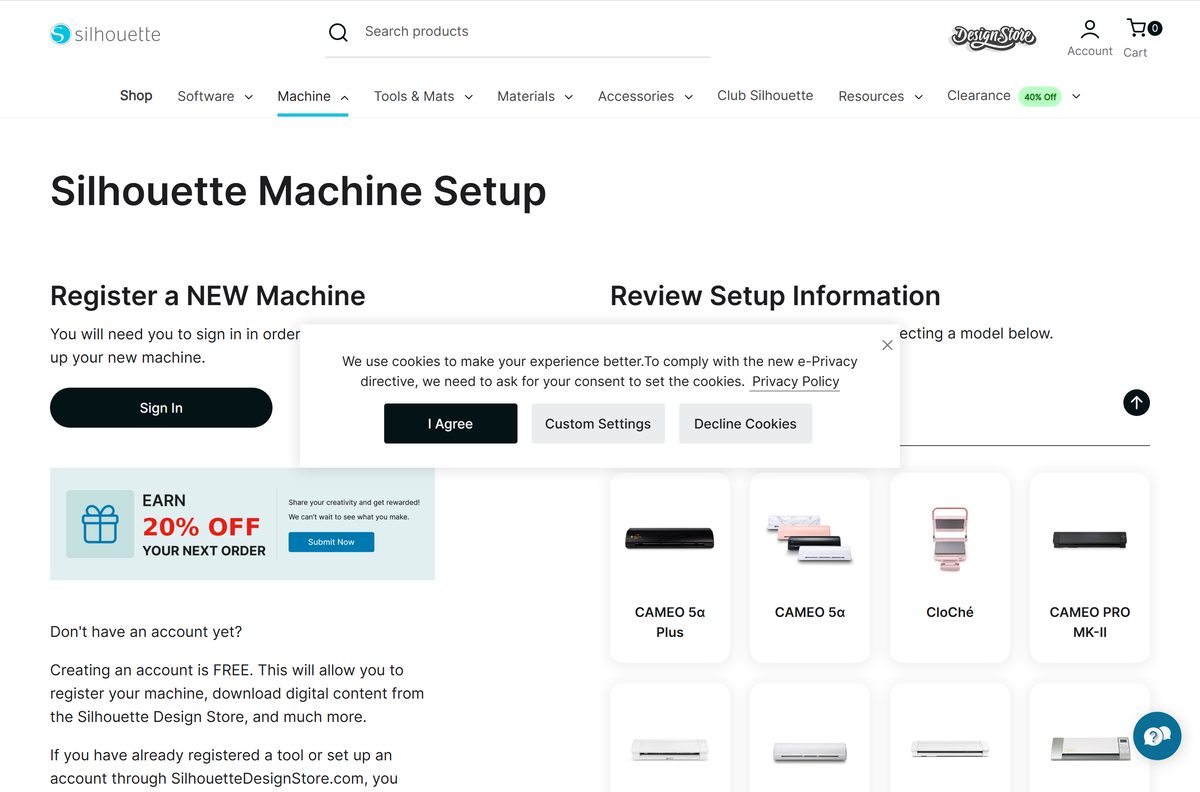
A new machine also needs registering. Open silhouetteamerica.com/machine-setup, sign in and pick your model to get its setup information and free designs.
Which Silhouette Studio download do you need for your Mac?
Open the Apple menu and select About This Mac to see your chip. The current Mac build has been Universal since the 5.0.523 update, so one download covers both chip types.
To install, open the disk image from Downloads, drag Silhouette Studio into Applications, then launch it from Applications.
| Your Mac says | Download | Runs |
|---|---|---|
| Chip: Apple M1, M2, M3, M4 or later | MAC 64 on the software page | Natively, Universal build |
| Processor: Intel | MAC 64 on the software page | Natively, Universal build |
| Older macOS the current release will not open on | Legacy versions page | Pick an earlier 5.0 or 4.5 build |
Is Silhouette Studio free, and which edition should you buy?
Yes. The Basic edition is free, and it covers designing, text tools, move, rotate, scale, align and replicate, the pop-up creator, custom patterns and sending jobs to the machine.
Paid editions are one-time purchases with no subscription. Buy them from the product page as a digital upgrade or as a physical software card, then enter the code with Apply License Key on the software page.
Start with the free Basic edition. Buy Designer ($49.99 from Basic) when you need to open SVG files, and Business ($99.99 from Basic) only if you save SVG files, run several cutters or need automatic nesting. Every edition uses the same installer, so upgrading later unlocks the extra tools without reinstalling. Designer Plus sits between the two at $74.99 from Basic, and a Designer to Designer Plus card costs $25.00.
Check which edition opens the files you work with
File support is where the editions differ most. Match the file you need to open or save to the lowest edition that handles it.
| You need to | Edition required | Upgrade price from Basic |
|---|---|---|
| Design and cut .studio files and Design Store content | Basic | Free |
| Open SVG files | Designer or above | $49.99 |
| Save or export SVG files | Business | $99.99 |
| Send jobs to several cutters at once | Business | $99.99 |
| Nest shapes automatically to save material | Business | $99.99 |
Choose between Silhouette Studio 5 and 4.5
Version 5 arrived in December 2024 with a new Home screen, project tutorials and a recent-files section. The 4.5 branch ended with 4.5.815 in October 2024, which added CAMEO PRO MKII support.
The legacy page keeps both branches for Windows and Mac, and it is the only place to get a 32-bit Windows build.
Install the current Silhouette Studio 5 release on any 64-bit Windows PC or Mac. New machines, firmware and fixes arrive only in version 5, such as CAMEO 5 alpha support. Use a 4.5 build from the legacy page only on a 32-bit PC or a computer the current release will not run on.
How to update Silhouette Studio to the latest version
Installing a new version over the old one keeps your library and your license, because both are tied to your Silhouette account.
- Open the Release notes page and note the version at the top.
- Close Silhouette Studio.
- Open silhouetteamerica.com/software and select Win 64 or MAC 64.
- Run the installer on Windows, or drag the new app into Applications on a Mac and choose Replace.
- Launch Silhouette Studio and sign in again if it asks.
Updates also add cutter firmware. The 5.0.523 release, for example, added new firmware for the Portrait 4 and CAMEO 5 series.
Check the Silhouette Studio system requirements
Silhouette America publishes the exact minimum Windows and macOS versions in the System requirements article linked beside the download buttons.
| Specification | Detail |
|---|---|
| Software | Silhouette Studio |
| Developer | Silhouette America (Graphtec America Inc.) |
| Latest version | 5.0.539, released 7 September 2026 |
| Price | Basic edition free; one-time upgrades from $49.99 |
| Windows | 64-bit Windows (Win 64 build) |
| macOS | 64-bit macOS (MAC 64 build) |
| Mac architecture | Universal: Intel and Apple silicon, native |
| 32-bit Windows | Legacy 4.5.735 build only |
| Machines | Silhouette CAMEO, Portrait and Curio, current and past models |
| Official download source | silhouetteamerica.com/software |
| Last verified | 2026-09-25 |
Fix Silhouette Studio problems on Windows and Mac
Silhouette Studio disappeared from the Mac after an update
A macOS permissions issue made the update fail partway through.
- Open silhouetteamerica.com/software.
- Select MAC 64 and download the current release again.
- Drag Silhouette Studio into Applications and launch it.
An SVG file will not open
The Basic edition cannot open SVG files.
- Upgrade to Designer Edition or above to open SVG files.
- Upgrade to Business Edition if you also need to save SVG files.
- Enter the code with Apply License Key and restart Silhouette Studio.
Double-clicking a Studio file does nothing after a Windows upgrade
Versions before 5.0.219 lost the file association when Windows was upgraded.
- Install the current release from the software page.
- Double-click the .studio file again to open it.
Design Store designs fail to download into the library
A library bug affected some accounts until the latest release.
- Close Silhouette Studio.
- Install the current version from the software page.
- Open the library again and retry the download.
How to uninstall Silhouette Studio
Your Design Store purchases stay in your Silhouette account, and your license key reactivates a fresh install, so removing the program loses neither.
- Close Silhouette Studio.
- On Windows, open Settings > Apps > Installed apps.
- Select the three dots next to Silhouette Studio, then Uninstall, and confirm.
- On a Mac, open Applications in Finder.
- Drag Silhouette Studio to the Trash and empty it.
- Reinstall from the software page and sign in to get your library back.
Choose between Silhouette Studio and other cutting software
Cutting software is tied to the machine brand. Silhouette Studio drives Silhouette cutters, and Cricut machines need Cricut’s own app.
| Software | Runs on | Best for |
|---|---|---|
| Silhouette Studio | Windows and Mac | Full design and cutting on Silhouette machines |
| Silhouette Web | Chrome on Windows, Mac, Chromebook and tablets | Designing without installing anything, with files stored in the cloud |
| Silhouette Go | iPhone, iPad and Android | Sending designs to the cutter from a phone or tablet |
| Cricut Design Space | Windows and Mac | Cricut Maker, Explore and Joy machines |
Frequently asked questions
Is Silhouette Studio free?
Yes. The Basic edition of Silhouette Studio is free to download and use with any Silhouette cutter. Designer, Designer Plus and Business are optional one-time upgrades, with no subscription.
Where do I download Silhouette Studio safely?
Download it from silhouetteamerica.com/software, the official page from Silhouette America. Select Win 64 for Windows or MAC 64 for a Mac. Avoid cracked Business Edition builds and license keys from other sites.
Does Silhouette Studio work on Windows 11?
Yes. The Win 64 build installs on 64-bit Windows 11 and Windows 10. A 32-bit Windows PC needs the older 4.5.735 build from the legacy versions page.
Is Silhouette Studio available for Mac?
Yes. The MAC 64 download is a Universal build, so it runs natively on Apple silicon and Intel Macs. Open the disk image and drag the app into Applications.
How much do the Silhouette Studio upgrades cost?
Upgrading from Basic costs $49.99 for Designer, $74.99 for Designer Plus and $99.99 for Business, as digital delivery. A card that takes Designer up to Designer Plus costs $25.00.
Do I need a separate download for Business Edition?
No. Every edition uses the same installer. Buy the upgrade, then enter the code with Apply License Key, and the extra tools unlock in the program you already have.
Why can’t I open an SVG in Silhouette Studio?
The free Basic edition does not open SVG files. You need Designer Edition or above to open them, and Business Edition to save your work as SVG.
Where can I download an older version of Silhouette Studio?
Use the legacy versions page on silhouetteamerica.com. It lists earlier 5.0 and 4.5 releases for Windows and Mac, each with its own release notes.
Can I use Silhouette Studio on a Chromebook?
The desktop program runs on Windows and Mac only. On a Chromebook or tablet, use Silhouette Web in the Chrome browser, which keeps your designs in the cloud with layers, tracing and font tools.
Where is the Silhouette Studio user manual?
The manual is built into the program. Open Silhouette Studio, click Help in the menu bar and select User Manual to open it.