Only some of your contacts are on iCloud because the rest are stored in another account on your iPhone, such as Gmail, Outlook, Yahoo or an Exchange work account, and iCloud only syncs contacts saved to iCloud itself.
This guide shows how to see which account holds each contact, how to make iCloud the default for new contacts, how to move the others into iCloud, and what to check when iCloud contacts still will not sync.
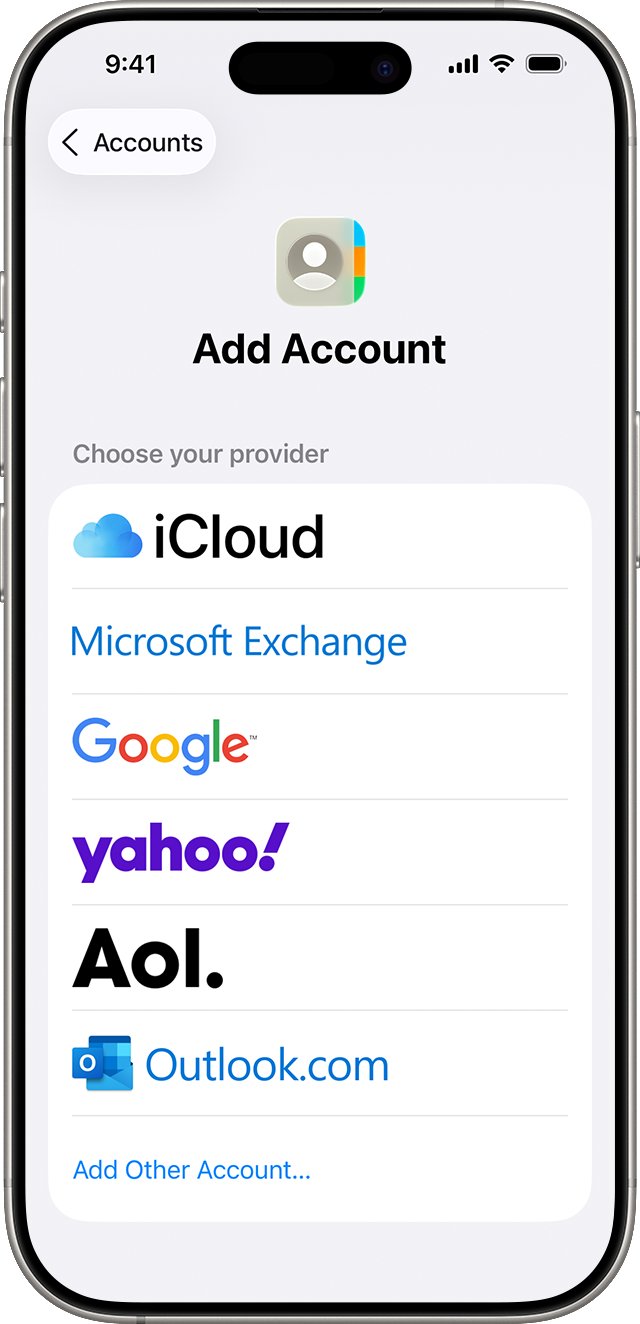
See which account your iPhone contacts are stored in
The Contacts app shows one combined list, so contacts from Google, Exchange and iCloud look identical. The Lists screen splits them by account.
- Open the Contacts app on your iPhone.
- Tap Lists (or the back arrow) in the upper corner.
- Tap All iCloud to see only the contacts stored in iCloud.
- Tap Lists again, then tap All [account] for each other account, such as All Gmail.
- Note which account holds the contacts that are missing from iCloud.
Any contact that appears in another account's list but not in All iCloud is stored with that provider. It will not show on iCloud.com or on devices that only use iCloud.
Why some contacts are not on iCloud
| Where the contact lives | Why it is not in iCloud | What to do |
|---|---|---|
| Google, Yahoo or Outlook.com account | Contacts saved to a third-party account stay with that provider | Export them as a vCard and import the file at iCloud.com |
| Microsoft Exchange work or school account | The account belongs to your organization's server | Keep them there, or ask your administrator before copying them |
| A contacts provider app | Third-party apps manage their own contacts, which cannot be edited in Contacts | Manage them in that app |
| SIM card | SIM contacts are not on iCloud until you import them | Settings > Apps > Contacts > Import SIM Contacts |
| Another Apple Account | Each device only shows iCloud contacts for the Apple Account it is signed in to | Sign in with the same Apple Account on every device |
| New contacts added after setup | The default account is set to something other than iCloud | Set Default Account to iCloud |
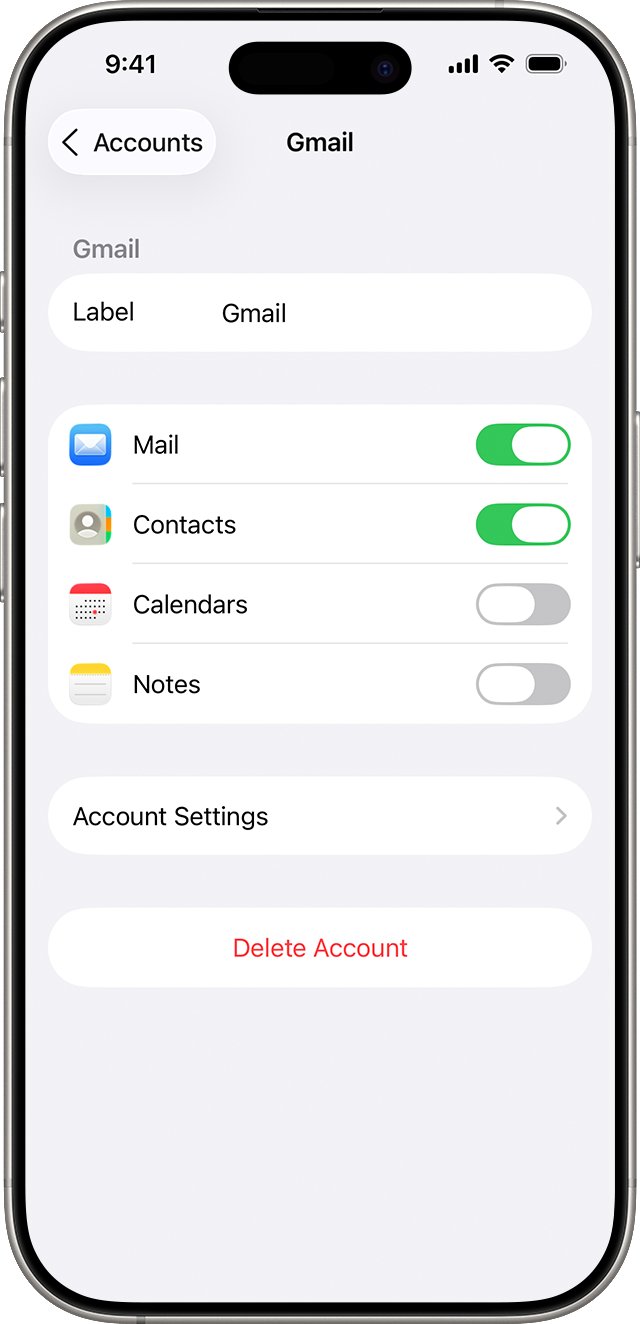
Turn on iCloud Contacts on iPhone
Check the main switch first. When Contacts is turned on in iCloud, every contact in the Contacts app that is not tied to another account is stored in iCloud.
- Open the Settings app on your iPhone.
- Tap [your name], then tap iCloud.
- Tap See All next to Saved to iCloud.
- Turn on Contacts.
- Open Contacts and swipe down on the list to refresh it.
If you use iCloud for Contacts, the iPhone shows no options for syncing contacts with a computer. iCloud keeps them up to date automatically.
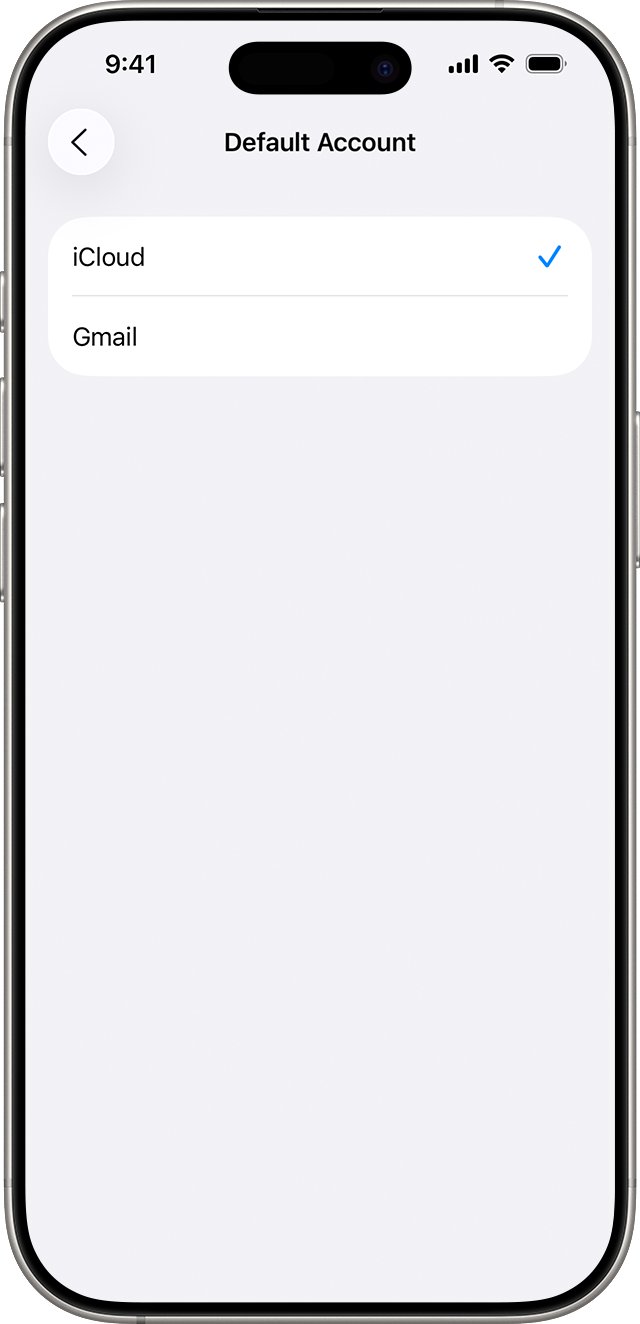
Set iCloud as the default contacts account on iPhone
New contacts go to the default account. If that is Gmail or Exchange, every contact you add keeps landing outside iCloud. Changing the default does not move contacts you already have.
- Open the Settings app.
- Tap Apps, then tap Contacts. On iOS 17 or earlier, tap Contacts in the main Settings list.
- Tap Default Account.
- Select iCloud.
- Add a test contact, then check that it appears under All iCloud in Lists.
Move Google contacts to iCloud
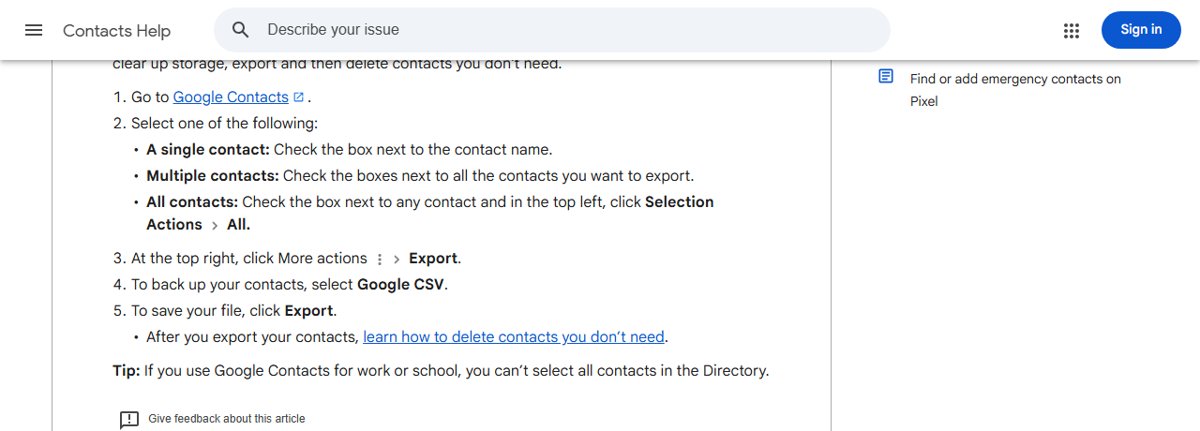
iCloud imports contacts from a vCard file, version 3.0 or later. Export the file from the provider on a computer, then import it at iCloud.com, which needs a tablet or computer.
- On a computer, open Google Contacts and sign in.
- Select the contacts to move. To pick everything, tick one checkbox, open Selection Actions and choose All.
- Click More actions, then Export, and choose the vCard format.
- Click Export to save the file.
- Go to icloud.com/contacts and sign in with your Apple Account.
- Select the menu button on the right, choose Import Contact, then select the vCard file.
- Check the new entries in All Contacts, then wait for them to appear on your iPhone.
If the contacts now show twice on your iPhone, turn off Contacts for the Google account under Settings > Apps > Contacts > Contacts Accounts. The originals stay in Google.
Copy contacts from another account on iPhone to iCloud
You can also export a list straight from the Contacts app and import that file at iCloud.com. This suits Yahoo, Outlook.com and other accounts already on the iPhone.
- Open the Contacts app and tap Lists.
- Touch and hold the list for the account, such as All Gmail.
- Tap Export, select the fields to include, then confirm.
- Send the file to yourself with Mail or save it so a computer can reach it.
- On the computer, import the file at icloud.com/contacts with Import Contact.
Keep a copy of the exported file as a backup until you confirm everything arrived. You can also export your iCloud contacts the same way once they are all in iCloud.
Check iCloud Contacts settings on Mac
On a Mac, contacts can sit in On My Mac, Exchange or Google instead of iCloud. Only the iCloud section syncs to your iPhone through iCloud.
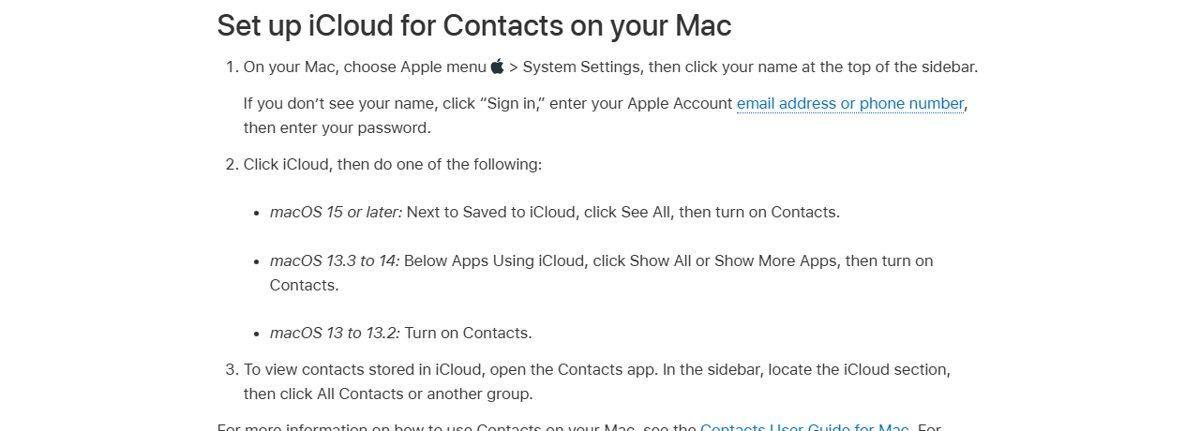
- Choose Apple menu > System Settings, then click your name at the top of the sidebar.
- Click iCloud. On macOS 15 or later, click See All next to Saved to iCloud and turn on Contacts.
- Open the Contacts app and look in the sidebar for the iCloud section.
- Choose Contacts > Accounts, click the iCloud tab and confirm you are signed in with Contacts turned on.
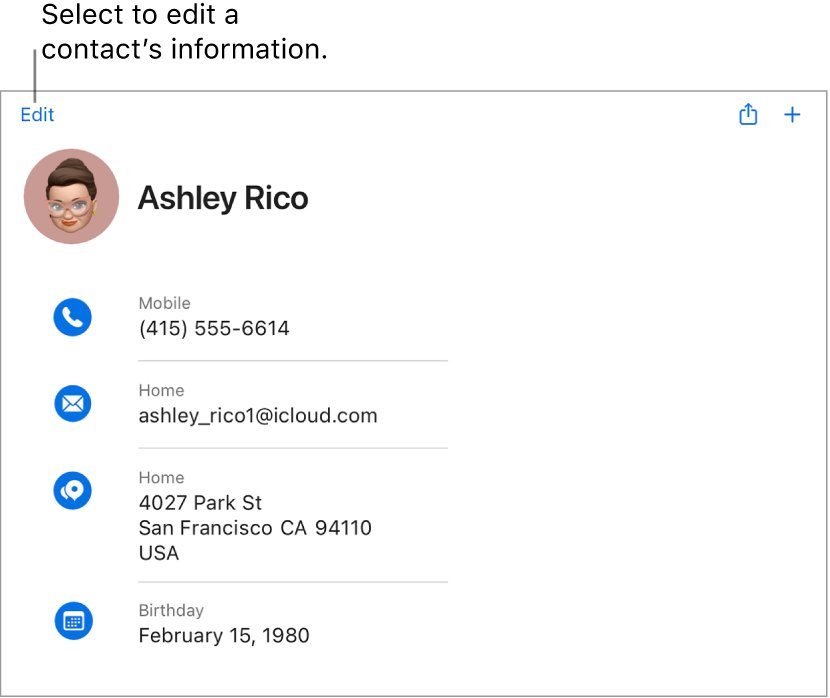
- Select All Contacts in the iCloud section and confirm the contacts you expect are listed.
Check all your contacts are on iCloud.com
- Go to icloud.com/contacts on a computer or tablet and sign in.
- Search for two or three contacts that were missing before.
- On your iPhone, tap Lists in Contacts and select All iCloud.
- Confirm the same contacts appear there.
- Check a second device signed in to the same Apple Account.
iCloud contacts not syncing to all devices
Some contacts are on the iPhone but not on iCloud.com
Those contacts belong to a non-iCloud account, or iCloud Contacts is switched off.
- In Contacts, tap Lists and check whether the contact is under All iCloud or another account.
- Go to Settings > [your name] > iCloud > See All and confirm Contacts is on.
- Move the contacts from the other account with a vCard import at iCloud.com.
Contacts show on one device but not another
The devices use different Apple Accounts, an outdated system version or the wrong date and time.
- Check the Apple System Status page for an iCloud Contacts outage.
- Sign in with the same Apple Account on every device and turn on Contacts in iCloud settings.
- Update iOS, iPadOS or macOS to the latest version.
- Confirm the date and time settings are correct for your location.
- Close the Contacts app, wait about a minute, reopen it and swipe down to refresh.
iCloud.com Contacts does not show recent changes
The browser is showing cached data.
- Open another iCloud.com app, such as Mail, then return to Contacts.
- Update your browser and clear its cache.
- Sign out of iCloud.com, then sign back in.
Contacts disappeared after changing settings
Turning off an account hides its contacts, or contacts were deleted and synced.
- Go to Settings > Apps > Contacts > Contacts Accounts and turn Contacts back on for that account.
- For deleted iCloud contacts, go to icloud.com/contacts, select the menu button in the toolbar, then select Data Recovery.
- Select Restore Contacts, then select Restore next to a version from before the loss.
Duplicate contacts after turning on iCloud Contacts on a Mac
The same cards exist both locally and in iCloud.
- Make a copy of your contacts first.
- In Contacts, choose Card > Look for Duplicates.
- Click Merge, and repeat until no duplicates are found.
Cannot import or edit contacts on iCloud.com
Screen Time Communication Limits set through Family Sharing block contact changes.
- Ask the family organizer to check Communication Limits in Screen Time for your account.
- Retry the import once the limit is changed.
Contacts on iCloud FAQ
Why are only some of my contacts on iCloud?
The missing contacts are stored in another account, such as Gmail, Outlook or Exchange. iCloud only syncs contacts saved to iCloud. Open Contacts, tap Lists and compare All iCloud with each other account to find them.
Does changing the default account move my contacts to iCloud?
No. Setting iCloud as the default only affects contacts you add from then on. Existing contacts stay in their current account until you export them as a vCard and import them at iCloud.com.
How do I see which contacts are in iCloud?
Open the Contacts app, tap Lists in the upper corner and select All iCloud. Only iCloud contacts are shown. You can also sign in at icloud.com/contacts on a computer or tablet to see the full iCloud list.
Can I import contacts to iCloud from my iPhone?
Contacts on iCloud.com needs a tablet or computer for imports. Export a list from the iPhone Contacts app, send the file to yourself, then use Import Contact at icloud.com/contacts on a computer.
What happens to contacts when I turn off iCloud Contacts?
When you turn off Contacts in iCloud settings, the iPhone asks whether to keep or delete the previously synced iCloud contacts on that device. The contacts remain in iCloud and on your other devices.
Can I get back iCloud contacts I deleted?
Yes, from an archived version. Go to icloud.com/contacts, choose Data Recovery, select Restore Contacts and pick a version. Your current version is archived first, so you can switch back if needed.
Why do my iCloud contacts not show on my other device?
Both devices must use the same Apple Account with Contacts turned on in iCloud settings. On a Windows PC, the iCloud for Windows app syncs iCloud contacts with Outlook. Also update the system, check the date and time, and refresh the Contacts list by swiping down.