WSUS is deprecated, which means Microsoft has stopped adding features, but the role still works, still receives security and quality updates, and still synchronizes driver updates after Microsoft reversed its planned April 2025 driver cutoff.
This guide covers what deprecation means in practice, the driver sync change, how to move driver updates to Intune or Windows Autopatch, how to import drivers from the Microsoft Update Catalog, and how to add drivers to deployment images.
Is WSUS being deprecated?
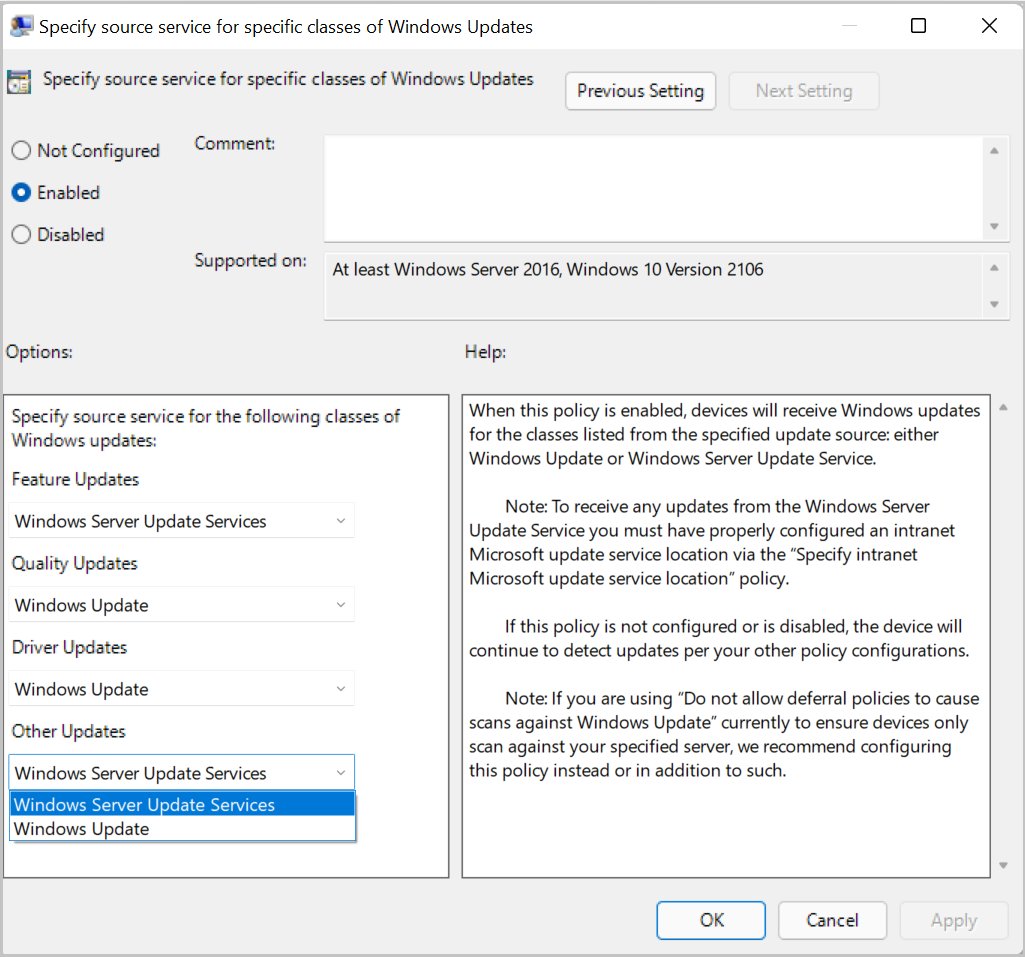
Yes. Microsoft lists Windows Server Update Services as no longer actively developed, and its WSUS documentation marks the role as deprecated.
Keep running WSUS where it works today, but plan a move of drivers first, then quality and feature updates, to Windows Update client policies managed through Intune or Windows Autopatch. Microsoft states that all existing WSUS capabilities and content remain available and that WSUS stays supported for production deployments, so there is no shutdown date forcing an immediate migration. New capabilities will only arrive in the cloud services.
The evolution (and now decline) of WSUS
WSUS lets administrators manage the distribution of updates released through Microsoft Update to computers on their own network. One upstream WSUS server connects to Microsoft Update, and other WSUS servers can sync from it.
| Date | Change |
|---|---|
| September 2021 | The scan source policy arrived (KB5005101) so Windows 10 version 2004 and later, and Windows 11, can take some update types from WSUS and others from Windows Update. |
| March 28, 2023 | WSUS gained support for Unified Update Platform (UUP) updates for Windows 11 clients. |
| June 28, 2024 | Microsoft announced the deprecation of WSUS driver synchronization on the Windows IT Pro Blog. |
| September 20, 2024 | Microsoft announced the deprecation of WSUS itself. |
| April 7, 2025 | Microsoft published "Continuing WSUS support for driver synchronization", keeping driver sync in WSUS. |
| Now | WSUS is deprecated but supported, receives security and quality updates per its lifecycle, and gets no new features. |
The driver download debate: Why this matters
Many organizations use WSUS to approve OEM and Microsoft driver updates centrally. Losing driver sync would have pushed them to the cloud for drivers alone, which is why the announcement drew attention.
| Question | Answer |
|---|---|
| Can WSUS still sync drivers? | Yes. Microsoft's April 7, 2025 post continued WSUS support for driver synchronization. |
| Where else are WSUS drivers available? | The Microsoft Update Catalog lists drivers, hotfixes and software updates, and they can be imported into WSUS by update ID. |
| Does the WSUS Import Updates button still work? | It was built on ActiveX, which is deprecated. Microsoft replaced it with a PowerShell script, ImportUpdateToWSUS.ps1. |
| Can drivers come from the cloud while WSUS keeps the rest? | Yes. The scan source policy can send only Driver and firmware updates to Windows Update. |
What does "deprecation" actually mean?
| Status | What it means for WSUS |
|---|---|
| Deprecated | No longer in active development and no new features. The role stays in Windows Server and keeps working. |
| Supported | Microsoft continues to support WSUS for production deployments and ships security and quality updates per the product lifecycle. |
| Removed | Not the case for WSUS. Removal would take the role out of a future Windows Server release, and Microsoft has not announced that. |
| Related dependency | Windows Internal Database (WID), which WSUS can use, will be removed in a future release. Microsoft suggests a free or full SQL Server edition instead. |
If your WSUS database runs on WID, plan its move to SQL Server separately from any cloud migration.
What are your options?
| Your situation | Option | Why |
|---|---|---|
| Devices are already enrolled in Intune | 1. Transition to Microsoft Intune or Windows Autopatch | Driver approval, rings and reporting run from the cloud with no on-premises server. |
| You keep WSUS but need a specific driver | 2. Manual driver updates via Microsoft Update Catalog | Import the exact update ID into WSUS with Microsoft's PowerShell script. |
| You reimage devices or build gold images | 3. Customizing deployment images | Drivers are in the image before the device ever checks for updates. |
| You use a vendor patch or device tool | 4. Third-party solutions | Covers hardware and apps Windows Update does not, under the vendor's own support. |
| You want a gradual move | Scan source policy | Send drivers to Windows Update first and keep quality updates on WSUS. |
1. Transition to Microsoft Intune or Windows Autopatch
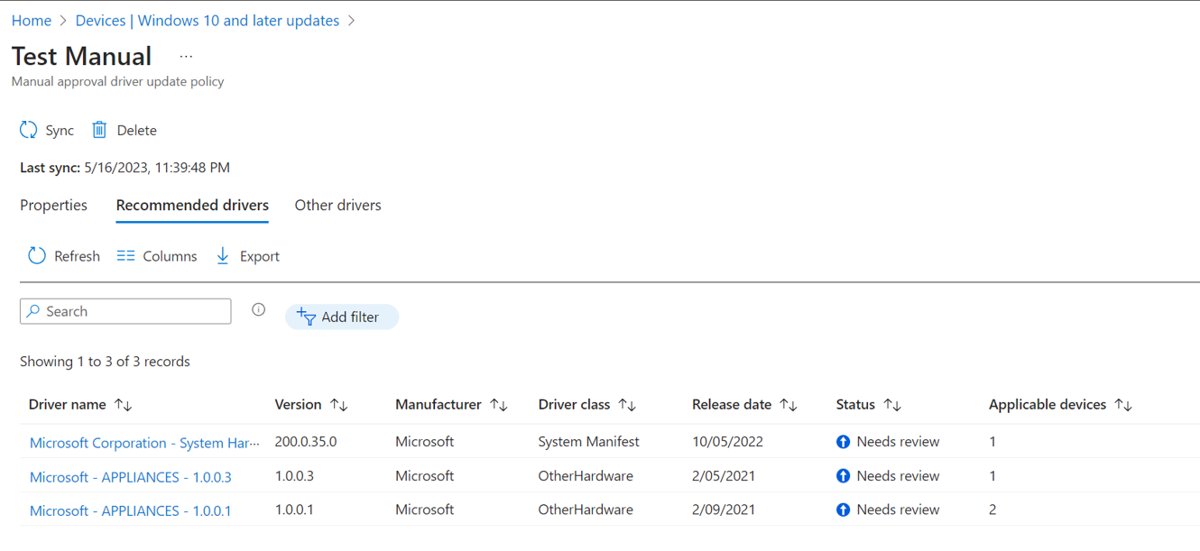
Intune driver update policies let you see the drivers available for targeted devices, approve or pause each one, and have Windows Update install only approved versions.
- Check your Windows update ring policy and set its Windows driver setting to Allow, so rings do not block driver updates.
- In a settings catalog policy, confirm Exclude WU Drivers in Quality Update is set to Allow Windows Update drivers.
- In the Microsoft Intune admin center, select Devices > Windows updates.
- Select the Driver updates tab, then select Create profile.
- Choose automatic approval of recommended drivers, or Manually approve and deploy driver updates so each new driver waits as Needs review.
- Assign the profile to a test group first, then widen the assignment once the drivers prove stable.
Windows Autopatch builds on the same Intune policies used to deploy Windows 11 in the enterprise and automates Windows, Microsoft 365 Apps, Microsoft Edge and Teams updates. Since April 2025 its core features are included with Business Premium, A3 and higher, E3 and higher, and F3 licenses.
2. Manual driver updates via Microsoft Update Catalog
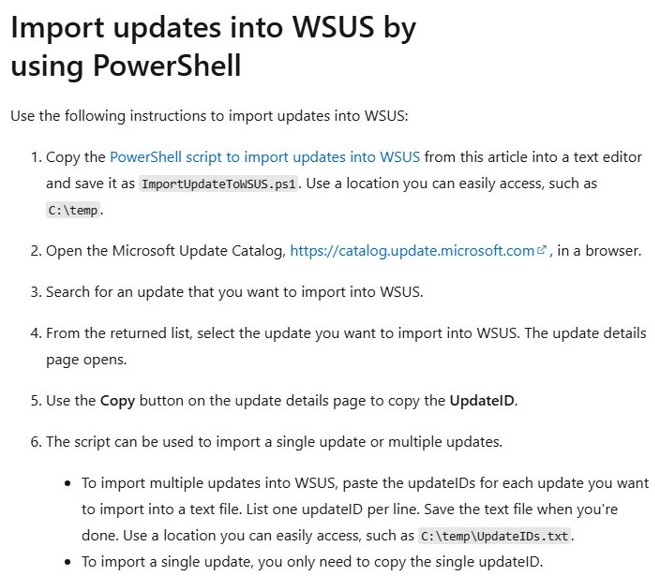
Find the driver on catalog.update.microsoft.com and copy its UpdateID from the update details page. Save Microsoft's import script from the WSUS and the Microsoft Update Catalog article as C:\temp\ImportUpdateToWSUS.ps1, then run it in an administrator PowerShell window.
.\ImportUpdateToWSUS.ps1 -WsusServer WSUSServer.contoso.com -PortNumber 8530 -UpdateId 12345678-90ab-cdef-1234-567890abcdefImports one catalog update into the named WSUS server on port 8530. Use -PortNumber 8531 -UseSsl for an SSL-configured server, or -UpdateIdFilePath C:\temp\UpdateIDs.txt to import several update IDs from a text file.
You should see: The script finishes without an error and the imported driver appears in the WSUS console, ready for approval like any synchronized update.
The catalog is meant for administrators and advanced users. Match the driver to the exact hardware ID and model before approving it.
3. Customizing deployment images
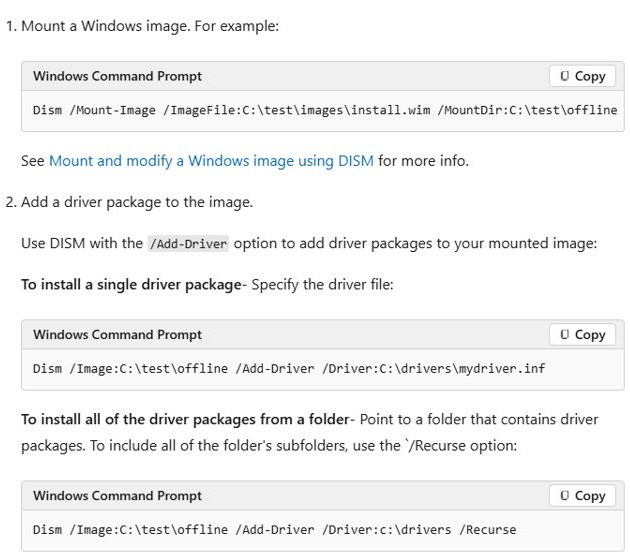
Adding drivers to an offline Windows image means new or reimaged devices start with the right drivers. Run DISM in an elevated Command Prompt on a technician PC.
Dism /Mount-Image /ImageFile:C:\test\images\install.wim /Index:1 /MountDir:C:\test\offline
Dism /Image:C:\test\offline /Add-Driver /Driver:C:\drivers /Recurse
Dism /Unmount-Image /MountDir:C:\test\offline /Commit
Mounts the first image in install.wim, adds every driver package in C:\drivers and its subfolders, then saves the change and unmounts the image. Point /Driver: at a single .inf file to add one package only.
You should see: Each DISM line finishes without an error, and the committed install.wim now carries the driver packages for every device built from it.
/Recurse is convenient but can bloat the image, because packages that share payload files are each expanded into their own folder. Add only the folders the hardware needs.
4. Third-party solutions
Third-party patch and device-management tools can fill gaps for hardware or apps that Windows Update does not cover. Choose them on the vendor's documented support, not on a promise to replace WSUS.
| Check before you choose | Why it matters |
|---|---|
| Driver source | The tool should pull drivers from the hardware maker's own site or from Windows Update, never from an unofficial driver site. |
| Approval control | You need the same approve, pause and ring-based rollout you have in WSUS or Intune. |
| Coexistence with Windows Update policies | The tool must not fight the scan source policy, or devices will scan the wrong source. |
| Hardware maker tools | Many PC makers publish their own driver and firmware update tools for business fleets; check your vendor's support site. |
Move driver updates from WSUS to Windows Update with the scan source policy
The scan source policy decides, per update type, whether a device scans WSUS or Windows Update. It applies to Windows 10 version 2004 and later, and to Windows 11.
- Open Group Policy Management and edit the policy that already points devices at your WSUS server.
- Go to Computer Configuration > Administrative Templates > Windows Components > Windows Update > Manage updates offered from Windows Server Update Service.
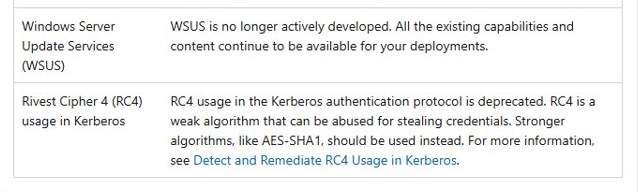
- Open Specify source service for specific classes of Windows Updates and select Enabled.
- Set Driver and firmware updates to Windows Update and leave feature, quality and other updates on WSUS.
- For MDM, set the matching CSPs, such as
Update/SetPolicyDrivenUpdateSourceForDriverUpdates, and configure all four of them. - Apply the policy to a pilot group and confirm drivers arrive from Windows Update.
Do not use the older Dual Scan policy for this. It is not supported on Windows 11 and is replaced by the scan source policy on Windows 10.
Why push for the cloud?
| Cloud benefit | What Microsoft says it delivers |
|---|---|
| Less on-premises infrastructure | Updates come from the cloud, so there is less hardware to maintain. |
| Staged rollouts | Windows Autopatch releases updates in sequential deployment rings and reacts to reliability and compatibility signals. |
| Driver approval without a server | Intune driver policies approve, pause and reapprove drivers, and Windows Update installs only the latest approved version. |
| Wider coverage | Autopatch also covers Microsoft 365 Apps, Microsoft Edge and Teams updates. |
| Where new features land | WSUS gets no new features, so new update-management capability arrives in the cloud services. |
WSUS deprecation FAQ
Is WSUS going away?
Not yet. WSUS is deprecated, meaning Microsoft no longer develops it, but all its existing capabilities and content remain available. It stays supported for production use and receives security and quality updates per its lifecycle.
Did WSUS driver synchronization end in April 2025?
No. Microsoft announced the deprecation of WSUS driver synchronization in June 2024, then published "Continuing WSUS support for driver synchronization" on April 7, 2025, keeping driver sync available in WSUS.
What replaces WSUS?
Microsoft points organizations to cloud update management: Windows Update client policies, Microsoft Intune and Windows Autopatch. Intune driver update policies replace WSUS driver approvals, and Autopatch automates Windows and Microsoft 365 Apps updates.
Can I still import updates from the Microsoft Update Catalog into WSUS?
Yes, but not with the old Import Updates action, which relied on deprecated ActiveX. Use Microsoft's ImportUpdateToWSUS.ps1 PowerShell script with the update ID copied from the catalog.
Can I use WSUS and Windows Update at the same time?
Yes. The scan source policy lets Windows 10 version 2004 and later and Windows 11 take each update type from either WSUS or Windows Update, such as drivers from Windows Update and quality updates from WSUS.
Does WSUS deprecation affect the WSUS database?
Indirectly. WSUS can use Windows Internal Database, and Microsoft says WID will be removed from Windows in a future release. Microsoft suggests moving to a free or full edition of SQL Server.
What happens next?
Treat WSUS as stable but frozen: move drivers to Intune or Autopatch first using the scan source policy, plan the WID-to-SQL Server move, and migrate quality and feature updates when your cloud management is ready. Microsoft has kept WSUS and its driver sync working, so nothing breaks on a fixed date, but every new update-management feature now ships only in the cloud services.