Microsoft has deprecated every version of NTLM, removed NTLMv1 from Windows 11, version 24H2 and Windows Server 2025, and wants all Windows authentication to run through Kerberos instead.
This article explains what NTLM is, why Microsoft is retiring it, how Kerberos does the job better, and how administrators can find and cut the NTLM traffic still left on their networks.
Is Microsoft disabling NTLM in Windows 11 and Windows Server 2025?
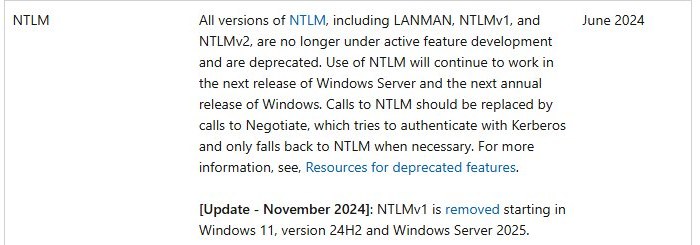
NTLM is being phased out in stages rather than switched off on one date.
NTLMv2 still works today, but it gets no new features and Microsoft tells developers to stop calling it directly.
| Change | When | What it means for you |
|---|---|---|
| All NTLM versions (LANMAN, NTLMv1, NTLMv2) deprecated | June 2024 | No new feature work; NTLM keeps working for now |
| NTLMv1 removed | Windows 11, version 24H2 and Windows Server 2025 | Devices and apps that only speak NTLMv1 fail against these releases |
| SMB client can block outbound NTLM | Windows 11, version 24H2 and Windows Server 2025 | Admins can force file-share connections onto Kerberos |
| IAKerb enabled by default for Windows client | Windows Insider Experimental build 26340.9616, October 2026 | Kerberos can succeed where no domain controller is directly reachable, a case that used to fall back to NTLM |
The practical message for administrators is simple: find what still uses NTLM now, because each Windows release leaves it less room.
Quick recap of NTLM
NTLM stands for NT LAN Manager, a family of challenge-response protocols that dates back to Windows NT.
It lives in Msv1_0.dll and covers LAN Manager versions 1 and 2 plus NTLM versions 1 and 2.
| NTLM step | What happens |
|---|---|
| 1. Sign-in | The client hashes the user's password and discards the password itself |
| 2. User name | The client sends the user name to the server in plain text |
| 3. Challenge | The server sends back an 8-byte random number, the challenge |
| 4. Response | The client encrypts the challenge with the password hash and returns it |
| 5. Pass-through | The server forwards the user name, challenge and response to a domain controller |
| 6. Check | The domain controller repeats the calculation with the stored hash and compares the results |
The password never crosses the wire, which was a real advance when NTLM was designed.
The weakness is that the password hash itself becomes the secret, and the server must ask a domain controller about every new client.
Why is Microsoft retiring NTLM?
Microsoft's own security policy documentation lists SMB relay, man-in-the-middle and brute force attacks as threats that NTLM and NTLMv2 are exposed to.
Three design limits explain why those attacks keep working.
| NTLM limitation | Why it matters |
|---|---|
| No server authentication | NTLM assumes servers are genuine, so a client cannot prove it reached the real server |
| Hash equals credential | An attacker who steals the password hash can replay it in pass-the-hash attacks |
| Relay exposure | A malicious server can trick a client into sending NTLM requests and forward them elsewhere |
| Domain controller on every request | Each new client logon forces the server back to a domain controller, which scales poorly |
| NTLMv1 cryptography | NTLMv1 is weak enough that Microsoft removed it outright in Windows 11, version 24H2 |
Blocking NTLM on SMB, in Microsoft's words, counters brute force, cracking and pass-the-hash attacks, which is the clearest statement of the motive.
Enter Kerberos
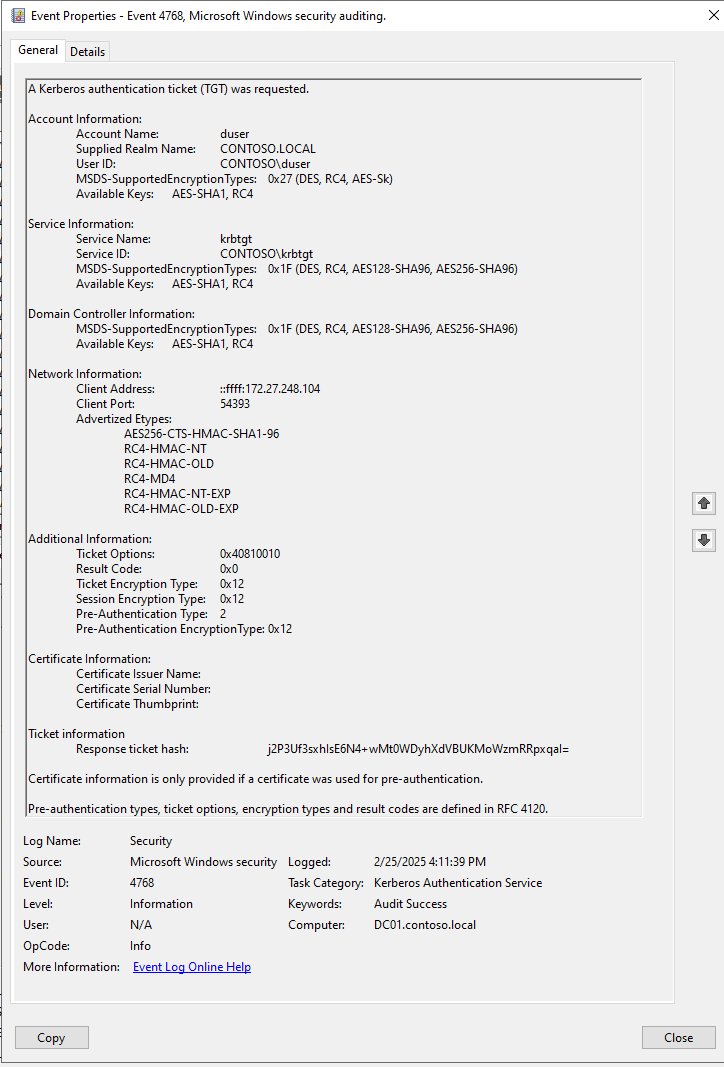
Kerberos version 5 is the IETF-standard protocol that Windows uses as its preferred authentication method in Active Directory.
It uses tickets from a Key Distribution Center (KDC), and in Windows Server the KDC runs on every domain controller.
| Kerberos step | What happens |
|---|---|
| 1. Sign-in | The client proves the user's identity to the KDC and receives a ticket-granting ticket (TGT) |
| 2. Cache | The client keeps the TGT in its ticket cache until it expires |
| 3. Service request | To reach a service, the client presents the TGT and asks the KDC for a service ticket |
| 4. Access | The client hands the service ticket straight to the service, which verifies it without calling a domain controller |
Windows adds its own extensions on top of the standard for public key sign-in with smart cards, authorization data and delegation, documented in the MS-KILE specification.
Why Kerberos?
Each row below is a benefit Microsoft lists for Kerberos in domain authentication, set against how NTLM handles the same job.
| Capability | NTLM | Kerberos |
|---|---|---|
| Mutual authentication | Client cannot verify the server | Either end can verify the other |
| Load on domain controllers | Server contacts a domain controller for every client | Server checks the ticket itself; domain controller only for PAC validation |
| Delegation | Limited to local impersonation | A front-end service can act for the user on back-end servers |
| Single sign-on | Repeated challenge-response per connection | One sign-in covers resources across the forest |
| Standards | Microsoft protocol | IETF Kerberos V5, interoperable with other Kerberos realms |
NTLM still has one job Kerberos has not fully taken: workgroup machines and local accounts with no domain controller in reach.
That gap is what IAKerb and Local KDC target.
What are IAKerb and Local KDC in Windows 11?
IAKerb is a Kerberos extension that lets Windows authentication succeed when the client has no direct connection to a domain controller.
Microsoft says it reduces reliance on NTLM, and it is on by default for Windows client in Insider Experimental build 26340.9616.
| Feature | Gap it closes | Status |
|---|---|---|
| IAKerb | Clients that cannot reach a domain controller directly, which used to fall back to NTLM | Enabled by default in Windows Insider Experimental build 26340.9616 |
| Local KDC | Local accounts on machines with no domain, where NTLM is still required today | Named by Microsoft alongside IAKerb as part of the Insider preview |
| Negotiate package | Apps that call NTLM directly | Available now; picks Kerberos and falls back to NTLM only when it must |
How to audit NTLM authentication in Active Directory
Auditing first shows which apps and servers would break before you block anything.
The audit policy logs what would be denied but blocks nothing, and it needs no restart: a forced Group Policy update applies it right away.
- Open the Group Policy object that applies to your domain controllers in Group Policy Management.
- Go to Computer Configuration > Windows Settings > Security Settings > Local Policies > Security Options.
- Open Network security: Restrict NTLM: Audit NTLM authentication in this domain.
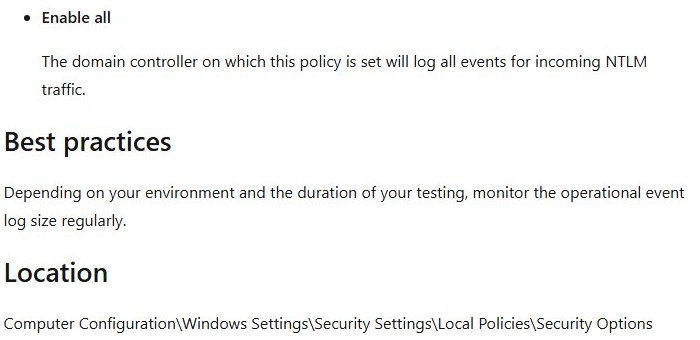
- Select Enable all to log every incoming NTLM request, then select OK.
- On a domain controller, open Event Viewer and expand Applications and Services Logs > Microsoft > Windows > NTLM.
- Review the Operational log for the servers and accounts that still authenticate with NTLM.
- Watch the log size, because a busy domain fills it quickly during testing.
When the log shows nothing you depend on, the matching policy Network security: Restrict NTLM: NTLM authentication in this domain turns the audit into a block with Deny for domain accounts to domain servers, Deny for domain servers or Deny for domain accounts.
How to tell if a logon used NTLM or Kerberos in Event Viewer
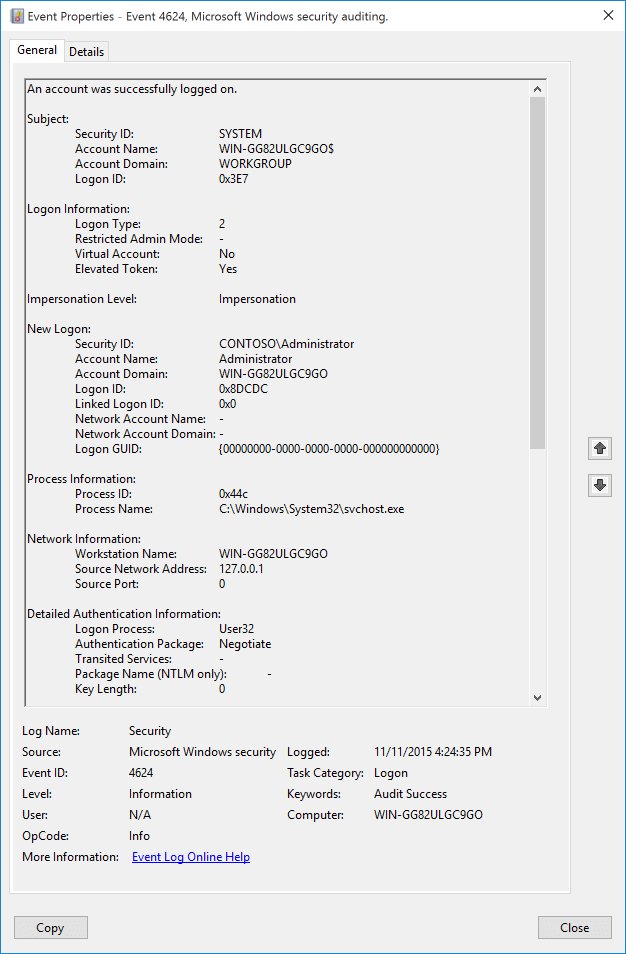
Event ID 4624 in the Windows Event Viewer records the authentication package for each successful logon, once logon success auditing is on for the domain controller.
- Open Event Viewer on the domain controller and select Windows Logs > Security.
- Select Filter Current Log, type
4624in the event ID box and select OK. - Open an event and scroll to Detailed Authentication Information.
- Read Authentication Package: NTLM means the logon used NTLM, Kerberos means it did not.
- For NTLM logons, read Package Name (NTLM only) to see whether it was NTLM V1 or NTLM V2.
- Note the Workstation Name and Source Network Address to trace the device behind it.
Ignore NTLM V1 entries logged for ANONYMOUS LOGON: Microsoft notes these sessions carry no key material, so the version field is misleading.
How to block NTLM on SMB in Windows 11 24H2 and Windows Server 2025
The SMB client in Windows 11, version 24H2 and Windows Server 2025 can refuse outbound NTLM, which pushes file-share connections onto Kerberos.
The destination SMB server must accept Kerberos or PKU2U.
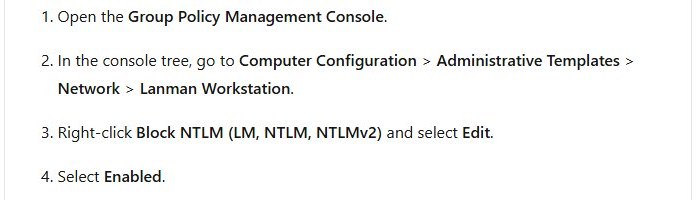
- Open the Group Policy Management Console and edit the policy for the target computers.
- Go to Computer Configuration > Administrative Templates > Network > Lanman Workstation.
- Right-click Block NTLM (LM, NTLM, NTLMv2) and select Edit.
- Select Enabled, then select OK.
- For servers that are not domain-joined, open Block NTLM Server Exception List, select Enabled and enter their IP addresses, NetBIOS names or FQDNs.
On a single machine, the same setting is one command in an elevated PowerShell window: Set-SmbClientConfiguration -BlockNTLM $true.
Force NTLMv2 only with LmCompatibilityLevel
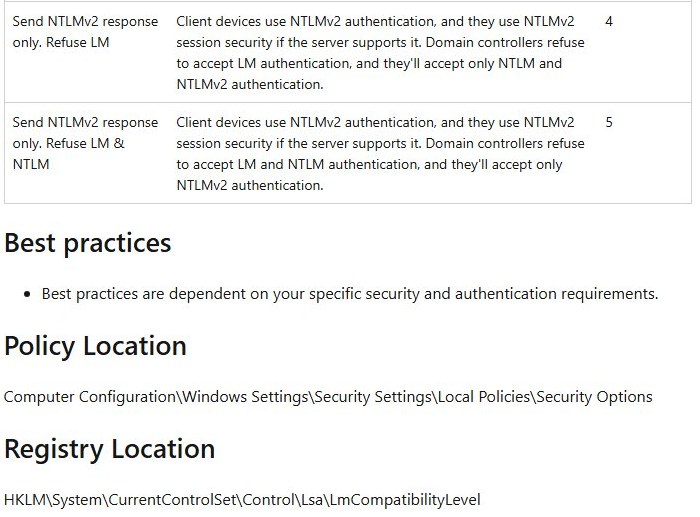
Windows 11, version 24H2 and Windows Server 2025 have already removed NTLMv1, but older domain controllers still accept it unless told otherwise.
Back up the registry before you change it, and audit Event ID 4624 first so nothing that still needs NTLMv1 breaks.
reg add HKLM\SYSTEM\CurrentControlSet\Control\Lsa /v LMCompatibilityLevel /t REG_DWORD /d 5 /fSets the LMCompatibilityLevel value under HKEY_LOCAL_MACHINE\SYSTEM\CurrentControlSet\Control\Lsa to 5, so the domain controller uses NTLMv2 only for authentication. Run it from an elevated Command Prompt on the domain controller.
You should see: The command prints The operation completed successfully, and new Event ID 4624 entries stop showing NTLM V1 for authenticated users.
NTLM retirement and Kerberos FAQ
Is NTLM being removed from Windows?
NTLMv1 is already removed from Windows 11, version 24H2 and Windows Server 2025. NTLMv2 is deprecated but still works, and Microsoft says calls to NTLM should be replaced by the Negotiate package, which prefers Kerberos.
When did Microsoft deprecate NTLM?
Microsoft announced the deprecation of all NTLM versions, including LANMAN, NTLMv1 and NTLMv2, in June 2024. Deprecated means no new feature development; the protocol kept working in the following Windows and Windows Server releases.
What replaced NTLM in Windows?
Kerberos version 5 replaced NTLM as the preferred authentication protocol for Active Directory. Apps should call the Negotiate package, which selects Kerberos and only falls back to NTLM when Kerberos cannot be used by one of the systems involved.
Why is Kerberos more secure than NTLM?
Kerberos supports mutual authentication, so a client can verify the server it reached, while NTLM assumes servers are genuine. Kerberos also uses expiring tickets instead of repeated challenge-response exchanges built on the password hash.
Does NTLM still work on a workgroup PC?
Yes. NTLM is still required for Windows authentication between workgroup members and for local logons on computers that are not domain controllers. IAKerb and Local KDC are Microsoft's planned route to cover those cases with Kerberos.
What is the difference between NTLMv1 and NTLMv2?
Both are challenge-response protocols in Msv1_0.dll, but NTLMv1 uses weaker cryptography. Microsoft removed NTLMv1 in Windows 11, version 24H2 and Windows Server 2025, and an LMCompatibilityLevel value of 5 makes older domain controllers use NTLMv2 only.
How do I find apps that still use NTLM?
Enable the policy Network security: Restrict NTLM: Audit NTLM authentication in this domain on domain controllers, then read the NTLM Operational log in Event Viewer. Event ID 4624 also shows NTLM and its version for each successful logon.
Can I block NTLM without disabling it everywhere?
Yes. On Windows 11, version 24H2 and Windows Server 2025, the SMB client policy Block NTLM (LM, NTLM, NTLMv2) refuses NTLM only for outbound file-share connections, and an exception list keeps non-domain servers reachable.
Should you disable NTLM now?
Audit NTLM on every domain controller now, remove NTLMv1 dependencies first, and block NTLM on SMB where your file servers accept Kerberos. NTLM still works, so a full block today risks breaking unaudited apps, but each Windows release narrows where it is allowed and audit data is the only safe way to know what will fail.