To sign into your iCloud email, go to icloud.com/mail in any web browser and sign in with your Apple Account email address or phone number and password.
This guide covers signing in on the web, iPhone, iPad, Mac, a Windows PC and the Gmail app, the server settings other mail apps need, and fixes when iCloud Mail will not let you in.
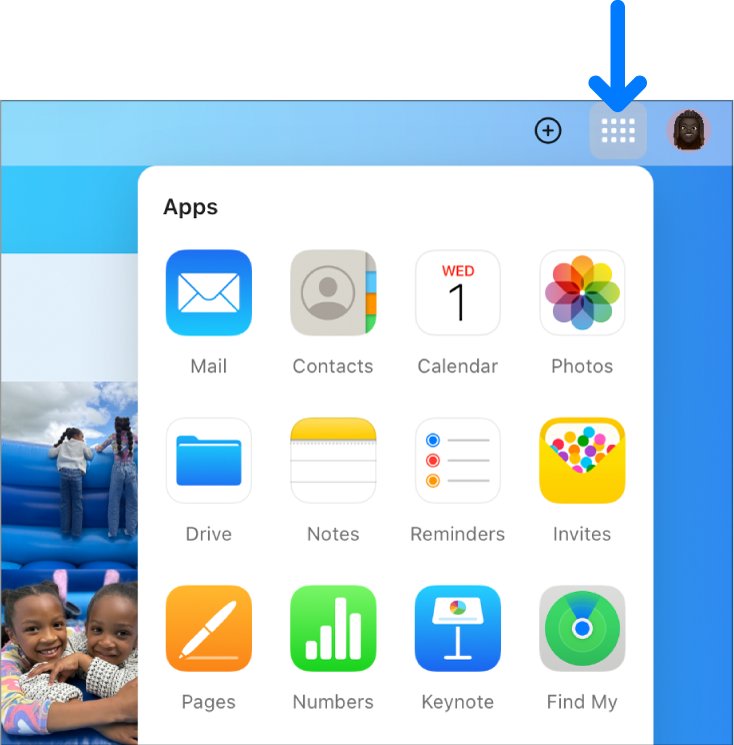
Sign into iCloud email at icloud.com/mail
The web route works on any phone, tablet or computer, including a Windows PC, with no app to install.
- Open a web browser and go to icloud.com/mail.
- Enter the email address or phone number of your Apple Account, then enter your password.
- If you are already signed in on an Apple device that supports it, you can use Face ID or Touch ID instead of typing the password.
- If asked, enter the verification code sent to your trusted device or trusted phone number, or use your security key.
- Your iCloud inbox opens. Select a mailbox in the sidebar to read your mail.
With iCloud Keychain on and an iPhone or iPad running iOS 17, iPadOS 17 or later, you can also choose Sign in with Passkey and scan the QR code instead of typing a password.
Where to sign into iCloud email: web, iPhone, Mac, PC or Gmail
| Your situation | Where to sign in | Why |
|---|---|---|
| Borrowed or shared computer | icloud.com/mail in a browser | Nothing stays on the device after you sign out |
| Your own iPhone or iPad | Settings > your name > iCloud > Mail | Mail arrives in the built-in Mail app with Push |
| Your own Mac | System Settings > your name > iCloud > Mail | Mail app shows the iCloud mailboxes |
| Windows PC | icloud.com/mail, or Outlook 2021 or later | Outlook can be authorized with your Apple Account |
| Android phone or the Gmail app | Gmail app: Add another account | Gmail lists iCloud Mail as a provider |
| Another mail app, such as Thunderbird | IMAP and SMTP settings with an app-specific password | Your normal Apple Account password is refused |
Create an @icloud.com email address before signing in
An Apple Account does not come with iCloud Mail turned on. You need a primary @icloud.com address before any device can send or receive iCloud email. Older @me.com and @mac.com addresses already count.
- Go to icloud.com/mail and sign in to your Apple Account.
- If you see Create Email Address instead of an inbox, select it.
- Pick one of the suggested addresses or edit it. It must be more than three characters and still available.
- Follow the onscreen instructions to finish.
- On an iPhone, you can do the same from Settings > your name > iCloud > iCloud Mail (or Mail).
You cannot rename a primary iCloud Mail address later, though you can add an alias. Once it exists, the @icloud.com address also works as a sign-in name for your Apple Account.
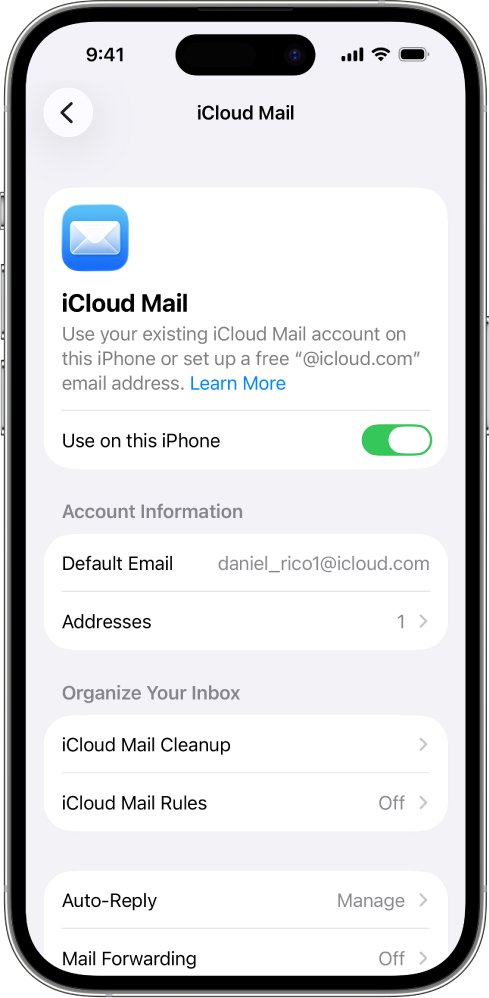
Sign into iCloud email on iPhone or iPad
On an iPhone or iPad, iCloud email is tied to the Apple Account signed in at the top of Settings, so you turn Mail on rather than typing a server address.
- Open Settings and tap your name at the top.
- If you are not signed in, tap Sign in and enter your Apple Account email address or phone number and password.
- Tap iCloud, then tap Mail under Saved to iCloud or Apps Using iCloud.
- Turn on Use on this iPhone (or Use on this iPad).
- Open the Mail app and tap a mailbox in the iCloud section.
To use a different Apple Account's iCloud email on the same iPhone, add it as a second account under Settings > Apps > Mail > Mail Accounts > Add Account.
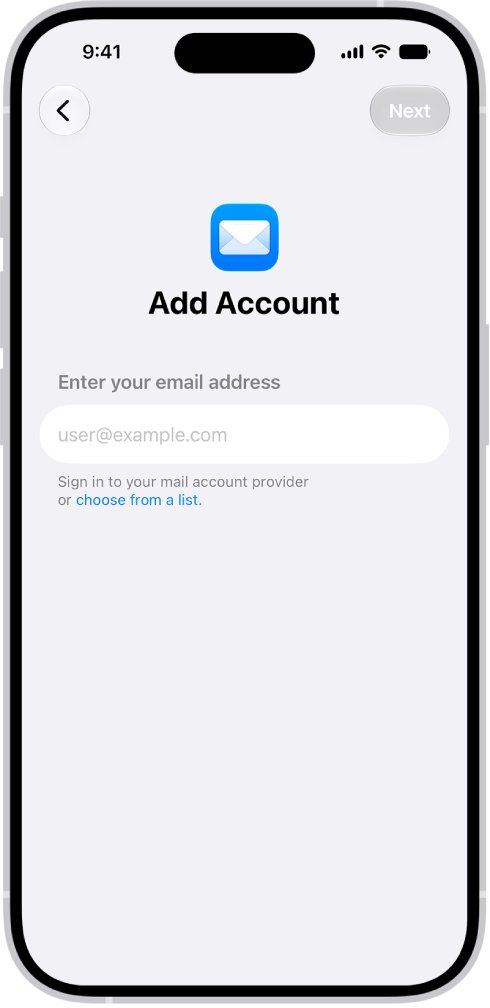
Sign into iCloud email on a Mac
- Choose Apple menu > System Settings, then click your name at the top of the sidebar.
- If you do not see your name, click Sign in, enter your Apple Account email address or phone number, then enter your password.
- Click iCloud, then click Mail (or iCloud Mail).
- On macOS 13.3 or later, turn on Sync this Mac. On macOS 13 to 13.2, click Turn On.
- Open the Mail app and click a mailbox in the iCloud section.
To check the account is active, open Mail, choose Mail > Settings > Accounts, select iCloud and confirm under Account Information that it is enabled and online.
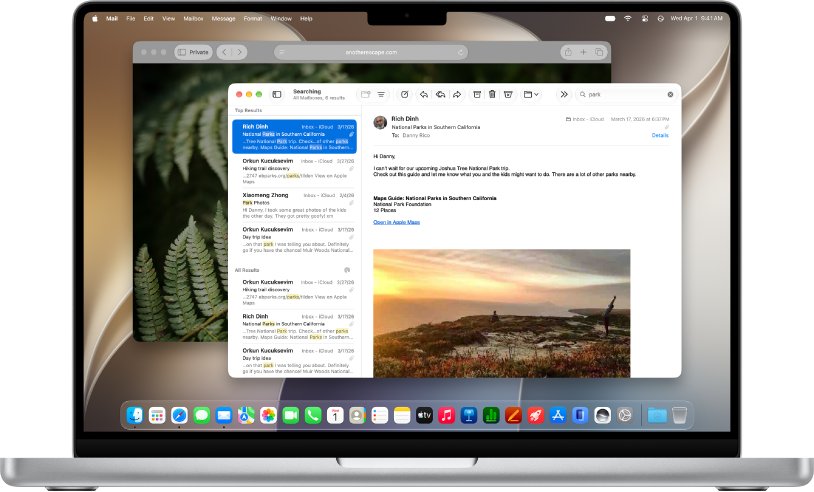
Sign into iCloud email on a Windows PC
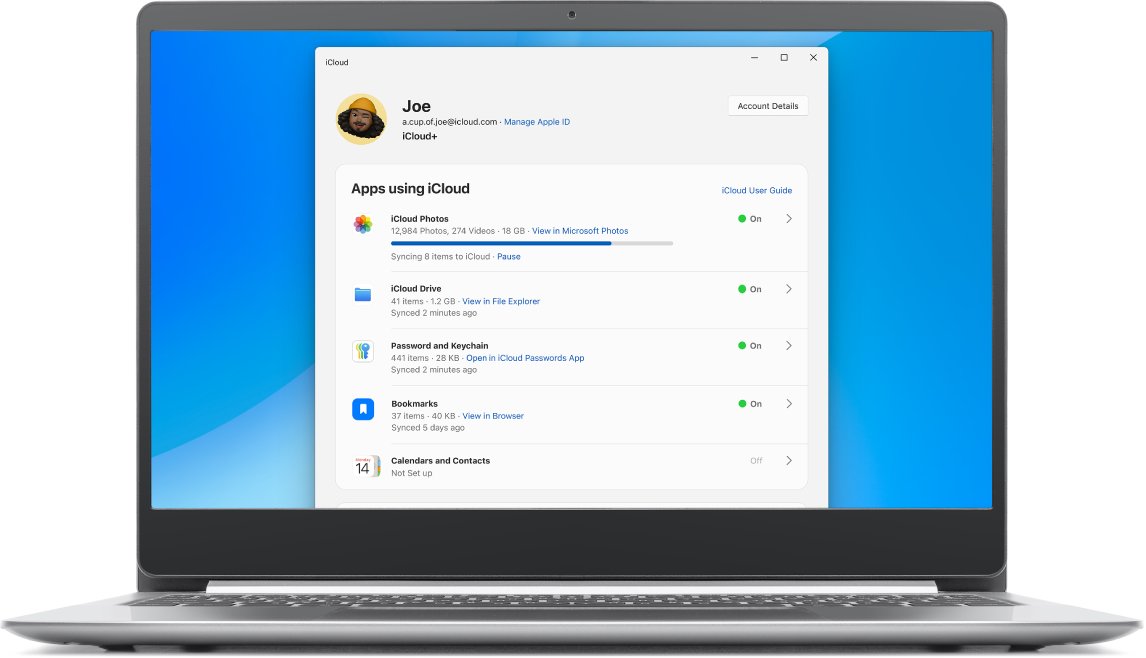
iCloud for Windows does not include a mail app. On a PC you read iCloud email in a browser or in Microsoft Outlook. The iCloud app for Windows handles photos, iCloud Drive, passwords, calendars and contacts.
- For the browser route, open a current web browser and go to icloud.com/mail.
- Sign in with your Apple Account and complete the verification code prompt.
- For Outlook 2021 or later, add your @icloud.com address as a new account in Outlook.
- When Outlook asks, authorize it with your Apple Account instead of typing a server name.
- If your Outlook version will not authorize, use the IMAP and SMTP settings below with an app-specific password.
To sign out of the browser when you finish, select your account photo in the top-right corner of iCloud.com and choose Sign Out.
Sign into iCloud email in the Gmail app
The Gmail app for Android, iPhone and iPad can hold an iCloud Mail address next to your Gmail account. You can add up to 5 email addresses, such as iCloud Mail beside a Hotmail or Outlook.com account.
- Open the Gmail app.
- Tap your Profile picture at the top right, in the search bar.
- Tap Add another account, then choose iCloud Mail from the list of providers.
- Follow the on-screen steps to link the account.
- If automatic setup fails, tap Add another account > Other (IMAP), enter your full iCloud address and type the server settings below.
- Use an app-specific password when the app asks for your password.
iCloud Mail IMAP and SMTP settings for other email apps
Devices that meet the iCloud system requirements set up iCloud Mail automatically. Use these values only in a mail app that needs manual setup. iCloud Mail does not support POP.
| Setting | Incoming (IMAP) | Outgoing (SMTP) |
|---|---|---|
| Server name | imap.mail.me.com | smtp.mail.me.com |
| Port | 993 | 587 |
| SSL required | Yes (try TLS if SSL errors) | Yes (try TLS or STARTTLS if SSL errors) |
| Username | Name part of the address, such as johnappleseed; try the full address if that fails | Full address, such as [email protected] |
| Password | App-specific password | The same app-specific password |
| Authentication | Required | SMTP authentication required |
Create an app-specific password for iCloud email
Mail apps made by other developers cannot use your normal Apple Account password. An app-specific password keeps your main password out of the app. Your Apple Account needs two-factor authentication to create one.
- Go to account.apple.com and sign in to your Apple Account.
- In the Sign-In and Security section, select App-Specific Passwords.
- Select Generate an app-specific password and follow the steps on screen.
- Copy the password that appears.
- Paste it into the password field of the mail app when it asks you to sign in.
You can have up to 25 active app-specific passwords. Changing or resetting your Apple Account password revokes all of them, so generate new ones afterwards.
Check that you are signed into iCloud email
- On iCloud.com, confirm the Mail view shows an inbox, not a Create Email Address button.
- On iPhone, open Mail and confirm an iCloud section appears in the mailbox list.
- On a Mac, check that the iCloud account is enabled and online in Mail > Settings > Accounts.
- Send a test email from another address to your @icloud.com address.
- Reply to it from your iCloud address to confirm sending works too.
Sign out of iCloud email on iCloud.com and other browsers
- On iCloud.com, select your Apple Account photo in the top-right corner.
- Choose Sign Out to leave the browser you are using now.
- To leave every browser at once, select iCloud Settings, select Sign Out Of All Browsers, then select Sign Out.
- To stop iCloud email on an iPhone without signing out of iCloud, go to Settings > Apps > Mail > Mail Accounts, tap iCloud and turn off Use on this iPhone.
Why can't I sign into my iCloud email? Fixes by symptom
You forgot your Apple Account password
The iCloud email password is your Apple Account password, so a forgotten one blocks every sign-in.
- Select Forgot password? on the sign-in screen and follow the onscreen instructions.
- If you are still signed in on another iPhone, iPad or Mac, change the password on that trusted device instead.
- If you have no trusted device or recovery factors, go to iforgot.apple.com to request account recovery, which can take several days.
You cannot remember which email address signs you in
Any email address or phone number linked to your Apple Account works, but an unlinked address is refused.
- Try each email address and phone number you might have used.
- Try the @icloud.com address itself, which works as a sign-in name once it exists.
- On a device where you are already signed in, check the name and email shown at the top of Settings.
iCloud.com shows Create Email Address instead of an inbox
The Apple Account has no primary iCloud Mail address yet.
- Select Create Email Address.
- Choose an available address of more than three characters.
- Sign in again on your devices after the address is created.
A mail app or the Gmail app rejects your password
Apps from other developers need an app-specific password, not your Apple Account password.
- Generate an app-specific password at account.apple.com.
- Enter it in the app's password field.
- If you recently changed your Apple Account password, generate a new app-specific password, because the old ones were revoked.
iCloud Mail will not load on iCloud.com
An outdated browser, a stale cache, an outage or a network that blocks the service.
- Check Apple's system status page for iCloud Mail and try again later if it is down.
- Update your browser, then clear its cache.
- Try another internet connection. If Mail works there, contact your internet provider or network administrator.
Signed in on iPhone but no iCloud mail arrives
iCloud Mail is off, Push is off, iCloud storage is full or a VPN is interfering.
- Go to Settings > your name > iCloud > Mail and turn on Use on this iPhone.
- Go to Settings > Apps > Mail > Mail Accounts > Fetch New Data, turn on Push, and make sure Automatically is selected under Fetch.
- Check that you have not run out of iCloud storage.
- Turn off any VPN, then restart the iPhone.
iCloud email sign-in FAQ
How do I sign into my iCloud email account?
Go to icloud.com/mail and sign in with your Apple Account email address or phone number and password, then enter the verification code if asked. On an iPhone or Mac, turn on Mail in your iCloud settings instead.
Can I sign into my iCloud email on a computer?
Yes. Go to icloud.com/mail in any current browser on a Mac or Windows PC and sign in with your Apple Account. On a Mac you can also turn on iCloud Mail in System Settings and use the Mail app.
Can I sign into my iCloud email on Gmail?
Yes, in the Gmail app for Android, iPhone and iPad. Tap your profile picture, tap Add another account and choose iCloud Mail, or use Other (IMAP). Use an app-specific password from account.apple.com when asked.
Why can't I sign into my iCloud email?
The usual causes are a forgotten Apple Account password, signing in with an address not linked to the account, having no @icloud.com address yet, or a mail app that needs an app-specific password. An iCloud outage or blocked network can also stop iCloud.com loading.
Is my iCloud email password the same as my Apple Account password?
Yes, on Apple devices and iCloud.com. Mail apps from other developers, including Gmail and Thunderbird, need a separate app-specific password that you generate at account.apple.com.
Why am I getting iCloud emails?
Messages sent to your @icloud.com, @me.com or @mac.com address appear in the iCloud section of Mail whenever iCloud Mail is turned on for that device. To stop them on an iPhone, turn off Use on this iPhone in the iCloud mail account settings.
Why is my email going to iCloud?
Mail addressed to your iCloud address lands in the iCloud mailboxes, not your other accounts. When you have several accounts on an iPhone, you can pick which one to send from in the From field while composing, so replies come back to that address.
Does iCloud Mail support POP?
No. iCloud Mail supports only IMAP for incoming mail and SMTP for outgoing mail. Use imap.mail.me.com on port 993 and smtp.mail.me.com on port 587, both with SSL.
Can I sign into iCloud email in Outlook?
Yes. Outlook 2021 or later on Windows can be authorized with your Apple Account when you add your @icloud.com address. Other Outlook versions can use the IMAP and SMTP settings with an app-specific password.
Bottom line: the quickest way to sign into iCloud email
Use icloud.com/mail on any shared or Windows computer, and turn on Mail in iCloud settings on your own iPhone, iPad or Mac. The web route needs nothing installed and signs out cleanly, while the device route gives Push delivery in the Mail app; other apps work too, but only with an app-specific password.