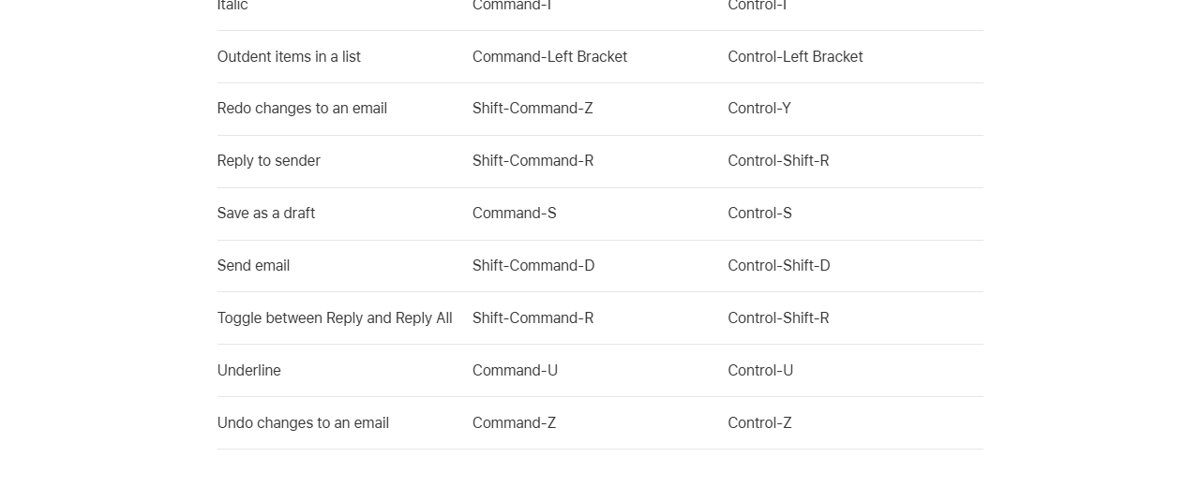
When the Send button is missing from a reopened draft in iCloud Mail on the web, press Shift-Command-D on a Mac or Control-Shift-D on Windows to send it anyway.
This guide covers that keyboard route, how to bring the hidden Send button back into view, and what to check when iCloud Mail on iCloud.com still will not send a draft.
Send an iCloud Mail draft without the Send button
Apple lists a dedicated send shortcut for Mail on iCloud.com, so a cut-off toolbar does not stop the message going out.
The shortcut works on the compose window that currently has focus, so click inside the draft first.
- Open the draft from the Drafts folder at icloud.com/mail.
- Check the To, Subject and body fields one last time.
- Click once inside the message body so the compose window has focus.
- Press Shift-Command-D on a Mac, or Control-Shift-D on a Windows PC.
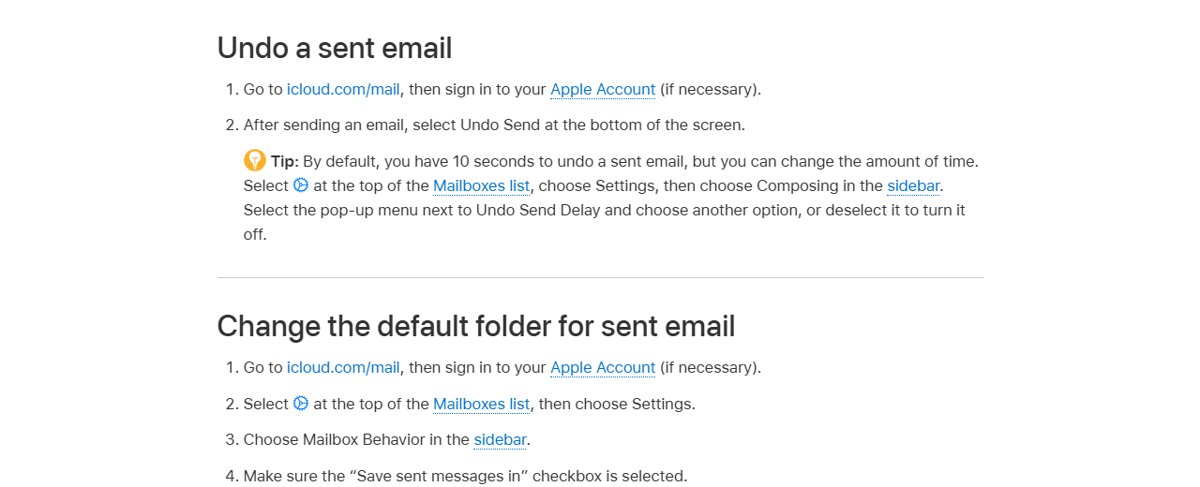
- Select Undo Send at the bottom of the screen within the undo delay if you sent it too soon.
By default, iCloud Mail gives you 10 seconds to undo a sent email.
iCloud Mail Send button missing fixes compared
| What you see | What to do | Why it helps |
|---|---|---|
| Send button cut off on the right of a reopened draft | Press Shift-Command-D or Control-Shift-D | Sends without needing the toolbar |
| Compose window too narrow for its toolbar | Zoom the page out or make the browser window full screen | More of the compose window fits on screen |
| Draft layout stays broken after a refresh | Save with Command-S or Control-S, close the draft and reopen it from Drafts | Reloads the draft into a fresh compose window |
| Problem appears in one browser only | Update the browser, then empty its cache | Apple lists both steps for iCloud.com access problems |
| Nothing works in any browser | Send the draft from the Mail app on iPhone, iPad or Mac | The draft is stored in your iCloud Drafts mailbox |
Zoom out iCloud Mail in Chrome or Safari to show the Send button
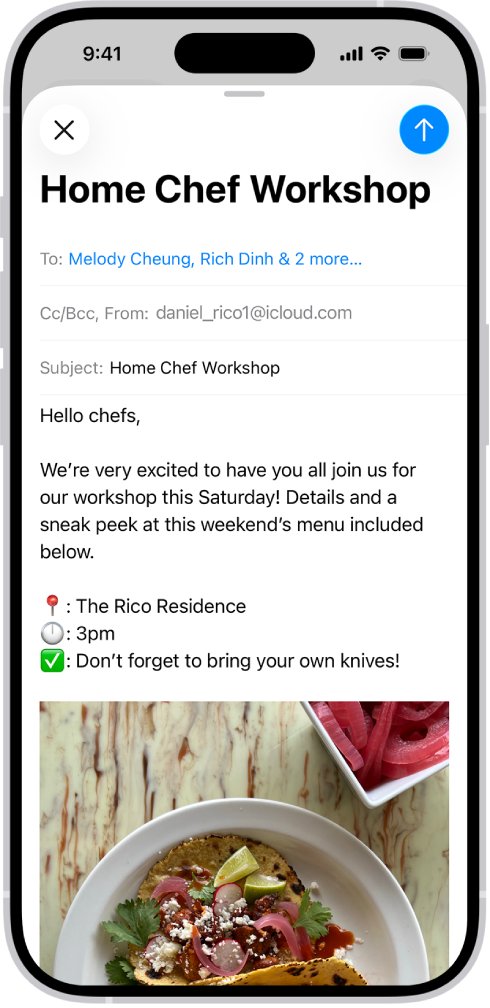
The Send button sits in the top-right corner of the compose window. Zooming the page out shrinks the layout so that corner fits on screen again.
- In Chrome, press ⌘ and – on a Mac or Ctrl and – on Windows until the full compose toolbar appears.
- Alternatively in Chrome, click More at the top right and click Zoom out next to Zoom.
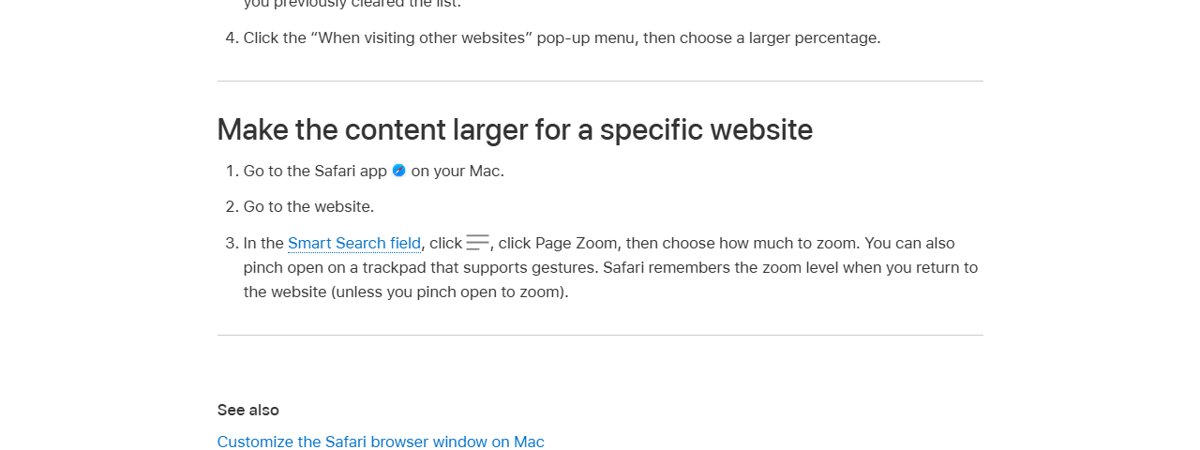
- In Safari on a Mac, click the page menu in the Smart Search field, click Page Zoom and choose a smaller value.
- Find the Send button in the top-right corner of the draft and select it.
- Zoom back in afterwards with ⌘ and + or Ctrl and + in Chrome, or reset Page Zoom in Safari.
Safari remembers the Page Zoom level for icloud.com when you return, unless you zoomed by pinching on the trackpad.
Make the iCloud Mail compose window bigger with full screen
A larger browser window gives the compose window more room, which helps when the draft opens squeezed to one side.
- In Chrome on a Mac, press ⌘ + Ctrl + f to switch to full-screen mode.
- In Chrome on Windows, press F11 to switch to full-screen mode.
- In Safari on a Mac, press Control-Command-F to use the app in full screen.
- Close the draft and open it again from the Drafts folder.
- Select the Send button in the top-right corner of the compose window.
Save and reopen an iCloud Mail draft on iCloud.com
Mail on iCloud.com saves drafts automatically while you type, so closing and reopening a draft does not lose your text.
- Press Command-S on a Mac or Control-S on Windows to save the draft.
- Close the compose window.
- Select the Drafts folder in the Mailboxes list.
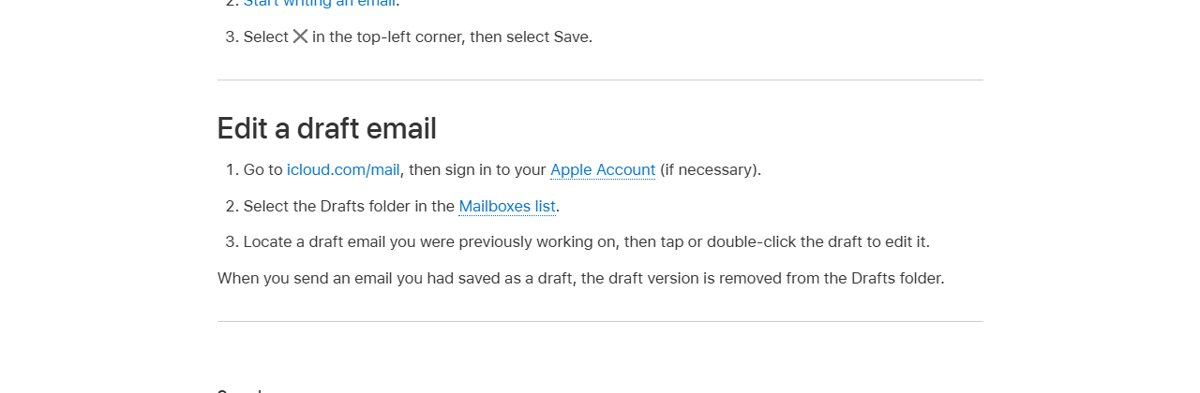
- Double-click the draft to open it for editing again.
- Send it with the Send button in the top-right corner, or with the send shortcut.
When you send a saved draft, iCloud Mail removes it from the Drafts folder.
Update the browser and clear the cache for iCloud Mail on the web
Apple's own fix list for iCloud.com access problems starts with an up-to-date browser and an empty browser cache.
iCloud.com supports Safari 13.1 or later, Firefox 128 or later, Google Chrome 130 or later, Opera and Microsoft Edge 130 or later on a Mac. On a PC it supports Firefox 128, Chrome 130 (desktop mode only) and Edge 130 or later.
- Update Safari or your other browser to its latest version.
- In Safari, choose Settings from the Safari menu and click the Advanced tab.
- Select Show features for web developers, then close Settings.
- From the Develop menu, choose Empty Caches.
- In Chrome, click More > Delete browsing data, select a time range, tick Cookies and other site data and select Delete data.
- Sign in again at icloud.com/mail and reopen the draft.
Send an iCloud Mail draft from the Mail app on iPhone or Mac
Drafts saved on iCloud.com live in your iCloud Drafts mailbox, so the Mail app on any device signed in to the same Apple Account can send them.
- On iPhone, go to Settings > [your name] > iCloud, tap Mail and turn on Use on this iPhone.
- On a Mac running macOS 13.3 or later, go to System Settings > [your name] > iCloud > Mail and turn on Sync this Mac.
- Open the Mail app and select the Drafts mailbox in the iCloud section.
- Open the draft and send it.
Check that the iCloud Mail draft was sent
- Go to icloud.com/mail and open the Sent folder.
- Confirm the message appears with the right recipients and subject.
- Open the Drafts folder and confirm the draft is gone.
- If the draft is still in Drafts, open it and send it again.
Sent mail lands in the folder chosen under Settings > Mailbox Behavior > Save sent messages in, which is Sent unless you changed it.
iCloud Mail on iCloud.com not sending: causes and fixes
The Send button is cut off and the draft window will not scroll
The compose window is wider than the space the browser gives it.
- Click inside the draft and press Shift-Command-D or Control-Shift-D.
- Zoom the page out until the top-right corner of the draft is visible.
- Reopen the draft from Drafts in a full-screen window.
You can't access iCloud Mail at iCloud.com at all
An iCloud outage, an outdated browser or a stale cache.
- Check the system status of iCloud Mail on Apple's System Status page and try later if it is down.
- Update the browser to its latest version.
- Clear the browser cache, then sign in again.
- Try a different internet connection; if that works, contact your ISP or network administrator.
The message sends but bounces with "undelivered mail returned"
A wrong recipient address or a server that filters the message.
- Open Sent and check the recipient's address.
- Look in Drafts for an unsent copy and send it again.
- Ask the recipient to check their Junk folder.
- Contact Apple Support if the message still does not arrive.
Sending fails with a large attachment
The message exceeds iCloud Mail's size and sending limits.
- Check that your iCloud storage is not full.
- Remove the attachment and send it with Mail Drop or an iCloud link instead.
- Compress the file before attaching it again.
iCloud Mail web Send button FAQ
Can I access iCloud Mail from a web browser?
Yes. Go to icloud.com/mail and sign in with your Apple Account. It works in current Safari, Chrome, Firefox and Edge on a Mac, and in Chrome, Firefox and Edge on a PC. You can also use it from a browser on a phone or tablet.
What is the keyboard shortcut to send an email in iCloud Mail?
Press Shift-Command-D on a Mac or Control-Shift-D on Windows to send the message you are writing in Mail on iCloud.com. Command-S or Control-S saves it as a draft instead, and Option-Shift-N or Alt-Shift-N starts a new email.
What is iCloud Mail?
iCloud Mail is Apple's free email service tied to your Apple Account, using an @icloud.com address. You can read and send it in the Mail app on iPhone, iPad and Mac, in Outlook on Windows through iCloud for Windows, and at icloud.com/mail in a browser.
How does iCloud Mail work?
Your mail is stored on Apple's servers and stays in sync on every device signed in to the same Apple Account with iCloud Mail turned on. A draft you save on iCloud.com appears in the Drafts mailbox on your iPhone and Mac too.
What is iCloud Mail on iPhone?
It is your @icloud.com account inside the iPhone Mail app. Turn it on in Settings > [your name] > iCloud > Mail with Use on this iPhone, then open the Mail app and tap a mailbox in the iCloud section.
What is the iCloud Mail server?
The incoming IMAP server is imap.mail.me.com on port 993 with SSL, and the outgoing SMTP server is smtp.mail.me.com on port 587 with SSL or TLS. iCloud Mail does not support POP, and other apps need an app-specific password.
How do I use iCloud Mail?
Create a primary @icloud.com address first, then use it in the Mail app or at icloud.com/mail. To write a message on the web, select the compose button in the top-right corner, add recipients and a subject, then send.
Can I make an iCloud email address?
Yes. Go to icloud.com/mail, sign in and select Create Email Address, or turn on iCloud Mail in Settings on iPhone or System Settings on Mac. The address needs more than three characters and cannot be renamed later, though you can add aliases.
Can you email to iCloud from another provider?
Yes. An @icloud.com address receives mail from any email service, just like Gmail or Outlook addresses. If a message does not arrive, ask the recipient to check their Junk folder and confirm the address is spelled correctly.