No, the UK iPhone 17 Pro and Pro Max are not eSIM-only: UK models A3523 and A3526 have a nano-SIM tray plus eSIM, and they get two hours less video playback than the eSIM-only models sold in the US and some other countries.
Apple gives those eSIM-only phones a larger battery by using the space the SIM tray would take. This guide compares the figures, shows how to identify a model, and covers the risks of importing one.
Is iPhone 17 Pro eSIM only in the UK?
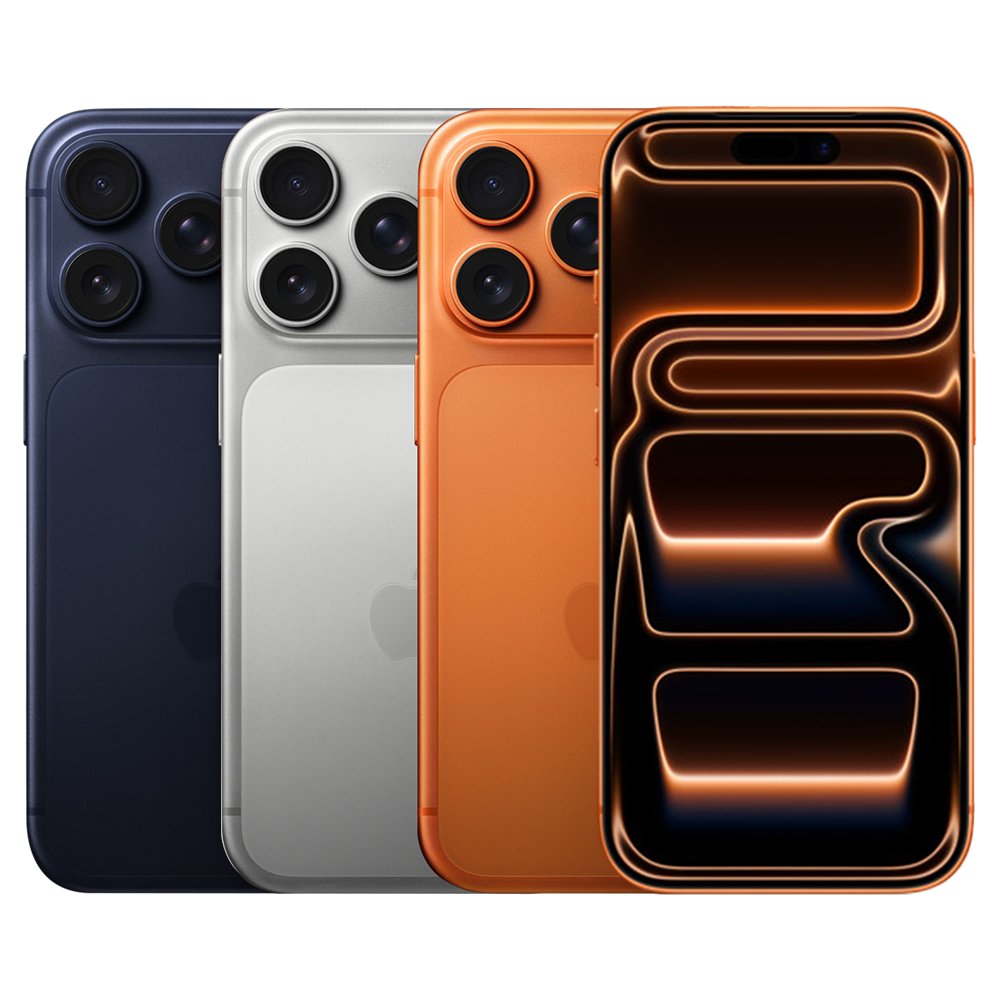
No. Apple's UK tech specs list both the iPhone 17 Pro and iPhone 17 Pro Max as Dual SIM with a nano-SIM and an eSIM, so there is no eSIM-only version to choose in the UK. Apple offers eSIM-only models in the US, Puerto Rico, Bahrain, Canada, Guam, Japan, Kuwait, Mexico, Oman, Qatar, Saudi Arabia, the United Arab Emirates and the US Virgin Islands. The UK is not on that list, so UK buyers get the version with a tray and the smaller battery.
The tray does not force you to use a physical SIM. UK models can also run two eSIMs, so you can leave the tray empty, but the battery stays the same size.
iPhone 17 Pro battery life: UK SIM model vs eSIM-only model
These are Apple's own figures from its UK and US tech specs. The eSIM-only column uses the US models.
| Spec | 17 Pro UK | 17 Pro eSIM-only | 17 Pro Max UK | 17 Pro Max eSIM-only |
|---|---|---|---|---|
| Video playback | Up to 31 hours | Up to 33 hours | Up to 37 hours | Up to 39 hours |
| Streamed video playback | Up to 28 hours | Up to 30 hours | Up to 33 hours | Up to 35 hours |
| Weight | 204 grams | 206 grams | 231 grams | 233 grams |
The gap works out at about 5 to 7 percent, depending on the model and test. Apple says battery claims depend on network configuration and many other factors, so real-world results will vary.
Does the eSIM-only iPhone 17 Pro Max have a bigger battery?
Yes. Apple says the eSIM-only iPhone 17 Pro and Pro Max have an even larger battery, using the space formerly occupied by the physical SIM, which adds two hours of video playback. Apple does not publish the capacity in mAh or Wh on its tech specs, iPhone battery or announcement pages, so its video playback hours are the official comparison. The eSIM-only phones are also 2 grams heavier.
Battery wear affects daily runtime as well. A long-term check of iPhone 17 Pro Max battery health shows what normal ageing looks like on these phones.
UK iPhone 17 Pro and Pro Max model numbers
The model number tells you which SIM setup and battery a phone has. Apple's list groups the UK under other countries and regions.
| Sold in | 17 Pro | 17 Pro Max | SIM setup |
|---|---|---|---|
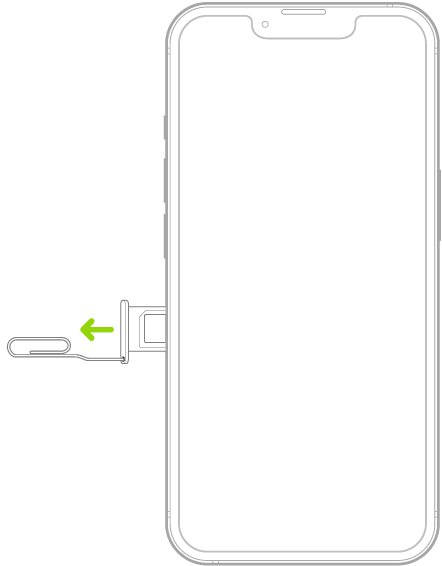
| UK and other countries and regions | A3523 | A3526 | Nano-SIM tray on the left side, plus eSIM |
| US and Puerto Rico | A3256 | A3257 | eSIM only, no tray |
| Bahrain, Canada, Guam, Japan, Kuwait, Mexico, Oman, Qatar, Saudi Arabia, UAE, US Virgin Islands | A3522 | A3525 | eSIM only, no tray |
| China mainland | A3524 | A3527 | SIM tray for physical SIM cards |
How to check if an iPhone 17 Pro is a UK model
Use these steps on any phone you are buying second-hand or from a reseller. A listing that only says unlocked does not tell you the model.
- Open the Settings app and tap General.
- Tap About.
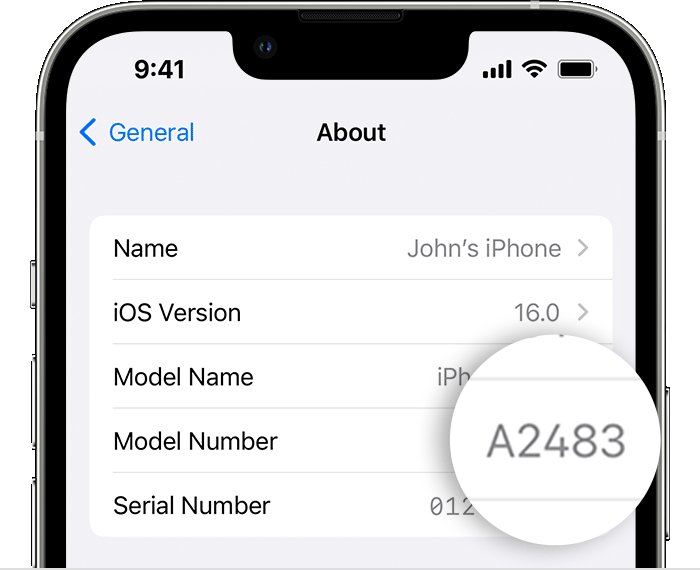
- Find Model Number, which shows a part number first.
- Tap the part number to change it to a model number starting with A.
- Match it to the table above: A3523 or A3526 is the tray version sold in the UK.
A phone with a tray also has the model number printed inside the SIM slot. The country code in the part number shows which region the phone was sold for.
iPhone 17 Pro Max SIM vs eSIM models
Apart from battery and weight, the UK and US models differ in SIM support and cellular bands. Storage options and charge speed match.
| Spec | UK model (A3526) | US eSIM-only model (A3257) |
|---|---|---|
| SIM card | Dual SIM (nano-SIM and eSIM), with Dual eSIM support | Dual eSIM: two active eSIMs, stores eight or more |
| Physical SIM | Yes, in a tray on the left side | Not compatible with physical SIM cards |
| 5G | Sub-6 GHz | Sub-6 GHz and mmWave (bands n258, n260, n261) |
| Storage | 256GB, 512GB, 1TB, 2TB | 256GB, 512GB, 1TB, 2TB |
| Fast charging | Up to 50% in 20 minutes with a 40W adapter or higher | Up to 50% in 20 minutes with a 40W adapter or higher |
Charge speed does not change between the two, so a 40W charger for iPhone 17 Pro Max tops up the UK model to 50% in the same 20 minutes.
UK iPhone 17 Pro Max or imported eSIM-only model?
| Your situation | Choose | Why |
|---|---|---|
| You want a physical SIM or travel with local SIM cards | UK model | Only the tray version takes a nano-SIM |
| You want simple warranty service in the UK | UK model | Apple may restrict warranty service to the country of original sale |
| Your network does not offer eSIM | UK model | An eSIM-only phone cannot activate without a network that supports eSIM |
| Maximum battery life matters most and you accept the warranty risk | Unlocked eSIM-only model | It adds two hours of video playback |
| You are buying new today and want the longest runtime | iPhone 18 Pro Max, UK model | It reaches 43 hours of video playback, more than either 17 Pro Max |
Should you import an eSIM-only iPhone 17 Pro Max to the UK?
Stick with the UK model unless two extra hours of video playback outweigh the warranty and network checks an import needs. Apple's US warranty says it may restrict iPhone warranty service to the country where Apple or its Authorized Distributors originally sold the device. The US model's listed 5G and LTE bands include those on the UK model's list, but Apple says unlocked phones only may support 5G and LTE abroad with a supported provider, so ask your network first. The phone must also be unlocked.
US buyers face the same trade-off in reverse, because US models have no SIM card slot.
Dual eSIM on iPhone 17 Pro Max: what it means
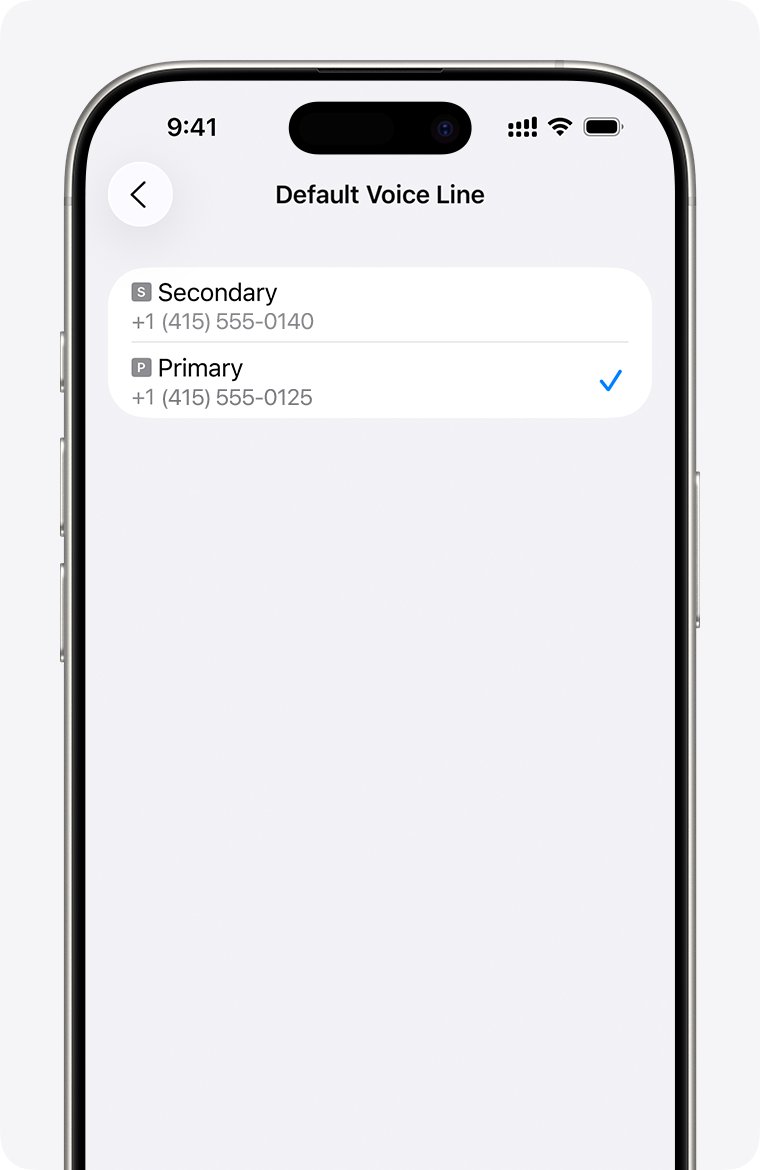
Dual SIM means two active phone numbers on one iPhone. Both numbers can make and receive calls and send messages, but the iPhone uses one mobile data network at a time.
| Setup | How it works | Available on UK models? |
|---|---|---|
| Nano-SIM and eSIM | One line on a physical card, one line digital | Yes |
| Dual eSIM | Two active digital lines, with no card in the tray | Yes |
| Single nano-SIM | One line on a physical card and no eSIM added | Yes |
| Using two different networks | Your network must unlock the iPhone, or both plans must come from one network | Yes |
Apple's eSIM page says an iPhone can manage up to eight or more eSIMs, with two active at once. Storage size makes no difference, so the 1TB and 2TB models support the same setups.
UK networks that support eSIM on iPhone 17 Pro
Apple's UK provider list shows how each network activates an eSIM. Check it before you plan to drop a physical SIM.
| Activation method | What it does | UK networks listed by Apple |
|---|---|---|
| eSIM Quick Transfer | Moves a number from your old iPhone and converts a physical SIM | 3, EE, O2, Sky Mobile, Vodafone |
| eSIM Carrier Activation | The network assigns an eSIM to the iPhone digitally | 3, EE, O2, Sky Mobile, Tesco Mobile, Vodafone |
| QR code or network app | You scan a code or use the network's own app | 3, BetterRoaming, EE, giffgaff, O2, Sky Mobile, Tesco Mobile, Ubigi, Vodafone |
How to install eSIM on UK iPhone 17 Pro Max
UK English iPhones say Mobile, while US English iPhones say Cellular for the same setting. Connect to Wi-Fi first, because the UK model needs a network connection to activate an eSIM.
- Ask your network for an eSIM QR code.
- During setup, tap Use QR code on the Set Up Mobile screen and follow the onscreen instructions.
- After setup, open the Camera app and scan the code.
- Tap the Mobile Plan Detected notification.
- Tap Continue, then tap Add Mobile Plan.
- Enter the confirmation code if your network gave you one.
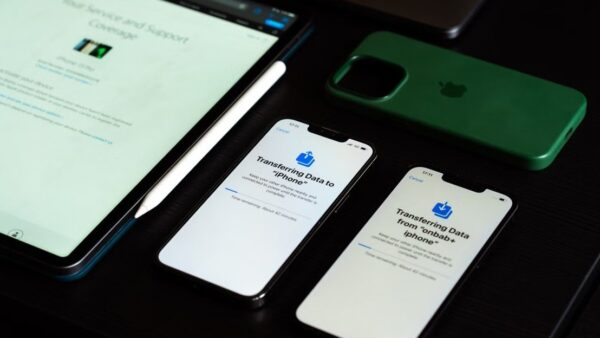
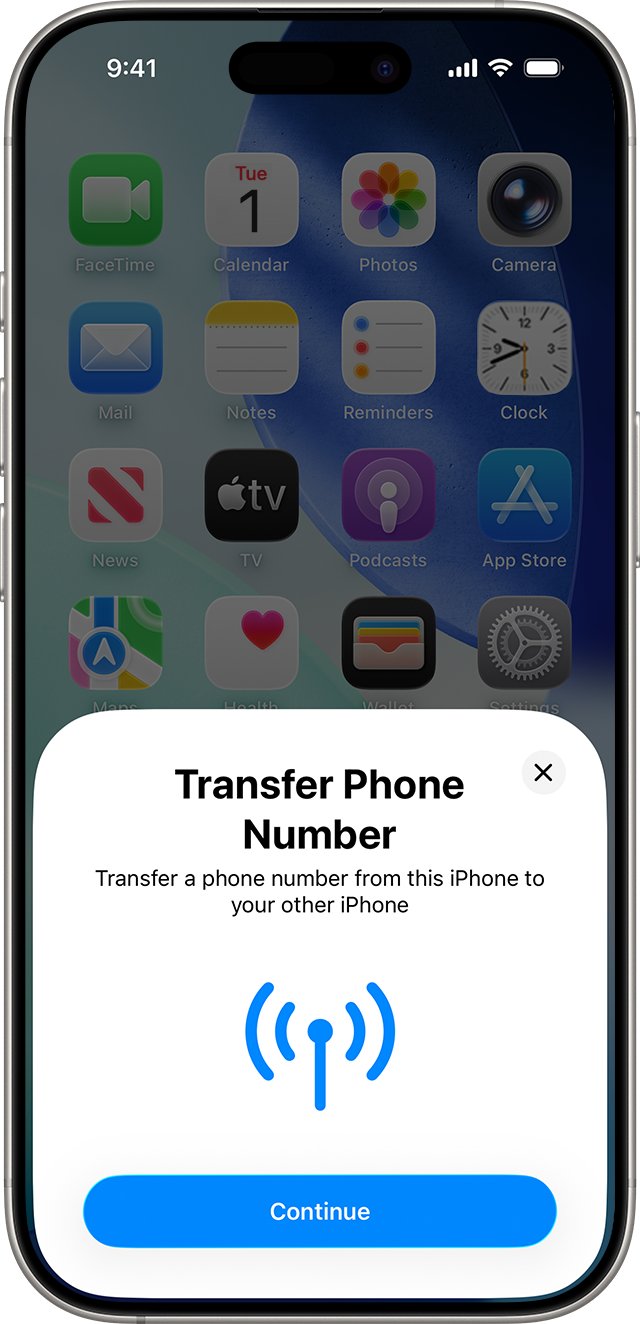
To move a number from your previous iPhone instead, keep both phones nearby with Bluetooth on, signed in to your Apple Account and on iOS 18.4 or later. Open Settings > Mobile, then tap Set Up Mobile or Add eSIM. If setup hangs at this stage, you can fix a stuck iPhone transfer.
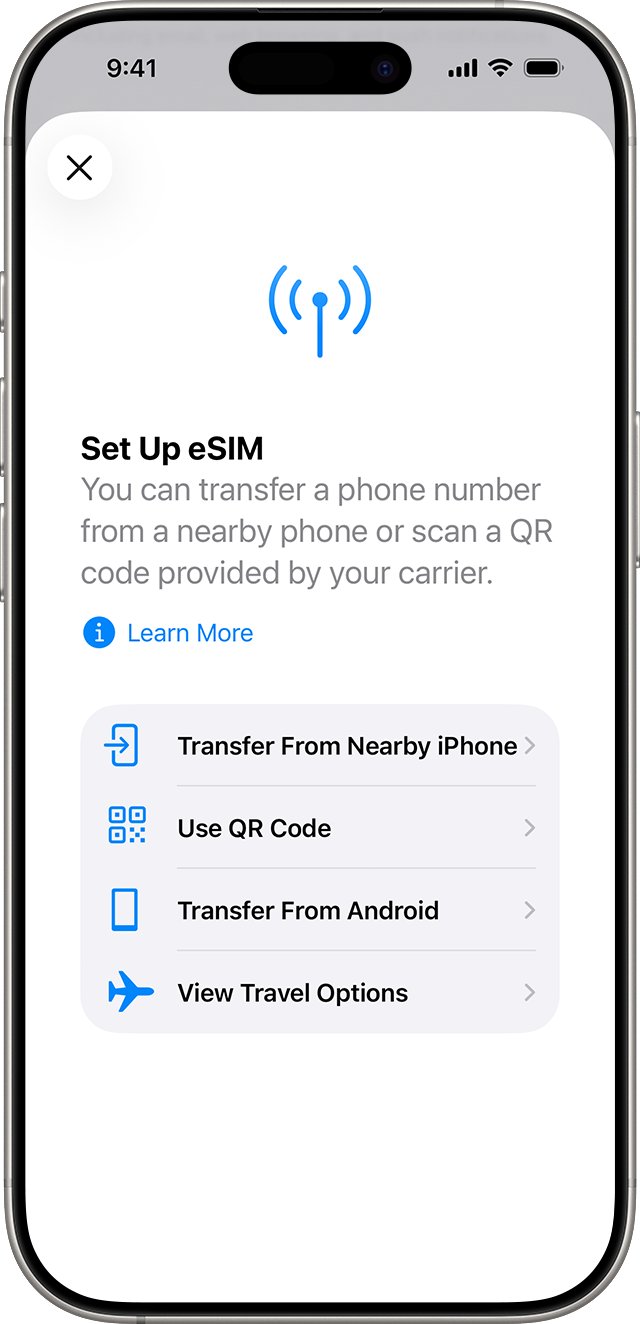
How to convert a nano-SIM to eSIM on UK iPhone 17 Pro
Your network must support conversion, and the physical SIM stops working once it is done. Conversion frees the tray but does not change the battery.
- Open the Settings app.
- Tap Mobile, then tap Set Up Mobile or Add eSIM.
- Choose the phone number that uses the physical SIM.
- Tap Convert to eSIM and follow the onscreen instructions.
- Remove the old card from the tray after the plan activates, then restart the iPhone.
How to tell if eSIM is active on UK iPhone 17 Pro
- Open Settings and tap Mobile.
- Check that the new line below eSIMs is turned on.
- Make a phone call to test the mobile connection.
- Turn off Wi-Fi and load a web page to test mobile data.
- Contact your network if you cannot make a call.
iPhone 18 Pro Max UK battery vs iPhone 17 Pro Max
As of November 2026, Apple's UK iPhone page lists iPhone Duo, iPhone 18 Pro, iPhone Air, iPhone 17, iPhone 17e and iPhone 16, and no longer lists the 17 Pro models. The UK refurbished page does not list them either, so a 17 Pro or Pro Max now comes from another seller.
| Model | UK SIM setup | UK video playback | US eSIM-only video playback |
|---|---|---|---|
| iPhone 17 Pro | Nano-SIM and eSIM | Up to 31 hours | Up to 33 hours |
| iPhone 18 Pro | Nano-SIM and eSIM | Up to 34 hours | Up to 36 hours |
| iPhone 17 Pro Max | Nano-SIM and eSIM | Up to 37 hours | Up to 39 hours |
| iPhone 18 Pro Max | Nano-SIM and eSIM | Up to 43 hours | Up to 45 hours |
The two-hour gap carries over to the iPhone 18 Pro models. Even so, the UK iPhone 18 Pro Max runs four hours longer on Apple's video test than an eSIM-only iPhone 17 Pro Max.
UK iPhone 17 Pro eSIM not working
"Finish Setting Up Your Network Provider's Mobile Plan" banner
The network needs you to complete the eSIM transfer on its own website.
- Tap the banner.
- Complete the transfer on your network's web page.
- Contact your network if the page does not finish the job.
No eSIM Quick Transfer option on Tesco Mobile or giffgaff
Apple does not list either network for eSIM Quick Transfer in the UK.
- Ask your network how it activates an eSIM on iPhone.
- Scan the QR code it sends, or use its app from the App Store.
- Tap Add Mobile Plan when the iPhone asks.
Imported iPhone 17 Pro Max eSIM will not activate on a UK network
The phone may still be locked to its original network.
- Open Settings > General > About.
- Check that No SIM Restrictions appears next to the network provider lock entry.
- If it is locked, ask the original network or seller to unlock it.
- Ask your UK network whether it supports the phone's model number.
Calls fail after the eSIM replaces your physical SIM
The old card is still in the tray after the plan moved to eSIM.
- Remove the physical SIM from the tray.
- Restart the iPhone.
- Make a test call, then contact your network if it fails.
UK iPhone 17 Pro eSIM and battery FAQ
Does iPhone 17 Pro Max support eSIM?
Yes. Every iPhone 17 Pro Max supports eSIM. The UK model A3526 uses a nano-SIM plus an eSIM or two eSIMs, while the US model A3257 and model A3525 use eSIM only and have no SIM tray.
Does iPhone 17 Pro support eSIM?
Yes. The UK iPhone 17 Pro, model A3523, supports a nano-SIM and an eSIM together, or two eSIMs. The US model A3256 and model A3522 are eSIM-only, so they have no tray for a physical SIM card.
Is iPhone 17 eSIM only in the UK?
No. Apple's model list shows a SIM tray on iPhone 17 outside the eSIM-only countries, and the UK is not one of those countries. The iPhone Air is different: Apple says it has no SIM tray in any country.
Do UK iPhone 17 Pro models have a smaller battery?
Yes. Apple says eSIM-only models have an even larger battery, using the space of the physical SIM. On Apple's video test, the UK iPhone 17 Pro Max reaches 37 hours against 39, and the UK 17 Pro reaches 31 against 33.
Can I buy an eSIM-only iPhone 17 Pro in the UK?
Apple does not offer one in the UK. Its eSIM-only list covers the US and other places, including Canada, Japan and the UAE. Any eSIM-only phone in the UK is an import, so check the warranty and network support first.
Does the 1TB or 2TB iPhone 17 Pro Max have a different SIM setup?
No. Apple ties the SIM setup to the model number and country, not to storage. A UK iPhone 17 Pro Max has the same nano-SIM and eSIM support at 256GB, 512GB, 1TB and 2TB.
Is iPhone 16 Pro Max eSIM only?
Only in the United States, where Apple lists no SIM tray on model A3084. Apple says models for other countries or regions have a tray on the left side, and the UK falls in that group, so a UK iPhone 16 Pro Max takes a nano-SIM.
Does removing the physical SIM improve battery life on a UK iPhone 17 Pro?
Apple does not claim that. Its extra battery life comes from the larger battery built into eSIM-only models, which a UK phone cannot gain by leaving the tray empty or converting its SIM to eSIM.