When CarPlay stops working after the iOS 27 update, go to Settings > General > CarPlay, tap your car, tap Forget This Car, restart the iPhone and the car, and set CarPlay up again.
This guide covers wired and wireless CarPlay, why two iPhones can fail in the same car at once, Screen Time restrictions, firmware updates and a network reset as the last step.
How to fix CarPlay not working after the iOS 27 update
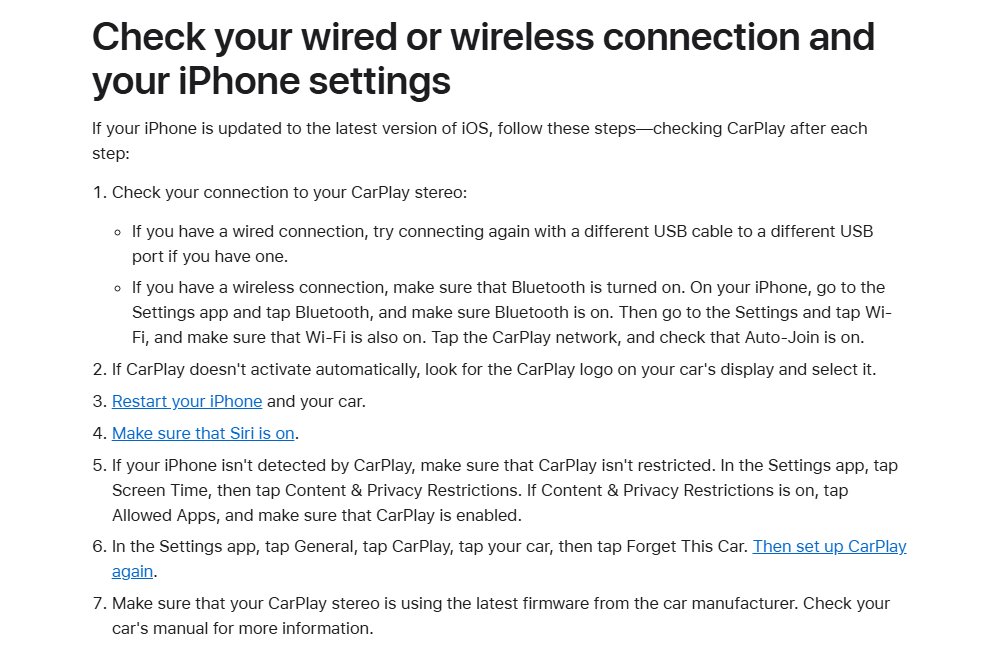
An update can leave an old CarPlay pairing record that the car no longer accepts. Pairing from scratch clears it, and it takes about two minutes per iPhone. In a Ford, the SYNC Bluetooth and CarPlay pairing steps work the same way after you forget the car.
- On the iPhone, open Settings and tap General.
- Tap CarPlay, then tap your car.
- Tap Forget This Car.
- Restart the iPhone, then switch the car off and on again.
- Start the car and make sure Siri is on in the iPhone's Settings app.
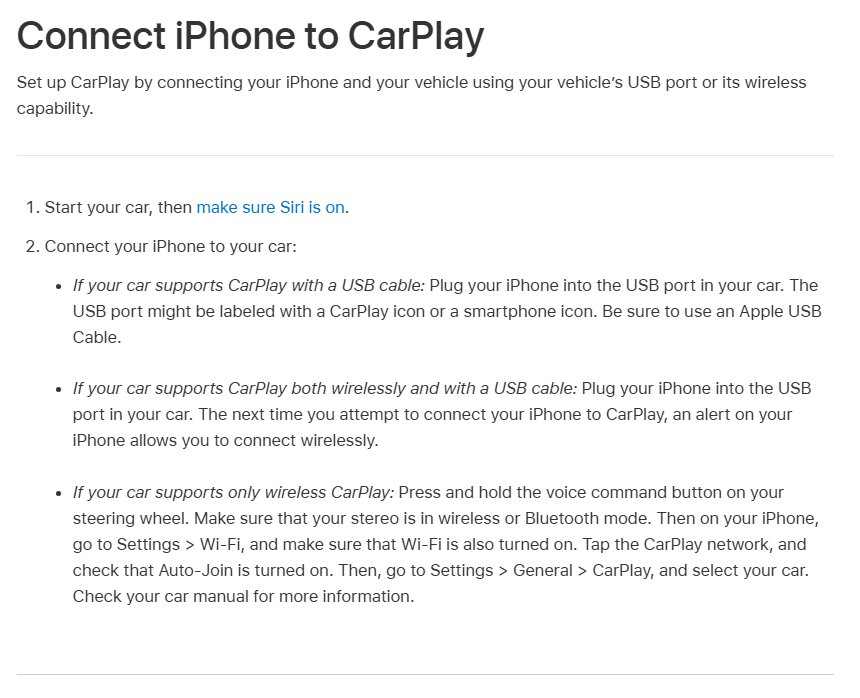
- Plug the iPhone into the car's USB port marked with a CarPlay or smartphone icon, or follow the wireless setup steps below.
- Select the CarPlay logo on the car's display if CarPlay does not open by itself.
- Repeat the same steps on the second iPhone.
Why CarPlay stops working on two iPhones after an iOS update
When two iPhones that worked in the same car both fail after updating, the common link is the car's stored pairings, the cable and port, or the stereo firmware rather than a fault in each phone.
Apple's iOS 27 release notes, last updated October 26, 2026, list no CarPlay-specific fix, so start with the checks below rather than waiting for a patch.
| What you see | Likely cause | Fix to try first |
|---|---|---|
| Car does not react when you plug in | Cable, port or USB-C adapter problem | Different Apple USB cable and a different USB port |
| iPhone charges but CarPlay never starts | CarPlay restricted or old pairing | Check Screen Time, then Forget This Car |
| Wireless CarPlay does not connect | Bluetooth, Wi-Fi or Auto-Join switched off | Turn on Bluetooth and Wi-Fi and Auto-Join for the CarPlay network |
| Both iPhones fail in one car, work in another | Car stereo firmware or saved phone list | Restart the car, remove the phones from the car's list, ask the dealer about firmware |
| One app missing or broken in CarPlay | App not supported or app bug | Check Customize in CarPlay settings, update or contact the app developer |
CarPlay requirements on iOS 27
| Requirement | What to check |
|---|---|
| Region | Your country or region supports CarPlay |
| Car | Your car or aftermarket stereo supports CarPlay; ask the car maker if unsure |
| iOS version | The iPhone runs the latest iOS 27 update |
| Siri | Siri is turned on |
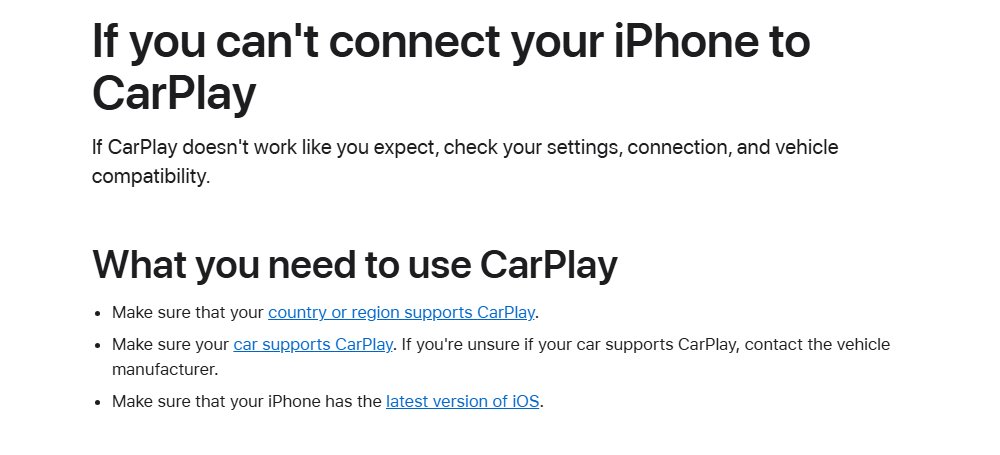
| Cable (wired) | An Apple USB cable plugged into the CarPlay-marked port |
| Bluetooth and Wi-Fi (wireless) | Both turned on, with Auto-Join on for the car's CarPlay network |
Wired CarPlay not working after iPhone update
Updates sometimes coincide with a cable that has quietly worn out. Charging still works over a damaged cable, but the data link CarPlay needs can fail.
- Unplug the iPhone and plug it into a different USB port in the car, if it has one.
- Swap to a different Apple USB cable.
- Use the port marked with a CarPlay or smartphone icon rather than a charge-only port.
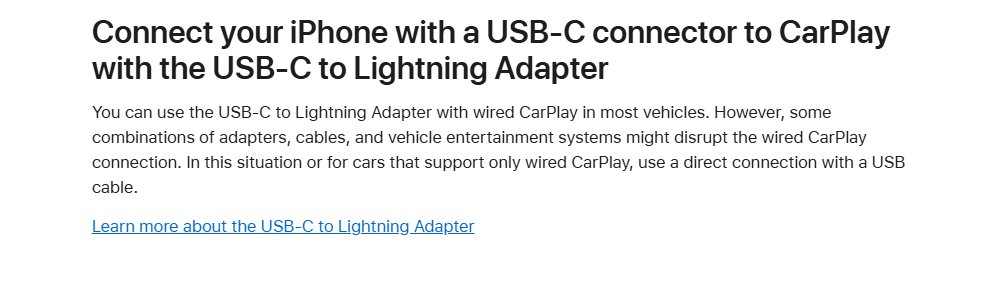
- If you use a USB-C to Lightning Adapter, remove it and connect with a direct USB cable instead.
- Unlock the iPhone and watch for a CarPlay prompt on its screen.
- Select the CarPlay logo on the car's display.
Wireless CarPlay not working after iOS 27 update
- Open Settings > Bluetooth and make sure Bluetooth is on.
- Open Settings > Wi-Fi and make sure Wi-Fi is on.
- Tap the car's CarPlay network and check that Auto-Join is on.
- Put the car stereo in wireless or Bluetooth mode.
- Press and hold the voice command button on the steering wheel.
- Go to Settings > General > CarPlay and select your car.
If the car supports both wired and wireless CarPlay, plug in with a cable once. The iPhone then offers to connect wirelessly on later drives.
iPhone not detected by CarPlay: check Screen Time restrictions
A Screen Time restriction hides CarPlay completely, and the car then behaves as if no iPhone is connected.
- Open the Settings app and tap Screen Time.
- Tap Content & Privacy Restrictions.
- If restrictions are on, tap Allowed Apps.
- Make sure CarPlay is turned on.
- Reconnect the iPhone to the car.
Update iOS and car stereo firmware for CarPlay
Apple asks for the latest iOS before any other CarPlay fix. The car's own software matters as much, especially when every phone fails in one car.
- Open Settings > General > Software Update on each iPhone.
- If an update is listed, tap Download and Install and follow the prompts.
- Check the car manual or the maker's owner app for an infotainment update.
- Ask the dealer to install the latest CarPlay stereo firmware if no self-service update exists.
- For an aftermarket stereo, get the firmware from the stereo maker's own support site.
Reset network settings to fix CarPlay on iPhone
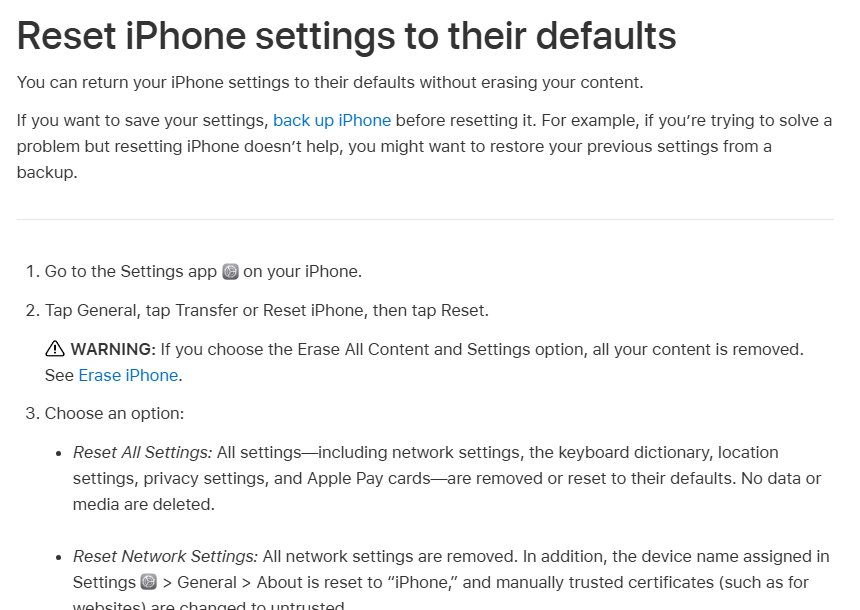
Use this only after the steps above fail. It erases saved Wi-Fi networks and VPN settings that were not installed by a profile, and renames the device back to "iPhone". No photos, apps or data are deleted.
- Open Settings and tap General.
- Tap Transfer or Reset iPhone, then tap Reset.
- Tap Reset Network Settings and enter your passcode.
- Turn Bluetooth and Wi-Fi back on after the iPhone restarts.
- Set up CarPlay with the car again.
Do not tap Erase All Content and Settings. That wipes the whole iPhone.
Confirm CarPlay works on both iPhones
- Connect the first iPhone and wait for CarPlay Home or the dashboard on the car display.
- Ask Siri for directions with the steering wheel voice button to confirm audio and the microphone work.
- Play music for a minute to confirm sound comes through the car speakers.
- Disconnect, then connect the second iPhone and repeat the same checks.
- Restart the car once and confirm both phones reconnect on their own.
CarPlay suddenly stopped working: fixes by symptom
CarPlay suddenly stopped working
A stalled iPhone or infotainment session after the update.
- Force restart the iPhone: press and release volume up, press and release volume down, then hold the side button until the Apple logo appears.
- Switch the car fully off, open and close the door, and start it again.
- Reconnect and select the CarPlay logo on the display.
Apple CarPlay not working with new iPhone
The car still holds the old phone, or the new phone uses a USB-C cable or adapter the car rejects.
- Remove the old phone from the car's phone list using the car's settings menu.
- Use a direct USB cable instead of an adapter.
- Set up CarPlay from scratch on the new iPhone.
CarPlay phone not working
The iPhone is not recognised because CarPlay is restricted or Siri is off.
- Turn CarPlay back on under Screen Time > Content & Privacy Restrictions > Allowed Apps.
- Make sure Siri is on.
- Forget the car and pair again.
CarPlay not working after update on one app only
The app has not been updated for the new iOS or is not CarPlay-capable.
- Update the app from the App Store.
- Check it is listed under Settings > General > CarPlay > your car > Customize.
- Contact the app's developer if it still fails.
iOS 27 CarPlay not working FAQ
Why is Apple CarPlay not working?
CarPlay usually fails because of a faulty cable or port, Bluetooth or Wi-Fi turned off, Siri turned off, a Screen Time restriction or an old pairing. Check each, then forget the car and set CarPlay up again.
Why will Apple CarPlay not work after an update?
An update can leave a pairing the car no longer accepts. Tap Forget This Car under Settings > General > CarPlay, restart the iPhone and the car, and connect again.
Why does CarPlay fail on two iPhones at the same time?
When two phones fail together in one car, the shared factor is usually the car: its saved phone list, the USB port or cable, or old stereo firmware. Test both phones in another CarPlay car to confirm.
Has Apple fixed CarPlay problems in iOS 27?
Apple's About iOS 27 Updates page, updated October 26, 2026, lists no CarPlay-specific fix. Install the latest update anyway, because Apple asks for the newest iOS before other CarPlay troubleshooting.
How do I fix CarPlay not working on my iPhone?
Try a different Apple cable and port, turn on Bluetooth, Wi-Fi and Auto-Join for wireless CarPlay, check Screen Time restrictions, restart both devices, then forget the car and pair again.
Does Forget This Car delete anything from my iPhone?
No. Forget This Car removes that car's CarPlay setup, and you set CarPlay up again the next time you connect. It is not an erase option like Erase All Content and Settings.
Can a USB-C adapter stop CarPlay working?
Yes. Apple notes that some combinations of the USB-C to Lightning Adapter, cables and car stereos disrupt wired CarPlay. Use a direct USB cable instead.