You can recover an iCloud account without your old phone number or email by choosing Can't use [phone number] at sign-in, or by going to iforgot.apple.com, and requesting account recovery with a phone number you can use now.
This guide covers which recovery factors Apple accepts instead, how the waiting period works, what cancels a request, and how to update your number and email once you are back in.
How to start iCloud account recovery without your old phone number
Your iCloud account is your Apple Account, so recovering one recovers the other. Start from any Apple sign-in screen that asks for a verification code.
- Try to sign in to your Apple Account with your email address or phone number and password.
- On the verification code screen, select Didn't Get a Code? or Can't get to your devices?.
- Choose Can't use [phone number].
- Follow the onscreen steps to request account recovery, giving a phone number you can receive texts or calls on now.
- Wait for the confirmation email or iMessage with the date and time you can expect to regain access.
If you forgot the password as well, select Forgot password? on the sign-in screen instead, and Apple walks you through the same recovery factors and waiting period.
iCloud recovery options by what you still have
| What you still have | What to do | How fast |
|---|---|---|
| Another Apple device already signed in, such as an old iPad or Mac | Change your Apple Account password on that device | Immediate, no account recovery needed |
| Access to the old number again within a few days | Wait, then sign in with two-factor authentication | Faster than account recovery |
| A recovery contact | Ask them for a 6-digit recovery code | Fast, and shorter than full recovery |
| Access to your Apple Account email, or the card on file | Enter them when Apple asks for recovery factors | Can let you reset without the full wait |
| A recovery key or security keys | Use the key with a trusted phone number or device | Apple's standard recovery is turned off for these accounts |
| Nothing except your Apple Account email or number | Request account recovery | Several days or longer |
Recovery factors Apple accepts instead of your old phone number
When you have no trusted device, Apple asks for recovery factors to verify your identity. The more you can provide, the more likely you can reset without a long wait.
| Recovery factor | What Apple asks for | Notes |
|---|---|---|
| Trusted phone number | A verification code sent to that number | This is the factor you have lost, so the others matter more |
| Recovery contact | A 6-digit code from the person you chose | They need an Apple device and never get access to your account |
| Apple Account email address | Access to the email on the account | Any email or phone number on the account works for sign-in |
| Credit card on the account | The card's CVV | If the card issuer declines the check, select Don't have access to this card |
| Recovery key or security key | The 28-character key or a physical key | Without it, the account can be locked permanently |
Recover iCloud account without the old phone at iforgot.apple.com
Apple directs account recovery to Safari on a device with iOS 17 or later or macOS 27 or later. When possible, the site sends you to a trusted device instead.
- Open Safari and go to iforgot.apple.com.
- Enter your Apple Account email address or phone number.
- Answer the recovery factor prompts you can, such as your email address or card CVV.
- When you cannot provide enough factors, choose to request account recovery.
- Enter a phone number you can use now, and note the email and number you entered.
- Wait for the confirmation within 72 hours.
If you started on a device with iOS 17, iPadOS 17 or macOS 27 or later, you can keep using that device. If you started on the web, turn off all your Apple devices during the wait.
Recover iCloud account without iPhone using the Apple Support app
Use a friend's iPhone or iPad, or a device at an Apple Store. The details you enter are not stored on the borrowed device.
- Open the Apple Support app, or install it from the App Store.
- Scroll to Support Tools and select Reset Password.
- Select Help Someone Else.
- Enter your Apple Account email address or phone number.
- Follow the onscreen steps to reset your password or request account recovery.
Recover iCloud account with a recovery contact
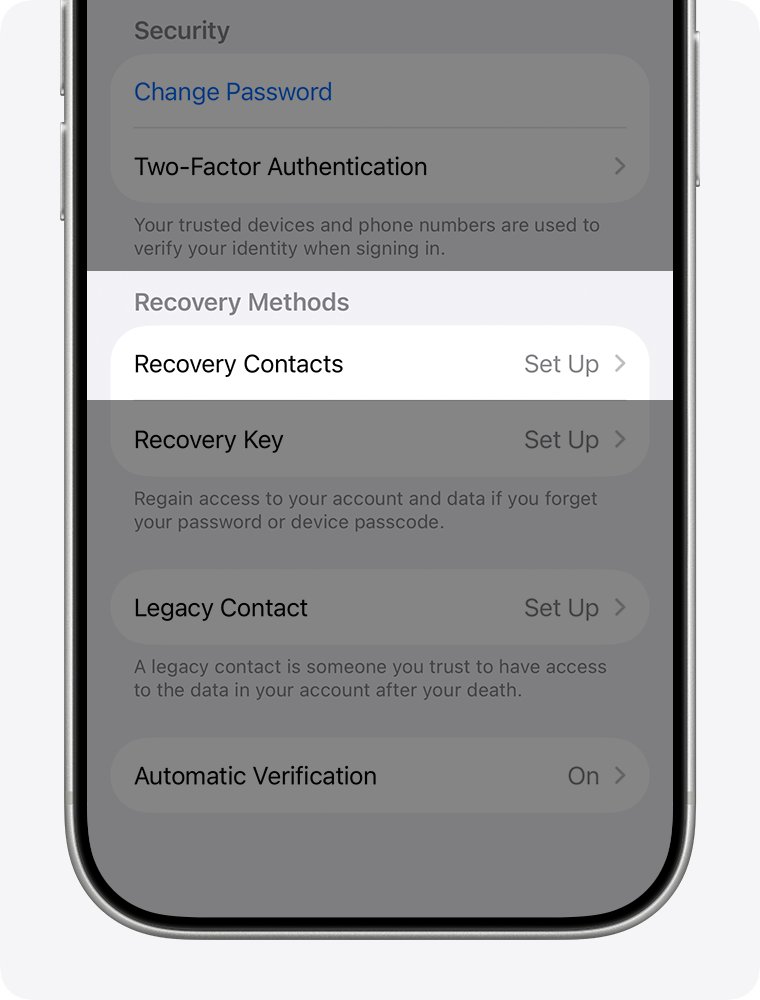
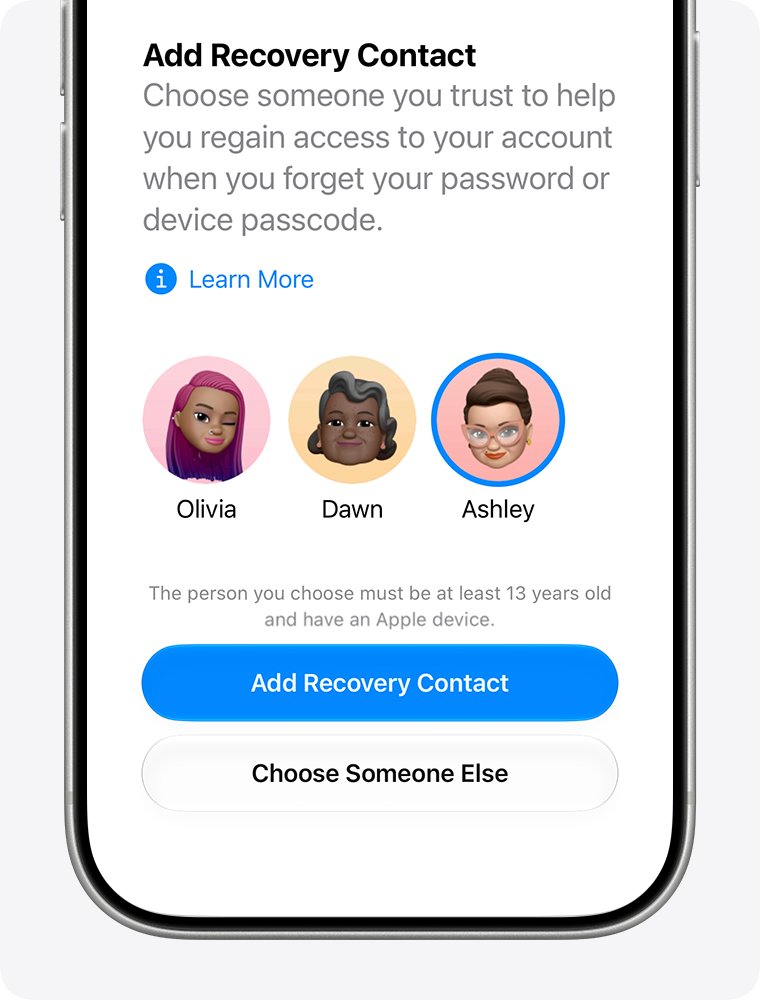
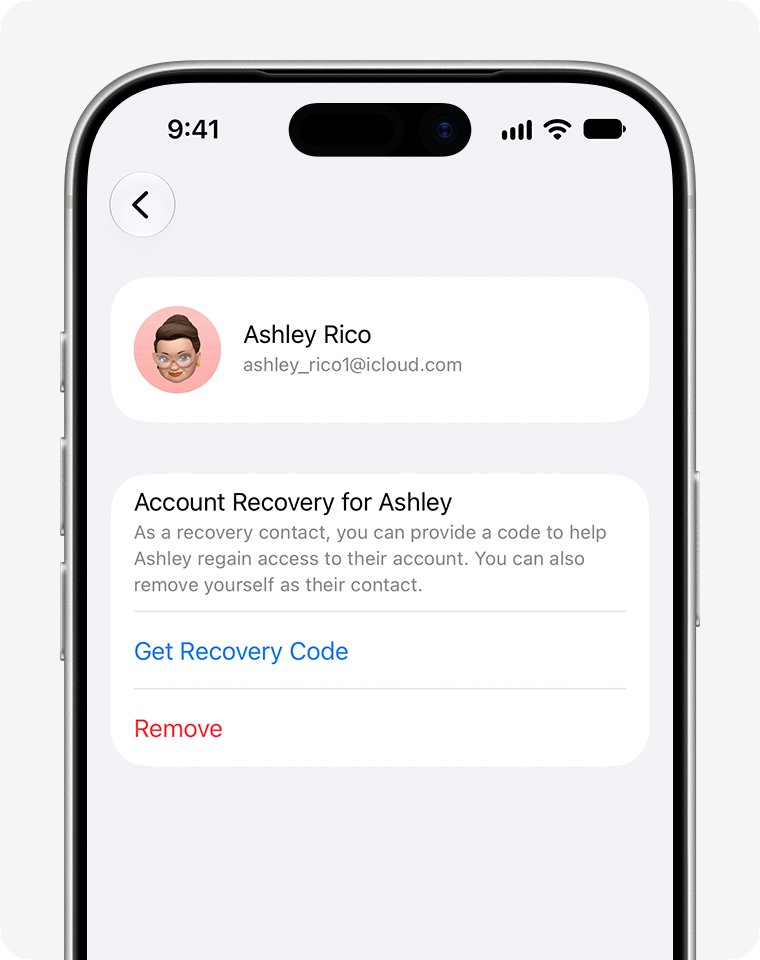
A recovery contact is someone you added under Recovery Contacts before you lost access. They can get a code for you, but they cannot see your data. Apple does not know who your recovery contacts are, so you need to remember them yourself.
- Start a password reset from Forgot password? or iforgot.apple.com.
- When asked, choose to get help from your recovery contact.
- Contact the person by phone or in person and ask for your recovery code.
- Ask them to open Settings > [their name] > Sign-In & Security > Recovery Contacts and follow the onscreen steps to get your code.
- Enter the 6-digit code and set a new password.
Without a recovery contact you can still complete full account recovery, but Apple says it can take longer.
Find your Apple Account email when you forgot it
Any email address or phone number on the account can be used to sign in. If you no longer know which one that is, look it up before you start recovery.
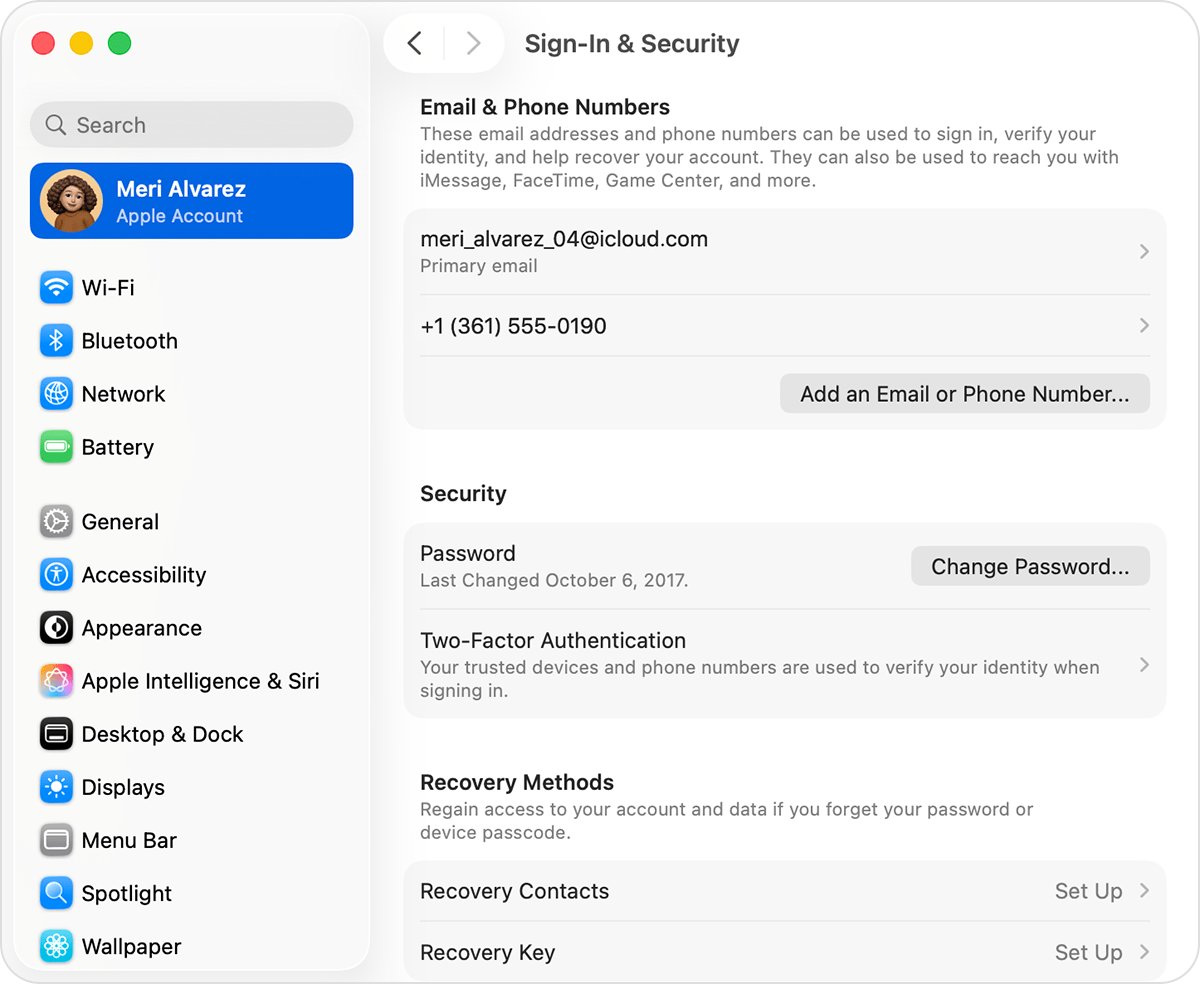
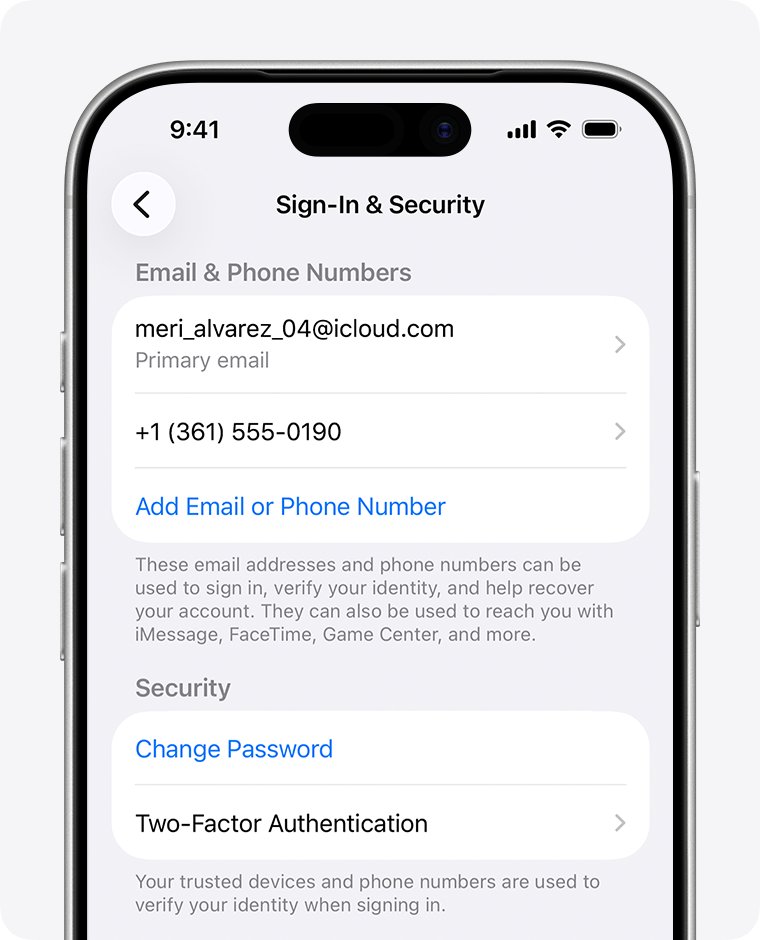
- On any Apple device that is still signed in, open Settings > [your name] > Sign-In & Security to see the emails and numbers on the account.
- On a Mac, open Apple menu > System Settings > [your name] > Sign-In & Security.
- On a Windows PC, open iCloud for Windows and look under your name.
- Go to account.apple.com and check whether the sign-in box remembers your email or number.
- Search your inbox for Apple receipts or billing emails, which can include the account email.
- If you are in a Family Sharing group, ask a family member to check their Family Sharing settings.
How does iCloud account recovery work?
Account recovery is Apple's last resort when you cannot reset your password. The wait is a fixed security delay, and contacting Apple Support cannot shorten it.
| Stage | What happens |
|---|---|
| Request | You request recovery from the sign-in screen, iforgot.apple.com or the Apple Support app |
| Confirmation | An email, or an iMessage for phone-only accounts, arrives within 72 hours with the date and time you can expect access |
| Waiting period | Several days or longer, depending on the account information you could provide |
| Account ready | Apple emails you and texts or calls the phone number you used to start recovery |
| Regain access | Follow the instructions in the message, or go to apple.com/recover after the time in your confirmation email |
What cancels or delays iCloud account recovery
A few actions reset the clock or cancel the request outright. Avoid them until the wait ends.
| Action | Effect |
|---|---|
| Using an Apple device that is signed in to your account | Cancels the request |
| Signing in successfully with your password | Cancels the request, because you no longer need it |
| Changing the password on another signed-in device | Cancels the request and gives you access with the new password |
| Submitting another request without new recovery factors | Does not speed it up and can extend the wait |
| Checking status with a different email or phone number | Can extend the wait |
| Calling Apple Support to rush it | No effect, the waiting period is fixed |
If you find an old signed-in device but cannot unlock it, turn it off so its activity does not cancel your request.
How to check iCloud account recovery status
- Open the confirmation email or iMessage and note the expected completion time.
- Go to iforgot.apple.com.
- Enter the same email address and phone number you used to start the request.
- Read the status and expected recovery time shown on the page.
If the page shows no active request, it was not submitted or was canceled, and you can submit a new one.
Update your Apple Account email and trusted phone number after recovery
Once you are signed in, replace the number and email you lost so this does not happen again. Changing the email does not remove your contacts, purchases or other account data, though you can export your iCloud contacts first if you want a copy.
- On iPhone, open Settings, tap your name, then tap Sign-In & Security.
- Tap Two-Factor Authentication, then tap Add Trusted Phone Number and verify the new number.
- Remove the old number from the list of trusted numbers.
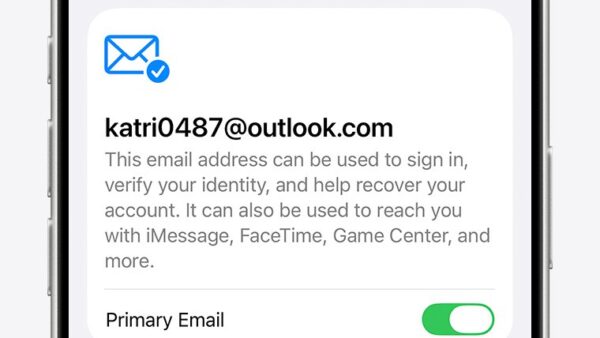
- Back in Sign-In & Security, tap your primary email address and choose Remove from Account or turn off Primary Email.
- Add and verify a new primary email address.
- Set up a recovery contact under Recovery Contacts so a future lockout is shorter.
On the web, go to account.apple.com, select Sign-In and Security, then Account Security for phone numbers or Email & Phone Numbers for email. If the lost phone still holds your cards, you can also remove Apple Pay from that phone from the same Devices list.
iCloud account recovery problems and fixes
No confirmation email after starting recovery
The email can take up to 72 hours or land in spam.
- Wait the full 72 hours from when you started.
- Check your spam and junk folders.
- Go to iforgot.apple.com and check whether the request is active, using the same email and number.
Apple says the card information is incorrect
The card issuer declined the CVV check, even when the CVV is right.
- Select Don't have access to this card.
- Continue with the other recovery factors or the account recovery request.
Recovery request disappeared or was canceled
A device signed in to your account was used during the wait.
- Turn off every Apple device signed in to your account that you cannot unlock.
- Submit a new request at iforgot.apple.com.
- Leave the devices off until Apple contacts you.
No account recovery option because a recovery key is set
A recovery key turns off Apple's standard account recovery.
- Find the printed or written copy of your 28-character recovery key.
- Use it with a trusted phone number and an Apple device to reset your password.
- If the key is lost, Apple cannot provide it, and the account can stay locked.
iCloud account recovery FAQ
How do I recover my iCloud account?
Select Forgot password? on any Apple sign-in screen, or go to iforgot.apple.com, and follow the prompts. Apple tries a trusted device first, then recovery factors such as your email or a recovery contact, and offers account recovery when those fail.
How do I recover my iCloud account without my iPhone?
Use iforgot.apple.com in Safari on another device, or the Apple Support app on a borrowed iPhone with Reset Password and Help Someone Else. Turn off any other signed-in devices during the wait so they do not cancel the request.
How do I recover iCloud without a phone?
Start recovery on a computer at iforgot.apple.com and give a phone number you can reach now, even a borrowed one. Apple sends the final instructions to that number and your email, and you can also finish at apple.com/recover.
How do I recover my iCloud account without the old number?
On the verification code screen, select Didn't Get a Code? or Can't get to your devices?, then choose Can't use [phone number]. Follow the onscreen steps to request account recovery with a number you can use now.
How do I recover my iCloud account without the old phone?
First look for any other Apple device still signed in, such as an iPad or Mac, and change the password there. If none exists, use a recovery contact's code or request account recovery at iforgot.apple.com and wait out the delay.
How does iCloud account recovery work?
You request recovery, Apple confirms within 72 hours with the date you can expect access, and a fixed waiting period of several days or longer follows. When it ends, Apple emails and texts or calls you with the steps to regain access.
Can Apple Support speed up iCloud account recovery?
No. The waiting period is fixed for security, and contacting Apple Support cannot shorten it. Submitting extra requests can extend it, so only resubmit if you find new recovery factors, such as access to your old email.
Bottom line: fastest iCloud recovery without the old number or email
Check for any device still signed in and for a recovery contact before you request account recovery, and if you do request it, leave every signed-in device off until Apple contacts you. A signed-in device or recovery contact restores access in minutes, while full account recovery takes days and is canceled by any activity from a signed-in device.