To open an EPS image file on Windows, use Adobe Illustrator if you need to edit the vectors, or open it free in GIMP, which converts the artwork to pixels you can view, edit and export as PNG or JPG.
This guide covers each app step by step, how to convert EPS for Word and PowerPoint, why Office refuses EPS files, and what to do when an EPS opens as a blank placeholder.
How to open an EPS image file
Pick the app by what you need from the file. Viewing and editing vectors are different jobs, and only a vector editor keeps the artwork scalable.
| What you need | Use this app | What you get |
|---|---|---|
| Edit the vector artwork (logos, text, paths) | Adobe Illustrator | Full vector editing; save back to EPS, PDF or SVG |
| View or touch up the image for free | GIMP | A pixel version at the size you choose; export to PNG or JPG |
| Edit as a photo inside a Photoshop project | Adobe Photoshop | A rasterized copy you can retouch; vectors are not editable |
| Place a logo in a document or drawing for free | LibreOffice Draw | The file's built-in preview on the page; prints fully on a PostScript printer |
| Put the image in Word, Excel or PowerPoint | Convert it to SVG, EMF or PNG first | Office no longer accepts EPS files |
Open EPS files in Adobe Illustrator on Windows
Illustrator is the app Adobe names for editing the vector data inside an EPS file. Use it when the logo or artwork has to stay sharp at any size.
- Open Adobe Illustrator.
- Select File > Open, or press Ctrl + O.
- Browse to the EPS file, select it and select Open.
- Edit the paths, colours or text with the usual Illustrator tools.
- Select File > Save As and choose Illustrator EPS (*.EPS) to keep the EPS format, or another format to convert it.
If text was converted to outlines before the EPS was saved, it opens as shapes rather than editable type, so you can only redraw or replace it.
Open EPS files in Photoshop
Photoshop opens EPS files, but it rasterizes them: the vector artwork becomes pixels and can no longer be edited as vectors. Decide on the final size before you open the file.
- Open Adobe Photoshop.
- Select File > Open.
- Select the EPS file and select Open.
- Set the width, height, resolution and colour mode Photoshop asks for, choosing the largest size you will need.
- Select OK to rasterize the image.
- Select File > Save As or Export to keep a PSD, PNG or JPG copy.
Open EPS files free with GIMP
GIMP reads EPS and PostScript files through Ghostscript, which the Windows installer of GIMP includes, so there is nothing extra to install. Like Photoshop, GIMP turns the artwork into pixels.
- Install GIMP from gimp.org and open it.
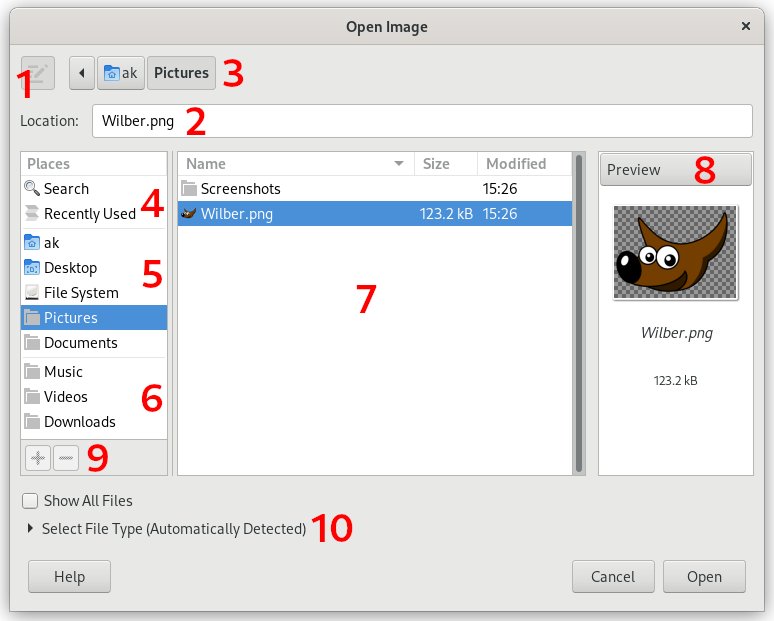
- Select File > Open.
- Select the EPS file and select Open.
- In the import dialog, set the resolution or size and confirm; a higher resolution gives a sharper but larger image.
- View or edit the image.
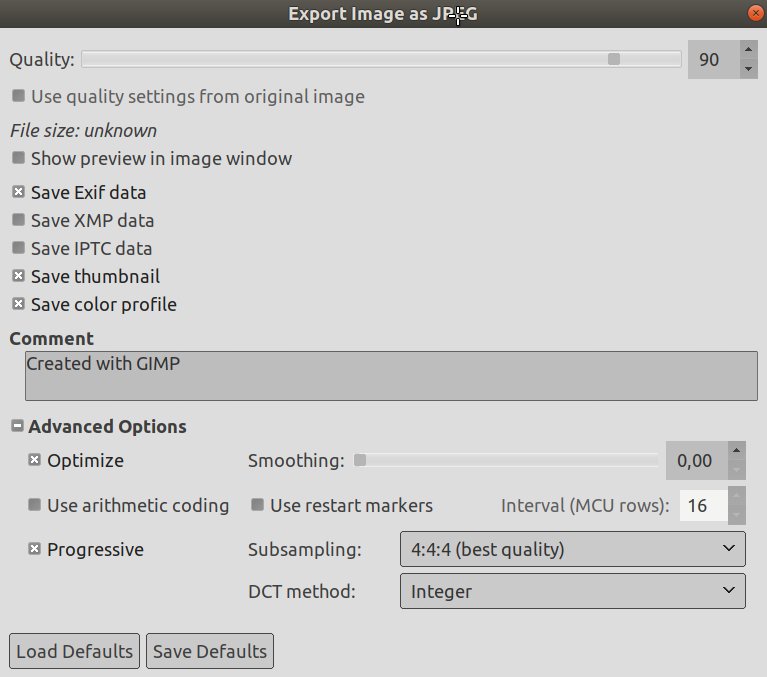
- Select File > Export As, type a name ending in .png or .jpg and select Export.
View an EPS file in LibreOffice Draw
LibreOffice shows the preview image stored inside an EPS file rather than rendering the PostScript itself. That is enough to place a logo on a page or check what the file contains.
- Open LibreOffice Draw.
- Select Insert > Image.
- Select the EPS file and select Open.
- Resize the image on the page as needed.
- Print to a PostScript printer if you need the full-quality artwork; other printers print the preview.
If the EPS was saved without a preview, LibreOffice shows an empty placeholder the size of the graphic. Use GIMP or Illustrator for those files.
What is an EPS file?
EPS stands for Encapsulated PostScript, a graphics format Adobe created in the late 1980s for professional printing. It is still a common delivery format for logos and print artwork.
| Property | EPS file |
|---|---|
| File extension | .eps |
| Contents | Vector data, bitmap data or both, written in the PostScript language |
| Preview | Can carry a low-resolution preview image (TIFF or EPSI) for apps that cannot render PostScript |
| Scaling | Vector content scales to any size without losing quality |
| Transparency | Not supported natively |
| Common uses | Commercial printing, signs and billboards, engraving and vinyl cutting, logo packs |
| Modern alternatives | PDF for print, SVG for the web, AI for editing in Illustrator |
How to convert an EPS file
Convert an EPS when the app you need cannot open it, such as Word or a website builder. Keep the original EPS as your master copy.
| Convert to | Best for | How |
|---|---|---|
| SVG | Word, PowerPoint and Excel (Microsoft 365, 2019 and later), websites | Illustrator: File > Export > Export As > SVG |
| EMF | Older Office versions (2007 to 2016) | Illustrator: File > Export > Export As, choose an EMF format |
| Printing, sharing with people who have no design app | Illustrator: File > Save As > Adobe PDF | |
| PNG | Any app, transparent background | GIMP: File > Export As, name ending .png |
| JPG | Email, photos, smallest file | GIMP: File > Export As, name ending .jpg |
Once you have a PDF copy, you can open PDF files in Windows 11 with Microsoft Edge without any design software.
Microsoft also lists online converters such as CloudConvert and Convertio for EPS to SVG or EMF. Upload only files you are allowed to share, because the file leaves your PC.
Can you insert EPS files in Word or PowerPoint?
No for current versions. Because EPS files can carry embedded scripts that were used in attacks, Microsoft turned off EPS insertion in all Windows versions of Office with the April 11, 2017 security update.
| Office version | Can it insert EPS? | Use instead |
|---|---|---|
| Microsoft 365, Office 2024, 2021, 2019 | No, by any means | SVG or EMF |
| Office 2016, 2013, 2010 | Off by default; a registry change can re-enable it, which Microsoft strongly advises against | EMF (SVG is not supported) |
| Office 2016 for Mac, Office for Mac 2011 | Unaffected by the change | EPS still inserts |
EPS images inserted before the change were converted to EMF at the time, so older documents still show them normally.
Are EPS files safe to open on Windows?
Open EPS files only from senders you trust, and open them in a graphics app rather than enabling EPS support in Office. Microsoft disabled EPS in Office because the format allows embedded scripts and kept being used for malicious attacks. A file from a client or stock site you know is routine; an unexpected EPS email attachment is not.
EPS file not opening on Windows
Word or PowerPoint shows "This picture can't be displayed"
Office has turned off EPS insertion; this is intentional, not a bug.
- Open the EPS in Illustrator or GIMP.
- Export it as SVG (Illustrator) or PNG (GIMP).
- Insert the new file with Insert > Pictures.
The EPS shows only a grey box or empty placeholder
The app displays the embedded preview, and this file was saved without one.
- Open the file in GIMP or Illustrator, which render the PostScript itself.
- Export a PNG or PDF copy for apps that need a preview.
The EPS looks blurry or pixelated after opening
Photoshop and GIMP rasterize EPS at the size you set on import.
- Close the image without saving.
- Open the EPS again and set a larger size or higher resolution in the import dialog.
- Use Illustrator if you need the artwork to stay scalable.
Text in the EPS cannot be edited
The text was converted to outlines, or the font was not embedded, when the EPS was made.
- Ask the sender for the original AI file or the font used.
- Otherwise retype the text in Illustrator over the outlined shapes.
EPS file on Windows FAQ
What program opens EPS files on Windows?
Adobe Illustrator opens EPS files with full vector editing. Adobe Photoshop and the free GIMP open them as pixel images, and LibreOffice Draw shows the preview stored in the file. For Word or PowerPoint, convert the EPS to SVG, EMF or PNG first.
Can I open an EPS file without Illustrator?
Yes. GIMP is free and opens EPS files on Windows because its installer includes Ghostscript, the program that reads PostScript. GIMP converts the artwork to pixels, so you can view, edit and export it, but not edit the vectors.
Why can't I open EPS files in Microsoft Word?
Microsoft turned off EPS support in Windows versions of Office with the April 2017 security update, because EPS files can contain embedded scripts used in attacks. Microsoft 365 and Office 2019 or later cannot insert EPS at all; use SVG or EMF.
Is EPS a vector or raster file?
EPS can hold vector data, bitmap data or both. Logos and illustrations saved as EPS are usually vector, which is why they scale to billboard size without losing sharpness. A photo saved as EPS is still a raster image inside.
How do I convert EPS to PNG on Windows?
Open the EPS in GIMP with File > Open, set the size in the import dialog, then choose File > Export As, type a name ending in .png and select Export. Illustrator can also export PNG with File > Export > Export As.
What is the difference between EPS and PDF?
Both come from Adobe's PostScript technology. PDF opens in any browser, is easier to edit and works across more systems. EPS is an older format that some printers, engravers and older equipment still ask for.
Is EPS better than SVG?
SVG is the better choice for websites and current Office apps, which accept SVG but not EPS. EPS remains common for professional print work and as a backup format for logo files sent to print shops.
Does Photoshop keep EPS files as vectors?
No. Photoshop rasterizes an EPS when it opens it, turning the vector artwork into pixels at the size and resolution you choose. To keep editing the vectors, open the file in Adobe Illustrator instead.