Get the Windows 11 26H2 enablement package, KB5121794, by opening Settings > Windows Update on a Windows 11 24H2 or 25H2 PC and selecting Download & install when version 26H2 is offered; direct .msu files for x64 and ARM64 are also listed below.
This guide covers every route to the package, from Windows Update to WSUS, Intune and the standalone files, plus who can use it, how to confirm it installed and what to do when it is not offered.
How to get the 26H2 enablement package through Windows Update
Windows 11 version 26H2 reached general availability on September 29, 2026. Microsoft is releasing it through a phased rollout that will expand over the next few months, so most PCs are not offered it on day one.
- Open Settings and select Windows Update.
- Turn on Get the latest updates as soon as they're available.
- Select Check for updates and install any pending cumulative update first.
- When Windows 11, version 26H2 is available appears, select Download & install.
- Restart the PC when Windows asks. One restart completes the move to 26H2.
Microsoft's release health page states that when the update is ready for a device with that toggle turned on, it downloads and installs automatically. Select See what's in this update before installing if you want Microsoft's summary first.
Which download route fits your PC
Every route below delivers the same KB5121794 package. The difference is who controls the timing: Microsoft's rollout, your IT department, or you.
| Your situation | Use this route | Why |
|---|---|---|
| Home or small-office PC on 24H2 or 25H2 | Windows Update with the early-updates toggle on | Microsoft's supported route; it respects safeguard holds |
| Organisation running Windows Server Update Services | WSUS: product Windows 11, classification Upgrades | The package syncs automatically once those are selected |
| Devices managed in Microsoft Intune | A feature update policy targeting version 26H2 | Keeps the version enforced until the policy changes |
| Windows Autopatch or Microsoft 365 admin center | The 26H2 feature update in those tools | Available now, though Microsoft warns downloads there may be delayed |
| Offline PC, lab machine or a PC you want on 26H2 today | The direct .msu file for x64 or ARM64 | No wait for the rollout, but you must check the prerequisite yourself |
| Windows 11 23H2 or Windows 10 | A full upgrade, not the enablement package | KB5121794 applies only to versions 24H2 and 25H2 |
PCs on 23H2 or Windows 10 need the Installation Assistant, media creation tool or an ISO; each is covered in the guide to every official way to install 26H2.
Check your PC can use KB5121794
Open Settings > System > About and read the version under Windows specifications. Then compare it with these requirements from Microsoft's KB5121794 article.
| Requirement | Detail |
|---|---|
| Current version | Windows 11, version 24H2 or version 25H2 |
| Prerequisite update | The September 22, 2026 preview update KB5124010, or any later cumulative update |
| Editions covered | Home and Pro, Enterprise and Education, Enterprise multi-session and IoT Enterprise, on versions 24H2 and 25H2 |
| Architecture | Separate packages exist for x64 (Intel and AMD) and ARM64 PCs |
| Restart | Required after the package installs |
| Not eligible | Windows 11 23H2 and older, Windows 10, and Windows 11 26H1, which Microsoft scopes to new devices |
KB5124010 reaches PCs through Settings > Windows Update > Advanced options > Optional updates. Any cumulative update released after it also satisfies the requirement.
What the enablement package does
Windows 11 24H2, 25H2 and 26H2 share one core operating system with an identical set of system files. The 26H2 features already arrived in monthly cumulative updates in a dormant state. KB5121794 is the small switch that turns them on, which is why it is so small and needs one restart.
| Question | Answer from Microsoft |
|---|---|
| What installs | A small, quick-to-install package that activates 26H2 features already on the PC |
| New version | Windows 11, version 26H2, OS build 26300 |
| Restarts | One |
| Replaces other updates | No; it does not replace any previously released update |
| Support clock | Resets to 24 months for Home and Pro and 36 months for Enterprise and Education |
The feature changes, lifecycle dates and upgrade paths are broken down in the KB5121794 explainer.
Download Windows 11 26H2 Enablement Package (KB5121794)
Microsoft's KB5121794 article lists Windows Update and WSUS as the release channels, and its Microsoft Update Catalog tab says: "This update is only available through the other release channels." A Catalog search for KB5121794 returns no results.
The two .msu files below are still hosted on Microsoft's own download server, catalog.sf.dl.delivery.mp.microsoft.com, the same file host the Update Catalog uses. They are simply not listed in the Catalog search. Pick the file that matches your processor, listed under Device specifications on the About page.
- KB5121794 for x64 (Intel and AMD), 173 KB — Windows11.0-KB5121794-x64 .msu, 177,535 bytes, dated 27 Aug 2026
- KB5121794 for ARM64, 175 KB — Windows11.0-KB5121794-arm64 .msu, 178,969 bytes, dated 27 Aug 2026
Install KB5124010 or a later cumulative update before you use either file. The package only switches on code that the cumulative update delivers, so on an older build there is nothing for it to activate.
Install the .msu file with DISM
An .msu file is a Windows Update Standalone Installer package. Microsoft documents DISM's /Add-Package option for adding .msu packages to a running Windows 11 installation. Run it from an elevated Command Prompt or Terminal, with the path changed to where you saved the file.
DISM /Online /Add-Package /PackagePath:C:\Updates\Windows11.0-KB5121794-x64_5e20a3cce48d6611b16bdec42b07167f5456586a.msu/Online targets the running copy of Windows, and /Add-Package with /PackagePath installs the named .msu file. Use the arm64 file name on an ARM64 PC.
You should see: DISM reports that the operation completed successfully and asks for a restart. After the restart, the About page shows version 26H2.
Microsoft notes that /Add-Package does not run a full check of a package's applicability and dependencies. That is why the KB5124010 prerequisite is your job to confirm before running the command.
Deploy the enablement package with WSUS
Organisations running Windows Server Update Services get KB5121794 automatically once the server syncs the right product and classification. The approval appears as a feature update, not under its KB number.
- Open the WSUS console and go to Options > Products and Classifications.
- On the Products tab, select Windows 11.
- On the Classifications tab, select Upgrades, then select OK.
- Synchronize the server.
- Approve the update named Windows 11, version 26H2 for a pilot group of 24H2 and 25H2 devices.
- Widen the approval once the pilot group runs its business apps without problems.
Microsoft recommends targeted deployments before broad rollout. Rings, deferrals and Configuration Manager specifics are part of 26H2 enterprise deployment.
Deploy it with Intune or Windows Autopatch
In Microsoft Intune, a feature update policy targets one Windows version and keeps devices on it until the policy changes. Devices behind a safeguard hold will not install the targeted version until Microsoft lifts the hold.
- In the Microsoft Intune admin center, select Devices > Windows.
- Select Windows updates > Feature updates, then select Create profile.
- Enter a Name and, from Feature update to deploy, select Windows 11, version 26H2.
- Choose Make available to users as a required update, or the optional-update choice if you hold a Windows Autopatch licence.
- Set the Rollout options, then select Next.
- Under Assignments, add the device groups and select Next.
- Under Review + create, select Create.
Microsoft recommends removing feature update deferrals from update rings once devices report OfferReady in the Windows feature updates report, because combining both can block or delay the offer.
How to check the enablement package installed
- Right-click Start and select Settings.
- Select System, then About.
- Under Windows specifications, confirm that Version reads 26H2.
- If it still reads 24H2 or 25H2, confirm that the PC restarted after the install, then check again.
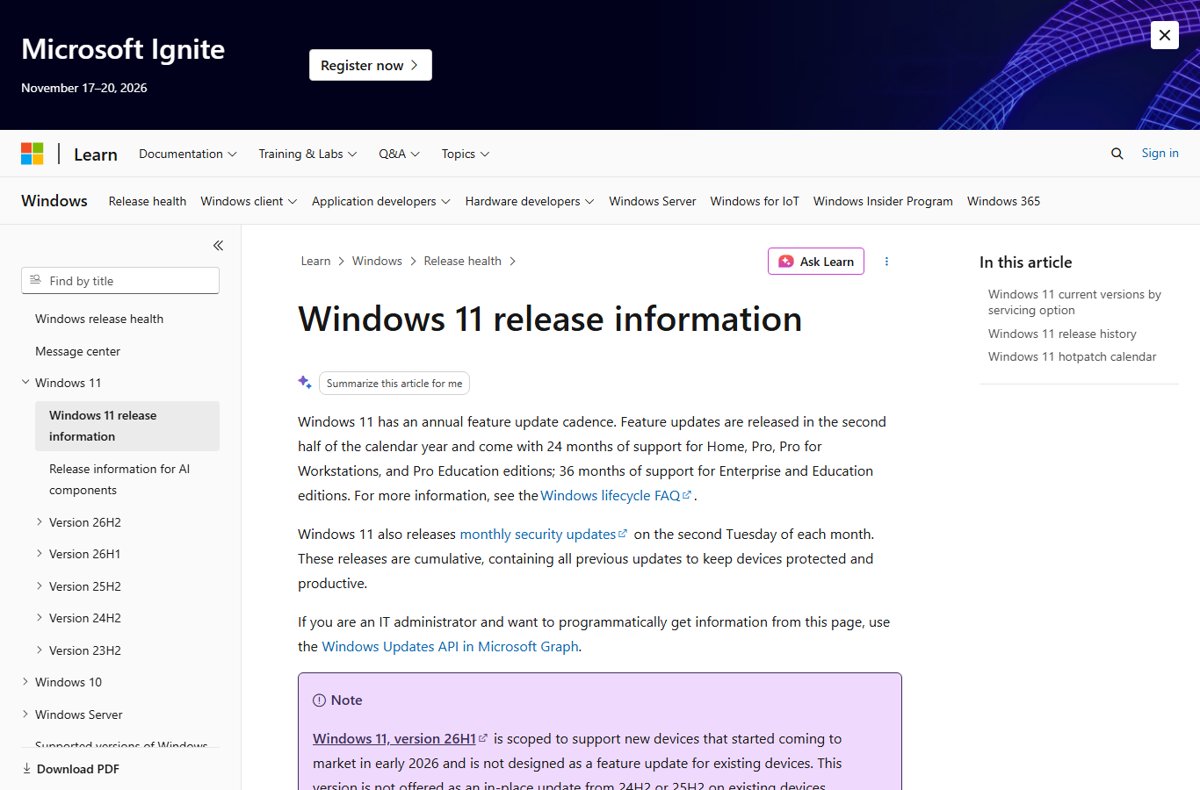
Microsoft's release information lists 26H2 as OS build 26300. The same September update carries build 26200 on 25H2 and 26100 on 24H2, so the build number also shows which version is active.
Fix problems getting or installing the 26H2 enablement package
The first symptom is the most common on day one. The other two are known issues Microsoft lists on its 26H2 release health page; the 26H2 known issues tracker follows new entries.
Windows Update does not offer Windows 11, version 26H2
The PC is still waiting in the phased rollout, lacks the prerequisite update, or sits behind a safeguard hold.
- Confirm under Settings > System > About that the version is 24H2 or 25H2.
- In Settings > Windows Update, install KB5124010 or any later cumulative update, then restart.
- Turn on Get the latest updates as soon as they're available and select Check for updates.
- Check again over the following days. A safeguard hold lifts only when Microsoft resolves the issue it detected.
- If you cannot wait and no hold applies, install the .msu file for your architecture with DISM.
USB audio device shows Code 10 or produces no sound after the update
A known issue with some USB Audio Class 1.0 devices, marked mitigated on September 29, 2026.
- Open Settings > Windows Update and install every available update.
- Restart the PC and test the device again.
- In a managed organisation, IT administrators who still see the symptoms can contact Microsoft Support for Business.
Domain sign-in fails with a trust relationship error after 26H2
26H2 starts honouring existing Machine Identity Isolation enforcement settings, which work only with Windows Server 2025 domain functional level.
- Disable Machine Identity Isolation with the tool that enabled it: Intune or Group Policy.
- If it was set in the registry, change
MachineIdentityIsolationfrom2to0underHKLM\SYSTEM\CurrentControlSet\Control\Lsa\MachineIdentityIsolationorHKLM\SOFTWARE\Policies\Microsoft\Windows\DeviceGuard\MachineIdentityIsolation. - Restart the device.
- In PowerShell, run
Test-ComputerSecureChannel -Repair -Credential (Get-Credential)to reset the secure channel.
A missing 26H2 offer in Windows Update can have several causes.
Frequently Asked Questions
How do I get the 26H2 enablement package?
Open Settings > Windows Update on a Windows 11 24H2 or 25H2 PC, turn on Get the latest updates as soon as they're available, and select Download & install when version 26H2 is offered. Organisations can deploy it through WSUS, Intune, Windows Autopatch or the Microsoft 365 admin center.
Can I download the Windows 11 26H2 enablement package directly?
Yes. KB5121794 is not listed in a Microsoft Update Catalog search, but its .msu files for x64 and ARM64 are hosted on Microsoft's own download server, catalog.sf.dl.delivery.mp.microsoft.com. Install KB5124010 or a later cumulative update first, then add the file with DISM.
How big is the Windows 11 26H2 enablement package?
The x64 file is 177,535 bytes, about 173 KB, and the ARM64 file is 178,969 bytes, about 175 KB. The package is tiny because the 26H2 code already arrives in the monthly cumulative updates; the enablement package only switches it on.
What is the Windows 11 26H2 eKB?
eKB is short for enablement package. For Windows 11 26H2 it is KB5121794, a small update that activates dormant 26H2 features on PCs running versions 24H2 and 25H2. It needs one restart and does not replace any previously released update.
What must be installed before KB5121794?
The PC must run Windows 11 version 24H2 or 25H2 with the September 22, 2026 preview update KB5124010, or a later cumulative update, already installed. That update carries the 26H2 features the enablement package turns on.
Does the 26H2 enablement package work on Windows 11 23H2 or Windows 10?
No. KB5121794 applies only to Windows 11 versions 24H2 and 25H2. A PC on 23H2, or a Windows 10 PC that meets Windows 11 hardware requirements, needs a full upgrade through the Installation Assistant, the media creation tool or an ISO.
Which file do I need, x64 or ARM64?
PCs with Intel or AMD processors need the x64 file. PCs with Arm processors need the ARM64 file. If you are unsure, open Settings > System > About and check the processor listed under Device specifications before you download either file.
Does installing KB5121794 need a restart?
Yes. Microsoft's KB5121794 article states that you must restart the device after applying the update. One restart completes the move from version 24H2 or 25H2 to version 26H2.
Bottom line
Use Windows Update on a home PC and WSUS or Intune in an organisation; reach for the direct .msu file only when you cannot wait for the rollout or the PC is offline. Windows Update and managed tools respect safeguard holds and check the prerequisite for you. The .msu route skips both, so it is safe only once KB5124010 or a later cumulative update is installed and no known issue applies to the PC.