The Microsoft Visual Studio download is a 5.4 MB bootstrapper from visualstudio.microsoft.com, and the Community edition costs nothing. Run the file and the Visual Studio Installer fetches only the workloads you tick.
The current release is Visual Studio 2026, version 18.10.1, dated September 15, 2026. It installs on Windows 11 and on Windows Server 2019 and later, on x64 and ARM64 hardware.
This guide covers the official download links, the install, what each edition costs, offline layouts, the Mac situation, updates, install fixes and clean removal.
Which Microsoft Visual Studio download do you need?
All four Windows editions ship the same installer and differ in licence and tooling. Match your row, then take the link in the next section.
| Your situation | What to install | Where to get it |
|---|---|---|
| You code alone, study, or work on open source | Visual Studio Community 2026, free | Visual Studio downloads |
| More than five people in a business use it | Visual Studio Professional 2026, paid after the trial | Visual Studio downloads |
| You need the advanced debugging and testing tools | Visual Studio Enterprise 2026, paid after the trial | Visual Studio downloads |
| A build server needs compilers without an IDE | Build Tools for Visual Studio 2026 | Visual Studio downloads |
| You must land on one exact servicing build | A fixed-version bootstrapper from the release history | Visual Studio release history |
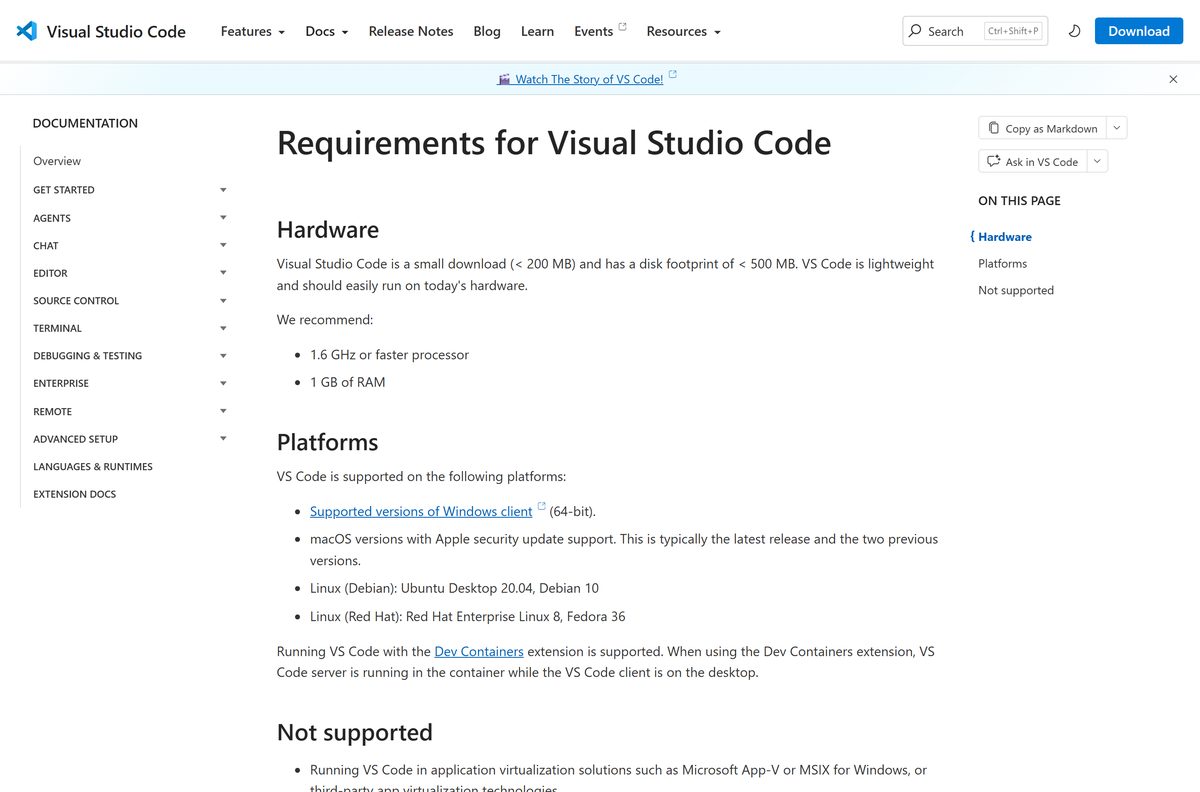
| Your machine runs Windows 10, macOS or Linux | Visual Studio Code | code.visualstudio.com |
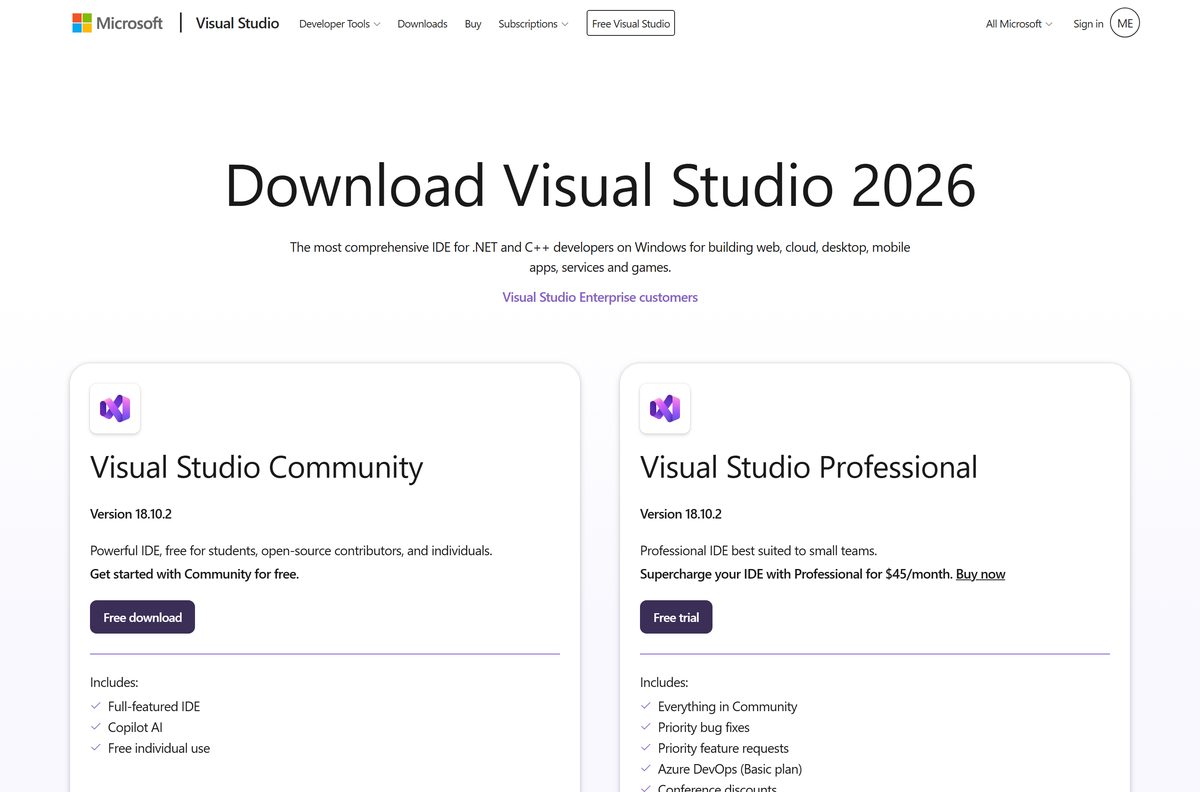
Check the Visual Studio system requirements before you install
The download is small. The installed product is not: a typical workload selection takes 20 GB to 50 GB of disk.
| Field | Value |
|---|---|
| Developer | Microsoft Corporation |
| Latest version | 18.10.1 (build 12210.168), released September 15, 2026 |
| Editions | Community, Professional, Enterprise, plus Build Tools, Team Explorer and Remote Tools |
| Licence | Community free; Professional and Enterprise paid, with a 30-day trial |
| Download size | 5.4 MB bootstrapper |
| Disk space | 2.5 GB minimum, up to 210 GB; typical installs take 20 GB to 50 GB |
| Supported Windows | Windows 11 Home, Pro, Pro Education, Pro for Workstations, Enterprise and Education, including ARM64 |
| Supported Server | Windows Server 2025, 2022 and 2019, Standard and Datacenter |
| Architecture | ARM64 or AMD64/x64, 64-bit only; ARM32 is not supported |
| Processor | Quad-core or better recommended, best with 16 cores or more |
| Memory | 4 GB minimum, 16 GB recommended, best with 64 GB |
| Display | 1366 by 768 minimum, 1920 by 1080 or higher recommended |
| Prerequisites | .NET Framework 4.7.2 to install and 4.8 to run, plus the WebView2 runtime; setup adds both |
| Update channels | Stable and Insiders for everyone; long term servicing channels for Professional and Enterprise |
| Offline installer | No single file; build a local layout or use Download all, then install |
| macOS | No |
| Support dates | Started November 11, 2025, retirement listed as November 10, 2027 |
| Official source | visualstudio.microsoft.com |
| Last verified | 2026-09-22 |
Windows 10 does not appear on the supported list for Visual Studio 2026 or for Visual Studio 2022. Windows in S mode, Enterprise LTSC editions, Windows IoT and Windows 10 Team Edition are excluded too.
On ARM64 Windows the Python, Office and SharePoint, data science and C++ mobile workloads do not install.
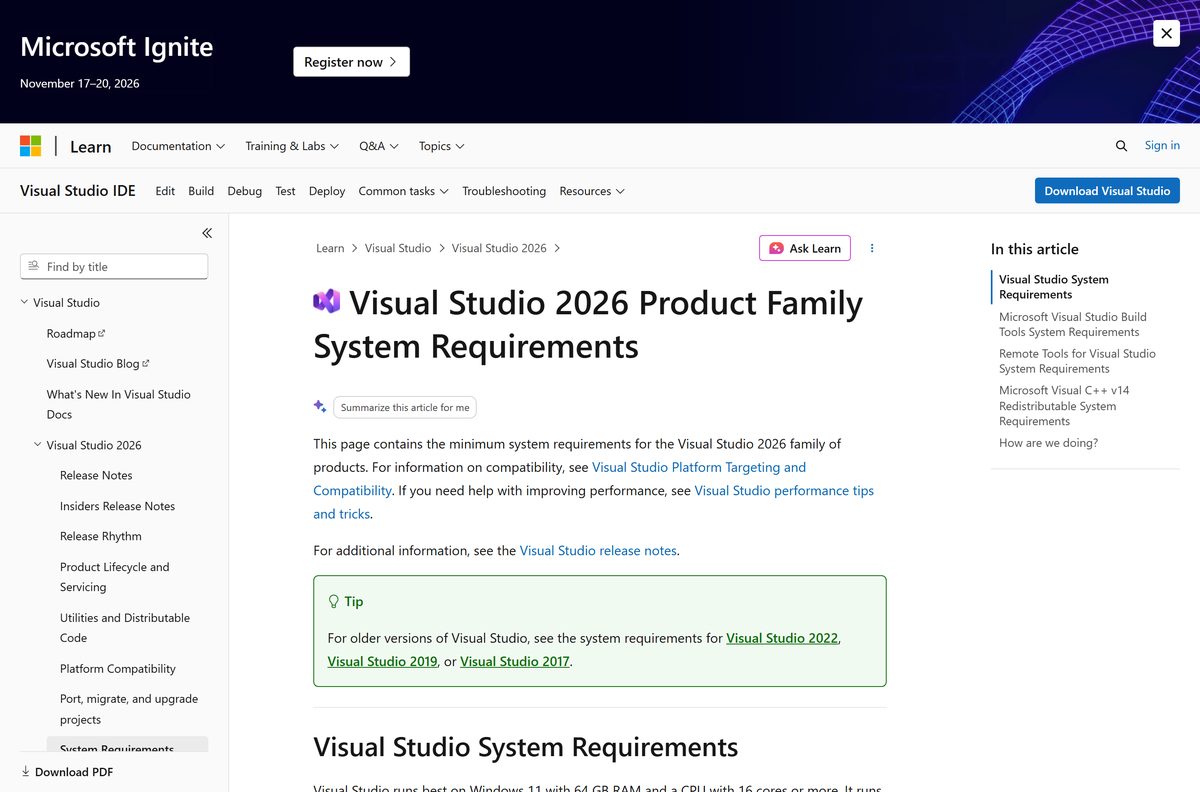
Download Visual Studio from the official Microsoft pages
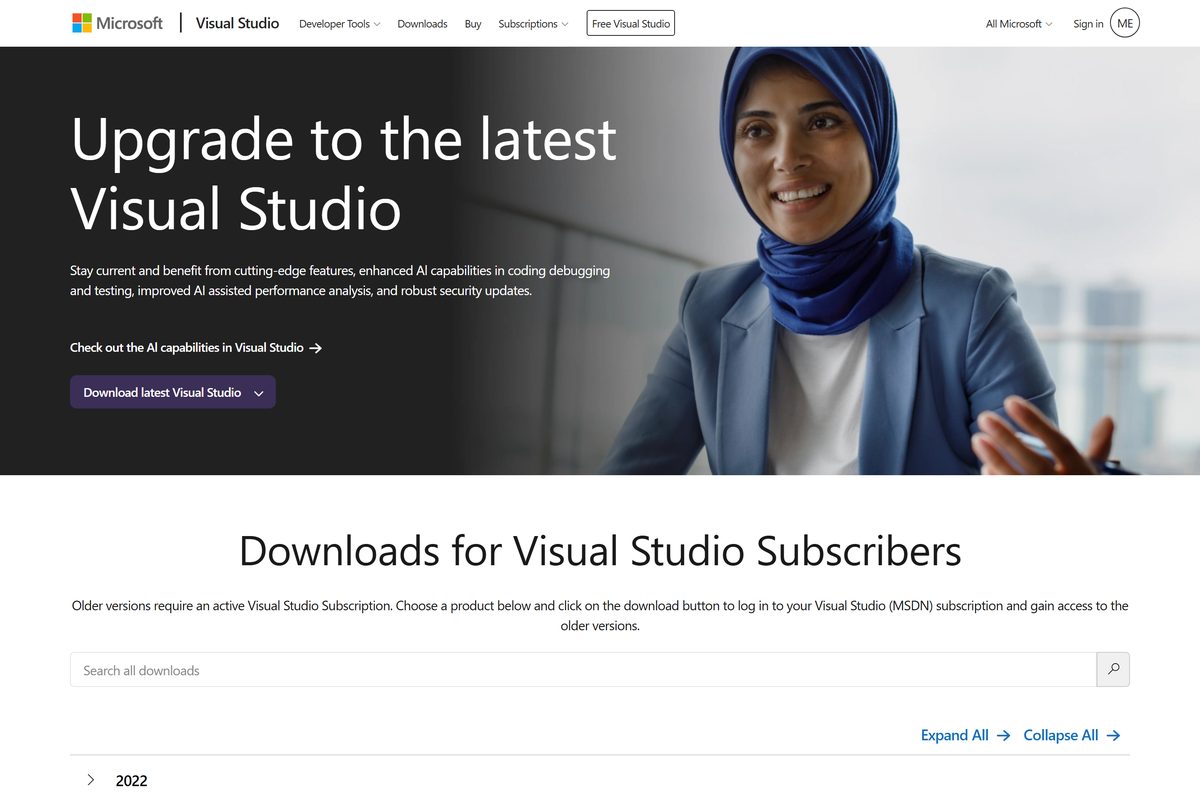
The downloads page hands you the newest Stable-channel build for the edition you pick. The release history page hands you one frozen build, which is what a locked toolchain needs.
- Visual Studio downloads page — Community, Professional, Enterprise, Build Tools, Team Explorer and Remote Tools
- Professional bootstrapper (vs_Professional.exe) — 5.4 MB · installs exactly 18.10.1
- Enterprise bootstrapper (vs_Enterprise.exe) — 5.4 MB · same build as Professional
- Build Tools bootstrapper (vs_BuildTools.exe) — 5.4 MB · compilers and MSBuild, no IDE
- Visual Studio release history — every Stable build back to 18.0.0, with build numbers
- Visual Studio older downloads — 2022, 2019 and 2017; an active Visual Studio Subscription is required
Community has no fixed-version bootstrapper. Microsoft supports Community only on the Stable channel at the latest version, so take it from the downloads page.
Version 16.11 is a separate product with its own servicing baseline, covered in the Visual Studio 2019 download guide.
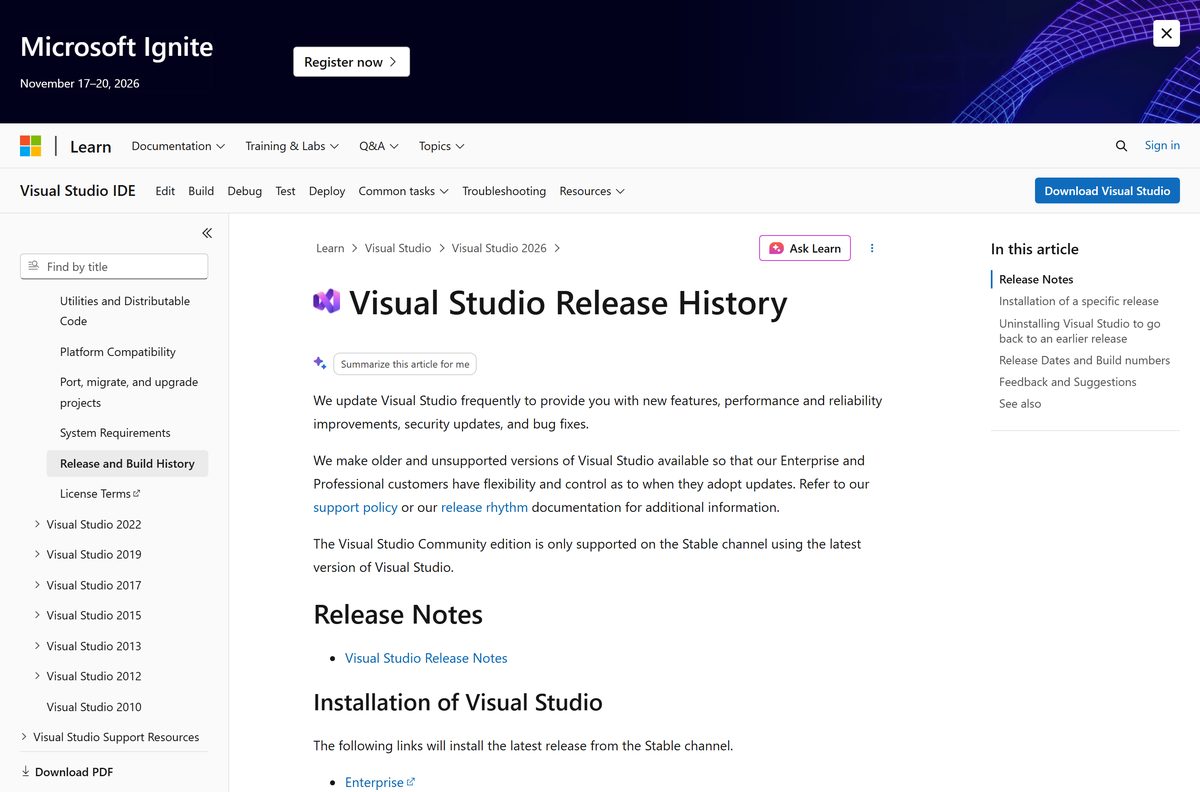
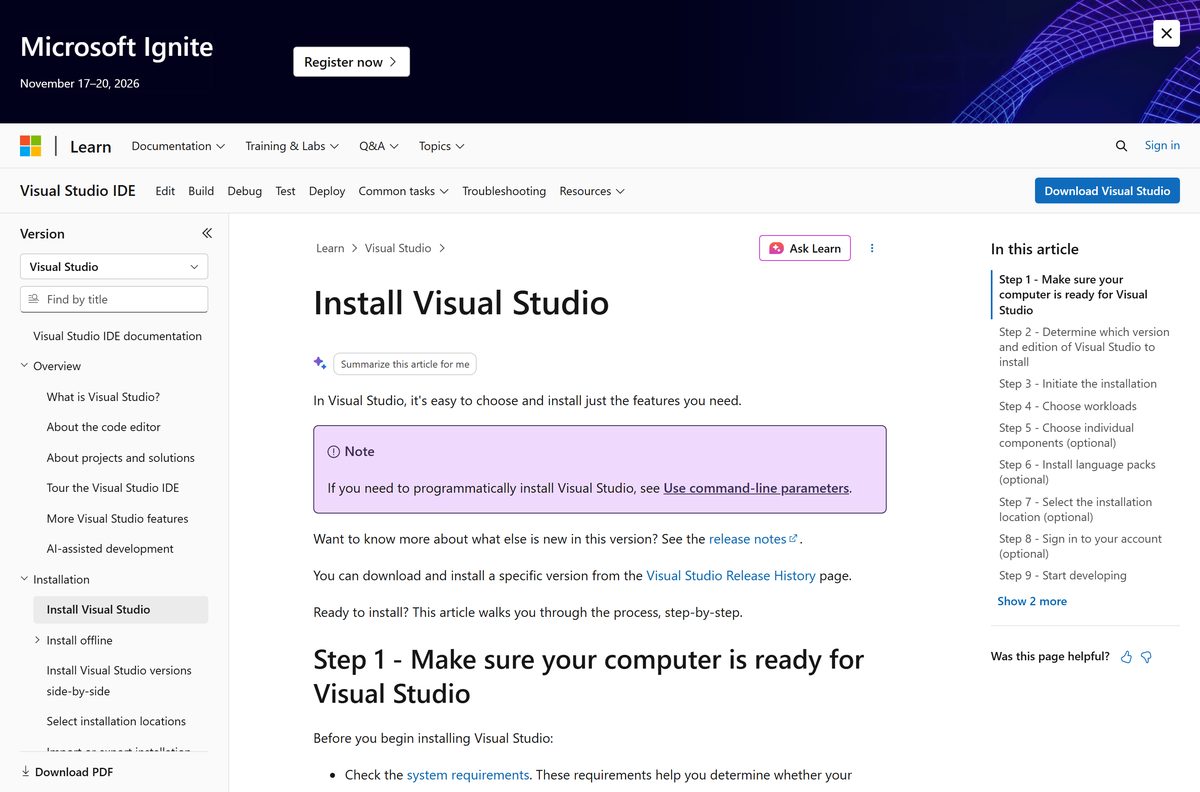
How to install Visual Studio on Windows 11
Sign in to an account with administrator rights, apply pending Windows updates and restart first. Both steps prevent the most common setup failures.
- Open the Visual Studio downloads page and choose Free download under Community, or Free trial under Professional or Enterprise.
- Open your Downloads folder and double-click the bootstrapper, named VisualStudioSetup.exe or something like vs_Community.exe.
- Choose Yes at the User Account Control notice.
- Acknowledge the Microsoft License Terms and Privacy Statement, then choose Continue. The Visual Studio Installer installs itself and opens.
- Choose how to configure the install: Manually choose workloads and components, Migrate my configuration from this product version, or Import my configuration from a .vsconfig file.
- On the Workloads tab, tick what you build, such as ASP.NET and web development or Desktop & Mobile.
- Open Individual components to add anything the workloads leave out.
- Open Language packs to run the IDE in a language other than your Windows language.
- Open Installation locations to move the Visual Studio IDE or Download cache to another drive. This choice is only available on a first install.
- Select Install, wait for the packages, then select Launch and choose Create a new project.
Community does not require a sign-in. Professional and Enterprise run for 30 days without one, and signing in extends that to 90 days once.
How to verify the Visual Studio bootstrapper you downloaded
The bootstrapper carries no published checksum, so check its own version string instead. Every genuine file comes from download.visualstudio.microsoft.com.
- Confirm the file name reads VisualStudioSetup.exe, or vs_Community.exe, vs_Professional.exe, vs_Enterprise.exe or vs_BuildTools.exe.
- Right-click the file in Downloads and choose Properties.
- Open the Details tab and read Product version.
- Match that value against the build number on the Visual Studio release history page, which is 12210.168 for the current release.
- Delete the file and take it again from Microsoft if the version does not match any listed build.
Is Microsoft Visual Studio free?
Community is free, and it is the same IDE rather than a cut-down viewer. The limit is who may run it, not what it can do.
Install Visual Studio Community unless your employer has more than 250 PCs or more than $1 million in annual revenue. Any individual developer may use Community for free or paid apps, and up to five users may run it inside a non-enterprise organisation. Larger organisations are limited to open source, academic research and classroom learning.
Professional costs $99.99 per user per month on an annual standard subscription, falling to $66.59 on renewal. Enterprise costs $499.92 per user per month, falling to $214.09.
Monthly cloud subscriptions run $45 for Professional and $250 for Enterprise, and a standalone Professional IDE licence is $499 once. Both paid editions run as a 30-day trial, extendable to 90 days by signing in.
Microsoft never sells Visual Studio through a download portal or a key reseller. A page charging for the Community installer is selling you a free file.
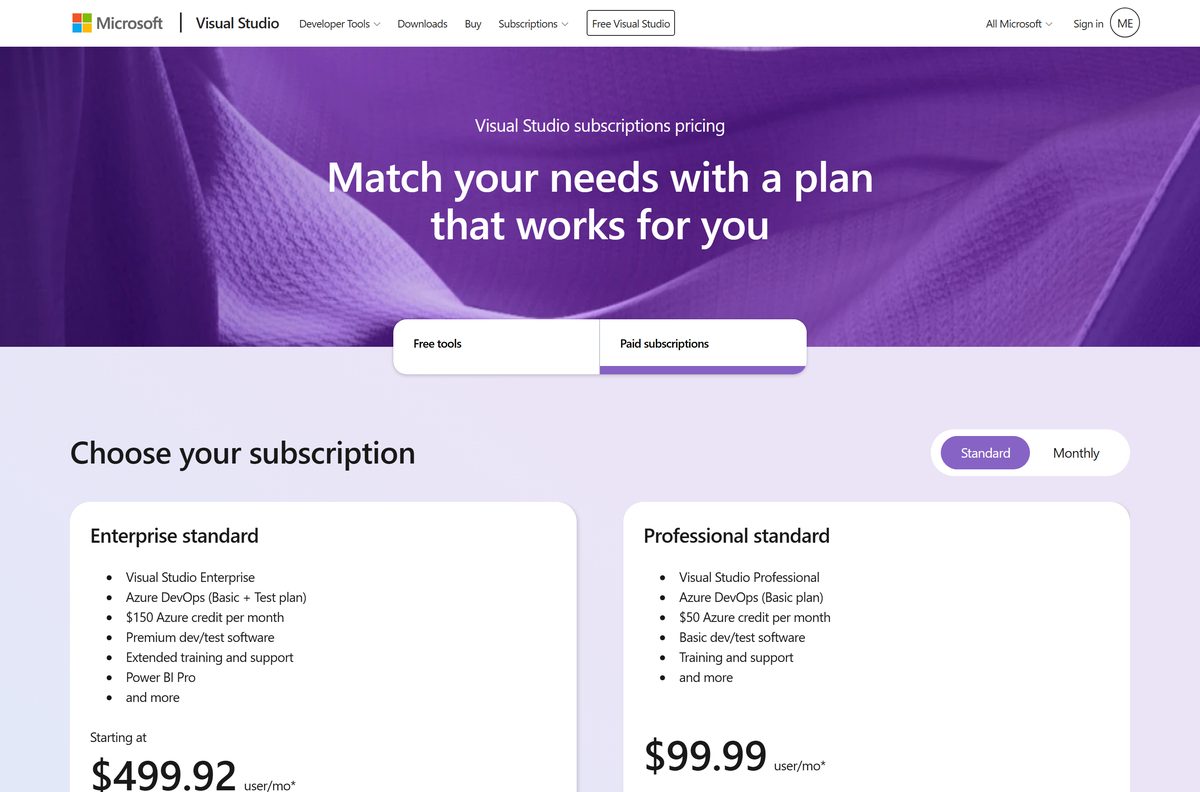
Visual Studio Community or Professional: which should you install?
The compilers, debugger, editor and project templates are identical. The split is licensing and the professional tooling layered on top.
Start with Community and move to Professional only when your organisation outgrows the Community licence or needs a subscription’s benefits. Both install from the same bootstrapper and the same installer, so switching later means an uninstall and a reinstall rather than a rewritten toolchain.
How to build an offline Visual Studio layout for deployment
There is no single offline setup file. The bootstrapper downloads a layout, and the installer then reads packages from that folder.
Run these from an elevated command prompt in the folder holding the bootstrapper. Keep the full path under 80 characters, and allow at least 45 GB for a complete layout.
| What you want | Command or link |
|---|---|
| Get the bootstrapper first | Visual Studio release history |
| Every feature and every language | vs_enterprise.exe –layout c:\localVSlayout |
| .NET web and desktop, English only | vs_enterprise.exe –layout c:\localVSlayout –add Microsoft.VisualStudio.Workload.ManagedDesktop –add Microsoft.VisualStudio.Workload.NetWeb –lang en-US |
| Install from the layout with no internet access | c:\localVSlayout\vs_enterprise.exe –noWeb –add Microsoft.VisualStudio.Workload.ManagedDesktop –add Microsoft.VisualStudio.Workload.NetWeb –includeOptional |
The installer records the layout path, so future updates expect the folder to stay where it was. Move it and package lookups fail.
For one machine with a slow line, skip the layout: pick Download all, then install in the dropdown at the bottom of the Workloads tab. That package is built for that PC and does not transfer.
How to check your Visual Studio version and update it
Close Visual Studio and save your work first. Updates need administrator rights unless an administrator enabled the AllowStandardUserControl policy.
- In the IDE, choose Help on the menu bar, then Check for Updates.
- Choose Update in the Update available dialog to apply it now.
- Choose Update on Close instead to defer it to the next time you quit.
- Or search the Start menu for installer and open Visual Studio Installer.
- Find your edition, read the Update available message, and choose Update.
- Choose Launch when it finishes, or restart if the installer asks.
- To change where updates come from, choose More, then Update settings, and pick a value in the Update channel dropdown.
Professional and Enterprise customers can also jump to one exact build by running that build’s bootstrapper from the release history page inside the installation directory.
Which Visual Studio download do you need for your Mac?
Visual Studio is a Windows product. Microsoft retired the macOS IDE and now points Mac developers at Visual Studio Code.
| Your Mac situation | What to use | Where to get it |
|---|---|---|
| You want a Microsoft code editor on macOS | Visual Studio Code, free, on macOS releases still receiving Apple security updates | code.visualstudio.com |
| You still run Visual Studio 2022 for Mac | Retired on August 31, 2024 and no longer serviced | Visual Studio older downloads |
| You need the full IDE and only own a Mac | Windows 11 on separate hardware or a persistent virtual machine | Visual Studio system requirements |
Microsoft excludes non-persistent virtual machines and machines without a full Windows install, so a throwaway VM image is not a supported host.
Fix Visual Studio not installing on Windows 11
Work down these in order. Each one targets a different failure, and the later ones are destructive.
Setup stops partway through
A damaged install usually repairs without a reinstall.
- Open Visual Studio Installer from the Start menu.
- Select More next to your edition, then Repair.
- Check the known issues list if the repair fails.
- Search the Visual Studio Developer Community for the exact error text.
An update refuses to apply
Stale installer metadata blocks the update.
- Close the Visual Studio Installer.
- Delete the folder C:\Program Files (x86)\Microsoft Visual Studio\Installer.
- Run the bootstrapper from your Downloads folder again.
- Start the update once the installer rebuilds itself.
Setup fails on WebView2
Group Policy is blocking the runtime that the installer requires.
- Ask your administrator to check the Microsoft Edge Install (WebView) policy.
- Have them check the InstallDefault policy if the first one is unconfigured.
- Run setup again once WebView2 is allowed to install.
The new build broke your projects
Rollback returns you to the immediately previous build only.
- Open Visual Studio Installer, select More, then Rollback to previous version.
- Select OK to confirm.
- Or run VisualStudioSetup.exe rollback –installPath
from a command prompt.
Nothing above works and support asks for logs
The collection tool gathers every component’s setup log.
- Download the log collection tool from the link on Microsoft’s installation troubleshooting page.
- Open an elevated Command Prompt and run Collect.exe in the folder you saved it to.
- Attach the vslogs.zip file it writes to your %TEMP% folder to a report from Report a problem.
How to uninstall Visual Studio
Removing the IDE leaves the Visual Studio Installer behind, along with standalone components such as .NET, SQL and the Visual C++ Redistributables.
- Search the Start menu for installer and open Visual Studio Installer.
- Find your edition, select More, then Uninstall.
- Select OK to confirm.
- Type Add or remove programs in the Windows search box to remove the rest.
- Open the ellipsis menu beside Microsoft Visual Studio Installer and choose Uninstall.
- Remove leftover .NET, SQL, IIS and SDK entries from Installed apps by hand.
- Only if uninstall itself fails, open an administrator Command Prompt and run “C:\Program Files (x86)\Microsoft Visual Studio\Installer\InstallCleanup.exe” -f .
Add -i 18 instead of -f to clear one version’s files when you plan to reinstall it. The -f switch also strips shared components that other Microsoft products use.
Visual Studio alternatives from Microsoft
Two official tools cover the cases the full IDE does not: an unsupported operating system, and a build server that needs no editor.
| Tool | Runs on | Cost | Use it when | Link |
|---|---|---|---|---|
| Visual Studio Code | Windows 11 and Windows 10 64-bit, macOS, Linux | Free | Your machine is not on the supported Windows list, or you want a light editor | code.visualstudio.com |
| Build Tools for Visual Studio 2026 | Windows 11, Windows Server, Windows containers | Same licence as the edition you hold | A CI agent needs MSBuild and the compilers with no IDE | Visual Studio downloads |
| Visual Studio 2022 | Windows 11 and Windows Server 2016 and later | Requires an active Visual Studio Subscription | A project pins you to the 17.x toolset | Visual Studio older downloads |
Other developer tools for Windows include Debian and Mongodb.
Frequently asked questions
Is Microsoft Visual Studio free?
Visual Studio Community 2026 is free. Any individual developer may use it, and up to five users may use it in a non-enterprise organisation. Professional and Enterprise are paid subscriptions with a 30-day trial.
What is the official Microsoft Visual Studio download page?
The official page is visualstudio.microsoft.com/downloads. It serves Community, Professional, Enterprise, Build Tools, Team Explorer and Remote Tools. Fixed-version bootstrappers live on the release history page on learn.microsoft.com.
Does Visual Studio run on Windows 11?
Yes. Microsoft supports Visual Studio 2026 on supported versions of Windows 11 Home, Pro, Pro Education, Pro for Workstations, Enterprise and Education, including ARM64 editions, plus Windows Server 2019 and later.
Can I install Visual Studio on Windows 10?
Windows 10 is not on Microsoft’s supported operating system list for Visual Studio 2026 or Visual Studio 2022. Visual Studio Code supports 64-bit Windows 10 and is the free Microsoft option there.
How big is the Visual Studio download?
The bootstrapper is 5.4 MB. It pulls the packages you select, so plan for 2.5 GB at the very minimum and 20 GB to 50 GB for a typical workload selection.
Is there a Visual Studio offline installer?
There is no single offline file. Create a local layout with the bootstrapper’s –layout switch and install with –noWeb, or choose Download all, then install in the Visual Studio Installer. A full layout needs at least 45 GB.
Is there a Visual Studio for Mac?
No. Visual Studio 2022 for Mac was retired on August 31, 2024 and the older downloads page lists it as retired. Mac developers use Visual Studio Code, which runs on macOS releases that still receive Apple security updates.
Does Visual Studio support ARM64 and 32-bit Windows?
Visual Studio runs natively on ARM64 and AMD64 Windows 11. ARM32 and 32-bit operating systems are not supported, and the Python, Office, data science and C++ mobile workloads are unavailable on ARM64.
Is the Visual Studio installer safe to run?
It is safe when the file comes from visualstudio.microsoft.com or download.visualstudio.microsoft.com. Check Properties then Details, and match Product version against the build numbers on the release history page.
What is the latest Visual Studio version?
Version 18.10.1, build 12210.168, released on September 15, 2026. It belongs to the Visual Studio 2026 family, which started on November 11, 2025 on the Stable channel.
Why will Visual Studio not install?
Repair the installation from the Visual Studio Installer first. If an update is the problem, delete the Installer folder under Program Files (x86) and rerun the bootstrapper. Blocked WebView2 policies also stop setup.
Can I install two versions of Visual Studio side by side?
Yes. The installer lists other products on its Available tab, and it can migrate workloads, SDKs, toolsets, settings and Marketplace extensions from a 2022 or later instance into the new one.







Getting started with HoloLens 2 app development in 2026 - Techdows
[…] development needs a Windows PC, Visual Studio 2022 with the right workloads, and either a headset or the HoloLens 2 Emulator. The emulator has […]