The Debian download is a free ISO image from debian.org that installs Debian 13 on any 64-bit PC. Write it to a USB drive, boot from it and the installer walks you through the rest.
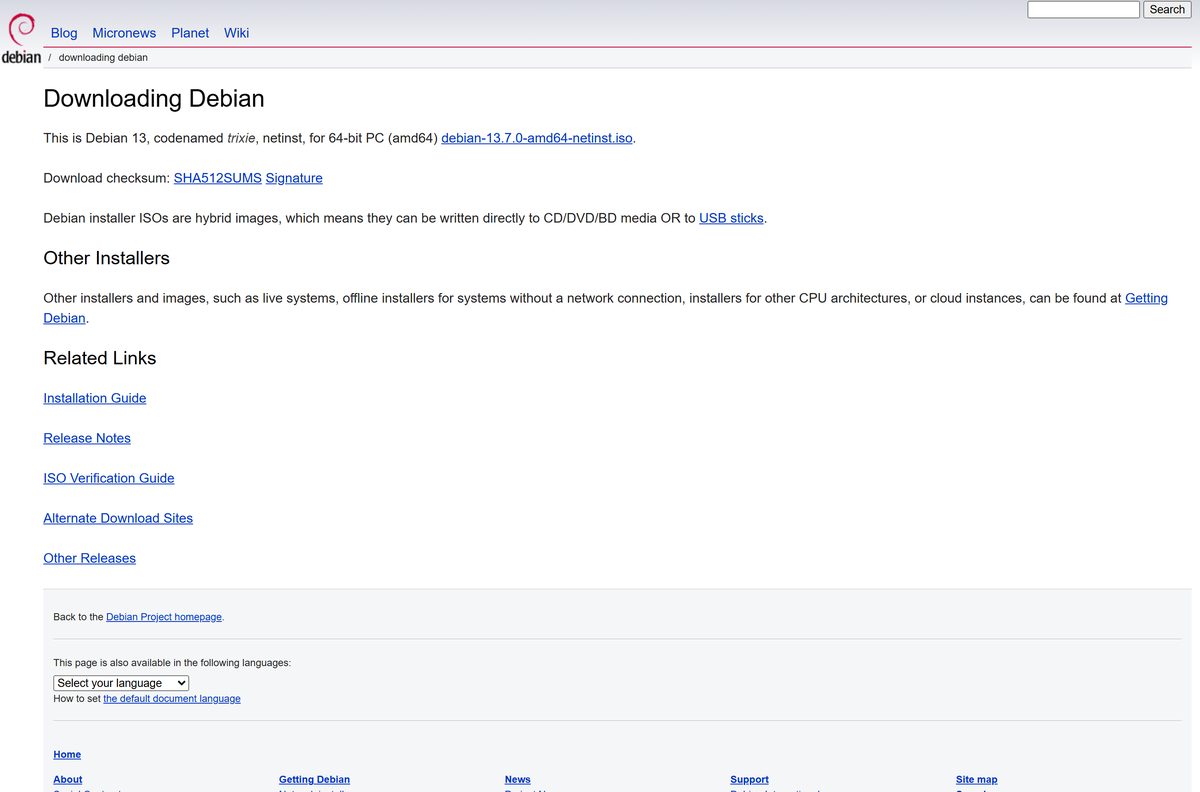
Most people want the small netinst image for 64-bit Intel and AMD PCs. It pulls the latest packages during setup, so it needs an internet connection.
This guide covers which image fits your machine, the official links, checking the file, making a USB on Windows, running Debian inside Windows with WSL, Mac options, requirements and install fixes.
Which Debian download do you need?
Match your machine to a row. Every image below comes from debian.org and is free.
| Your machine or goal | Get this | Why |
|---|---|---|
| 64-bit Intel or AMD PC with internet | debian-13.7.0-amd64-netinst.iso | Smallest image, installs current packages |
| 64-bit PC with no internet during setup | debian-13.7.0-amd64-DVD-1.iso | Carries packages for every desktop |
| Try Debian before installing | Live images for 64-bit PC | GNOME, KDE, Xfce and more, run from USB |
| 64-bit ARM machine | arm64 netinst image | Separate image for AArch64 hardware |
| Older 64-bit Intel Mac | debian-mac netinst image | Built for older Intel Macs |
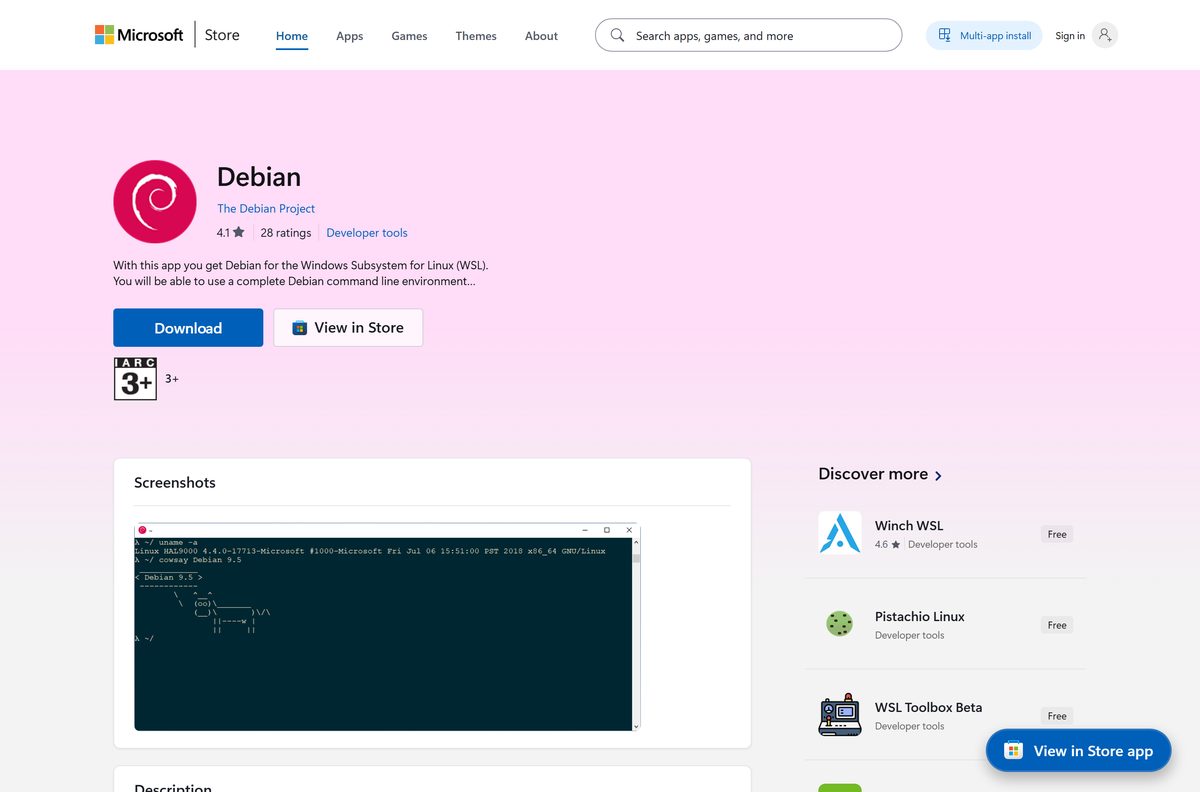
| Keep Windows 11 or 10 and add Debian | Debian on the Microsoft Store | Runs in WSL, no USB needed |
Press Windows + I, open System > About and read System type. A 64-bit x64 processor takes the amd64 image.
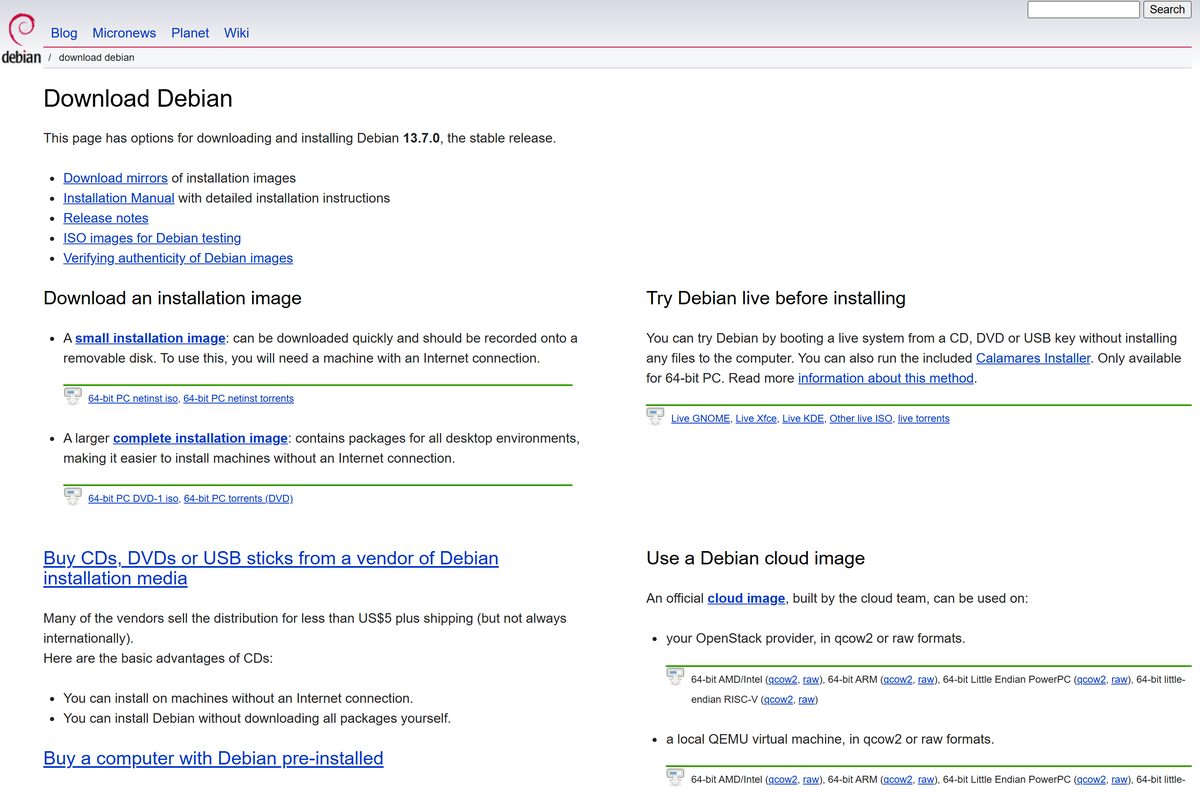
Download Debian from the official links
These are the first-party download locations. debian.org sends each ISO request to a nearby mirror automatically.
- Debian download page — one-click netinst image for 64-bit PC
- Getting Debian: all images — netinst, DVD, live, cloud and torrent options
- Debian netinst for 64-bit PC — needs internet during install
- Debian DVD-1 for 64-bit PC — offline installer
- Debian live images — try a desktop before installing
- Debian cloud images — qcow2 and raw images, plus AWS and Azure
- Debian on the Microsoft Store — publisher The Debian Project, for WSL
Skip any site that wraps Debian in a Windows .exe. Debian ships as ISO images, never as a Windows setup program.
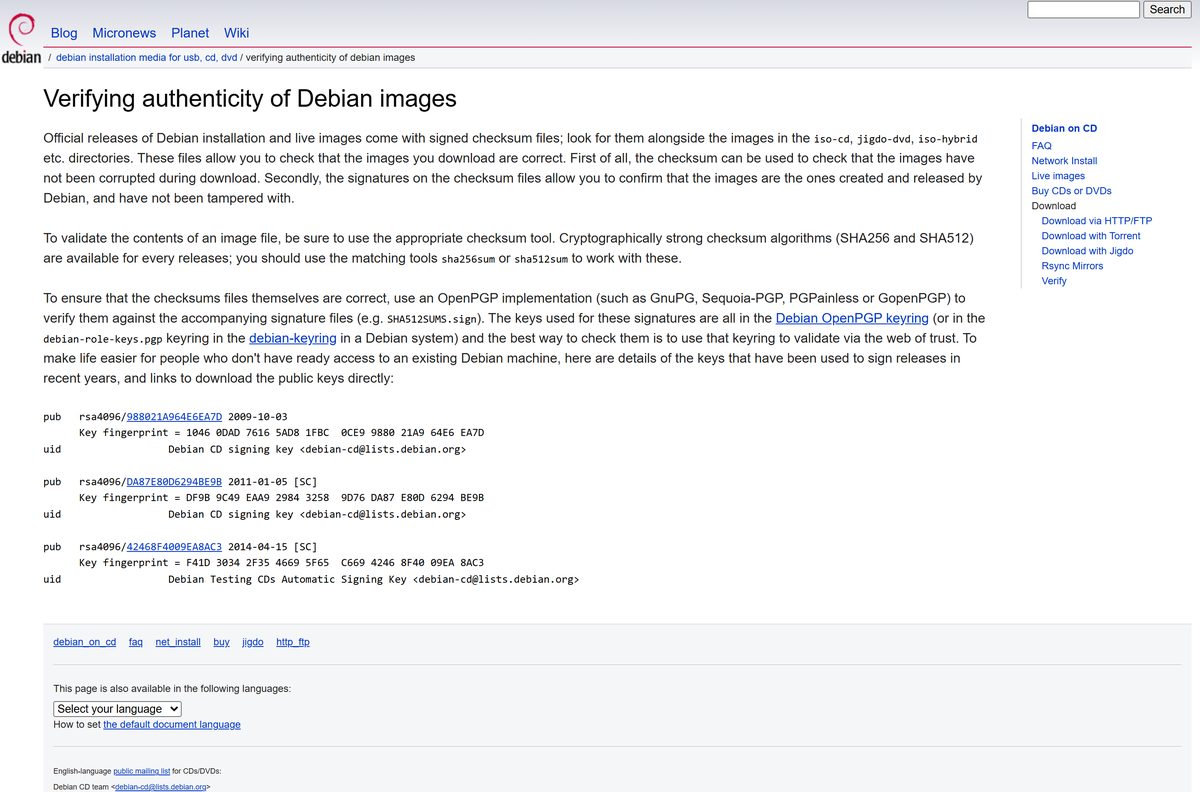
How to verify the Debian ISO before you install it
Every image folder on cdimage.debian.org carries signed checksum files. Compare one before you write the USB.
- Open the folder that holds your ISO and download SHA512SUMS.
- Right-click Start and select Terminal.
- Run Get-FileHash .\Downloads\debian-13.7.0-amd64-netinst.iso -Algorithm SHA512 .
- Open SHA512SUMS in Notepad and find the line for your file name.
- Confirm the two hashes match character for character. Delete the ISO and download it again if they differ.
- For signature checking, download SHA512SUMS.sign and verify it with GnuPG against the keys on keyring.debian.org.
On Linux or macOS, sha512sum -c SHA512SUMS –ignore-missing checks the file in one step.
How to make a Debian USB on Windows 11 and 10 and install it
You need a USB drive you can erase and a free partition or spare disk on the target PC.
- Download the netinst or DVD-1 image from debian.org.
- Install balenaEtcher or USBImager, the two Windows tools Debian’s CD FAQ recommends.
- Select the Debian ISO, select your USB drive and write the image. The drive is erased.
- If you plan to keep Windows, open Control Panel > Power Options > Choose what the power buttons do and clear Turn on fast startup.
- Restart and press the one-time boot menu key, usually F12, F11 or F8, then pick the USB drive.
- Choose Graphical install from the Debian boot menu.
- Pick your language, location and keyboard, then set a hostname, a root password and a user account.
- At Partition disks, pick a guided option that uses free space to keep Windows, or the entire disk to replace it.
- At Software selection, tick a desktop environment such as GNOME or Xfce and continue.
- Remove the USB drive when prompted and select Continue to reboot into Debian.
Windows Update can switch fast startup back on. Check it again after big Windows updates, since a half-shut-down Windows partition can be corrupted when Debian writes to it.
Run Debian inside Windows 11 and 10 with WSL
WSL gives you a Debian command line next to Windows, without a USB drive or a second partition.
- Right-click Start and select Terminal (Admin), then select Yes.
- Run wsl –list –online and confirm Debian appears.
- Run wsl –install -d Debian .
- Restart the PC if asked, then open Debian from the Start menu.
- Type a new UNIX username and a password twice.
- Run sudo apt update && sudo apt full-upgrade -y to bring the packages current.
The command needs Windows 11 or Windows 10 version 2004 (build 19041) or newer. You can also select Get on the Debian listing in the Microsoft Store, which covers x64 and ARM64 PCs.
If the install hangs at 0.0%, stop it and run wsl –install –web-download -d Debian .
Which Debian download do you need for your Mac?
Debian treats Macs by processor. Check Apple menu > About This Mac first.
| Your Mac says | Use this | How |
|---|---|---|
| Older Intel processor | debian-mac-13.7.0-amd64-netinst.iso | Write it to USB and boot the Mac from it |
| Intel processor that needs UEFI boot | debian-13.7.0-amd64-netinst.iso | The standard image carries the UEFI boot files |
| Apple M1, M2, M3 or M4 | arm64 netinst image | Install it inside a virtual machine app |
The mac netinst image lacks UEFI boot files, so switch to the standard amd64 image if it fails to boot on your Intel Mac.
Is Debian free?
Yes. Debian is free to download, install and use on as many machines as you like. Debian is free software: you may copy it, give it away and even sell copies. The Debian app on the Microsoft Store is listed at $0.00 as well. Vendors do sell Debian on DVDs or USB sticks for convenience, but the same images are free on debian.org.
Should you install the Debian netinst or DVD image?
Both images install the same Debian 13 system. The difference is where the packages come from.
Install the netinst image if the PC can reach the internet during setup. Use DVD-1 only for offline installs. The netinst image fetches current packages from a mirror, so it stays a quick download. DVD-1 carries packages for every desktop environment, which makes it the offline installer, but it is a much larger file to download and write.
How to check your Debian version and update it
- Open Terminal from the applications menu.
- Run cat /etc/debian_version to see the point release, such as 13.7.
- Run sudo apt update to refresh the package lists.
- Run sudo apt full-upgrade and type Y to install the updates.
- Restart if a new kernel was installed.
Point releases arrive through these same commands. You never need a new ISO to move between point releases.
Check the Debian requirements before you download
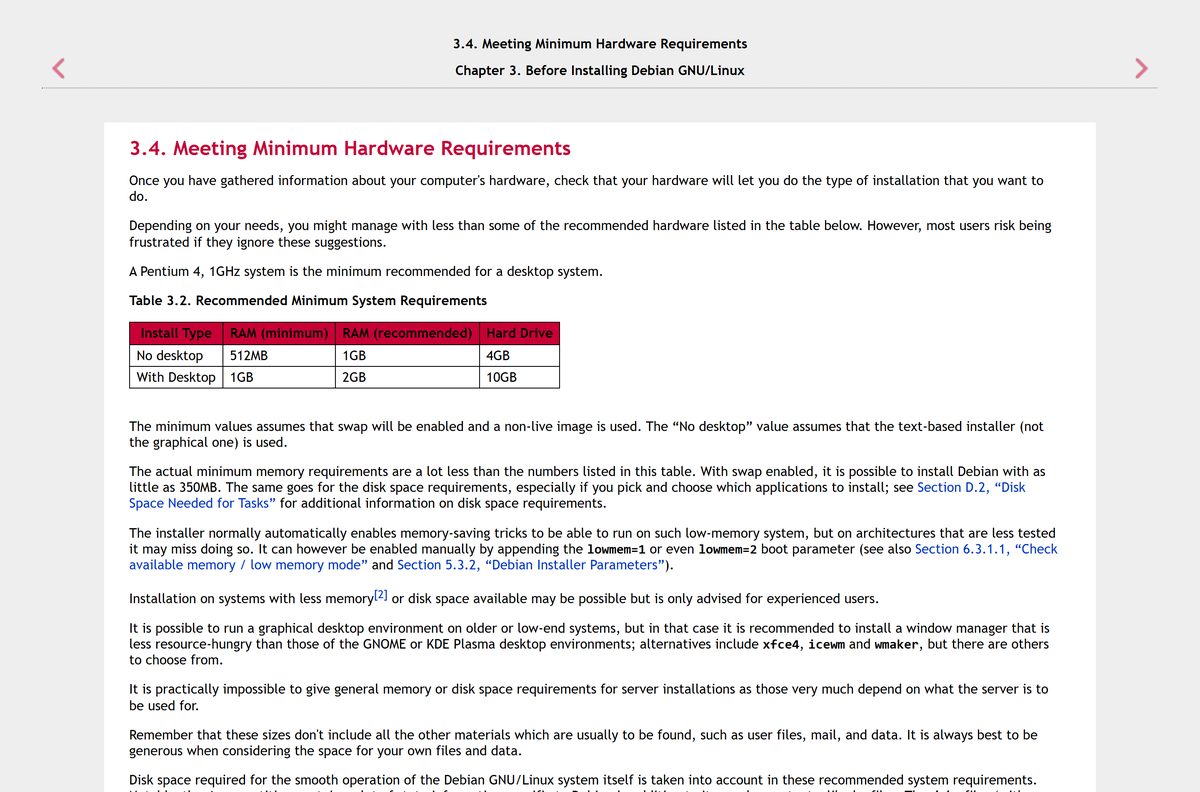
Debian runs on modest hardware. The desktop you pick sets the real floor.
| Field | Value |
|---|---|
| Software | Debian 13 trixie |
| Developer | The Debian Project |
| Latest version | 13.7 (released September 12, 2026) |
| Licence | Free software, free of charge |
| RAM, desktop install | 1 GB minimum, 2 GB recommended |
| RAM, no desktop | 512 MB minimum, 1 GB recommended |
| Disk space | 10 GB with a desktop, 4 GB without |
| Graphical installer | At least 780 MB RAM |
| Installer architectures | amd64, arm64, armhf, ppc64el, riscv64, s390x |
| 32-bit PC | No installer; i386 is a co-architecture only |
| Kernel and desktops | Linux 6.12; GNOME 48, KDE Plasma 6.3, Xfce 4.20 |
| Secure Boot | Supported through a Microsoft-signed shim |
| WSL on Windows | Windows 11, or Windows 10 version 2004 (build 19041) |
| Offline installer | Yes, DVD-1 |
| Support | Full until August 9, 2028; LTS until June 30, 2030 |
| Official source | debian.org/download |
| Last verified | 2026-09-25 |
On a low-memory PC, choose a lighter desktop such as Xfce at the Software selection step instead of GNOME or KDE Plasma.
Fix Debian not installing on your PC
The PC boots straight into Windows and ignores the USB drive
The firmware boot order skips USB devices.
- Restart and press the one-time boot key, usually F12, F11 or F8.
- If no menu appears, press Delete or F2 at power-on to open the firmware settings.
- Enable USB legacy support, or set the USB device type to USB CDROM if offered.
- Save, restart and pick the USB drive again.
The installer stops because of low memory
The graphical installer needs at least 780 MB of RAM.
- Choose Install instead of Graphical install from the boot menu.
- If memory is still short, add lowmem=1 or lowmem=2 to the boot line.
- Pick Xfce or no desktop at Software selection.
The netinst image fails to download packages
The netinst image needs a working network connection.
- Plug in an Ethernet cable and restart the installer.
- Pick a different Debian mirror when the installer asks for one.
- If the PC has no internet at all, write the DVD-1 image instead.
Windows files are damaged after installing Debian alongside it
Windows fast startup leaves its partition half shut down.
- Boot into Windows and open Control Panel > Power Options.
- Select Choose what the power buttons do, then Change settings that are currently unavailable.
- Clear Turn on fast startup and select Save changes.
The USB drive boots but the install fails partway
The ISO was damaged in transit.
- Compare the ISO against SHA512SUMS with Get-FileHash .
- Download the image again if the hash differs.
- Rewrite the USB drive and reinstall.
How to uninstall Debian
The steps depend on how you installed it.
Debian installed through WSL
Unregistering deletes the distribution and all its files.
- Back it up first with wsl –export Debian debian-backup.tar if you need the files.
- Run wsl –unregister Debian in PowerShell.
- If you used the Store app, open Settings > Apps > Installed apps, find Debian and select Uninstall.
Debian installed next to Windows
Debian’s partitions and boot entry stay until you remove them.
- Boot into Windows, press Windows + X and select Disk Management.
- Right-click each Debian partition and select Delete Volume.
- Right-click the Windows partition and select Extend Volume to reclaim the space.
- Set Windows Boot Manager first in the firmware boot order.
Which other Debian image should you install instead?
Debian publishes more than the installer ISO. Pick one of these when the netinst image is not the right fit.
| Image | Best for | Where |
|---|---|---|
| Live image (GNOME, KDE, Xfce, Cinnamon, MATE, LXQt) | Testing hardware before installing | Live images |
| Debian Edu netinst | Schools and labs | iso-cd folder |
| Cloud images | OpenStack, QEMU, AWS and Azure servers | cloud.debian.org |
| WSL app | Linux tools inside Windows | Microsoft Store |
| Older releases | Hardware or software tied to Debian 12 | Debian releases |
Frequently asked questions
Is Debian free to download?
Yes. Every Debian image on debian.org is free, and Debian is free software you may copy, share and even resell. The Debian app on the Microsoft Store is also listed at $0.00. Nobody needs a licence key to install it.
Which Debian ISO should I download for a normal PC?
Download debian-13.7.0-amd64-netinst.iso from debian.org/download. It suits any 64-bit Intel or AMD PC and fetches the newest packages during setup. Pick the DVD-1 image instead if the PC has no internet connection.
What is the difference between the Debian netinst and DVD images?
The netinst image carries only what the installer needs and downloads everything else from a Debian mirror, so it needs a network connection. DVD-1 contains packages for all desktop environments, so it installs a full system without internet access.
Is there a 32-bit Debian download?
No, not for Debian 13. The i386 architecture is kept only as a co-architecture for running 32-bit programs on a 64-bit install. There is no i386 installer image, so a 32-bit-only PC needs an older Debian release.
Can I run Debian on Windows 11 without replacing Windows?
Yes. Install it through the Windows Subsystem for Linux with wsl –install -d Debian, or get the Debian app from the Microsoft Store. You get a full Debian command line next to Windows, with no dual boot and no USB drive.
Can I install Debian on a Mac?
Yes. Older 64-bit Intel Macs have their own mac netinst image on cdimage.debian.org. On an Apple silicon Mac, run the arm64 netinst image inside a virtual machine app instead of installing it on the internal drive.
How do I check that my Debian ISO is genuine?
Download SHA512SUMS from the same folder as the image, then compare it with the hash of your file. On Windows, run Get-FileHash with -Algorithm SHA512 in PowerShell. For full assurance, verify SHA512SUMS.sign against the Debian signing keys with GnuPG.
How do I make a bootable Debian USB on Windows?
Debian’s own CD FAQ recommends balenaEtcher or USBImager on Windows. Open the tool, select the ISO, pick the USB drive and write it. Everything on the stick is erased, so copy off any files you need first.
Does Debian work with Secure Boot?
Yes. Debian ships a shim bootloader signed by Microsoft, so the installer should start with Secure Boot left on. If the PC still ignores the USB drive, check the boot order and any USB legacy option in the firmware settings.
How long is Debian 13 supported?
Debian 13 trixie gets full security support until August 9, 2028, then Long Term Support until June 30, 2030. Point releases roll up fixes, and an installed system receives them through apt.
Where can I download older Debian versions?
Open the Debian releases page at debian.org/releases. It lists older releases such as Debian 12 bookworm, each with its own installation guide and images. Older releases receive fewer security updates, so use them only when you must.






